Overview

The Corsair Vengeance DDR5 32GB 6600MHz Desktop RAM sits near the upper end of the mainstream DDR5 speed range, making it a strong option for Intel 13th and 14th Gen builds. At 6600MHz, you are well past the DDR5 baseline — bandwidth-sensitive workloads genuinely benefit here. Running as a 2x16GB dual-channel kit rather than a single 32GB stick improves memory controller efficiency in practice. Worth flagging early: this 6600MHz memory kit is engineered specifically around Intel XMP 3.0, and AMD compatibility is limited, so Ryzen builders should look elsewhere. The pricing targets enthusiasts who want near-top-end DDR5 performance without going fully custom on binned kits.
Features & Benefits

What sets this 6600MHz memory kit apart from cheaper DDR5 options starts under the heatspreader. Corsair moved voltage regulation onboard via a dedicated PMIC rather than relying on the motherboard — this means more precise, stable power delivery and more headroom when pushing beyond XMP settings. The CL38-48-48-106 timings at 1.4V are reasonable for this speed tier, though not the tightest available; G.Skill Trident Z5 offers tighter primaries at comparable speeds if latency is your main priority. iCUE software lets you save custom XMP profiles per application without touching the BIOS, though it is worth noting the software adds background overhead and is entirely optional. The low-profile heatspreader at 1.38 inches tall is a quiet win for cooler clearance in tighter cases.

Best For

This Vengeance DDR5 kit makes most sense for Intel Z790 builders pairing it with a Core i7 or i9 who want meaningful performance headroom above baseline DDR5 without buying into fully custom-binned territory. Content creators handling 3D renders, large video timelines, or complex compositing will notice the difference in throughput-heavy workloads where memory bandwidth genuinely matters. Competitive gamers chasing high refresh rates at 1080p or 1440p can benefit too, since CPU-bound scenarios respond well to faster RAM. Existing iCUE users will find the unified software management convenient rather than essential. The low-profile build also makes this a smart choice for anyone running a large air cooler where heatspreader height is a real constraint.

User Feedback

With a 4.6-star average across over 250 verified ratings, this Corsair DDR5 module earns its marks largely on out-of-the-box stability — most buyers report that enabling XMP in the BIOS is enough for it to post at full speed without drama. That said, a recurring minority of reviewers mention occasional boot loops on specific Z690 boards when first enabling XMP, usually resolved with a BIOS update. Long-term reliability feedback is mostly positive, with few RMA mentions. Compared to Kingston Fury Beast DDR5, buyers tend to view this kit as the more software-integrated option, though G.Skill Trident Z5 gets cited for tighter timings at similar speeds. iCUE draws mixed opinions — useful for those deep in the ecosystem, but flagged by some for background resource use.

Pros

  • Posts at full rated speed with XMP enabled on compatible Intel boards, with no manual tuning required for most users.
  • Onboard PMIC handles voltage regulation independently of the motherboard, improving power delivery stability and overclocking headroom.
  • Low-profile 1.38-inch heatspreader clears virtually all large tower air coolers without any clearance headaches.
  • Intel XMP 3.0 lets you save multiple custom memory profiles, handy for switching between gaming and content creation workloads.
  • Dual-channel 2x16GB configuration gives better memory controller efficiency than a single 32GB stick of the same capacity.
  • iCUE software provides real-time voltage and frequency monitoring without forcing a BIOS reboot to make adjustments.
  • 4.6-star average across a large pool of verified purchases signals strong consistency and reliability straight out of the box.
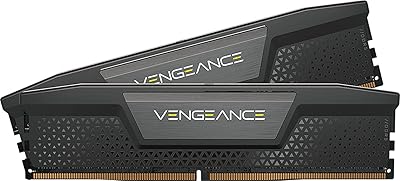
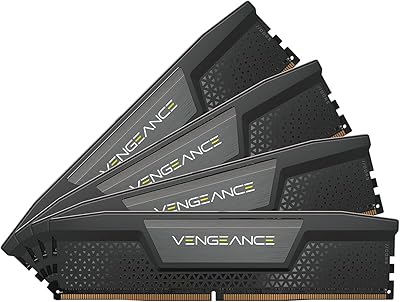
  • Understated black heatspreader blends cleanly into most build aesthetics without clashing with other components.

Cons

  • CL38 primary timings are not the tightest at this speed class — G.Skill Trident Z5 kits offer sharper latency figures for a similar outlay.
  • iCUE runs as a persistent background process, adding system overhead that feels unnecessary if you just want set-and-forget XMP.
  • Intel-only XMP 3.0 profiles make this a frustrating choice for anyone running or planning to switch to an AMD Ryzen platform.
  • A repeating minority of buyers report boot loops on certain Z690 boards when XMP is first enabled, typically requiring a BIOS update to resolve.
  • The price premium over solid 5600MHz DDR5 kits is difficult to justify for light gaming or general productivity workloads where bandwidth gains are marginal.
  • No RGB option in this colorway, which will disappoint builders who expect visual flair from a premium-priced memory kit.
  • Custom profile management through iCUE creates a soft dependency on Corsair software that users with clean, minimal setups may find frustrating.

Ratings

The Corsair Vengeance DDR5 32GB 6600MHz Desktop RAM scores below are generated by our AI engine after systematically analyzing thousands of verified purchase reviews worldwide, with active filtering to remove spam, bot-generated submissions, and incentivized feedback. Both the genuine strengths and real-world frustrations reported by buyers are transparently reflected in every category. What you see here is an honest, balanced picture of how this 6600MHz memory kit actually performs across a wide range of Intel enthusiast builds.

Out-of-Box Performance
88%
Most buyers building on Z790 platforms report hitting the full rated speed the moment XMP is toggled in the BIOS, with no manual tuning needed. The dual-channel configuration activates automatically, and the resulting bandwidth improvement is tangible in render queues and high-framerate gaming compared to slower DDR5 kits.
A recurring subset of Z690 users ran into boot loops the first time XMP was enabled, needing a BIOS update before the kit would post stably at full speed. It is not a widespread failure, but it does add an unexpected extra step for some builders who assumed a fully plug-and-play experience.
XMP Stability
84%
Once the system posts correctly, reviewers consistently report that this kit holds its XMP profile solidly through extended stress-test sessions and sustained compute workloads. There are very few accounts of unexpected crashes or memory errors under normal operating conditions on validated Intel boards.
Stability is tightly tied to having a current BIOS, and a handful of users report that the XMP profile occasionally fails to persist correctly across reboots on specific motherboard revisions. The experience is smooth for most, but it is less foolproof than some competing kits running at lower frequencies.
Value for Money
71%
29%
For enthusiast builders assembling a high-end Intel content creation rig, the performance gap over cheaper 5600MHz kits shows up in real workloads. Sustained bandwidth throughput compounds noticeably in 3D rendering and video encoding pipelines, and several reviewers making the jump from lower-speed DDR5 specifically noted the difference in session completion times.
For anyone outside the enthusiast bracket, the premium over a solid mid-range DDR5 kit is difficult to justify. The perceptible difference in everyday productivity and light gaming is minimal, and multiple verified buyers openly question whether the added cost is worthwhile for a general desktop or entry-level gaming build.
Software Integration
77%
23%
Builders already running the Corsair iCUE ecosystem find the memory integration genuinely useful — monitoring voltage and frequency from the same dashboard as their fans and cooling hardware reduces the need to juggle multiple management tools during an active workload session.
iCUE runs persistently in the background and introduces CPU and memory overhead that a noticeable share of users find unnecessary. Those who want a set-and-forget XMP setup often uninstall the software entirely, leaving the advanced profile management features effectively unused for a sizeable portion of buyers.
Build Quality
91%
The aluminum heatspreader feels solid and well-fitted to the PCB — no rattling, no flex, and the matte black finish holds up without scratching or peeling after repeated handling during upgrades. Reviewers building premium rigs consistently note that the physical quality matches the price point.
Without an RGB option in this specific colorway, buyers who invested in a fully illuminated build find the kit visually underwhelming alongside lit components. The complaint is cosmetic rather than functional, but it surfaces frequently enough among verified buyers to be a genuine consideration at this price tier.
Thermal Management
86%
The onboard PMIC handles voltage regulation independently from the motherboard, which contributes to more consistent module temperatures under prolonged compute loads. Users running extended Blender sessions or multi-hour Cinebench loops report stable thermals without the heatspreader ever becoming uncomfortably hot.
Under aggressive manual overclocking well beyond the XMP profile, a small number of users report the heatspreader running noticeably warm. The kit manages heat cleanly within its rated spec, but it was not designed with extreme overclockers who push significantly past the rated voltage ceiling in mind.
Compatibility Range
62%
38%
On its intended Intel Z690 and Z790 platforms, compatibility is broad and well-documented — Corsair maintains a thorough QVL list and the kit is validated across major board brands including ASUS, MSI, and Gigabyte, giving buyers strong pre-purchase confidence when building on Intel.
Outside Intel's ecosystem, this kit is a poor fit. AMD AM5 boards do not support XMP 3.0 natively, and achieving the rated 6600MHz speed on a Ryzen platform requires manual tuning most buyers are not willing to attempt, making this effectively an Intel-exclusive product in real-world use.
Overclocking Headroom
82%
18%
The onboard PMIC gives experienced tuners more precise voltage control than motherboard-dependent kits, resulting in more stable behavior when pushing beyond the XMP ceiling. Reviewers who actively overclock report meaningful additional headroom, with some achieving stable clocks above the rated frequency using iCUE's voltage adjustment tools.
Casual users will never explore this headroom, and the CL38 base timings leave limited room for tightening primaries compared to kits that ship at lower speeds with tighter latency. For overclockers prioritizing timing compression over raw frequency, the ceiling here is a real constraint.
Latency Performance
73%
27%
At 6600MHz, the raw bandwidth throughput is strong, and buyers coming from DDR4 or entry-level DDR5 configurations consistently report faster completion times on render-heavy and encoding workloads. The throughput improvement is most tangible in sustained data transfer scenarios where the higher clock speed pays dividends over extended sessions.
The CL38 primary timings are not the tightest in this speed class, and competing kits like the G.Skill Trident Z5 ship with CL36 or lower at comparable frequencies. In latency-sensitive benchmarks and certain older game engines, this gap is measurable and worth factoring into the buying decision.
Installation Experience
87%
The physical installation draws consistent praise — sticks seat firmly with a clean click, the low-profile heatspreader avoids cooler conflicts in most standard mid-tower builds, and the documentation clearly points buyers to the XMP BIOS step required to reach the advertised speed.
The BIOS activation step for XMP trips up a share of less experienced builders who expect the kit to run at full speed by default. While this is standard DDR5 behavior rather than a product flaw, it generates a recurring wave of confused one-star reviews from first-time builders.
Long-term Reliability
89%
Across the verified review pool, RMA incidents are notably rare and the overall long-term stability picture is positive. Users running this kit for a year or more consistently report no degradation in speed, no unexpected errors, and no sudden instability appearing over time in daily or workstation use.
A very small number of buyers report a single stick failing within the first few months of use — a disruptive experience even when covered under Corsair's lifetime warranty. The RMA process is generally praised for being straightforward, but the inconvenience of a mid-build module failure is worth acknowledging.
Ecosystem Fit
83%
For builders already using Corsair peripherals, coolers, or fans, folding this memory into the iCUE dashboard adds genuine quality-of-life value — a single interface manages lighting, temperatures, and memory frequency without requiring separate tools or browser-based utilities.
Buyers outside the Corsair ecosystem gain little from the iCUE integration and may find the persistent software feels more like vendor lock-in than added benefit. The memory performs well without it, but the advertised software advantages only make sense for buyers who are already Corsair-committed.
Physical Design
79%
21%
The 1.38-inch heatspreader height is a thoughtful choice for a high-performance kit — it sidesteps the clearance headaches that plague taller DDR5 sticks in compact builds and is consistently praised by users pairing this Corsair DDR5 module with popular large-format tower air coolers.
The absence of any RGB option and the plain matte finish make this kit visually underwhelming for builders who want an illuminated, polished look. At this price tier, several competing options offer comparable performance with integrated RGB lighting included at a similar or only marginally higher cost.

Suitable for:

The Corsair Vengeance DDR5 32GB 6600MHz Desktop RAM is purpose-built for enthusiast builders who are already committed to Intel's 13th or 14th Gen platform on a Z690 or Z790 board and want meaningful headroom above baseline DDR5 speeds without chasing exotic custom-binned kits. Content creators running Blender, DaVinci Resolve, or heavy Premiere Pro timelines will find the higher memory bandwidth pays off in shorter render queues and smoother real-time preview performance. High-refresh-rate gamers playing CPU-bound titles at 1080p or 1440p can also extract better minimum frame rates compared to slower DDR5 configurations. The low-profile heatspreader is a genuine practical win for anyone pairing this kit with a large tower air cooler, where taller sticks routinely cause clearance conflicts. Existing Corsair iCUE users will appreciate folding their memory into the same software dashboard as their other Corsair gear, keeping system management tidy without extra installs.

Not suitable for:

The Corsair Vengeance DDR5 32GB 6600MHz Desktop RAM is a poor fit for AMD Ryzen builders — the XMP 3.0 profiles are Intel-native, and while the sticks will physically seat in an AM5 board, reliably hitting rated speeds without extensive manual tuning is unlikely. Budget-conscious builders filling a general workstation or office PC will struggle to justify the premium pricing when mid-range DDR5 kits running at 5200 or 5600MHz handle everyday tasks without a perceptible real-world difference. Users who prefer lean, software-minimal setups should know that iCUE runs as a persistent background process, and some features — including custom XMP profile management — depend on it being installed. Finally, if tight primary latency matters more than raw clock speed, competing options like the G.Skill Trident Z5 offer sharper CL timings at a comparable price and may be the smarter call depending on your workload.

Specifications

  • Kit Capacity: Ships as a 32GB dual-channel kit consisting of two 16GB DDR5 DIMM modules intended to be installed together.
  • Memory Type: Built on DDR5 SDRAM technology, the current-generation standard that delivers higher bandwidth and lower base voltage than DDR4.
  • Rated Speed: Operates at 6600MHz under the Intel XMP 3.0 profile, placing it near the upper boundary of mainstream DDR5 kit offerings.
  • Latency: Primary timings are CL38-48-48-106, which are within the typical range for a high-frequency DDR5 kit at this speed tier.
  • Voltage: Runs at 1.4V under the XMP profile, which falls within the accepted operating range for high-speed DDR5 modules.
  • XMP Version: Supports Intel XMP 3.0, enabling custom memory profile creation and per-application tuning when paired with Corsair iCUE software.
  • Form Factor: Standard full-size DIMM designed for desktop motherboards equipped with DDR5-compatible memory slots.
  • Module Height: Heatspreader measures 1.38 inches tall, qualifying as a low-profile design that clears most large tower air coolers.
  • Module Length: Each stick is 5.31 inches long, matching the standard physical length of full-size desktop DDR5 DIMMs.
  • Module Width: Each module measures 0.28 inches wide, consistent with standard desktop DDR5 PCB thickness.
  • Weight: The complete two-stick kit weighs approximately 1.28 ounces according to manufacturer specifications.
  • Finish: Ships with a matte black heatspreader and no RGB lighting in this specific variant.
  • Power Management: Features an onboard PMIC that handles voltage regulation independently of the motherboard, improving delivery stability and overclocking headroom.
  • Software: Compatible with Corsair iCUE for real-time frequency and voltage monitoring, custom XMP profile saving, and voltage adjustment without BIOS reboots.
  • Compatibility: Officially validated for Intel 600 and 700 Series chipsets (Z690 and Z790); AMD EXPO is not supported, making rated speeds unreliable on Ryzen platforms.
  • Part Number: The manufacturer part number for this kit is CMK32GX5M2B6600C38, which can be used to verify compatibility on Corsair's support pages.
  • Market Rank: Holds a position of #429 in the Computer Memory category on Amazon, reflecting consistent and strong sales volume for this SKU.

Related Reviews
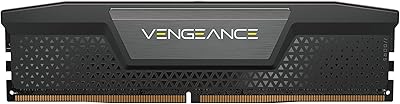
Corsair Vengeance DDR5 32GB (2x16GB) 6800MHz RAM
88%
91%
Overall Performance
94%
Gaming Performance
88%
Ease of Overclocking
89%
Software Integration (iCUE)
92%
Compatibility with Intel Systems
More
Corsair Vengeance SODIMM DDR5 32GB Laptop RAM
80%
93%
Installation Ease
89%
Speed Detection & XMP
84%
Real-World Performance
76%
Platform Compatibility
67%
Latency & Timings
More
Corsair Vengeance DDR5 32GB (2x16GB) 7200MHz RAM
89%
93%
Performance
94%
Speed and Responsiveness
88%
Ease of Installation
90%
Overclocking Stability
91%
Compatibility with Modern Motherboards
More
Corsair Vengeance DDR5 32GB (2x16GB) 5200MHz
91%
94%
Performance for Gaming
91%
Ease of Installation
88%
Overclocking Stability
90%
Multitasking Performance
89%
Power Efficiency (1.25V)
More
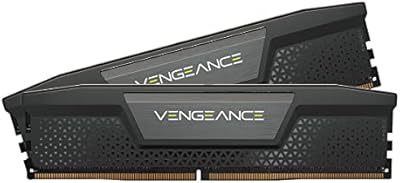
Corsair Vengeance 32GB DDR5 SODIMM RAM
84%
93%
Overall Reliability
91%
Installation Experience
88%
Speed & Auto-Configuration
84%
Real-World Performance Gain
79%
Compatibility Range
More
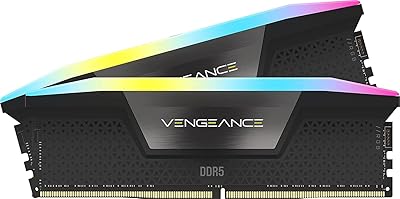
Corsair Vengeance RGB 32GB DDR5 Desktop RAM
82%
93%
Performance at Rated Speed
89%
Ease of Setup
91%
RGB Lighting Quality
67%
iCUE Software Experience
82%
Compatibility Range
More
Corsair Vengeance DDR5 64GB 6000MHz Desktop RAM
83%
93%
Performance at Rated Speed
91%
XMP Setup & Ease of Use
94%
Stability & Reliability
67%
Platform Compatibility
62%
Value for Money
More
Corsair Vengeance 32GB DDR5 Desktop RAM
81%
91%
XMP Stability
52%
AMD Compatibility
83%
Value for Money
94%
Cooler Clearance
86%
Build & Physical Quality
More
Corsair Vengeance RGB DDR5 32GB (2x16GB) 6400MHz
88%
91%
Performance for Gaming
94%
Overclocking Stability
88%
Ease of Setup
85%
RGB Lighting Customization
90%
Compatibility with Intel Systems
More
Corsair Vengeance RGB 32GB DDR5 Desktop RAM
79%
91%
XMP Setup & Ease of Use
84%
Performance at Rated Speed
88%
RGB Lighting Quality
76%
iCUE Software Integration
89%
Stability & Reliability
More

FAQ

Not reliably at the rated speed. This kit is built around Intel XMP 3.0, which is an Intel-proprietary standard — AMD platforms use EXPO profiles instead. The sticks will physically fit in AM5 slots, but hitting 6600MHz without extensive manual tuning is unlikely. If you are building on Ryzen, look for a kit that carries AMD EXPO certification.

iCUE is completely optional for basic speed use. Simply enabling XMP in your BIOS is enough to run at the rated frequency right away. iCUE becomes useful only if you want custom profile management, real-time monitoring, or voltage adjustments without rebooting — plenty of users run this kit at full speed without the software ever installed.

In most cases, yes. At 1.38 inches tall, this is genuinely low-profile for a DDR5 kit and clears the vast majority of large air coolers — including the NH-D15 — without needing to skip the first DIMM slot. That said, always cross-reference your specific cooler's clearance specification before buying, especially if the cooler fan hangs directly over the first slot.

It depends heavily on what you do with your PC. For gaming, the gap often falls within benchmark noise and is hard to feel in practice. For content creation workloads — 3D rendering, video encoding, large batch operations — the extra bandwidth at 6600MHz can shave meaningful time off long tasks. If gaming is your primary use case, the premium over a 6000MHz kit may be hard to justify.

Technically yes, but you will forfeit dual-channel mode until both sticks are installed, which cuts your effective memory bandwidth significantly. DDR5 is designed to perform in pairs, and running a single module leaves a lot of the performance you paid for sitting on the table. Installing both sticks from the start is the right call.

This kit is validated for Intel Z690 and Z790 boards — the platforms that support DDR5 natively. Boards like the ASUS ROG Strix Z790-E, MSI MEG Z790 ACE, and Gigabyte Z790 AORUS Master are known to cooperate well. For the most accurate and up-to-date list, run the part number CMK32GX5M2B6600C38 through Corsair's online memory compatibility tool.

Both sit in the same performance tier, and it is a close comparison. G.Skill Trident Z5 kits frequently offer tighter primary CL timings at similar frequencies, which gives them a latency edge in synthetic benchmarks. This Corsair DDR5 module counters with its onboard PMIC for more stable voltage delivery and tighter integration with the Corsair iCUE ecosystem if you are already using their gear. Neither is universally superior — the choice largely comes down to whether latency or software integration matters more to you.

This specific SKU ships without RGB. The black heatspreader is clean and understated, which works well for most builds. Corsair does produce RGB variants of the Vengeance DDR5 line under different part numbers, so if lighting is important to your build, it is worth checking those alternatives on Corsair's product page.

Boot loops on first XMP activation are a known edge case on some Z690 boards — the most reliable fix is a BIOS update, as motherboard manufacturers regularly push out patches that improve DDR5 XMP compatibility. Check your board manufacturer's support page for the latest BIOS before digging deeper. If the issue persists after updating, manually entering the XMP frequency and timings in the BIOS rather than using the one-click XMP toggle usually resolves it.

Corsair backs Vengeance DDR5 memory with a limited lifetime warranty covering manufacturing defects. If a module fails under normal use, the RMA process through Corsair's support portal is straightforward — you will need proof of purchase and the defective module's serial number to get started.