Overview

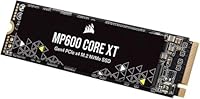
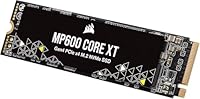
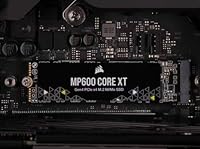
The Corsair MP600 Core XT 1TB NVMe SSD is Corsair's answer to a real gap in the market: fast Gen4 storage that doesn't demand a premium price. It uses QLC NAND, which is worth understanding — QLC stores more data per cell than TLC, keeping costs down while trading some long-term write endurance in return. For most everyday users, that tradeoff is largely invisible. This Gen4 SSD targets people moving up from SATA drives or older Gen3 hardware, and that context matters. The M.2 2280 form factor fits the vast majority of modern motherboards and laptops, so compatibility is rarely an issue. Just make sure your system has a PCIe Gen4-capable slot to actually unlock the speeds on offer.
Features & Benefits

The headline number here is 5,000MB/s sequential read — roughly five times what a SATA SSD can do and a meaningful jump over Gen3 drives. Write speeds reach up to 4,400MB/s, which covers most typical workloads comfortably. The MP600 Core XT supports NVMe 1.4 and is DirectStorage-compatible, meaning Windows 11 can stream game assets directly to your GPU without bogging down the CPU — useful as more titles adopt the standard. QLC NAND keeps the cost-per-gigabyte attractive without sacrificing the everyday speed users actually notice. One practical heads-up: no heatsink is included, so if you're installing this in a case without good airflow, sourcing a thermal pad or low-profile heatsink is a smart move.

Best For

This Gen4 SSD hits the sweet spot for PC gamers on a budget who want faster level loads and snappier boot times without stretching spending for a TLC-based alternative. It's also a strong pick for anyone upgrading a laptop with an open PCIe Gen4 M.2 slot — the standard 2280 size and featherlight weight make installation straightforward. If you're still running a mechanical hard drive or an aging SATA SSD, the jump in responsiveness will feel dramatic. Where it makes less sense is for video editors or creators doing constant large-file transfers; those users stress QLC's write endurance more than typical use does, making a higher-endurance TLC drive a smarter long-term choice.

User Feedback

Across more than 500 ratings, this Corsair drive holds a 4.8-star average — genuinely high for a storage product. Buyers consistently praise how straightforward installation is and how noticeably faster their systems feel afterward, particularly on boot and game launches. The value angle comes up repeatedly, with many noting they considered pricier Gen4 options and felt the MP600 Core XT delivered comparable everyday performance. On the critical side, a handful of users flagged thermal throttling in tight cases with limited airflow, which aligns with what you'd expect from a drive without a built-in heatsink. Long-term endurance observations are sparse given the drive's relatively recent release, so durability over years remains something to watch.

Pros

  • Gen4 sequential reads up to 5,000MB/s deliver a real-world speed boost over SATA and Gen3 drives.
  • QLC NAND keeps the cost per gigabyte low, making fast storage accessible without overspending.
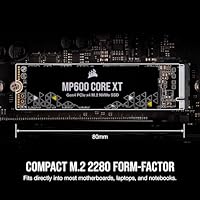
  • Standard M.2 2280 form factor fits the vast majority of modern motherboards and laptops.
  • DirectStorage compatibility future-proofs the drive for Windows 11 gaming workloads.
  • Installation is straightforward — most users report a plug-and-play experience with no driver headaches.
  • At under 0.3 ounces, this Gen4 SSD adds virtually no weight to a laptop build.
  • Boot times and application launch speeds see a noticeable jump, especially when upgrading from an HDD.
  • Corsair's brand reliability and broad ecosystem support give buyers reasonable confidence in build quality.
  • Ranked among the top storage drives on Amazon with a strong user rating across hundreds of reviews.

Cons

  • No heatsink is included, which can be a problem in cases or laptops with limited thermal headroom.
  • QLC NAND write endurance is lower than TLC alternatives, which matters for write-heavy workloads over time.
  • Peak advertised speeds only apply when the drive is installed in a PCIe Gen4 slot — older systems won't benefit fully.
  • Sustained sequential write performance can drop significantly once the SLC cache is saturated.
  • The 1TB capacity may feel limiting for users who store large game libraries or high-resolution video projects.
  • Long-term reliability data is limited given the drive's relatively recent market debut.
  • Random read and write speeds — which affect everyday responsiveness more than sequential figures — are less impressive than the headline numbers suggest.
  • Buyers in thermally constrained builds may need to budget extra for a third-party heatsink or thermal pad.

Ratings

The scores below are generated by AI after analyzing verified buyer reviews for the Corsair MP600 Core XT 1TB NVMe SSD from multiple global sources, with spam, bot activity, and incentivized feedback actively filtered out. The ratings reflect a balanced synthesis of what real users praised and where they ran into genuine frustrations — nothing is glossed over. Both the strengths that make this Gen4 SSD a compelling pick and the limitations that matter for certain buyers are transparently represented.
Sequential Read Speed
91%
Users upgrading from SATA or Gen3 drives consistently report a dramatic improvement in large file transfers and game loading, with the 5,000MB/s ceiling feeling tangible rather than just a spec sheet number. On Gen4-capable platforms, benchmarks align closely with advertised figures, which earns real trust from technical buyers.
The peak read speed is only accessible on PCIe Gen4 platforms with the right CPU and motherboard combination, and a meaningful segment of buyers discovered this after purchase. Those running older systems see Gen3-level performance, which undercuts the value proposition somewhat.
Sequential Write Speed
83%
For typical gaming installs, OS updates, and document workflows, the write performance feels snappy and responsive. Users moving moderate-sized files regularly report no noticeable lag, and the drive handles typical mixed workloads without obvious slowdowns in everyday use.
QLC NAND has a smaller SLC write cache compared to TLC alternatives, and once that cache saturates during large sustained writes, speeds can drop considerably. Users transferring multi-gigabyte video files or doing repeated large backups have flagged this as a real limitation.
Everyday Responsiveness
86%
Boot times, application launches, and browser performance all feel noticeably faster compared to SATA SSDs, which is where most everyday users actually feel the difference. Buyers consistently describe a snappier, more fluid desktop experience after upgrading from older drives.
Random read and write speeds — which drive real-world snappiness more than sequential figures — are competitive but not class-leading among Gen4 drives. Power users running many simultaneous tasks may notice the gap compared to higher-end TLC-based alternatives.
Value for Money
93%
This is arguably the strongest point of the MP600 Core XT: buyers repeatedly note that it delivers genuine Gen4 performance at a price point that was previously only achievable with Gen3 hardware. Many reviewers explicitly compared it against pricier competitors and felt the real-world difference didn't justify the cost gap.
The value calculation shifts if your system is Gen3-only, since you wouldn't benefit from the Gen4 headroom you're partly paying for. A small number of buyers felt a well-priced TLC drive offered a better long-term investment once write endurance was factored in.
Installation Experience
94%
Across hundreds of reviews, installation is one of the most consistently praised aspects — buyers describe a straightforward plug-in process with no driver installation required on modern Windows 11 systems. Both first-time builders and experienced upgraders report the drive being detected immediately after seating.
No heatsink or thermal pad is included in the box, which caught some buyers off guard, particularly those installing in compact or closed-loop laptop bays. A small number of users had to source a heatsink separately before feeling confident about sustained workloads.
Thermal Management
62%
38%
In open desktop builds with adequate case airflow, the drive maintains reasonable operating temperatures during typical gaming sessions and everyday tasks. Users with well-ventilated mid-tower cases rarely report any thermal-related complaints.
In tight mini-ITX cases, enclosed laptop bays, or systems without active airflow near the M.2 slot, throttling under sustained loads has been flagged by a notable portion of reviewers. The absence of an included heatsink makes this a more pressing concern than it would be for competing drives that ship with thermal solutions.
Write Endurance
61%
39%
For the target audience of gamers and general PC users writing moderate amounts of data daily, the QLC NAND endurance rating is sufficient for several years of normal use without concern. Typical home users are unlikely to approach the rated TBW limit in the drive's practical lifespan.
Content creators, video editors, and anyone with write-heavy workflows will find the endurance ceiling lower than TLC-based competitors, and this is a real consideration for long-term ownership. The tradeoff is the price advantage, but buyers should go in with eyes open about what QLC means for sustained write-intensive use.
Build & Form Factor
88%
The standard M.2 2280 size means broad compatibility across virtually all modern platforms without adapters or modifications. At under 0.3 ounces, the drive adds no meaningful weight to a laptop, which matters for users upgrading thin-and-light notebooks.
The drive has no distinguishing physical features beyond a standard label — no RGB, no premium finish — which is entirely appropriate for an internal component but worth noting for buyers who like aesthetics to match a themed build. There is no bundled cloning software or accessory kit included.
Gaming Performance
89%
Load times in demanding open-world titles show a real improvement over SATA and Gen3 drives, and the DirectStorage compatibility adds a layer of future-proofing for Windows 11 users as more titles adopt the standard. Gamers with Gen4 platforms consistently describe the upgrade as worthwhile.
For competitive multiplayer games where assets are smaller and already cached, the difference between this and a good Gen3 drive narrows considerably. DirectStorage benefits are also still limited to a relatively small number of titles, meaning the full advantage isn't broadly available yet.
Laptop Compatibility
84%
The M.2 2280 form factor covers the slot specification used by the vast majority of gaming laptops and thin-and-light systems with Gen4 CPUs, making this a widely accessible upgrade option. Users across multiple laptop brands report clean detection and stable operation after installation.
A handful of users noted confusion around whether their specific laptop model ran the M.2 slot at Gen4 or Gen3 speeds, leading to underwhelming benchmark results post-install. Checking the exact slot specification in advance is essential, and the drive does not ship with any compatibility guidance beyond the box specs.
Long-Term Reliability
71%
29%
Early buyer feedback trends positive — users who have owned the drive for six months to a year report no failures or degradation in reported performance metrics. Corsair's established brand reputation also provides some confidence in component selection and QA processes.
The drive is relatively new to market and lacks the multi-year track record that older or more established models carry. QLC endurance in long-term real-world conditions remains an open question for this specific product, and cautious buyers may want to wait for more longitudinal data.
DirectStorage Support
78%
22%
Being DirectStorage-ready on a Gen4 drive at this price tier is a forward-looking feature that adds genuine longevity to the purchase, especially for users building or upgrading a Windows 11 gaming system. Early-adopting titles that use the API show measurable load time improvements.
The practical benefit today is limited to a small catalog of games that have shipped with DirectStorage support, meaning many buyers won't feel this advantage for some time. It is a future-proofing bonus rather than an immediate selling point for most current game libraries.
User Rating Confidence
76%
24%
The 4.8-star aggregate is genuine and consistent across verified purchase filters, with reviewers from varied technical backgrounds converging on positive sentiments about speed, value, and ease of use. The rating has held stable across a reasonably sized review pool.
With just over 500 ratings at time of analysis, the sample size is smaller than category veterans with thousands of reviews, which slightly limits statistical confidence. The drive is also new enough that long-term failure rate data has not meaningfully surfaced yet.

Suitable for:

The Corsair MP600 Core XT 1TB NVMe SSD is a strong fit for budget-conscious PC builders and upgraders who want genuine Gen4 performance without paying top-tier prices. Gamers running a PCIe Gen4-capable platform will notice real differences in boot times and level load speeds compared to SATA or older Gen3 drives. It's especially well-suited for laptop users with an available M.2 2280 slot on a modern AMD Ryzen or Intel 12th Gen or newer platform, where the standard form factor drops right in without fuss. Anyone still running a mechanical hard drive or an entry-level SATA SSD will find the performance jump dramatic and immediately tangible in daily use. The DirectStorage support is a forward-looking bonus for Windows 11 users who want their system ready for titles that leverage the feature.
Not suitable for:

The Corsair MP600 Core XT 1TB NVMe SSD is not the right call for everyone, and being honest about that matters. Content creators who regularly move large video files, compress archives, or run workloads that hammer sustained sequential writes will push QLC NAND harder than it's designed to handle comfortably, and a TLC-based alternative would serve them better over the long run. Users with older systems featuring only PCIe Gen3 slots will not see the advertised peak speeds — the drive will still work, but they'd be paying for headroom they can't use. Those building in compact cases with poor airflow should be aware there's no included heatsink, and without adequate thermal management the drive can throttle under sustained load. Finally, buyers who need maximum write endurance for professional or server-adjacent workloads should look at higher-rated TLC or MLC options instead.
Specifications

  • Capacity: The drive offers 1TB of usable storage, suitable for a primary OS drive with room for games and applications.
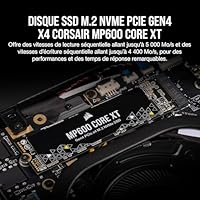
  • Interface: It connects via a PCIe Gen4 x4 interface, which requires a compatible motherboard slot to reach advertised speeds.
  • Protocol: The drive uses NVMe 1.4, a modern protocol that reduces latency and improves queue handling compared to older NVMe versions.
  • Sequential Read: Peak sequential read speed reaches up to 5,000MB/s under optimal conditions with a Gen4-capable platform.
  • Sequential Write: Peak sequential write speed reaches up to 4,400MB/s, though sustained workloads may see lower figures once the SLC cache fills.
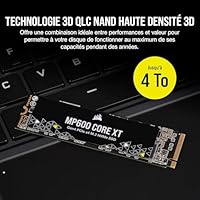
  • NAND Type: Storage cells use High-Density 3D QLC NAND, which prioritizes cost efficiency and capacity density over raw write endurance.
  • Form Factor: The M.2 2280 footprint measures 0.87 x 3.15 x 0.12 inches, fitting the standard slot found on most modern motherboards and laptops.
  • Weight: The drive weighs just 0.288 ounces, making it a negligible addition to any laptop or desktop build.
  • DirectStorage: The drive is DirectStorage-compatible, supporting faster GPU asset loading in supported Windows 11 titles.
  • Heatsink: No heatsink or thermal pad is included in the box; users in thermally constrained builds should source one separately.
  • Installation: This is an internal drive installed directly onto the motherboard M.2 slot; no external enclosure or adapter is included.
  • Color: The drive ships in black, with a standard label finish typical of M.2 form-factor SSDs.
  • Platform: Compatible with PCIe Gen4-capable desktops and laptops; will operate at reduced Gen3 speeds in older systems.
  • Model Number: The official model identifier is CSSD-F1000GBMP600CXT, useful for warranty registration and driver lookups.
  • Manufacturer: Designed and sold by Corsair, a US-based hardware company with an established presence in PC storage and peripherals.

Related Reviews

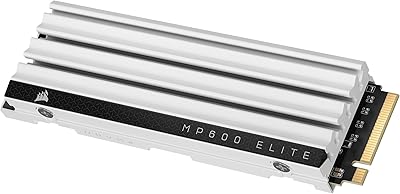
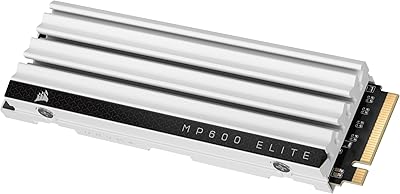
Corsair MP600 Elite 1TB NVMe SSD
82%
93%
Sequential Read Speed
87%
Sequential Write Speed
84%
Real-World Performance
67%
Thermal Management
88%
Value for Money
More
Corsair MP600 PRO XT 2TB NVMe SSD
83%
94%
Sequential Read Speed
91%
Sustained Write Performance
93%
Thermal Management
88%
Build & Installation Quality
92%
Endurance & Longevity
More
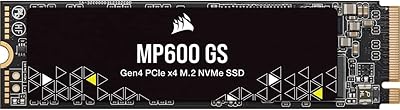
Corsair MP600 GS 1TB PCIe Gen4 NVMe M.2 SSD
87%
94%
Performance
91%
Speed (Read/Write)
88%
Installation & Setup
89%
Compatibility
72%
Thermal Management
More
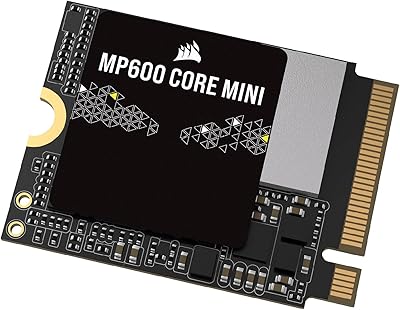
Corsair MP600 Core Mini 1TB NVMe SSD
79%
91%
Read Speed Performance
72%
Write Speed Performance
94%
Form Factor Fit
83%
Value for Money
67%
Installation Experience
More
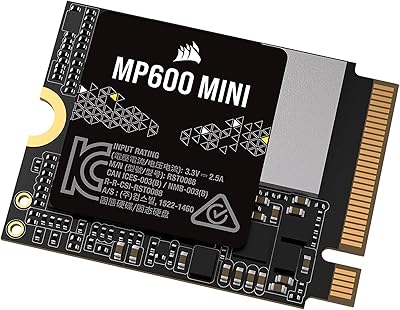
Corsair MP600 MINI 1TB M.2 2230 SSD
77%
93%
Device Compatibility
81%
Read/Write Performance
89%
Build & Form Factor
74%
Value for Money
62%
Installation Experience
More
Corsair MP600 CORE MINI 2TB NVMe SSD
82%
91%
Read Performance
74%
Write Performance
97%
Form Factor Fit
89%
Installation Ease
68%
Thermal Behavior
More
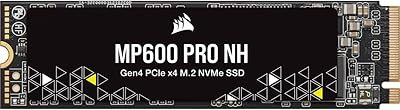
Corsair MP600 PRO NH 4TB NVMe SSD
81%
91%
Sequential Read Performance
71%
Sustained Write Performance
63%
Thermal Management
94%
Storage Capacity
88%
Build & Endurance
More
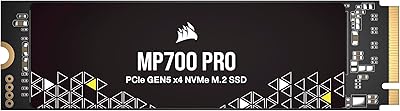
Corsair MP700 PRO 1TB NVMe SSD
76%
94%
Raw Read Performance
88%
Write Performance
61%
Thermal Management
69%
Value for Money
91%
Installation & Setup
More
Corsair MP600 Elite 2TB NVMe SSD
87%
93%
Sequential Read Performance
88%
Sequential Write Performance
96%
PS5 Compatibility & Integration
84%
Thermal Management & Heatsink
91%
Installation Experience
More
Corsair MP600 Elite 4TB M.2 PCIe Gen4 NVMe SSD
89%
94%
Performance
93%
Speed for Gaming
96%
PS5 Compatibility
89%
Thermals (Cooling Performance)
91%
Durability
More

FAQ

Yes, the MP600 Core XT is backward-compatible with Gen3 slots, but you will only get Gen3 speeds — roughly half the advertised peak. If your board is Gen3-only, you may want to weigh whether the price premium over a native Gen3 SSD is worth it for your use case.

For most people, no. QLC NAND works well for typical tasks like gaming, web browsing, booting Windows, and running applications. The endurance tradeoff mostly matters for users who write dozens of gigabytes of data every single day over years — which describes video editors and server workloads far more than typical home users.

It depends on your case airflow. In a well-ventilated desktop or a laptop with decent internal airflow, the drive manages heat adequately. In a cramped mini-ITX build or a laptop known to run hot, adding a low-profile heatsink or thermal pad is a smart precaution to prevent throttling under sustained loads.

The Corsair MP600 Core XT 1TB NVMe SSD uses an M.2 2280 form factor and PCIe Gen4 interface, which technically matches the PS5 slot requirements. However, Sony recommends drives with a heatsink for PS5 installation, so you would need to add one separately before fitting it in the console.
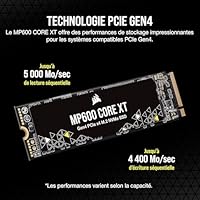
The difference is noticeable, particularly in boot times, game load screens, and large file transfers. SATA SSDs top out around 550MB/s, while this Gen4 drive can hit several times that in sequential reads. Day-to-day tasks like opening a browser feel similar, but anything involving moving big files or loading asset-heavy games will feel faster.

Any motherboard or laptop with an M.2 slot and PCIe Gen4 support will work — this covers most AMD Ryzen 5000 and newer platforms, Intel 12th Gen and newer, and many recent gaming laptops. Check your motherboard or laptop manual to confirm which M.2 slot supports Gen4 before purchasing.

Absolutely. There is no requirement to run your OS from it. Many users install it as a secondary drive specifically for games or large project files, which is a perfectly valid use case and still benefits from the fast transfer speeds.

You can use a free benchmarking tool like CrystalDiskMark to verify speeds after installation. If your sequential reads are closer to 3,500MB/s than 5,000MB/s, your system may be running the drive in Gen3 mode — check your BIOS to confirm the M.2 slot is set to Gen4.

Corsair does not typically bundle cloning software with this drive, so you would need a third-party tool like Macrium Reflect Free if you want to migrate an existing OS. Corsair backs this drive with a limited warranty; check their official support page for the exact terms applicable to your region.

It depends on your library. Modern AAA titles can run 100GB or more each, so a 1TB drive fills up faster than many people expect. If you play a handful of large games at a time and are comfortable managing installs, 1TB works fine as a primary drive. For larger libraries, you may want to pair it with a secondary storage drive.