
Overview

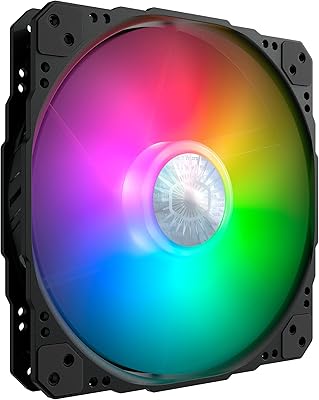
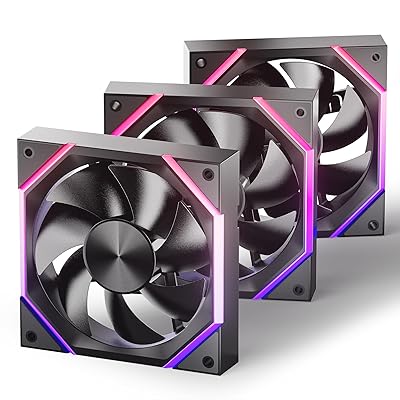
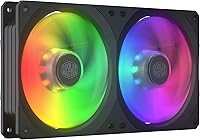
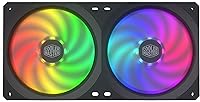
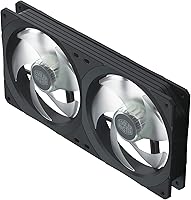
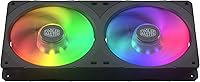
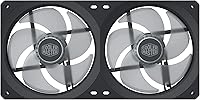
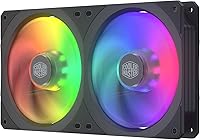
The Cooler Master SF240R ARGB 240mm Case Fan is a dual-fan unit built around a single square frame — a design choice that immediately sets it apart from the conventional round-frame fans that dominate this category. Rather than shipping two independent 120mm fans, it arrives as one integrated 240mm assembly, which changes how you approach installation and cable planning. Square-frame cooling is the core pitch here: more surface coverage, less air escaping from the corners. ARGB lighting is onboard and plays nicely with major motherboard ecosystems, though Cooler Master also bundles a standalone controller for older builds. At its mid-range price point, this is a practical, brand-backed option — not a premium showpiece.

Features & Benefits

The square frame geometry does real work — by filling corner gaps that round fans leave open, it channels more air through radiator fins or case mesh rather than letting it bleed sideways. Each fan uses a hybrid blade design borrowing from both jet and helicopter aerodynamics, striking a workable balance between airflow volume and static pressure, which matters when pushing air through a dense AIO radiator. Rubberized mounting pads absorb vibration before it reaches the chassis, helping keep noise down at moderate speeds. PWM speed control lets the motherboard manage RPM automatically, and at mid-range loads the fans stay comfortably quiet. Cable management is built into the frame itself — a small but genuinely useful touch.

Best For

This square-frame fan kit makes the most sense for builders pairing it with a 240mm AIO cooler — the unified frame simplifies mounting and keeps wiring contained compared to juggling two separate fans. Front intake and top exhaust slots in mid-tower and full-tower cases also benefit from the square format, which closes off more of the mounting cutout and reduces air bypassing the mesh. Users without ARGB headers on their motherboard can still run preset lighting effects through the bundled controller without any software setup. It is a solid pick for anyone who wants a familiar, well-supported brand at a sensible budget without chasing the performance ceiling of pricier enthusiast fan lines.

User Feedback

Among buyers, single-frame installation draws the most consistent praise — people appreciate that mounting this ARGB fan unit takes noticeably less time and leaves the interior looking tidier than a two-fan alternative. The 4.4-star average across nearly 300 ratings reflects genuine broad satisfaction. That said, a recurring sticking point is ARGB header compatibility; some users needed an adapter to connect the lighting cable to their specific motherboard, adding a minor hassle. Noise is generally reported as acceptable at everyday speeds, though a handful of reviewers mention a faint bearing hum at full throttle. Build quality earns mostly positive marks, but a few buyers found the frame lighter than expected. Worth knowing: if one fan fails, the whole frame needs replacing.

Pros

  • Single integrated frame makes 240mm AIO fan installation noticeably faster and less fiddly than fitting two separate fans.
  • Square frame design closes off corner gaps, directing more air through radiator fins rather than letting it bleed around the edges.
  • Hybrid blade geometry delivers a practical balance of airflow volume and static pressure suited to most everyday cooling scenarios.
  • Rubberized vibration pads keep resonance noise from transferring into the chassis, which helps at mid-range fan speeds.
  • Built-in cable management keeps the interior looking clean without extra effort from the builder.
  • ARGB lighting syncs natively with Asus Aura Sync, ASRock Polychrome, and MSI Mystic Light ecosystems.
  • Bundled standalone ARGB controller means older systems without ARGB headers can still run lighting effects.
  • PWM control lets the motherboard manage fan speed automatically, reducing unnecessary noise during light workloads.
  • Cooler Master brand backing provides reasonable confidence in parts availability and support compared to no-name alternatives.
  • 4.4-star average across nearly 300 ratings reflects a broadly satisfied buyer base for a mid-range cooling option.

Cons

  • If one fan in the integrated frame fails, the entire unit must be replaced — individual fan repair is not an option.
  • Some motherboard ARGB headers require an adapter cable, which is not always included and adds a small extra cost.
  • A handful of users report faint bearing noise at full 1800 RPM, which may be noticeable in quieter environments.
  • The frame feels lighter and less rigid than some buyers expect at this price tier.
  • Square frame dimensions can create fitment conflicts in cases designed around standard round 120mm fan layouts.
  • Airflow and static pressure figures are competent but trail behind premium fan options if peak thermal performance is the priority.
  • The integrated design offers no flexibility to mix fan speeds or independently control each 120mm fan within the frame.
  • ARGB lighting, while functional, does not match the color depth or lighting zone granularity of higher-end addressable fan products.

Ratings

Our AI rating engine analyzed verified global buyer reviews for the Cooler Master SF240R ARGB 240mm Case Fan, actively filtering out incentivized, repeated, and bot-generated submissions to surface what real builders actually experience. Scores reflect a balanced synthesis of both consistent praise and recurring frustrations — nothing is glossed over. Where this square-frame fan kit earns trust, it shows; where it falls short of expectations, that is reflected too.

Cooling Performance
78%
22%
For mainstream AIO radiator builds and standard case airflow setups, the SF240R delivers adequate and consistent cooling without requiring manual tuning. Builders running mid-range CPUs in mid-tower cases report stable temperatures under sustained gaming and productivity loads.
Users pushing high-TDP processors or running thermally demanding workloads report that the fan falls behind more aggressive alternatives at similar price points. It is not a poor performer, but it is not a thermal powerhouse either — the headroom is limited at the top end.
Noise Level
74%
26%
At moderate PWM-controlled speeds, the majority of users describe the fan as unobtrusive — it blends comfortably into the general hum of a running system without drawing attention. For everyday desktop use and casual gaming sessions, the noise profile is broadly acceptable.
At or near maximum RPM, a noticeable portion of buyers report a faint but distinct bearing hum that becomes harder to ignore in quieter environments. The 30 dB rating applies at controlled conditions, and real-world high-load noise can feel slightly higher than that figure suggests.
Installation Ease
88%
The single integrated frame is the standout practical advantage here — instead of aligning and mounting two separate fans, builders seat one unit in a single operation. Built-in cable channels keep wiring contained, and the overall process is noticeably faster than managing independent fans.
A small number of users found that the square outer frame required more careful alignment in cases with tighter fan mounts or guide rails designed around round fans. The integrated format also means there is no flexibility to adjust individual fan positions within the frame.
ARGB Lighting Quality
76%
24%
The ARGB lighting integrates cleanly with Asus Aura Sync, ASRock Polychrome, and MSI Mystic Light, making it a natural fit for builds already using those ecosystems. Color coverage across the fan blades and frame is even enough to make a visible impact in windowed cases.
Buyers accustomed to premium ARGB fans note that the lighting zone count and color depth are modest by comparison — transitions and effects can look slightly less refined. A few users also report that the included mini controller's preset modes cycle too quickly for a clean, stable ambient look.
ARGB Compatibility
71%
29%
The bundled standalone ARGB controller genuinely extends the fan's usability to older systems without dedicated headers, which is a thoughtful inclusion that competing products at this tier often skip. For supported motherboards, plug-in sync works reliably with no driver conflicts reported by most users.
A recurring complaint involves non-standard ARGB header pinouts on certain boards requiring third-party adapters that are not included. Users with Gigabyte systems in particular have flagged compatibility friction, and the mini controller's lighting modes are limited compared to full software control.
Build Quality
69%
31%
The overall assembly feels consistent and purposeful for a mid-range product — rubberized dampening pads are properly seated, fan blades show no warping, and the frame holds its shape under normal handling. Most buyers report no rattles or loose components out of the box.
A meaningful minority of buyers describe the frame as feeling lighter and less solid than expected, particularly when compared to premium fan enclosures at higher price points. The plastics used do not inspire premium confidence, and a few users noted minor flex when applying mounting pressure.
Vibration & Resonance
77%
23%
The rubberized corner pads do a credible job of decoupling the fan frame from the case or radiator surface, reducing the low-frequency hum that cheaper fans transmit directly into the chassis. Builders with steel mid-tower cases report noticeably less panel vibration compared to fans without dampening.
At sustained high RPM, some vibration still bleeds through — particularly on thinner aluminum panels where the dampening pads have less mass to work against. The improvement is real but not transformative enough to fully satisfy users sensitive to resonance noise.
Value for Money
81%
19%
Within the mid-range fan segment, the SF240R offers a practical combination of integrated frame convenience, ARGB lighting, and Cooler Master brand reliability without asking buyers to stretch their budget significantly. For first-time AIO builders especially, the all-in-one format reduces the need to source accessories separately.
When stacked against high-performing budget alternatives from brands like Arctic, the value calculation becomes less clear-cut — similar airflow figures can be achieved for less money if aesthetics are not a priority. The price premium is largely justified by the ARGB integration and brand, not raw performance.
PWM Speed Control
83%
Motherboard PWM control works reliably across tested platforms, allowing the fan to ramp down smoothly during light loads and spin up predictably under thermal demand. Builders using automatic fan curve profiles report that the SF240R responds accurately without hunting or erratic speed changes.
The minimum controllable RPM sits higher than some quiet-focused fans, meaning users chasing very low idle noise may find the floor louder than desired. At low PWM duty cycles, a brief startup behavior has been noted by a handful of users before the fan settles into its target speed.
Cable Management
82%
18%
Integrated routing channels along the frame edge are a small but genuinely useful feature — cables stay seated during installation rather than flopping into the fan path, which saves time and reduces frustration during tight builds. The result inside the case looks noticeably tidier than with unmanaged fan cables.
The cable length on the power and ARGB leads is adequate for most standard cases but can be tight when mounting on certain top radiator positions in deeper full-tower chassis. Users with extended cable runs occasionally need an extension, which adds minor additional cost.
Radiator Fitment
80%
20%
The square frame sits flush against standard 240mm radiator faces and reduces the peripheral air bypass that round fans allow at the corners — a real benefit when trying to maximize heat transfer through a dense radiator fin stack on a 240mm AIO cooler.
Some third-party AIO radiators with non-standard screw spacing or thicker fin arrays present minor clearance challenges with the square profile. A handful of users report needing to trial-fit before confirming screw hole alignment, which is less of an issue with round fans.
Longevity & Reliability
72%
28%
Within the review period covered by available ratings, the majority of buyers report no bearing degradation or performance drop, suggesting the unit holds up adequately under normal continuous use in typical desktop environments. Cooler Master's established support presence adds a baseline of after-purchase confidence.
The integrated single-frame design introduces a practical reliability risk: a bearing failure in one fan renders the whole unit unusable, and early-life bearing noise reports from a subset of users suggest quality control is not fully consistent across production batches.
Case Compatibility
73%
27%
The unit installs without modification in the vast majority of standard mid-tower and full-tower cases that accept a 240mm fan configuration, and the square frame actually improves airflow coverage against mesh front panels by filling more of the opening.
Smaller ITX-adjacent cases or designs with proprietary fan mounting guides can pose fitment problems, as the outer square frame dimensions sit closer to the mounting boundary than round alternatives. Users with less common or compact case designs should verify clearance dimensions before purchasing.

Suitable for:

The Cooler Master SF240R ARGB 240mm Case Fan is a strong fit for mid-range PC builders who are installing a 240mm AIO liquid cooler and want a hassle-free setup without sourcing fans separately. The single integrated frame is particularly appealing if you value a tidy interior — one mounting operation, one cable run, and you are done. Builders working with mid-tower or full-tower cases will also appreciate how the square frame fills front intake and top exhaust panels more completely than a pair of round fans would. If your motherboard supports Asus Aura Sync, ASRock Polychrome, or MSI Mystic Light, the ARGB integration works out of the box with no extra hardware. Even if your board lacks an ARGB header, the bundled mini controller covers you with preset lighting modes. This is fundamentally a value-tier buy for someone who wants reliable brand-backed cooling with visual polish at a sensible price — not someone chasing benchmark numbers.

Not suitable for:

The Cooler Master SF240R ARGB 240mm Case Fan is not the right call for serious overclockers or thermal-performance chasers who need every fraction of airflow efficiency they can extract — premium fan lines from Noctua, Arctic, or even Cooler Master's own higher-tier offerings will outperform it under sustained heavy loads. The integrated single-frame design, while convenient to install, becomes a liability if a single fan develops a fault: you replace the whole unit, not just the affected fan. Builders with very tight chassis clearances should measure carefully, as the square frame profile differs from standard round fans and may conflict with certain case layouts or heatsink configurations. If your ARGB header uses a non-standard pinout or proprietary connector, budget for an adapter before you commit. Anyone expecting the frame rigidity of a premium product may also come away mildly disappointed — the chassis is functional but not especially substantial.

Specifications

  • Frame Size: The unit is a single integrated 240mm frame housing two 120mm fans side by side.
  • Dimensions: The overall frame measures 9.45″ wide, 4.72″ tall, and 0.98″ thick.
  • Weight: The complete assembly weighs 9.2 ounces.
  • Airflow: Each fan delivers up to 43 CFM of airflow at maximum speed.
  • Static Pressure: Each fan produces up to 1.58 mmH2O of static pressure, suitable for radiator and restrictive case panel mounting.
  • Fan Speed: Maximum rotational speed is 1800 RPM, with lower speeds achievable via PWM control.
  • Noise Level: Rated noise output is up to 30 dB at maximum speed under typical operating conditions.
  • Power Connector: Uses a standard 4-pin PWM connector for motherboard-controlled speed adjustment.
  • Voltage & Power: Operates at 12V and draws 2.04W per fan under load.
  • Blade Design: Fan blades use a hybrid geometry combining jet-style and helicopter-style profiles to balance pressure and flow.
  • Vibration Dampening: Rubberized pads are integrated at all four mounting points to reduce chassis resonance.
  • Lighting: Each fan features addressable RGB (ARGB) LEDs compatible with major motherboard sync ecosystems.
  • MB Compatibility: Natively supports Asus Aura Sync, ASRock Polychrome Sync, and MSI Mystic Light via the motherboard ARGB header.
  • Controller: A standalone mini ARGB controller with preset lighting modes is included for systems without a dedicated ARGB header.
  • Cable Management: Integrated cable routing channels are built into the frame to reduce interior clutter during installation.
  • Frame Design: The square outer frame maximizes panel coverage and reduces air bypass at the corners compared to round-frame alternatives.
  • Material: Fan components incorporate copper elements alongside standard fan-grade plastics for the frame and blades.
  • Compatible Use: Designed for use as intake or exhaust case fans, or mounted directly onto a 240mm AIO liquid cooler radiator.

Related Reviews
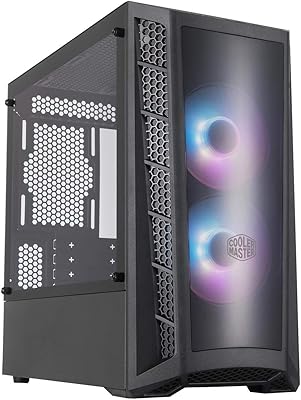
Cooler Master MasterBox MB320L ARGB Micro-ATX Case
82%
89%
Cooling Performance
87%
Build Quality
91%
Ease of Installation
85%
ARGB Lighting Customization
65%
Space for Larger GPUs
More
Cooler Master SickleFlow 200 ARGB Gen 2 Fan
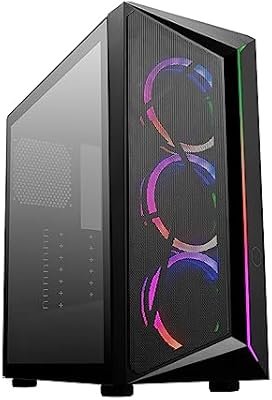
86%
89%
Cooling Performance
86%
Noise Level
91%
ARGB Lighting Customization
87%
Build Quality
92%
Ease of Installation
More
Cooler Master CMP510 Case
87%
91%
Cooling Performance
88%
Build Quality
85%
Cable Management
89%
Modularity & Customization
93%
Airflow & Ventilation
More
Cooler Master MasterFan MF200R ARGB 200mm
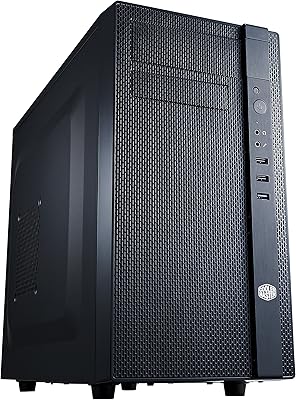
77%
93%
Noise Level
82%
Airflow Performance
89%
ARGB Lighting Quality
86%
Motherboard Compatibility
71%
Case Compatibility
More
Asiahorse Dawn 120mm ARGB Case Fan
88%
88%
Cooling Performance
92%
Noise Level
84%
RGB Customization
89%
Build Quality
91%
Ease of Installation
More
Asiahorse Nyota 120mm ARGB Case Fan
85%
88%
Cooling Performance
90%
Noise Level
85%
RGB Lighting Quality
84%
Build Quality
80%
Ease of Installation
More
Cooler Master N400 Mid Tower PC Case
76%
88%
Airflow Performance
74%
Build Quality
86%
Value for Money
91%
Ease of Assembly
79%
Cooling Compatibility
More
Cooler Master N200 Mini Tower Case
84%
87%
Build Quality
82%
Cooling Performance
89%
Ease of Maintenance
72%
Cable Management
85%
Airflow
More
Cooler Master NR200 Mini-ITX Case
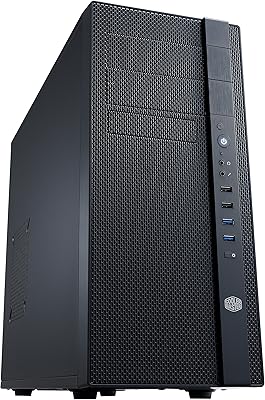
85%
91%
Build Quality
88%
Cooling Performance
94%
GPU Compatibility
84%
Ease of Assembly
86%
Airflow Efficiency
More
Cooler Master Force 500 ATX Mid Tower Case
70%
83%
Build Quality
51%
Airflow Performance
57%
Cable Management
88%
Ease of Assembly
84%
PSU Compatibility
More

FAQ

Yes, the SF240R connects directly to a standard 3-pin ARGB header and syncs with Asus Aura Sync software without any extra steps. Just plug in the ARGB cable, open your Aura software, and it should be detected automatically. ASRock Polychrome and MSI Mystic Light work the same way.

Cooler Master includes a small standalone ARGB controller in the box specifically for this situation. It plugs into a standard fan power header or SATA connector and lets you cycle through preset lighting effects using a button — no software or motherboard support needed.

It is a single integrated frame that holds two 120mm fans together as one unit. You mount the whole assembly at once rather than fitting two individual fans, which makes installation quicker and keeps cables tidier. The trade-off is that the fans cannot be separated or independently replaced.

The frame is designed to fit any standard 240mm fan mounting position — the screw holes follow the same spacing as two 120mm fans placed side by side. That said, the outer frame extends closer to the edges than round fans do, so it is worth checking your case manual or measuring the available clearance before ordering, especially in smaller mid-tower cases.

At mid-range speeds — which is where the fan spends most of its time under typical workloads — the majority of users find it quiet enough that it blends into general system noise. At full 1800 RPM it becomes more audible, and a small number of buyers have noted a faint bearing hum at those higher speeds. For a quiet build, keeping it on a moderate PWM curve should keep things comfortable.

Yes, that is actually one of its primary use cases. The square frame is designed to reduce air leakage around the edges of a radiator, which helps push more air through the fins rather than around them. Standard radiator screw spacing is supported.

Unfortunately, no. Because the two fans are built into a single integrated frame, a failure in one means you would need to replace the entire unit. It is one of the honest trade-offs of the single-frame format — simpler to install, but less modular to service.

For a mid-range build where you want a tidy installation, decent airflow, and ARGB lighting without a premium price tag, it hits a reasonable sweet spot. If you are pushing a high-end CPU or GPU hard and thermal headroom is tight, it may be worth stepping up to a more performance-focused fan. For the majority of everyday gaming and productivity builds, it is more than adequate.

A standard Phillips screwdriver is all you need for mounting. The frame includes integrated cable guides, and all necessary screws for fan mounting are typically included in the box. The only extra hardware you might need is an ARGB adapter if your motherboard header uses a non-standard pinout, which some users have encountered.

With a round fan in a square mounting cutout, air tends to escape through the gaps at each corner rather than passing through the intended surface. The square frame closes off those corners, so a greater proportion of the air the blades move goes where you actually want it — through the radiator or mesh panel. It is a modest but real improvement in pressure efficiency, particularly noticeable in tighter mounting situations.

Where to Buy