Overview

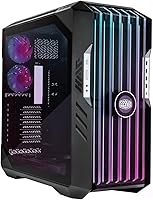
The Cooler Master HAF 700 EVO E-ATX Case is the brand's boldest take on its legendary High Air Flow lineage — a full-tower built for builders who refuse to compromise. HAF cases have earned a reputation over more than a decade, and this iteration pushes that heritage firmly into flagship territory. It accommodates E-ATX and XL-ATX motherboards, making it a natural fit for high-end workstation and gaming platforms alike. Be aware before you buy: this chassis is genuinely massive, tipping the scales at over 55 pounds and demanding real dedicated space. At this price point, every dollar is expected to show up in build quality and performance.
Features & Benefits

The centerpiece of this enthusiast chassis is the IRIS LCD display built into the front panel — a configurable screen you can use to monitor temps, show custom graphics, or run animated content. It earns its place beyond aesthetics. Three pre-installed 200mm Sickleflow fans push serious airflow right out of the box, so you are not immediately shopping for additional cooling. The tempered glass front panel is breathable rather than solid, letting looks and ventilation coexist without the usual trade-off. A bottom-mounted PSU bay keeps cabling tidy and weight distribution low, while the I/O includes a USB 3.2 Gen 2 Type-C port alongside four USB 3.0 connections.

Best For

This full-tower case is built for a specific kind of builder — someone with the desk real estate to accommodate it and a build complex enough to justify it. If your system runs an E-ATX or XL-ATX motherboard, the interior gives you room to work without forcing components into tight corners. High-wattage gaming rigs and content creation workstations with demanding GPUs benefit most from the thermal headroom and flexible interior layout. Builders who want front-panel customization without sacrificing real-world airflow will find it sits in a rare category. It is not a good match for compact desk setups, frequent movers, or anyone prioritizing budget efficiency over premium features.

User Feedback

Across nearly 200 ratings, the HAF 700 EVO holds a 4.6-star average — a score that reflects real satisfaction among enthusiast builders. Buyers consistently single out the out-of-box airflow performance and overall build quality as highlights. The LCD panel gets attention as a conversation piece, though some reviewers note the software configuration is more involved than expected. The most recurring criticism is the sheer size and weight — positioning this chassis solo is genuinely awkward, and it is not something you want to move regularly. A few buyers flag that cable management requires patience at this scale. Quality control appears reliable, with minimal reports of fitment problems or shipping damage.

Pros

  • Three 200mm Sickleflow fans deliver strong, effective airflow straight out of the box without extra purchases.
  • The IRIS LCD front panel adds functional system monitoring alongside its obvious visual appeal.
  • Generous E-ATX interior accommodates simultaneous 360mm radiators, flagship GPUs, and large tower coolers.
  • Breathable tempered glass front panel provides real ventilation without sacrificing aesthetics.
  • Front I/O includes a USB 3.2 Gen 2 Type-C port alongside four USB 3.0 ports for modern peripheral needs.
  • Bottom-mounted PSU bay keeps cable routing clean and weight distribution naturally low.
  • Steel chassis construction feels dense and premium, with panels that align cleanly and do not rattle.
  • At 4.6 stars across nearly 200 verified ratings, owner satisfaction is consistently high among enthusiast builders.
  • Modular interior layout makes component placement and future upgrades straightforward for experienced builders.
  • Supports aggressive custom liquid cooling configurations without requiring any structural modifications.

Cons

  • The LCD companion software requires significant setup time and feels unpolished compared to the hardware quality.
  • At over 55 pounds, solo assembly and repositioning is genuinely awkward and risks component damage.
  • No sound dampening material is included, making sustained high-load operation louder than some buyers expect.
  • Cable management anchor points are sparse in certain interior zones, requiring extra planning for a clean result.
  • The large internal volume can create dead airflow zones in lightly populated or budget component builds.
  • Shipping protection has proven insufficient for a case this heavy, with occasional glass panel damage reported.
  • Front-panel LCD looks blank and industrial when powered off, which may not suit always-on desk setups.
  • No front-accessible USB 2.0 ports, which frustrates users with legacy audio interfaces or wireless adapters.
  • Buyers underestimating the real-world footprint frequently report placement difficulties after delivery.
  • At this price tier, the value proposition weakens for builders who do not specifically need E-ATX support.

Ratings

The Cooler Master HAF 700 EVO E-ATX Case earns its scores from a rigorous AI-driven analysis of verified global buyer reviews, with spam, bot-submitted, and incentivized feedback actively filtered out before any scoring is applied. What remains is an honest cross-section of real builder experiences — from first-time full-tower owners to seasoned enthusiasts who have handled dozens of chassis over the years. Both the genuine strengths and the recurring frustrations are reflected transparently in every category below.

Airflow Performance
93%
The three pre-installed 200mm Sickleflow fans move a remarkable volume of air right out of the box, and builders running hot components — think flagship GPUs or overclocked CPUs — consistently report lower idle and load temperatures compared to their previous cases. The breathable front panel makes a measurable difference rather than just a cosmetic one.
While the out-of-box airflow is strong, a small number of users noted that aggressive positive-pressure configurations require additional fan planning due to the chassis size. The sheer internal volume means a sparse build with minimal components may not distribute airflow as efficiently as a denser, fully loaded system.
Build Quality & Materials
91%
The steel chassis feels dense and purposeful — panels align cleanly, there is no flex in the side panels, and the tempered glass does not rattle or creak during transport. Builders who have handled competing flagship cases at similar price points frequently describe the HAF 700 EVO as feeling genuinely premium rather than aspirationally priced.
A handful of reviewers noted that some interior plastic accent pieces feel slightly inconsistent in quality relative to the metal framework, which can stand out given the overall price tier. Corner protectors during shipping have occasionally been reported as insufficient for a case this heavy.
LCD Front Panel (IRIS Display)
84%
The IRIS LCD panel is a legitimate differentiator — builders use it to display real-time CPU and GPU temperatures, custom logos, or animated graphics that make the rig a genuine conversation piece. For a dedicated workstation sitting on a desk at eye level, the display adds functional value beyond pure aesthetics.
The software configuration process for the LCD is more involved than many buyers anticipate, with a learning curve that frustrates users who expected plug-and-play setup. A few reviewers reported that the companion software felt unpolished, requiring workarounds to load custom content reliably.
Interior Space & Layout
94%
E-ATX and XL-ATX motherboards slot in with room to spare, and there is genuine clearance for high-end tower coolers, 360mm radiators, and lengthy flagship GPUs simultaneously. Builders assembling workstation-class rigs praised the ability to route components without the usual compromises forced by tighter enclosures.
The generous interior is a double-edged consideration — it demands a well-planned build to avoid looking sparse or creating dead airflow zones. Builders populating only a mid-range configuration inside this chassis may find the extra space works against them aesthetically and thermally.
Cable Management
72%
28%
The rear channel behind the motherboard tray is spacious enough to bundle even the most cable-heavy builds reasonably cleanly, and the routing cutouts are well-positioned for standard ATX and E-ATX layouts. Builders running modular PSUs with braided cables had a notably easier time achieving a tidy result.
The sheer scale of the chassis makes full cable management time-consuming, and several reviewers described it as a multi-hour commitment even for experienced builders. Tie-down anchor points in certain areas felt sparse relative to what a case at this price point should provide, leaving some cables harder to secure neatly.
Front I/O Connectivity
88%
Having a USB 3.2 Gen 2 Type-C port front and center alongside four USB 3.0 Type-A ports covers virtually every modern peripheral scenario — external SSDs, controllers, headsets, and capture devices all have dedicated ports without any juggling. Builders using this as a content creation workstation particularly appreciated the Type-C placement.
There are no USB 2.0 ports on the front panel, which occasionally frustrates users with legacy peripherals like older audio interfaces or wireless adapters that rely on USB 2.0 headers. Two rear USB 2.0 ports exist, but routing those cables to the front of a workstation desk setup is inconvenient for daily use.
Ease of Assembly
76%
24%
The modular interior design and tool-free panel removal make the initial assembly experience fairly straightforward for experienced builders, and the wide side-panel opening gives excellent hand clearance when installing components. Most reviewers described the motherboard and GPU installation steps as intuitive.
The weight of the chassis itself complicates solo assembly — positioning the case, rotating it during builds, and managing the heavy tempered glass side panel alone is genuinely awkward. First-time full-tower builders reported the process taking considerably longer than expected, particularly when fitting the front panel back after routing cables.
Cooling Expandability
89%
The case supports radiators up to 360mm in the front and top positions simultaneously, which means even the most aggressive custom liquid cooling loops can be accommodated without creative compromises. Builders planning a hybrid air-and-liquid setup found the mounting options flexible and well thought out.
Radiator mounting hardware and screws for non-standard configurations are not always included, which means some builders had to source supplemental hardware separately. Fan controller options within the case itself are limited, so managing the additional fans a full configuration demands typically requires a third-party hub or motherboard headers.
Noise Levels
74%
26%
At moderate fan speeds, the 200mm Sickleflow fans are noticeably quieter than smaller high-RPM alternatives, which is one of the tangible daily-use advantages of large-diameter fans. Builders running the case in a living room or shared workspace appreciated that normal workloads produced a low, unobtrusive hum.
Under sustained load — particularly when all three pre-installed fans ramp up alongside additional cooling — the cumulative noise becomes more noticeable than some buyers expected from a case marketed toward high-performance use. Sound dampening material is absent, which is a real omission at this price tier.
Aesthetics & Visual Design
86%
The blacked-out exterior, large tempered glass side panel, and the IRIS LCD front panel combine into a look that photographs well and commands attention as a desk or floor tower. Builders who invested in RGB memory, GPU lighting, and cable combs reported that the glass panel shows off interior builds beautifully.
The design is unmistakably bold and large, which will not suit every aesthetic preference — it lacks the understated profile that some workstation builders prefer. The front LCD panel, while impressive when active, looks somewhat blank and industrial when powered off, which is worth considering for always-on desk setups.
Value for Money
71%
29%
The inclusion of three large-diameter fans, an LCD display, and a premium I/O panel out of the box does offset some of the sticker shock when you account for what comparable components would cost sourced separately. For a builder who was planning to upgrade fans and add front-panel features anyway, the bundled value is real.
At this price point, buyers are right to scrutinize every detail, and a few elements — particularly the cable management anchor count and the software polish for the LCD — feel like they belong on a less expensive product. Competing flagship cases from other brands offer more polished software ecosystems or quieter included fans for a similar investment.
Size & Footprint
63%
37%
If your desk setup or tower alcove can genuinely accommodate it, the physical scale of this enthusiast chassis pays dividends in thermal headroom and build flexibility. Builders with dedicated PC towers on raised platforms or open desk areas reported that the footprint becomes a non-issue once placement is sorted.
At over 26 inches tall and nearly 25 inches deep, this is a case that physically dominates any space it occupies, and that is a dealbreaker for a meaningful segment of buyers. Several reviewers admitted they underestimated the real-world dimensions before purchase and found themselves struggling to fit it in their intended location.
Shipping & Packaging Protection
69%
31%
The majority of buyers received the case without damage, and the outer packaging is substantial in terms of overall box construction. Cooler Master's customer support response for the minority of damage cases was described as reasonably responsive by most affected buyers.
Given the case weighs over 55 pounds, a non-trivial number of reviewers flagged that the foam corner protection inside the box is undersized relative to the chassis weight and the rough handling common in freight shipping. Tempered glass panel damage during transit, while not widespread, appears more frequently in reviews here than on lighter competing cases.
Thermal Management Out of the Box
90%
Without installing a single additional fan or cooler, builders reported component temperatures that matched or beat configurations they had previously achieved with aftermarket fans in smaller enclosures. The combination of large fan diameter and a breathable front panel creates effective airflow from day one.
The out-of-box thermal performance is fan-load dependent — running the included fans at low speeds to reduce noise sacrifices a meaningful portion of that advantage. Builders without a fan controller or a motherboard with robust PWM headers may find it harder to balance temperature and acoustics optimally.

Suitable for:

The Cooler Master HAF 700 EVO E-ATX Case was built for a specific kind of builder, and when it lands in the right hands, it genuinely earns its place. If your current or planned build centers on an E-ATX or XL-ATX motherboard, this is one of the few cases that gives you room to work without constantly negotiating space between components. Enthusiast gamers running dual-radiator liquid cooling setups, high-end GPUs, and multi-drive storage configurations will find the interior accommodating in ways that mid-tower and even some full-tower cases simply cannot match. Content creators who keep their workstation running hot for hours — video editors, 3D rendering artists, streamers pushing sustained GPU loads — benefit directly from the thermal headroom the three large pre-installed fans create before any custom cooling is added. Builders who want their rig to be a visual centerpiece, with an LCD front panel displaying live system stats or custom graphics, will find this chassis sits in a very small category of cases that combine that kind of front-panel personality with serious airflow engineering. If you have a dedicated desk alcove, a floor tower position, or a large open workspace, the physical footprint becomes a non-issue and the case performs exactly as intended.

Not suitable for:

The Cooler Master HAF 700 EVO E-ATX Case is a serious mismatch for a meaningful segment of buyers, and it is worth being direct about that before purchase. At over 55 pounds empty and more than 26 inches tall, this chassis demands permanent or semi-permanent placement — anyone who moves their setup regularly, travels with their PC, or works in a small apartment with limited floor or desk space will find it actively inconvenient. Builders on ATX or Micro-ATX motherboards are paying a significant premium for internal real estate they will never use, and the resulting sparse build can actually work against airflow efficiency inside such a large enclosure. If noise levels matter to you in a bedroom or shared living environment, the absence of any sound dampening material means this enthusiast chassis is not optimized for quiet operation, especially under load. Budget-conscious builders who are primarily upgrading for aesthetics rather than thermal necessity will find that competing cases at lower price points offer more polished software experiences and comparable build quality without the scale penalty. First-time PC builders working alone should also think carefully — assembling and positioning a case this heavy without a second pair of hands is genuinely difficult and risks damaging components during the process.

Specifications

  • Form Factor: The case supports E-ATX (Extended ATX) motherboards, along with smaller standards including ATX, Micro-ATX, and Mini-ITX.
  • Dimensions: The chassis measures 26.22″ long x 24.64″ deep x 11.45″ wide, making it a substantial full-tower footprint requiring dedicated placement space.
  • Weight: The case ships at approximately 55.3 pounds empty, which is notably heavy for a tower chassis and complicates solo handling during assembly.
  • Included Fans: Three 200mm Sickleflow fans come pre-installed at the front intake position, providing high-volume airflow out of the box without additional purchases.
  • Front Panel Display: An IRIS customizable LCD display is integrated into the front panel, configurable to show system monitoring data, custom images, or animations.
  • Front Panel Material: The front panel uses breathable tempered glass that allows airflow to pass through while maintaining the visual transparency typical of premium cases.
  • Side Panel: A full-length tempered glass side panel provides an unobstructed view of the interior build, secured with a tool-free or minimal-fastener removal mechanism.
  • Front I/O Ports: The front I/O includes one USB 3.2 Gen 2 Type-C port and four USB 3.2 Gen 1 (USB 3.0) Type-A ports for modern peripheral connectivity.
  • USB 2.0 Ports: Two USB 2.0 ports are available, routed internally via header connections to the motherboard rather than exposed directly on the front panel.
  • PSU Mounting: The power supply is bottom-mounted with a shroud design that isolates PSU cabling from the main motherboard area for cleaner routing.
  • Primary Material: The main chassis structure is constructed from steel, providing a rigid, low-flex enclosure that contributes significantly to the case's overall weight.
  • Cooling Support: The case supports air cooling and custom liquid cooling configurations, with mounting positions accommodating radiators up to 360mm in the front and top.
  • GPU Clearance: The interior layout provides generous graphics card clearance suitable for current flagship dual- and triple-slot GPUs with extended PCB lengths.
  • CPU Cooler Height: The chassis accommodates tall tower-style CPU air coolers, though builders should verify exact clearance against their specific cooler model before purchasing.
  • Drive Bays: The interior supports multiple 2.5″ SSD and 3.5″ HDD mounting positions, with modular trays that allow configuration based on storage needs.
  • Model Identifier: The official model designation is HAF 700 EVO with part number H700E-IGNN-S00, which is useful when sourcing replacement parts or compatible accessories.
  • Color: The case is available in a blacked-out finish across the exterior chassis, front panel frame, and interior surfaces.
  • Amazon Ranking: The HAF 700 EVO holds a Best Sellers Rank of #269 in the Computer Cases category on Amazon, with 184 verified ratings averaging 4.6 out of 5 stars.

Related Reviews
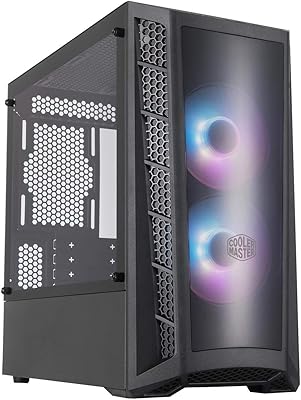
Cooler Master MasterBox MB320L ARGB Micro-ATX Case
82%
89%
Cooling Performance
87%
Build Quality
91%
Ease of Installation
85%
ARGB Lighting Customization
65%
Space for Larger GPUs
More
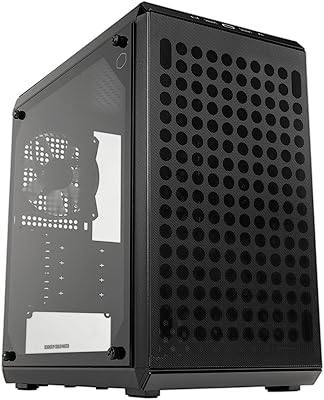
Cooler Master Elite 301 Lite Micro-ATX Case
77%
91%
Value for Money
84%
Airflow Performance
93%
GPU Clearance
78%
Build Quality
82%
Tempered Glass Panel
More
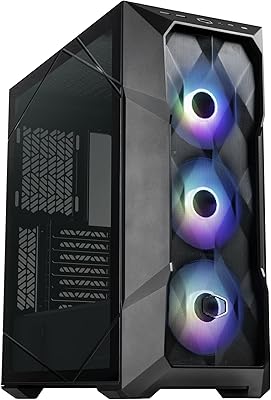
Cooler Master Q300L V2 Micro-ATX Tower Case
77%
91%
Value for Money
83%
Airflow Performance
77%
Build Quality
81%
Tempered Glass Panel
72%
Cable Management
More
Lian Li O11D EVO RGB E-ATX Gaming Case
86%
91%
Build Quality
93%
Cooling Performance
89%
Cable Management
88%
Aesthetics/Design
85%
Ease of Assembly
More
Cooler Master TD500 Mesh V2 ATX Mid-Tower Case
81%
91%
Airflow Performance
87%
Build Quality
93%
Cooling Flexibility
84%
Value for Money
79%
ARGB Lighting
More
Cooler Master CMP510 Case
87%
91%
Cooling Performance
88%
Build Quality
85%
Cable Management
89%
Modularity & Customization
93%
Airflow & Ventilation
More
Cooler Master N400 Mid Tower PC Case
76%
88%
Airflow Performance
74%
Build Quality
86%
Value for Money
91%
Ease of Assembly
79%
Cooling Compatibility
More
Cooler Master N200 Mini Tower Computer Case
78%
91%
Value for Money
84%
Airflow Performance
73%
Build Quality
88%
Storage Expandability
86%
Cooling Compatibility
More
ASUS ProArt PA602 Full Tower PC Case
83%
93%
Airflow Performance
91%
Build Quality & Materials
89%
Thermal Engineering Design
92%
Radiator & Liquid Cooling Support
88%
GPU Mounting & Clearance
More
Cooler Master NR200 Mini-ITX Case
85%
91%
Build Quality
88%
Cooling Performance
94%
GPU Compatibility
84%
Ease of Assembly
86%
Airflow Efficiency
More

FAQ

A standard ATX motherboard fits without any issues — the case supports E-ATX, ATX, Micro-ATX, and Mini-ITX form factors. You do not need an E-ATX board to use it, though you will have more empty space in the interior with a smaller motherboard.

Yes, a 360mm radiator fits in the front intake and top exhaust positions. You can run both simultaneously if you are building a high-end custom loop, which is one of the stronger thermal arguments for choosing a chassis this large.

The hardware installation is straightforward, but configuring the display through the companion software takes more time than most buyers expect. Loading custom images or animations requires working through Cooler Master's software, which several users describe as functional but not particularly polished. Budget extra time for the initial setup if this feature is important to you.

Honestly, it depends on whether you genuinely need the airflow capacity and interior room. If you are running a high-wattage GPU and plan on a large tower cooler or 360mm radiator, the thermal headroom justifies the price. For a mid-range ATX build, there are more cost-effective cases that will serve you just as well without the size and weight penalty.

At moderate speeds, the 200mm Sickleflow fans are quieter than typical smaller high-RPM alternatives because they move more air per revolution. Under full load with all three ramping up, the noise is noticeable but not particularly harsh — more of a low whoosh than a sharp whine. There is no sound dampening material in the case, so it will not be whisper-quiet in a demanding scenario.

You can technically do it solo, but the 55-pound empty weight makes it genuinely awkward to rotate, reposition, and work inside alone. For the initial placement and tempered glass panel handling, having a second person is a strong practical recommendation rather than an exaggeration.

The HAF 700 EVO supports graphics cards well in excess of 400mm in length, which covers every current consumer GPU on the market including flagship triple-slot models. You are extremely unlikely to run into GPU length issues in this chassis.

There is no dedicated fan controller included in the box. Fan speed management is handled through your motherboard headers or a third-party fan hub. If you plan to add more fans beyond the three included, a separate PWM hub is worth budgeting for.

A minority of buyers have reported tempered glass damage in transit, which appears more common here than with lighter cases given the shipping weight. The protective foam inside the box has been flagged as somewhat undersized relative to how heavy the package is. If yours arrives damaged, Cooler Master support has generally been responsive to replacement requests.

The pre-installed Sickleflow fans do not include RGB lighting in this configuration — they are focused on airflow rather than aesthetics. The IRIS LCD panel is the primary visual feature. If you want RGB fans, you would need to add compatible fans separately and connect them to your motherboard or a lighting controller.

Where to Buy