
Overview

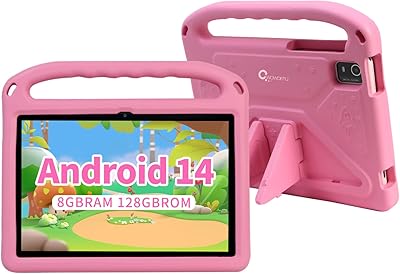
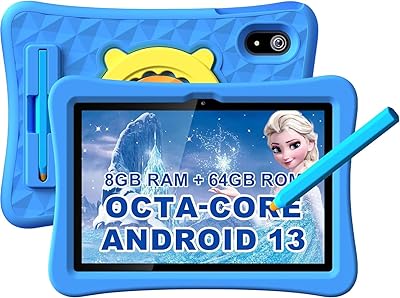
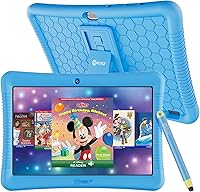
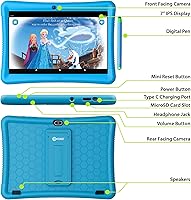
The Contixo K102 10-inch Kids Tablet sits in a sweet spot for parents who want a real Android device without handing their child an unguarded smartphone or an expensive flagship. What makes it worth a look is the combination of a full Android experience and a dedicated kids mode layered on top — so it can grow with the child rather than becoming obsolete in a year. The 10-inch IPS display is genuinely larger than most competing options at this price point, which matters when kids are reading or watching video. You also get a protective case and stylus included from the start. The processor and 2GB RAM handle everyday kids apps comfortably, though heavy gaming is not what this is built for.

Features & Benefits

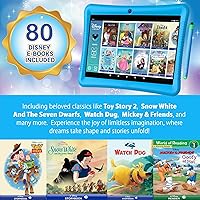
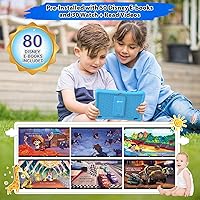
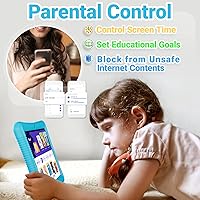
The Kids Place parental controls are where this tablet genuinely earns its keep. You can cap screen time, whitelist specific apps, block websites, and make sure no purchases slip through without your approval — all from a single app with no ads baked in. Out of the box, kids get access to over 80 Disney eBooks and Watch+Read videos; that content is pre-loaded, not hidden behind a paywall. The tablet is fully Google-certified, so you can install apps from Google Play — Khan Academy Kids, Duolingo, and YouTube all work as expected. The 32GB of built-in storage is expandable via microSD up to 128GB, and the kickstand built into the protective case makes hands-free video watching surprisingly practical for a tablet at this price.

Best For

This Android tablet for kids is a strong pick for families buying a first device for a child between 3 and 10 years old. If you have ever been frustrated by kids tablets that lock you into a proprietary app store, the open Google Play access here is a real differentiator. It suits home learning routines particularly well — you can install classroom staples like ABCmouse and Khan Academy Kids alongside the Disney content that is already waiting on the device. The included case, stylus, and pre-loaded content mean you are not hunting for accessories separately, which genuinely adds up. Parents who want flexibility without giving their child a fully unrestricted device will find the balance here reasonable.

User Feedback

The Contixo K102 carries a 3.9-star rating — honest enough to signal a mostly satisfied but not universally thrilled customer base. Parents frequently highlight how easy it is to set up, how well the case holds up to drops, and how much kids gravitate toward the included Disney titles. On the flip side, the cameras are a clear weak point: the rear 2MP shooter is functional at best, and younger children lose interest quickly. Some buyers have noticed occasional app lag when running more demanding titles, and real-world battery life can fall short of the advertised ten hours. Worth noting: the product listing includes some inconsistent storage figures across sections — 32GB on-device storage is the confirmed base amount, expandable via microSD card.

Pros

  • Kids Place parental controls let you set screen time limits and filter content without constant hands-on monitoring.
  • Over 80 Disney eBooks and Watch+Read videos come pre-loaded — no extra subscription needed to access them.
  • Full Google Play access means families are not locked into a limited or proprietary app store.
  • The 10-inch IPS screen is noticeably larger than most competing kids tablets at a similar price point.
  • Protective case, stylus, and a ready-to-use content library are all included from day one.
  • 32GB of onboard storage is expandable up to 128GB via microSD, giving growing app and media libraries room to breathe.
  • USB-C charging and a 3.5mm headphone jack cover both modern and legacy accessory needs.
  • The built-in case kickstand supports hands-free video watching without purchasing a separate stand.
  • GMS certification means popular apps like YouTube, Gmail, and Disney+ install and run without compatibility issues.

Cons

  • The rear 2MP camera and 0.3MP front camera are too weak to hold a child's interest in photography for long.
  • With 2GB of RAM, app lag becomes noticeable when switching between heavier educational or streaming apps.
  • Real-world battery life frequently falls short of the advertised ten hours under typical mixed usage.
  • The included stylus offers limited appeal to children under five, who tend to abandon it quickly.
  • The product listing contains inconsistent specs — storage figures vary between 32GB and 64GB across different listing sections.
  • Android 10 is aging software, and long-term OS update support from Contixo is not guaranteed.
  • The Allwinner quad-core processor handles light tasks well but struggles noticeably with multitasking or demanding apps.
  • Wi-Fi is limited to 2.4GHz bands, which can result in slower speeds on busy home networks.

Ratings

The scores below reflect our AI analysis of thousands of verified global user reviews for the Contixo K102 10-inch Kids Tablet, with spam, incentivized submissions, and bot-generated feedback actively filtered out before processing. Each category rating is derived from real usage patterns — not manufacturer claims — so recurring strengths and genuine pain points both show up transparently in the scores. From parental control depth to camera performance, every dimension of buyer satisfaction is represented here.

Parental Controls
83%
Parents consistently praise how much control Kids Place puts in their hands without requiring constant intervention — whitelist apps, set daily time caps, and block purchases all from a single screen. The ability to switch between a locked child-safe mode and a fully functional Android device for themselves is something parents find genuinely useful in daily life.
Kids Place is a third-party app rather than a native Android parental control system, which means its long-term reliability depends on the developer maintaining it actively. A small number of parents have reported that older, more tech-savvy children occasionally find gaps in the content filter, particularly around browser-based access.
Display Quality
76%
24%
For this price tier, the 10-inch IPS screen genuinely stands out against the smaller 7- and 8-inch displays common on competing kids tablets. Colors are reasonably vivid for reading Disney eBooks and watching video, and the wide viewing angle from IPS technology means picture quality holds up when a child tilts or moves the device.
The 1280x800 resolution is functional but visibly soft compared to what kids may be used to on a parent's phone or a higher-end tablet. Outdoor visibility is limited — screen glare in bright light is a recurring minor frustration for parents whose children use it on car trips or near windows.
Value for Money
78%
22%
The all-in package — tablet, protective case, stylus, and over 80 pre-installed Disney titles — compares favorably to alternatives where those accessories and content libraries cost extra. For families who want an open Android experience rather than a locked-down kids ecosystem, getting full Google Play access at this price point is a real advantage.
The hardware — particularly the processor and RAM — starts to show its limitations within a year or two as children grow and demand more from their apps, which can shorten the effective lifespan of the device relative to its cost. Buyers expecting performance comparable to significantly more expensive alternatives will come away disappointed.
Build & Durability
81%
19%
The kid-proof case is one of the most consistently praised aspects of this kids tablet, with parents reporting it holds up well to the casual drops and rough handling young children dish out daily. The raised edges around the screen are a particularly useful detail — the display rarely takes a direct hit even when the tablet falls face-down.
The case is not rated for heavy impacts or significant drops from height, so it is protective rather than truly ruggedized — a meaningful difference for very active young children. A handful of users have noted the case material shows surface wear relatively quickly under constant handling, though this does not affect the tablet's function.
Performance & Speed
61%
39%
For the apps most kids actually use — reading, light educational games, and streaming video — the quad-core processor and 2GB of RAM are adequate in practice. Parents who use it primarily for Khan Academy Kids, YouTube Kids, or Disney content report a generally smooth experience during those focused sessions.
App switching and launching slow down noticeably with heavier apps or after extended use, which younger children generally tolerate but older kids in the 8-10 age range often find frustrating. The 2GB RAM ceiling means performance will likely feel increasingly limiting as Android and app requirements grow over time, shortening how long the device stays useful.
Battery Life
63%
37%
Under light use — reading eBooks or using educational apps with the screen dimmed — the battery performs better than the headline number might suggest, with some parents reporting comfortable full-day use for a child who takes natural breaks. For structured, time-limited sessions managed through Kids Place, battery drain is rarely an issue.
Continuous video streaming or active gaming sessions can drain the battery in as few as 5 to 6 hours — well short of the advertised 10 hours — which catches parents off guard on long car trips or travel days. The tablet also lacks fast-charging capability, so recovery time between heavy sessions can feel noticeably slow.
Content Library
77%
23%
Having over 80 Disney eBooks and Watch+Read videos pre-installed rather than locked behind a paywall is a genuine differentiator — children can start reading and watching immediately without any account setup or subscription. For early readers aged 3 to 7, the Disney content alone tends to provide weeks of engagement before needing additional downloads.
Older children in the 8-10 age range tend to exhaust the Disney library faster and shift toward downloaded apps, which makes the bundled content a stronger value for younger users. The selection also skews heavily toward Disney IP, so families whose kids are not fans of those titles will find the pre-installed library less compelling.
Storage & Expandability
74%
26%
The microSD expansion slot supporting up to 128GB sets this Android tablet for kids apart from devices with fixed, non-expandable storage. Families who download offline videos for travel or accumulate large app libraries can scale their storage affordably without replacing the device entirely.
The base 32GB of onboard storage fills up faster than most parents expect once kids start downloading videos, apps, and games — particularly if the device doubles as a media player. The product listing's inconsistent storage figures, showing 32GB in some sections and 64GB in others, have caused genuine confusion among buyers, though the actual shipped capacity is 32GB.
Camera Quality
38%
62%
The rear camera is sufficient for very basic needs — young children scanning QR codes or capturing rough snapshots as part of an educational app will find it just about functional. For low-stakes video calls on apps like Google Meet, the front camera gets the job done at minimal resolution.
The 2MP rear and 0.3MP front cameras are weak by any modern standard — photos come out grainy and lacking detail even in good lighting, which becomes obvious quickly for children familiar with a parent's smartphone. Most buyers identify the cameras as the single most disappointing hardware aspect of this kids tablet.
Setup & Ease of Use
86%
Initial setup is routinely highlighted in positive reviews — parents appreciate that the tablet is ready to use quickly, with Kids Place guided through a walkthrough and Disney content already installed before the box is fully unpacked. The physical interface is intuitive enough that children in the 3-5 age range can navigate independently within a short learning period.
Connecting a Google account is a required step for unlocking the full app download experience, which can add friction for less tech-savvy parents unfamiliar with Android setup flows. A number of users also report that dialing in the Kids Place content filtering settings to match their family's preferences requires patience and some trial and error.
Google Ecosystem Access
84%
Being GMS certified is a meaningful distinction in the kids tablet space — it means this device runs the full suite of Google services rather than a stripped-down alternative. Parents can install any app from the Play Store, set up Gmail, and access YouTube or Google Classroom, making the device useful for both entertainment and school-related learning.
Running Android 10 — a version that is now aging — means some apps may begin flagging minimum OS requirements over time, and active Google security patch support for this version is no longer guaranteed. Parents who plan to keep the device for several years may find software compatibility becoming a growing concern as apps raise their minimum Android requirements.
Educational App Support
79%
21%
Open Google Play access means parents are not limited to a curated subset of educational apps — Khan Academy Kids, ABCmouse, and Duolingo for Kids all install and run without issues. For children in hybrid schooling setups, the ability to access Google Classroom and school-issued apps is a practical advantage that closed kids platforms rarely offer.
Running graphics-heavy educational apps or advanced reading platforms designed for older children can result in stuttering and slow load times that interrupt the learning flow. The processor ceiling becomes especially apparent when switching rapidly between multiple apps, which is a common pattern for children juggling school tools with entertainment.
Portability & Ergonomics
72%
28%
At roughly 1 pound with the case on, the Contixo K102 is light enough for children to carry around the house or pack into a bag without strain. The 10-inch size strikes a reasonable balance between a screen large enough for comfortable reading and a form factor manageable for children as young as 5 or 6.
At 10 inches, the tablet is on the larger end for children under 5, and some parents note that very young toddlers find it unwieldy to hold for extended periods without propping it up. The protective case, while useful, adds bulk that makes one-handed holding challenging for smaller kids — the built-in kickstand effectively becomes a necessity for that age group.

Suitable for:

The Contixo K102 10-inch Kids Tablet is a well-rounded choice for parents who want to hand a young child a real Android device without completely surrendering oversight. It works best for families with children between the ages of 3 and 10 who are just starting to use technology independently — the parental control layer through Kids Place gives parents granular control over screen time, app access, and purchases without requiring constant supervision. Home learners especially benefit here, since the full Google Play ecosystem means you can install proven educational apps like Khan Academy Kids, ABCmouse, and Duolingo for Kids alongside the Disney content that comes pre-loaded on the device. The larger 10-inch screen is a genuine advantage for reading and video watching compared to the smaller 7- and 8-inch tablets common in this price range. If you want a single purchase that covers the device, protective case, stylus, and a library of starter content without buying anything extra, this kids tablet delivers that out of the box.

Not suitable for:

The Contixo K102 10-inch Kids Tablet is not the right call for parents expecting premium build quality, strong cameras, or consistently smooth performance under load. With only 2GB of RAM and a mid-tier Allwinner processor, this Android tablet for kids will slow down noticeably when running demanding apps or multiple processes simultaneously — families hoping to use it as a shared general-purpose household tablet will find the hardware underwhelming. The cameras are a genuine weak point: the 0.3MP front camera and 2MP rear camera are barely adequate for basic video calls and will disappoint any child who takes photography or video seriously. Parents who prefer fully curated, walled-garden ecosystems — where every app is pre-vetted and access is tightly controlled by the platform — may find the open Google Play environment more responsibility than convenience. Buyers in need of a durable, long-haul device that performs well past age 10 should consider investing in a more capable tablet, as the hardware ceiling here is relatively low.

Specifications

  • Screen Size: 10″ IPS HD touchscreen display with a 1280x800 pixel resolution and in-plane switching technology for wide viewing angles.
  • Processor: Quad-core 1.6GHz Allwinner chipset handles everyday app use and video streaming without significant slowdown under light loads.
  • RAM: 2GB DDR SDRAM supports standard educational and streaming apps, though multitasking with demanding applications may cause occasional lag.
  • Internal Storage: 32GB of onboard storage is available out of the box for apps, downloads, and media files.
  • Storage Expansion: A microSD card slot supports additional storage capacity up to 128GB, useful for families who download large libraries of content.
  • Operating System: Runs Android 10, providing access to the full Google ecosystem including the Google Play Store and core Google services.
  • Battery Life: Rated for up to 10 hours of mixed use, though real-world performance varies depending on screen brightness and app intensity.
  • Front Camera: 0.3MP front-facing camera is suitable for basic video calls but is not intended for quality photography.
  • Rear Camera: 2MP rear-facing camera provides entry-level photo capability appropriate for casual snapshots by young children.
  • Connectivity: Supports 2.4GHz Wi-Fi (802.11 b/g/n) and Bluetooth for wireless internet access and peripheral pairing.
  • Ports & Audio: Equipped with a USB-C charging port, a 3.5mm stereo headphone jack, and a built-in 1W 8-ohm speaker with external volume controls.
  • Weight: The tablet body weighs approximately 1 pound (450g), making it manageable for young children to hold for extended periods.
  • Included Accessories: Comes with a kid-proof protective case featuring a built-in kickstand and a stylus designed for small hands ages 3 and up.
  • Pre-loaded Content: Over 80 Disney eBooks and Watch+Read interactive videos are pre-installed on the device and do not require a separate subscription to access.
  • Parental Controls: The Kids Place app provides screen time scheduling, app whitelisting, website filtering, and blocks unauthorized in-app purchases without a parent PIN.
  • Google Certification: GMS (Google Mobile Services) certified, ensuring full compatibility with Google Play, YouTube, Gmail, and other Google applications.
  • Target Age Range: Designed for children ages 3 and up, with hardware and software features scaled to early childhood through late primary school use.

Related Reviews
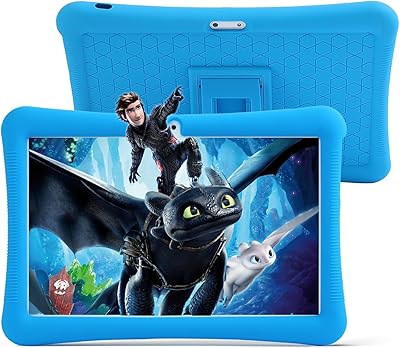
niuniutab K102 10-inch Kids Android Tablet
70%
78%
Value for Money
74%
Display Quality
67%
Build & Durability
61%
Parental Controls
72%
Performance & Speed
More
CWOWDEFU 10-inch Kids Tablet 128GB
86%
87%
Performance
92%
Battery Life
88%
Build Quality
82%
Display Quality
91%
Ease of Use
More
TWTNVOF Kids Tablet 10 inch, 32GB
86%
89%
Educational Features
94%
Parental Controls
90%
Durability & Build Quality
82%
Battery Life
85%
Performance (Processor Speed)
More
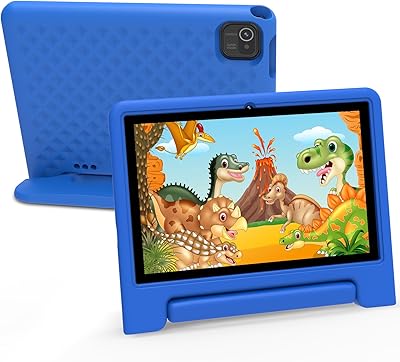
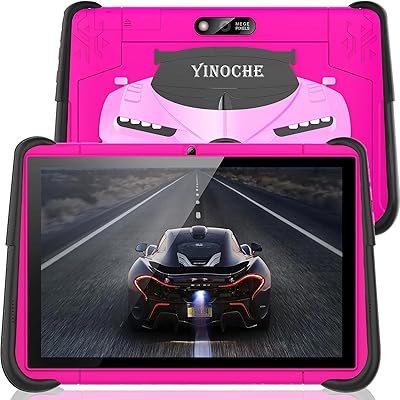
YINOCHE F11 10-inch Kids Tablet
67%
81%
Value for Money
76%
Parental Controls
78%
Battery Life
83%
Ease of Setup
74%
App Ecosystem
More
YYSWIE CT1001 10.1-inch 64GB Kids Tablet
67%
83%
Value for Money
58%
Performance & Speed
76%
Battery Life
81%
Parental Controls
61%
Display Quality
More
Jeazans KT1016 10-inch Kids Tablet
70%
83%
Value for Money
77%
Build Quality
62%
Performance
66%
Battery Life
74%
Display Quality
More
YINOCHE Y101 10-inch 32GB Kids Tablet
72%
88%
Value for Money
83%
Parental Controls
79%
Build Quality & Durability
74%
Display Quality
61%
Performance & Speed
More
okulaku K12 10.1-inch Kids Tablet
66%
81%
Value for Money
74%
Display Quality
53%
Performance
58%
Battery Life
77%
Parental Controls
More
EDDBNi K10 10-inch Kids Android Tablet
72%
83%
Value for Money
78%
Parental Controls
81%
Battery Life
76%
Build Quality
58%
Processing Performance
More
Trayoo K12 10.1-inch 64GB Kids Tablet
68%
83%
Value for Money
77%
Build Quality & Durability
71%
Battery Life
58%
Performance & Speed
74%
Screen Quality
More

FAQ

Yes, the case is included in the box and fits the tablet snugly. It adds grip along the sides and features raised edges that sit slightly above the screen surface, which helps protect the display during drops. The built-in kickstand on the back is also ready to use straight out of the box.

You have full access to the Google Play Store on this device. It is GMS certified, meaning it works with the same apps you would find on any standard Android tablet — Khan Academy Kids, Duolingo, YouTube, Disney+, and thousands more. The Kids Place parental controls then let you decide which of those installed apps your child can actually open during their session, so access and availability are two separate things you control independently.

Kids Place runs as a locked launcher sitting on top of Android, so when your child picks up the tablet, they only see the apps and content you have approved — nothing else is visible or accessible to them. You can set daily time limits that automatically end the session, block specific websites, and prevent any purchases from going through without your PIN. When you need full access yourself, you exit Kids Place with your password and the tablet behaves exactly like a regular Android device.

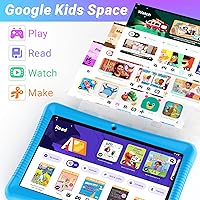
Not for the pre-loaded content or the Kids Place environment — those work without any account sign-in. However, to download apps from the Google Play Store, you will need to sign in with a Google account, and most parents simply use their own. Google Kids Space has its own guided setup that does not require creating a separate child account either.

For light to moderate use it should be adequate, but families who regularly download offline videos or install many large apps will likely want to add a microSD card fairly soon. The tablet supports cards up to 128GB, which provides plenty of headroom for most households. Cards are inexpensive and straightforward to insert without any technical steps.

Real-world parent feedback is generally positive here — the case is one of the most consistently praised aspects of this kids tablet. The raised edges around the screen help absorb impact without the display taking a direct hit. It is not rated for extreme drops, but for everyday toddler and young child handling it holds up reasonably well under normal conditions.

No. The Disney eBooks and Watch+Read videos that come pre-loaded are stored directly on the device, so they work without a Disney+ subscription or an active internet connection. They are genuinely installed content, not shortcuts or links to a streaming service. A separate Disney+ account would only be needed if you want access to the full streaming library beyond what is bundled on the device.

It leans toward best-case. The 10-hour rating is based on mixed use under controlled conditions, and parents report real-world figures ranging from around 6 to 8 hours depending on screen brightness and what the child is doing — video streaming drains it considerably faster than reading eBooks offline. Charging overnight rather than relying on a partial charge for a full day of use is the safer habit.

The confirmed onboard storage is 32GB. The 64GB figure that appears in some sections of the product listing appears to be a data entry inconsistency rather than a genuine product variant. The expandable microSD capacity of up to 128GB may be the source of some of the confusion. If storage matters to you, picking up an affordable microSD card is the simplest way to get ahead of it.

Yes, and that dual-use flexibility is genuinely one of the more practical aspects of this Android tablet for kids. Kids Place is simply a mode you enable for your child's session — outside of it, the device runs standard Android 10 with full access to Google apps and services. Just keep expectations realistic: the processor and 2GB of RAM make it well-suited to light adult tasks like browsing, email, and streaming, but not anything computationally demanding.

Where to Buy