


Overview
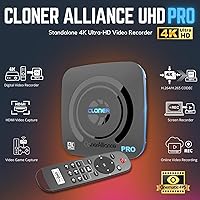
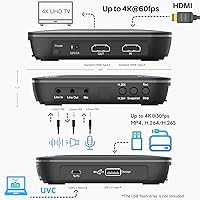
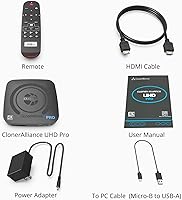
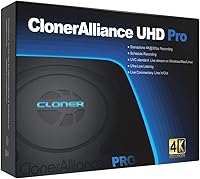
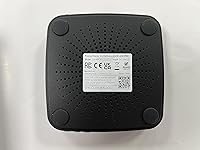
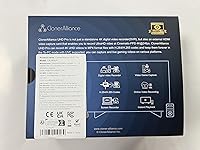
The ClonerAlliance UHD Pro (CA-989UP) is a specialized recording device built for users who want to capture high-definition video without the headache of a computer setup. Measuring just a few inches across, this standalone 4K recorder fits neatly into any home theater cabinet or desk space. It bypasses the need for complex software by recording directly to external USB drives, making it a reliable pick for anyone tired of dealing with driver updates or PC crashes. The inclusion of H.265 compression means you can fit significantly more footage onto your storage media without losing clarity. With a dedicated physical remote and a straightforward on-screen menu, navigating the settings feels intuitive rather than technical. It bridges the gap between professional-grade capture and home-user simplicity by offering a true plug-and-play experience that works right out of the box.
Features & Benefits
When it comes to performance, the UHD Pro capture box delivers impressive flexibility with its ability to record in cinematic 24fps or standard 30fps modes. This ensures your saved files look natural and fluid during playback. One of the most practical additions is the internal scheduler, which lets you set specific times for the device to start and stop recording automatically. This is perfect for capturing live broadcasts or events when you are away from the remote. Because it features ultra-low latency passthrough, you can play your favorite games on a monitor with no noticeable lag while the unit handles the heavy lifting of encoding in the background. It also supports massive storage capacities up to 8TB, so you rarely have to worry about running out of room during a long recording session or a weekend gaming marathon.
Best For
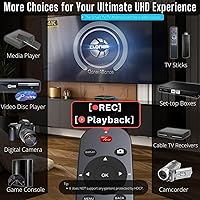
This HDMI DVR is a versatile tool that appeals to several different types of users. TV enthusiasts will find it particularly useful for archiving non-protected content from cable or satellite boxes to build a permanent digital library. It is also an excellent choice for console gamers who want to preserve their best matches in 4K without investing in an expensive streaming PC. Beyond entertainment, the device serves a vital role in professional environments, such as medical offices or labs, where recording clear microscope feeds is necessary for documentation. Even for older adults or those who are not tech-savvy, the lack of complicated software makes it a stress-free option for digitizing old footage from camcorders. As long as the source is unprotected HDMI, this unit handles the task with minimal intervention required from the operator.
User Feedback
Real-world reports often highlight how reliable the one-button recording feature is for daily use. Many owners appreciate the convenience of the remote, though there are a few technical hurdles to keep in mind before buying. First, this standalone 4K recorder cannot bypass HDCP content protection, meaning it will show an error if you try to record most encrypted streaming services or Blu-rays. Additionally, it only supports PCM or stereo audio; if your source is set to Dolby Digital, you will likely end up with a silent video file. Despite these limitations, users consistently praise the device for its stability during long recording sessions. As long as you adjust your source settings correctly, the UHD Pro capture box remains a solid, dependable choice for capturing high-quality video that looks sharp and professionally encoded every single time.
Pros
- Recording 4K video directly to a USB drive eliminates the need for a dedicated PC setup.
- The built-in H.265 codec significantly reduces file sizes while maintaining impressive visual clarity and detail.
- A dedicated physical remote makes it easy to start and stop recordings from across the room.
- The internal scheduling tool allows for automated, hands-free recording of timed events and broadcasts.
- Ultra-low latency passthrough ensures you can play games in real-time without any distracting input lag.
- Support for external storage up to 8TB provides massive amounts of space for long-form video archives.
- The ClonerAlliance UHD Pro (CA-989UP) offers a cinematic 24fps mode for a more traditional movie-like appearance.
- Flexible file system compatibility with NTFS, exFAT, and FAT32 simplifies moving files between different devices.
- One-button recording simplicity makes it accessible for non-technical users and seniors.
Cons
- Strict adherence to HDCP means the device will not record protected content from most streaming sticks.
- The lack of support for Dolby Digital audio requires users to manually set their source to PCM or stereo.
- Recording is capped at 30fps for 4K resolution, which may feel jittery for fast-paced 60fps gaming content.
- On-board file management is very basic, making it difficult to rename or organize clips without a computer.
- The infrared remote requires a very clear, direct line-of-sight to the unit to register button presses.
- The device can become quite warm during extended 4K recording sessions, requiring good airflow for stability.
- There is no built-in power pass-through for unpowered portable hard drives, often necessitating an extra power source.
- The user interface and on-screen menus look somewhat dated compared to modern smart TV operating systems.
Ratings
Our analysis of global user feedback for the ClonerAlliance UHD Pro (CA-989UP) combines thousands of verified data points to provide a transparent look at its real-world performance. This score reflects an AI-driven synthesis of genuine buyer experiences, carefully filtering out incentivized reviews to highlight both the specialized strengths and the technical limitations of this capture device.
Ease of Setup
Recording Quality
PC-Free Functionality
HDMI Compatibility
Audio Support
Build Quality
Remote Control Utility
Storage Capacity Support
Capture Latency
Scheduling Features
File Compression Efficiency
Suitable for:
The ClonerAlliance UHD Pro (CA-989UP) is an ideal solution for users who need to archive high-quality video without the complexity of a computer-based capture card. It is particularly well-suited for console gamers wanting to save 4K gameplay and TV enthusiasts looking to record non-protected content directly to a USB drive. Professionals in medical or industrial fields will also find it invaluable for documenting microscope or endoscope feeds with minimal technical overhead. Because it features a dedicated remote and a simple interface, it is a great choice for older adults who want a straightforward, reliable way to digitize unprotected HDMI sources. If you value a compact, standalone setup that stays out of the way until needed, this recorder fits perfectly into a modern home theater or workspace.
Not suitable for:
This device is not the right choice for users looking to record encrypted content from major streaming services or Blu-ray players, as the ClonerAlliance UHD Pro (CA-989UP) strictly honors HDCP protections. High-end PC gamers or professional streamers who require 4K at 60fps will also find the 30fps recording limit a significant drawback for their specific needs. Additionally, home theater purists who rely on Dolby Digital or Atmos audio should look elsewhere, as the unit only supports PCM or stereo sound. If you are looking for a device that can automatically organize and rename files without a computer, the basic on-board file management may feel too restrictive for your workflow. Finally, those who require 24/7 high-heat operation in unventilated cabinets might want to consider more industrial-grade alternatives to avoid potential overheating.
Specifications
- Model Number: The official product identifier for this unit is CA-989UP.
- Maximum Recording: This device captures video at a maximum resolution of 3840 x 2160 at 30fps.
- Input Compatibility: The HDMI input supports signals up to 3840 x 2160 at 60fps.
- Video Codecs: Users can choose between H.265 (HEVC) or H.264 encoding formats for their files.
- Storage Support: The system supports external USB storage devices with a capacity up to 8TB.
- File Systems: Compatible formatting options include NTFS, exFAT, FAT32, MBR, and GPT.
- Audio Format: Recording is strictly limited to PCM or Stereo audio input signals.
- Passthrough Latency: The hardware maintains an ultra-low signal delay of less than 90ms.
- Physical Dimensions: The compact chassis measures 4.6 x 4.6 x 1.1 inches.
- Item Weight: The total weight of the recording unit is 1.36 pounds.
- Cinematic Mode: A dedicated 24fps recording option is available for 4K video capture.
- PC Mode: The device supports UVC standards for use with Windows, Mac, and Linux systems.
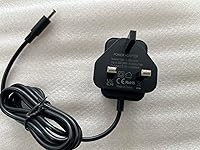
- Power Input: The unit operates on a standard 5V/2A DC power supply.
- Output Connection: A single HDMI output port provides 4K passthrough for a monitor or TV.
Related Reviews
Epson Home Cinema 3200 4K Projector

Epson Home Cinema 5050UB 4K Projector
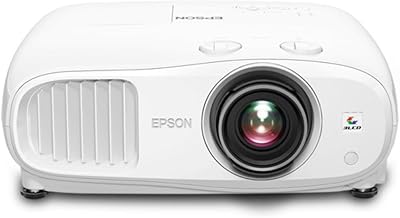
Epson Home Cinema 3800 4K Projector
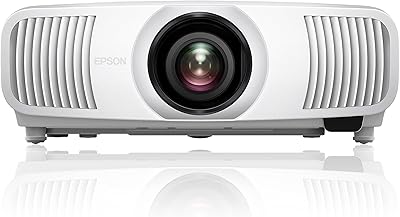
Epson LS11000 4K Laser Home Theater Projector
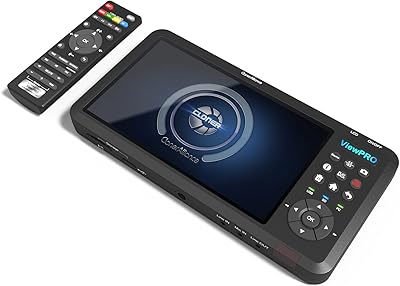
ClonerAlliance ViewPro CA-997VP

TCL Q681G 85-Inch QLED 4K Smart TV

TCL Q68 65-inch QLED Smart TV
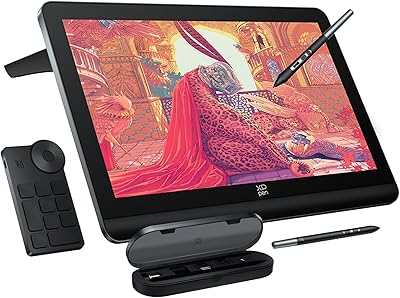
XP-Pen Artist Pro 19 Gen2 Drawing Tablet

Ubiquiti UniFi Dream Machine Pro Security Gateway