Overview

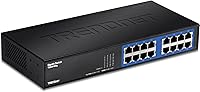
The TRENDnet TEG-S16DG 16-Port Gigabit Switch has been a steady presence in the networking market since 2010, and its continued popularity — sitting at #76 in Amazon's Networking Switches category — says a lot about its staying power. This is a straightforward, plug-and-play device: no web interface, no VLANs, no configuration headaches. You plug in cables and it works. The metal fanless enclosure is a genuine highlight, offering quiet operation that plastic-housed rivals simply can't match. TRENDnet also builds in GREENnet energy-saving technology, which scales port power down during quieter periods — a small but real benefit for always-on home and small office setups.
Features & Benefits

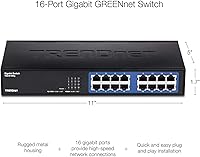
Sixteen full-gigabit ports backed by a 32 Gbps switching fabric means you're unlikely to hit a bottleneck even with multiple high-demand devices running simultaneously. The fanless build keeps things whisper-quiet — there's no cooling fan to degrade over time either, which matters for long-term reliability. GREENnet technology intelligently reduces per-port power during low-traffic periods; the real-world savings won't transform your electricity bill, but they do add up in always-on environments. The solid metal chassis handles heat passively and feels noticeably more robust than cheaper plastic alternatives. For those who need more than a desk installation, an optional rack-mount bracket makes it compatible with standard equipment racks.

Best For

This 16-port gigabit switch is a natural fit for home office users who've exhausted their router's built-in ports and need a clean, quiet expansion without the complexity of managed hardware. Classrooms and small business environments benefit equally — reliable wired connectivity without IT babysitting. If your purchase is subject to federal procurement rules, the NDAA and TAA compliance makes this unmanaged switch one of the few desktop-tier options that can clear those hurdles without drama. It's also worth singling out noise-sensitive spaces like recording studios and bedrooms where fan hum would be a genuine nuisance. The lifetime warranty (U.S. and Canada only) rounds out the value case for buyers thinking long-term.

User Feedback

With over 2,300 ratings and a 4.6-star average, the TRENDnet desktop switch has clearly earned consistent trust. Easy setup and long-term reliability are the two themes that dominate positive reviews — buyers appreciate that it simply works, year after year, without intervention. The build quality draws frequent praise as well. On the critical side, the lack of any managed features is a deliberate trade-off, but it does frustrate buyers who later discover they need VLAN support or traffic prioritization. A handful of users have noted that the status LEDs can be distracting in dark rooms. Feedback on the separately sold rack-mount bracket is mixed — functional, but the added cost feels like a missed inclusion at this price tier.

Pros

  • All 16 ports deliver true gigabit speeds with a 32 Gbps switching fabric, so bottlenecks are rarely the culprit.
  • The fanless design runs completely silently — no fan noise, no fan failure risk over time.
  • Metal chassis feels solid and dissipates heat passively without needing vents or moving parts.
  • Setup takes under two minutes: plug in power and cables, and it works immediately.
  • GREENnet technology scales port power down during quiet periods, reducing idle energy draw in always-on setups.
  • NDAA and TAA compliance makes this unmanaged switch accessible for government and institutional procurement.
  • Lifetime manufacturer warranty (U.S. and Canada) is a rare and meaningful commitment at this price tier.
  • Over 2,300 reviews with a 4.6-star average reflects consistently positive long-term ownership experience.
  • Optional rack-mount bracket allows flexible deployment in equipment cabinets when desktop placement isn't ideal.
  • Compact footprint fits on most desks or shelves without dominating the workspace.

Cons

  • No management interface whatsoever — VLANs, QoS, and port monitoring are completely off the table.
  • The rack-mount bracket is sold separately, adding cost and an extra ordering step for rack deployments.
  • Status LEDs can be noticeably bright in dark rooms, which some users find distracting at night.
  • No PoE support means IP cameras, access points, and VoIP phones still need separate power adapters.
  • Lifetime warranty coverage is limited to U.S. and Canada, leaving international buyers without that protection.
  • Real-world energy savings from GREENnet are modest in typical home setups — do not expect dramatic electricity reductions.
  • No link aggregation or failover support, which limits options in more demanding small business configurations.
  • At 3.3 pounds with a sturdy metal body, it is not the lightest option if portability or frequent repositioning matters.

Ratings

The scores below reflect our AI-driven analysis of thousands of verified global reviews for the TRENDnet TEG-S16DG 16-Port Gigabit Switch, with spam, incentivized submissions, and bot activity actively filtered out before any scoring was applied. We have weighted both the enthusiastic praise and the recurring frustrations equally, so what you see here is an honest, balanced picture of real ownership experience — not a marketing summary.

Ease of Setup
96%
Buyers consistently describe setup as one of the fastest they have experienced with any networking hardware — unbox, plug in power, connect devices, done. There is no app to install, no account to create, and no configuration page to navigate, which resonates especially with non-technical home users who just want things to work.
The complete absence of any setup process is also its ceiling: users who later discover they need to adjust settings or segment traffic have nowhere to turn. There is no interface to log into, so if something behaves unexpectedly, troubleshooting options are very limited.
Build Quality
91%
The full metal enclosure consistently draws praise from buyers who have owned plastic-bodied switches before — it feels noticeably more substantial and inspires confidence in long-term durability. Several reviewers mention the chassis running warm but never hot, which suggests the passive cooling design is working as intended even during sustained heavy use.
The unit is heavier than many buyers expect at 3.3 pounds, which can be mildly inconvenient when repositioning it on a crowded desk. A small number of reviewers noted minor cosmetic finishing inconsistencies on the rear panel, though none reported any functional issues tied to this.
Network Performance
89%
Real-world throughput on this unmanaged switch meets gigabit expectations across all 16 ports simultaneously, which is not always a given with budget desktop hardware. Home lab users and small business buyers report smooth simultaneous transfers between NAS drives, workstations, and media servers without noticeable lag or packet loss.
Because the switch is unmanaged, there is no QoS configuration available, meaning bandwidth-heavy devices like 4K streaming boxes or large backup jobs can crowd out other traffic during peak usage. Users running latency-sensitive applications like VoIP alongside heavy file transfers may occasionally notice the absence of traffic prioritization controls.
Noise Level
97%
The fanless operation is genuinely silent — not just quiet, but producing zero audible noise under any load condition. Buyers who placed this switch in bedrooms, recording studios, and home theaters specifically mention that it disappears completely into the background, which is a real quality-of-life benefit compared to fan-cooled alternatives.
A small number of users working in extremely warm rooms noted the metal chassis gets warmer than expected during summer months without air conditioning. While this has not translated into reported failures, buyers in hot climates should ensure adequate ventilation around the unit.
Value for Money
84%
For a fanless, full-metal 16-port gigabit switch with a lifetime warranty, buyers in the U.S. and Canada generally feel the price is fair and competitive against similarly specced alternatives. The combination of build quality and long-term warranty backing makes the per-port cost look reasonable to most buyers doing the math.
The rack-mount bracket being sold separately genuinely frustrates buyers who assumed it would be included, effectively adding an unplanned expense for anyone intending a cabinet installation. International buyers also lose the lifetime warranty benefit, which meaningfully changes the value equation depending on where you are purchasing from.
Energy Efficiency
73%
27%
The GREENnet technology does produce measurable reductions in idle power draw, and buyers who monitor their home energy usage have noted the switch consumes noticeably less than older switches left on continuously. For always-on setups with several ports frequently idle, the cumulative reduction across months of operation is a genuine, if modest, cost benefit.
The marketing language around energy savings sets expectations that real-world performance does not always meet — most home users will see minimal difference on their electricity bills. Buyers who purchased partly on the strength of the energy efficiency angle tend to feel the savings are real but not as dramatic as the promotional framing implied.
Port Density
88%
Having 16 active gigabit ports on a desktop-sized unit covers the majority of home office and small business expansion needs in a single purchase. Reviewers expanding from 4- or 8-port routers consistently describe the jump to 16 ports as solving their connectivity problems entirely without needing a second switch.
For growing businesses that already have 12 to 14 ports occupied, the headroom disappears faster than expected and a second unit becomes necessary. There is also no SFP uplink port, which limits integration with fiber-based backbone connections in more advanced small business network setups.
LED Indicators
61%
39%
The per-port link and activity LEDs give a clear, instant visual status of every connected device, which is practical for quickly diagnosing whether a port is active or a cable is faulty. Most users in normally lit office environments find them appropriately bright and easy to read at a glance.
In dark or dimly lit rooms — particularly bedrooms where the switch sits on a desk or shelf — the LEDs are bright enough to be genuinely disruptive to sleep. Multiple reviewers resorted to covering them with tape, which feels like an unnecessary workaround for a product positioned partly as bedroom- and studio-friendly.
Compatibility
93%
Auto-negotiation and auto MDI/MDIX across all ports means this switch works with virtually any router, NAS, desktop, laptop adapter, or gaming console without any manual configuration or crossover cable concerns. Buyers mixing older 100 Mbps devices with gigabit hardware report that the switch handles the speed difference gracefully on a per-port basis.
There is no 2.5G or 10G port option for buyers beginning to adopt faster storage or NAS hardware that supports higher-speed links. As multi-gig networking becomes more accessible, the absence of any uplink speed headroom may become a limitation sooner than expected for tech-forward home labs.
Warranty Coverage
78%
22%
A lifetime warranty from the manufacturer is a meaningful commitment that few competitors in this category match, and U.S. and Canadian buyers clearly factor this into their purchase confidence. Long-term reviewers who have owned the switch for three or more years frequently cite the warranty as a reason they would repurchase the same brand.
The lifetime coverage is explicitly limited to the U.S. and Canada, and TRENDnet's documentation is not always upfront about this on product pages, catching some international buyers off guard after purchase. Even within covered regions, the warranty process involves shipping the unit back at the buyer's expense, which adds friction for a product that may fail years into ownership.
NDAA/TAA Compliance
86%
For IT administrators navigating federal procurement requirements, finding a compact unmanaged desktop switch that clears both NDAA and TAA compliance thresholds in this price range is genuinely useful and saves significant sourcing time. Reviewers in education, municipal government, and defense-adjacent roles specifically call out this compliance as the deciding factor in their purchase.
The compliance certifications add value only for a specific buyer segment — most home and small business users will never need or benefit from them. There is also a perception among some buyers that compliance-certified hardware carries a price premium that funds certifications they have no use for.
Rack Mount Flexibility
58%
42%
The optional ETH-11MK bracket does work as advertised once purchased, and buyers who added it report a clean, stable installation in standard 19-inch equipment racks. For buyers who only need desktop use, the fact that rack mounting is available at all gives the switch longer-term deployment flexibility as their setup grows.
Selling the bracket separately is a recurring complaint — it is the single most cited frustration in negative reviews from buyers who planned a rack installation. The added cost and separate ordering step feel avoidable for a product at this price tier, and some buyers report the bracket is occasionally hard to find in stock.
Long-Term Reliability
92%
Multi-year ownership reviews are consistently positive, with many buyers reporting units that have run without interruption for four, five, or even eight years in both home and business environments. The fanless design eliminates the most common point of mechanical failure in networking hardware, which likely contributes to the strong track record.
A small but consistent cluster of reviews describes units failing within the first year, typically manifesting as ports that stop linking reliably. While this represents a minority of the overall review pool, it is worth noting that quality control appears to have some variance across production batches.

Suitable for:

The TRENDnet TEG-S16DG 16-Port Gigabit Switch was built for people who need reliable, no-fuss wired connectivity without the complexity of managed networking gear. Home office workers who have outgrown their router's handful of built-in ports will find it a clean, quiet solution — plug it in and forget it's there. Small businesses, classrooms, and shared workspaces benefit from the full gigabit throughput across all 16 ports, ensuring that printers, workstations, NAS drives, and VoIP phones all share the network without competing for bandwidth. The fanless metal chassis makes it particularly well-suited for noise-sensitive environments like recording studios, medical offices, or bedrooms doubling as workspaces. IT buyers in government-adjacent roles will appreciate the NDAA and TAA compliance, which removes a common procurement headache for institutional purchases. For U.S. and Canadian buyers who want a long-term, low-maintenance investment, the lifetime manufacturer warranty adds genuine peace of mind.
Not suitable for:

If you need any degree of network control — VLANs, QoS prioritization, port mirroring, or traffic monitoring — this unmanaged switch simply cannot provide it, and no firmware update will change that. Network administrators managing complex multi-subnet environments or businesses with strict traffic segmentation requirements should look at a managed gigabit switch instead. The TRENDnet TEG-S16DG 16-Port Gigabit Switch also lacks PoE (Power over Ethernet) support, so anyone hoping to power IP cameras, wireless access points, or VoIP phones directly through the switch will need a different product. Buyers outside the U.S. and Canada should note that the lifetime warranty does not apply to their region, which changes the long-term value calculus somewhat. Those who want rack-mounting out of the box will also need to budget for the separately sold bracket, which some buyers find frustrating at this price point.
Specifications

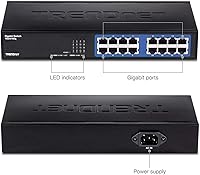
  • Ports: Sixteen 10/100/1000 Mbps RJ-45 ports provide full gigabit connectivity to all connected devices simultaneously.
  • Switching Capacity: A 32 Gbps non-blocking switching fabric ensures data moves freely between all ports without creating traffic congestion.
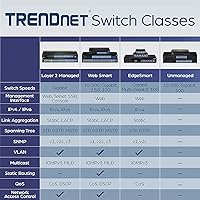
  • Management Type: This is a fully unmanaged switch with no web interface, CLI, or configuration software required or available.
  • Dimensions: The unit measures 11″L x 5″W x 7″H, making it compact enough for most desktop or shelf installations.
  • Weight: At 3.3 pounds, the metal chassis is noticeably heavier than plastic alternatives but remains easy to reposition.
  • Power Consumption: Maximum power draw is 10.1 Watts, with GREENnet technology reducing per-port consumption during low-utilization periods.
  • Cooling System: The switch operates entirely fanlessly, relying on passive heat dissipation through its metal enclosure with no moving parts.
  • Chassis Material: The full metal housing provides structural durability and passive thermal management superior to plastic-bodied alternatives.
  • Operating Temperature: The switch is rated for environments between 32°F and 104°F, suitable for standard indoor installations.
  • Energy Technology: TRENDnet's GREENnet technology dynamically scales port power based on cable length and link activity to reduce idle consumption.
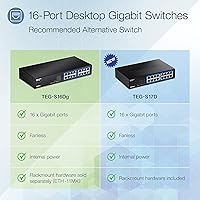
  • Rack Mounting: Optional rack-mount compatibility is available via the separately purchased ETH-11MK bracket for standard equipment cabinet installation.
  • Compliance: The switch is both NDAA and TAA compliant, qualifying it for use in U.S. government and federally funded procurement projects.
  • Warranty: TRENDnet provides lifetime manufacturer protection for buyers in the U.S. and Canada; coverage terms differ for other regions.
  • In the Box: Package includes the switch unit, a 1.8m (6 ft.) power cord, and a printed quick installation guide.
  • Auto-Negotiation: All ports support auto-negotiation and auto MDI/MDIX, eliminating the need for crossover cables in any connection scenario.
  • MAC Address Table: The switch maintains a MAC address table supporting up to 8K entries for efficient frame forwarding across large local networks.
  • Jumbo Frames: Jumbo frame support up to 9KB allows efficient transfer of large data payloads, benefiting NAS and media server workflows.
  • Release Date: The product was first made available in September 2010, reflecting over a decade of active market presence and ongoing production.

Related Reviews
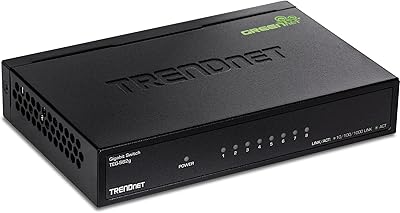
TRENDnet TEG-S17D 16-Port Gigabit Switch
86%
91%
Build Quality
96%
Ease of Setup
88%
Network Performance
89%
Port Count & Density
74%
Thermal Management
More
TRENDnet TEG-S51SFP 5-Port Gigabit Switch
86%
91%
Build Quality
96%
Ease of Setup
98%
Noise Level
72%
Thermal Management
74%
Port Count & Layout
More
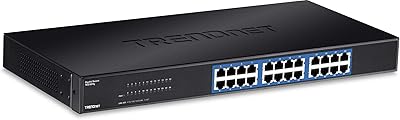
TRENDnet TEG-S82G 8-Port Gigabit Switch
82%
97%
Ease of Setup
88%
Build Quality
96%
Noise Level
91%
Port Performance
89%
Energy Efficiency
More
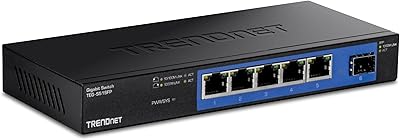
TRENDnet TEG-S24g 24-Port Gigabit Switch
82%
91%
Reliability & Longevity
94%
Ease of Setup
88%
Build Quality
67%
Thermal Management
89%
Port Density & Performance
More
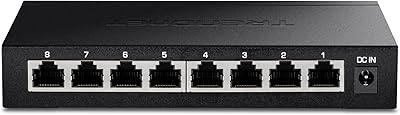
TRENDnet TEG-284WS 28-Port Gigabit Web Smart Switch
85%
88%
Performance
85%
Build Quality
90%
Ease of Use
75%
Software/Firmware Experience
87%
Value for Money
More
TRENDnet TEG-S380 8-Port 2.5G Unmanaged Switch
82%
96%
Ease of Setup
88%
Real-World Throughput
83%
Build Quality
67%
Thermal Management
81%
Port Count and Flexibility
More
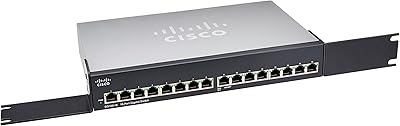
Cisco SG100-16 16-Port Gigabit Network Switch
72%
91%
Ease of Setup
54%
Build Quality
83%
Port Performance
49%
Value for Money
47%
Long-Term Reliability
More
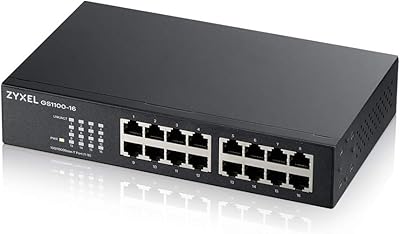
Zyxel GS1100-16 16-Port Gigabit Ethernet Switch
85%
88%
Performance
94%
Ease of Setup
91%
Energy Efficiency
85%
Build Quality
92%
Noise Levels
More
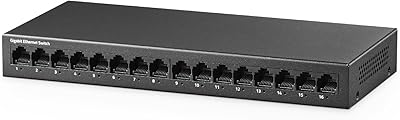
YuLinca UMG16 16-Port Gigabit Network Switch
80%
92%
Value for Money
83%
Build Quality
96%
Ease of Setup
88%
Port Performance
97%
Noise Level
More
keepLiNK 16-Port Gigabit PoE Unmanaged Switch
81%
91%
Value for Money
93%
Ease of Setup
78%
PoE Power Delivery
84%
Build Quality
71%
Thermal Performance
More

FAQ

No, there is nothing to configure at all. Plug in the power cord, connect your devices with Ethernet cables, and the switch handles everything automatically. It is genuinely plug-and-play with zero setup steps.

Unfortunately, no. Because this is an unmanaged switch, it has no VLAN support whatsoever. If traffic segmentation is something you need, you will want to look at a managed switch instead — this one is purely a port expander.

Yes, it works with virtually any router. You connect one cable from your router to any port on the switch, and all remaining ports become available for your other devices. Brand, model, and ISP do not matter.

Completely silent. There is no fan inside — the metal body handles heat passively. You can place it in a bedroom or recording studio without any concern about fan noise.

No, this switch does not include PoE. Devices that draw power over Ethernet — like IP cameras, access points, or VoIP handsets — will still need their own power adapters or a separate PoE switch or injector.

The switch monitors each port's link status and cable length, then reduces power to ports that are idle or connected via short cables. The real-world savings are genuine but modest — do not expect a dramatic drop in your electricity bill, but it does add up in always-on environments over time.

Yes, but the mounting bracket is not included in the box. TRENDnet sells the ETH-11MK rack-mount kit separately. Once you have it, the switch fits standard 19-inch equipment racks without issue.

The lifetime manufacturer warranty explicitly covers U.S. and Canada purchases only. If you are buying from another country, you should check with TRENDnet directly about what warranty terms apply to your region before purchasing.

A handful of users do mention that the status LEDs are bright enough to be noticeable in a fully dark room. If the switch is going in a bedroom or home theater setup, you may want to position it inside a cabinet or cover the LEDs with a small piece of electrical tape.

Yes, this is called daisy-chaining or switch stacking in a basic sense. You simply connect one port on this switch to a port on another switch using a standard Ethernet cable. Just keep in mind that all connected devices will still share the same flat network, since there is no management layer to handle more complex topologies.

Where to Buy