Overview
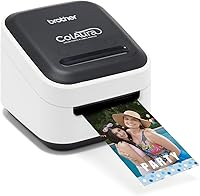
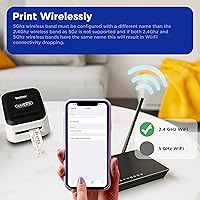
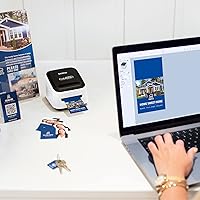
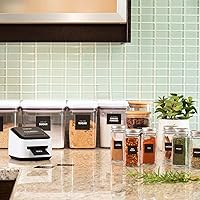
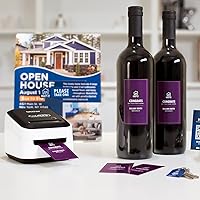
The Brother ColAura VC500W Color Label Printer is a compact, inkless color printer aimed at crafters, gift makers, and small business owners who want full-color labels without the hassle of ink cartridges. Brother introduced it in early 2019, and it has held its ground in the portable printer market ever since. The core appeal is straightforward: ZINK Zero Ink technology embeds all the color pigments directly into the adhesive-backed paper rolls, so there is nothing to refill, replace, or spill. It connects over Wi-Fi and works with iOS, Android, Windows, and Mac — a genuinely broad compatibility range for a machine this small.
Features & Benefits
The standout selling point of the ColAura printer is how it handles color: the ZINK rolls come pre-loaded with dye crystals that activate under heat, producing vibrant adhesive-backed stickers without a drop of ink in sight. Roll widths range from roughly 9mm up to about 50mm, so you can switch between narrow jar labels and wider decorative stickers depending on the job. Print size tops out at 3x5 inches, and resolution sits at 313 dpi — honest, but not exceptional. Speed is one print per minute, which is fine for occasional use but will frustrate anyone trying to crank out dozens of labels quickly. The Auto Power On feature is a small but genuinely convenient touch.
Best For
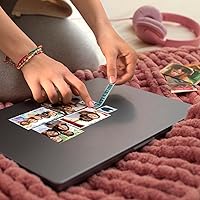
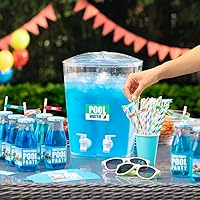
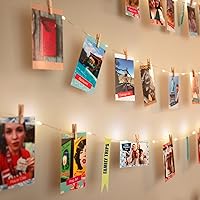
This inkless label printer is a strong pick for craft-focused buyers — people making custom birthday stickers, party favor tags, or handmade gift labels on a regular basis. Home organizers who want color-coded labels, not just black text on white tape, will find it genuinely useful. Teachers personalizing classroom materials or parents decorating kids' gear are natural users too. Small business owners running short product label runs could get real value from it, though volume needs matter here. Where it falls short is for anyone needing speed, high-volume output, or truly photo-quality prints. If your needs are more utilitarian than creative, a standard label printer will likely serve you better and cost less over time.
User Feedback
Brother's ZINK printer holds a 3.8-star average across more than 2,100 ratings — respectable but not glowing, and the split tells you something useful. Casual crafters tend to leave the positive reviews, praising easy wireless setup and the color vibrancy of stickers made for parties or gifts. Critical reviews cluster around two recurring themes: the cost of proprietary rolls, which adds up quickly, and an app that works well enough most of the time but has frustrated users on certain Android devices. Print consistency also draws occasional complaints — some images come out sharp, others look washed. It is not a printer for demanding users, but for low-volume creative work, most buyers find it holds up reasonably well.
Pros
- No ink cartridges ever — ZINK technology eliminates one of the most annoying recurring printer expenses.
- Wireless setup is fast and largely painless, especially for iPhone and iPad users via AirPrint.
- Auto Power On means the printer activates the moment a job is sent, no button hunting required.
- Multiple CZ roll widths give real flexibility to switch between narrow tags and wider decorative labels.
- At under 1.5 pounds, the ColAura printer tucks into a small shelf or craft station without taking over the space.
- Color output on bold graphics and solid-fill stickers is genuinely vibrant for a printer this compact.
- Works across iOS, Windows, and Mac without needing exotic drivers or technical configuration.
- Low-maintenance by design — no printhead cleaning cycles, no dried cartridges, no ink-related errors.
Cons
- One print per minute is slow enough to make any batch job feel tedious and time-consuming.
- Proprietary ZINK rolls lock you into Brother's supply chain with little room to shop around for better pricing.
- Print consistency varies across roll batches — some produce noticeably sharper results than others.
- The companion app has recurring stability issues on Android devices, including dropped connections mid-session.
- Labels are not waterproof or scratch-resistant, limiting use on items that face handling, humidity, or outdoor exposure.
- Maximum print size of 3x5 inches rules out any full-sheet or large-format label needs entirely.
- Mac OS compatibility listed only through versions from 2017, creating uncertainty for users on current macOS releases.
- No battery option means the printer requires a wall outlet, which rules out genuinely portable or on-the-go use.
- Fine text and detailed photo prints can look soft at 313 dpi, falling short of what buyers at this price point might expect.
Ratings
The scores below are generated by AI after analyzing thousands of verified buyer reviews for the Brother ColAura VC500W Color Label Printer worldwide, with spam, incentivized, and bot-flagged submissions actively filtered out before scoring. Every category reflects what real users encountered day-to-day — from the genuine highs of ink-free convenience to the frustrations around cost and speed that keep showing up across independent feedback. Strengths and pain points are weighted equally, so what you see is an honest picture, not a polished one.
Ease of Setup
Print Quality
Print Speed
Running Costs
App Experience
Build Quality
Wireless Connectivity
Media Versatility
Value for Money
Portability
Label Adhesion & Durability
OS & Device Compatibility
Noise Level
Unboxing & Initial Impression
Suitable for:
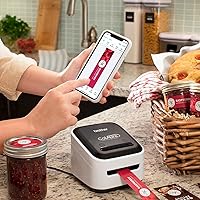
The Brother ColAura VC500W Color Label Printer is genuinely well-matched to buyers whose printing needs lean creative and occasional rather than high-volume or precision-critical. Craft enthusiasts who regularly produce custom stickers, party favor tags, or personalized gift labels will find the inkless format liberating — no cartridges to dry out between projects, no mess, and no last-minute supply runs. Home organizers who want color-coded labels on pantry jars, storage bins, or file folders will appreciate the wireless app-driven workflow that lets them design and print from a phone in minutes. Teachers putting names on classroom supplies or parents decorating kids' gear for a new school year are also a natural fit, since the adhesive output handles those tasks well without demanding any technical knowledge. Small business owners running short, infrequent label runs for handmade products or packaging will find this inkless label printer practical, provided they are not printing dozens of labels daily.
Not suitable for:
The Brother ColAura VC500W Color Label Printer has real limitations that make it a poor match for a meaningful segment of buyers, and it is worth being direct about that before you commit. If you need to print more than 20 to 30 labels in a single session with any regularity, the one-per-minute speed will become a serious frustration — there is simply no way around it. Buyers who need waterproof, scratch-resistant, or outdoor-durable labels should look elsewhere, since ZINK media is not built for those conditions. Anyone hoping to keep long-term running costs low will also face friction: the proprietary CZ and CK rolls are not cheap, third-party alternatives are scarce, and that locked ecosystem adds up over time in a way the upfront price does not advertise. If your priority is sharp, photo-realistic output — for product photography prints, detailed maps, or fine-text documents — the 313 dpi ceiling and occasional consistency issues with this inkless label printer will disappoint. Finally, users without a stable Wi-Fi network, or those on Chromebook or Linux systems, are effectively locked out of a functional experience.
Specifications
- Brand & Model: Manufactured by Brother under the model designation VC500W, part of the VC series of color label printers.
- Print Technology: Uses ZINK Zero Ink technology, where full-color dye crystals are embedded directly into the paper roll and activated by heat during printing.
- Print Resolution: Maximum resolution of 313 dpi for both color and black-and-white output, suitable for labels, stickers, and simple photo prints.
- Max Media Size: Supports print media up to 3x5 inches, accommodating a range of label and sticker formats within that boundary.
- Color Depth: Produces output at 24 bits per pixel, enabling a broad spectrum of color reproduction across supported media types.
- Print Speed: Rated at a maximum color print speed of 1 item per minute, which positions it firmly in the low-throughput category.
- Connectivity: Connects via Wi-Fi wireless networking; supports Apple AirPrint for direct printing from iPhone, iPad, and iPod touch devices.
- Compatible OS: Officially supports iOS via AirPrint, macOS 10.11 through 10.13, and Windows 7, 8, 8.1, and 10.
- Compatible Media: Works exclusively with Brother CZ rolls (CZ-1001 through CZ-1005) and the CK-1000 cleaning cassette; no third-party roll support is officially sanctioned.
- Control Method: Operated primarily through a dedicated companion app on a smartphone or tablet; no physical control panel or display screen on the unit itself.
- Dimensions: Measures 4.4″ deep by 4.6″ wide by 3.8″ tall, making it one of the more compact color label printers in its category.
- Weight: Weighs approximately 1.45 pounds, light enough to relocate easily but designed for stationary desktop or shelf use.
- Power Consumption: Draws up to 500 watts during operation and requires a standard AC wall outlet; no battery or USB-power mode is available.
- Memory: Equipped with 64 MB of onboard memory to manage print job processing and data transfer from connected devices.
- Special Feature: Auto Power On automatically activates the printer when an incoming print job is detected, eliminating the need to manually power the unit on.
- Duplex Printing: Supports simplex (single-sided) printing only; duplex or double-sided output is not available on this model.
- Hardware Interface: Includes one USB 2.0 port (Micro USB) for wired connection and firmware management alongside the primary Wi-Fi wireless interface.
- Included Components: Ships with a Micro USB cable, one starter CZ-1004 roll measuring 1-inch (25mm) wide by 16.4 feet (5m), and a CK-1000 cleaning cassette.
- Warranty: Covered by Brother's limited warranty; buyers should verify current warranty terms and duration directly with Brother at the time of purchase.
- Availability Status: Listed as not discontinued by the manufacturer as of the product's last data update, and remains an active part of Brother's printer lineup.
Related Reviews
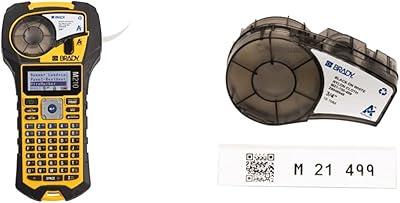
Brady M210 Portable Label Printer
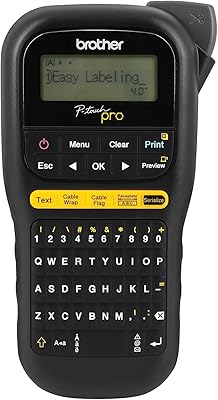
Brother P-touch PT-H111 Label Maker
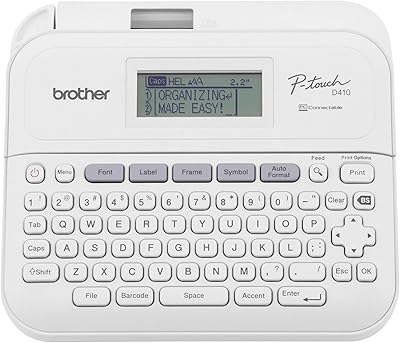
Brother P-Touch PT-D410
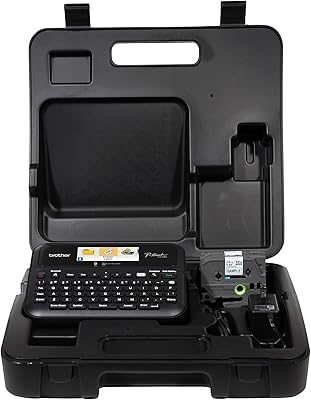
Brother PT-D610BTVP Label Maker
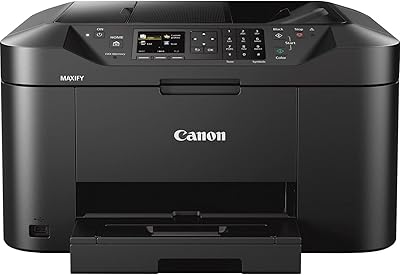
Canon MAXIFY MB2120 All-in-One Inkjet Printer
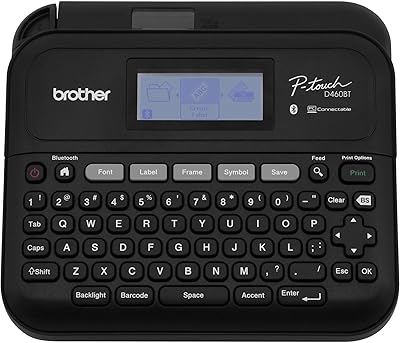
Brother PT-D460BT Bluetooth Label Maker
Canon PIXMA TR4527 All-in-One Inkjet Printer
Dynamic Color Circa 1oz Tattoo Ink Set
KODAK Memo Shot ERA Instant Camera Printer