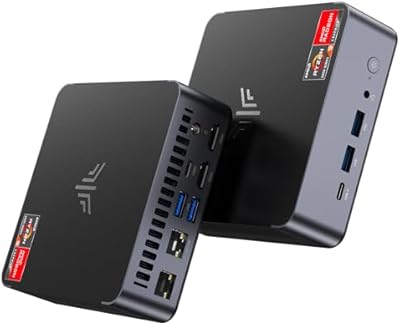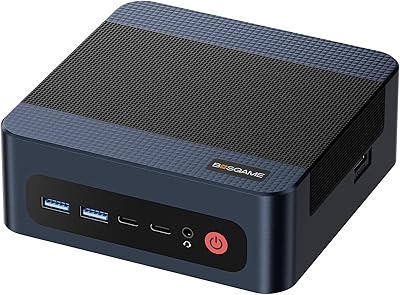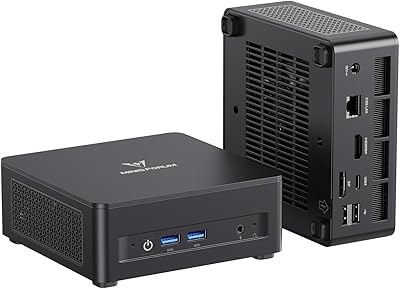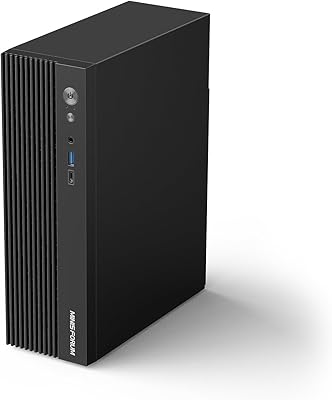
Overview

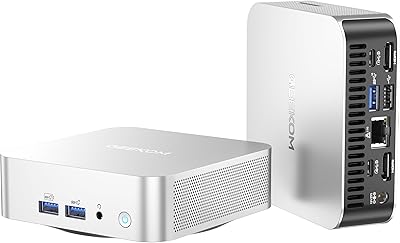
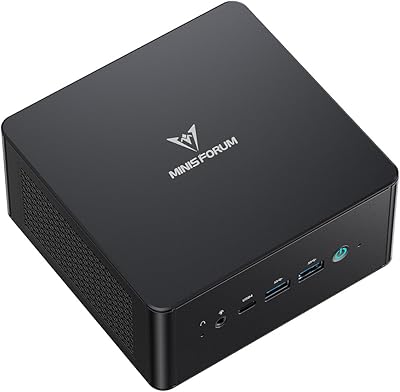
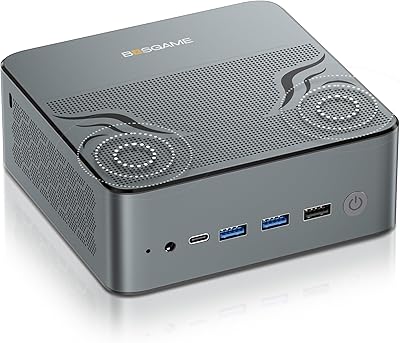
The BOSGAME P6 Ryzen 9 6900HX Mini PC arrived in late 2024 as a serious option for anyone who wants real computing muscle without a full tower taking up desk space. About the size of a thick paperback and weighing just over half a kilogram, it fits an AMD Ryzen 9 6900HX processor and Radeon 680M iGPU into a chassis small enough to hide behind a monitor or sit on a living room shelf. That combination puts it near the capable end of the integrated-graphics mini PC segment. Going in with the right expectations matters, though — this is not a discrete GPU machine, and it should not be evaluated as one.

Features & Benefits

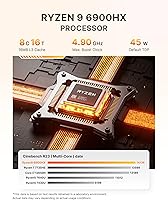
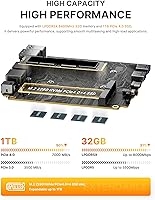
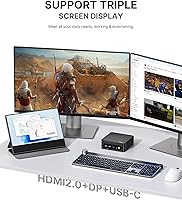
The 8-core, 16-thread Ryzen 9 6900HX handles multitasking comfortably — browser tabs, video calls, and background tasks run without noticeable slowdown. The Radeon 680M iGPU, built on RDNA 2 architecture, manages 1080p esports titles at playable framerates, though demanding AAA games at high settings will expose its limits. The 32GB LPDDR5 RAM is soldered to the board — fast at 6400MHz, but permanently fixed, with no upgrade path. The 1TB PCIe 4.0 SSD is genuinely quick for daily use, and a second M.2 slot allows storage expansion up to 8TB. Three display outputs — HDMI, DisplayPort, and USB-C — each support 4K at 60Hz. The vapor chamber cooling helps during short bursts, though sustained heavy workloads can still push temperatures upward.

Best For

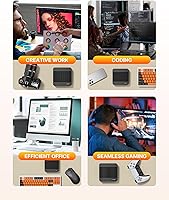
The P6 fits neatly into a few specific use cases. Home office workers who need to drive two or three monitors without a bulky tower will find it genuinely capable — the triple 4K output works out of the box with no fuss. Day traders and data analysts who keep many applications running simultaneously benefit from the large RAM allocation and fast local storage. For living room use, the compact chassis and relatively quiet operation make it a practical media center build. Casual gamers focused on esports titles at 1080p will get solid results. It also runs Ubuntu and Linux for those who prefer to skip Windows, though Windows 11 Pro comes pre-installed.

User Feedback

Buyers generally appreciate the performance delivered for the money — the Ryzen 9 chip handles daily tasks without complaint, and the SSD speed is consistently noted as a highlight. The dual LAN ports and Wi-Fi 6E get particular praise from home-office and network-aware users. On the negative side, the soldered memory is a real sticking point for anyone thinking about this machine as a long-term investment — once the 32GB feels limiting, there is no fix short of replacing the unit. Some owners report performance throttling under prolonged heavy loads. Worth noting: the product listing contains minor spec inconsistencies — Bluetooth is listed as both 5.2 and 5.3 in different places, and RAM speed figures vary between sections, causing some buyer confusion. BOSGAME's warranty and support gets a generally positive reception, though individual experiences vary.

Pros

  • The 8-core Ryzen 9 6900HX handles everyday multitasking and productivity workloads with plenty of headroom.
  • Three independent 4K outputs let you run a full multi-monitor setup without any additional hardware.
  • The 1TB PCIe 4.0 NVMe SSD delivers noticeably fast application launches and file transfers.
  • Dual 2.5G Ethernet ports are a rare and practical inclusion for wired network users at this price tier.
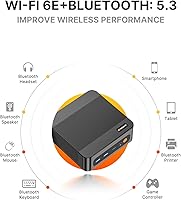
  • Wi-Fi 6E and Bluetooth 5.3 cover all wireless connectivity needs without requiring extra adapters.
  • The Radeon 680M handles 1080p esports titles comfortably, making it a legitimate casual gaming option.
  • Windows 11 Pro comes pre-installed, and confirmed Linux compatibility gives users genuine OS flexibility.
  • At roughly 530 grams and smaller than a hardback book, it fits almost anywhere on a desk or shelf.
  • Wake on LAN and Auto Power On support add practical remote-management options for home-office setups.
  • A second M.2 slot means storage can be expanded significantly without replacing the base drive.

Cons

  • The RAM is soldered to the motherboard — if 32GB becomes insufficient down the line, the entire unit needs replacing.
  • Thermal throttling under sustained CPU-heavy workloads has been flagged by some owners, affecting long-term performance consistency.
  • The product listing contains conflicting spec details — Bluetooth version and RAM speed figures differ between sections, which is frustrating.
  • Only four USB 3.0 ports are available, with no USB4 or Thunderbolt support for modern high-speed peripherals.
  • The proprietary barrel-connector power adapter is not straightforward to replace if lost or damaged.
  • BOSGAME has limited brand recognition outside the mini PC niche, making long-term support harder to assess with confidence.
  • No discrete GPU upgrade path exists — buyers who eventually need more graphics power must replace the whole machine.
  • The vapor chamber cooling handles short workload spikes reasonably well but struggles during extended intensive tasks.
  • The model number appears as P3 rather than P6 in parts of the listing, adding confusion when cross-referencing specs or contacting support.

Ratings

Our scores for the BOSGAME P6 Ryzen 9 6900HX Mini PC are generated by AI after analyzing verified buyer reviews from around the world, with active filtering applied to remove incentivized, bot-generated, and spam feedback. Every category score reflects real aggregate sentiment — strengths are credited where deserved, and recurring frustrations are weighted honestly rather than smoothed over. The result is a balanced picture of where this compact desktop genuinely delivers and where it consistently falls short.

Value for Money
83%
Getting an 8-core processor, 32GB of fast RAM, a 1TB PCIe 4.0 SSD, and triple 4K display support in one compact unit represents strong value at this price tier. Buyers comparing it to similarly specced mini PCs consistently noted that the P6 punches above its weight in raw hardware per dollar.
Some buyers pointed out that because the RAM is permanently locked in, the machine has a hard long-term ceiling that more upgradeable competitors do not share. Combined with having to source a keyboard, mouse, and monitor separately, the total outlay before the unit is truly usable is higher than the sticker price alone suggests.
CPU Performance
88%
The Ryzen 9 6900HX handles everyday multitasking without complaint — keeping 30-plus browser tabs open, running a video call, and exporting documents simultaneously causes no noticeable sluggishness. Reviewers working in data analysis, light coding, and video streaming consistently described the processor as more than sufficient for their daily workflows.
Under prolonged sustained workloads — extended video encoding or multi-hour compilation runs — some users reported the processor throttling back noticeably as temperatures climbed. The cooling system manages burst performance well, but it is not engineered for workstation-class continuous compute, and buyers with that kind of demand should temper expectations accordingly.
GPU & Gaming
67%
33%
For the esports crowd — Fortnite, CS2, Valorant, Rocket League — the Radeon 680M delivers respectable 1080p framerates without requiring painful settings compromises. Indie game players and retro gamers also found it handled their libraries comfortably, making this a genuinely usable casual gaming machine packed into a very small footprint.
Anyone hoping to run modern open-world or graphically intensive AAA titles at medium or high settings will be disappointed — the integrated GPU lacks the headroom, and frame rates drop sharply on demanding engines. Several buyers who purchased with broader gaming ambitions reported feeling misled by the marketing language around gaming performance.
Build Quality
81%
19%
The P6 has a clean, all-black matte chassis that looks polished whether it sits on a desk or mounts behind a monitor. Buyers frequently noted it felt more solid than they expected at this price point — no shell flex, a tidy port layout, and a footprint that genuinely disappears on a crowded workspace.
A handful of reviewers noted that the plastic top panel feels noticeably thinner than the heavier metal base, creating a subtle quality mismatch. The proprietary barrel-style power connector also drew some criticism for feeling less robust than the rest of the unit, with a couple of buyers reporting the cable seating felt slightly loose out of the box.
Multi-Monitor Support
91%
This is one of the P6's clearest strengths — running three separate 4K displays from a machine the size of a thick paperback is something buyers consistently praised. Home office workers and day traders especially highlighted how the triple-output setup worked reliably from day one, with all three screens recognized and configured without driver headaches.
The USB-C port doubles as a charging and data connection, so dedicating it to a third monitor can limit its availability for other uses depending on your peripheral setup. A small number of users also reported the DisplayPort output required manual refresh rate configuration to actually reach 60Hz on certain older or budget monitor models.
Storage Speed
86%
The PCIe 4.0 NVMe SSD is consistently one of the first things buyers mention positively — applications open fast, large file transfers move quickly, and the machine boots into Windows in well under 20 seconds. Buyers coming from older SATA-based systems described the speed difference as immediately and consistently noticeable in everyday use.
While the included 1TB drive is fast, there is no pre-configured 2TB option for buyers who want more capacity out of the box without opening the unit themselves. A minority of reviewers also noted minor sustained sequential write speed dips under heavy workloads, though most acknowledged this had negligible real-world impact for typical daily tasks.
RAM Configuration
59%
41%
The 32GB capacity is genuinely sufficient for most target use cases — heavy browser multitasking, multi-application research sessions, and light creative work all run without complaint. The high-speed LPDDR5 spec also feeds the integrated GPU more efficiently than slower memory configurations, which directly benefits gaming and graphics workloads at the margin.
The memory being permanently soldered to the motherboard is a hard limitation that frustrates buyers thinking more than a couple of years ahead. If 32GB ever becomes insufficient — due to heavier workloads, virtual machines, or creeping OS overhead — replacing the entire machine is the only path forward, with no incremental upgrade available.
Wired Connectivity
92%
Dual 2.5G Ethernet ports were among the most frequently praised features by technically-minded buyers — having two independent high-speed wired connections in a machine this small is genuinely uncommon and useful for home-lab setups, NAS connections, or maintaining a fast primary and backup network link without any additional hardware.
With only four USB 3.0 Type-A ports and no USB4 or Thunderbolt options, peripheral-heavy setups will quickly run out of ports. Buyers running multiple external drives, a capture card, or a USB docking station alongside standard peripherals will almost certainly need a USB hub, which adds desk clutter that partially undermines the compact design.
Thermal Management
63%
37%
During typical mixed workloads — web browsing, document editing, video calls, and light gaming — the vapor chamber cooling keeps temperatures comfortable, and most buyers reported the unit running warm but not uncomfortably hot to the touch. Short bursts of CPU-intensive activity are absorbed cleanly without immediate performance degradation.
Under extended heavy workloads, thermal throttling is a documented and recurring concern in buyer feedback. Users running long video exports, back-to-back gaming sessions over an hour, or parallel build jobs consistently reported noticeable performance dips as the processor pulled back to manage heat inside the compact chassis.
Noise Levels
74%
26%
Under light use the P6 is nearly inaudible, which makes it a natural fit for living room setups or quiet home offices where fan noise from a traditional tower would be intrusive. Media center users and remote workers on video calls appreciated being able to run the machine without it becoming an audible background distraction.
Push it harder — sustained gaming, video encoding, or running several demanding applications simultaneously — and the fans ramp up to a level that some buyers found distracting, particularly in quiet rooms. A few users described the fan profile as binary, with the machine jumping from near-silent to noticeably loud with little gradual transition in between.
OS & Software
78%
22%
Windows 11 Pro arrives pre-installed and activated, meaning the machine is genuinely usable straight out of the box without extra software costs or activation hassles. Buyers who switched to Ubuntu or other Linux distributions also reported a largely smooth experience, with drivers and hardware components including Wi-Fi functioning without significant manual intervention.
A few buyers noted some pre-loaded software felt unnecessary and took time to remove before the system felt clean and fast. The BIOS interface, while functional, is fairly barebones compared to what users of more established mini PC brands might expect, with limited options for customizing power profiles or fan behavior under load.
Upgradeability
34%
66%
Storage is the one practical bright spot — the second M.2 slot allows you to add a second NVMe drive, and the existing 1TB unit can be swapped for a larger one if needed. Buyers who wanted to expand storage capacity specifically found the process accessible with just a small Phillips-head screwdriver and no specialized tools.
Everything else is effectively fixed at purchase. The RAM is soldered with no upgrade path, the iGPU cannot be swapped, and there is no mechanism for adding a discrete graphics card in any form. Buyers wanting to stretch the machine over four or five years will find this a fundamental constraint that competing mini PCs with more modular designs handle considerably better.
Wireless Performance
84%
Wi-Fi 6E support means the P6 takes full advantage of modern routers with 6GHz band access, delivering noticeably lower latency and more stable throughput than older Wi-Fi 5 mini PCs. Buyers using it for video streaming, cloud-based workflows, and online gaming all reported reliable wireless performance with no drops under typical household conditions.
Buyers with older Wi-Fi 5 or Wi-Fi 4 routers see no practical benefit from the 6E hardware and are effectively paying for capability they cannot yet use. A small number of Linux users also reported initial driver inconsistencies with the Wi-Fi adapter that required manual firmware updates before wireless connectivity worked correctly.
Setup Experience
77%
23%
Most buyers reached a usable Windows 11 desktop in under 15 minutes, with the included HDMI cable covering the first display connection immediately out of the box. Reviewers described the initial setup as straightforward overall and appreciated that no additional driver downloads or Windows activation steps were required before getting to work.
The BIOS entry method — pressing Delete repeatedly right after power-on — tripped up a number of users who missed the brief window and had to power-cycle to try again. Several buyers also noted that the included documentation is minimal, and configuring multi-monitor output or adjusting boot settings without prior mini PC experience often required outside research.
Support & Warranty
62%
38%
The 1-year warranty and 30-day return window are reasonable for this price tier, and buyers who reached out for straightforward issues — shipping damage or power adapter questions — generally reported receiving a helpful response within a reasonable timeframe. The 30-day return period gives enough runway to test the machine properly before committing.
Support experiences have been inconsistent — more complex technical issues sometimes required multiple follow-up messages before reaching a resolution, and a few buyers struggled to get timely responses despite the 24/7 support claim. The listing errors around conflicting Bluetooth versions and model number discrepancies also left some buyers uncertain about exactly which unit they received.

Suitable for:

The BOSGAME P6 Ryzen 9 6900HX Mini PC is a strong fit for anyone who needs a capable, space-conscious desktop but has no interest in hauling around a full tower. Home office workers who run multiple monitors will appreciate the three simultaneous 4K outputs — driving a two- or three-screen setup is straightforward without extra docks or adapters. Day traders, financial analysts, and researchers who keep dozens of browser tabs and data tools open at once will benefit from the 8-core processor and 32GB of fast RAM handling the load without hesitation. Casual and esports gamers who play titles like Fortnite, CS2, or Rocket League at 1080p will find the Radeon 680M iGPU more than adequate for consistent, playable framerates. The dual 2.5G Ethernet ports and Wi-Fi 6E also make it a practical choice for home-lab enthusiasts or anyone who needs reliable wired and wireless connectivity in the same machine. Those who prefer Linux over Windows will be glad to know Ubuntu runs on it without issue, giving tinkerers and developers a compact and capable workbench.

Not suitable for:

The BOSGAME P6 Ryzen 9 6900HX Mini PC is not the right choice if your workload demands dedicated GPU power. Gamers who want to run modern AAA titles at high or ultra settings — think Cyberpunk 2077, Alan Wake 2, or any recent open-world release — will hit the ceiling of integrated graphics quickly and come away frustrated. Video editors and 3D artists who rely on GPU-accelerated rendering will also find the Radeon 680M inadequate for anything beyond light editing tasks. The soldered RAM is a genuine dealbreaker for buyers who like to future-proof their hardware — 32GB feels comfortable today, but if you ever need more, your only option is to replace the entire machine. Anyone who routinely runs sustained, CPU-intensive workloads — long compilation jobs, heavy video encoding, or scientific simulations — should be aware that thermal throttling under extended load has been a reported concern. Finally, buyers who prefer to carefully verify specs before purchasing may find the inconsistencies in this product's listing — conflicting Bluetooth version numbers, varying RAM speed figures — a reason to pause.

Specifications

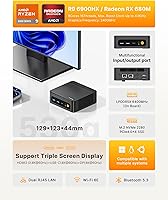
  • Processor: AMD Ryzen 9 6900HX with 8 cores and 16 threads, a base clock of 3.3GHz, and a maximum boost of 4.9GHz.
  • Graphics: AMD Radeon 680M integrated GPU based on RDNA 2 architecture, with a maximum graphics frequency of 2400MHz.
  • Memory: 32GB LPDDR5 RAM soldered directly to the motherboard running at 6400MHz, with no user-accessible upgrade slots.
  • Storage: 1TB M.2 2280 NVMe PCIe 4.0 x4 SSD included, with one additional M.2 slot supporting up to 8TB total across both drives.
  • Display Outputs: HDMI 2.0, DisplayPort 1.4, and full-function USB-C each support up to 4K at 60Hz, enabling three independent monitors simultaneously.
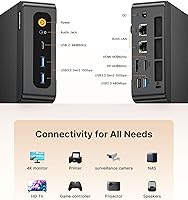
  • Networking: Dual 2.5G RJ45 Ethernet ports, Wi-Fi 6E (802.11ax), and Bluetooth 5.3 are all built in with no additional hardware required.
  • USB Ports: Four USB 3.0 Type-A ports are available for connecting peripherals, external storage, and other accessories.
  • Audio: One 3.5mm TRRS combo jack supports headphones and a microphone simultaneously, with additional audio output available over HDMI.
  • Operating System: Windows 11 Pro comes pre-installed, with confirmed compatibility for Ubuntu and other Linux distributions.
  • Dimensions: 129 x 123 x 44mm (approximately 5.1 x 4.8 x 1.7 inches), comparable in footprint to a thick paperback book.
  • Weight: 530g (approximately 1.17 lbs) for the unit alone, not including the power adapter or any cables.
  • Power Supply: DC 19V at 6.3A delivered via a 5.5mm x 2.5mm barrel connector; the included adapter accepts AC 100–240V at 50/60Hz.
  • Cooling: Vapor chamber cooling combined with active dual-fan ventilation manages thermals during burst workloads and typical daily use.
  • Remote Features: Wake on LAN (WOL) enables network-triggered startup, and the Auto Power On function supports scheduled or automatic boot behavior.
  • Warranty: Covered by a 1-year limited manufacturer warranty with a 30-day return window and advertised 24/7 technical support from BOSGAME.

Related Reviews
KAMRUI AM21 Mini PC
KAMRUI AM21 Mini PC
74%
88%
CPU Performance
61%
Thermal Management
93%
Port Selection & Connectivity
76%
Integrated GPU & Display Output
82%
Build Quality & Form Factor
More
BOSGAME M2 Ryzen 9 7940HS Mini PC
77%
91%
Processing Performance
68%
Gaming Capability
74%
Thermal Management
88%
Memory & Expandability
83%
Storage Speed
More
BOSGAME M4 Plus Mini PC
78%
88%
CPU Performance
86%
RAM & Memory
84%
Storage Performance
57%
Graphics & Gaming
79%
Oculink eGPU Support
More
MINISFORUM UM690L Mini PC
79%
91%
CPU Performance
74%
GPU & Display Output
88%
Memory & Storage Speed
76%
Thermal Management
82%
Noise Level
More
MINISFORUM 790S7 Mini ITX PC AMD Ryzen 9 7940HX
81%
88%
Overall Performance
65%
Thermals and Cooling
80%
Graphics Flexibility
90%
Build Quality
92%
Value for Money
More
MINISFORUM MS-A2 Ryzen 9 9955HX Barebone
81%
93%
CPU Performance
91%
Expansion & Upgradability
94%
Networking Capability
89%
Storage Flexibility
78%
Thermal Management
More
BOSGAME E2 Mini PC 16GB/512GB
80%
88%
Value for Money
83%
Performance for Everyday Tasks
76%
Build Quality & Design
61%
Thermal Management & Fan Noise
82%
Display Output & Multi-Monitor Support
More
MINISFORUM UM890 Pro Mini PC (64GB/1TB)
79%
93%
CPU Performance
74%
Thermal Management
81%
RAM & Memory Speed
89%
Storage Performance
77%
Graphics & Display Output
More
GEEKOM A8 Mini PC with AMD Ryzen 9 8945HS, 32GB RAM, 2TB SSD
87%
93%
Performance
88%
Build Quality
90%
Usability
89%
Connectivity Options
80%
Cooling System Efficiency
More
BOSGAME P5 Ryzen 7 6800H Mini PC
79%
84%
Performance
88%
Value for Money
91%
Multi-Display Support
57%
Gaming Capability
52%
Storage Capacity
More

FAQ

Yes — the BOSGAME P6 Ryzen 9 6900HX Mini PC supports all three display outputs simultaneously, so you can connect an HDMI monitor, a DisplayPort monitor, and a USB-C display at once, each running at up to 4K and 60Hz. You just need monitors with the matching input ports, or the appropriate adapter cables if your displays use different connections.

No, and this is one of the most important things to understand before buying. The 32GB LPDDR5 is soldered directly to the motherboard with no accessible slots, so there is no upgrade path. While 32GB handles most workloads comfortably today, if you ever need more down the line, your only option is to replace the entire machine.

It handles 1080p esports titles — Fortnite, CS2, Rocket League, Valorant — at playable framerates reasonably well thanks to the Radeon 680M iGPU. Where it runs out of steam is modern, demanding AAA games at high settings; those will require significant resolution and quality reductions to run acceptably. Think of the P6 as a capable casual gaming machine, not a substitute for a dedicated gaming rig with a discrete GPU.

Linux works fine on it. Ubuntu installs and runs without major issues, which makes it a practical choice for developers or anyone who prefers to move away from Windows. Windows 11 Pro does come pre-installed if you want to use it straight out of the box.

The hardware specification sheet lists Bluetooth 5.3, which appears to be the accurate figure. The discrepancy is a listing error on BOSGAME's part that has understandably confused some buyers. In practical terms, the difference between 5.2 and 5.3 for everyday use with headphones or keyboards is negligible, but the inconsistency is worth flagging if you are cross-referencing specs.

You can expand it. There is a second M.2 2280 PCIe 4.0 x4 slot inside the chassis, so you can install an additional drive without removing or replacing the existing one. The manufacturer states combined capacity can reach up to 8TB across both slots, which gives you meaningful room to grow as your storage needs increase.

BOSGAME provides a 1-year limited warranty and a 30-day return window, along with advertised 24/7 technical support. Buyer experiences with support responsiveness have been mixed — many report satisfactory outcomes, while others needed to follow up more than once to get a resolution. It is worth keeping your order confirmation and any support correspondence documented, as is generally sensible with newer or less-established brands.

Under light to moderate workloads it runs quietly enough for a shared office or living room setting. Under sustained heavy loads — extended video encoding sessions or long gaming runs — the fans spin up noticeably, though the noise stays within a reasonable range compared to a full-sized tower. The vapor chamber cooling handles short bursts well, but prolonged peak workloads will produce audible fan activity.

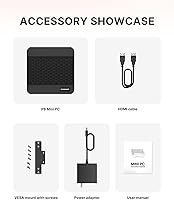
No. The package includes the unit itself, one HDMI cable, a power adapter, and a printed user guide — nothing else. Keyboard, mouse, and display are all sold separately and need to be sourced on your own.

Press the Delete key repeatedly right after powering the unit on, before the operating system begins to load. You should land in the BIOS setup menu within the first couple of seconds — if Windows starts loading, power off and try again a little faster.