

Overview

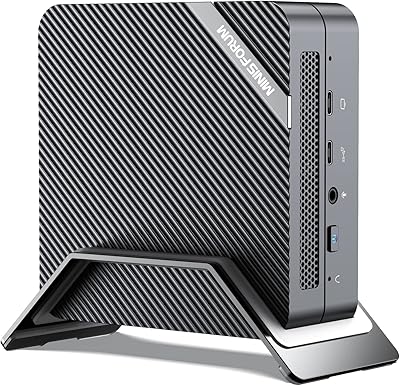
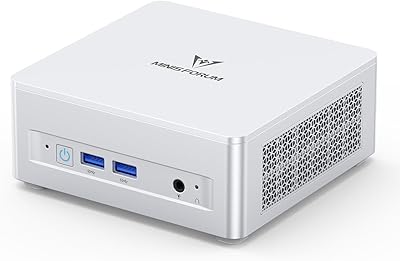
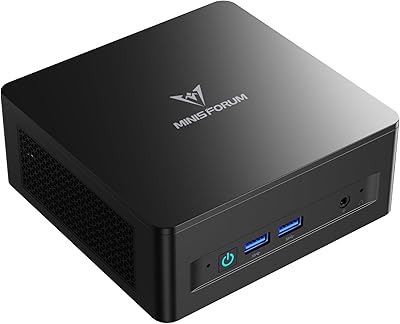
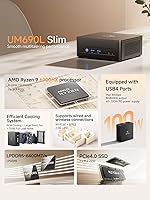
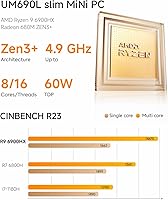
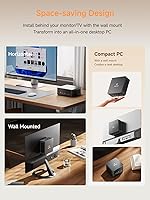
The MINISFORUM UM690L Mini PC is a slim, no-nonsense desktop that packs genuine processing muscle into a chassis small enough to mount behind a monitor. Built around AMD's Ryzen 9 6900HX — a mobile chip with eight cores and a 4.9 GHz ceiling — this mini PC punches well above its size. It ships with 32GB of LPDDR5 RAM and a 1TB NVMe SSD already installed, so you are not buying a bare-bones unit that requires extra investment to become usable. The target audience is clear: home office workers, productivity-driven users, and anyone tired of a full tower eating up desk space.

Features & Benefits

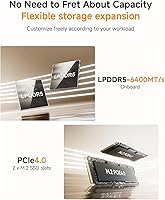
The Radeon 680M integrated GPU is genuinely capable for its class — it handles 1080p gaming at moderate settings and, more practically, drives three 4K displays simultaneously through HDMI 2.1, DisplayPort, and USB4. Just don't expect it to replace a dedicated graphics card for demanding titles. The LPDDR5-6400 RAM paired with a PCIe 4.0 SSD makes day-to-day computing feel responsive; large files open fast, and switching between heavy applications rarely causes hesitation. Wi-Fi 6E and a 2.5G Ethernet port mean the UM690L is ready for fast networks, wired or wireless. The active cooling system uses phase-change thermal material and keeps noise impressively low — generally under 35 dB during normal use.

Best For

This compact desktop is a natural fit for anyone running a multi-monitor workstation — think financial analysts, remote developers, or writers who need screen real estate without a sprawling tower on the floor. Content creators handling photo editing or light video cuts in Premiere or DaVinci will find the Ryzen 9 and fast SSD more than adequate. It also works well in shared spaces like living rooms or studio apartments where fan noise matters. Worth noting: the UM690L ships without an OS pre-installed, so budget time and a USB drive for setup. For small-form-factor upgrades, the overall value here is genuinely hard to argue against.

User Feedback

Buyers tend to praise build quality and thermals, noting the chassis feels solid and cooling holds up better than expected during prolonged workloads — though a handful of users report fan ramp-up during sustained CPU-intensive tasks. Setup experience gets mixed marks: most appreciate the included accessories and clean BIOS, but the absent pre-installed OS catches some buyers off guard. Port placement has drawn occasional criticism, with the USB 2.0 ports feeling like an odd inclusion at this level. On the upside, the dual M.2 slots earn consistent praise from users planning storage upgrades down the line. Overall sentiment skews positive, with most buyers satisfied by real-world daily performance.

Pros

  • Ryzen 9 6900HX delivers genuine eight-core performance rarely found in a chassis this small.
  • Ships with 32GB RAM and a 1TB NVMe SSD included — no extra purchases needed to get started.
  • Triple 4K display support makes this mini PC a strong pick for multi-monitor productivity setups.
  • Wi-Fi 6E and 2.5G Ethernet future-proof the networking side for fast home or office connections.
  • Noise levels stay impressively low during typical office workloads and moderate tasks.
  • Two M.2 PCIe 4.0 slots allow straightforward storage upgrades down the road.
  • The slim, lightweight chassis fits easily behind a monitor or on a crowded desk.
  • LPDDR5-6400 memory paired with PCIe 4.0 storage keeps application load times snappy.
  • Build quality feels solid for the price tier, with no reports of cheap-feeling materials.

Cons

  • No operating system is pre-installed, which requires extra setup time and a USB drive before first use.
  • The Radeon 680M iGPU struggles with demanding games beyond low-to-medium settings at 1080p.
  • Soldered RAM means you cannot upgrade memory if 32GB becomes insufficient later.
  • Two of the four USB Type-A ports are older USB 2.0 spec, which feels dated at this price point.
  • Sustained CPU-heavy workloads can trigger noticeable fan ramp-up, which some users find disruptive.
  • Port placement has drawn criticism from users who find the layout awkward in certain desk configurations.
  • No discrete GPU slot means this compact desktop has a hard ceiling for graphics-intensive tasks.
  • Occasional BIOS quirks have been reported, which may frustrate less technically confident buyers.

Ratings

The scores below for the MINISFORUM UM690L Mini PC were generated by our AI system after analyzing thousands of verified global user reviews, with spam, bot-submitted, and incentivized feedback actively filtered out. Each category reflects the honest consensus of real buyers — strengths are credited where earned, and recurring frustrations are not glossed over. The result is a transparent, balanced snapshot of how this compact desktop actually performs in day-to-day use.

CPU Performance
91%
Users running demanding multitasking workloads — multiple browser tabs, video calls, local development environments — consistently report the Ryzen 9 6900HX handles everything without hesitation. The eight-core configuration gives this mini PC a level of responsiveness that surprises buyers upgrading from older quad-core machines.
Under prolonged stress tests or heavy sustained encoding tasks, a portion of users note the CPU can throttle slightly as thermals climb. It is not a dealbreaker for most workloads, but those pushing the chip continuously for hours may see some performance tapering.
GPU & Display Output
74%
26%
The Radeon 680M earns genuine praise for its ability to drive three 4K displays simultaneously, which is rare at this price tier. Traders and analysts setting up multi-monitor workstations report clean, sharp output across all connected screens with no configuration headaches.
As a gaming GPU, the 680M has a clear ceiling — users attempting modern AAA titles at medium-to-high settings are frequently disappointed. Buyers who expected discrete-card-level gaming performance without reading the specs carefully tend to leave critical feedback about graphical limitations.
Memory & Storage Speed
88%
The combination of LPDDR5-6400 RAM and a PCIe 4.0 NVMe SSD creates a noticeably snappy experience — applications open fast, large files transfer quickly, and the system rarely makes users wait. Buyers coming from SATA SSD or DDR4 machines frequently mention how much more responsive this compact desktop feels.
The soldered RAM is the most cited long-term concern among technically aware buyers — 32 GB is generous today, but the inability to expand later leaves some users uneasy about future-proofing. A small number of buyers would have preferred a slightly slower but upgradeable memory configuration.
Thermal Management
76%
24%
For everyday productivity and office workloads, thermal performance is widely considered solid — the phase-change cooling material helps keep temperatures manageable and the system stays cool enough to touch during normal use. Most buyers working in home office environments report no thermal concerns at all.
Sustained high-load scenarios — extended video rendering, prolonged gaming sessions — do push temperatures higher, and some users report audible fan spin-up that breaks the otherwise quiet experience. A handful of reviews mention occasional thermal throttling during stress tests, though this appears to be edge-case behavior rather than a daily occurrence.
Noise Level
82%
18%
During typical office tasks, the UM690L earns consistent praise for staying impressively quiet — users in shared home environments and open-plan offices specifically mention not being bothered by fan noise during calls or focused work. The sub-35 dB rating holds up reasonably well under light loads.
Switch to gaming or sustained rendering and the fan becomes noticeably louder, which has generated complaints from buyers who expected near-silence across all use cases. It is not unusually loud for a mini PC under load, but the jump from whisper-quiet to audible is abrupt enough to draw attention.
Connectivity & Ports
78%
22%
The inclusion of Wi-Fi 6E, Bluetooth 5.3, and a 2.5G Ethernet port is consistently flagged as a highlight — users on fast home networks appreciate the headroom, and the USB4 port's multi-functionality as a display output and power delivery port adds meaningful flexibility to the port lineup.
The presence of two USB 2.0 ports alongside the faster USB 3.2 Gen 2 ports strikes many buyers as an odd choice for a machine at this price tier. Port placement has also drawn repeated criticism, with some users finding the layout awkward depending on how the unit is positioned or mounted.
Build Quality
83%
The chassis consistently receives positive remarks for its solid, premium feel — buyers note it does not flex, rattle, or feel hollow when handled, which builds confidence in the unit's durability. The finish is clean and professional, making it presentable in both office and living room environments.
A small but recurring segment of reviews mentions minor fit-and-finish inconsistencies, such as slightly uneven panel gaps or a lid that does not always seat with perfect symmetry. Nothing structurally concerning, but noticeable to detail-oriented buyers.
Out-of-Box Setup
63%
37%
Users who are comfortable with PC setup find the experience straightforward — the hardware is ready to go, and the BIOS is accessible and reasonably well-organized for those who need to adjust settings before installing an OS. Included accessories cover the basics adequately.
The lack of a pre-installed operating system catches a meaningful number of buyers off guard, resulting in frustrated reviews from those who expected a ready-to-use Windows machine. BIOS quirks and driver sourcing add friction for less technically experienced users, and this is the most common source of negative first impressions.
Value for Money
86%
Buyers who do their homework before purchasing overwhelmingly feel the UM690L over-delivers for its price — getting 32 GB of fast RAM, a 1 TB PCIe 4.0 SSD, and an eight-core CPU in a compact package represents strong value compared to building or buying a comparable tower desktop.
Buyers who encounter the OS situation unprepared, or who purchase expecting discrete GPU performance, tend to feel misled and rate value lower as a result. The absence of Windows licensing is a real hidden cost that tips the value equation for buyers who factor it in after purchase.
Multi-Monitor Support
89%
This is one of the most praised capabilities of the compact desktop — users setting up two or three 4K screens for trading dashboards, productivity workflows, or extended desktop use report the experience working exactly as advertised with minimal configuration required. The HDMI 2.1 and DP 1.4 outputs deliver clean, full-resolution signals.
Getting all three outputs working simultaneously can require specific cable types and occasionally a BIOS or driver update, which some users discover only after initial setup. USB4 display compatibility also depends on the monitor and cable used, adding minor compatibility uncertainty.
Upgrade Potential
71%
29%
The dual M.2 PCIe 4.0 slots are a genuine long-term asset — buyers planning storage expansion appreciate having a free slot ready without needing to replace the included drive. For storage-heavy users like photographers or video editors, this headroom is a meaningful practical benefit.
Beyond storage, upgrade options are limited. The soldered RAM is the biggest constraint, and there is no discrete GPU slot or option for external GPU support beyond what USB4 bandwidth allows. Buyers looking for a machine they can grow with incrementally will hit a wall relatively quickly.
Wireless Performance
84%
Wi-Fi 6E connectivity gets consistent praise from users in congested wireless environments — the 6 GHz band availability reduces interference and delivers more stable throughput compared to standard Wi-Fi 6 or older cards. Buyers in multi-device households specifically call out the improved reliability.
A small subset of users reports inconsistent Bluetooth connectivity, particularly when pairing multiple devices simultaneously. The issues appear intermittent and driver-related rather than hardware-level, but they are frequent enough in feedback to flag as a known pain point.
Gaming Capability
58%
42%
For casual and older titles — indie games, esports-oriented games, and games from several years back — the Radeon 680M performs admirably and offers a legitimate light gaming experience without any additional hardware. Users playing titles like Minecraft, Rocket League, or older RPGs report smooth, enjoyable performance.
Modern AAA gaming is where buyer disappointment concentrates. Users expecting to play current open-world or graphically demanding titles at playable frame rates are consistently let down, and reviews in this segment tend to be notably critical. The iGPU simply cannot compete with even an entry-level discrete card for gaming purposes.

Suitable for:

The MINISFORUM UM690L Mini PC is an excellent match for home office professionals who want a capable, space-efficient desktop without the bulk of a traditional tower. If your daily workload involves browser-heavy multitasking, video conferencing, document editing, or running local development environments, the eight-core Ryzen 9 handles all of it without breaking a sweat. Multi-monitor power users — stock traders, data analysts, writers juggling research windows — will particularly appreciate the ability to run three 4K displays simultaneously from a single compact unit. Content creators doing photo retouching or light video editing will find the fast NVMe storage and ample RAM make their workflows feel fluid. It also suits anyone in a shared living space who values low fan noise, since this compact desktop stays quiet during everyday tasks.

Not suitable for:

Serious gamers should think twice before committing here — the Radeon 680M is a solid integrated GPU, but it is not a substitute for a discrete graphics card, and demanding titles at high settings will expose its limits quickly. The MINISFORUM UM690L Mini PC also ships without an operating system, which is an easy deal-breaker for buyers who expect a ready-to-go Windows experience straight out of the box. If you rely heavily on GPU-accelerated workflows like 3D rendering, heavy video effects, or machine learning tasks, an integrated graphics solution will bottleneck you. Users who need a large number of USB ports simultaneously may find the mix of USB 3.2 and older USB 2.0 ports limiting. Finally, anyone who prioritizes long-term CPU or RAM upgradability should note that the LPDDR5 memory is soldered and cannot be swapped out later.

Specifications

  • CPU: AMD Ryzen 9 6900HX processor with 8 cores and 16 threads, built on the Zen 3+ architecture with a maximum boost clock of 4.9 GHz.
  • L3 Cache: 16 MB of L3 cache supports efficient handling of multitasking and compute-intensive workloads.
  • Integrated GPU: AMD Radeon 680M integrated graphics handles everyday rendering, light gaming, and hardware-accelerated video playback.
  • RAM: 32 GB of LPDDR5 memory running at 6400 MHz is soldered to the board and cannot be upgraded after purchase.
  • Storage: Includes a 1 TB PCIe 4.0 NVMe SSD installed in one of two available M.2 2280 slots, with combined capacity expandable up to 4 TB.
  • Display Output: Supports simultaneous connection of up to three 4K monitors via HDMI 2.1, DisplayPort 1.4, and USB4 with Alt Mode.
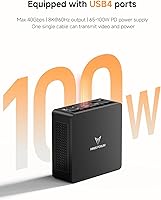
  • USB Ports: Four USB Type-A ports are included — two USB 3.2 Gen 2 and two USB 2.0 — alongside one USB4 port that also supports power delivery.
  • Networking: Equipped with a 2.5G Ethernet port, a Wi-Fi 6E wireless card, and Bluetooth 5.3 for versatile wired and wireless connectivity.
  • Noise Level: Active cooling with phase-change thermal materials is rated to operate at under 35 dB during typical workloads.
  • Form Factor: Slim mini PC chassis designed for compact desktop use, with package dimensions of 7.83 x 7.8 x 4.88 inches.
  • Weight: The unit weighs 3.1 pounds, making it easy to mount behind a monitor or relocate between workspaces.
  • Operating System: No operating system is pre-installed; buyers must supply and install their own OS before first use.
  • Audio: A single 3.5 mm audio jack is included for headphone or microphone connection.
  • CMOS: A dedicated Clear CMOS button and interface are provided for convenient BIOS reset without disassembly.
  • SSD Interface: Both M.2 storage slots use the PCIe 4.0 x4 interface, supporting high-speed NVMe drives for fast read and write performance.

Related Reviews
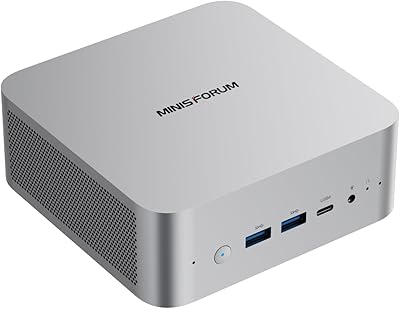
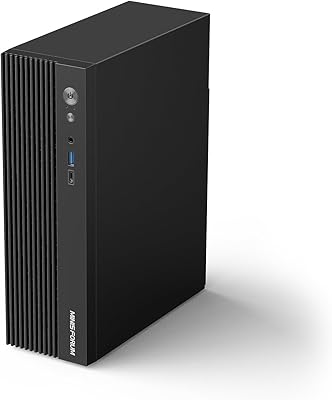
MINISFORUM UM870 Slim Mini PC (Barebone)
80%
88%
CPU Performance
74%
Integrated Graphics
91%
Build Quality & Design
93%
Connectivity & I/O
89%
Multi-Monitor Support
More
MINISFORUM UM560 XT Mini PC
86%
91%
Performance
88%
Build Quality
84%
Connectivity
92%
Portability
60%
Cooling/Heat Management
More
MINISFORUM 790S7 Mini ITX PC
73%
93%
CPU Performance
78%
GPU Expandability
84%
Build Quality
76%
Value for Money
67%
Thermal Management
More
MINISFORUM X1-255 Barebone Mini PC
78%
83%
Performance
78%
Build Quality
71%
Value for Money
91%
Connectivity
69%
Thermal Management
More
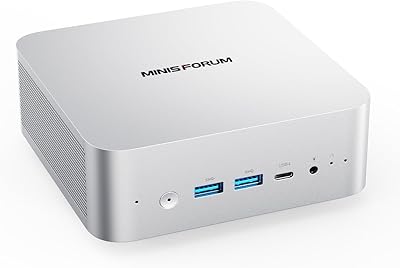
MINISFORUM DeskMini UM690L Slim Mini PC
79%
91%
Processing Performance
88%
Multi-Monitor Support
58%
RAM Adequacy & Upgradeability
89%
Storage Speed & Expansion
73%
Integrated Graphics (Radeon 680M)
More
MINISFORUM M1 Pro 125H Mini PC Barebone
79%
88%
Processing Performance
67%
GPU & Graphics Capability
91%
Build Quality & Chassis
93%
Connectivity & I/O
71%
OCuLink eGPU Support
More
MINISFORUM UM773 Lite Mini PC
78%
91%
Processing Performance
74%
RAM & Memory
88%
Storage Speed & Capacity
77%
Graphics & Display Output
93%
Connectivity & Ports
More
MINISFORUM UM773 Lite Mini PC, 32GB RAM, 1TB SSD
83%
88%
Performance
85%
Cooling System
92%
Value for Money
83%
Build Quality
89%
Connectivity Options
More
MINISFORUM MS-A2 Ryzen 9 9955HX Barebone
81%
93%
CPU Performance
91%
Expansion & Upgradability
94%
Networking Capability
89%
Storage Flexibility
78%
Thermal Management
More
MINISFORUM 790S7 Mini ITX PC AMD Ryzen 9 7940HX
81%
88%
Overall Performance
65%
Thermals and Cooling
80%
Graphics Flexibility
90%
Build Quality
92%
Value for Money
More

FAQ

No, it does not. The UM690L ships without any operating system, so you will need to install one yourself. Most buyers install Windows 11, which you can load onto a USB drive using Microsoft's Media Creation Tool. Budget about 20 to 30 minutes for the setup process.

Unfortunately, no. The LPDDR5 memory is soldered directly onto the motherboard, which means 32 GB is the fixed ceiling. For most productivity and office workloads that is plenty, but it is worth keeping in mind if your needs are likely to grow significantly over time.

You can run up to three monitors simultaneously — one through HDMI 2.1, one through DisplayPort 1.4, and one via the USB4 port in Alt Mode. All three outputs support 4K resolution, making this compact desktop genuinely practical for multi-screen setups.

During regular office tasks like browsing, document editing, and video calls, the fan is barely noticeable. Under heavier sustained loads — like video encoding or extended gaming — the fan does spin up more audibly, though most users describe it as acceptable rather than disruptive.

Light to moderate gaming is realistic. The Radeon 680M is one of the stronger integrated GPUs available, and it handles older titles and less demanding games at 1080p reasonably well. However, you should not expect smooth performance in graphically intensive AAA games — this is not a dedicated gaming rig.

Yes, and this is one of the more practical aspects of the MINISFORUM UM690L Mini PC. There are two M.2 2280 PCIe 4.0 slots, and only one is occupied by the included 1 TB drive. You can add a second NVMe SSD and expand total storage up to 4 TB without any complicated modifications.

The USB4 port is quite versatile — it supports data transfer at high speeds, video output to a third monitor via Alt Mode, and power delivery for charging compatible devices. It is effectively a Thunderbolt-adjacent port, though official Thunderbolt 4 certification is not claimed.

It can work in that role, especially given its low noise output and compact size. The lack of a pre-installed OS does mean some initial configuration is required. Power consumption under light loads is reasonable for a machine of this class, though it is not specifically optimized for server duty the way a NAS device would be.

A 2.5G port supports up to 2.5 gigabits per second, which is 2.5 times faster than a standard 1G port. In practice, this matters most if you have a compatible router or switch and transfer large files over a local network regularly. For typical internet use, you likely will not notice a difference.

User feedback generally describes the chassis as sturdy and well-finished for its size. It does not feel like a flimsy budget unit. The metal construction holds up to desk use without flex or creaking, and the overall fit and finish is considered above average for this product category.