Overview

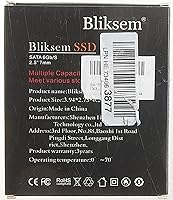
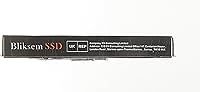
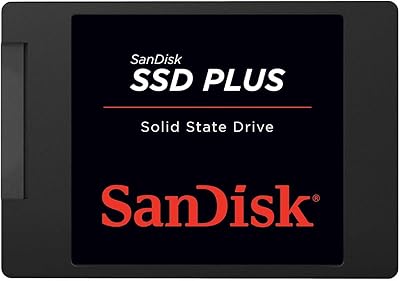
The Bliksem KD650 128GB Internal SATA SSD is a no-frills storage upgrade built for anyone still tolerating the sluggishness of a spinning hard drive in their laptop or desktop. It comes from Shenzhen Gaoke Technology, a Chinese manufacturer not widely known in Western markets, yet the KD650 has climbed to a notable position in its category — suggesting real purchase volume rather than marketing noise. The 2.5-inch, 7mm slim profile means broad compatibility; it fits the vast majority of consumer machines straight out of the box. Expectations matter here: this is entry-level TLC NAND territory, not a cutting-edge NVMe drive. A 3-year warranty adds a reasonable degree of comfort for a budget-tier purchase.
Features & Benefits

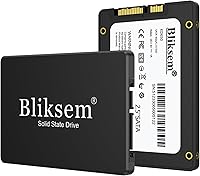
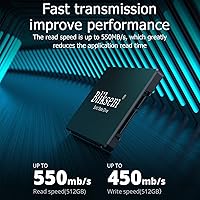
The KD650 drive reaches sequential read speeds of up to 550MB/s and writes of up to 450MB/s — figures that won't excite anyone coming from a modern NVMe setup, but feel genuinely transformative against a mechanical hard drive. Day-to-day, expect faster boot times and snappier app loading. The drive uses 3D NAND TLC flash, which keeps the price accessible while delivering adequate endurance for typical home or office workloads; heavy, sustained write usage will wear it down faster than pricier MLC alternatives, though. The SATA III interface is backward-compatible with older SATA II systems. At just 7mm thick, it also slots into slim-chassis laptops that can't fit standard-height drives, and with no moving parts, it operates in complete silence.

Best For

This budget SATA SSD is best suited for giving an older laptop a real second life. If your machine still boots from a spinning disk, swapping it out is one of the most impactful upgrades you can make without replacing the entire computer. It also pulls its weight as secondary storage in a desktop build where a faster NVMe drive already handles the OS. Students, home workers, and casual users dealing with documents, browsing, and media playback will generally find 128GB adequate for their daily needs. Since installation is a straightforward plug-and-play process with no proprietary software required, first-time upgraders can realistically get it done in under an hour.

User Feedback

Sitting at 4.2 stars across nearly 3,800 ratings, this 128GB upgrade drive holds its own for a budget-tier product. Buyers consistently praise the installation process as quick and uncomplicated, and most report a tangible improvement in system responsiveness compared to their old hard drives. The criticism is fair and worth noting: several reviewers mention that real-world speeds can fall short of the advertised peak numbers, which is a common reality for budget SSDs where host hardware and workload type play a significant role. A recurring concern centers on long-term reliability from an unfamiliar brand, and a handful of buyers express skepticism about whether warranty support would be straightforward to access when actually needed.

Pros

  • Dramatically faster boot and load times compared to any traditional spinning hard drive.
  • The 7mm slim form factor fits a wide range of laptops, including thin-chassis machines that reject taller drives.
  • Installation is straightforward — no special software or technical background required.
  • SATA III interface is backward-compatible with older SATA II systems, broadening usability.
  • Silent operation with no moving parts reduces heat and eliminates mechanical noise entirely.
  • Works across Windows, Linux, and macOS 10.3 and above without driver headaches.
  • A 3-year warranty provides more coverage than many competitors at this price point.
  • Nearly 3,800 customer ratings with a 4.2-star average suggests consistent real-world satisfaction.
  • Multiple capacity options available in the same KD650 lineup if 128GB feels too tight.
  • Lightweight at under 1.5 ounces, adding virtually no weight to a laptop.

Cons

  • Bliksem is a relatively unknown brand with limited visibility into long-term reliability or warranty support responsiveness.
  • TLC NAND flash has lower write endurance than MLC alternatives, which matters for sustained heavy workloads.
  • Real-world speeds frequently fall short of the advertised peak figures depending on host hardware and workload.
  • 128GB fills up faster than most buyers anticipate once an OS, apps, and media are installed.
  • The SATA interface is a hard speed ceiling — no firmware update will close the gap with NVMe drives.
  • Some buyers report uncertainty about reaching customer support if a warranty claim becomes necessary.
  • No bundled cloning software or migration tool is included, which adds a step for users replacing an existing drive.
  • The decimal capacity reporting means the usable formatted space is noticeably less than the labeled 128GB.

Ratings

Our score for the Bliksem KD650 128GB Internal SATA SSD was generated by AI after analyzing thousands of verified global buyer reviews, actively filtering out incentivized, duplicate, and bot-flagged submissions to surface genuine user sentiment. The ratings below reflect both what this drive genuinely gets right and the real pain points that buyers encounter — nothing has been glossed over. Whether you are considering it as a laptop upgrade or a secondary desktop drive, the scorecards below give you a transparent, category-by-category breakdown.

Value for Money
83%
For anyone pulling a spinning hard drive out of an aging laptop, the responsiveness boost this budget SATA SSD delivers makes the asking price feel entirely reasonable. Boot times that used to stretch past a minute can drop to under 20 seconds, and everyday tasks like opening apps and loading files feel meaningfully snappier without spending much at all.
The value proposition weakens when you compare it against established brands available for only a modest premium, where you get more transparent firmware, better-documented endurance ratings, and a support infrastructure that is easier to trust. At 128GB specifically, the per-gigabyte cost is also less competitive than stepping up to the 256GB or 512GB versions in the same lineup.
Read/Write Performance
71%
29%
Coming from a mechanical hard drive, the jump to sequential reads approaching 550MB/s makes a tangible difference during boot, file copying, and loading larger documents or media files. For light office and home workloads, the KD650 drive hits a performance threshold that feels genuinely adequate without requiring an NVMe slot.
Anyone benchmarking this drive will quickly notice that real-world speeds regularly fall short of the advertised peaks, particularly at the 128GB capacity where the smaller NAND array limits sustained write throughput. The SATA interface itself is the hard ceiling here — no matter how good the flash is, it cannot compete with an NVMe drive on the same price spectrum.
Installation Ease
91%
This is arguably the KD650 drive's most consistently praised quality — buyers who have never opened a laptop before describe a straightforward physical swap taking under 30 minutes. The standard 2.5-inch SATA connector means no adapters or proprietary tools are needed, and the drive is recognized immediately by every major operating system without driver installation.
No cloning software or USB-to-SATA adapter is included in the box, which means first-time upgraders who want to migrate their existing data rather than start fresh face an extra purchasing step. Users on certain ultrabook models with proprietary drive mounting brackets have also noted that the physical installation required more disassembly than expected.
Long-term Reliability
59%
41%
For casual daily use — web browsing, document editing, media playback — TLC NAND flash is perfectly serviceable, and a meaningful portion of buyers report the drive working without issue well past the first year of ownership. The absence of moving parts does eliminate the most common mechanical failure mode found in traditional hard drives.
TLC NAND has a lower write endurance ceiling than MLC or SLC alternatives, and this becomes a real concern for users who write large volumes of data regularly over years of use. Compounding this is the fact that Bliksem is not a brand with a long public track record, making it harder to assess how the drive holds up in the three-to-five-year range compared to drives from brands with published endurance data.
Real-World Speed Consistency
64%
36%
Under typical light workloads — opening a few apps, browsing, moving small files — the drive maintains steady performance and does not exhibit the stuttering that older hard drives are notorious for. For the majority of home users, day-to-day consistency is acceptable and noticeably better than what they replaced.
Under sustained sequential writes, such as transferring a large folder of video files, performance can drop off noticeably as the SLC write cache fills and the drive falls back to writing directly to slower TLC cells. Several reviewers running benchmark tools reported speeds well below the advertised maximums, which suggests the 550MB/s figure reflects a best-case burst scenario rather than a reliable sustained rate.
Build Quality
68%
32%
The drive has a solid, low-flex plastic and metal shell that feels adequate for internal installation use, and at 1.44 ounces it is light without feeling flimsy. The connector interface fits snugly into SATA ports without wobble, which is exactly what you want from a drive that will sit inside a chassis for years.
The casing does not inspire the same confidence as drives from brands that use full aluminum enclosures, and there is no published shock resistance or MTBF rating provided by the manufacturer to back up durability claims. Buyers who handle the drive directly before installation often describe the finish as feeling more budget-tier than comparable drives from Crucial or Kingston.
Compatibility
87%
The standard 2.5-inch SATA form factor is about as universally compatible as internal storage gets, covering virtually every consumer laptop and desktop made in the last 15 years. Backward compatibility with SATA II ports is a genuine plus for buyers running older hardware where SATA III was not yet standard.
Compatibility is not a concern for most buyers, but the drive is simply not an option for machines that have transitioned entirely to M.2 slots with no 2.5-inch bay available — which includes many laptops released from 2018 onward. Buyers should verify their specific model's bay availability before purchasing, as some slim laptops that appear to have a bay actually use a proprietary connector.
Capacity Adequacy
61%
39%
For a dedicated single-purpose machine — a school laptop used only for homework, or a media player — 128GB is workable and allows a clean OS install with room to spare for a reasonable number of applications. Buyers who use cloud storage for photos and documents tend to report feeling comfortable with the available space.
In practice, a fresh Windows 11 installation consumes roughly 20 to 30GB before any software is added, leaving less headroom than most buyers anticipate. Users who store local copies of photos, music libraries, or a handful of games will find 128GB feeling restrictive within a year, making the step-up capacities a smarter long-term investment for most buyers.
Brand Trust
56%
44%
The sales volume and review count behind this 128GB upgrade drive suggest that a significant number of buyers have taken a chance on the Bliksem brand and reported back positively, which is a more reliable signal than no data at all. For buyers who only need basic storage for a low-stakes use case, the brand uncertainty is a manageable risk.
Bliksem and its parent company Shenzhen Gaoke Technology have little presence in the Western consumer tech press, which makes independent verification of quality claims difficult. Buyers researching the brand before purchasing often find limited information, and the lack of a well-known support infrastructure makes some buyers nervous about what happens if the drive fails outside the return window.
Thermal Management
78%
22%
Without spinning components or a high-bandwidth NVMe interface to generate heat, the KD650 drive runs cool during typical use and does not require any thermal pad or heatsink — a practical advantage in tight laptop chassis where airflow is limited. Most users report no thermal throttling during light-to-moderate daily tasks.
During prolonged high-throughput operations, such as a long file copy or a full backup job, the drive can warm up enough that sustained write speeds are affected, though it rarely reaches temperatures that would concern a temperature-monitoring utility under normal home conditions.
Noise & Vibration
94%
Zero mechanical components means this drive produces absolutely no audible noise or perceptible vibration under any workload, which buyers upgrading from clicking or whirring hard drives consistently call out as one of the most immediately satisfying improvements. In quiet home or library environments, the absence of drive noise is genuinely noticeable.
There is almost nothing negative to say here from a noise standpoint — the only minor footnote is that a handful of users have reported very faint coil whine from nearby components under heavy read operations, though this is unrelated to the drive itself and was mentioned rarely.
Warranty Coverage
73%
27%
Three years of warranty coverage is a reasonable commitment for a drive at this price point, and it compares favorably against some competing budget brands that offer only one year. For buyers who plan to use the drive in a secondary or occasional-use machine, three years covers the most likely failure window.
The warranty offers less reassurance than it might because Bliksem does not have a widely accessible dedicated support portal or phone line, and several buyers have expressed difficulty understanding the claims process upfront. Some reviewers noted that the warranty terms are outlined in minimal detail on the product page, leaving questions about what constitutes a covered defect versus user error.
OS & Platform Support
84%
Support for Windows, Linux, and macOS 10.3 and above makes this a genuinely cross-platform drive, which is useful for buyers running dual-boot setups or repurposing a laptop for a Linux distribution. No driver installation is required on any of the supported platforms, which keeps the setup experience clean and simple.
While the drive works across platforms without issue, buyers running very old operating systems — such as Windows XP or Vista — may encounter AHCI configuration steps that are not obvious to a non-technical user. macOS users will also need to manually format the drive to APFS or HFS+ through Disk Utility before use, which is a minor but occasionally confusing extra step.
Packaging & Accessories
54%
46%
The drive arrives adequately protected for shipping, and the packaging is minimal in a way that keeps costs down — which is appropriate for a budget product where buyers are not paying for presentation.
The box includes only the bare drive with no mounting screws, installation guide, data migration tool, or USB adapter — all things that a first-time upgrader might reasonably expect to find. Buyers who do not already own a SATA-to-USB adapter or a compatible screwdriver set will need to source those separately, adding friction to an otherwise simple upgrade process.

Suitable for:

The Bliksem KD650 128GB Internal SATA SSD is a strong fit for anyone whose primary goal is rescuing a slow, HDD-based laptop without spending a lot of money. If your machine takes two minutes to boot Windows and another minute to open a browser, swapping in this drive will make the computer feel genuinely usable again — not because the drive is exceptional, but because the baseline it replaces is so low. Students, home office workers, and casual users who mainly browse the web, write documents, and manage media files will find the 128GB capacity adequate and the performance improvement immediately noticeable. It also makes practical sense as a secondary data drive in a desktop system where a faster NVMe SSD already handles the operating system. Anyone who wants a plug-and-play upgrade with minimal technical effort and a 3-year warranty backing the purchase will find this drive a reasonable, low-risk option.
Not suitable for:

The Bliksem KD650 128GB Internal SATA SSD is not the right choice for users who need dependable long-term storage for critical or irreplaceable data. TLC NAND flash has a lower write endurance ceiling than MLC or enterprise-grade alternatives, and Bliksem is not a brand with an established track record for after-sales support — so if something goes wrong, the warranty experience is less predictable than with a Samsung, Crucial, or Western Digital drive. Power users who regularly work with large video files, run virtual machines, or move data in bulk will also find 128GB frustratingly tight and the SATA interface a bottleneck compared to modern NVMe drives. Anyone building a performance-focused workstation or a primary drive for a new machine should look higher up the market. Similarly, buyers upgrading a laptop that already has an NVMe slot should skip SATA entirely and invest in a faster drive for a meaningfully better outcome.
Specifications

  • Storage Capacity: The drive provides 128GB of flash storage; formatted usable capacity will be slightly lower due to the difference between decimal (manufacturer) and binary (OS) measurement standards.
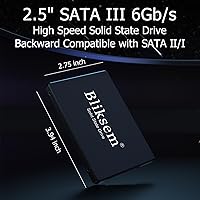
  • Form Factor: Standard 2.5-inch internal form factor, physically measuring 3.94 × 2.75 × 0.28 inches and compatible with the widest range of consumer laptops and desktops.
  • Drive Height: At 7mm (0.28″) tall, the drive fits both standard-depth and slim-chassis laptop bays without requiring a height adapter.
  • Interface: Uses a SATA III 6Gb/s interface and is backward-compatible with SATA II ports, though throughput will be limited by the older port's maximum bandwidth.
  • Read Speed: Sequential read speed reaches up to 550MB/s under optimal test conditions; real-world performance may vary depending on host hardware, workload, and operating system.
  • Write Speed: Sequential write speed reaches up to 450MB/s under optimal test conditions, with similar real-world caveats applying based on system configuration.
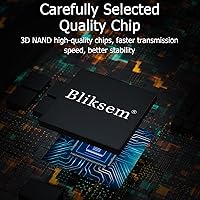
  • Flash Memory: Built with 3D NAND TLC (Triple-Level Cell) flash, which layers memory cells vertically to improve density and reduce cost compared to older planar NAND designs.
  • Moving Parts: The drive contains no mechanical components, which eliminates vibration, audible noise, and the rotational failure risks associated with traditional hard disk drives.
  • OS Compatibility: Officially compatible with Windows (XP, Vista, 7, 8, 8.1, 10, and 2000), Linux distributions, and macOS 10.3 and above.
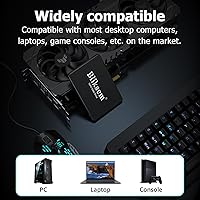
  • Device Support: Designed for installation in laptops, desktop PCs, and gaming consoles that feature a standard 2.5-inch internal SATA drive bay.
  • Installation Type: Internal installation only; the drive connects directly to the host device's SATA data and power connectors with no external enclosure included.
  • Weight: The drive weighs just 1.44 ounces, contributing virtually no additional mass to a portable system.
  • Warranty: Covered by a 3-year manufacturer warranty issued by Shenzhen Gaoke Technology Co., Ltd.
  • Manufacturer: Designed and produced by Shenzhen Gaoke Technology Co., Ltd., a Chinese electronics manufacturer operating under the Bliksem brand.
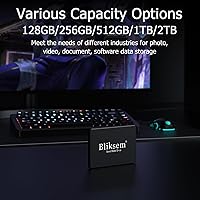
  • Model Series: Part of the KD650 product line, which is available in multiple capacities ranging from 128GB up to 2TB under the same design and interface specifications.

Related Reviews

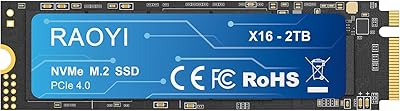
RAOYI 2TB PCIe Gen4 M.2 NVMe SSD
77%
91%
Value for Money
84%
Read Speed Performance
73%
Write Speed Performance
93%
PS5 Compatibility
88%
Ease of Installation
More
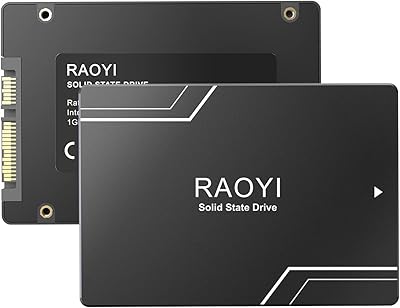
RAOYI 1TB 2.5″ SATA III Internal SSD
73%
88%
Value for Money
76%
Read/Write Performance
92%
Installation Ease
89%
Compatibility
61%
Brand Reliability
More
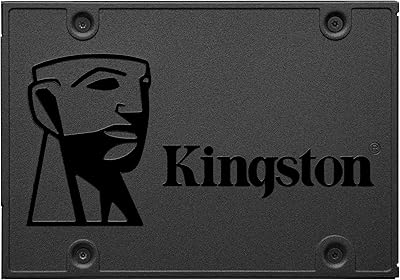
Kingston A400 240GB SATA SSD
79%
91%
Value for Money
93%
Boot Speed Impact
61%
Write Performance
83%
Long-term Reliability
54%
Workload Suitability
More
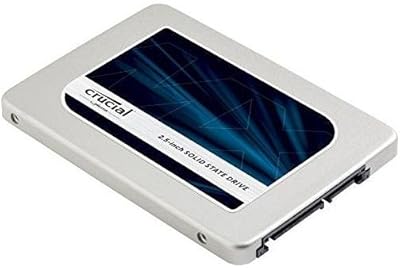
Crucial MX300 2TB Internal SSD
79%
78%
Read & Write Speed
91%
Storage Capacity
88%
Reliability & Longevity
63%
Value for Money
86%
Installation & Setup
More
Verbatim Vi550 256GB SATA III SSD
80%
88%
Everyday Speed Boost
86%
Value for Money
91%
Installation Ease
84%
Build Durability
79%
Read and Write Performance
More
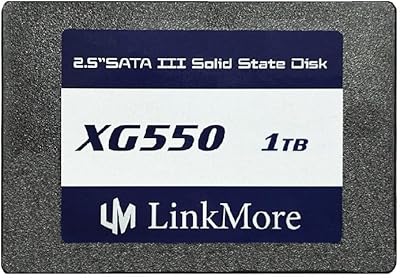
LinkMore XG550 1TB Internal SSD
78%
88%
Value for Money
93%
Installation Ease
87%
Boot Time Improvement
74%
Read/Write Performance
61%
Reliability & Longevity
More
ADATA SU650 1TB 3D-NAND SATA 2.5 inch Internal SSD
86%
88%
Performance
92%
Value for Money
85%
Installation Ease
87%
Speed (Read/Write)
78%
Software Experience
More
Crucial MX500 500GB 3D NAND SATA 2.5 Inch Internal SSD
87%
92%
Read Speed
88%
Write Speed
91%
Reliability
78%
Compatibility with Older Systems
84%
Temperature Management
More
SanDisk SSD Plus 2TB Internal SSD
82%
88%
Read Speed Performance
74%
Write Speed Performance
94%
Installation & Compatibility
91%
Value for Money
86%
Long-Term Durability & Reliability
More
SanDisk SSD PLUS 240GB Internal SSD
87%
88%
Performance
92%
Speed Improvement vs HDD
90%
Durability / Shock Resistance
87%
Value for Money
94%
Ease of Installation
More

FAQ

If your laptop currently has a 2.5-inch hard drive or SATA SSD installed, this drive will fit directly in the same bay. The 7mm height is the key measurement to check — most consumer laptops support either 7mm or 9.5mm drives, and a 7mm drive will work in both. If you are unsure, look up your laptop model's specifications or open the back panel and measure the existing drive.

If you are replacing a spinning hard drive, the difference will be obvious from the first boot — startup times that used to take over a minute can drop to under 20 seconds, and apps will open noticeably faster. The KD650 drive is not the fastest SSD on the market, but the jump from HDD to any modern SSD is one of the most impactful upgrades you can make to an aging machine.

No, the drive does not include bundled cloning or data migration software. You will need to either use a free tool like Macrium Reflect (Windows) or reinstall your operating system fresh. To clone your existing drive before swapping, you will also need a USB-to-SATA adapter or an external enclosure to connect both drives simultaneously.

It depends entirely on how you use your machine. For a laptop dedicated to web browsing, documents, and light media, 128GB is workable — but once you factor in the operating system, standard applications, and updates, you may have 70 to 80GB of usable space left. If you store photos, videos, or games locally, it will feel tight quickly. The KD650 lineup does offer larger capacities if you think you might need more room.

Yes. Any desktop with a standard 2.5-inch SATA bay — or a 3.5-inch bay with a cheap mounting bracket — will accept this drive without issue. It works well as a secondary storage drive alongside a faster NVMe primary, which is a common and cost-effective desktop setup.

TLC stands for Triple-Level Cell, which means each memory cell stores three bits of data instead of one or two. This makes manufacturing cheaper and capacities higher, but it also means each cell has a lower write endurance ceiling than MLC or SLC alternatives. For everyday home or office use — browsing, documents, occasional file transfers — a TLC drive will last years without issue. If you are writing large amounts of data continuously and repeatedly, TLC will wear out faster than a premium drive.

Not if you have a choice. NVMe drives are substantially faster than anything SATA can offer, and the price difference between a budget NVMe SSD and this drive is small. Only consider a SATA drive if your laptop specifically lacks an M.2 slot and relies on a 2.5-inch bay.

The Bliksem KD650 128GB Internal SATA SSD is made by Shenzhen Gaoke Technology, which is not a brand most people will recognize from a store shelf. That said, with nearly 3,800 ratings averaging 4.2 stars, there is genuine real-world usage backing it up. The honest caveat is that brand accountability with lesser-known manufacturers is harder to verify — if you need long-term peace of mind or have had bad experiences with budget tech before, established names like Crucial or Kingston at a slightly higher price may be worth the premium.
The warranty covers manufacturing defects and drive failures under normal use conditions for three years from the date of purchase. Keep your order confirmation as proof of purchase. In practice, warranty claims with smaller brands tend to involve contacting the seller directly through the platform where you bought it, so the process is less streamlined than with a major brand — but the coverage period itself is competitive for this price tier.

It is compatible with macOS 10.3 and later, as well as most Linux distributions. Since it is a standard SATA drive with no proprietary firmware requirements, the operating system simply detects it as a storage device. You may need to format it to APFS or HFS+ for macOS use, which can be done easily through Disk Utility after installation.