



Overview

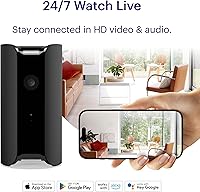
The Canary Pro Indoor Home Security Camera has been on the market since 2018, and the fact that it's still selling well says something about how it holds up over time. Unlike most security cameras that look like they belong in a parking garage, this Canary camera was designed to sit on a shelf without drawing attention — more modern home device than surveillance hardware. Setup is entirely app-based, no drilling or professional installation required. There's a free tier, but to unlock the full feature set — extended video history, smarter detection — you'll need the Premium plan. At its price point, it competes directly with Wyze, Blink, and Ring.

Features & Benefits

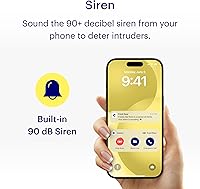
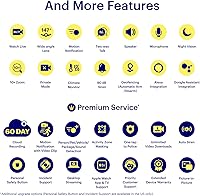
The 147-degree field of view paired with 1080p HD video means you can cover a living room corner to corner with a single unit, and the 10x digital zoom is surprisingly useful for checking details without repositioning anything. The built-in siren — loud enough at 90+ dB to startle anyone — can fire automatically or be triggered remotely from the app. Two-way audio works well for telling a dog to get off the couch or letting a delivery person know you're home. The climate monitoring feature tracks temperature, humidity, and air quality, a genuinely handy bonus most competitors skip. Night vision and privacy mode round out a solid core feature set.

Best For

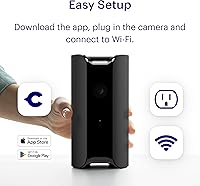
This indoor security cam is a natural fit for renters who cannot drill into walls — plug it in, connect to Wi-Fi, and you are up and running in minutes. Pet owners in particular tend to love it, since the live view plus two-way talk makes it easy to check on animals and actually communicate with them remotely. Parents monitoring a nursery or playroom get the added benefit of the climate sensor, which adds a layer of reassurance beyond just video. If you are already in the Alexa ecosystem, voice integration works without extra configuration. It is less ideal for anyone hoping to avoid a subscription, since the free tier is genuinely limited.

User Feedback

Most owners speak positively about how quick and painless the initial setup is, and the design consistently gets mentioned as a reason people chose it over bulkier alternatives. The bigger frustration is the subscription wall — without the Premium plan, you lose access to extended video history and advanced detection, which some buyers feel should come standard at this price. Motion detection sensitivity gets mixed marks; a handful of users report false alerts from shadows or passing cars, though activity zone settings help considerably. App stability has also drawn occasional complaints, with some users noting Wi-Fi dropouts or login glitches, though these issues appear less common in more recent reviews.

Pros

  • Zero-installation setup means renters can have it running in under 10 minutes with no tools required.
  • The 147-degree field of view covers large rooms without needing multiple cameras.
  • A 90-plus decibel built-in siren gives you an active deterrent, not just passive recording.
  • Two-way audio works reliably for communicating with pets, kids, or anyone at home.
  • The climate sensor adds temperature, humidity, and air quality tracking that most rivals simply do not offer.
  • Privacy mode gives households a clear way to pause recording without unplugging the device.
  • Night vision and auto-focus handle low-light conditions without any manual adjustment needed.
  • The Canary Pro pairs naturally with Alexa and Google Assistant for hands-free smart home control.
  • The device design is understated enough to sit on a bookshelf without looking like surveillance equipment.
  • Motion alert zones can be tuned to reduce false triggers once configured properly.

Cons

  • Extended video history and smart detection features are locked behind a paid subscription, which raises the real cost of ownership.
  • The free tier alone is too limited for buyers who want a fully capable camera without ongoing fees.
  • Digital 10x zoom degrades image quality noticeably at higher magnification levels.
  • Some users report intermittent Wi-Fi dropouts and app login issues, particularly on older firmware versions.
  • Motion detection sensitivity can produce false alerts in high-traffic rooms until activity zones are manually configured.
  • The camera is corded only, which restricts placement to spots near a power outlet.
  • No local storage option means you are entirely dependent on cloud infrastructure for video access.
  • At its price point, newer budget competitors now offer comparable video quality without mandatory subscriptions.
  • The app experience has drawn criticism for occasional instability, especially during live view sessions.
  • Launched in 2018, the underlying hardware is aging and may not match the processing capabilities of more recent entrants.

Ratings

The scores below for the Canary Pro Indoor Home Security Camera were generated by AI after analyzing thousands of verified global user reviews, with spam, bot-generated, and incentivized submissions actively filtered out. Each category reflects the honest range of buyer experiences — strengths and frustrations alike — so you get a clear, unvarnished picture of what real owners think after weeks or months of daily use.

Ease of Setup
91%
This is consistently the most praised aspect of the Canary Pro. Owners across skill levels — from tech-savvy apartment renters to older users setting it up for elderly care — report being fully operational within 10 minutes. The app-guided process is clear, and there is zero need for tools or professional help.
A small number of users on dual-band routers hit snags during the initial Wi-Fi pairing, particularly when the router does not clearly separate 2.4GHz and 5GHz networks. This is a minor but recurring frustration that can turn a 5-minute setup into a 30-minute troubleshooting session.
Video Quality
78%
22%
The 1080p resolution handles well-lit rooms confidently, and the 147-degree field of view means most buyers can cover an entire living room or open-plan space with a single unit. Night vision is reliable enough that users regularly mention being able to identify pets or people in a dark hallway without issues.
The 10x digital zoom degrades noticeably at higher levels, and in lower-resolution conditions — dim rooms without night vision engaged, for example — detail can get murky. For a camera launched in 2018, the image processing is functional but no longer a standout compared to newer budget competitors.
Motion Detection
63%
37%
When activity zones are properly configured, the motion detection performs well and users report that person, pet, and package detection via the Premium plan is genuinely useful for cutting through alert noise. Several pet owners specifically mention it as one of their favorite practical features.
Out of the box, false alerts are a common complaint — shadows, ceiling fans, and passing cars through windows all trigger notifications. This requires manual zone masking to resolve, which is an extra configuration step many buyers do not expect and some never bother with, leading to alert fatigue.
App Experience
61%
39%
The Canary app covers the core use cases well: live viewing, clip playback, siren triggering, and privacy mode toggling are all accessible and relatively intuitive. Users who stick with it through the learning curve generally appreciate how much control it puts in one place.
Connectivity drops during live view sessions and occasional login issues are a recurring thread in user complaints, particularly on older firmware versions. While recent updates appear to have improved stability, the app still does not feel as polished as those from Ring or Google Nest, and inconsistent performance erodes confidence over time.
Siren Effectiveness
87%
At 90-plus decibels, the built-in siren is loud enough to serve as a genuine deterrent rather than a token feature. Users report triggering it remotely when noticing unexpected motion, and the ability to set it to fire automatically adds a layer of active protection that most cameras in this price range simply do not offer.
The siren's auto-trigger sensitivity can be misconfigured if motion detection zones are not set up correctly, leading to accidental activations that startle household members. A handful of users have also noted they would prefer more granular control over siren duration directly within the app.
Climate Monitoring
74%
26%
The temperature, humidity, and air quality readings add genuine value for parents monitoring a nursery or anyone tracking indoor comfort conditions. It is a differentiator that competitors like Wyze and Blink simply do not offer, and users mention appreciating the consolidated view in a single app rather than running a separate device.
The sensors are not precision-grade instruments, and users who compare readings against dedicated monitors find some variance. It is best treated as a helpful awareness tool rather than a reliable data source — a distinction Canary does not always make clearly enough in its marketing.
Privacy Controls
82%
18%
The privacy mode is straightforward and responsive, letting users disable recording and live streaming in seconds from the app. Households where privacy is a concern — shared living spaces, home offices — appreciate having a clean, trustworthy way to pause monitoring without physically unplugging the unit.
Some users would prefer a physical hardware switch or LED indicator that provides unambiguous confirmation the camera is off, rather than relying solely on a software toggle. There is an inherent trust gap with app-based privacy controls that a small but vocal segment of buyers consistently raises.
Two-Way Audio
76%
24%
The two-way audio works reliably in most home environments and holds up well for common use cases like talking to a dog, letting someone at the door know you are aware of them, or checking in on children. The microphone picks up sound clearly within a normal-sized room.
Audio quality degrades in larger or noisier spaces, and there is a slight delay in the communication that makes it feel less like a natural conversation and more like a walkie-talkie exchange. In noisy households, the speaker volume can also be insufficient to be clearly heard across a room.
Night Vision
79%
21%
Night vision activates automatically and handles typical low-light indoor conditions well — dark hallways, unlit bedrooms, and dimly lit common areas are all captured with enough clarity to identify motion and recognize individuals. Auto-focus prevents the soft, blurry footage common in cheaper cameras.
In very dark environments with no ambient light at all, the infrared range is limited and footage loses detail beyond a few feet. Users in rooms with no windows or background light sources occasionally report that the night vision is not sufficient to cover the full field of view clearly.
Value for Money
58%
42%
At its going price, the Canary Pro packs in a meaningful combination of features — siren, climate sensors, two-way audio, and smart home integration — that would require multiple devices from budget competitors to replicate. For the right buyer, the consolidated feature set justifies the price.
The subscription model is a significant value concern. Without the Premium plan, the free tier is too limited for buyers expecting a fully capable camera, which effectively raises the real cost of ownership on an ongoing basis. Newer cameras from Wyze and others offer comparable video quality with more generous free tiers, making the value proposition harder to defend in 2024.
Build & Design
83%
The industrial-modern design is one of the most frequently praised aspects in user reviews, particularly among buyers who did not want a camera that screams surveillance. It sits naturally on a bookshelf or countertop and draws no more attention than a smart speaker or air purifier.
At 2 pounds, it is heavier than it looks, and the corded-only power requirement means cable management becomes a consideration depending on placement. A few users mention the power cord feels slightly short for flexible positioning in larger rooms.
Smart Home Integration
77%
23%
Alexa and Google Assistant integration works reliably and does not require workarounds or third-party apps to activate. Users with Echo Show displays particularly appreciate being able to pull up the live feed with a simple voice command during daily routines.
Integration depth is not as rich as native ecosystem cameras — you can pull a live feed and trigger basic actions, but you cannot build complex automations or routines around the camera as easily as you might with a Ring or Nest device. The experience is functional but limited.
Subscription Model
44%
56%
The Premium plan does deliver meaningful upgrades — 60-day video history, intelligent clip detection, activity zone masking, and extended warranty coverage — and users who pay for it generally feel the additional features make the camera substantially more capable and worth the investment.
The free tier is too stripped-down for buyers expecting a self-contained product, and the paywall feels aggressive given the upfront price. This is the single most common complaint across all user reviews and the primary reason many buyers recommend alternatives to friends asking for advice.
Connectivity Reliability
66%
34%
Under normal home network conditions, the Canary Pro maintains a stable connection and users report consistent performance over months of use. The option to connect via wired Ethernet adds a useful fallback that purely wireless cameras cannot offer.
Wi-Fi dropout issues appear more frequently than they should at this price point, particularly on congested networks or in homes with multiple smart devices competing for bandwidth. Several users report needing to restart the camera or reconnect it to the network after firmware updates or router reboots.

Suitable for:

The Canary Pro Indoor Home Security Camera is a strong match for renters and apartment dwellers who want real security coverage without touching a wall or hiring anyone — plug it in, connect to Wi-Fi, and it is genuinely ready in minutes. Pet owners will find it particularly useful, since the live view, motion alerts, and two-way audio let you check in and actually interact with your animals while you are away. Parents monitoring a nursery or young child get an added layer of value from the built-in climate sensor, which tracks temperature, humidity, and air quality — not a replacement for dedicated monitors, but a useful consolidated read at a glance. If you are already using Alexa or Google Assistant, the integration works without extra steps and fits naturally into a smart home setup. Anyone who wants a single device that covers basic security, remote communication, and environmental awareness without juggling multiple gadgets will find this Canary camera punches above its weight.

Not suitable for:

Buyers who are unwilling or unable to commit to a subscription should think carefully before purchasing the Canary Pro Indoor Home Security Camera, because the free tier is genuinely limited — video history beyond a short window and advanced detection features like person, pet, and package identification all sit behind the Premium paywall. If your priority is outdoor coverage, this is strictly an indoor unit and is not built for exterior conditions despite its IP65 rating on paper. Power users who want pan-and-tilt capability, local storage via SD card, or a camera that works fully offline will need to look elsewhere, as this Canary camera depends on cloud infrastructure and a constant power cord. Those shopping primarily on price and willing to accept a more basic design will find that newer budget competitors offer competitive video quality at a lower upfront cost without requiring a subscription for core functionality. Finally, anyone in a household with spotty or inconsistent Wi-Fi should be cautious, since reported connectivity issues suggest the camera benefits from a stable, reliable network to perform consistently.

Specifications

  • Video Resolution: The camera records and streams at 1080p HD, providing clear enough detail to read labels or identify faces across a standard-sized room.
  • Field of View: A 147-degree wide-angle lens covers the majority of a typical living room or bedroom from a single corner placement.
  • Digital Zoom: 10x digital zoom is available in-app, though image quality softens noticeably at maximum magnification.
  • Built-in Siren: The integrated siren reaches 90-plus decibels and can be triggered manually via the app or set to activate automatically on motion detection.
  • Climate Sensors: Onboard sensors monitor indoor temperature, relative humidity, and air quality, with readings accessible in real time through the companion app.
  • Night Vision: Infrared night vision with auto-focus enables clear low-light footage without any manual configuration required.
  • Connectivity: Supports 2.4GHz Wi-Fi (802.11 b/g/n), wired Ethernet, and Bluetooth Low Energy for initial pairing and network setup.
  • Two-Way Audio: A built-in microphone and speaker allow live two-way conversation through the app with anyone in the camera's vicinity.
  • Power Source: The unit is corded electric only, powered via the included power cord, with no battery backup option.
  • Dimensions: The camera measures 3 x 3 x 6 inches and weighs 2 pounds, making it compact enough for a shelf or desktop surface.
  • Video Format: Recorded clips are saved in MP4 format, which is widely compatible with standard media players and editing software.
  • Smart Home Support: Works with Amazon Alexa and Google Assistant for voice-activated live view and basic controls within a smart home setup.
  • Privacy Mode: Privacy mode digitally disables recording and live streaming on demand, giving households a clear way to pause monitoring without unplugging the device.
  • Cloud Storage: The free tier offers a limited rolling video history window, while the Premium plan extends this to 60 days with added clip management features.
  • IP Rating: The unit carries an IP65 rating, though it is designed and marketed strictly for indoor use.
  • Setup Method: Setup is entirely DIY and app-based, requiring no drilling, mounting hardware, or professional installation to get up and running.
  • Compatibility: The app is available for iOS and Android devices, and the camera is also accessible via desktop browser for live viewing.
  • Encryption: All data is stored in certified data centers using AES 256-bit encryption alongside TLS and SSL protocols for secure transmission.

Related Reviews
Canary Flex Home Security Camera
78%
84%
Video Quality
91%
Ease of Setup
63%
Battery Life
88%
Weather & Durability
76%
Motion Detection Accuracy
More
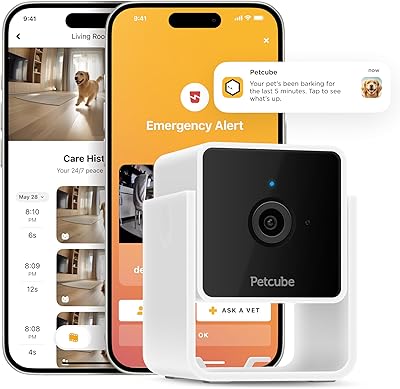
Petcube Cam Indoor Home Security Camera
85%
92%
Video Quality
87%
Night Vision Performance
90%
Ease of Setup
68%
Motion Detection Accuracy
91%
Two-Way Audio Functionality
More
Aqara Security Camera Hub Indoor G2H Pro
84%
91%
Smart Home Integration
87%
Video Quality (1080p HD)
78%
Setup & Installation
92%
Privacy & Data Security
85%
Night Vision Performance
More
SIYZHOP Indoor Home Security Camera C41P-B
82%
88%
Video Quality
91%
Ease of Setup
70%
App Connectivity
84%
Night Vision
75%
Motion Detection
More
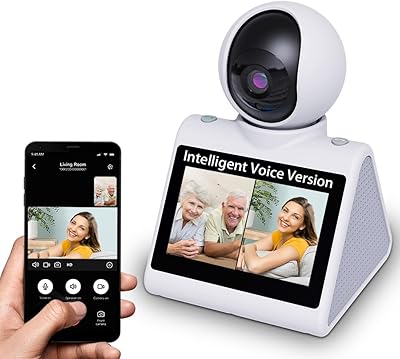
Luna Home Cam v3 2K Indoor Security Camera
83%
89%
Video Quality
88%
Motion Detection
84%
Night Vision Performance
91%
Setup & Installation
78%
App Usability
More
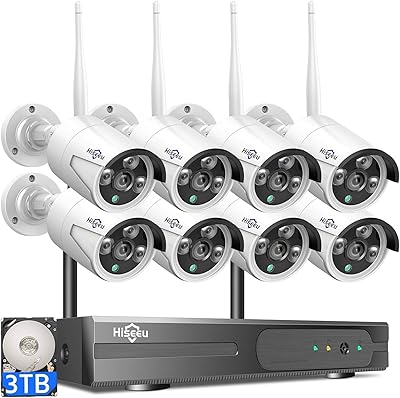
Hiseeu Wireless Pro 4K NVR Security Camera System, 8 Cameras, 3TB Storage
85%
94%
Setup and Installation
88%
Image Quality
92%
Storage Capacity
85%
Motion Detection Accuracy
87%
Night Vision Performance
More
Owltron 5MP Indoor Security Camera
85%
91%
Night Vision Performance
89%
Motion Detection Accuracy
75%
Wi-Fi Connectivity
92%
Ease of Setup
80%
Audio Quality
More
Gaiexce 2K Security Camera Indoor
83%
91%
Video Quality
88%
Motion Detection Accuracy
90%
Night Vision Performance
85%
Ease of Setup
80%
App Functionality
More
kelucimy H1 Indoor Security Camera
85%
91%
Value for Money
88%
Ease of Setup
93%
Video Quality
84%
Motion Detection Accuracy
86%
Night Vision Performance
More
aosu 4MP 360° Indoor Security Camera
76%
83%
Image Quality
78%
Motion Tracking
71%
Night Vision
88%
Setup & Connectivity
74%
One-Touch Call Feature
More

FAQ

No, you can use it without a subscription, but the free tier is fairly limited. You get live viewing and basic motion alerts, but video history beyond a short window and advanced detection features like person or pet identification require the Premium plan. If you are buying this camera, it is worth factoring in the ongoing subscription cost to get the full experience.

Setup is genuinely straightforward. You download the app, plug the camera in, and follow the on-screen steps to connect it to your Wi-Fi. Most users report being up and running in under 10 minutes, and there is no drilling or wiring involved.

Yes, and it works well for that purpose. The live view, two-way audio, and the climate sensor — which tracks room temperature and humidity — make it a functional baby monitor. Just keep in mind it is not a dedicated baby monitor, so it lacks some specialist features like sleep tracking or lullaby playback.

Yes, it integrates with both Amazon Alexa and Google Assistant. You can ask Alexa to show the live camera feed on a compatible Echo Show display, which is convenient if you are already in that ecosystem.

No, the camera only supports 2.4GHz Wi-Fi. If your router broadcasts both bands under the same network name, you may need to separate them or connect your phone to the 2.4GHz band during setup to avoid connection issues.

At 90-plus decibels, it is genuinely loud — roughly comparable to a motorcycle revving nearby. It is loud enough to be disruptive in a quiet apartment and serves as a real deterrent, not just a soft chime.

Yes, privacy mode handles this cleanly. You can toggle it in the app to disable the camera feed and recording entirely, so you are not being monitored in your own home when you do not want to be.

It gives a useful general read on indoor air conditions and will flag when something is noticeably off, but it is not a precision instrument. Think of it as a helpful early warning feature rather than a replacement for a dedicated air quality monitor.

Yes, and this is a common complaint that most users resolve through the activity zone settings in the app. You can mask specific areas of the frame — like a window where cars pass or a fan that moves — so the camera ignores motion in those zones and focuses only on the areas you actually care about.

That depends on what you need. The core hardware is older, and newer budget cameras have caught up on video quality. Where the Canary Pro still stands out is the combination of a built-in siren, climate sensors, and two-way audio in one unit. If those features matter to you and you are comfortable with the subscription model, it is still a capable choice. If you are purely chasing the best video quality for the lowest price, newer options have closed the gap considerably.

Where to Buy