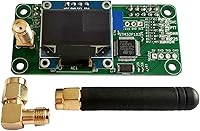
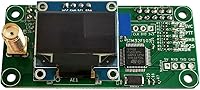
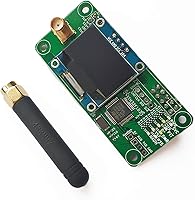
Overview
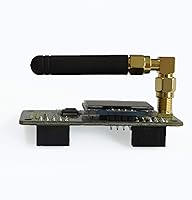
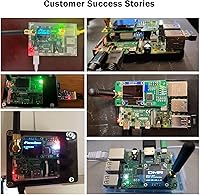
The AURSINC MMDVM Hotspot Board V1.5.2 OLED is a mid-range Raspberry Pi HAT designed for licensed amateur radio operators who want to access digital voice networks without relying on a local repeater. Think of it as a personal bridge between your handheld radio and internet-linked networks like DMR talkgroups or D-STAR reflectors. It works with Pi Zero W, Pi Zero 2W, Pi 3, 3B, 3B+, and Pi 4 — though Pi 4 users need to be aware of a hardware workaround discussed below. Unlike bare boards, this Pi HAT hotspot ships with an antenna and an OLED display included. That said, this is not a plug-and-play device — you will need to flash Pi-Star or WPSD software, and you must hold a valid amateur radio license to operate it legally.
Features & Benefits
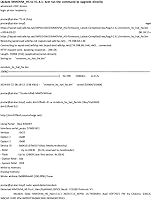
What makes this MMDVM hotspot board stand out is the breadth of protocol support packed into one small HAT. DMR, YSF, P25, D-STAR, NXDN, and POCSAG are all covered — meaning you are not locked into a single digital mode or network. The TCXO oscillator keeps transmission frequency stable, which matters because even minor drift translates directly into a higher bit-error rate and choppy audio. Coverage spans both UHF (420–475 MHz) and VHF (144–148 MHz), with extended frequency ranges unlockable via custom firmware. The OLED display lets you check connection status at a glance without ever opening a browser. Firmware updates run from a single terminal command, keeping maintenance manageable even for less technical operators.
Best For
This Pi HAT hotspot is a strong fit for licensed hams who live outside reliable repeater range and want to join DMR talkgroups or connect to D-STAR and YSF reflectors from home. It also suits Raspberry Pi hobbyists already comfortable flashing OS images and navigating Pi-Star or WPSD configuration menus. If your primary band is UHF, you will get the best results — VHF works, but it is not where this board performs strongest, and a longer antenna helps considerably on that band. The kit format is a genuine plus if you want to avoid sourcing a compatible antenna separately. Absolute beginners with no prior Pi or radio experience should expect a real learning curve before getting on air.
User Feedback
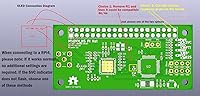
Among buyers who have this MMDVM hotspot board running, DMR and YSF performance draws the most consistent praise — most report clean audio and reliable connections once Pi-Star is properly configured. The recurring sticking point is Pi 4 compatibility: the SVC indicator failing to flash is a known issue, and the fix requires either removing the R1 resistor from the board or trimming the two corner GPIO pins. It is solvable, but the listing could surface this more clearly upfront. The firmware update process earns credit for being straightforward once users locate the correct terminal command. A small number of buyers hit TF card or Wi-Fi issues, resolved by reflashing the OS image. On VHF, the consistent advice is to pair it with a longer antenna.
Pros
- Supports six digital voice modes — DMR, YSF, P25, D-STAR, NXDN, and POCSAG — from one compact board.
- The TCXO oscillator keeps frequency stable, directly reducing audio dropouts and bit errors during transmission.
- Included antenna and OLED display make this a more complete kit than most bare-board alternatives at this price point.
- Compatible with Pi Zero W, Zero 2W, Pi 3, 3B, 3B+, and Pi 4, plus NanoPi NEO and Orange Pi boards.
- Firmware updates run from a single Pi-Star terminal command — no advanced Linux knowledge required.
- The OLED screen displays live connection status at a glance, genuinely useful for monitoring without opening a browser.
- Extended frequency range is unlockable via custom firmware for operators who need access beyond the default bands.
- UHF performance is solid and consistent for most home hotspot use cases.
- BlueDV compatibility offers a Pi-Star alternative for users who prefer a Windows-based workflow.
- Built-in slots for a Bluetooth module and a Nextion display leave practical room for future hardware expansion.
Cons
- Pi 4 users must perform a physical hardware modification — removing the R1 resistor or trimming GPIO pins — before the board will function.
- No OS image or software is included; you must separately flash Pi-Star or WPSD onto a microSD card before use.
- VHF performance is noticeably weaker than UHF, with usable range on that band depending heavily on antenna choice.
- The Raspberry Pi itself is not included, adding meaningful cost for buyers who are starting from scratch.
- The Pi 4 hardware workaround is not prominently documented in the listing, catching many first-time buyers off guard.
- Setup requires comfort with Linux terminal commands and network configuration — a real barrier for operators with no prior Pi experience.
- The OLED must be configured as Type 3 in Pi-Star menus; easy to overlook and causes display issues if missed.
- A minority of users encountered connectivity problems that required a full OS reflash to resolve, with limited upfront guidance provided.
Ratings
Based on analysis of verified buyer reviews worldwide — with spam, incentivized, and bot-generated feedback actively filtered out — the AURSINC MMDVM Hotspot Board V1.5.2 OLED earns strong marks for protocol versatility and UHF signal quality, while revealing genuine weaknesses in setup accessibility and Pi 4 compatibility documentation. These AI-generated scores draw on global purchase data to surface the consistent patterns that emerge across thousands of real buyer experiences. Both what this board does well and where it genuinely frustrates buyers are weighted equally, giving you a transparent foundation for your purchase decision.
Protocol Coverage
UHF Performance
VHF Performance
Frequency Stability
Pi 4 Compatibility
Ease of Setup
Firmware Updates
OLED Display
Build Quality
Included Antenna
Value for Money
SBC Compatibility
Expansion Flexibility
Documentation Quality
Suitable for:
The AURSINC MMDVM Hotspot Board V1.5.2 OLED is built for licensed amateur radio operators who want to participate in digital voice networks — think DMR talkgroups, D-STAR reflectors, or YSF rooms — without depending on a local repeater being within range. If you live in a rural area or a spot where your nearest repeater is unreliable, this Pi HAT hotspot lets you run your own personal gateway at home and reach those networks over an internet connection instead. It works best alongside a Raspberry Pi 3, 3B+, or Pi Zero 2W running Pi-Star or WPSD, and the included antenna means you can get started without hunting down extra parts. Operators who primarily work UHF frequencies will get the most consistent results out of this board. It is also a reasonable choice for Raspberry Pi hobbyists who are already comfortable flashing OS images and navigating Linux-based configuration menus, and who want multi-mode digital radio capability without paying for a more expensive commercial hotspot unit.
Not suitable for:
The AURSINC MMDVM Hotspot Board V1.5.2 OLED is a poor fit for anyone expecting a plug-and-play experience — getting it operational requires flashing a Linux-based OS image onto a microSD card, working through Pi-Star or WPSD configuration, and troubleshooting if something does not connect, which can realistically take several hours for a first-timer. If you do not hold a valid amateur radio license, you cannot legally transmit on the frequencies this board uses in most countries, so it is genuinely not a purchase for unlicensed hobbyists. Pi 4 users specifically need to know before buying that a small physical modification — removing the R1 resistor or trimming two corner GPIO pins — is required for the board to function correctly on that platform. If VHF is your primary operating band, this board is also not your strongest option; real-world performance on VHF is limited and noticeably dependent on antenna selection. Anyone without a Raspberry Pi already on hand should factor in that additional cost, since no single-board computer is included in the kit.
Specifications
- Firmware Version: The board ships with firmware V1.5.2, which can be updated via a single Pi-Star terminal command without any disassembly.
- Supported Protocols: Six digital voice protocols are supported on a single board: DMR, YSF (Yaesu System Fusion), P25, D-STAR, NXDN, and POCSAG.
- UHF Frequency: The UHF operating range covers 420–475 MHz, the band on which this board performs most consistently in real-world use.
- VHF Frequency: VHF operation covers 144–148 MHz, though this band is functional rather than optimized and benefits from a longer antenna for reliable range.
- Extended Range: An extended frequency range of 842–950 MHz is achievable via the ADF7021 chip and TCXO combination using custom firmware.
- Oscillator: A high-quality TCXO (Temperature Compensated Crystal Oscillator) provides frequency stability and minimizes bit-error rates during digital voice transmission.
- Display: An OLED status display is built into the board and must be configured as Type 3 in the Pi-Star settings menu to function correctly.
- Compatible SBCs: Supported single-board computers include Raspberry Pi Zero W, Zero 2W, 3, 3B, 3B+, and 4, as well as NanoPi NEO and Orange Pi.
- Included Antenna: An antenna matched to the board's operating frequencies is included in the kit, removing the need to source one separately.
- Connectivity: The board attaches to the host Raspberry Pi via a GPIO header in a standard HAT form factor, with an optional slot reserved for a Bluetooth module.
- Operating System: A Linux-based OS image — either Pi-Star or WPSD — must be flashed onto a microSD card before the board can be configured or operated.
- Dimensions: The board measures 3.94 x 2.76 x 1.18 inches, consistent with the standard Raspberry Pi HAT footprint.
- Weight: The board weighs 1.76 oz, which is within the typical weight range for a Raspberry Pi HAT of this size.
- Processor: All processing is handled by the host Raspberry Pi's Broadcom chip; the hotspot HAT itself does not include an independent onboard processor.
- BlueDV Support: BlueDV software is compatible with this board but requires either a USB-to-TTL adapter or a Bluetooth-equipped model to establish a connection.
- Expansion Headers: A dedicated header for an optional Nextion touchscreen display is reserved on the board, allowing hardware expansion beyond the built-in OLED.
Related Reviews

Vantec NexStar JX 3.5″ HDD Enclosure
DAMGOO TPA3251 440W Bluetooth Stereo Amplifier Board
Syba SY-ENC50122 5-Bay RAID Enclosure

MDacne Benzoyl Peroxide 2.5% Acne Treatment Cream
SABRENT DS-SC5B 5-Bay Hard Drive Docking Station
Alpine R-S65C.2 6.5-Inch Component Car Speakers
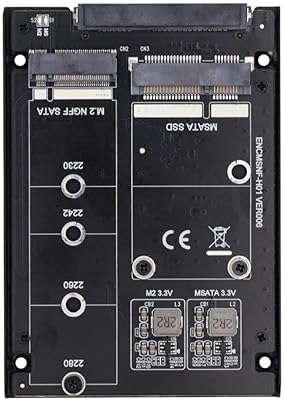
ChenYang CY-SA-060 mSATA M.2 SATA SSD Enclosure
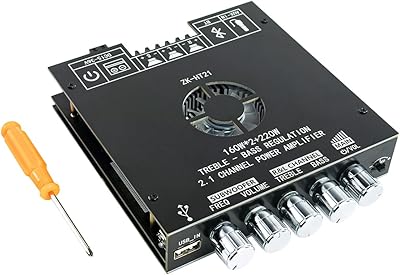
Hosyond TDA7498E 2.1 Channel Bluetooth Amplifier Board 160W×2+220W
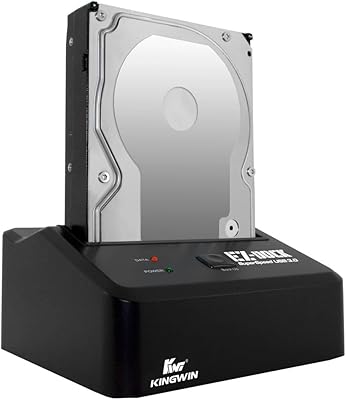
Kingwin EZD-2535U3 Hard Drive Docking Station