Overview

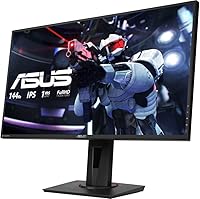
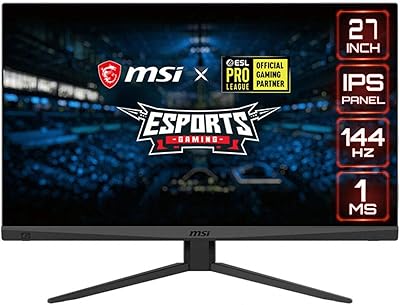
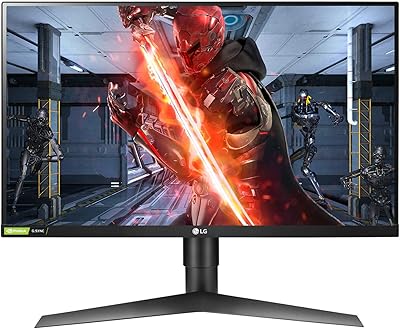
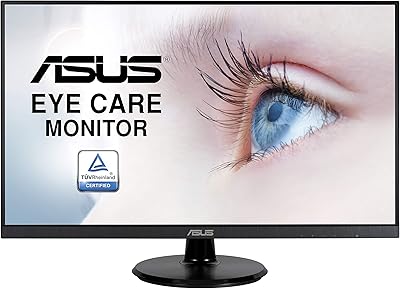
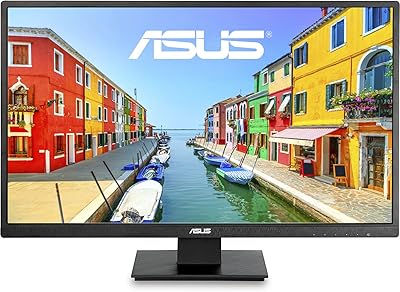
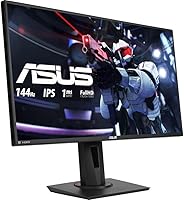
The ASUS VG279Q 27″ Full HD IPS 144Hz Gaming Monitor is a sleek and powerful display designed for gamers who demand smooth, vibrant visuals. With a 27-inch Full HD IPS panel, this monitor offers clear, accurate colors and wide viewing angles. The 144Hz refresh rate paired with 1ms MPRT ensures fluid motion, making it ideal for fast-paced gaming. Thanks to FreeSync and Adaptive Sync technologies, users can enjoy a tear-free gaming experience, while the integrated Eye Care technology helps reduce eye strain during extended sessions. This monitor is built to deliver both performance and comfort.
Features & Benefits

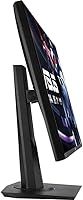
This 27-inch IPS monitor offers a rapid 1ms response time, making it perfect for competitive gaming where every millisecond counts. The 144Hz refresh rate guarantees smooth gameplay, reducing stutter and motion blur. Additionally, the monitor features a wide color gamut for vibrant, lifelike visuals, and the ergonomic stand allows for full height, tilt, swivel, and pivot adjustments to ensure comfort during long gaming sessions. With Shadow Boost, the monitor enhances dark scenes without overexposing bright areas, allowing gamers to spot enemies lurking in the shadows.

Best For

The ASUS VG279Q is best suited for gamers who prioritize high-performance displays for smooth, responsive gameplay. Its low response time and high refresh rate make it an excellent choice for competitive players looking to gain an edge. Additionally, the monitor’s ergonomic design makes it ideal for users who need to play for long periods without discomfort. Those who enjoy immersive visuals will also appreciate the vibrant color reproduction and the ability to adjust the screen for personalized comfort.

User Feedback

Many users praise this monitor for its vivid colors and impressive performance, particularly in fast-paced games. The 144Hz refresh rate and 1ms response time are frequently mentioned as game-changers, providing an exceptionally smooth experience. However, some users note that the lack of built-in speakers can be inconvenient, requiring external speakers or headphones. On a positive note, the ergonomic adjustments have received high marks, with users enjoying the flexibility to customize the viewing angle for maximum comfort during extended play.

Pros

  • The 144Hz refresh rate and 1ms MPRT provide smooth, responsive gameplay, making it ideal for fast-paced gaming.
  • Its IPS panel delivers vibrant and accurate colors, perfect for both gaming and content creation.
  • The ergonomic stand is fully adjustable, offering comfort for long gaming sessions.
  • FreeSync and Adaptive Sync technology ensure a tear-free gaming experience, even during intense moments.
  • Eye Care technology reduces strain, making it easier to game for hours without discomfort.
  • Setup is quick and easy, with multiple connectivity options, including HDMI, DisplayPort, and DVI.

Cons

  • The monitor lacks built-in speakers, requiring users to invest in external audio equipment.
  • Some users find the glossy screen surface reflective, which can be distracting in bright environments.
  • The 1080p resolution might not satisfy users looking for higher pixel density for professional content creation.
  • It may not be the best choice for users who need USB-C connectivity for modern devices.
  • The lightweight build feels less durable compared to more premium monitors.
  • The monitor's design might not appeal to those who prefer a more minimalist or premium look.

Ratings

After analyzing verified user reviews from multiple platforms and languages, we've gathered comprehensive insights into the ASUS VG279Q 27″ Full HD IPS 144Hz Gaming Monitor. Reviews were filtered to exclude spam, incentivized, or low-quality feedback, ensuring that only authentic user experiences informed our scores. Both strengths and pain points are reflected in the following ratings, giving you a balanced view of this monitor's overall performance, design, and value across various user experiences worldwide.

Display Quality
93%
Many users praise the vivid and accurate colors of this 27-inch IPS monitor, which makes it a great choice for both gaming and media consumption. The color accuracy is especially appreciated by those who use the monitor for creative tasks like photo editing or video watching, making it versatile for both work and play.
Some users have pointed out that the glossy screen surface can cause glare, especially in bright rooms, which may interfere with visibility in certain lighting conditions. Additionally, while the display is excellent for most tasks, a few users feel that the contrast could be improved, especially in darker scenes.
Gaming Performance
92%
With a 144Hz refresh rate and 1ms response time, this monitor delivers a smooth and responsive gaming experience, especially in fast-paced games. Gamers rave about the motion clarity and minimal ghosting, making it a solid choice for competitive gaming. The FreeSync/Adaptive Sync features also ensure a tear-free experience during gameplay.
A few users have mentioned that while the gaming performance is strong, it may not be as optimal for very high-end gaming setups with ultra-fast frame rates. Some also feel that the 1080p resolution might be limiting for gamers looking for sharper visuals, especially on larger screens or for 4K gaming.
Ergonomics & Adjustability
88%
The fully adjustable stand offers a high level of customization, making it easy to find a comfortable viewing angle. Many users appreciate the tilt, swivel, pivot, and height adjustments, which help reduce neck strain during long gaming sessions. The ergonomic design is especially beneficial for users who spend hours at their desk.
While the adjustability is generally praised, some buyers mention that the stand's build feels a bit flimsy compared to other monitors in this price range. Additionally, a few users have noted that it can be a bit challenging to make precise adjustments without the stand wobbling slightly.
Eye Care Features
89%
Many reviewers highlight the Eye Care technology as a standout feature, especially for those who game or work for extended hours. The low blue light and flicker-free display help reduce eye strain, making it easier to use the monitor for long periods without discomfort. This is a key selling point for users who prioritize comfort during extended screen time.
Some users feel that the Eye Care technology might not be enough for those who are particularly sensitive to prolonged screen use. A few mention that while the feature helps, it's not a complete solution for preventing eye fatigue, especially during very long gaming sessions.
Build Quality
87%
The build quality of this monitor is solid for its price point, with a sleek design and thin bezels that give it a modern look. Many users are satisfied with the durability and sturdiness of the frame, especially considering its affordability in comparison to higher-end gaming monitors.
However, some users have pointed out that the overall build feels somewhat lightweight, with the plastic materials not feeling as premium as those found in more expensive models. A few reviewers also mentioned that the base of the stand could use more stability for a more secure feel.
Color Accuracy
91%
This monitor offers a wide color gamut thanks to its IPS technology, providing bright and accurate colors that are ideal for gaming and content creation. Many users appreciate the rich color reproduction, which enhances the visual experience, particularly when watching videos or playing visually immersive games.
Some users note that while the color accuracy is generally impressive, it may not be as precise as higher-end monitors targeted at professional photographers or designers. A few have mentioned slight color shifts at extreme viewing angles, which is typical for some IPS panels but may be a drawback for certain tasks.
Setup & Installation
85%
Setting up this monitor is straightforward, with users appreciating the plug-and-play nature of the installation process. The monitor comes with clear instructions, and many have found it easy to assemble the stand and get started quickly. The VESA compatibility is also a plus for those who want to mount it on a wall or monitor arm.
A few users have reported that the setup process could be a bit smoother, particularly when it comes to adjusting the settings to get the optimal image quality. Some also feel that the on-screen display (OSD) menu could be more intuitive, as navigating through the settings requires multiple steps.
Connectivity
82%
18%
The monitor offers a range of connectivity options, including HDMI, DisplayPort, and DVI, which makes it compatible with a variety of devices. Users appreciate the versatility, especially when connecting to different gaming consoles, PCs, and other media sources.
A few users have mentioned that the lack of USB-C support may be limiting for some modern devices. Additionally, the monitor could benefit from more HDMI ports for users who need to connect multiple devices simultaneously, as some have found the current port configuration to be a bit restrictive.
Value for Money
92%
Given its price point, many users believe that this monitor offers exceptional value, especially with its 144Hz refresh rate and IPS display. The combination of performance, color accuracy, and ergonomic features makes it a great deal for gamers looking for a high-quality display without breaking the bank.
A few users have expressed that while the monitor is a great value for most, it may still be a bit overpriced compared to other monitors with similar specs in the budget range. Some feel that certain premium features could be improved, but they acknowledge the overall strong performance for the price.
Customer Support
75%
25%
While not widely mentioned, a few users have praised the customer support for its responsiveness and helpfulness when addressing technical issues or setup questions. Some have found ASUS's online resources, including FAQs and troubleshooting guides, to be beneficial.
However, several users have reported mixed experiences with ASUS's customer support, mentioning slow response times and difficulty in getting issues resolved promptly. A few have expressed frustration with the lack of support for hardware defects, leading to negative experiences with warranty claims.
Performance in Dark Scenes
87%
The Shadow Boost feature is often highlighted by users as an effective tool for improving visibility in dark scenes, making it easier to spot enemies or details in low-light conditions. Many appreciate how this feature enhances the overall gaming experience, especially for action and horror games.
Some users have pointed out that while the Shadow Boost feature is useful, it doesn't completely eliminate issues with dark scene detail in certain games. A few gamers feel that the performance could be better, with occasional issues in more complex or demanding scenes.
Design & Aesthetics
80%
20%
Users generally find the design of this monitor sleek and modern, with minimal bezels that offer a clean and immersive viewing experience. The overall aesthetic is praised for fitting well into both gaming and work setups.
A small number of users have noted that while the design is attractive, the build quality doesn't always match up, with some describing the monitor as feeling somewhat flimsy in comparison to higher-end displays. Additionally, a few have mentioned that the glossy finish could be distracting under certain lighting conditions.
Durability & Long-Term Reliability
78%
22%
Many users report that the monitor performs reliably over time, with no major issues even after extended use. For most, it provides consistent quality, making it a good investment for long-term use in both gaming and general tasks.
However, some users have raised concerns about the durability of the monitor, noting issues with the stand or occasional backlight bleed. While these issues aren't widespread, they may impact long-term satisfaction, especially if users experience them after the warranty period ends.

Suitable for:

The ASUS VG279Q 27″ Full HD IPS 144Hz Gaming Monitor is an excellent choice for gamers who prioritize smooth, responsive performance in fast-paced games. Its 144Hz refresh rate and 1ms MPRT make it ideal for those who play competitive titles or action-packed games where every millisecond counts. Gamers who value visual quality will also appreciate the vibrant colors provided by its IPS panel, making this monitor suitable for gaming as well as content creation, such as photo or video editing. Additionally, the ergonomic stand with full adjustability caters to long gaming sessions, ensuring comfort and reducing neck strain. Whether you're a casual gamer, a competitive eSports player, or someone who spends long hours at the desk, this device will support a wide range of needs with ease.
Not suitable for:

While this monitor performs well in many scenarios, it may not be the best fit for users seeking ultra-high resolution or larger screens. With its 1080p resolution, the ASUS VG279Q may feel limiting for those looking for sharper visuals or the pixel density offered by 4K monitors. Users who prioritize built-in speakers will also find this monitor lacking, as it does not feature integrated sound, requiring an external speaker setup. Additionally, people who need USB-C connectivity or a wider variety of HDMI ports for simultaneous device connections may find its options too restrictive. Finally, those sensitive to glare or those who need a more premium build may not be fully satisfied with its glossy screen surface or lightweight construction.

Specifications

  • Display Size: 27 inches of screen real estate for a large, immersive gaming experience.
  • Resolution: 1920 x 1080 Full HD resolution for sharp, clear visuals.
  • Display Technology: IPS panel technology offers wide viewing angles and vibrant color reproduction.
  • Refresh Rate: 144Hz refresh rate provides smooth gameplay with minimal motion blur.
  • Response Time: 1ms MPRT (Motion Picture Response Time) reduces ghosting and motion blur in fast-paced games.
  • FreeSync/Adaptive Sync: Supports FreeSync and Adaptive Sync for a tear-free, smooth gaming experience.
  • Eye Care Technology: Reduces blue light and screen flicker to help minimize eye strain during extended use.
  • Adjustable Stand: Full ergonomic adjustability with height, tilt, swivel, and pivot options for customized comfort.
  • Connectivity: Multiple input options, including HDMI, DisplayPort, and DVI for easy connection to various devices.
  • VESA Compatibility: Supports VESA mounting for wall-mounting or alternative mounting setups.
  • Screen Surface: Glossy screen surface enhances color contrast and brightness, but may cause reflections in bright rooms.
  • Shadow Boost: Shadow Boost technology enhances dark scene visibility without overexposing bright areas.
  • Power Consumption: Low power consumption with energy-efficient features to reduce electricity use.
  • Warranty: Comes with a standard warranty to protect against manufacturing defects.
  • Weight: Weighs approximately 5.4 kg (11.9 lbs) with stand, offering stability while remaining portable.
  • Aspect Ratio: 16:9 aspect ratio ideal for widescreen gaming and video playback.
  • Color Gamut: Wide color gamut for accurate color reproduction, particularly beneficial for gaming and content creation.
  • Screen Curvature: Flat screen for a more traditional viewing experience without added curvature.
  • Audio: No built-in speakers, requiring external audio solutions for sound output.

FAQ

This monitor features a 144Hz refresh rate and 1ms MPRT, ensuring smooth, responsive gameplay with minimal motion blur, which is crucial for fast-paced games. Additionally, its IPS panel offers vibrant color accuracy, making it ideal for gamers who also appreciate high-quality visuals.

Yes, the ASUS VG279Q supports both FreeSync and Adaptive Sync technology, which reduces screen tearing and stuttering during gaming. This is especially useful if you're using an AMD graphics card, but it can also improve the experience with other GPUs.

Yes, this monitor has an ergonomic stand with full adjustability. You can adjust its height, tilt, swivel, and pivot to suit your preferred viewing position, making it comfortable for long gaming sessions.

Setting up this monitor is straightforward. It comes with all necessary cables, and the assembly process is quick, as the stand easily attaches without tools. You can also wall-mount it using the VESA compatibility for a cleaner setup.

No, this monitor does not come with built-in speakers. Users will need to use external speakers or headphones for audio output, which could be a downside for those seeking an all-in-one solution.

With its 144Hz refresh rate and 1ms MPRT, this monitor excels in providing fluid motion and minimal lag, making it an excellent choice for competitive gamers. The combination of FreeSync and its fast response time ensures a seamless experience in fast-action games.

The IPS panel on this monitor offers a wider color gamut, resulting in vibrant and accurate colors with better viewing angles compared to TN or VA panels. This makes it a great choice not only for gaming but also for content creation and media consumption.

Yes, the color accuracy of the IPS display makes it a solid choice for tasks that require detailed color work, such as photo editing or graphic design. Its large screen size and Full HD resolution also provide ample screen real estate for multitasking.

Yes, the ASUS VG279Q features Eye Care technology that reduces flickering and blue light emission, helping to minimize eye strain. This is particularly useful during extended gaming sessions or when working for long hours in front of the screen.

Some users have noted that the glossy screen surface can be reflective in bright rooms, which may affect viewing in certain lighting conditions. Additionally, the lack of built-in speakers may be inconvenient for some users who prefer a simple setup.