Overview

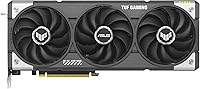
The ASUS TUF RX 9060 XT 16GB GPU lands in mid-2025 as AMD's answer to anyone tired of paying flagship prices for mainstream performance. The RX 9060 XT slots in as a serious 1080p and 1440p option, and the 16GB of GDDR6 memory is genuinely unusual at this price tier — most competing cards, including the RTX 4060 Ti, ship with half that. That extra headroom matters as textures get heavier and games begin demanding more VRAM. The ASUS TUF line has always prioritized longevity over record-breaking overclocks, and that focus carries through here. This is a solid all-rounder, not a 4K powerhouse, so go in with clear expectations and you won't be disappointed.

Features & Benefits

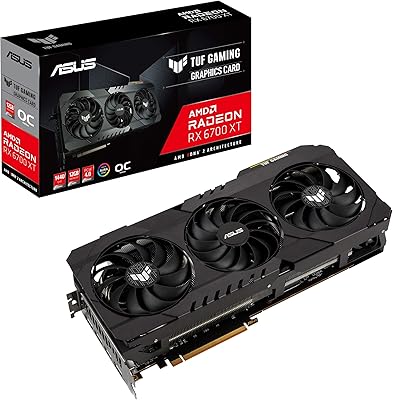
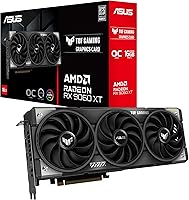
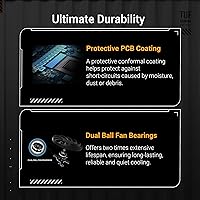
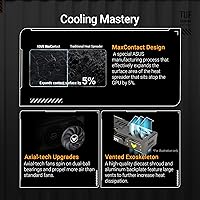
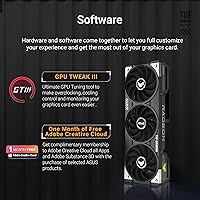
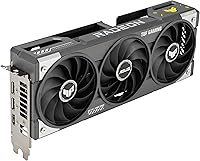
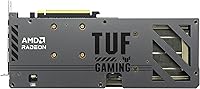
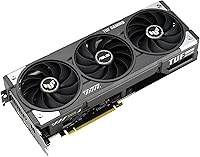
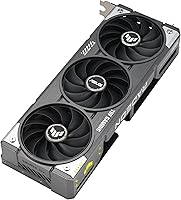
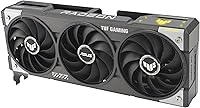
ASUS fits this TUF graphics card with three Axial-Tech fans, each running on dual ball bearings rather than sleeve bearings. That distinction matters more than it sounds — ball bearings last significantly longer under continuous spinning, which is exactly what happens during extended gaming or rendering sessions. The card also benefits from a conformal PCB coating that seals the board against moisture and dust, making it a practical choice if you game in a humid room or a dusty environment. A metal exoskeleton and GPU Guard bracket keep the card from sagging under its own weight — a real problem with heavier cards over time. GPU Tweak III lets you dial in custom fan curves and monitor temps without needing third-party tools.

Best For

The RX 9060 XT is genuinely well-matched for 1080p and 1440p gaming, with enough headroom to run demanding titles on high or ultra settings without constantly hitting memory limits. Anyone still running a card from the 2018–2021 era will find the jump here substantial — faster architecture, far more VRAM, and noticeably better efficiency. Content creators who rely on GPU-accelerated encoding or AI-based upscaling tools get a capable workhorse without having to spend flagship money. The 2.5-slot footprint keeps this card compatible with most standard mid-tower cases. That said, native 4K gaming at max settings is a stretch, and if ray tracing is central to your experience, temper expectations accordingly.

User Feedback

With a 4.6-star average across 326 ratings for a card that only launched in June 2025, ASUS's mid-range AMD GPU has gotten off to a strong start. Buyers consistently highlight quiet operation and lower-than-expected temperatures under sustained load as the biggest wins. The build quality gets praised too — unboxing impressions are universally positive. On the critical side, a few users note that AMD's drivers for the newer RDNA 4 architecture are still maturing, and GPU Tweak III has a learning curve if you're coming from simpler software ecosystems. Some Nvidia converts mention the switch required adjustment, though most landed on positive long-term satisfaction. Given the relatively modest review count, it's worth checking back as the install base grows.

Pros

  • Sixteen gigabytes of GDDR6 VRAM is genuinely rare at this price point and future-proofs you against texture-heavy modern titles.
  • Thermals stay impressively controlled under sustained load, with temperatures that rarely cause concern during long gaming sessions.
  • Triple Axial-Tech fans with dual ball bearings run quietly and are built to outlast cheaper sleeve-bearing alternatives.
  • The metal exoskeleton and GPU Guard bracket prevent sag and add real structural protection during installation or transport.
  • Conformal PCB coating offers genuine peace of mind for gamers in humid or dusty environments.
  • GPU Tweak III gives you solid fan curve and monitoring controls without requiring third-party software.
  • DisplayPort 2.1a and HDMI 2.1b outputs keep the card compatible with high-refresh 4K monitors for years ahead.
  • Buyers upgrading from 2018–2021 cards report a meaningful and immediately noticeable performance jump.
  • The 2.5-slot design fits comfortably in most standard mid-tower cases without clearance headaches.
  • A 4.6-star average across hundreds of reviews points to strong overall satisfaction for the price paid.

Cons

  • RDNA 4 driver support is still maturing, meaning some titles may show instability or reduced optimization in early 2025 releases.
  • Ray tracing performance lags behind Nvidia alternatives at a similar price, making it a weak pick for RT-heavy titles.
  • GPU Tweak III has a noticeable learning curve for users coming from simpler or more established software tools.
  • Native 4K gaming at ultra settings is a stretch — this card is not built to compete at that tier.
  • The card's 12-inch length can cause clearance problems in compact or micro-ATX cases with front-mounted storage bays.
  • Review volume is still moderate given the June 2025 launch date, so long-term reliability data remains limited.
  • Gamers switching from Nvidia may face an adjustment period adapting to AMD's ecosystem and driver workflow.
  • AMD's FSR upscaling still trails Nvidia's DLSS 3 in perceived image quality, which matters for users who rely heavily on upscaling technologies.

Ratings

Our AI-generated scores for the ASUS TUF RX 9060 XT 16GB GPU are derived from systematic analysis of verified worldwide buyer reviews, with automated filtering applied to remove incentivized, duplicate, and low-credibility submissions. The scores reflect genuine consensus drawn from over 326 real-world ratings, capturing what this mid-range AMD card consistently gets right and where it falls short of expectations. Both strengths and honest pain points are surfaced transparently so you can make a confident, well-informed purchase decision.

1080p Gaming
92%
At 1080p, this card handles nearly every modern title at max or near-max settings without issue. Competitive gamers running fast-paced shooters at high refresh rates praised the consistent, stutter-free performance, and even GPU-hungry open-world titles behaved reliably across extended sessions.
The only meaningful gap shows up in extreme cases — running path tracing or heavily modded titles at 1080p can cause occasional dips below the target framerate. A small number of users reported minor stutters in specific titles, though these were typically resolved through subsequent driver updates.
1440p Gaming
84%
Buyers who upgraded specifically for a 1440p monitor found the price-to-performance ratio convincing, with the majority coming away genuinely satisfied. At 1440p on high settings across mainstream AAA titles, the card delivers smooth, reliable framerates that both competitive and casual players consistently found impressive.
At 1440p ultra settings in the most demanding titles — dense open-world games or large-scale simulations — some users reported needing to drop one or two quality presets to maintain their target framerates. It is not a card you push to the absolute ceiling at this resolution and expect rock-solid consistency.
Thermal Management
89%
Temperature management was one of the most frequently praised aspects in verified buyer reviews. Even after two or three hours of uninterrupted gaming or video encoding, the triple-fan setup kept GPU temperatures well within safe operating ranges, giving users genuine confidence during long creative and gaming sessions.
A subset of buyers noted temperatures crept higher in poorly ventilated cases with restricted airflow. Under extreme sustained workloads — extended rendering sessions or prolonged benchmark stress tests — a handful of users observed the fans spinning up more aggressively than they had anticipated.
Noise Level
87%
Quiet operation was one of the most frequently highlighted positives in reviews, with many buyers surprised at how composed the card remained during typical gaming loads. The dual ball-bearing fans maintain notably lower noise than sleeve-bearing alternatives, and several users specifically noted it was quieter than their previous mid-range cards.
At very high sustained loads — prolonged rendering or full-speed benchmarking — the fans audibly ramp up and become noticeable in a quiet room. A minority of users on open-air test benches found the fan behavior during peak workloads more pronounced than they had expected.
Build Quality
91%
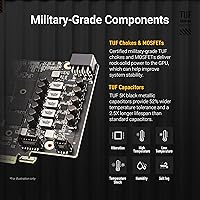
First impressions on unboxing were consistently strong — buyers noted the card feels dense and premium in hand, with no PCB flex and solid fitment throughout. The metal exoskeleton, conformal PCB coating, and military-grade component selection all contribute to a card that genuinely feels engineered for long-term use.
Some users found the card's substantial weight and size made single-handed installation in tight cases slightly awkward. A small number of buyers noted the dark colorway picks up fingerprints and dust more readily than expected, though this is a purely cosmetic observation with no functional consequence.
VRAM Capacity
93%
The 16GB VRAM drew consistent praise from buyers who had previously owned 8GB cards and hit memory limits in texture-heavy titles. Content creators running AI upscaling, video editing, and 3D rendering workloads specifically cited the VRAM headroom as a decisive reason for choosing this card over competing options.
Technically informed buyers noted that raw VRAM capacity alone does not fully compensate for memory bandwidth limitations in certain demanding workloads. The 16GB figure also occasionally led some buyers to overestimate the card's 4K gaming capability, expecting sustained ultra-settings performance that this GPU tier simply cannot maintain.
Ray Tracing
58%
42%
Buyers who use ray tracing selectively — enabling it in titles that implement it well and disabling it in competitive games where framerate matters more — found the experience functional if unspectacular. Casual players running story-driven games with ray tracing enabled at medium-to-high quality settings found the results acceptable.
Buyers who came from Nvidia cards and relied heavily on ray tracing reported a noticeable step down in both visual quality and performance consistency. Running demanding titles with full ray tracing at 1440p frequently required significant quality compromises, and AMD's FSR upscaling still lags behind DLSS 3 in helping close that gap.
Value for Money
86%
Among mid-range cards launched in 2025, this card consistently appears in reviews where buyers express genuine satisfaction with what they received for the price. The combination of 16GB VRAM, solid thermals, and durable ASUS construction gives it a compelling value argument that holds up well against both AMD and Nvidia alternatives.
Some buyers noted the performance advantage over the previous generation is meaningful but not quite enough to justify an immediate upgrade from a solid mid-range card less than three years old. A few users also found comparable performance available at a lower price if VRAM capacity was not their primary deciding factor.
Software Experience
67%
33%
Users who invested time learning GPU Tweak III found it genuinely useful for monitoring temperatures, setting custom fan curves during long rendering sessions, and applying stable overclocking presets without needing third-party tools. Those familiar with ASUS hardware from previous builds adapted to the interface more quickly and appreciated having everything in one integrated utility.
New users coming from Nvidia's GeForce Experience or simpler setups found GPU Tweak III unintuitive at first, with a number defaulting to MSI Afterburner instead. A few users also reported occasional software instability and conflicts when running GPU Tweak III alongside other monitoring applications simultaneously.
Driver Stability
62%
38%
For standard gaming scenarios in well-established titles, drivers performed reliably and the RDNA 4 architecture delivered consistent frame delivery without major issues. Users playing a library of mainstream AAA and indie games reported a generally stable experience, especially after the first round of post-launch patches from AMD.
Early adopters running newer or less-mainstream titles reported driver-related issues including occasional crashes, shader compilation stutters, and frame pacing inconsistencies not yet addressed in available driver releases. The pattern is not unusual for a brand-new GPU architecture, but it is a legitimate concern for buyers who need rock-solid stability from day one.
Connectivity & Outputs
88%
The two DisplayPort 2.1a outputs gave multi-monitor users and 4K display owners future-proof connectivity that most competing cards at this price point do not offer. Buyers upgrading from older cards with DisplayPort 1.4 reported a notable improvement in display compatibility and support for higher refresh rates at higher resolutions.
A vocal minority of buyers — particularly users with newer displays requiring USB-C video input — noted the absence of a USB-C output as a meaningful limitation. With only three total output ports, users running quad-monitor setups found the connectivity restrictive without adding a display adapter or secondary card.
Physical Design
83%
The black metal exoskeleton and clean industrial aesthetic earned consistent praise from builders who favor understated designs over flashy RGB lighting setups. Several users noted the GPU Guard bracket and overall construction added a premium feel they did not expect from a mid-range card — it looks and feels like it belongs in a higher-tier build.
Buyers who prioritize RGB aesthetics will find this card deliberately minimal on lighting, with no addressable RGB zones — a TUF design choice that not everyone appreciates. The near 12-inch card length and 2.5-slot footprint also drew complaints from users who discovered clearance issues in their chosen cases only after purchasing.
Installation Ease
79%
21%
Most buyers reported a straightforward installation, with the GPU Guard bracket and solid visual alignment making PCIe slot seating confidence-inspiring even for first-time builders. The card's structural rigidity meant it did not flex during the process, which users familiar with cheaper, flimsier mid-range cards found reassuring.
Several users in compact cases discovered the nearly 12-inch card length caused conflicts with front-mounted fans, HDD cages, or cable management brackets — requiring case modifications before the card would fit. A minority also noted the card's weight made solo installation more physically challenging than expected.
Long-term Durability
85%
Early buyers running the card for several months post-launch reported no thermal degradation or performance loss, lending credibility to ASUS's durability-focused engineering approach. The Auto-Extreme manufacturing process and military-grade capacitors appear to translate into real-world stability, with no widespread reports of component failure or premature fan degradation in verified reviews.
Because the card launched in June 2025, long-term durability data is limited to only a few months of real-world use, making confident multi-year conclusions difficult to draw. A few isolated reports of increasing fan noise after extended use exist, though at too low a frequency to suggest any systemic reliability concern.
Overclocking Headroom
69%
31%
Users who applied ASUS's bundled overclocking presets in GPU Tweak III reported modest but measurable performance gains with no stability issues, suggesting the card left some conservative factory headroom. Enthusiasts comfortable with manual tuning found the power limit and core clock adjustments sufficient for casual overclocking without sacrificing stability.
Dedicated overclockers comparing this card to the ROG Strix variant found the TUF's tuning ceiling meaningfully lower, with a tighter power limit restricting how far clocks could be pushed. Users expecting ROG-level overclocking potential from a TUF-tier card came away disappointed, as this line is engineered for stable operation rather than maximum performance extraction.

Suitable for:

The ASUS TUF RX 9060 XT 16GB GPU is a strong pick for PC builders who want confident 1080p and 1440p performance without committing to top-tier pricing. Competitive gamers running titles like Valorant, CS2, or Call of Duty will have plenty of headroom to push high refresh rates, while those playing demanding open-world games will appreciate the 16GB VRAM buffer keeping textures smooth and stutter-free. Anyone still on a card from 2018 to 2021 — a GTX 1070, RX 5700, or similar — will find the jump to this TUF graphics card genuinely transformative in both performance and power efficiency. Content creators doing video encoding, AI-based upscaling, or light 3D rendering will also get real value from the generous VRAM without needing to spend flagship-tier money. The 2.5-slot form factor and thoughtful anti-sag hardware make it a practical fit for most standard mid-tower builds, and the conformal PCB coating makes it a better-than-average choice for anyone gaming in a humid or dusty environment.

Not suitable for:

The ASUS TUF RX 9060 XT 16GB GPU is not the right card if your primary goal is playing games at native 4K resolution with maximum settings across the board. Ray tracing performance on the RX 9060 XT is decent for a mid-range card but falls noticeably short of what higher-tier Nvidia options deliver, so if ray-traced lighting is a non-negotiable part of your gaming experience, you will want to budget higher. Early adopters should also be aware that RDNA 4 driver support is still maturing as of mid-2025, which can mean occasional rough edges in titles not yet fully optimized for the new architecture. Dedicated streamers or video professionals who need the absolute best upscaling quality should note that AMD's FSR still trails Nvidia's DLSS 3 in certain scenarios. Finally, anyone building in a very compact enclosure should measure carefully, as the nearly 12-inch card length can be a real constraint in tighter cases.

Specifications

  • GPU Chip: Powered by AMD's Radeon RX 9060 XT, a mid-range graphics processor built on the RDNA 4 architecture and released in mid-2025.
  • VRAM: Equipped with 16GB of GDDR6 video memory, providing substantial headroom for high-resolution textures and GPU-accelerated workloads.
  • Memory Speed: The GDDR6 memory operates at 2800 MHz, enabling fast data throughput to support demanding gaming and content creation tasks.
  • Cooling System: Three Axial-Tech fans draw airflow through a large fin array to efficiently dissipate heat from the GPU core and VRAM under sustained load.
  • Fan Bearings: Each fan uses dual ball bearings rather than sleeve bearings, delivering a longer operational lifespan and more consistent noise levels over time.
  • Slot Width: The card occupies 2.5 PCIe expansion slots, fitting the majority of standard ATX and mid-tower cases without blocking adjacent motherboard slots.
  • Card Length: At 11.97 inches (approximately 304mm) in length, the card requires adequate clearance inside the chassis before installation.
  • Card Weight: Weighing 2.07 pounds, the card's integrated GPU Guard bracket and metal exoskeleton help distribute load and reduce PCIe slot stress over time.
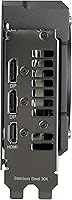
  • Video Outputs: Connectivity includes two DisplayPort 2.1a ports and one HDMI 2.1b port, supporting up to three simultaneous display connections.
  • Max Resolution: Capable of outputting up to 7680x4320 (8K) resolution, though optimal gaming performance is best realized at 1080p and 1440p.
  • PCB Coating: A conformal coating applied to the printed circuit board resists moisture and dust ingress, offering added protection in humid or high-dust environments.
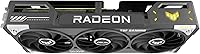
  • Structural Build: A full metal exoskeleton reinforces the card's outer frame, while an integrated GPU Guard bracket prevents physical sag during long-term installation.
  • Manufacturing: Built using ASUS's Auto-Extreme automated soldering process, which applies precision assembly in a controlled environment to reduce component defect rates.
  • Software: Compatible with GPU Tweak III, ASUS's proprietary utility for fan curve customization, real-time performance monitoring, and overclocking preset management.
  • GPU Series: Part of the ASUS TUF Gaming lineup, a product family centered on component durability, thermal stability, and extended operational lifespan rather than aggressive factory overclocks.
  • Release Date: First made available in June 2025, positioning it among the earlier consumer cards built on AMD's latest mid-range RDNA 4 GPU silicon.

Related Reviews
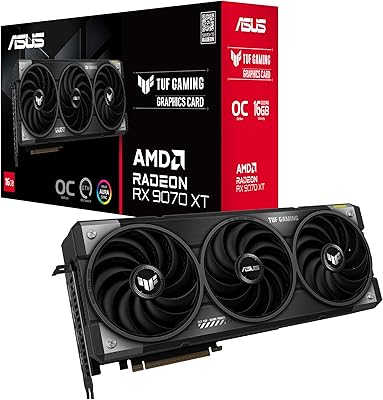
ASUS TUF RX 9070 XT Graphics Card
82%
91%
Gaming Performance
88%
Thermal Management
93%
Build Quality
79%
Noise Levels
62%
Case Compatibility
More
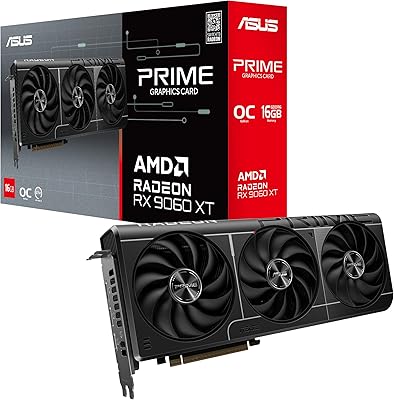
ASUS RX 9060 XT 16GB Graphics Card
82%
91%
1440p Gaming Performance
94%
VRAM Capacity
89%
Thermal Performance
88%
Noise Levels
93%
Build Quality
More
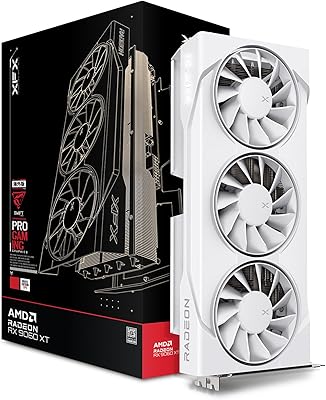
XFX RX 9060 XT 16GB
XFX RX 9060 XT 16GB
87%
94%
Gaming Performance
91%
4K Resolution Handling
88%
Cooling Efficiency
85%
Noise Levels
96%
Memory Capacity
More
ASUS TUF RX 6700 XT Graphics Card
76%
88%
1440p Gaming Performance
91%
Thermal Management
93%
Build Quality
84%
Fan Noise
67%
Driver Stability
More
PowerColor RX 7800 XT 16GB Graphics Card
77%
84%
Gaming Performance
93%
VRAM Capacity
76%
Value for Money
81%
Thermal Management
57%
Ray Tracing Performance
More
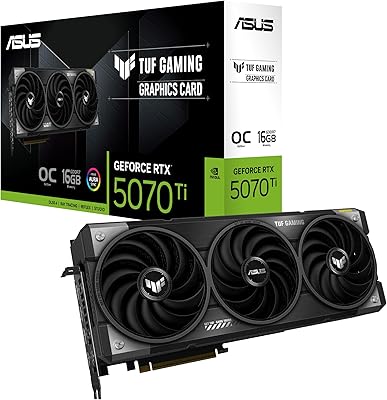
ASUS TUF RTX 5070 Ti Graphics Card
82%
93%
Thermal Performance
88%
Noise Levels
91%
Gaming Performance
94%
Build Quality
61%
Case Compatibility
More
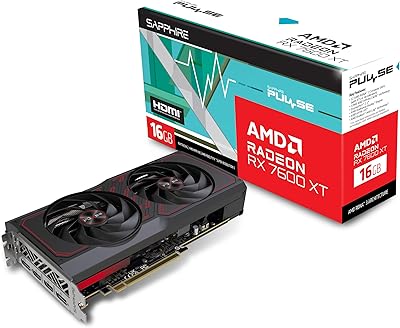
Sapphire Pulse RX 7600 XT 16GB GPU
78%
88%
1080p Gaming Performance
71%
1440p Gaming Performance
91%
VRAM Capacity
58%
Memory Bandwidth
89%
Thermal Performance
More
AMD Radeon RX 6950 XT Graphics Card
72%
92%
4K Gaming Performance
94%
VRAM Capacity & Bandwidth
51%
Power Consumption
48%
Physical Size & Case Fit
67%
Driver Stability
More
PowerColor Reaper RX 9070 XT 16GB
81%
93%
Gaming Performance at 1440p
88%
Value for Money
71%
Thermal Performance
67%
Noise Levels
84%
Build Quality & Physical Design
More
PowerColor Red Devil RX 6900 XT Graphics Card
78%
91%
Gaming Performance
89%
Thermal Management
84%
Noise Level
88%
Build Quality
93%
VRAM & Memory
More

FAQ

It handles both comfortably. At 1080p you will have plenty of headroom to max out most titles, and at 1440p it delivers smooth framerates across the majority of modern games on high settings. Where it shows its mid-range limits is at 1440p ultra settings in the most demanding titles — you may need to dial back a setting or two to stay consistently above 60fps. For competitive or moderately demanding games at 1440p, it is a strong and capable performer.

It can output a 4K signal, but playing the latest demanding titles at native 4K on ultra settings will push it well beyond its comfort zone. You will get playable framerates at 4K on medium settings or in less graphics-intensive games, but if native 4K ultra is your primary target, a higher-tier card is the smarter investment. For 4K media playback or lighter titles, it handles the resolution without issue.

Most owners describe it as impressively quiet for the performance it delivers. The three Axial-Tech fans with dual ball bearings are engineered for both longevity and low noise, and real-world feedback consistently backs that up. At very high sustained loads the fans do spin up audibly, but even then the card does not become disruptively loud compared to similarly priced alternatives.

This is a fair and honest question. The RX 9060 XT runs on AMD's RDNA 4 architecture, which was relatively new as of mid-2025, and some early buyers reported occasional driver-related rough edges in specific titles during the first few months after launch. AMD has a solid track record of resolving these issues through regular updates, but if you want a completely polished driver experience on day one, that is a caveat worth knowing going in. Monitoring AMD's release notes before major updates is a sensible habit with any newly launched GPU architecture.

It is genuinely useful and increasingly relevant. Several recent AAA titles already push past 8GB of VRAM at high or ultra texture settings, and that trend is accelerating as game engines grow more demanding. Having 16GB means you are unlikely to hit a VRAM ceiling for the foreseeable future — a problem that buyers of 8GB cards from 2020 to 2022 are now running into in certain titles. At this price tier, it is a standout and practically meaningful spec.

The ASUS TUF RX 9060 XT 16GB GPU generally trades blows with the RTX 4060 Ti in rasterization performance at 1080p and 1440p, with its 16GB VRAM giving it a meaningful edge over the 8GB version of the 4060 Ti. Where the 4060 Ti pulls ahead is in ray tracing performance and Nvidia's DLSS 3 upscaling quality, which still outpaces AMD's FSR in many scenarios. If ray tracing and DLSS are not central to how you game, the RX 9060 XT is a competitive and frequently better-value alternative.

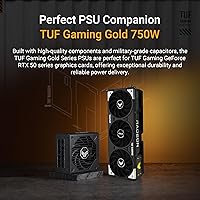
For most standard gaming builds, a good-quality 650W PSU provides sufficient headroom for this card. If your system includes a high-end CPU or multiple storage drives and peripherals, stepping up to a 750W unit gives you a comfortable buffer. Always factor in your full system power draw rather than the GPU alone, and check ASUS's official product page for the exact recommended PSU specification for this model.

In most standard mid-tower cases, yes. The card is 11.97 inches (approximately 304mm) long and occupies 2.5 expansion slots in width, which sits within the clearance of the vast majority of mid-tower and full-tower enclosures. The one situation to watch for is compact micro-ATX builds or cases with front-mounted storage bays that reduce available GPU length — check your case's maximum GPU length specification before ordering to be sure.

Yes. The card has two DisplayPort 2.1a outputs and one HDMI 2.1b output, which gives you three physical connections for simultaneous multi-monitor use. DisplayPort 2.1a is also ready for high-refresh-rate 4K displays, so your connectivity options hold up well for future monitor upgrades without needing to replace the card.

GPU Tweak III is ASUS's companion software for managing the card — it lets you set custom fan curves, monitor GPU temperature and utilization in real time, apply overclocking presets, and adjust power limits. You do not need it for the card to function; Windows will handle driver installation through the standard AMD package, and third-party tools like MSI Afterburner work with this card as well. GPU Tweak III is optional but most useful if you want tighter hardware-level control integrated directly with ASUS's own ecosystem, though it does carry a slight learning curve for first-time users.

Where to Buy

SHI International
In stock $790.00
DirectDial
In stock $670.00