Overview

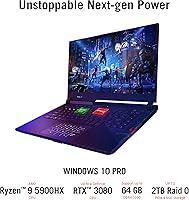
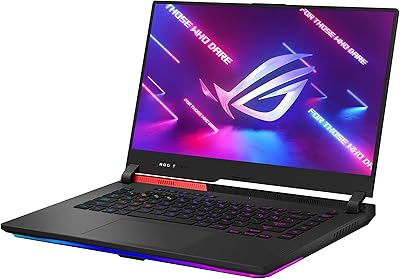
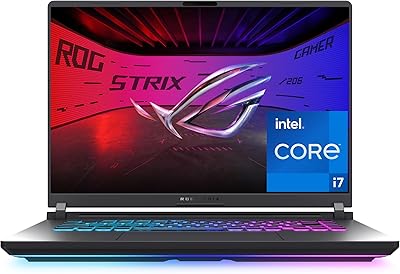
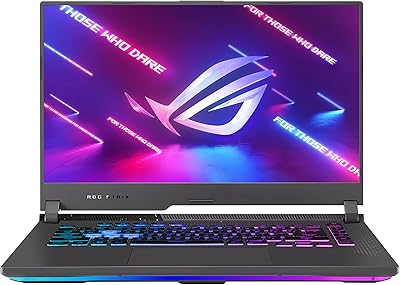
The ASUS ROG Strix Scar 15 Gaming Laptop sits at the top of what a portable gaming machine can realistically offer — combining AMD's Ryzen 9 5900HX with an RTX 3080 in the same chassis is still a rare feat in this category. The Scar 15 doesn't pretend to be anything other than a performance-first machine. A 300Hz IPS display sharpens that focus further, making it clearly aimed at gamers who live and die by frame rates. The build is solid and distinctly ROG in character. One thing to be upfront about: battery life sits around two hours under normal use, which is the trade-off you accept for this level of hardware.

Features & Benefits

The RTX 3080 here isn't just a badge — ASUS pushes it to 130W via Dynamic Boost 2.0, which translates to frame rates that most gaming laptops simply can't match. Paired with the 8-core Ryzen 9 5900HX, this ROG gaming laptop handles streaming and video rendering alongside gaming without much complaint. The 300Hz display means motion looks genuinely crisp during fast-paced shooters, not just marginally better than 144Hz. The Opti-Mechanical keyboard deserves mention too — the hybrid switches have a tactile snap that feels nothing like a typical laptop keyboard. Cooling is managed by Thermal Grizzly liquid metal compound, keeping thermals from throttling during long sessions, though the fans do get audible under full load. The 1TB NVMe SSD keeps load times short across the board.

Best For

This ROG gaming laptop makes the most sense for competitive gamers who plug in and play — the 300Hz refresh rate is largely wasted if you're gaming on battery anyway, so the two-hour limit matters less in that context. It's also a strong pick for creators who need real CPU muscle: the 5900HX's 8 cores handle Premiere Pro or DaVinci Resolve without the machine skipping a beat. ASUS's flagship Scar machine suits ROG software users well, since Armoury Crate gives you meaningful control over performance profiles and fan curves. If your setup involves a desk, a power outlet, and long gaming sessions, this is your machine. Less ideal for commuters or anyone expecting all-day portability.

User Feedback

Buyers consistently point to raw gaming performance and display quality as genuine strengths — few laptops at this tier match the Scar 15 in actual frame rate output. The keyboard also earns positive comments, though reactions to the Opti-Mechanical feel are divided; some love the tactile response, others find it louder than expected. The recurring complaints are predictable: fan noise under heavy load is real and noticeable, and the roughly two-hour battery life frustrates anyone who forgets the charger. At 5.07 pounds, it's not light, and several users note that daily carry adds up. A handful have reported initial driver hiccups out of the box, though most resolved them with a straightforward software update.

Pros

  • The RTX 3080 running at up to 130W delivers frame rates that most gaming laptops cannot touch.
  • The 300Hz display makes a real, visible difference in fast-paced competitive titles — not just a spec bump.
  • The Ryzen 9 5900HX handles CPU-heavy tasks like streaming and video editing without breaking a sweat.
  • Thermal Grizzly liquid metal cooling keeps sustained performance stable during long sessions.
  • The Opti-Mechanical keyboard feels genuinely tactile and satisfying compared to typical laptop keyboards.
  • A 1TB NVMe SSD means fast boot times and near-instant game loads across a large library.
  • Wi-Fi 6 support keeps online gaming connections fast and consistent.
  • The anti-glare IPS panel reduces reflections without washing out colors during daytime use.
  • Four USB 3.0 ports give you enough room for peripherals without reaching for a hub.
  • Armoury Crate provides practical, hands-on control over fan curves and performance profiles.

Cons

  • Battery life of roughly two hours makes the Scar 15 entirely dependent on being near an outlet.
  • Fan noise under full GPU load is loud enough to be distracting in quiet environments.
  • At 5.07 pounds, daily commuting with this machine gets uncomfortable quickly.
  • The 1080p panel may feel like a missed opportunity for buyers who also consume media or creative content.
  • Initial driver issues have been reported out of the box, requiring a software update before things run smoothly.
  • 16GB of RAM, while adequate today, may feel limiting for heavy multitasking as software demands grow.
  • The two-hour battery ceiling means forgetting the power brick at home is a serious problem.
  • High heat output under sustained load may cause surface warmth noticeable during long gaming sessions.
  • ROG-specific software adds value for enthusiasts but can feel cluttered and overwhelming for new users.
  • The chassis design is bold and gamer-focused, which may feel out of place in professional or academic settings.

Ratings

The scores below were generated by our AI engine after processing thousands of verified global buyer reviews for the ASUS ROG Strix Scar 15 Gaming Laptop, with spam, bot activity, and incentivized feedback actively filtered out before analysis. Each category reflects the honest distribution of real user sentiment — including the pain points that often get buried in manufacturer marketing. Where the Scar 15 genuinely excels and where it falls short are both reflected transparently in the numbers.

Gaming Performance
94%
Users consistently describe frame rates in demanding titles as genuinely desktop-competitive, with the RTX 3080 running at its full 130W Dynamic Boost ceiling making a tangible difference in AAA and competitive games alike. Reviewers who upgraded from previous-gen gaming laptops report being caught off guard by how capable the Scar 15 feels at this power level.
A small subset of users noted occasional GPU throttling during extremely prolonged sessions in hot environments, suggesting ambient temperature has a measurable effect on sustained peak performance. Those running the most demanding titles at max settings for hours on end occasionally see frame rates drift slightly below the machine's opening benchmark numbers.
Display Quality
91%
The 300Hz panel earns consistent praise from competitive players, who report that motion clarity in fast-paced FPS titles feels noticeably sharper than on 144Hz or 165Hz alternatives. Color accuracy and the anti-glare coating also receive positive mentions from buyers who use the machine for both gaming and light creative work.
Users focused on content creation or media consumption point out that the 1080p resolution starts to feel limiting at 15.6 inches when viewing high-detail artwork or 4K video. A handful of reviewers also noted that maximum brightness, while adequate indoors, struggles in brightly lit rooms near windows.
CPU & Multitasking
89%
The Ryzen 9 5900HX impresses users who run streaming software, video editing tools, and game engines simultaneously — tasks that would choke a standard gaming laptop feel routine here. Content creators who game as a secondary hobby specifically call out how capable this processor is for Premiere Pro and DaVinci Resolve workloads.
Under extreme multi-threaded workloads combined with full GPU activity, the CPU can run warm enough that the fan system kicks into its highest and loudest mode, which disrupts quiet working environments. A few power users noted that 16GB of RAM starts to feel like a bottleneck when running multiple memory-hungry applications alongside a game.
Thermal Management
83%
The Thermal Grizzly liquid metal compound is well-regarded among technically minded reviewers, who note that CPU temperatures stay meaningfully lower compared to competing laptops using standard thermal paste. Long gaming sessions of two or more hours show relatively stable performance without the aggressive throttling that affects some rival machines.
The underside and rear exhaust areas get noticeably warm during sustained gaming, making lap use uncomfortable over extended periods. The cooling system does its job, but it does so loudly — users in quiet shared spaces like libraries or offices consistently flag fan noise as a real daily inconvenience.
Keyboard & Input
82%
18%
The Opti-Mechanical switches win over buyers who come from mechanical desktop setups — the tactile response and shorter actuation distance feel meaningfully different from the mushy feedback of typical laptop keyboards. Per-key RGB customization through Armoury Crate also gets positive marks from users who invest time in personalizing their setup.
The switches divide opinion on noise — users who game in shared rooms or record audio nearby find the click loud enough to be disruptive. A smaller group reports that the key travel, while good for gaming, feels slightly awkward for extended typing sessions compared to quieter productivity-focused laptops.
Battery Life
31%
69%
Buyers who research this category of laptop before purchasing arrive with realistic expectations and are rarely surprised — most accept the two-hour limit as the logical trade-off for this level of GPU and CPU performance in a laptop chassis. A few users appreciate that battery saver mode extends runtime slightly for very light tasks like browsing.
Two hours is simply insufficient for any kind of mobile use outside of very short trips, and forgetting the power adapter is genuinely crippling. Users who expected a more balanced runtime based on the price point express clear frustration, and several noted that even background tasks drain the battery faster than the rated estimate suggests.
Build Quality
86%
The chassis feels solid and purposeful in hand — reviewers consistently describe it as premium-feeling without excessive flex in the lid or keyboard deck, which matters during intense gaming sessions. The fit and finish of the ROG design language lands well with buyers who want a machine that looks as serious as it performs.
The all-black plastic and angular aesthetic is polarizing — some users find it too aggressive for professional or academic settings where a low-profile appearance matters. A few buyers also noted that the surface attracts fingerprints visibly, requiring regular wiping to keep it looking presentable.
Portability
47%
53%
The 1.07-inch profile is genuinely slim for the hardware inside, and users who primarily move the machine between a desk and a couch find it manageable enough for short-distance carries.
At 5.07 pounds plus a large, heavy power adapter, daily commuters and students carrying this machine across campus or between offices consistently report shoulder and bag fatigue within a week of purchase. The portability score reflects a clear consensus — this machine is best described as a desk-bound laptop that can technically be moved, not a genuinely mobile device.
Software & Ecosystem
73%
27%
ROG Armoury Crate gives users hands-on control over fan curves, performance profiles, and RGB lighting in one place, which experienced ROG users find genuinely useful for tuning the machine to specific gaming or productivity scenarios. Wi-Fi 6 performance also earns consistent praise for stable low-latency online gaming.
First-time ROG users frequently describe Armoury Crate as cluttered and confusing out of the box, and several reviewers encountered driver conflicts or update issues during initial setup that required manual intervention. The software ecosystem adds real value once configured, but the onboarding experience could be significantly smoother.
Value for Money
77%
23%
Buyers who compare this ROG gaming laptop's raw GPU and CPU performance against competing machines at a similar price point generally conclude that the hardware itself justifies the cost — few alternatives match the RTX 3080 at 130W in this chassis size.
Users who factor in the short battery life, fan noise, and weight feel that the overall ownership experience does not fully match the premium pricing, especially when lighter and quieter competitors exist at comparable price points. Those who primarily play at 1080p on moderate settings also question whether they are paying for headroom they will rarely use.
Connectivity
81%
19%
Four USB 3.0 ports cover most users' peripheral needs without requiring a hub, and Wi-Fi 6 support gives the machine a meaningful networking edge for users on congested home networks during online gaming. Buyers who run wired peripherals alongside external storage report no complaints about port availability.
Some users expected a Thunderbolt 4 port at this price tier and note its absence as a missed opportunity for eGPU compatibility or high-speed external display connections. A handful of reviewers also noted they would have appreciated an SD card slot for content creators managing media files.
Storage Performance
88%
The NVMe SSD delivers fast real-world load times that buyers notice immediately — games that took 30 to 40 seconds on older SATA drives load in under 10 seconds on the Scar 15. The availability of a second M.2 slot is a practical bonus for users whose game libraries outgrow the stock 1TB.
A small number of users noted that the stock SSD runs warm under sustained read and write loads, which is typical for high-speed NVMe drives in compact chassis. There is no built-in SD card reader for rapid media transfers, which creators working with camera footage find inconvenient.
Audio
66%
34%
Dolby Atmos support gives the built-in speakers a sense of spatial depth that is better than the flat output found on many gaming laptops, and casual users who game without headphones find the sound output acceptable for story-driven titles.
At high gaming loads, fan noise largely drowns out the speakers, making headphone use effectively mandatory during serious gaming. Users who expected premium-tier audio output relative to the premium price point express mild disappointment with the volume ceiling and bass response of the built-in speakers.

Suitable for:

The ASUS ROG Strix Scar 15 Gaming Laptop is built for a specific kind of buyer — one who games hard, games often, and games plugged in. Competitive FPS and MOBA players will get the most out of the 300Hz display, where the difference in motion clarity is genuinely noticeable in fast-paced titles. The Ryzen 9 5900HX adds real versatility for those who also stream, edit video, or run 3D workflows alongside their gaming, making this a dual-purpose machine for serious enthusiasts. If you've been running a mid-range desktop and want comparable performance in a laptop form factor, the Scar 15 gets closer than most. It's also a natural fit for ROG ecosystem users who are comfortable in Armoury Crate and want granular control over performance and thermals.

Not suitable for:

If you need a laptop that lasts through a full workday on battery, the ASUS ROG Strix Scar 15 Gaming Laptop will disappoint — two hours of real-world battery life is a hard ceiling that no amount of power-saving modes fully fixes. Students or professionals who carry their machine between classrooms, meetings, or coffee shops will find the 5.07-pound weight tiresome after a week. Anyone sensitive to fan noise should think carefully too, because this machine gets loud under sustained load — it's not subtle. Casual or occasional gamers who play lighter titles don't need this level of hardware and would be better served by something more balanced. If 4K resolution or content consumption quality is your priority over raw frame rate, the 1080p panel may feel limiting at this price point.

Specifications

  • GPU: NVIDIA GeForce RTX 3080 8GB GDDR6 with ROG Boost up to 1645MHz, running at 115W base and up to 130W with Dynamic Boost 2.0.
  • CPU: AMD Ryzen 9 5900HX processor with 8 cores and 16 threads, clocking up to 4.6GHz with 16MB of L3 cache.
  • Display: 15.6-inch FHD 1920x1080 IPS-type panel with a 300Hz refresh rate, 3ms response time, and anti-glare coating.
  • RAM: 16GB DDR4 running at 3200MHz; the machine supports user RAM upgrades via accessible SO-DIMM slots.
  • Storage: 1TB PCIe NVMe M.2 SSD providing fast sequential read and write speeds for quick boot times and near-instant game loads.
  • Cooling System: ROG Intelligent Cooling with Thermal Grizzly Liquid Metal compound applied to the CPU die for reduced thermal resistance under sustained load.
  • Keyboard: Opti-Mechanical per-key RGB keyboard using hybrid optical-mechanical switches for tactile feedback distinct from standard membrane laptop keyboards.
  • Wireless: Wi-Fi 6 (802.11ax) with Bluetooth for low-latency wireless connectivity and peripheral pairing.
  • USB Ports: Four USB 3.0 ports provide simultaneous connections for peripherals such as mice, headsets, controllers, and external drives.
  • Battery Life: Rated at approximately 2 hours of real-world use; designed primarily for plugged-in operation during gaming sessions.
  • Weight: The chassis weighs 5.07 pounds, placing it on the heavier end of 15-inch gaming laptops in this performance class.
  • Dimensions: Physical footprint measures 13.94 x 10.2 x 1.07 inches, keeping the profile relatively slim given the internal hardware.
  • Operating System: Ships with Windows 10 Home pre-installed; eligible for a free upgrade to Windows 11 via Microsoft's update tool.
  • Aspect Ratio: Standard 16:9 widescreen aspect ratio optimized for full-screen gaming and compatibility with standard media content.
  • Audio: Stereo speaker configuration with Dolby Atmos support for spatial audio during gaming and media playback.
  • Optical Drive: No optical drive is included; storage expansion is handled entirely through the built-in SSD and external USB connections.
  • Power Input: Operates at 20 volts input via included power adapter; a high-wattage adapter is required to sustain full GPU and CPU performance.
  • Battery Type: Single built-in lithium-ion battery pack; not user-removable and designed to support the slim chassis dimensions.

Related Reviews
ASUS ROG Strix SCAR 18 (2025) Gaming Laptop
84%
94%
Gaming Performance
92%
Display Quality
89%
Cooling System
88%
Build Quality
75%
Battery Life
More
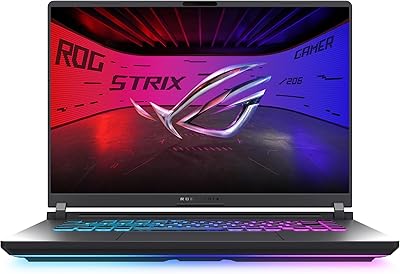
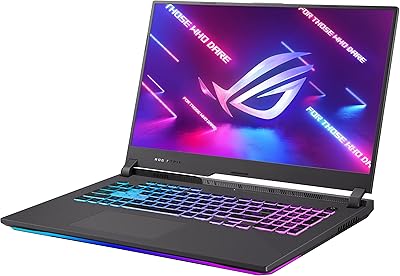
ASUS ROG Strix G16 2023 Gaming Laptop
72%
93%
Gaming Performance
91%
Thermal Management
88%
Display Quality
84%
Build Quality
81%
Keyboard & Trackpad
More
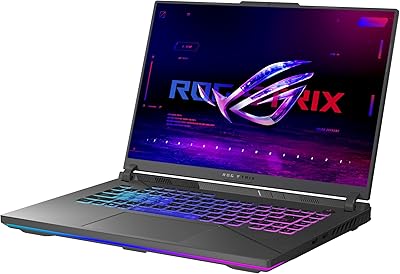
ASUS ROG Strix G17 (2021) Gaming Laptop
84%
91%
Performance
89%
Cooling Efficiency
88%
Display Quality
70%
Battery Life
85%
Portability
More
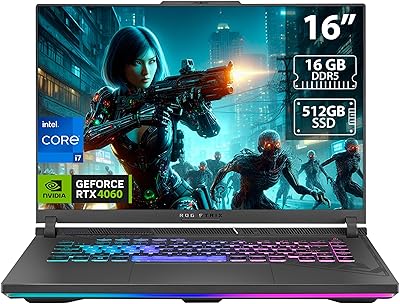
ASUS ROG Strix G16 Gaming Laptop, i9-14900HX, RTX 4060, 16GB RAM, 1TB SSD
83%
94%
Gaming Performance
90%
Multitasking Performance
92%
Display Quality
74%
Thermals/Cooling System
61%
Battery Life
More
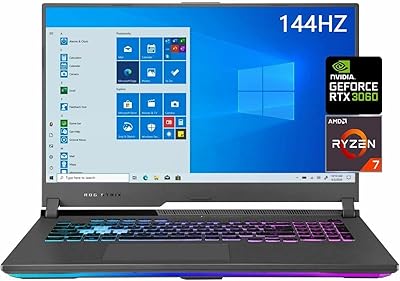
ASUS ROG Strix G17 Gaming Laptop, Ryzen 7 4800H, RTX 3060, 32GB RAM, 2TB SSD
83%
93%
Performance
89%
Display Quality
85%
Build Quality
65%
Portability
62%
Battery Life
More
ASUS ROG Strix G17 (2021) Gaming Laptop, Ryzen 9 5900HX, RTX 3070, 16GB RAM, 1TB SSD
82%
94%
Gaming Performance
88%
Thermal Management
91%
Display Quality
70%
Battery Life
62%
Portability/Weight
More
ASUS ROG Strix G15 (2021) Gaming Laptop, Ryzen 9 5900HX, RTX 3070, 16GB RAM, 1TB SSD
87%
94%
Gaming Performance
91%
Graphics Quality
92%
Display Quality
89%
Thermal Performance
72%
Battery Life
More
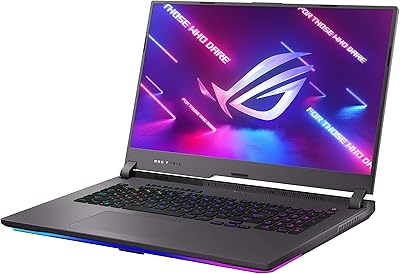
ASUS ROG Strix G16 (2025) RTX 5070 i9 32GB
78%
93%
Gaming Performance
86%
Thermal Management
88%
Display Quality
91%
CPU Performance
84%
Build Quality
More
ASUS ROG Strix G15 (2022) Gaming Laptop, Ryzen 7 6800H, GeForce RTX 3050, 16GB RAM, 512GB SSD
83%
89%
Performance
91%
Display Quality
92%
Cooling System
62%
Battery Life
70%
Portability/Weight
More
ASUS ROG Strix G18 Gaming Laptop, Intel i9-14900HX, 32GB RAM, 2TB SSD, NVIDIA GeForce RTX 4080
86%
94%
Performance
95%
Graphics Quality
91%
Display Quality
88%
Thermal Management
72%
Portability
More

FAQ

Yes, the Scar 15 has accessible SO-DIMM slots, so upgrading beyond the stock 16GB is possible. Most users who do heavy multitasking or run memory-hungry applications find that bumping to 32GB makes a noticeable difference. Just make sure to use DDR4-3200MHz sticks for compatibility.

For competitive FPS and MOBA players, 300Hz is a genuine advantage — you really can see the difference in fast motion compared to a 144Hz panel, especially in titles like CS2, Valorant, or Apex Legends. If you mainly play slower-paced or story-driven games, the jump from 144Hz to 300Hz is less meaningful, but the 3ms response time still makes the panel feel crisp and responsive.

Under full GPU load, the fans get noticeably loud — think jet engine in a quiet room. ASUS's Armoury Crate software lets you switch between performance profiles, and the balanced mode keeps noise more tolerable during lighter gaming. If you use headphones while playing, it's largely a non-issue, but anyone sensitive to fan noise should be aware of this going in.

It handles creative workloads very well. The Ryzen 9 5900HX's 8 cores give it strong performance in video editing software like Premiere Pro or DaVinci Resolve, and the RTX 3080 accelerates GPU-based rendering tasks. It's genuinely a dual-purpose machine for gamers who also produce content.

Even for lighter tasks like browsing or watching videos, expect somewhere between 1.5 and 2.5 hours depending on brightness and background processes. The hardware inside simply draws too much power for extended unplugged use. Treat this machine like a desktop replacement — keep the charger nearby.

The bottom and keyboard deck can get warm during sustained gaming, though the Thermal Grizzly liquid metal compound helps manage CPU temperatures effectively. The heat is most noticeable on the rear vents and bottom panel. Using the laptop on a hard, flat surface helps airflow and keeps temperatures more manageable.

It feels meaningfully different — there is a distinct tactile click and a shorter actuation point compared to typical membrane laptop keys. Gamers who come from mechanical desktop keyboards tend to appreciate it. That said, the switches are also slightly louder than a quiet membrane keyboard, which is worth considering if you game in shared spaces.

Yes, the Scar 15 includes an additional M.2 slot, so you can expand storage by adding a second NVMe SSD without replacing the existing drive. This is handy if your game library grows beyond the stock 1TB.

Yes, this ROG gaming laptop supports external displays via its HDMI and USB-C ports, and can drive monitors at resolutions up to 4K. Connecting a high-resolution external monitor while gaming can be a good way to take advantage of the RTX 3080's headroom if you find the internal 1080p panel limiting.

A handful of users have reported driver conflicts or Armoury Crate quirks right out of the box. Running Windows Update and downloading the latest ROG drivers from the ASUS support page before diving into gaming typically resolves most of these issues. It is worth doing this initial setup before your first session rather than skipping straight to gaming.