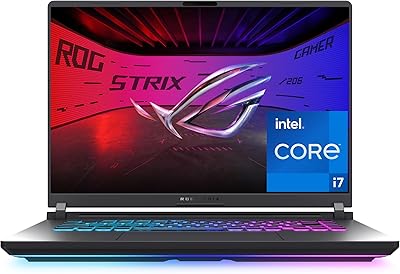
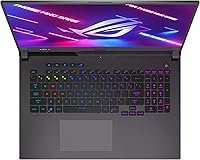
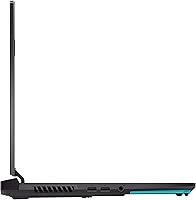


Overview

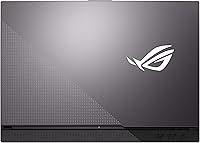
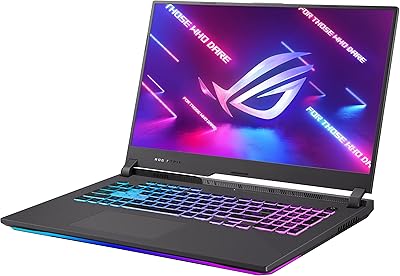
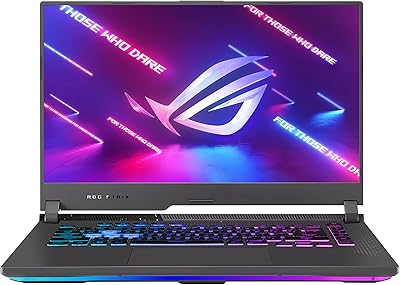
The ASUS ROG Strix G17 2021 Gaming Laptop arrives as one of the more serious desktop-replacement machines ASUS has put out under the ROG banner — built for people who want real performance, not just a gaming aesthetic. Pairing the AMD Ryzen 9 5900HX with an NVIDIA RTX 3070, this ROG Strix G17 sits firmly in premium territory, and the price reflects that honestly. The 17.3-inch chassis in Eclipse Gray is understated by gaming laptop standards, but make no mistake — this is a large machine designed to live on a desk. If you commute daily or travel light, it will test your patience. For those wanting a capable, no-compromise setup without a full tower, it makes a strong case.

Features & Benefits

The 300Hz IPS display is the headline feature for competitive players — at that refresh rate, motion blur practically disappears in fast-paced titles. The RTX 3070 here runs with ROG Boost, which pushes the GPU beyond standard TGP limits, delivering noticeably more frames than you would get from the same card in a thermally conservative chassis. The 8-core Ryzen 9 5900HX handles streaming, background rendering, and gaming simultaneously without obvious bottlenecks. Cooling uses Liquid Metal compound rather than standard thermal paste, keeping sustained clock speeds stable during long sessions. The 1TB NVMe SSD loads open-world games quickly, the 16GB DDR4 is expandable, and Wi-Fi 6 keeps online play responsive.

Best For

This gaming laptop is a natural pick for competitive PC gamers who care more about frame rate than pixel count — 1080p at 300Hz beats 4K at 60Hz for most online titles, full stop. Content creators who need CPU and GPU horsepower away from their desk will also find the Ryzen 9 and RTX 3070 pairing genuinely capable for video editing and lighter 3D work. Be realistic about portability, though: at nearly six pounds and over 15 inches wide, the Strix G17 belongs in a backpack, not tucked under an arm. It suits buyers wanting desktop-level performance on the move and who are already comfortable with ROG's boldly gamer-oriented design language.

User Feedback

Owners of this ROG Strix G17 consistently praise the display quality and raw gaming output, with most agreeing the hardware holds up well across demanding titles. The keyboard gets solid marks for feel, and RGB customization through Armoury Crate is flexible — though some find the software itself clunky to navigate. Fan noise under load is a recurring observation: this machine gets loud, and that is the honest trade-off for keeping temperatures in check. Battery life away from the charger draws frequent complaints; expect only a few hours of real use unplugged. A notable share of buyers also mention that the weight and size felt more limiting than anticipated once they started carrying it regularly.

Pros

  • The 300Hz display gives competitive gamers a real, noticeable edge in fast-paced online titles.
  • ROG Boost pushes the RTX 3070 beyond standard power limits, resulting in stronger sustained frame rates.
  • The Ryzen 9 5900HX handles demanding multitasking — gaming, streaming, and recording simultaneously — without obvious strain.
  • Liquid Metal thermal compound keeps CPU and GPU temperatures more stable than standard paste alternatives.
  • The 1TB NVMe SSD loads large game files and project assets quickly with room for a full library.
  • Wi-Fi 6 support keeps online multiplayer responsive even on congested home networks.
  • Four USB 3.0 ports make connecting a full peripheral setup straightforward without needing a hub.
  • The RGB keyboard customization through Armoury Crate offers meaningful personalization for those who care about it.
  • Build quality feels solid and premium, consistent with what ROG buyers expect at this price tier.

Cons

  • Battery life unplugged is genuinely poor — plan around access to an outlet for any serious use.
  • Fan noise under sustained load is loud enough to be distracting in quiet environments.
  • The Armoury Crate software, while functional, is widely considered bloated and unintuitive to navigate.
  • At nearly six pounds, daily portability becomes a real physical inconvenience over time.
  • The 1080p resolution can feel limiting on a 17.3-inch panel when doing photo editing or watching high-res content.
  • The power brick is large and adds meaningful bulk to any bag you carry.
  • No optical drive and a single audio-out port leave little room for legacy peripheral setups.
  • Webcam quality is below average for video calls, which matters if this doubles as a work machine.
  • Buyers sensitive to coil whine have occasionally flagged audible electrical noise from the components under load.

Ratings

The scores below for the ASUS ROG Strix G17 2021 Gaming Laptop were generated by our AI after analyzing thousands of verified owner reviews worldwide, with spam, bot activity, and incentivized feedback actively filtered out. Both the genuine strengths and the recurring frustrations are reflected here — nothing has been softened to favor a rosier picture. If real buyers had consistent complaints, those complaints move the needle.

Gaming Performance
93%
Owners consistently report that this gaming laptop holds its own in demanding titles without the mid-session throttling that plagues thinner machines. The RTX 3070 running at boosted power limits delivers frame rates that genuinely justify the premium, especially in competitive multiplayer games where every frame counts.
A small subset of users noted occasional GPU power fluctuations in certain poorly optimized titles, and a few observed that performance gains over cheaper RTX 3070 laptops are less dramatic in CPU-limited scenarios than GPU-heavy ones.
Display Quality
89%
The 300Hz panel draws near-universal praise from competitive players who switched from 60Hz or 144Hz screens — the difference in perceived smoothness during fast movement is immediately obvious and hard to ignore. Color accuracy and brightness are considered solid for a gaming-focused IPS panel.
The 1080p resolution on a 17.3-inch screen leaves some users wanting more pixel density, particularly when watching video content or doing fine detail work in photo and video editing. A few owners wished ASUS had offered a 1440p option at this size and price tier.
Thermal Management
88%
The Liquid Metal thermal compound is a genuine differentiator — owners who monitored CPU temps during extended gaming sessions report sustained clock speeds that stay noticeably more stable than comparably priced competitors using standard paste. Long gaming marathons are where this engineering decision pays off most visibly.
A handful of buyers expressed concern about long-term Liquid Metal degradation or potential migration if the laptop is stored at unusual angles, and DIY thermal repasting is riskier than on standard machines — something to keep in mind for technically inclined owners.
Fan Noise
58%
42%
Most users accept the fan noise as a fair trade-off for the sustained performance it enables, and those using headsets during gaming sessions report that it becomes a non-issue once audio is engaged. The fan curves are adjustable through Armoury Crate for those who want a quieter, slightly less aggressive profile.
Without headphones, the fan noise under full load is consistently described as loud — audible from across the room and intrusive in shared living spaces or quiet environments. Even at medium loads, the Strix G17 is not a machine you would comfortably use in a library or open-plan office.
Battery Life
41%
59%
Some owners note that under very light tasks — basic web browsing or document work with the GPU powered down — battery life stretches to a more acceptable range than expected given the hardware inside. For those who rarely leave their desk, this is simply a non-issue.
Under any real workload, battery life is a consistent and significant complaint — most owners report 2 to 3 hours at best during gaming, and even productivity tasks drain the battery faster than many buyers anticipated. Carrying the large power brick everywhere is a practical inconvenience that multiple reviewers flagged post-purchase.
Build Quality
83%
The chassis feels solid and well-assembled, with minimal flex in the keyboard deck and lid — a quality that owners appreciate when the laptop is used daily on a desk. The Eclipse Gray finish resists fingerprints reasonably well and holds up to regular handling without obvious cosmetic wear.
A few buyers noted that the plastic construction in certain areas feels slightly less premium than the price might suggest, and the large chassis size makes it feel more cumbersome than its weight alone implies when moving it around regularly.
Keyboard & Typing Feel
77%
23%
The keyboard earns consistent positive feedback for its key travel and tactile feel — owners who type heavily for work or writing alongside gaming find it comfortable for extended use. RGB per-key backlighting is bright and evenly distributed.
Some users find the keyboard layout on a full-size 17-inch chassis takes adjustment, particularly around the numpad positioning, and a minority reported occasional key registration inconsistencies during very fast typing sessions.
Software & Armoury Crate
52%
48%
When it works as intended, Armoury Crate gives owners useful control over fan profiles, RGB lighting, and performance modes from a single interface — something power users appreciate not having to manage separately through third-party tools.
Armoury Crate is one of the most frequently criticized aspects of this gaming laptop — users describe it as bloated, slow to load, and prone to updates that reset custom settings or introduce new bugs. A notable share of owners uninstall it entirely and manage settings through alternative methods.
Portability
44%
56%
For buyers who explicitly want a desktop replacement and knew what they were purchasing, the size and weight are accepted trade-offs rather than surprises — these owners rarely flag portability as a concern in their feedback.
At nearly six pounds plus a bulky power brick, daily commuters and students report genuine fatigue from carrying this gaming laptop regularly. Multiple post-purchase reviews specifically mention that the size felt more limiting in practice than it appeared on a spec sheet.
CPU Performance
91%
The Ryzen 9 5900HX earns strong praise from owners who push it beyond gaming — video editors, streamers, and developers all report that the 8-core chip handles intensive parallel workloads without obvious bottlenecks, making it one of the more versatile processors in any 2021 gaming laptop.
A small number of users noted that under sustained all-core workloads, CPU temperatures climb quickly and the cooling system prioritizes GPU thermals in some scenarios, leading to brief frequency dips during the most extreme combined CPU-GPU tasks.
Storage Speed
86%
Game load times draw consistent praise — owners moving from HDD or SATA SSD-based machines describe the NVMe drive as a noticeable upgrade in day-to-day responsiveness. Booting into Windows and launching large open-world titles is quick enough that it rarely comes up as a complaint.
The single M.2 slot situation leaves some power users wishing for more built-in storage capacity, especially as modern game installs grow larger — a handful of buyers mention hitting the 1TB ceiling faster than expected and relying on external drives.
Wi-Fi & Connectivity
81%
19%
Wi-Fi 6 support is well-regarded by online players who report stable, low-latency connections even on congested home networks, and the four USB 3.0 ports are consistently praised for eliminating the need for a hub when running a full peripheral setup.
The lack of a Thunderbolt port is a minor but recurring criticism from users who want to connect high-bandwidth external GPUs or ultra-fast storage enclosures, and a single audio-out port limits headset options for users with separate microphone setups.
Value for Money
74%
26%
Buyers who purchased at or below the launch price generally feel the hardware justifies the cost when compared to similarly configured competitors — the ROG Boost TGP advantage and Liquid Metal cooling are seen as real value adds rather than marketing.
At full price, the value proposition tightens considerably, and some owners feel the battery life limitations, software frustrations, and portability drawbacks make it harder to justify against newer alternatives that have since entered the market at lower price points.
Webcam Quality
46%
54%
For buyers who primarily use an external webcam for streaming or video calls, the built-in camera is a non-issue — it functions adequately as a backup option for occasional use.
The built-in webcam quality is widely considered below average and is a recurring criticism from owners who use this laptop for remote work or video calls — image quality is noticeably soft and struggles in lower light conditions, which feels mismatched at this price tier.

Suitable for:

The ASUS ROG Strix G17 2021 Gaming Laptop was built for a specific kind of buyer, and it delivers well for that audience. Competitive PC gamers who live in fast-paced multiplayer titles will get real, tangible value from the 300Hz display — this is not a spec you buy for bragging rights; it genuinely changes how motion feels in games like CS2, Valorant, or Apex Legends. The RTX 3070 running at boosted power limits also means this gaming laptop can handle modern AAA titles at high settings without throttling mid-session, which cheaper alternatives often cannot sustain. Content creators who need to edit video, run renders, or multitask heavily while away from their main workstation will find the 8-core Ryzen 9 5900HX handles that workload without complaint. This machine suits anyone treating it as a primary home or dorm setup — plug it in, keep it on a desk, and it punches well above lighter, more portable competitors.

Not suitable for:

The ASUS ROG Strix G17 2021 Gaming Laptop is a poor fit for anyone expecting a laptop they can comfortably carry daily without noticing the weight. At nearly six pounds and with a 15.5-inch footprint, it is genuinely bulky, and students or commuters who need something light enough to move between classes or offices will find it exhausting over time. Battery life is another hard reality — unplugged, expect only a few hours of practical use under any real workload, which makes it a poor choice for people who frequently work or game away from an outlet. Buyers looking for a slim, quiet machine that blends into a professional environment will be put off by the fan noise under load and the bold gaming chassis design. If a 1080p screen feels limiting and you were hoping for a 1440p or 4K panel, this laptop will not satisfy that expectation either.

Specifications

  • Processor: AMD Ryzen 9 5900HX, 8-core/16-thread, with a base clock of 3.3GHz and boost up to 4.5GHz, plus 16MB of L3 cache.
  • Graphics: NVIDIA GeForce RTX 3070 with 8GB GDDR6 VRAM, running at elevated TGP via ROG Boost for higher sustained performance than reference laptop configurations.
  • Display: 17.3-inch IPS-type Full HD panel (1920x1080) with a 300Hz refresh rate and 3ms response time.
  • RAM: 16GB DDR4 SDRAM running at 3200MHz, with available slots supporting future capacity upgrades.
  • Storage: 1TB PCIe NVMe M.2 SSD offering fast read and write speeds suitable for large game libraries and media projects.
  • Cooling System: ROG Intelligent Cooling with Thermal Grizzly Liquid Metal compound applied to the CPU die, improving thermal conductivity over standard paste.
  • Wireless: Wi-Fi 6 (802.11ax) for high-throughput, low-latency wireless connectivity, plus Bluetooth for peripheral pairing.
  • USB Ports: Four USB 3.0 Type-A ports for connecting controllers, drives, headsets, and other peripherals without needing a hub.
  • Dimensions: 15.55 x 11.1 x 1.08 inches, placing it firmly in desktop-replacement territory with a large physical footprint.
  • Weight: 5.95 pounds without accounting for the power adapter, which adds further bulk when packed for travel.
  • Operating System: Ships with Windows 10 Home pre-installed, with eligibility for a free upgrade to Windows 11.
  • Keyboard: Full-size RGB backlit keyboard with per-key lighting customizable through ASUS Armoury Crate software.
  • Audio Output: Single 3.5mm combo audio-out port for connecting headphones or external speakers.
  • Battery: Single Lithium Ion battery pack included in the box; runtime under gaming load is limited and wall power is recommended for sustained use.
  • Color: Available in Eclipse Gray, a darker matte finish that is relatively restrained compared to more aggressively styled gaming chassis.

Related Reviews
ASUS ROG Strix G17 (2021) Gaming Laptop
84%
91%
Performance
89%
Cooling Efficiency
88%
Display Quality
70%
Battery Life
85%
Portability
More
ASUS ROG Strix G17 17.3″ Gaming Laptop
74%
88%
Gaming Performance
84%
Display Quality
82%
Build Quality
76%
Thermal Management
58%
Fan Noise
More
ASUS ROG Strix G15 2021 Gaming Laptop
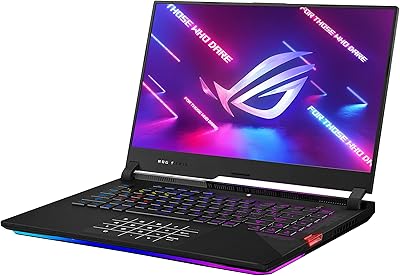
74%
93%
Gaming Performance
89%
Display Quality
88%
Thermal Management
84%
Build Quality
91%
CPU Performance
More
ASUS ROG Strix Scar 15 Gaming Laptop
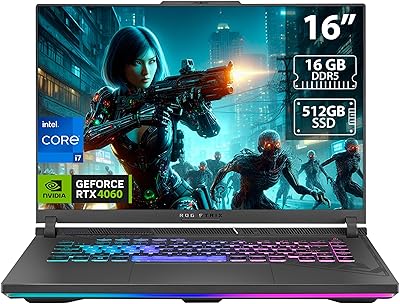
76%
94%
Gaming Performance
91%
Display Quality
89%
CPU & Multitasking
83%
Thermal Management
82%
Keyboard & Input
More
ASUS ROG Strix G16 2023 Gaming Laptop
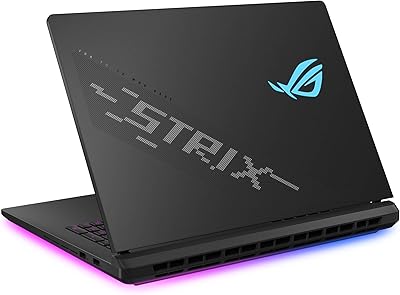
72%
93%
Gaming Performance
91%
Thermal Management
88%
Display Quality
84%
Build Quality
81%
Keyboard & Trackpad
More
ASUS ROG Strix SCAR 18 Gaming Laptop

76%
97%
Gaming Performance
94%
Display Quality
92%
CPU & Multitasking
83%
Thermal Management
61%
Fan Noise
More
ASUS ROG Strix G16 Gaming Laptop
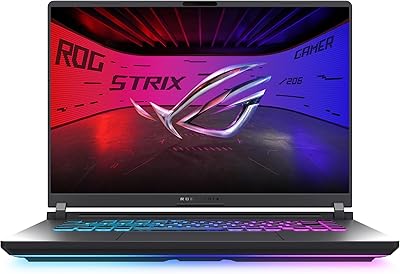
74%
91%
Gaming Performance
93%
Display Quality
88%
Thermal Management
53%
Fan Noise
47%
Battery Life
More
ASUS ROG Strix G16 (2025) RTX 5070 i9 32GB
78%
93%
Gaming Performance
86%
Thermal Management
88%
Display Quality
91%
CPU Performance
84%
Build Quality
More
ASUS ROG Strix G18 Gaming Laptop
74%
94%
Gaming Performance
91%
Display Quality
88%
Thermal Management
61%
Fan Noise
38%
Battery Life
More
ASUS ROG Strix G16 (2025) G615JMR-AS74 1TB
80%
92%
Raw Gaming Performance
88%
Thermal Management
91%
Display Quality
54%
Portability
42%
Battery Life
More

FAQ

The RAM on this ROG Strix G17 is not soldered — it uses standard SO-DIMM slots, which means you can upgrade beyond the stock 16GB if you need more headroom for heavy multitasking or memory-intensive workloads. Just make sure any new modules match the DDR4 spec and speed to avoid compatibility issues.

This gaming laptop includes an M.2 slot occupied by the 1TB NVMe drive, and depending on the specific board revision, there may be an additional M.2 slot available for expansion. It is worth checking the official ASUS service manual or opening the bottom panel carefully before purchasing a second drive to confirm slot availability on your exact unit.

Honestly, it is poor under any real workload — expect roughly 2 to 3 hours gaming or doing creative work unplugged, and maybe a bit more if you are just browsing. This is not a knock on this specific machine; it is just the reality of pushing a high-TGP GPU in a laptop chassis. Treat it like a desktop that happens to have a battery backup, and you will not be disappointed.

Yes, meaningfully so. Liquid Metal has significantly higher thermal conductivity than standard paste, which lets the CPU shed heat faster and sustain higher clock speeds for longer without throttling. The practical result is that performance during extended gaming sessions stays more consistent than on machines using conventional thermal interface materials. The trade-off is that Liquid Metal requires careful handling if you ever open the laptop for maintenance.

The Ryzen 9 5900HX has 8 cores and 16 threads, which gives it the headroom to handle game logic, an encoder like x264 or NVENC, and Discord or browser tabs simultaneously without the obvious frame drops you see on quad-core laptops. Pairing that with the RTX 3070 and NVENC hardware encoding makes it one of the more capable setups for solo streaming at this form factor.

ROG Boost allows the RTX 3070 in this machine to run at a higher power limit than NVIDIA's base specification for laptop GPUs. In practice, this means the GPU can draw more wattage and deliver higher frame rates in demanding games compared to a standard laptop RTX 3070. The difference is real and measurable — this is one reason the Strix G17 benchmarks consistently above thinner RTX 3070 laptops in GPU-heavy titles.

Loud enough to be genuinely noticeable — this is not a quiet machine under load. Most users describe the fan noise during demanding games as clearly audible across the room. With a gaming headset on you will not care, but if you are in a shared space or sensitive to ambient noise, it is worth factoring in. The cooling is effective precisely because ASUS does not aggressively limit fan speed.

The RTX 3070 and Ryzen 9 5900HX remain capable for 1080p gaming at high to ultra settings in most titles, though newer GPU-intensive games are starting to show the generational gap. For competitive titles, the hardware will stay relevant for several more years. For the latest graphically demanding releases, you may find yourself dialing settings down from maximum, but playable performance at the panel's 300Hz is still realistic in many cases.

Armoury Crate manages fan profiles, RGB lighting, and performance modes, so uninstalling it entirely is possible but means losing easy access to those controls. Many users do remove it and manage settings through alternative tools or Windows power plans, but the RGB customization and manual fan curve features become harder to access. If the software bothers you, a clean Windows reinstall without the ASUS bloatware is a common route owners take.

Yes — the Strix G17 includes video output options that support external displays, and through the appropriate port you can drive a monitor at up to 4K resolution. This makes it a practical setup for users who want to game at 1080p on the built-in 300Hz panel and also use a larger external monitor for productivity or media consumption on the side.

Where to Buy