



Overview

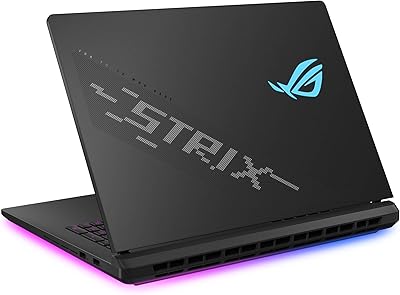
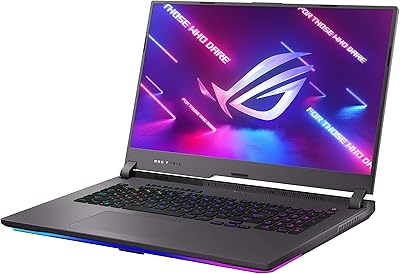
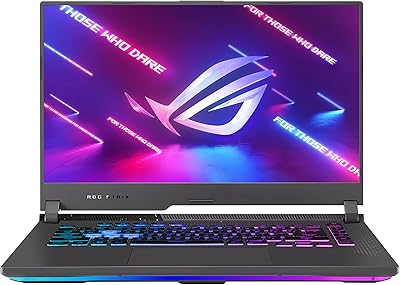
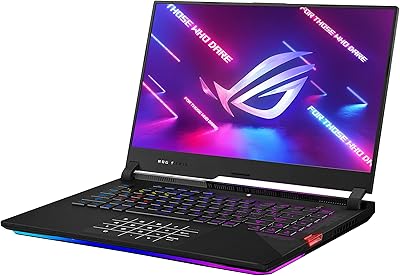
The ASUS ROG Strix G18 Gaming Laptop sits at the upper end of ASUS's gaming lineup, targeting enthusiasts who want desktop-class muscle without being chained to a desk. The 18-inch chassis is a deliberate choice — it gives you real screen room and better thermal headroom than smaller competitors like the Razer Blade 16 or MSI Titan GT. ASUS ships this in Eclipse Gray, a restrained colorway that reads professional enough for a coffee shop without screaming gaming rig. The included accessories bundle adds some out-of-box value, though seasoned buyers will want to evaluate what's genuinely useful versus what's just padding on an already expensive purchase.

Features & Benefits

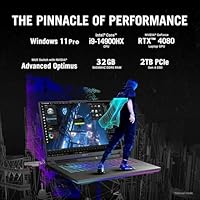
The i9-14900HX — 24 cores with a 5.8 GHz peak — handles anything you throw at it: gaming, video encoding, and running a browser with 40 tabs open simultaneously. Paired with the RTX 4080's 12 GB VRAM, you get ray tracing in AAA titles and GPU-accelerated rendering in apps like DaVinci Resolve. The 18-inch Nebula QHD panel runs at 240Hz with a 16:10 aspect ratio, giving you more vertical real estate than a standard 16:9 gaming screen. On thermals, the Liquid Metal Conductonaut Extreme compound is a meaningful step up from standard paste — ASUS claims up to 15°C reductions under load, which matters during long sessions. Wi-Fi 6E and four USB 3.0 ports round out a connectivity setup that rarely leaves you hunting for a hub.

Best For

This ROG Strix G18 makes the most sense for gamers who want near-desktop performance but genuinely need to move between locations — a dorm room, a LAN party, a home studio. Content creators will find real utility here too: the CPU and GPU combination handles 4K editing timelines and 3D renders without constant throttling. The 32 GB DDR5 and 2 TB SSD mean you're not constantly managing storage or RAM ceilings, which matters when running multiple demanding apps. It's less ideal for anyone who needs a true travel machine — the 6.5-pound body is honest about its priorities. But for buyers making a long-term investment, this machine is built to stay relevant for several years without compromise.

User Feedback

Buyers consistently praise the display and raw gaming performance, reporting that demanding titles behave exactly as the specs suggest. Thermal management holds up better than many competitors in this class, though fans become clearly audible under sustained load — this is not a quiet machine at full tilt. Battery life is the most cited letdown: real-world use lands around 2–3 hours, well below what light-workload estimates imply. The weight gets flagged repeatedly by buyers who hoped to carry it daily. Build quality feedback skews positive, with the keyboard feel earning consistent praise. The bundled accessories draw mixed reactions — some buyers find them worthwhile, others see them as marginal additions to an already premium-priced package.

Pros

  • The RTX 4080 delivers true flagship-tier gaming performance that holds up in the most demanding titles available today.
  • A 240Hz QHD display with a 16:10 aspect ratio gives you more screen space and smoother motion than most competitors in this class.
  • Liquid Metal Conductonaut Extreme cooling keeps temperatures meaningfully lower under sustained load compared to standard thermal paste solutions.
  • 32 GB of DDR5 RAM handles heavy multitasking, creative workloads, and gaming simultaneously without bottlenecking the system.
  • The 2 TB SSD provides enough space for a large game library and a working creative project archive without constant management.
  • Build quality is consistently praised by buyers — the chassis feels solid and the keyboard earns high marks for feel and feedback.
  • Wi-Fi 6E support future-proofs the G18 laptop for faster home networks and reduces latency in competitive online play.
  • The 24-core i9 processor handles CPU-intensive tasks like video encoding and 3D rendering at a level few laptops can match.
  • Four USB 3.0 ports reduce reliance on external hubs in everyday use, which is a practical advantage at a fixed workstation setup.

Cons

  • At 6.5 pounds, this gaming powerhouse is too heavy for true daily carry and gets uncomfortable in a bag quickly.
  • Battery life rarely exceeds 2–3 hours under real use — plan to stay near an outlet for any serious session.
  • Fan noise under sustained gaming or rendering load is clearly audible and can be disruptive in quiet environments.
  • The included accessories bundle draws mixed reactions; some buyers find the extras marginal rather than genuinely useful.
  • The large 18-inch chassis makes this a poor fit for tighter bags, economy airline trays, or compact desk setups.
  • At this price tier, buyers expecting whisper-quiet operation will be disappointed — thermal performance comes at an acoustic cost.
  • No optical drive is a minor but real omission for buyers who still work with physical media in a studio setup.

Ratings

The scores below reflect AI-driven analysis of verified global user reviews for the ASUS ROG Strix G18 Gaming Laptop, with spam, bot-generated, and incentivized feedback actively filtered out before scoring. Each category is scored based on patterns found across real buyer experiences, capturing both the strengths that earned this machine its reputation and the frustrations that temper its appeal. Nothing is glossed over — the wins and the trade-offs are both represented honestly.

Gaming Performance
94%
Buyers who push this machine through the most demanding AAA titles consistently report that the RTX 4080 and i9-14900HX combination delivers near-desktop output without the throttling that plagues thinner flagships. Frame rates in GPU-heavy titles at QHD resolution stay competitive even during extended play sessions.
A small number of users report brief performance dips when switching between power modes, and the performance ceiling is only fully unlocked when plugged in — unplugged gaming drops noticeably in both frame rate and responsiveness.
Display Quality
91%
The 18-inch QHD Nebula panel at 240Hz earns consistent praise for its clarity, smooth motion, and the extra vertical space the 16:10 aspect ratio provides — a genuine advantage in both competitive gaming and content review workflows. Colors are reported as accurate enough for creator use out of the box.
Some buyers note that the panel's brightness could be higher for use in well-lit rooms, and a handful report that the display coating creates mild reflections under direct overhead lighting, which can be distracting during long sessions.
Thermal Management
88%
The Liquid Metal Conductonaut Extreme cooling solution is a meaningful differentiator — users who run back-to-back render jobs or marathon gaming sessions note that the system sustains its performance longer before backing off than comparable machines using standard paste. Surface temperatures on the keyboard deck stay manageable during moderate use.
Under peak sustained load, the bottom panel does get warm, and a few users mention discomfort when using the machine on a lap for extended periods. The thermal system does its job, but it is not silent doing it — heat has to go somewhere, and in this case it goes through the vents with considerable fan support.
Fan Noise
61%
39%
When the machine is running light workloads — browsing, video playback, or light productivity — the fans are quiet enough to go unnoticed. Users appreciate that ASUS Armoury Crate allows manual fan curve adjustments, giving some control over the noise-versus-temperature trade-off.
Under gaming or heavy rendering loads, the fan noise becomes a consistent presence that many buyers describe as clearly audible across a room. Users in shared living spaces or quiet offices frequently mention needing headphones to mask the acoustics, which is a real quality-of-life concern for a machine at this price point.
Battery Life
38%
62%
The battery holds up adequately for very light tasks like document editing or video streaming at reduced brightness, where some users report stretching past the 2-hour mark under careful power management.
For any workload that taxes the GPU or CPU, battery life collapses quickly — most buyers report 90 minutes or less under gaming conditions. This is not a laptop you use unplugged for meaningful work sessions, and several buyers express frustration that the power brick is large and adds to the overall carry burden.
Build Quality
86%
The chassis feels solid and well-assembled, and buyer feedback on structural integrity is consistently positive — no flex in the keyboard deck, sturdy hinge action, and no reports of panel warping or lid wobble in normal use. The Eclipse Gray finish resists fingerprints reasonably well compared to glossy alternatives.
A small subset of buyers note that the plastic-heavy construction, while functional, does not feel as premium as competitors like the Razer Blade 16 at a similar price tier. The weight itself is a build trade-off, not a defect, but it contributes to the perception that portability was deprioritized.
Keyboard & Trackpad
79%
21%
The backlit keyboard with numeric keypad draws genuine praise from buyers who type extensively — key travel is described as satisfying for a gaming laptop, and the layout is reported as comfortable for long productivity sessions in addition to gaming use.
The trackpad receives more mixed feedback: it functions adequately but is not a standout at this price level, and several buyers note they default to an external mouse immediately. A few users also report that the keyboard backlighting is not evenly distributed across all key zones.
Portability
42%
58%
The machine can be relocated between fixed spots — a bedroom to a living room, home to a friend's LAN setup — without serious difficulty, and the form factor makes that kind of occasional movement practical enough.
At 6.5 pounds with a large footprint and a heavy power brick, daily commuting with this machine is genuinely uncomfortable. Buyers who underestimated the size before purchase are among the most vocal critics, and several warn prospective buyers to measure their bags before ordering.
Connectivity
83%
Four USB 3.0 ports cover most peripheral needs without requiring a hub in a standard desktop setup, and Wi-Fi 6E support keeps the G18 laptop ready for faster home networking standards. Bluetooth connectivity is reported as stable and reliable across multiple device pairings.
Some power users note the absence of a Thunderbolt 4 port as a missed opportunity at this price tier, particularly for those wanting to connect high-bandwidth external displays or fast eGPUs. The port selection is solid but not cutting-edge for a flagship machine.
Storage & RAM
89%
The combination of 2 TB SSD and 32 GB DDR5 RAM is consistently cited as one of the strongest arguments for this machine's long-term value — buyers report not hitting storage ceilings even with large game libraries and active creative project folders running simultaneously.
A handful of users note that while 32 GB is generous today, DDR5 upgrade paths can be pricier than DDR4 alternatives, and those doing extreme RAM-heavy workloads like large-scale 3D simulations occasionally wish the base configuration went higher.
Software & Armoury Crate
67%
33%
Armoury Crate gives users real control over fan curves, performance profiles, and RGB customization in one place, and buyers who invest time in configuring it report a noticeably better day-to-day experience than out-of-the-box defaults.
First impressions of Armoury Crate are frequently negative — buyers describe it as bloated and occasionally slow to respond, and several report needing to reinstall or troubleshoot the software after Windows updates. It is a functional tool, but the user experience feels unpolished relative to the hardware it controls.
Value for Money
72%
28%
For buyers who genuinely push the hardware — gaming at QHD high refresh, running creative pipelines, or doing sustained multitasking — the performance per dollar holds up well against comparably specced competitors, and the long upgrade cycle potential adds to the justification.
Buyers with lighter workloads or those who primarily game at 1080p will find the performance ceiling far exceeds their actual needs, making the investment harder to rationalize. The accessories bundle, while included, does not meaningfully shift the value calculation for buyers who already own quality peripherals.
Creative Workload Performance
87%
Video editors and 3D artists report that export times and render queues move faster than expected for a laptop, with the 24-core CPU and RTX 4080 working together effectively in apps like Premiere Pro, Blender, and DaVinci Resolve. The QHD display adds practical value for color review work.
The machine's size and battery dependency make it less practical for on-location creative work where outlet access is not guaranteed. A few professional users also note that the display, while good, falls short of dedicated creator laptops with factory-calibrated wide-gamut panels.
Accessories Bundle
53%
47%
Buyers who are new to the ROG ecosystem find the included extras a convenient starting point, and having compatible accessories ready at unboxing does remove some initial friction for first-time high-end laptop buyers.
Experienced buyers consistently describe the bundle as underwhelming relative to the machine's overall price, with several noting that the included items feel like mid-tier add-ons rather than products that match the flagship positioning. It adds marginal value but should not factor heavily into the purchase decision.

Suitable for:

The ASUS ROG Strix G18 Gaming Laptop is built for a specific kind of buyer: someone who wants the raw output of a desktop gaming rig but needs the flexibility to move between locations. Hardcore gamers who play demanding AAA titles at high refresh rates will get exactly what this machine promises — the RTX 4080 and QHD 240Hz display are genuinely matched to each other. Content creators who work in video editing, 3D rendering, or live streaming will also find real value here, since the 24-core CPU and 12 GB of GPU memory handle those workloads without the constant throttling you see in thinner machines. The 32 GB of DDR5 RAM means power users can run a game, a browser session, a Discord stream, and a background encode simultaneously without things grinding down. Buyers making a long-haul investment who want a machine that stays competitive for four or five years rather than two will find the specs justify the commitment.

Not suitable for:

The ASUS ROG Strix G18 Gaming Laptop is a poor fit for anyone who travels frequently and needs something genuinely portable — at 6.5 pounds with a large footprint, this is a laptop you move between fixed locations, not one you slip into a commuter bag. Battery life is another hard constraint: expect roughly 2–3 hours under real-world mixed use, which means you are effectively tethered to an outlet for any serious work session. Students on tight budgets or buyers who primarily play less demanding games will find the performance ceiling far exceeds what they actually need, making the investment difficult to justify. If acoustic comfort matters — working in a library, a shared apartment, or a quiet office — the fan noise under load is noticeable and consistent. Buyers who prioritize a sleek, ultraportable aesthetic over performance should look at alternatives like the Razer Blade 16 or ASUS's own Zephyrus line instead.

Specifications

  • Processor: Intel Core i9-14900HX with 24 cores, 32 threads, and a maximum boost clock of 5.8 GHz handles demanding gaming and professional workloads without meaningful bottlenecking.
  • Graphics: NVIDIA GeForce RTX 4080 dedicated GPU with 12 GB of VRAM supports real-time ray tracing, DLSS upscaling, and GPU-accelerated creative applications.
  • Display: 18″ Nebula QHD panel with a 2560x1600 resolution, 240Hz refresh rate, and a 16:10 aspect ratio delivers sharp visuals with extra vertical screen space compared to standard 16:9 panels.
  • RAM: 32 GB of DDR5 memory provides high-bandwidth performance suited for simultaneous gaming, streaming, and productivity workloads.
  • Storage: 2 TB SSD internal storage offers fast read/write speeds with enough capacity for a large game library alongside creative project files.
  • Operating System: Windows 11 Pro comes pre-installed, including access to enterprise-grade security features and the latest platform optimizations.
  • Cooling System: Liquid Metal Conductonaut Extreme compound is applied to both CPU and GPU contact surfaces, targeting CPU and GPU temperature reductions of up to 15 degrees Celsius under sustained load.
  • Wireless: Wi-Fi 6E (802.11ax) and Bluetooth are built in, supporting faster wireless throughput and reduced network congestion on compatible routers.
  • Ports: Four USB 3.0 ports are included for connecting peripherals, external drives, and accessories without requiring a hub in most standard setups.
  • Weight: The laptop weighs approximately 6.5 lbs (2.95 kg), reflecting the thermal and hardware requirements of its high-performance internal components.
  • Dimensions: The chassis measures 15.71 x 11.57 x 1.21 inches, making it a large-footprint machine better suited to a desk than a travel bag.
  • Keyboard: A backlit keyboard with a numeric keypad is included, offering practical input options for both gaming and productivity use cases.
  • Color: Available in Eclipse Gray, a darker neutral finish that avoids the aggressive aesthetic common to many gaming laptops in this performance tier.
  • Model Number: The official model identifier is G814JZR-G18.I94080, which should be used when verifying compatibility with drivers, warranties, or replacement parts.
  • Optical Drive: No optical drive is included, which is standard for high-performance gaming laptops at this size and weight class.
  • Voltage: The system operates at 120 Volts, compatible with standard North American outlets without an adapter.
  • GPU Memory: The RTX 4080 GPU includes 12 GB of dedicated VRAM, sufficient for 4K texture workloads, high-resolution rendering pipelines, and next-generation game assets.
  • Chipset: The NVIDIA chipset powers the dedicated graphics subsystem, keeping GPU resources independent from system RAM for consistent rendering performance.

Related Reviews
ASUS ROG Strix G16 2023 Gaming Laptop
72%
93%
Gaming Performance
91%
Thermal Management
88%
Display Quality
84%
Build Quality
81%
Keyboard & Trackpad
More
ASUS ROG Strix G17 (2021) Gaming Laptop
84%
91%
Performance
89%
Cooling Efficiency
88%
Display Quality
70%
Battery Life
85%
Portability
More
ASUS ROG Strix SCAR 18 Gaming Laptop
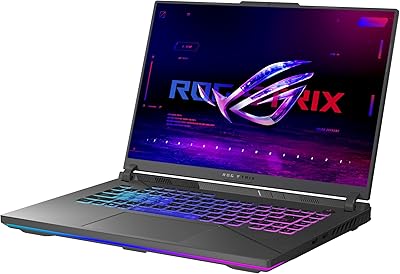
76%
97%
Gaming Performance
94%
Display Quality
92%
CPU & Multitasking
83%
Thermal Management
61%
Fan Noise
More
ASUS ROG Strix G16 Gaming Laptop
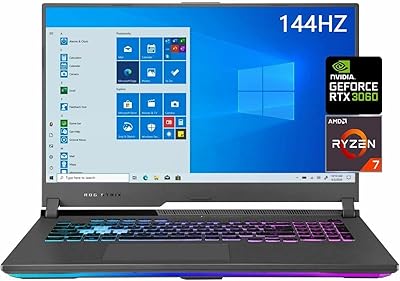
74%
91%
Gaming Performance
93%
Display Quality
88%
Thermal Management
53%
Fan Noise
47%
Battery Life
More
ASUS ROG Strix G17 17.3″ Gaming Laptop
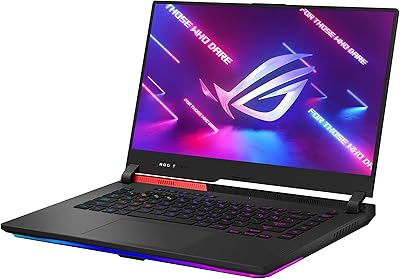
74%
88%
Gaming Performance
84%
Display Quality
82%
Build Quality
76%
Thermal Management
58%
Fan Noise
More
ASUS ROG Strix G17 2021 Gaming Laptop
72%
93%
Gaming Performance
89%
Display Quality
88%
Thermal Management
58%
Fan Noise
41%
Battery Life
More
ASUS ROG Strix G16 (2025) RTX 5070 i9 32GB
78%
93%
Gaming Performance
86%
Thermal Management
88%
Display Quality
91%
CPU Performance
84%
Build Quality
More
ASUS ROG Strix G15 2021 Gaming Laptop
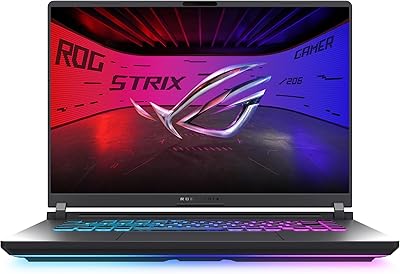
74%
93%
Gaming Performance
89%
Display Quality
88%
Thermal Management
84%
Build Quality
91%
CPU Performance
More
ASUS ROG Strix Scar 15 Gaming Laptop
76%
94%
Gaming Performance
91%
Display Quality
89%
CPU & Multitasking
83%
Thermal Management
82%
Keyboard & Input
More
ASUS ROG Strix G15 2022 Gaming Laptop
71%
74%
Gaming Performance
81%
Display Quality
83%
Build Quality
78%
Thermal Management
41%
Battery Life
More

FAQ

Under sustained load — think an hour of AAA gaming or a long video render — the fans are clearly audible. This is not a quiet machine at full throttle. If you are in a shared or noise-sensitive environment, a headset will help mask it, but do not expect library-level acoustics when the cooling system is working hard.

Realistically, plan for 2 to 3 hours of mixed use away from the wall. Under gaming or heavy workloads, that number drops faster. The ASUS ROG Strix G18 Gaming Laptop is best thought of as a desktop replacement you can relocate — not a machine you run unplugged for long stretches. Always carry the power brick if you need reliable performance.

The G18 laptop does support RAM upgrades — it has accessible SODIMM slots, so adding or swapping DDR5 modules is possible. The SSD is also replaceable via standard M.2 slots. That said, the factory configuration of 32 GB RAM and 2 TB SSD is already generous enough that most users will not need to upgrade for several years.

It is genuinely capable for both. The 24-core CPU accelerates export times in apps like Premiere Pro and DaVinci Resolve, and the RTX 4080 handles GPU-accelerated effects and rendering well. The 18-inch QHD display is also a legitimate asset for color-critical work, provided you calibrate it to your needs.

ASUS uses a liquid metal compound called Conductonaut Extreme on the CPU and GPU dies instead of standard thermal paste, which conducts heat more efficiently and keeps peak temperatures lower during extended use. In practice, this means the system throttles less under sustained workloads compared to competitors using conventional cooling solutions. Overheating is not a common complaint among buyers of this machine.

Both, honestly. The 240Hz display is purpose-built for competitive play where frame rate matters — fast-paced games like CS2 or Valorant run at frame rates that fully exploit the panel. Single-player open-world titles benefit more from the visual fidelity the RTX 4080 and QHD resolution provide. It covers both ends of the gaming spectrum without compromise.

Buyer opinions are split on this. Some find the bundled items genuinely useful as a starter kit, while others feel they are entry-level additions that do not match the caliber of the laptop itself. If you already own quality peripherals, the bundle probably will not change your buying decision either way — evaluate the machine on its own merits.

The G18 laptop competes closely with both in raw performance, but differentiates itself primarily on thermal engineering and screen size. The Razer Blade 16 prioritizes a thinner chassis and premium build materials at the cost of sustained performance headroom. The MSI Titan GT is a closer size and performance match but tends to run louder. ASUS's liquid metal cooling gives the G18 a meaningful edge in long-session thermal stability.

Yes, the RTX 4080 is more than capable of driving high-end VR headsets. You will have no trouble hitting the frame rate and resolution requirements of current VR platforms. The main practical consideration is that you will need to be near an outlet, since VR sessions will drain the battery quickly.

It depends on your expectations. Moving it between a bedroom and a living room, or taking it to a friend's place for a LAN session, is completely reasonable. Commuting with it daily in a backpack is a different story — 6.5 pounds adds up fast. If your primary need is a machine that stays at a desk 90% of the time with occasional relocation, the size works fine.

Where to Buy