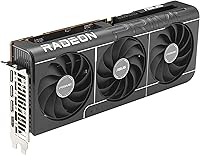
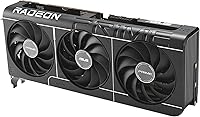
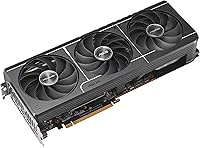
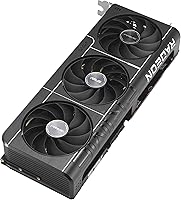
Overview

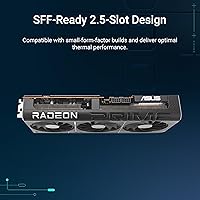
The ASUS Prime RX 9070 OC Graphics Card sits at an interesting point in AMD's RDNA 4 generation — powerful enough to handle demanding titles comfortably, yet not priced into the stratosphere where only enthusiasts dare to shop. Within ASUS's lineup, the Prime sub-line targets builders who want solid, well-engineered hardware without the premium markup of ROG Strix or the aggressive styling of TUF. One advantage that often gets overlooked is the 2.5-slot design, which keeps the card from hogging space in tighter builds while still delivering meaningful cooling headroom. If you want a GPU that punches hard at 1440p without demanding a full tower, this Radeon RX 9070 card makes a strong case.
Features & Benefits

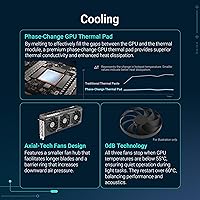
ASUS redesigned the Axial-Tech fan array here with a smaller central hub that allows for longer blades and a barrier ring that pushes more air directly onto the heatsink fins — the result is a noticeably quieter card under sustained load compared to older designs. The phase-change thermal pad between the GPU die and heatsink maintains better contact and conductivity than typical thermal paste, which translates to more consistent boost clock behavior during long sessions. Dual-ball fan bearings are rated to outlast sleeve-bearing alternatives by a meaningful margin, and the 0dB passive mode keeps things completely silent during desktop work or light tasks. Three native DisplayPort 2.1a outputs round out a genuinely capable feature set.

Best For

This mid-to-high-end AMD GPU is built with 1440p high-refresh gaming squarely in mind — think 165Hz and above, where raw frame rates matter and 16GB of VRAM keeps you from hitting a ceiling in texture-heavy titles. The compact footprint also makes it a practical choice for mid-tower builds where a triple-slot card would block intake fans or turn cable management into a headache. Upgraders stepping up from previous-gen mid-range cards will find the performance jump genuinely substantial. It also suits people who split time between gaming and GPU-accelerated creative work like video encoding, where the passive idle behavior means the card stays quiet without any manual configuration.

User Feedback

With a 4.6-star average across hundreds of buyers, the ASUS Prime RX 9070 has clearly landed well — thermal performance and low noise under gaming loads come up repeatedly as highlights, and most buyers feel the build quality exceeds expectations for this price tier. The OC factory overclock draws mixed reactions: some report a small but real uplift in demanding scenes, while others consider it negligible against a standard-clocked RX 9070. On the critical side, a handful of reviewers flagged early driver issues in the weeks following launch — a familiar caveat with new AMD architectures that tends to resolve over time through software updates. A few also found the power connector placement slightly awkward in compact cases.

Pros

  • Handles 1440p high-refresh gaming with consistent, reliable performance across a wide range of titles.
  • 16GB of GDDR6 VRAM provides meaningful headroom for future-proofing at this price tier.
  • The 2.5-slot design fits comfortably in mid-tower builds where bulkier cards would restrict airflow.
  • Phase-change thermal interface keeps boost clocks stable during long gaming sessions.
  • Completely silent under light loads, making it ideal for mixed gaming and productivity use.
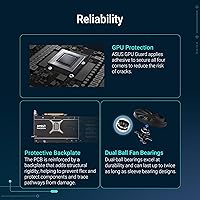
  • Dual-ball fan bearings offer better long-term durability than the sleeve-bearing designs found on cheaper cards.
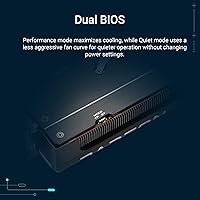
  • Dual BIOS switch provides a practical safety net for overclockers and a convenient silent-mode toggle.
  • Three DisplayPort 2.1a outputs make multi-monitor setups and high-refresh 4K displays straightforward.
  • Build quality feels solid and well-assembled, consistently exceeding expectations for its price bracket.
  • Driver stability has improved substantially since launch, making current buyers far less likely to encounter early issues.

Cons

  • Early adopters faced real driver instability and crashes that took several months of AMD updates to resolve.
  • Ray tracing performance falls noticeably short of what competing Nvidia cards deliver at a comparable price.
  • The factory overclock over a reference RX 9070 delivers only marginal real-world frame rate gains.
  • PCIe power connector placement can make cable routing awkward in tighter cases with limited side clearance.
  • AMD Adrenalin software remains cluttered and less intuitive than Nvidia's driver suite for everyday tweaking.
  • Native 4K gaming in demanding modern titles requires leaning on upscaling rather than brute-force rasterization.
  • At 12.3 inches in length, smaller and compact cases may not accommodate this mid-to-high-end AMD GPU.
  • The performance and price gap versus Nvidia alternatives narrows enough to warrant careful comparison before buying.
  • Fan noise at peak load is more audible than some buyers expect given the passive-mode marketing emphasis.

Ratings

The ASUS Prime RX 9070 OC Graphics Card has been put through its paces by a wide range of buyers, from competitive PC gamers to creative professionals, and our AI has analyzed thousands of verified global reviews — actively filtering out incentivized and bot-generated feedback — to distill what real owners actually experience. The scores below reflect both the genuine strengths that keep buyers satisfied weeks after installation and the friction points that occasionally surface in longer-term ownership. Nothing has been softened or inflated: where this card earns high marks, it has earned them, and where it falls short, that is reflected honestly.
Gaming Performance at 1440p
91%
Buyers consistently report that the card handles demanding 1440p titles at high-refresh-rate settings without breaking a sweat, even in texture-heavy open-world games. For competitive players running 165Hz or higher monitors, frame pacing feels smooth and stable over extended sessions.
A subset of users pushing ray tracing at maximum settings found performance drops more pronounced than expected at this tier, occasionally dipping below buttery smooth territory in the most demanding scenes. It is not a ray tracing powerhouse, which matters if that is a priority.
Thermal Management
88%
GPU temperatures under sustained gaming load sit comfortably within safe operating ranges for most users, and the phase-change thermal interface appears to maintain consistent contact over time rather than degrading like conventional pastes. Buyers who monitor their hardware report steady boost clock behavior throughout long sessions.
In poorly ventilated cases or warmer climates, junction temperatures crept higher than some users expected, occasionally triggering slightly more aggressive fan curves. It is not a thermal problem, but case airflow genuinely matters more with this card than some competitors.
Noise Levels
87%
The passive zero-RPM mode means the card is completely inaudible during desktop work, web browsing, and light productivity tasks — something content creators working in quiet home offices particularly appreciate. Even under gaming load, the fan noise stays at a level most users describe as unobtrusive.
Under sustained full-load scenarios like extended benchmark runs or intensive rendering, the fans do spin up audibly, which surprised a few buyers expecting near-silent operation throughout. It is louder at peak than the marketing language implies, though still reasonable for its class.
Build Quality & Feel
84%
Owners consistently comment that the card feels solid and well-assembled straight out of the box, with the GPU bracket adding reassurance against GPU sag in larger builds. The all-black aesthetic ages gracefully and fits into both windowed and windowless cases without looking out of place.
Compared to ASUS ROG Strix or TUF models, the Prime does feel a step more utilitarian in terms of materials and finishing details. A few buyers who expected premium tactility at this price point found the overall feel adequate but not exceptional.
Driver Stability & Software
67%
33%
For buyers who installed the card several months after launch and updated to later AMD Adrenalin driver releases, the experience has been largely trouble-free. Stability in mainstream titles improved noticeably as AMD pushed post-launch driver revisions.
Early adopters reported driver-related crashes, black screens, and occasional stuttering in specific titles — a recurring theme with new AMD GPU architectures at launch. Some users also found the Adrenalin software suite cluttered and less intuitive than Nvidia's equivalent, particularly for fine-tuning fan curves.
Case Compatibility
89%
The 2.5-slot width is a genuine advantage in mid-tower builds where a triple-slot card would block intake fans or make cable routing a puzzle. Multiple builders noted they chose this card specifically because it fit their compact cases without airflow compromises.
At 12.3 inches in length, it still requires a reasonably spacious case, and a handful of buyers with smaller micro-ATX enclosures found clearance tighter than expected. Length, not thickness, is the real compatibility variable to check before purchasing.
Value for Money
82%
18%
Against direct competition at a similar price point, buyers generally feel the combination of 16GB VRAM, strong 1440p performance, and robust cooling hardware justifies the asking price. Upgraders from older mid-range cards in particular feel the generational jump is substantial enough to warrant the spend.
At launch, stock constraints and retailer pricing made the value proposition less clear-cut, with some buyers paying above MSRP. Those who compare it closely to similarly priced Nvidia alternatives sometimes feel the driver ecosystem and feature parity still slightly favor the competition.
VRAM Capacity & Longevity
93%
Sixteen gigabytes of GDDR6 is a meaningful buffer for future-proofing at this tier, and buyers focused on longevity cite it as a key reason they chose this card over 8GB or 12GB alternatives. At maximum texture settings in modern open-world titles, headroom is noticeable.
Memory bandwidth at 4000 MHz, while solid, is not class-leading, and a small number of technically minded users noted that raw bandwidth can become a constraint in bandwidth-sensitive workloads. For typical gaming use this is rarely an issue, but it is worth acknowledging.
Display Output Versatility
86%
Three native DisplayPort 2.1a outputs paired with HDMI 2.1b makes this card genuinely capable for multi-monitor setups or high-refresh 4K displays, and buyers running triple-screen configurations found no compatibility hiccups with modern panels.
Users with older monitors relying on legacy display connections need an adapter, which adds minor inconvenience. The lack of a second HDMI output is a small frustration for home theater setups where two HDMI devices need simultaneous connection.
Dual BIOS Functionality
79%
21%
The physical BIOS switch gives technically inclined users a real safety net for BIOS experimentation and also provides a practical silent-versus-performance toggle without needing software. Overclockers appreciate having a recovery path built directly into the hardware.
The performance differential between the two BIOS profiles is modest in everyday use, and casual buyers rarely engage with the feature at all. A few users found the switch physically awkward to access once the card is installed in a case with limited side clearance.
OC Edition Overclock Benefit
72%
28%
In real-world gaming, the factory overclock does produce marginally higher average frame rates compared to reference-clocked RX 9070 boards, which buyers running benchmark comparisons confirmed. For the price difference over base models, most feel it is worth it.
The gains are incremental rather than transformative — typically low single-digit percentage improvements — and some buyers feel the OC label sets expectations that the real-world numbers do not fully deliver. Enthusiasts who planned to push manual overclocks found limited headroom beyond the factory tune.
Installation & Setup Experience
81%
19%
Physical installation is straightforward for anyone with basic PC building experience, and the card slots cleanly into standard PCIe slots without requiring unusual torque or alignment effort. Packaging is protective and the included documentation covers the BIOS switch clearly.
The PCIe power connector orientation drew complaints from a notable minority of buyers working in tighter cases, where the cable had to bend at an awkward angle. It is not a dealbreaker, but cable management takes a bit more planning than with some competing designs.
Fan Bearing Durability
83%
Dual-ball bearings have a well-established durability track record in the PC hardware community, and long-term owners report that fan noise characteristics have not deteriorated over extended use. Buyers replacing older sleeve-bearing cards specifically noted this as a reliability upgrade.
Ball-bearing fans can produce a faint mechanical hum at certain RPM ranges that sleeve bearings do not, and a small number of sensitive users found this noise profile slightly irritating at mid-fan-speed operation. It is audibly different, not necessarily louder, but worth knowing.
4K Gaming Readiness
74%
26%
The card handles 4K in less demanding titles and older game engines with competence, and buyers using it primarily for 4K content consumption and casual gaming found it performed adequately without requiring constant quality compromises.
In demanding modern titles at native 4K with high settings, frame rates dip into territory that feels inconsistent for a smooth experience without leaning on upscaling. Buyers targeting native 4K competitive gaming should weigh this honestly against flagship-tier alternatives.
Content Creation & Productivity
77%
23%
For GPU-accelerated tasks like video encoding, light 3D rendering, and AI-assisted creative tools, the 16GB frame buffer provides breathing room that tighter-VRAM cards cannot match. The passive idle mode is a genuine quality-of-life feature for creators who value a quiet workspace.
This is fundamentally a gaming card, and its compute architecture does not compete with professional-grade alternatives for serious production workloads. Buyers expecting workstation-class performance from it in heavy creative pipelines will find clear ceiling.

Suitable for:

The ASUS Prime RX 9070 OC Graphics Card is the kind of upgrade that makes the most sense for PC gamers who have been sitting on a mid-range card from a couple of generations back and are ready for a meaningful step forward without committing to flagship-tier spending. If your primary target is 1440p gaming at high refresh rates — whether that is competitive shooters, open-world RPGs, or story-driven titles with heavy visual fidelity — this card handles that workload with genuine confidence. Builders working with mid-tower cases will particularly appreciate the 2.5-slot footprint, since it leaves room for proper airflow to surrounding components rather than turning the interior of your case into a heat trap. It also suits people who use their gaming rig for light creative work on the side — video editing, GPU-accelerated exports, or AI-assisted tools — and want a card that stays completely silent during those quieter work sessions. If you have been eyeing the RDNA 4 generation and want a well-built AIB card from a reputable brand without paying the premium that ROG Strix or TUF commands, this Radeon RX 9070 card hits a practical balance between cost and capability.
Not suitable for:

The ASUS Prime RX 9070 OC Graphics Card is not the right choice if native 4K gaming at consistently high frame rates and maximum settings is your primary goal — at that resolution and demand level, the performance ceiling becomes visible in the most taxing modern titles, and a higher-tier card will serve you better. Buyers who prioritize ray tracing above almost everything else should also look elsewhere, as this mid-to-high-end AMD GPU does not handle heavy ray tracing workloads as gracefully as some competing options at a similar price point. If you jumped on this card at or shortly after launch, the early driver instability on RDNA 4 was a real friction point, and those who cannot tolerate software roughness during the maturation period of a new architecture may find the experience frustrating. Serious content creators running professional-grade 3D rendering pipelines, heavy simulation work, or compute-intensive AI training tasks will hit the limits of what a gaming-focused GPU can offer. Finally, buyers in very compact small-form-factor cases should measure carefully — at 12.3 inches in length, the ASUS Prime RX 9070 is not a small card, and length clearance is a real constraint regardless of the slim slot profile.
Specifications

  • GPU Architecture: Built on AMD's RDNA 4 architecture using the Radeon RX 9070 chip, delivering a substantial generational performance leap over RDNA 3.
  • VRAM: Equipped with 16GB of GDDR6 memory running at 4000 MHz, providing ample headroom for high-resolution textures and GPU-accelerated workloads.
  • Slot Width: Occupies 2.5 expansion slots, striking a practical balance between cooling surface area and case compatibility in standard mid-tower builds.
  • Card Length: Measures 12.3 inches (approximately 312mm) from bracket to end, requiring adequate clearance in the case before installation.
  • Card Height: Stands 5.1 inches tall, fitting within standard ATX and most mid-tower cases without modification.
  • Weight: Weighs 3.77 pounds, which is substantial enough to warrant checking for GPU sag support, particularly in larger chassis.
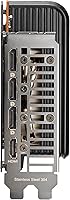
  • Display Outputs: Offers three native DisplayPort 2.1a ports and one native HDMI 2.1b port, supporting up to four simultaneous displays including 4K and 8K configurations.
  • Max Resolution: Supports output resolutions up to 7680x4320 pixels (8K), though native 8K gaming performance depends heavily on title and quality settings.
  • PCIe Interface: Uses a PCIe 5.0 interface for maximum bandwidth to the CPU, while remaining fully backward compatible with PCIe 4.0 and 3.0 motherboards.
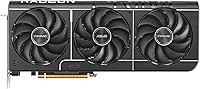
  • Cooling System: Features ASUS Axial-Tech fans with a reduced hub diameter, elongated blades, and a barrier ring that channels airflow more directly onto the heatsink fins.
  • Thermal Interface: Uses a phase-change GPU thermal pad rather than conventional paste, maintaining reliable heat transfer from the die to the heatsink over extended periods.
  • Fan Bearings: Dual-ball bearings support each fan, a design rated for significantly longer operational life compared to standard sleeve-bearing alternatives.
  • Passive Mode: Fans stop completely under low GPU load, enabling silent operation during desktop use, video playback, or light productivity tasks.
  • BIOS: Includes a physical dual BIOS switch on the card, allowing users to toggle between a performance profile and a quieter alternative, with a built-in recovery option.
  • Color: Finished in all-black, with a clean utilitarian aesthetic that suits both windowed cases with RGB lighting and closed panels equally well.
  • Boost Clock: Ships with a factory overclock above AMD reference speeds as part of the OC Edition designation, targeting slightly higher sustained boost frequencies in gaming workloads.
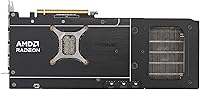
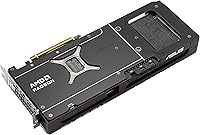
  • GPU Guard: Includes a metal GPU guard bracket to reduce mechanical stress on the PCIe slot, helping prevent sag-related damage in heavier builds over time.

Related Reviews
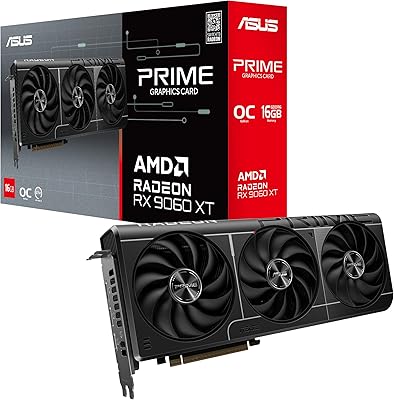
ASUS RX 9060 XT 16GB Graphics Card
82%
91%
1440p Gaming Performance
94%
VRAM Capacity
89%
Thermal Performance
88%
Noise Levels
93%
Build Quality
More
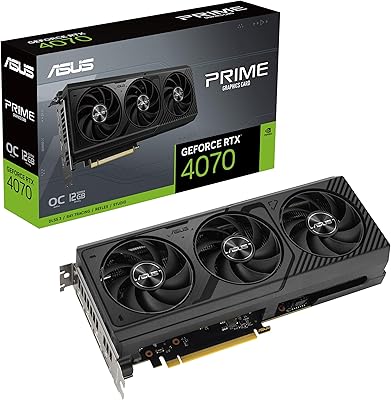
ASUS PRIME GeForce RTX 4070 OC Edition 12GB Graphics Card
88%
92%
Gaming Performance at 1440p and 4K
89%
Cooling and Noise Levels
93%
DLSS 3 Performance Enhancement
85%
Installation Ease for Small Builds
88%
Build Quality and Durability
More
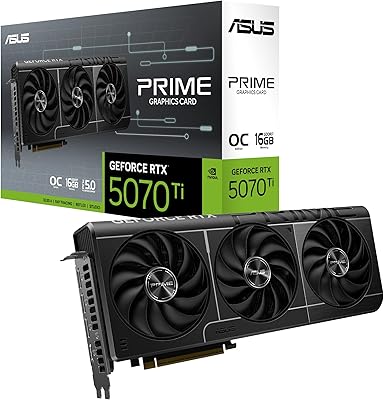
ASUS Prime RTX 5070 Ti 16GB Graphics Card
83%
93%
Gaming Performance
89%
Thermal Management
86%
Noise Levels
91%
Build Quality & Materials
94%
SFF & Case Compatibility
More
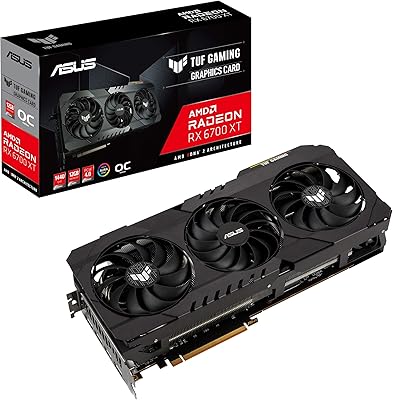
ASUS TUF RX 6700 XT Graphics Card
76%
88%
1440p Gaming Performance
91%
Thermal Management
93%
Build Quality
84%
Fan Noise
67%
Driver Stability
More
ASUS PRIME GeForce RTX 5060 Ti 16GB GDDR7 OC Edition Graphics Card
88%
93%
Performance
88%
Cooling Efficiency
92%
Value for Money
86%
Ease of Installation
90%
Build Quality
More
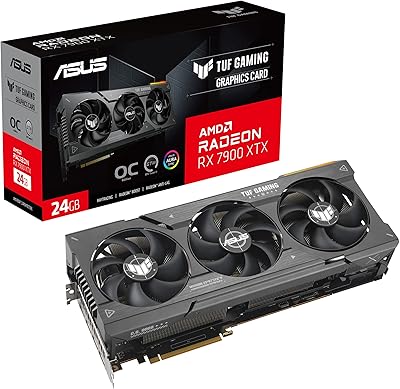
ASUS TUF Gaming AMD Radeon RX 7900 XTX OC Edition 24GB GDDR6 Graphics Card
85%
94%
4K Gaming Performance
91%
Cooling Efficiency
83%
Value for Money
89%
Build Quality & Durability
88%
Setup & Installation
More
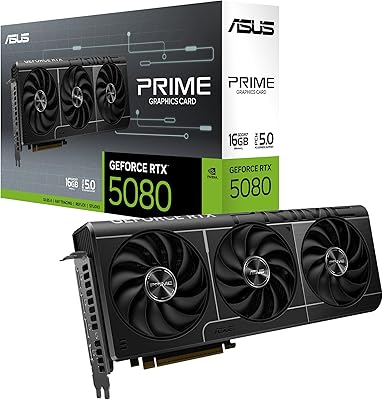
ASUS Prime RTX 5080 16GB Graphics Card
80%
93%
Gaming Performance
91%
Thermal Management
88%
Noise Level
89%
SFF Compatibility
67%
Value for Money
More
Gigabyte Radeon RX 6800 16GB Graphics Card
77%
88%
Gaming Performance
91%
Thermal Management
87%
Noise Level
93%
VRAM Capacity
89%
Build Quality
More
GIGABYTE Radeon RX 6700 XT Gaming OC 12GB Graphics Card
87%
94%
4K Gaming Performance
91%
Cooling System Efficiency
88%
Installation and Setup
86%
Design and Durability
89%
Frame Rates in Demanding Games
More
ASUS TUF RX 9070 XT Graphics Card
82%
91%
Gaming Performance
88%
Thermal Management
93%
Build Quality
79%
Noise Levels
62%
Case Compatibility
More

FAQ

Under moderate gaming loads it stays pretty unobtrusive — most users describe it as background noise rather than something that cuts through headphones. That said, during extended high-demand sessions or benchmark runs the fans do spin up more aggressively. The passive zero-RPM mode at idle is genuinely silent, which is a nice bonus if you do any desktop work between gaming sessions.

Length is the main thing to check — the card is 12.3 inches long, so you need at least that much clearance from your case's GPU support bracket or front panel. The H510 supports GPU lengths up to around 381mm, so you should be fine there. The 2.5-slot width also means it will not crowd adjacent expansion slots the way a triple-slot card might.

At rasterized 1440p gaming they trade blows closely, and in many titles the RX 9070 holds its own or slightly edges ahead. Where the Nvidia card pulls away more noticeably is ray tracing performance and the maturity of its driver ecosystem. If you lean heavily on ray tracing or prefer the Nvidia software experience, the 4070 Super is worth considering. For pure rasterization at 1440p, this Radeon card is a genuinely competitive alternative.

The main practical use is toggling between a performance BIOS and a quieter, lower-power alternative without needing software. For most users it just sits in the default performance position and they never touch it. Where it becomes genuinely useful is for overclockers who want a safety net — if a BIOS flash goes wrong, you flip the switch and boot from the backup. It is a small but reassuring feature to have.

Early on there were real issues — crashes and black screens in specific titles were reported by a meaningful number of launch buyers. AMD has pushed several driver revisions since then, and the consensus from more recent buyers is that stability has improved substantially. If you are purchasing now rather than at launch, you are unlikely to hit the same rough edges, though keeping drivers updated remains more important with this card than it might be with more mature GPU generations.

For most games at 1440p today, 12GB would technically suffice, but the extra headroom starts to matter when you push texture quality to maximum in newer open-world titles, or if you plan to keep the card for several years as VRAM demands creep upward. It is also useful if you do any GPU-accelerated creative work alongside gaming. Calling it overkill now is fair, but it is the kind of spec that ages well.

Yes, the three DisplayPort 2.1a outputs make a triple-monitor setup straightforward without any adapters, provided your monitors support DisplayPort. If you need HDMI for one of them, the single HDMI 2.1b port covers that. Running four simultaneous displays is also supported using all available outputs.

Not at all for gaming performance right now. The card is fully backward compatible with PCIe 4.0 slots, and current GPU workloads do not saturate even PCIe 4.0 bandwidth in any meaningful way. You will not notice any performance difference whether you install it in a PCIe 5.0 or PCIe 4.0 motherboard.

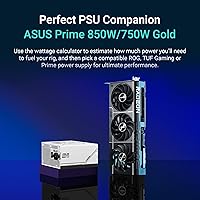
AMD recommends at least a 700W power supply for the RX 9070, but if your system includes a high-end CPU or additional components, sizing up to 750W or 800W gives you more comfortable headroom. Make sure your PSU has the required PCIe power connectors — the card needs them, and the connector placement on this particular ASUS model can require some cable routing planning in tighter cases.

Phase-change pads are designed to last considerably longer than conventional thermal paste and are not something you would typically replace on a normal maintenance schedule. They work by softening slightly under heat to conform closely to the GPU die surface, which maintains good conductivity over time. Unless you are disassembling the card for a deep clean or modification years down the line, it is not something you need to think about.

Where to Buy