Overview

The Gigabyte Radeon RX 6800 16GB Graphics Card arrives as one of AMD's strongest RDNA2-generation offerings — a generation that closed the gap with NVIDIA considerably and brought competitive rasterization performance to the high-end market. Where the reference RX 6800 is capable, the GIGABYTE Gaming OC variant pushes clocks a touch higher out of the box, giving buyers a modest but real edge without any manual tuning. The 16GB GDDR6 framebuffer is the headline differentiator here — at a tier where NVIDIA's comparable options shipped with 8GB, that extra headroom matters at 4K. This is a serious card for serious resolutions, wrapped in a cooler that actually keeps up.
Features & Benefits

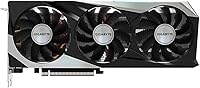
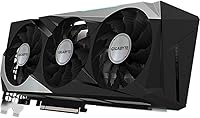
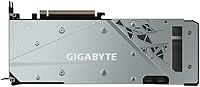
The WINDFORCE 3X cooling system is arguably what sets this GIGABYTE RX 6800 apart from reference designs. The triple-fan setup uses alternating spin directions to reduce turbulence and improve airflow across the heatsink — the practical result is notably quiet operation even during sustained gaming sessions. The 16GB of GDDR6 memory running on a 256-bit bus at 16,000 MHz gives the card enough bandwidth to handle high-resolution textures without straining. A dual BIOS switch lets you toggle between a performance-tuned profile and a quieter silent mode depending on your priority. The metal backplate adds structural support — welcome given the card weighs over three pounds — while RGB Fusion 2.0 handles lighting sync for GIGABYTE ecosystem builds.

Best For

This AMD RDNA2 card hits its stride at 1440p, delivering high frame rates in demanding titles with headroom for high-refresh-rate monitors. At 4K, it is more situational — in AMD-optimized titles and with FidelityFX Super Resolution applied, the experience holds up well; in less-optimized games, expect to dial settings back somewhat. Content creators handling 3D rendering or video work will appreciate the large VRAM buffer, which manages complex scenes that would overwhelm a card with half the memory. Keep in mind that this card draws considerable wattage, so a 750W or higher PSU is a practical necessity rather than a suggestion before you buy.

User Feedback

With 53 ratings averaging 4.3 out of 5, the Gaming OC 16GB has a reasonably positive track record — though the sample size is modest enough that a few outliers can shift the picture. Buyers frequently highlight quiet operation under load and solid build quality as genuine strengths. On the other side, a handful of reviewers mention AMD's driver ecosystem requiring patience, particularly around stability in certain Windows configurations. Physical size also comes up: at just over 11 inches long, not every mid-tower accommodates it comfortably. Long-term reliability comments are sparse given the limited review count, but no widespread failure patterns surface — a reasonable baseline for a card at this performance tier.

Pros

  • The 16GB GDDR6 framebuffer gives it more breathing room at 4K than most rivals offered at this tier.
  • WINDFORCE 3X cooling keeps thermals impressively controlled even during long gaming sessions.
  • The dual BIOS switch is a genuinely useful feature — toggle between quiet and performance modes without software.
  • Factory overclocked out of the box, so buyers get a performance edge with zero manual tuning required.
  • Build quality feels substantial — the metal backplate and overall construction hold up well over time.
  • Quiet operation under load is a consistent highlight among owners, which matters in living room or open-desk setups.
  • FidelityFX Super Resolution support extends 4K viability meaningfully in supported titles.
  • RGB Fusion 2.0 integrates cleanly with other GIGABYTE components for those who care about lighting consistency.
  • DisplayPort and HDMI outputs cover virtually every modern monitor and TV configuration without adapters.

Cons

  • AMD driver stability can still require occasional troubleshooting, particularly after major Windows updates.
  • At over 11 inches long, this GIGABYTE RX 6800 will not fit in smaller mid-tower or mini-ITX cases without careful planning.
  • Power draw is significant — budget at least 750W for your PSU, which adds cost if you need an upgrade.
  • Ray-tracing performance lags noticeably behind NVIDIA alternatives at a comparable performance tier.
  • The review count of 53 is still limited, making long-term reliability harder to judge with full confidence.
  • Performance in poorly AMD-optimized titles can fall short of expectations relative to the card's positioning.
  • The card's weight puts stress on the PCIe slot over time — a GPU support bracket is worth considering.
  • No bundled game vouchers or software extras are included, unlike some competing launch packages.

Ratings

Our AI rating system analyzed verified global buyer reviews for the Gigabyte Radeon RX 6800 16GB Graphics Card, actively filtering out incentivized, duplicate, and bot-generated submissions to surface what real owners actually experience. The scores below reflect both the genuine strengths that keep this AMD RDNA2 card competitive and the friction points that prospective buyers deserve to know before committing. Nothing has been softened — if a category underperforms, the score and commentary say so plainly.

Gaming Performance
88%
At 1440p, this GIGABYTE RX 6800 delivers frame rates that satisfy even high-refresh-rate monitor owners in demanding titles. In AMD-optimized games like Forza Horizon and Far Cry, the RDNA2 architecture shines, and FidelityFX Super Resolution extends its legs at 4K without a jarring visual trade-off.
In titles that lean heavily on NVIDIA optimizations or aggressive ray tracing, the performance advantage narrows or reverses. Native 4K at ultra settings is achievable in many games but not all — buyers expecting a universal 4K powerhouse may occasionally hit disappointing frame counts in less-optimized releases.
Thermal Management
91%
The WINDFORCE 3X cooling system earns consistently high praise from owners who monitor GPU temperatures during long sessions. Junction temperatures stay well within safe limits under sustained full-load gaming, and the alternate-spinning fan design meaningfully reduces the turbulent noise that plagues some competing triple-fan setups.
In poorly ventilated cases or during summer months in warm climates, a handful of users report temperatures climbing higher than expected — a reminder that the cooler performs best when ambient airflow supports it. The card's physical bulk can also impede airflow in tightly packed builds.
Noise Level
87%
Idle operation is genuinely silent — fans stop entirely at low loads, which owners of open-desk or living room setups particularly appreciate. Under gaming load, the noise profile is a low, steady hum rather than the sharp whine associated with blower-style coolers, making long sessions noticeably more comfortable.
Under extreme sustained load — particularly in summer or in cases with restricted airflow — fan speeds ramp up audibly enough to intrude on quieter audio environments. Users running the performance BIOS profile in tightly enclosed cases report slightly louder behavior than marketing materials suggest.
VRAM Capacity
93%
Sixteen gigabytes of GDDR6 is the standout specification at this performance tier, and owners notice it in practice — texture pop-in is rare, and memory-hungry workloads in both gaming and creative applications rarely trigger the kind of stuttering that plagues 8GB cards in modern titles. Content creators editing large timelines or 3D scenes report genuine workflow benefits.
The 256-bit memory bus, while respectable, means raw memory bandwidth falls short of some competing architectures with wider buses, which becomes measurable in extreme bandwidth-limited workloads. For pure gaming at 1440p and below, this is rarely a real-world concern, but it is worth knowing.
Build Quality
89%
The metal backplate and overall construction feel premium and deliberate — owners frequently comment that the card feels overbuilt in a reassuring way. The structural rigidity matters practically too, since a card this heavy needs a solid frame to resist flex during handling and transport without the PCB protesting.
The card's weight — just over three pounds — is substantial enough that the PCIe slot bears real mechanical stress without a support bracket. A few owners report slight GPU sag over time in cases without bracing, which, while cosmetically minor, can eventually stress the slot connection.
Driver Stability
67%
33%
For the majority of users running a stable Windows build and sticking with recent AMD driver releases, day-to-day operation is uneventful. AMD's software suite has matured considerably, and routine gaming sessions on the Gaming OC 16GB proceed without incident for most owners most of the time.
A persistent minority of users encounter stability hiccups — black screens, driver timeouts, or application crashes — particularly after major Windows updates or when jumping between driver versions without a clean uninstall. AMD's driver track record at this tier remains a legitimate consideration for buyers who want truly frictionless software experience.
Ray Tracing
58%
42%
Ray tracing is supported and functional on this AMD RDNA2 card, and in titles with AMD-optimized RT implementations, the visual results are genuinely attractive at moderate settings. Owners who enable RT selectively in supported games report acceptable performance without the frame rate falling off a cliff.
Compared to NVIDIA's dedicated RT hardware at a similar performance tier, the gap is noticeable in RT-heavy titles — frame rates drop more steeply, and the quality-per-frame-cost ratio is less favorable. Buyers who prioritize ray tracing above other considerations will find this a meaningful weakness.
Power Efficiency
63%
37%
Under lighter gaming loads and at 1080p, the RDNA2 architecture demonstrates reasonable efficiency compared to the previous generation, and power draw scales down noticeably when the workload allows. Owners with efficient overall system builds report total system draw staying within manageable bounds under typical gaming conditions.
At full load, this card draws enough wattage to require a genuinely capable 750W PSU — and 850W is the comfortable recommendation for anyone with a power-hungry CPU alongside it. Buyers upgrading from a mid-range card are sometimes caught off guard by the electricity bill impact of sustained gaming sessions.
Case Compatibility
62%
38%
Owners with full-tower or spacious mid-tower cases report a smooth installation experience, with the card fitting cleanly and leaving adequate clearance for cable management around the power connectors. The dual-slot-plus footprint is predictable and well-documented, making pre-purchase planning straightforward for those with larger enclosures.
At 11.26 inches in length, this card simply does not fit in compact mid-towers or small form factor cases without modification. Several buyers report needing to remove drive cages or rethink cable routing entirely, and a handful discovered the hard way that their listed case clearance spec was optimistic.
Value for Money
74%
26%
The 16GB VRAM buffer provides a tangible hardware advantage over rivals that shipped with half the memory at a comparable price, and owners who push the card at 4K or in creative workloads feel that advantage actively. For buyers who plan to hold a card for several years, the future-proofing argument for 16GB carries real weight.
At the premium tier this card occupies, expectations are high, and owners who game primarily at 1440p or below may feel the value proposition is harder to justify — a less expensive card would deliver similar frame rates at lower resolutions. Ray tracing limitations also sting at a price point where buyers reasonably expect stronger all-round capability.
Installation Experience
78%
22%
The physical installation process is straightforward for experienced builders — the card seats cleanly, the power connectors are accessible, and the dual BIOS switch is clearly labeled. Owners who have built systems before report no unusual obstacles beyond the size and weight considerations already noted.
For first-time builders, the card's weight and length add a layer of anxiety to seating it correctly without torquing the PCIe slot. AMD Adrenalin software installation has also generated friction for a small number of buyers, particularly on systems migrating from NVIDIA where remnant drivers caused conflicts.
Software & Ecosystem
72%
28%
AMD Adrenalin provides a genuinely feature-rich suite — Radeon Anti-Lag, FidelityFX Super Resolution, and performance overlay tools are well-implemented and useful for buyers who invest time learning them. RGB Fusion 2.0 also integrates cleanly with other GIGABYTE hardware for builders who care about cohesive lighting control.
Adrenalin's interface has been criticized by some owners for feeling cluttered and occasionally unintuitive compared to NVIDIA's GeForce Experience. The RGB software, while functional, requires the full GIGABYTE RGB Fusion application to be running, which some users find an unwelcome background process.
Long-Term Reliability
76%
24%
Among the owners who have lived with this AMD RDNA2 card for an extended period, reported failure rates are low, and build quality comments suggest the hardware holds up well under regular use. GIGABYTE's manufacturing reputation at this tier supports confidence in component longevity.
The review pool of 53 ratings is not large enough to draw statistically confident conclusions about long-term durability — the sample simply has not been tested at scale or over a long enough ownership period. Buyers should factor in GIGABYTE's warranty terms before committing, as coverage varies by region.

Suitable for:

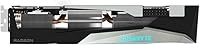
The Gigabyte Radeon RX 6800 16GB Graphics Card is the right call for PC builders who have settled on 1440p as their primary resolution and want a card that handles demanding titles at high frame rates without constantly bumping into VRAM limits. Gamers eyeing a move to 4K will find this AMD RDNA2 card genuinely capable in well-optimized titles, especially those that support FidelityFX Super Resolution, which extends its reach at ultra-high resolutions meaningfully. The 16GB framebuffer also makes it a practical choice for part-time content creators — video editors and 3D artists who need GPU memory for scene complexity without investing in a workstation-class card. Builders who are already in the GIGABYTE ecosystem, or who simply want a quiet, thermally composed card with a dual BIOS for flexible noise and performance tuning, will find the Gaming OC variant well-suited to their needs. If your build has the case clearance and the power supply headroom — realistically 750W or better — this card slots in as a high-performing, well-rounded option.
Not suitable for:

The Gigabyte Radeon RX 6800 16GB Graphics Card is harder to recommend for buyers whose primary goal is plug-and-play simplicity or who have had frustrating experiences with AMD's driver software in the past — while the ecosystem has improved, it still occasionally requires manual intervention that NVIDIA users rarely encounter. Casual gamers operating at 1080p will be paying for more card than they will ever realistically use, and a mid-range option would serve them better. The physical footprint is also a genuine constraint: at over 11 inches long and weighing more than three pounds, this card simply will not fit comfortably in compact or budget mid-tower cases without careful measurement first. Buyers with older or underpowered PSUs should factor in a power supply upgrade, which adds cost and complexity to the build. Finally, anyone prioritizing ray-tracing performance above all else should look elsewhere — AMD's RT implementation at this generation lags behind NVIDIA's dedicated hardware solution at a comparable price point.
Specifications

  • GPU Architecture: Built on AMD's RDNA2 architecture, which delivers meaningful generational improvements in performance-per-watt over the previous RDNA1 generation.
  • Graphics Processor: Powered by the AMD Radeon RX 6800 chip, manufactured on a 7nm process node.
  • VRAM: Equipped with 16GB of GDDR6 memory, providing substantial headroom for high-resolution textures and memory-intensive workloads.
  • Memory Interface: The 256-bit memory bus enables broad bandwidth for handling 4K and multi-monitor rendering tasks efficiently.
  • Memory Speed: Memory operates at 16,000 MHz effective clock speed, supporting fast data throughput between the GPU and frame buffer.
  • Cooling System: WINDFORCE 3X triple-fan cooler with alternate-spinning fan direction reduces turbulence and keeps operating temperatures controlled under sustained load.
  • BIOS Modes: A physical dual BIOS switch allows toggling between a performance-tuned profile and a quieter silent mode without any software required.
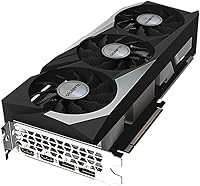
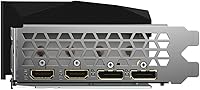
  • Video Outputs: Provides DisplayPort and HDMI outputs, covering compatibility with modern gaming monitors, high-refresh-rate displays, and 4K televisions.
  • Max Resolution: Supports output resolutions up to 7680x4320 pixels, making it technically capable of driving an 8K display.
  • RGB Lighting: Integrated RGB Fusion 2.0 system allows full lighting customization and synchronization with other compatible GIGABYTE components.
  • Backplate: A full-coverage protective metal backplate adds structural rigidity and provides a cleaner aesthetic finish to the rear of the card.
  • Card Length: The card measures 11.26 inches in length, requiring careful case clearance verification before installation in mid-tower or smaller enclosures.
  • Card Dimensions: Overall dimensions are 11.26 x 4.41 x 2.28 inches, occupying a dual-slot-plus footprint inside the chassis.
  • Weight: The card weighs 3.08 pounds, which is substantial enough to warrant consideration of a PCIe slot support bracket during installation.
  • Power Requirement: Due to the RX 6800 chip's power draw, a minimum 750W power supply is strongly recommended for stable system operation.
  • PCIe Interface: Connects via a PCIe 4.0 x16 slot, though it remains backward compatible with PCIe 3.0 motherboards at a modest bandwidth trade-off.
  • API Support: Supports DirectX 12 Ultimate, Vulkan, and OpenGL 4.6, covering all major modern gaming and professional rendering APIs.
  • Brand & Series: Manufactured by GIGABYTE under the Gaming OC product line, which targets enthusiast builders seeking factory overclocked performance.

Related Reviews
XFX Speedster SWFT319 RX 6800 Graphics Card
76%
88%
Thermal Performance
84%
Noise Levels
94%
VRAM Capacity
86%
1440p Gaming Performance
63%
Ray Tracing Capability
More
GIGABYTE RX 7800 XT 16GB Graphics Card
78%
91%
1440p Gaming Performance
88%
Thermal Management
93%
VRAM & Future-Proofing
79%
Value for Money
61%
Driver & Software Experience
More
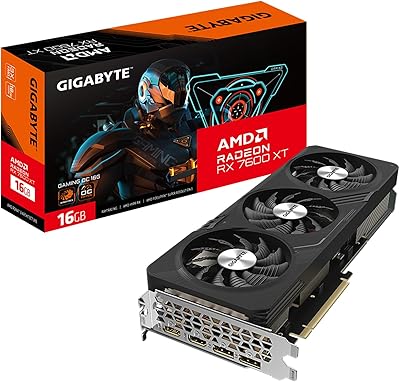
GIGABYTE RX 7600 XT 16GB Graphics Card
80%
88%
Value for Money
84%
1080p Gaming Performance
72%
1440p Gaming Performance
93%
VRAM Capacity
86%
Thermal Performance
More
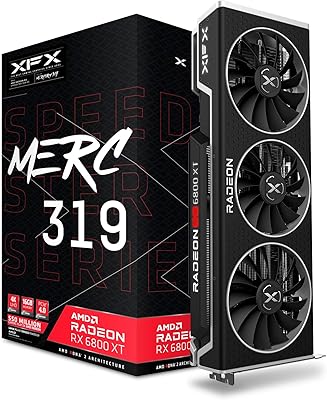
XFX Speedster MERC319 AMD Radeon RX 6800 XT 16GB GDDR6 Graphics Card
85%
94%
Performance in 4K Gaming
88%
Thermal Management & Cooling
89%
Value for Money
85%
Build Quality & Durability
82%
Installation & Setup
More
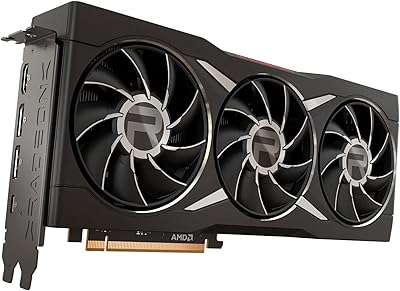
AMD Radeon RX 6950 XT Graphics Card
72%
92%
4K Gaming Performance
94%
VRAM Capacity & Bandwidth
51%
Power Consumption
48%
Physical Size & Case Fit
67%
Driver Stability
More
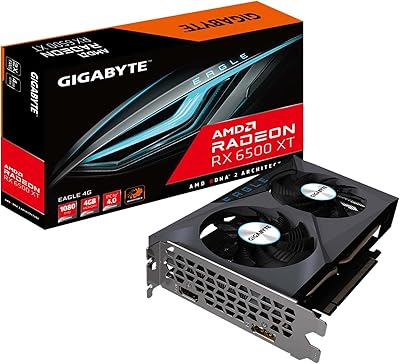
GIGABYTE Radeon RX 6500 XT Eagle 4GB Graphics Card
83%
92%
Value for Money
88%
Gaming Performance (1080p)
90%
Cooling System Efficiency
63%
4K Performance
84%
Build Quality
More
GIGABYTE Radeon RX 6700 XT Gaming OC 12GB Graphics Card
87%
94%
4K Gaming Performance
91%
Cooling System Efficiency
88%
Installation and Setup
86%
Design and Durability
89%
Frame Rates in Demanding Games
More
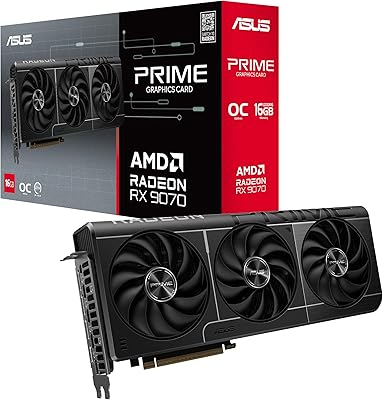
ASUS Prime RX 9070 OC Graphics Card
82%
91%
Gaming Performance at 1440p
88%
Thermal Management
87%
Noise Levels
84%
Build Quality & Feel
67%
Driver Stability & Software
More
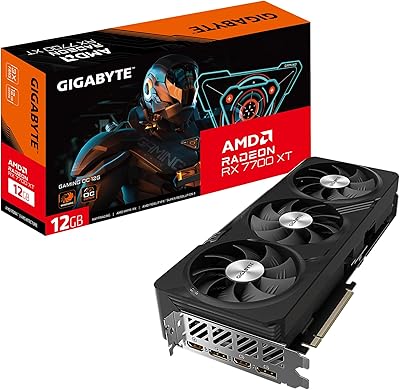
GIGABYTE RX 7700 XT 12GB Graphics Card
83%
88%
1440p Gaming Performance
91%
Thermal Performance
83%
Noise Level
93%
Build Quality
76%
Value for Money
More
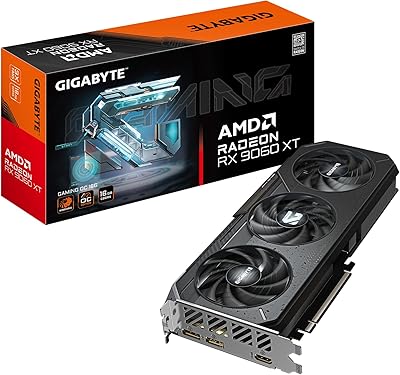
GIGABYTE Radeon RX 9060 XT Gaming OC 16G
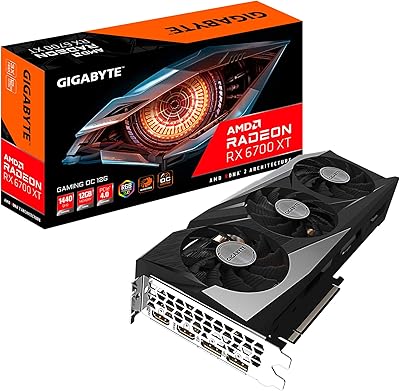
83%
93%
1440p Gaming Performance
96%
Memory Capacity (VRAM)
89%
Thermal Management
84%
Acoustic Performance
87%
Build Quality & Materials
More

FAQ

AMD's RX 6800 chip has a rated board power of around 250W, and the Gaming OC variant draws a touch more than reference. A quality 750W PSU is the practical minimum for a full gaming system, and 850W gives you better headroom if you have a power-hungry CPU or multiple drives. Do not cut corners on PSU quality here — a cheap unit rated at 750W is not the same as a reliable one.

At 11.26 inches long, this GIGABYTE RX 6800 is on the larger side and will not clear every mid-tower case. Before buying, check your case spec sheet for maximum GPU length — most full-size mid-towers support 300mm or more, which clears this card, but compact or budget cases may not. Also account for the dual-slot-plus height when checking PCIe slot spacing.

At 1440p rasterization, the two cards trade blows depending on the title — the RX 6800 often edges ahead in AMD-optimized games, while the RTX 3070 can pull ahead in NVIDIA-favored titles. The bigger practical difference is VRAM: the RX 6800 carries 16GB versus 8GB on the RTX 3070, which matters more as modern games push texture budgets higher. For ray tracing specifically, the RTX 3070 has a clear advantage.

It is capable at 4K, but with caveats. In AMD-optimized titles and with FidelityFX Super Resolution applied, you can have a genuinely good 4K experience. In less-optimized or more demanding games, you may need to reduce settings to maintain comfortable frame rates. Think of it as a 4K-capable card rather than a definitive 4K powerhouse.

The physical switch on the card toggles between two firmware profiles. The performance BIOS allows the card to run at higher fan speeds and clocks, while the silent BIOS caps fan curves for quieter operation with slightly more conservative thermal management. Most users can leave it on performance mode — the WINDFORCE cooler handles thermals well even in that mode without being loud. Silent mode is useful for home theater setups or noise-sensitive environments.

AMD's driver situation has improved considerably over the past couple of years, but it is still fair to say it requires slightly more active management than NVIDIA's software. Most users install it and never think about it again. However, after major Windows updates or driver version jumps, a small number of users encounter stability issues that require a clean reinstall. Running DDU (Display Driver Uninstaller) when upgrading drivers is a good habit with any AMD card.

Yes, and the 16GB VRAM is a genuine advantage here. For video editing in software like DaVinci Resolve, which has strong AMD GPU support, this AMD RDNA2 card performs well. For 3D rendering, results depend heavily on the renderer — Blender's HIP backend supports AMD GPUs, though CUDA-based workflows still favor NVIDIA. If your creative work is AMD-compatible, the large frame buffer handles complex scenes comfortably.

Quieter than you might expect for a high-performance card. The alternate fan spin direction reduces the kind of turbulent noise you get on traditional triple-fan designs, and most users report the card staying inaudible or near-silent at desktop idle since the fans stop entirely at low temperatures. Under a sustained gaming load, it is audible but not intrusive — comparable to a gentle hum rather than a blower-style drone.

Yes, the Gaming OC 16GB provides both DisplayPort and HDMI outputs, and the RX 6800 supports up to four simultaneous displays. For multi-monitor gaming setups, DisplayPort connections are preferred for high-refresh-rate configurations. The card handles AMD Eyefinity (multi-monitor spanning) natively if that is a workflow you are interested in.

It is not strictly necessary, but it is a sensible precaution. At just over three pounds and 11 inches long, the card does put meaningful leverage stress on the PCIe slot over time, especially if the system is moved or transported frequently. A cheap GPU sag bracket or brace takes minutes to install and protects both the card and the motherboard slot — worth the small investment for a card in this weight class.