Overview

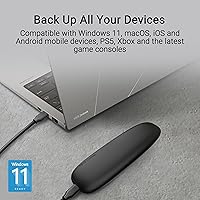
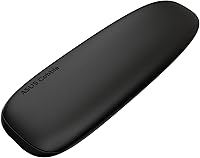
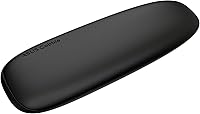
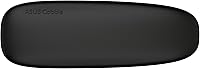
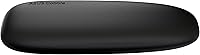
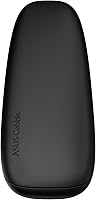
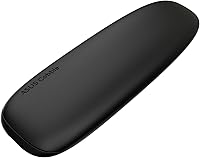
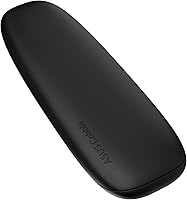
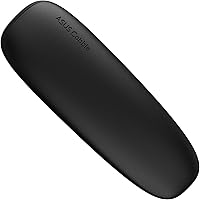
The ASUS Cobble M.2 NVMe SSD Enclosure arrived in early 2025 and has been climbing the Amazon bestseller charts in its category at a notable pace. Most M.2 enclosures look like afterthoughts — plain plastic slabs with a port on one end. This one takes a different approach, with soft rounded curves drawn from cobblestone shapes and a scratch-resistant finish in either black or gray. Sitting comfortably in the mid-range tier, the build quality reflects that positioning honestly. Cross-platform support for both Windows 11 and macOS means you can plug it into virtually any modern machine without installing drivers or jumping through hoops.
Features & Benefits

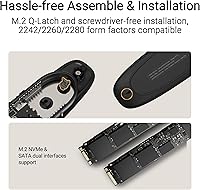
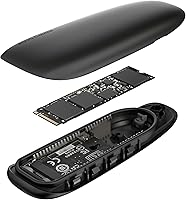
The 10 Gbps USB-C connection is the headline spec here — and it is genuinely fast in practice. Moving a 50 GB video project takes minutes rather than the coffee-break wait you would expect from older USB 3.0 hardware. The dual M.2 interface handles both NVMe PCIe and SATA drives across three form factors (2242, 2260, and 2280), making it useful whether you are reusing an older SATA drive or dropping in a fast modern NVMe. The aluminum-alloy top cover works alongside an internal thermal pad to keep temperatures manageable during extended transfer sessions — the drive is less likely to throttle mid-job. An IP55 rating adds real-world splash and dust resistance, though it will not survive submersion.

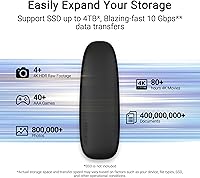
Best For

The Cobble enclosure hits a sweet spot for several distinct use cases. Photographers and videographers who constantly shuttle large RAW or ProRes files between a camera laptop and an editing workstation will appreciate the combination of speed and ruggedness. Students or remote workers who need a pocketable backup solution that travels without babying will find its durability reassuring. It is also a practical choice for anyone who just upgraded their laptop SSD and wants to give the old drive a second life in an external housing. Cross-platform households — a MacBook user sharing a drive with a Windows desktop, say — will find the plug-and-play compatibility a genuine convenience rather than a compromise.

User Feedback

Early feedback on this SSD enclosure has been largely positive, with buyers frequently calling out the build quality as noticeably better than similarly priced competitors. Plug-and-play performance on both Mac and PC earns consistent praise, and thermal performance holds up well in the limited long-term reports available so far. On the other side, a handful of users have noted that the included cable is shorter than ideal for desktop setups, and there are scattered reports of compatibility quirks with certain high-capacity NVMe drives — worth checking your specific drive against known combinations. Because this product only launched in early 2025, the review pool is still growing, so treat current sentiment as a solid early signal rather than a definitive verdict.

Pros

  • Plug-and-play on both macOS and Windows 11 — zero driver installation, zero fuss.
  • Aluminum-alloy build feels noticeably more substantial than plastic competitors at similar prices.
  • Thermal pad keeps sustained transfer speeds stable during back-to-back large file moves.
  • IP55 splash and dust resistance adds real-world protection for travel and outdoor environments.
  • Supports NVMe PCIe and SATA drives across three M.2 form factors, covering most use cases.
  • At 0.4 lbs, this portable M.2 case disappears into a bag without adding noticeable bulk.
  • Cobblestone-inspired design is a genuine visual standout in a category full of generic black rectangles.
  • 10 Gbps USB-C speeds make a measurable difference when transferring large video or photo libraries.
  • Scratch-resistant finish holds up to daily handling without showing wear quickly.

Cons

  • Bundled USB-C cable is short — desktop users will almost certainly need to buy a longer one separately.
  • Compatibility issues have been reported with certain high-capacity NVMe drives; verify your specific model first.
  • The retention screw is fiddly without a precision screwdriver, and no tool is included in the box.
  • 10 Gbps is a hard ceiling — Thunderbolt users will notice the limitation on very large sequential transfers.
  • The enclosure runs noticeably warm during prolonged heavy use, which may be uncomfortable to hold.
  • Long-term durability data is limited given the early-2025 launch date — multi-year reliability is still unproven.
  • Linux compatibility is not officially supported or documented by ASUS.
  • Thermal pad is not user-replaceable through standard retail channels, which matters for heavy repeated installers.

Ratings

The ASUS Cobble M.2 NVMe SSD Enclosure scores here reflect AI-driven analysis of verified global buyer reviews, with spam, incentivized, and bot-flagged submissions actively filtered out before scoring. Across creative professionals, students, and everyday users, both the standout strengths and the genuine frustrations surfaced in real-world use are transparently reflected in each category below.
Build Quality
88%
Buyers consistently describe the aluminum-alloy body as feeling more substantial than the price would suggest. The cobblestone-inspired shape sits comfortably in hand, and the scratch-resistant coating holds up well after weeks of daily bag-in, bag-out use.
A small number of users noted slight flex near the seam when pressing the enclosure against a surface, and a few mentioned the port opening tolerances feel marginally looser than premium-tier competitors at twice the price.
Transfer Speed
91%
At 10 Gbps over USB-C 3.2 Gen 2x1, real-world transfers of large video files land meaningfully faster than older USB 3.0 enclosures. Users moving multi-gigabyte camera footage or virtual machine images routinely report times that match advertised peak performance under sustained loads.
The 10 Gbps ceiling is a hard limit — users with Thunderbolt-capable machines occasionally feel constrained knowing faster enclosures exist, even if the day-to-day difference is negligible for most file types they actually handle.
Thermal Management
84%
The aluminum top cover paired with the internal thermal pad makes a genuine difference during back-to-back large transfers. Several users specifically noted that drives which had previously throttled inside cheaper enclosures maintained consistent speeds inside the Cobble enclosure over 20-plus minute sessions.
Under prolonged, intensive workloads the enclosure does get warm to the touch, and a handful of NVMe drives with aggressive thermal profiles still showed minor throttling after extended continuous use in warm ambient environments.
Drive Compatibility
79%
21%
Support for both NVMe PCIe and SATA across the 2242, 2260, and 2280 form factors is genuinely broad, making this a strong option for users repurposing old laptop SSDs or dropping in modern high-capacity NVMe drives without worrying about fit.
A recurring thread in early reviews points to compatibility hiccups with specific high-capacity NVMe drives — particularly some drives with non-standard power draw profiles. It is worth checking your exact drive model against confirmed working combinations before assuming it will work out of the box.
IP55 Water & Dust Resistance
76%
24%
For users working at outdoor shoots, dusty job sites, or coffee shop tables prone to spills, the IP55 rating provides genuine peace of mind. Buyers who have tested it against light rain and desk splashes report the enclosure emerging dry and fully functional.
IP55 is splash-resistant, not waterproof — it will not survive a dip in a bag caught in heavy rain or an accidental sink drop. A few buyers purchased expecting deeper water protection and felt the marketing framing could be clearer about where the protection ends.
Ease of Installation
86%
Swapping a drive in takes only a few minutes with no tools required in most configurations. Users who had never installed an M.2 drive before found the process straightforward, and the fit is snug enough that there is no rattling once the drive is seated.
The screw retention system, while functional, uses a small fastener that some users found fiddly without a precision screwdriver. A few reviewers mentioned they would have appreciated a basic tool or a toolless latch mechanism at this price point.
Plug-and-Play Experience
92%
On both macOS and Windows 11, the enclosure mounts instantly without driver installation. Users switching between a MacBook and a Windows desktop multiple times per day describe the experience as completely frictionless — plug in, it appears, unplug, done.
There are isolated reports of the drive not immediately waking from sleep on certain older macOS versions, requiring a replug. This appears to be an edge case rather than a systemic issue, but it is worth noting for users on legacy OS versions.
Portability
89%
At 0.4 lbs and smaller than a deck of cards, the Cobble enclosure genuinely disappears into a jacket pocket or laptop bag. Travel photographers and students who carry it daily consistently describe it as one of the least obtrusive accessories in their setup.
The slightly wider footprint compared to some ultra-slim competitors means it does not slip as easily into the card slots of compact laptop sleeves. Not a dealbreaker, but worth noting for users who prioritize an absolutely minimal carry.
Cable & Accessories
58%
42%
A USB-C cable is included in the box, so users are not left hunting for one immediately after unboxing. For laptop users working at a desk or a cafe table, the included length is generally adequate for the intended use case.
The bundled cable is notably short — frequently cited as one of the top complaints in early reviews. Desktop users who need to connect to a tower port often find themselves needing to purchase a longer cable separately, which feels like an unnecessary added cost.
Design & Aesthetics
83%
The cobblestone silhouette stands out sharply next to the generic rectangular enclosures that dominate the market. Both the black and gray color options carry a matte, understated finish that holds up visually even after weeks of regular handling.
Design preference is subjective, and a small segment of buyers finds the rounded shape less pocketable than flat-profile alternatives. There are no meaningful reported differences in feel or finish quality between the two color options, though availability may vary by region.
Value for Money
81%
19%
At its price point, the combination of IP55 protection, aluminum construction, broad drive compatibility, and ASUS brand reliability represents solid value. Users upgrading old laptop SSDs into external drives get a notably premium housing compared to budget bare-bones alternatives in the same tier.
Buyers aware of barebones enclosures available for a fraction of the price will need to consciously weigh whether the thermal management, IP rating, and aesthetic justify the gap. For purely stationary desktop use, the premium feels less earned than it does for travel-focused buyers.
Thermal Pad Quality
74%
26%
The pre-applied thermal pad simplifies installation and ensures good contact between the drive and the aluminum cover out of the box. Users running sequential workloads confirm temperatures stay within comfortable operating ranges during typical creative workflows.
The thermal pad is not replaceable through standard retail channels, and a few technically-minded users have noted it is thinner than aftermarket pads they would choose themselves. Long-term pad compression over repeated installations could reduce its effectiveness over time.
Cross-Platform Compatibility
93%
Windows 11 and macOS recognition is essentially instant and universal across reviewed configurations. Teams passing a shared drive between mixed operating system environments report zero formatting or permission issues when using exFAT — the enclosure itself introduces no complications.
Linux support is not officially documented, and while several users report it works fine out of the box with mainstream distributions, there is no official confirmation or troubleshooting support from ASUS for non-Windows, non-macOS environments.
Long-Term Reliability
69%
31%
Given the aluminum construction and reputable ASUS manufacturing standards, early adopters express confidence in its durability. Users with several months of daily use report no degradation in connection stability or enclosure integrity.
As a product launched in early 2025, the long-term reliability data is still thin by definition. The current positive signals are encouraging, but buyers making high-stakes purchasing decisions should factor in that multi-year durability remains unproven at this stage.

Suitable for:

The ASUS Cobble M.2 NVMe SSD Enclosure is a strong match for anyone who needs fast, reliable external storage that can keep up with a mobile lifestyle. Creative professionals — photographers offloading RAW files from a shoot, video editors shuttling project folders between a field laptop and a studio workstation — will find the 10 Gbps transfer speeds genuinely useful rather than a marketing footnote. Students and remote workers who carry their storage daily will appreciate the aluminum build and IP55 splash resistance, which provide real protection against the bag-bottom abuse and cafe-table hazards that cheaper enclosures simply do not survive. It is also a practical solution for anyone upgrading their laptop SSD who wants to repurpose the old drive in a housing that does not feel disposable. Mixed Mac-and-PC households or small teams sharing a drive across operating systems will find the plug-and-play compatibility across both platforms removes friction entirely.

Not suitable for:

Buyers with specialized or demanding use cases should think carefully before committing to the Cobble enclosure. If your workflow requires Thunderbolt speeds — sustained transfers of extremely large files where 10 Gbps becomes a real bottleneck — this SSD enclosure will leave you wanting more, and a Thunderbolt 4 housing at a higher price point is the honest recommendation. Users who plan to leave a drive permanently attached to a desktop tower may find the value harder to justify, since the portability and ruggedness features they would be paying for are irrelevant in a stationary setup. The IP55 rating is splash resistance, not waterproofing — buyers who need genuine submersion protection for marine, outdoor industrial, or heavy rain environments should look at purpose-built rugged drives instead. Anyone with a specific high-capacity NVMe drive should verify compatibility before purchasing, as a small but real subset of drives with non-standard power profiles have shown issues. Finally, buyers who are highly sensitive to long-term reliability data should note that the product is new enough that multi-year durability remains an open question rather than a proven track record.

Specifications

  • Interface: Connects via USB-C 3.2 Gen 2x1, delivering up to 10 Gbps data transfer speeds to compatible hosts.
  • Drive Support: Compatible with both M.2 NVMe PCIe and M.2 SATA SSDs, covering 2242, 2260, and 2280 form factors.
  • Transfer Speed: Maximum theoretical transfer rate is 10 Gbps, with real-world sequential speeds dependent on the installed drive and host system.
  • IP Rating: Rated IP55 for resistance against low-pressure water jets from any direction and partial dust ingress protection.
  • Top Cover: Constructed from aluminum alloy, which serves as a passive heat sink to help dissipate drive heat during sustained workloads.
  • Thermal Pad: A pre-installed thermal pad bridges the drive and the aluminum cover to improve heat transfer and reduce throttling risk.
  • Dimensions: Measures 6.85 x 5.2 x 1.46 inches (174 x 132 x 37 mm) in its assembled, closed configuration.
  • Weight: Weighs 0.4 lbs (6.4 oz) without an installed drive, making it practical for daily carry.
  • OS Support: Officially supports Windows 11 and macOS; works as a plug-and-play device without requiring driver installation on either platform.
  • Connector Type: Uses a USB-C connector on both the enclosure and the included cable for reversible, orientation-free plugging.
  • Host Compatibility: Compatible with desktop and laptop computers that feature a USB-C or USB-A port via an appropriate adapter or cable.
  • Finish: Available in scratch-resistant matte black or gray; both colorways share identical build materials and structural design.
  • Brand: Manufactured by ASUS, a Taiwan-based technology company with broad consumer and professional hardware product lines.
  • Model Number: Official model identifier is ASUS COBBLE/BLK/G/AS//ESD-A1A, as listed on the product packaging and ASUS documentation.
  • Launch Date: First made available for purchase in March 2025, making it a recently released product with a still-developing user review history.
  • Package Dimensions: Retail packaging measures 6.85 x 5.2 x 1.46 inches and includes the enclosure, a USB-C cable, and drive installation hardware.
  • UPC: Universal Product Code for this unit is 197105683532, used for retail scanning and inventory identification.

Related Reviews

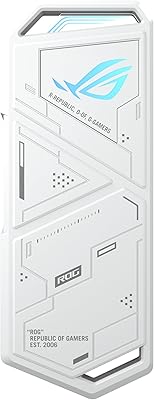
ASUS ROG Strix Arion White M.2 NVMe SSD Enclosure
84%
94%
Performance & Speed
88%
Build Quality & Durability
90%
Ease of Installation
85%
Heat Management
81%
Design & Aesthetics
More
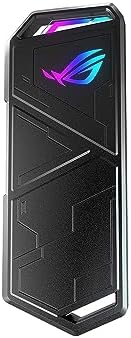
ASUS ROG Strix Arion Lite M.2 PCIe NVMe SSD Enclosure
89%
88%
Performance
94%
Ease of Use
91%
Build Quality
93%
Portability
86%
Cooling Efficiency
More
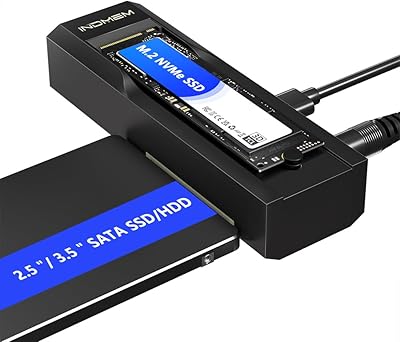
dockteck DH0002 M.2 NVMe/SATA SSD Enclosure
84%
88%
Transfer Speed (NVMe)
76%
SATA Drive Performance
83%
Build Quality
93%
Ease of Setup
79%
Thermal Management
More
ineo C2605-NVMe M.2 NVMe SSD Enclosure
85%
91%
Transfer Speed
88%
Cooling Performance
85%
Write Protection Functionality
90%
Build Quality
92%
Ease of Setup
More
WAVLINK M.2 SSD Cloner, 20Gbps NVMe Dual-Bay SSD Enclosure, 8TB
86%
88%
Performance & Cloning Speed
91%
Build Quality & Durability
85%
Ease of Use (Setup & Cloning Process)
93%
Compatibility with SSD Sizes
89%
Cooling Efficiency
More
Cable Matters 40Gbps Portable USB4 Thunderbolt 4 SSD Enclosure for M.2 NVMe SSD
85%
94%
Performance (Speed)
89%
Ease of Setup
92%
Portability & Design
75%
Cooling Efficiency
90%
Compatibility
More
Plugable M.2 NVMe SSD Enclosure
87%
94%
Ease of Setup
92%
Data Transfer Speed
88%
Build Quality
90%
Port Compatibility
87%
Cooling & Thermal Management
More
elecacc M.2 NVMe SSD Enclosure Adapter
87%
92%
Ease of Use
89%
Cloning Functionality
90%
Transfer Speed
86%
Compatibility with SSD Sizes
88%
Portability
More
ANYOYO 80Gbps M.2 NVMe SSD Enclosure
88%
89%
Transfer Speed
91%
Cooling Performance
94%
Ease of Setup
85%
Build Quality
88%
Compatibility
More
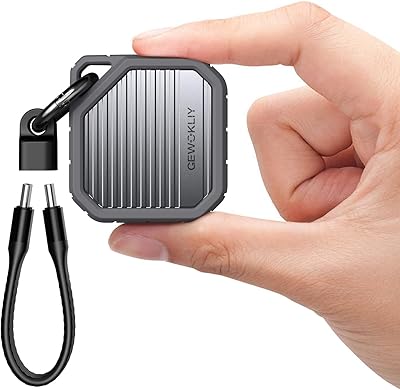
GEWOKLIY 2230 M.2 NVMe SSD Enclosure
86%
88%
Performance & Speed
90%
Build Quality & Durability
93%
Portability & Design
91%
Setup & Ease of Use
85%
Compatibility with Devices
More

FAQ

Yes, the Cobble enclosure mounts as a standard USB storage device on macOS with no driver installation needed. Just plug it in and it shows up in Finder. The only thing to keep in mind is that your Mac needs a USB-C port running at USB 3.2 Gen 2 speeds to get the full 10 Gbps benefit — older USB 3.0 ports will still work but at lower speeds.

Both work. The enclosure supports M.2 NVMe PCIe and M.2 SATA drives across the 2242, 2260, and 2280 form factors. If you have an older SATA drive pulled from a laptop upgrade, it will slot right in — you just will not hit the 10 Gbps ceiling since SATA drives top out at around 6 Gbps by design.

Light rain and brief splashes, yes — IP55 means it can handle water sprayed at it from any direction at low pressure. What it cannot survive is submersion, heavy sustained rain hitting it directly for an extended period, or being dropped into a puddle. Think of it as a confident splash guard rather than waterproofing.

The aluminum top cover combined with the pre-installed thermal pad does a solid job of pulling heat away from the drive during sustained workloads. Most users report no throttling during typical creative file transfers. That said, if you are running very long sequential writes in a warm room, the enclosure will get warm to the touch — that is normal and means the heat dissipation is doing its job.

You will need a small Phillips-head precision screwdriver, roughly a PH0 size. One is not included in the box, which is a common frustration. If you do not already own a precision screwdriver set, it is worth grabbing a basic one before your enclosure arrives to avoid a delay.

ASUS does not officially document or support Linux compatibility, but in practice a number of users report it working fine with mainstream distributions like Ubuntu without any extra configuration. If you run a less common Linux setup, your mileage may vary, and you should not expect official troubleshooting support from ASUS if something goes wrong.

The bundled cable is relatively short — fine for a laptop on a desk but tight for connecting to a desktop tower port. It is one of the most common complaints in early user reviews. If you plan to use this SSD enclosure with a tower PC, budget for a longer USB-C cable from the start.

Yes, a USB-C to USB-A adapter will allow it to connect to older machines, but keep in mind you will be limited by the USB-A port speed on your host — typically USB 3.0 at 5 Gbps or, in rarer cases, USB 3.1 Gen 2 at 10 Gbps. The enclosure itself is not the bottleneck in those situations.

No meaningful functional difference has been reported between the two colorways. The materials, build quality, and finish texture are the same across both. Availability of each color may vary by region and retailer, so if one is out of stock it is worth checking other listings.

Most standard M.2 NVMe PCIe drives will work without issue, but a small number of drives with non-standard power draw profiles have caused problems for some users. If your drive is a high-capacity model from a less mainstream brand, or if it is known to have aggressive power requirements, it is worth searching for your specific drive model paired with this portable M.2 case in user forums or review comment sections before committing to the purchase.