Overview

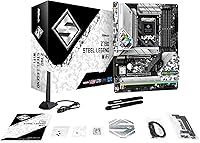
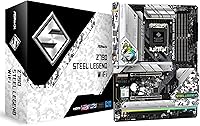
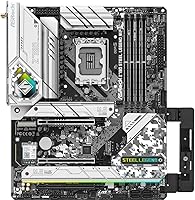
The ASRock Z790 Steel Legend WiFi Motherboard sits in a competitive but well-defined spot in the Z790 ecosystem — capable enough for serious builds, without the inflated price tag of flagship boards. It follows the ATX standard and fits any LGA 1700 system running 12th, 13th, or 14th Gen Intel Core processors. One thing worth calling out at this price point: integrated WiFi is included, which many competing boards at this tier skip entirely. DDR5 support means you are building on a platform with genuine headroom. Just be clear-eyed going in — this is a mid-range enthusiast board, not a hardcore overclocking machine.
Features & Benefits

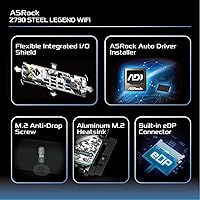
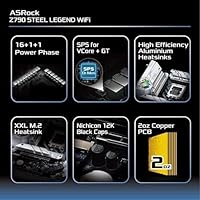
The Steel Legend WiFi packs a 16+1+1 phase power design — that means your CPU gets clean, stable power even during extended gaming sessions or heavy rendering workloads. The primary PCIe 5.0 x16 slot keeps you current for today's fastest GPUs, and two additional slots (PCIe 4.0 and 3.0) leave room for expansion without compromise. Memory support reaches up to 6800+ MHz via XMP profiles across four DDR5 slots, giving enthusiasts real tuning flexibility. Multiple M.2 NVMe slots handle fast storage without eating into SATA connections. The onboard HDMI and DisplayPort outputs are a quiet convenience — useful for testing or running a GPU-free setup temporarily.

Best For

This Z790 board hits its stride when paired with a 13th or 14th Gen Intel Core i5 or i7 and a capable discrete GPU — that is the build it was designed around. Gamers and content creators who want DDR5 and PCIe 5.0 compatibility without spending flagship money will find it a comfortable fit. It is also a solid pick for anyone who cannot run Ethernet to their desk, since WiFi 6E is already on board. First-time builders often gravitate toward it for the well-organized BIOS and broad community documentation. Coming from a Z490 or Z590 system, the jump in platform features is substantial enough to justify a full rebuild.

User Feedback

Across roughly 158 ratings, ASRock's mid-range Z790 offering holds a 4.2-star average — respectable, though not without caveats worth understanding. Buyers consistently praise the BIOS layout as clear and approachable, and build quality draws frequent compliments for a board in this segment. The value-to-feature ratio comes up repeatedly as a highlight. On the flip side, a few users found the BIOS update process unexpectedly tricky, especially without a spare CPU to bootstrap it. WiFi antenna routing has also caused minor frustration depending on case layout. Memory compatibility with aggressive XMP profiles occasionally requires manual tuning to stabilize. For long-term reliability, the feedback skews positive, with few reports of early failures under sustained use.

Pros

  • Integrated WiFi 6E and Bluetooth remove the need for a separate wireless adapter entirely.
  • The approachable BIOS layout makes initial setup far less stressful for less experienced builders.
  • PCIe 5.0 support on the primary slot keeps the platform relevant for next-generation GPU releases.
  • Four DDR5 slots with XMP support up to 6800+ MHz give memory enthusiasts meaningful tuning headroom.
  • Solid build quality for the price tier — the board feels substantial and well-assembled out of the box.
  • Broad CPU compatibility across 12th, 13th, and 14th Gen Intel Core processors adds flexibility for upgrades.
  • Multiple M.2 slots mean you can run fast NVMe storage without sacrificing SATA ports for other drives.
  • Onboard HDMI and DisplayPort outputs are a practical convenience when testing a build without a discrete GPU.
  • Community support and documentation are widely available, which matters when troubleshooting edge cases.
  • The 16+1+1 phase power design delivers stable CPU performance under sustained gaming or rendering workloads.

Cons

  • BIOS update process without a compatible CPU already installed can be confusing and risky for first-timers.
  • WiFi antenna cable management is awkward in certain mid-tower cases and requires some patience to route cleanly.
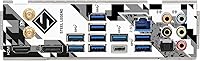
  • Only two USB 2.0 ports on the rear I/O, which feels limited if you rely on older peripherals.
  • Aggressive XMP memory profiles sometimes need manual intervention to stabilize — not always plug-and-play.
  • No DDR4 support means existing memory from a previous build cannot be reused, adding to total upgrade costs.
  • VRM cooling is adequate for mainstream use but offers less thermal headroom than premium Z790 alternatives.
  • Manufacturer software and utility tools are functional but not as polished as those from competing brands.
  • The board carries a 4.2-star average across a modest 158 ratings, so the reliability picture is not as statistically robust as higher-reviewed alternatives.
  • Advanced manual overclocking features are present but feel secondary compared to what dedicated OC-focused boards offer.

Ratings

The ASRock Z790 Steel Legend WiFi Motherboard has been scored below using an AI-driven analysis of verified global buyer reviews, with spam, bot activity, and incentivized feedback actively filtered out to reflect only genuine ownership experiences. Scores are calibrated to surface both what this board does well and where real-world frustrations tend to emerge. The result is an honest, nuanced picture of how this mid-range Z790 platform actually performs in builders' hands.
Value for Money
88%
Buyers consistently cite this as one of the most feature-dense boards available at its price point, particularly because integrated WiFi 6E and PCIe 5.0 support are typically reserved for pricier options. For builders watching their budget without wanting to sacrifice platform longevity, that equation lands well.
A small segment of users feel the value proposition weakens if they already own a WiFi adapter, since they are effectively paying for hardware they do not need. Those comparing against bare-bones Z790 alternatives without wireless sometimes find those options slightly more competitive on raw price.
Build Quality
83%
The board feels substantial in hand, and users across multiple builds report that component placement and PCB construction are noticeably solid for the price tier. Heatsink coverage on the VRM and M.2 areas draws frequent positive mentions from builders accustomed to flimsier mid-range options.
A handful of buyers noted that the aesthetic finish, while clean, does not quite match the visual polish of competing boards at similar prices. Some reported minor flex near the PCIe slots during GPU installation, which is not structural but can be unnerving for first-time builders.
BIOS Experience
79%
21%
The BIOS interface is one of this board's genuine strengths for mainstream builders — it offers a well-organized easy mode for beginners and a detailed advanced view for those who want to dig into memory timings or CPU tuning. Community resources and ASRock's own documentation make navigating it far less intimidating than comparable boards.
The BIOS update process, particularly for first-time builders who receive a board with an older firmware version, generates disproportionate frustration in user feedback. Without a compatible CPU already installed and without clear guidance, the Flashback process can feel risky and poorly communicated in the included documentation.
CPU Power Delivery
81%
19%
The 16+1+1 phase SPS design handles mainstream i5 and i7 workloads without breaking a sweat, and users running sustained gaming sessions or multi-hour rendering jobs report stable performance without thermal throttling concerns. For the target CPU range, it is more than adequate.
Builders pairing this board with high-TDP processors like a stock i9-13900K report that the VRM runs noticeably warm under prolonged full-load scenarios, especially in cases with limited airflow. It is not a dealbreaker for most, but it is a real ceiling for users pushing the platform harder than it was designed for.
Memory Compatibility
71%
29%
When paired with memory kits on ASRock's validated QVL list, DDR5 performs reliably and XMP profiles engage without drama. Buyers using mainstream 5600 MHz or 6000 MHz kits from major brands report smooth boot experiences and stable operation over extended periods.
Aggressive XMP profiles at 6400 MHz and above frequently require manual BIOS tuning to stabilize, and some users report initial boot failures when enabling XMP on kits not explicitly on the compatibility list. This is a platform-level DDR5 challenge, but it surfaces more often on this board than buyers expect.
Wireless Performance
84%
The Intel WiFi 6E implementation delivers genuinely reliable wireless performance for gaming and streaming, with users noting low-latency connections on 6 GHz band routers and stable throughput at typical room distances. Bluetooth pairing for headsets and controllers works without driver headaches on Windows.
The external antenna bracket and cable routing draw recurring criticism, particularly in mid-tower cases with limited rear I/O clearance or side-entry cable management. A few users also note that the antenna placement in compact builds can create modest signal drop compared to a dedicated PCIe WiFi card with a longer antenna reach.
PCIe & Slot Layout
77%
23%
Having a PCIe 5.0 primary slot alongside PCIe 4.0 and 3.0 options gives this board a flexible expansion story that holds up well over a multi-year build lifecycle. Users appreciate that the slot spacing accommodates large triple-fan GPUs without blocking the primary M.2 slot or adjacent connectors.
The third PCIe slot running at 3.0 speeds feels dated for a Z790 board, and users looking to run dual storage or capture card setups in tandem sometimes find bandwidth sharing between slots creates unexpected limitations that are not clearly documented out of the box.
Storage Options
82%
18%
Multiple M.2 slots let builders run a fast NVMe boot drive alongside a secondary storage drive without sacrificing any SATA ports, which matters for users migrating large media libraries or game libraries from older HDDs or SSDs. The M.2 heatsinks are included and straightforward to install.
Some users discovered that certain M.2 slot and SATA port combinations share bandwidth, meaning enabling specific M.2 slots disables certain SATA ports — a common Z790 chipset trade-off that ASRock's printed documentation does not highlight prominently enough to avoid surprises during setup.
Rear I/O Connectivity
69%
31%
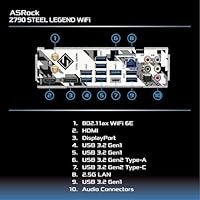
The rear I/O panel covers the essential connectivity needs for most desktop builds, including USB-A ports at multiple speeds, audio outputs, and the display outputs for iGPU use. The pre-installed I/O shield is a welcome convenience that saves time during assembly.
Only two USB 2.0 ports on the rear I/O is a genuine limitation for users with older peripherals, dongles, or USB hubs. Compared to competing Z790 boards in the same segment, the overall port count feels conservative, and there is no USB4 or Thunderbolt support, which some buyers only discover after purchase.
Thermal Management
74%
26%
For builders running mainstream CPUs in cases with reasonable airflow, the board's VRM and chipset heatsinks do their job quietly and without intervention. M.2 thermal pads are factory-applied, so drive temperatures stay controlled during sustained read and write workloads.
Under stress testing with high-core-count processors, VRM temperatures climb into ranges that make some users uneasy, even if they rarely reach throttling territory. The heatsink design is functional but lacks the surface area of premium Z790 boards, and case airflow has a bigger impact here than on more thermally robust alternatives.
Setup & Installation
76%
24%
The physical installation experience draws consistent praise — component labeling is clear, standoff holes are standard, and the overall layout avoids the cramped connector placement that plagues some competing boards. First-time builders mention feeling guided rather than confused during the build process.
The included manual, while adequate, leaves some gaps around BIOS Flashback steps and XMP activation that trip up less experienced users. WiFi antenna installation also lacks visual clarity in the printed guide, and several buyers turned to community forums to complete what should be a simple first-boot setup.
Long-Term Reliability
78%
22%
Given the relatively modest sample of 158 ratings, the absence of widespread failure reports is a positive signal — users who have owned the board for a year or more generally report stable, consistent operation with no degradation in performance. ASRock's build reputation at this tier is generally solid.
The rating pool is small enough that outlier failure experiences carry more statistical weight than they would on a heavily reviewed product, so the reliability picture is encouraging but not yet definitively proven at scale. A small number of buyers report DOA units, which is not unusual but worth noting for buyers without easy return access.
Overclocking Headroom
63%
37%
For casual memory overclocking and enabling XMP profiles, the Steel Legend WiFi performs adequately and gives DDR5 enthusiasts enough BIOS controls to experiment without needing a flagship board. Light CPU frequency adjustments on unlocked K-series processors are stable within normal operating ranges.
Serious overclockers looking to push voltage limits, fine-tune per-core frequencies, or maintain stability at extreme memory speeds will quickly find the ceiling here. The board lacks the granular controls, advanced fan curve options, and robust VRM headroom that dedicated OC-focused Z790 boards provide, and that gap is real under sustained stress.
Software & Utilities
61%
39%
ASRock's bundled Polychrome RGB software and system monitoring utilities cover the basics for users who want lighting control or a quick dashboard for temperatures and clock speeds without diving into the BIOS. Installation is straightforward and the tools work reliably on Windows 11.
The software ecosystem lags meaningfully behind competitors like ASUS Armory Crate or MSI Center in terms of interface polish and feature depth. Several users report that Polychrome RGB occasionally loses sync settings after driver updates, and the monitoring utility lacks the customization options that enthusiast users expect from a Z790-class board.

Suitable for:

The ASRock Z790 Steel Legend WiFi Motherboard is a strong match for builders who want a capable, well-rounded platform without stretching their budget to flagship territory. If you are pairing a 13th or 14th Gen Intel Core i5 or i7 with a mid-to-high-end GPU for gaming or content creation, this board covers all the bases you actually need. The integrated WiFi 6E is a genuine convenience for anyone who cannot easily run a cable to their desk — no extra adapter required. DDR5 support and a PCIe 5.0 primary slot mean the platform has real longevity, so you are not building yourself into a dead end. First-time builders also tend to do well here, since the BIOS is approachable and community resources around this board are plentiful. Upgraders stepping off older Z490 or Z590 systems will find the generational leap in connectivity and memory technology substantial enough to feel worthwhile.
Not suitable for:

If your primary goal is pushing a CPU to its absolute limits through aggressive manual overclocking, the ASRock Z790 Steel Legend WiFi Motherboard is not the tool for that job — higher-end Z790 boards with more robust VRM cooling and deeper tuning options exist for that purpose. Enthusiasts who already own a reliable WiFi adapter or have wired connections throughout their setup are essentially paying for a feature they will never use. Builders working with DDR4 memory from a previous system will need to budget for a full memory upgrade, since this board only supports DDR5. If your case has limited space or an unusual layout, the WiFi antenna bracket and cable routing can add unexpected friction during assembly. Power users running workstation-level sustained loads around the clock may eventually want a board with more thermal headroom in the power delivery section. And if you are chasing the absolute latest BIOS features or manufacturer support responsiveness, larger brands have historically edged ASRock out in that category.
Specifications

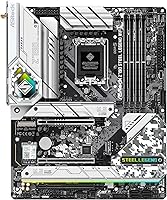
  • Form Factor: Standard ATX layout measuring 12.01 x 9.61 inches, compatible with full-size mid-tower and full-tower cases.
  • CPU Socket: LGA 1700 socket supports 12th, 13th, and 14th Gen Intel Core processors, including K, KF, and non-K variants.
  • Chipset: Intel Z790 chipset enables full overclocking support, expanded PCIe lanes, and enhanced connectivity over previous Z690 designs.
  • Memory Support: Four DDR5 DIMM slots support dual-channel memory up to 6800+ MHz via XMP overclocking profiles.
  • Primary PCIe Slot: One PCIe 5.0 x16 slot provides full bandwidth for current and next-generation discrete graphics cards.
  • Expansion Slots: One PCIe 4.0 x16 slot and one PCIe 3.0 x16 slot accommodate additional GPUs, capture cards, or other expansion devices.
  • Power Delivery: A 16+1+1 phase SPS power design supplies stable, clean voltage to the CPU core and integrated graphics under sustained workloads.
  • Wireless: Onboard Intel WiFi 6E with Bluetooth delivers fast wireless connectivity up to the 6 GHz band without requiring an add-in card.
  • Display Outputs: One HDMI port and one DisplayPort output support integrated graphics use for display output, system testing, or GPU-free configurations.
  • USB Ports: The rear I/O includes two USB 2.0 ports alongside higher-speed USB 3.2 and USB-A connections for peripheral and storage use.
  • Storage Interface: Multiple M.2 Key-M slots support PCIe 4.0 NVMe drives, paired with traditional SATA ports for HDDs and SSDs.
  • WiFi Slot: An M.2 Key-E slot is populated by the factory-installed WiFi module and is not available for user expansion.
  • CMOS Battery: One CR2032 coin cell battery maintains BIOS settings and the real-time clock when the system is powered off.
  • Board Weight: The board weighs 4.4 pounds, consistent with a fully featured ATX motherboard with integrated wireless hardware.
  • CPU Compatibility: Compatible with Intel Core i3, i5, i7, and i9 processors from the Alder Lake, Raptor Lake, and Raptor Lake Refresh families.
  • Platform: Designed for Windows-based desktop systems; Linux compatibility varies by driver support for onboard WiFi and audio components.

Related Reviews

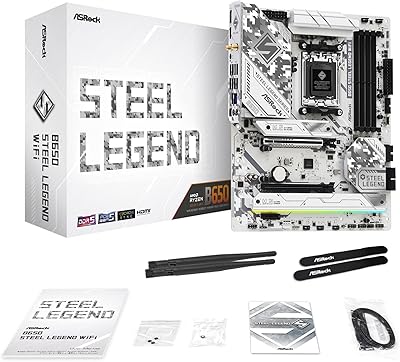
ASRock B650 Steel Legend WiFi 6E ATX Motherboard
87%
91%
Performance
89%
Stability
88%
Overclocking Capability
92%
WiFi 6E Connectivity
85%
Ease of Installation
More
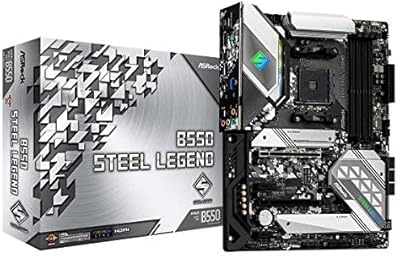
ASRock B550 Steel Legend AM4 Motherboard
83%
88%
Value for Money
91%
Build Quality
86%
CPU Compatibility
89%
VRM & Power Delivery
79%
BIOS Experience
More
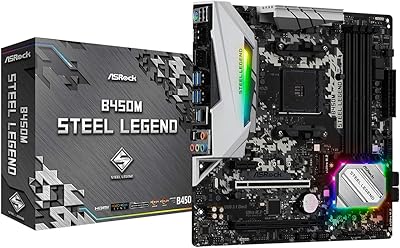
ASRock B450M STEEL LEGEND Motherboard
85%
91%
Value for Money
88%
Gaming Performance
94%
Ease of Installation
65%
Overclocking Capability
89%
Build Quality
More
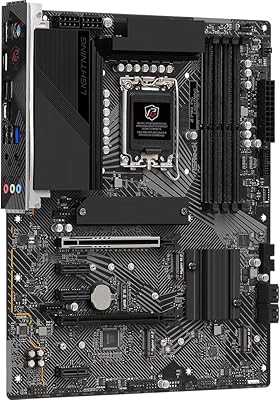
ASRock Z790 PG Lightning ATX Motherboard
73%
84%
Value for Money
81%
Build Quality
77%
CPU Power Delivery
79%
Memory Compatibility
66%
BIOS Experience
More
ASRock B650M PG Riptide WiFi AM5 Motherboard
79%
88%
Value for Money
79%
Build Quality
91%
CPU Compatibility
71%
VRM & Power Delivery
84%
BIOS Experience
More
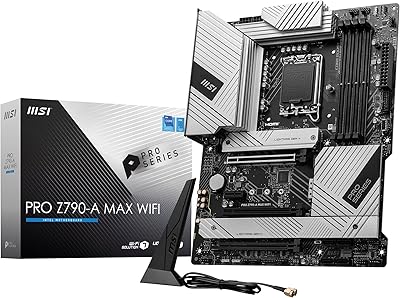
MSI PRO Z790-A MAX WiFi
83%
88%
Build Quality
91%
VRM & Power Delivery
86%
Memory Overclocking
77%
BIOS Experience
93%
Wireless Connectivity
More
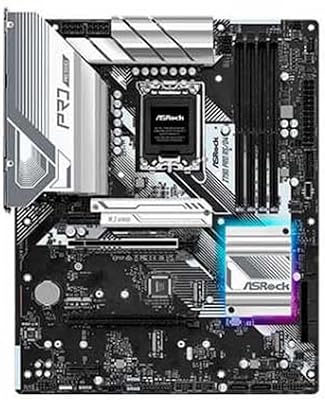
ASRock Z790 Pro RS/D4 DDR4 ATX Motherboard
73%
83%
Value for Money
88%
CPU Compatibility
74%
VRM & Power Delivery
81%
Memory Compatibility
86%
PCIe & Expansion
More
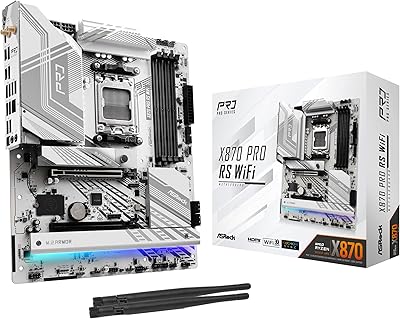
ASRock X870 Pro RS WiFi Motherboard
84%
91%
Performance
95%
Connectivity Options
88%
Stability and Overclocking
70%
Ease of Setup
94%
DDR5 Compatibility
More
ASRock B850i Lightning WiFi Mini ITX Motherboard
85%
91%
Performance
88%
Build Quality
93%
Overclocking Stability
89%
Connectivity
75%
Ease of Setup
More
MSI PRO Z790-P WiFi DDR4 Motherboard
83%
91%
Performance for Gaming
88%
Future-Proofing Features
85%
Thermal Management
80%
Ease of Installation
89%
Wi-Fi and Connectivity
More

FAQ

It supports all three recent Intel generations — 12th, 13th, and 14th Gen Core processors — on the LGA 1700 socket. That includes chips like the i5-12600K or i9-12900K without any issues, though you may want to check for a BIOS update if you are using a newer 14th Gen chip out of the box.

No, this Z790 board is DDR5-only and does not support DDR4 in any configuration. If you are upgrading from an older platform and hoping to reuse your memory, you will need to budget for a new DDR5 kit alongside the board.

The onboard WiFi 6E module is a genuine Intel solution, not a budget afterthought, so real-world performance is solid for gaming and streaming at typical home network distances. It supports the 6 GHz band for less congestion if your router supports it. A handful of users report that the external antenna bracket can be tricky to route in tighter cases, but signal quality itself has not been a common complaint.

If the board ships with an older BIOS version, a 13th Gen CPU should still work since most Z790 boards launched with support already included. That said, it is always worth flashing the latest BIOS after your first boot to get stability improvements and microcode updates. The tricky part arises only if you are trying to update the BIOS without any compatible CPU to boot with.

The ASRock Z790 Steel Legend WiFi Motherboard supports BIOS Flashback through the rear I/O, which allows you to flash a new BIOS from a USB drive without a CPU or RAM installed. Check the ASRock support page for the exact steps and which USB port to use, since not all ports on the rear I/O support this feature.
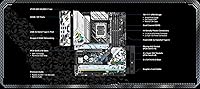
The primary PCIe 5.0 x16 slot is intended for a GPU, but the board also includes M.2 slots that run at PCIe 4.0 speeds for NVMe storage. PCIe 5.0 M.2 SSD support depends on the specific slot configuration — check the manual to confirm which M.2 slots are wired at which speeds before purchasing a Gen 5 drive.

Yes, the Steel Legend WiFi is a popular choice for exactly that pairing. The 16+1+1 phase power design is well-matched to the power draw of the i5-13600K, and you will not be leaving meaningful performance on the table versus a more expensive board for most gaming and productivity workloads. It is a sensible, cost-efficient match.

The board includes multiple M.2 slots for NVMe storage, allowing you to run more than one SSD without touching your SATA connections. One slot is occupied by the WiFi module, so plan your storage layout accordingly. Refer to the manual for exact slot speeds and any bandwidth sharing rules with other PCIe devices.

ASRock's BIOS interface on Z790 boards is generally considered one of the more beginner-friendly options in the mid-range space. It has both an easy mode and an advanced mode, so you can stick to simple settings at first and dig deeper as you get comfortable. Community guides and YouTube walkthroughs for this exact board are widely available, which helps a lot.

Yes, the ATX form factor at 12.01 x 9.61 inches is the standard size that virtually all mid-tower and full-tower cases are built around. Just double-check that your case specifies ATX compatibility, which the vast majority do, and you will have no clearance issues.

Where to Buy