Overview

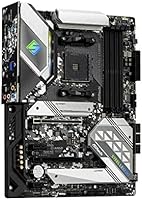
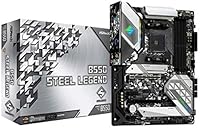
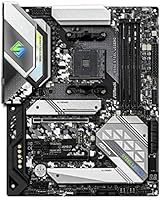
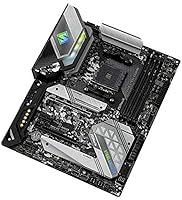
The ASRock B550 Steel Legend AM4 Motherboard arrived in 2020 as a mid-range contender in AMD's platform lineup, and it has held up surprisingly well for Ryzen 3rd Gen builders who don't want to overspend. Sitting between the budget B450 tier and the premium X570 range, the B550 chipset hits a practical sweet spot — enough features for a capable build, without the price premium that active PCIe 4.0 cooling demands. The Steel Legend's armored aesthetic and ATX form factor make it a natural fit for standard mid-tower cases with room to grow. With a 4.4-star rating across nearly 500 verified buyers, real-world confidence in this board is hard to ignore.
Features & Benefits

The 14-phase Dr. MOS power design is where this B550 board quietly earns its keep. That kind of VRM setup keeps voltage delivery stable when a Ryzen 5 or 7 processor is under sustained load — you get consistent performance without thermal throttling concerns. The single PCIe 4.0 x16 slot handles modern GPUs and high-speed NVMe drives at full bandwidth, while DDR4 memory support stretching past 4700 MHz gives builders meaningful headroom for memory tuning. Storage options are equally practical: dual M.2 slots and four SATA ports cover nearly any configuration. An M.2 Key E slot also lets you drop in a WiFi card down the line without surrendering a PCIe slot.

Best For

ASRock's mid-range AM4 offering hits its stride for builders pairing it with a Ryzen 5 or 7 processor for gaming or day-to-day productivity. It's a realistic choice for anyone who wants mild overclocking capability — enough to push a CPU beyond stock speeds — without committing to the higher cost and complexity of an X570 platform. Those building a workstation that needs reliable storage expansion and predictable power delivery will also find it fits the bill. Worth noting: the board carries official support for future AM4 processors, so it isn't necessarily a dead end if you plan to upgrade your CPU before switching platforms entirely.

User Feedback

Buyers consistently praise the straightforward BIOS experience and the way the Steel Legend just works with Ryzen CPUs out of the box — no wrestling with compatibility lists before posting. The VRM heatsink handles thermals quietly without needing a fan, which gets called out as a plus in plenty of longer-term reviews. That said, two real pain points come up with some regularity. Updating the BIOS can be awkward if you don't already have a compatible processor installed. And while high-speed XMP profiles generally work, a handful of users hit stability issues at 4000+ MHz and had to dial things back. Neither issue is unusual for this chipset class, but both are worth planning around.

Pros

  • The 14-phase Dr. MOS power design keeps VRM temperatures controlled even during sustained CPU workloads.
  • PCIe 4.0 support on the primary slot means modern GPUs and fast NVMe drives run at full bandwidth.
  • Dual M.2 slots and four SATA ports give builders plenty of storage flexibility in a single board.
  • BIOS navigation is consistently praised as approachable, especially for first-time builders.
  • The Steel Legend runs cool and quiet — the passive VRM heatsink handles heat without needing a fan.
  • DDR4 overclocking headroom extends past 4700 MHz, offering real tuning potential for memory enthusiasts.
  • ATX form factor fits standard mid-tower cases and provides four expansion slots for future upgrades.
  • Integrated HDMI and DisplayPort outputs cover APU-based builds that do not need a discrete GPU.
  • Forward AM4 compatibility means CPU upgrades are possible without replacing the entire platform.
  • Nearly 500 verified buyers back a 4.4-star average rating, reflecting broad real-world satisfaction.

Cons

  • BIOS updates without a pre-installed compatible CPU can be frustrating and requires careful planning.
  • WiFi is not included on-board — adding wireless requires purchasing and installing a separate M.2 Key E card.
  • High-speed XMP profiles above 4000 MHz have shown instability for a portion of users, requiring manual tuning.
  • Only two USB 2.0 rear ports is a noticeable limitation for users with several legacy peripherals.
  • The second M.2 slot shares bandwidth with SATA ports, which can reduce flexibility in dense storage builds.
  • No active cooling on the chipset heatsink may be a concern in poorly ventilated cases under heavy load.
  • The board has been on the market since 2020, so it lacks features introduced in newer B650 or X670 platforms.
  • Limited rear USB port count overall may require a hub for users with many connected devices.

Ratings

The ASRock B550 Steel Legend AM4 Motherboard scores below are generated by AI after systematically analyzing verified buyer reviews from global markets, with spam, bot activity, and incentivized feedback actively filtered out. Ratings reflect the honest distribution of real experiences — where the board genuinely excels and where users ran into friction. Both strengths and recurring pain points are transparently weighted into every score.
Value for Money
88%
Buyers consistently feel they got more board than they paid for at this price tier. The combination of a 14-phase power design, PCIe 4.0 support, and dual M.2 slots would have demanded a premium price on competing platforms just a couple of years ago, and that context is not lost on experienced builders.
A handful of users feel the price has crept up since launch without a corresponding feature refresh, making newer budget B550 alternatives feel more competitive on pure cost-per-feature calculations. For ultra-budget builders, the gap is noticeable.
Build Quality
91%
The physical construction of the Steel Legend draws consistent praise — reinforced PCIe slots, solid capacitor placement, and a heatsink that feels substantial rather than decorative. Builders who have handled budget boards before immediately notice the difference in material density and PCB rigidity.
A small number of users noted minor cosmetic issues on arrival, including slight inconsistencies in the armor panel finish. Nothing that affects function, but noticeable for builders who care about aesthetics in a windowed case.
CPU Compatibility
86%
Out-of-the-box compatibility with Ryzen 3rd Gen processors is reliable and well-documented by the user base. Most builders dropping in a Ryzen 5 3600 or Ryzen 7 3700X report a clean first boot with no compatibility surprises, which matters a lot for first-time builders.
Compatibility with some newer Ryzen 5000 series chips requires a BIOS update first, and performing that update without a compatible CPU already installed is genuinely difficult on this board. It is a real friction point that trips up a meaningful number of buyers.
VRM & Power Delivery
89%
The 14-phase Dr. MOS design earns real respect from users who monitor temperatures during sustained workloads. In gaming sessions and multi-hour rendering tasks alike, the VRM heatsink stays cool passively — no fan noise, no throttling, just stable power delivery throughout.
While the VRM handles mid-range Ryzen CPUs with ease, users pushing higher-TDP Ryzen 9 chips at aggressive overclocks have reported the thermals climbing more than expected. This board was not designed with 105W-class processors and heavy overclocking as the primary use case.
BIOS Experience
79%
21%
For a first or second-time builder, ASRock's UEFI BIOS is genuinely approachable. XMP memory profiles load with a single toggle, fan curves are visually laid out, and the overall layout avoids burying common settings in obscure submenus. Experienced builders also appreciate the depth available when needed.
The BIOS update process is the single most-cited frustration across user reviews — specifically the lack of a no-CPU flash method. Users who need to update before their CPU is supported face a real logistical problem, and the process for using USB BIOS flashing is less intuitive than on competing boards.
Memory Compatibility
74%
26%
Running DDR4 at 3200 or 3600 MHz with XMP enabled is reliable for the vast majority of users, and those speeds represent the practical sweet spot for Ryzen performance anyway. Most mainstream memory kits from major brands post cleanly at their rated speeds.
Pushing XMP profiles above 4000 MHz introduces instability for a notable minority of users, requiring manual sub-timing adjustments in the BIOS to stabilize. Some specific memory kit and chip combinations simply refuse to run at advertised speeds, which is frustrating when it happens.
Storage Expansion
87%
Two M.2 slots and four SATA ports give this B550 board a storage layout that handles nearly any practical configuration. Builders running a fast NVMe OS drive plus a secondary NVMe or bulk SATA storage array find the setup flexible and well-spaced for cable management.
The shared bandwidth between the second M.2 slot and certain SATA ports catches some buyers off guard. Using specific drive combinations can silently disable SATA ports, and not everyone reads the manual closely enough to catch this before building.
PCIe & GPU Performance
92%
The primary PCIe 4.0 x16 slot delivers full-bandwidth GPU and NVMe performance without compromise, and users pairing the board with current mid-range to high-end GPUs report zero bottlenecking. For a B550 board, this is exactly the performance ceiling builders in this tier need.
Only one slot operates at PCIe 4.0 speeds, so users with multi-device PCIe 4.0 ambitions will find the board limiting. The secondary x16 slot runs at PCIe 3.0 x4 electrically, which is adequate for most secondary uses but worth knowing before planning a high-bandwidth expansion card setup.
Thermal Management
83%
Passive cooling on both the VRM and chipset heatsinks keeps the board completely silent during normal operation, and the heatsink surface area is generously sized relative to competing boards in this class. Builders in well-ventilated cases report stable chipset temperatures even under extended load.
In cases with restricted airflow or dense packing, the chipset heatsink can run warm without active case fan support directed toward it. It is not a widespread problem, but builders planning tight or passively cooled builds should factor this into their airflow design.
Connectivity & I/O
71%
29%
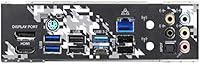
The rear I/O panel covers the essentials well — USB 3.2 ports, a clear CMOS button, and both HDMI and DisplayPort outputs for APU users. Internal headers for front-panel USB and audio are sensibly positioned, and the overall I/O layout is logical for cable routing.
The rear panel USB 2.0 port count of just two is a recurring complaint, especially among users with multiple legacy peripherals like older headsets, mice, or USB hubs. The absence of onboard WiFi also means wireless users must factor in an additional purchase and installation step.
Aesthetic Design
82%
18%
The Steel Legend's armored panel design and integrated RGB lighting zone give it a distinctive look that holds up well in windowed builds. Builders who want a board that looks intentional — not just functional — appreciate that ASRock clearly put real thought into the visual identity.
RGB customization is tied to ASRock's Polychrome SYNC software, which some users find clunky or unreliable compared to Asus Aura or MSI Mystic Light. Users who do not use windowed cases will find the aesthetics completely irrelevant to their decision.
Installation Experience
84%
The physical installation process is clean and well-documented — standoff alignment is standard ATX, component spacing is practical, and the included I/O shield is pre-installed on most units, saving builders one small but consistently annoying assembly step. The manual is detailed without being overwhelming.
A few users noted that M.2 screw standoffs are not pre-installed in all slots, requiring a small screw hunt during the build. It is a minor issue but consistently flagged by builders who expected a more complete out-of-box accessory kit.
Long-term Reliability
86%
Given the board has been on the market since 2020, there is now a meaningful track record to draw from. Long-term owners report sustained stability over multi-year use, with BIOS updates continuing to arrive and no widespread reports of component failure under normal operating conditions.
As with any board this age, buyers should be aware that ASRock's long-term BIOS support for AM4 may eventually wind down as the platform ages further. There are no signs of that happening imminently, but forward-planning builders on a long upgrade cycle should keep it in mind.
Software & Ecosystem
67%
33%
ASRock's A-Tuning software covers the basics for system monitoring, fan control, and RGB management in a single application, which is convenient for builders who want a one-stop utility without installing multiple vendor tools. BIOS-level controls remain the more reliable path for serious tuning.
The software ecosystem is the weakest area of the ownership experience. A-Tuning and Polychrome SYNC have both drawn criticism for instability and unintuitive design, and some users simply uninstall them after first use. If polished companion software matters to you, this board trails competitors like ASUS and MSI noticeably.

Suitable for:

The ASRock B550 Steel Legend AM4 Motherboard is a strong match for builders who want a capable, no-nonsense AMD platform without stretching into premium X570 territory. If you are pairing a Ryzen 5 3600 or Ryzen 7 3700X with a mid-range GPU for gaming or everyday productivity work, this board gives you the power delivery and bandwidth to support that combination without leaving obvious bottlenecks. The dual M.2 slots and four SATA ports mean storage-heavy workstations are well covered too — whether you run a fast NVMe boot drive alongside bulk storage or want to expand later. Builders who care about longevity will also appreciate that the AM4 socket retains compatibility with newer Ryzen processors, giving the platform a reasonable upgrade path. For a first or second PC build where stability, clear BIOS navigation, and solid out-of-the-box compatibility matter more than extreme tuning headroom, this B550 board is a genuinely sensible choice.
Not suitable for:

Serious overclockers and power users chasing maximum CPU performance should look elsewhere — this is not the board for pushing high-end Ryzen processors to their absolute limits, and the B550 platform was never designed to compete with enthusiast-tier X570 options in that regard. If you need multiple PCIe 4.0 slots for a multi-GPU setup or high-speed storage across several drives simultaneously, the Steel Legend's single PCIe 4.0 lane allocation will feel limiting. Intel platform builders are obviously excluded entirely — this board is AM4-only. Users who rely heavily on wireless connectivity out of the box should also note that WiFi is not included; the M.2 Key E slot supports an add-in card, but that is an extra purchase. And if you plan to run extremely fast DDR4 memory above 4000 MHz, be prepared for some trial and error, as ASRock's mid-range AM4 offering has shown inconsistent XMP stability at the upper memory speed range for a subset of users.

Specifications

  • CPU Socket: Uses the AMD AM4 socket, compatible with Ryzen 3rd Gen processors and select future AM4 platform CPUs.
  • Chipset: Built on the AMD B550 chipset, offering a practical middle ground between the entry-level B450 and the premium X570 tier.
  • Form Factor: Standard ATX layout measuring 14.8 x 13 x 3.5 inches, fitting most full-size and mid-tower cases without modification.
  • Memory Support: Supports DDR4 RAM in up to four slots with a maximum total capacity of 128GB and overclocked speeds reaching 4733+ MHz.
  • PCIe Slots: Includes one PCIe 4.0 x16 slot, one PCIe 3.0 x16 slot, and two PCIe 3.0 x1 slots for GPU and expansion card installation.
  • Storage Slots: Provides two M.2 slots for NVMe or SATA-based SSDs alongside four SATA III ports for traditional drives.
  • Power Design: Features a 14-phase Dr. MOS Digi Power configuration for stable, efficient voltage delivery under sustained CPU workloads.
  • Display Output: Rear panel includes one HDMI and one DisplayPort output for use with compatible Ryzen APUs that have integrated graphics.
  • WiFi Support: Does not include onboard WiFi; an M.2 Key E slot is provided for installing an optional compatible wireless card separately.
  • USB Ports: Rear panel includes 2 USB 2.0 ports alongside additional USB 3.x connectivity; internal headers expand front-panel USB options.
  • OS Compatibility: Fully supported on Microsoft Windows 10 64-bit and Windows 11 64-bit operating systems.
  • Weight: The board weighs approximately 2.2 pounds, consistent with standard ATX motherboard construction.
  • Audio: Equipped with onboard Realtek HD audio, providing multi-channel sound output without a dedicated sound card for most users.
  • LAN: Includes a Realtek Gigabit LAN controller for reliable wired network connectivity at up to 1Gbps.
  • BIOS: Ships with ASRock's UEFI BIOS interface, supporting XMP memory profiles, CPU frequency adjustments, and fan curve customization.
  • RGB Lighting: Features onboard addressable RGB headers and integrated Steel Legend lighting zones, compatible with ASRock Polychrome SYNC software.
  • Fan Headers: Provides multiple 4-pin PWM fan headers distributed across the board for comprehensive system cooling control.
  • Release Date: First made available in June 2020, positioning it as a mature, well-supported board within the AM4 ecosystem.

Related Reviews
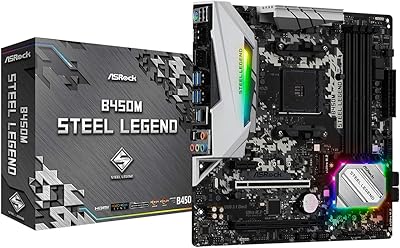
ASRock B450M STEEL LEGEND Motherboard
85%
91%
Value for Money
88%
Gaming Performance
94%
Ease of Installation
65%
Overclocking Capability
89%
Build Quality
More
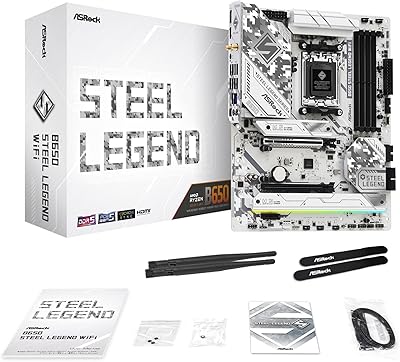
ASRock B650 Steel Legend WiFi 6E ATX Motherboard
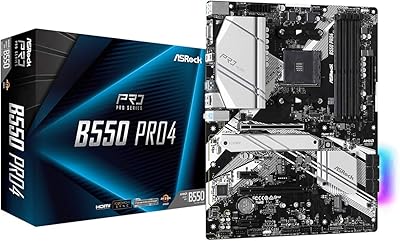
87%
91%
Performance
89%
Stability
88%
Overclocking Capability
92%
WiFi 6E Connectivity
85%
Ease of Installation
More
ASRock B550 PRO4 Motherboard
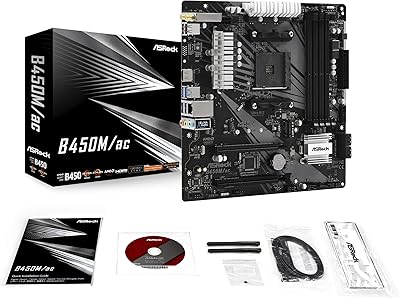
85%
88%
Performance
84%
Build Quality
90%
Ease of Setup
91%
Compatibility with AMD Ryzen 3rd Gen
85%
PCIe 4.0 Performance
More
ASRock B450M/AC Micro-ATX Motherboard
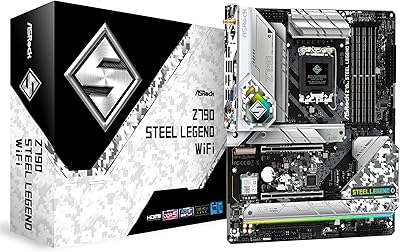
77%
88%
Value for Money
83%
Build Quality
91%
CPU Compatibility
84%
Wireless Performance
79%
Memory Support
More
ASRock Z790 Steel Legend WiFi Motherboard
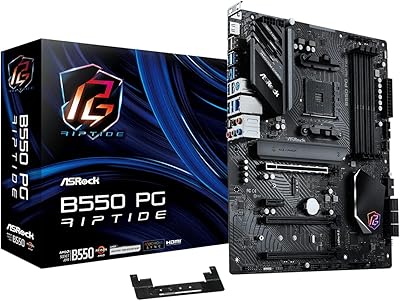
76%
88%
Value for Money
83%
Build Quality
79%
BIOS Experience
81%
CPU Power Delivery
71%
Memory Compatibility
More
ASRock B550 Phantom Gaming 4 ATX Motherboard
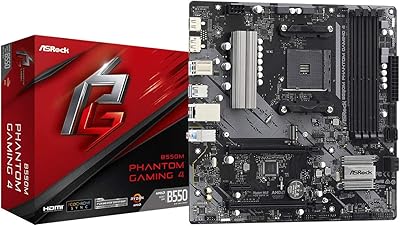
79%
93%
Value for Money
91%
CPU Compatibility
84%
Storage Flexibility
89%
BIOS Experience
78%
Power Delivery
More
ASRock B550M Phantom Gaming 4 AM4 Motherboard
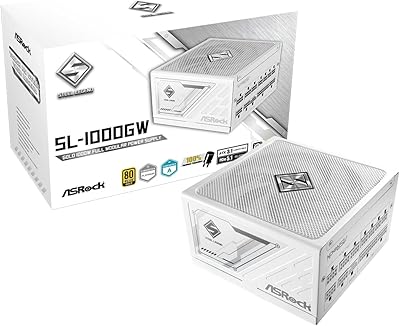
82%
88%
Performance
92%
Value for Money
91%
Ease of Installation
90%
Compatibility with Ryzen Processors
75%
Memory Support
More
ASRock Steel Legend SL-850G 850W Power Supply
89%
91%
Performance
88%
Build Quality
94%
Efficiency (80 Plus Rating)
85%
Noise Levels
90%
Ease of Installation
More
ASRock Steel Legend SL-1000GW 1000W Power Supply
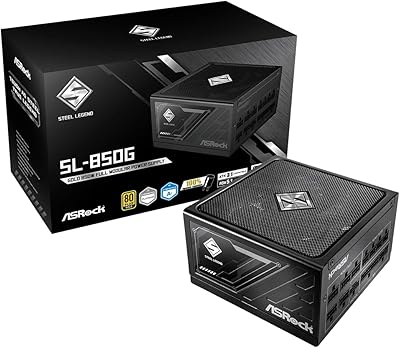
86%
92%
Performance Under Load
95%
Energy Efficiency
88%
Build Quality
89%
Cable Management
90%
Cooling & Noise
More
ASRock Z390 PRO4 ATX Motherboard
77%
91%
Value for Money
88%
Out-of-Box Stability
72%
Overclocking Capability
67%
BIOS Experience
74%
Build Quality
More

FAQ

Yes, the Ryzen 5 3600 is fully supported and should work without any BIOS update needed in most cases. That said, it is always worth checking ASRock's official CPU compatibility list before ordering, just to confirm your specific processor stepping is on the supported list.

No, it does not include onboard WiFi. However, the board has an M.2 Key E slot specifically designed for an add-in WiFi card. You will need to purchase a compatible card separately if wireless connectivity is important for your build.

Unfortunately, this board does not support BIOS Flashback or a similar no-CPU update method. You will need a compatible installed processor to perform a BIOS update, which can be tricky if you are using a newer Ryzen CPU that requires a more recent BIOS version. If that is your situation, consider borrowing an older supported CPU or purchasing from a retailer that pre-updates BIOS on request.

The Steel Legend officially supports DDR4 up to 4733+ MHz through overclocking, which is competitive for a B550 board. That said, reaching the upper end of that range can require some manual tuning in the BIOS. Most builders running XMP profiles at 3200 or 3600 MHz will have no issues at all.

Absolutely. The primary PCIe 4.0 x16 slot handles those cards at full bandwidth without any compromise. Paired with a capable Ryzen processor, this B550 board will not be the bottleneck in a gaming build at that GPU tier.

Yes, dual-channel mode is supported and makes a real difference in memory bandwidth. For two sticks of RAM, you should install them in slots A2 and B2 — typically the second and fourth slots from the CPU — rather than the first two slots. ASRock's manual clearly marks which slots to use, and following this guidance will give you the best stability and performance.

It depends on what drives you install. If you use certain M.2 SATA drives in the second slot, one or two SATA ports may be disabled due to shared bandwidth on the B550 chipset. NVMe drives in both M.2 slots typically do not have this conflict. Check the manual's slot sharing table before finalizing your storage layout.

The VRM and chipset heatsinks on this B550 board are both passive, meaning there are no fans attached to the board itself. It runs completely silently. Multiple owners have noted the VRM heatsink stays comfortably cool even under extended CPU loads, so passive cooling is not a concern for typical builds.

For AM4 builds, yes. The platform itself is mature, which is actually an advantage — driver support is solid, BIOS versions are stable, and there are no rough edges left to iron out. If you are building around a Ryzen 3rd or 4th Gen CPU, the age of the board works in your favor more than against it. The main thing you are giving up compared to newer platforms is DDR5 support and PCIe 5.0, neither of which matters for current AM4 processors.

The board follows the standard ATX specification, so any mid-tower or full-tower case with ATX support will accommodate it. Micro-ATX or Mini-ITX cases will not work. Given it measures just under 15 inches in length, double-check the maximum motherboard size listed in your case specs if you are using a smaller mid-tower.

Where to Buy