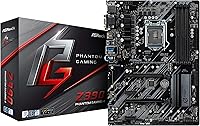
ASRock Z390 Phantom Gaming 4 Motherboard
Overview
The ASRock Z390 Phantom Gaming 4 Motherboard arrived in late 2018 as a mid-range option for Intel Coffee Lake Refresh builders who wanted a capable ATX platform without paying flagship prices. It fits standard mid-tower and full-tower cases without issue, and the Z390 chipset means overclocking is unlocked — a real advantage at this price tier. That said, the 3.1-star average across nearly 90 reviews is worth acknowledging right away. This review will get into what drives that score honestly, because there are genuine reasons buyers feel divided, and knowing them upfront is more useful than a polished sales pitch.
Features & Benefits
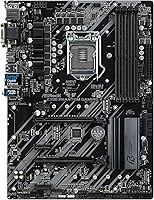
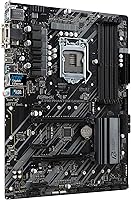
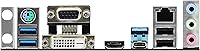
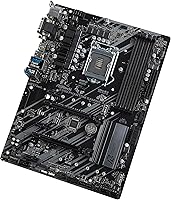
The Phantom Gaming 4 hits the core checkboxes for a Z390 build. Both 8th and 9th Gen Intel Core processors are supported via the LGA1151 socket, K-series chips included. Four DDR4 slots allow up to 64GB dual-channel RAM, which handles gaming and light content creation without needing an upgrade anytime soon. Two PCIe 3.0 x16 slots support CrossFireX multi-GPU configurations, and three flexible PCIe x1 slots leave room for extras like capture cards or a dedicated NIC. Onboard Wi-Fi is a thoughtful inclusion that saves you a slot and a separate purchase. The rear USB count is modest, though — only two USB 2.0 ports stands out when similar boards often offer more.
Best For
This Z390 board makes the most sense for builders pairing a Core i5 or i7 8th or 9th Gen processor with a mid-tier GPU. It's a solid fit for a budget gaming rig or a secondary machine that pulls double duty as an HTPC. If you want overclocking flexibility without the cost of a higher-end Z390 board, this ASRock motherboard gives you a reasonable on-ramp. Be clear-eyed about one thing, though: this is a closed mature platform. No path beyond 9th Gen Intel, no PCIe 4.0, no DDR5. For a focused build with known hardware, it works. For anything future-facing, it does not.
User Feedback
The 3.1-star average deserves a closer look rather than a dismissal. Positive reviews consistently highlight intuitive BIOS navigation and dependable performance at stock speeds — builders who run their system out of the box without tweaking tend to be satisfied. The complaints, however, are specific enough to take seriously. BIOS update procedures have frustrated a meaningful number of users, and XMP memory compatibility is inconsistent with certain kits, which is a real annoyance when RAM should just work. Scattered reports of DOA units and quality control variance also appear among verified purchasers. Some of these issues likely reflect edge cases, but the pattern is too consistent to brush aside.
Pros
- Supports both 8th and 9th Gen Intel Core CPUs, including unlocked K-series chips for overclocking.
- Z390 chipset allows meaningful CPU overclocking without paying for a premium board.
- Four DDR4 slots with up to 64GB capacity handles gaming and everyday multitasking comfortably.
- Onboard 802.11ac Wi-Fi saves you the cost and a PCIe slot compared to add-in wireless cards.
- Three flexible PCIe x1 slots give you room to add a capture card, sound card, or NIC without conflict.
- Standard ATX form factor fits virtually any mid-tower or full-tower case without compatibility headaches.
- BIOS navigation is consistently praised by users as straightforward, even for first-time builders.
- Stable performance at stock speeds is a recurring positive in real-world user reports.
- CrossFireX support offers multi-GPU flexibility for AMD graphics card users.
- Competitive feature density for its market tier makes it a reasonable value when found at a fair price.
Cons
- A 3.1-star aggregate rating across nearly 90 reviews signals reliability concerns that should not be ignored.
- XMP memory profiles do not always initialize correctly, requiring manual BIOS tuning to reach rated speeds.
- BIOS update process has frustrated multiple users, with reports of bricks and confusing flashing procedures.
- Only two rear USB 2.0 ports is a noticeably thin offering compared to competing Z390 boards.
- Secondary PCIe x16 slot drops to x4 bandwidth in dual-GPU mode, limiting CrossFireX real-world performance.
- Scattered DOA and early failure reports suggest quality control is not as consistent as buyers expect.
- Platform is a dead end — no upgrade path beyond 9th Gen Intel makes long-term investment questionable.
- VRM cooling is not well-suited for sustained or aggressive overclocking on higher-TDP processors.
- Limited availability of updated drivers and firmware support as the platform ages further.
- Some buyers report the board does not always POST cleanly on the first build, requiring extra troubleshooting steps.
Ratings
The scores below for the ASRock Z390 Phantom Gaming 4 Motherboard were generated by our AI after analyzing verified buyer reviews from multiple global sources, with spam, bot-generated feedback, and incentivized reviews actively filtered out. We have weighted both the praise and the recurring frustrations equally, so what you see reflects the honest, collective experience of real builders — not a curated highlight reel. Strengths and pain points are represented transparently to help you make a fully informed decision.
Value for Money
Build Quality
CPU Compatibility
Memory Compatibility
BIOS Experience
Overclocking Headroom
Connectivity & I/O
Storage Options
Multi-GPU Support
Thermal Management
Installation Experience
Long-Term Reliability
Aesthetics & Form
Documentation & Support
Suitable for:
The ASRock Z390 Phantom Gaming 4 Motherboard is a practical pick for builders who already own or plan to buy an Intel 8th or 9th Gen processor and want a capable ATX foundation without overspending on features they will never use. If you are putting together a mid-range gaming PC around a Core i5-9600K or Core i7-9700K paired with a single mid-tier GPU, this board gives you the overclocking flexibility of the Z390 chipset at a price point that leaves room in the budget for better RAM or storage. It also works well as the backbone of a secondary desktop, a home theater PC, or a hand-me-down build where squeezing value out of existing Intel hardware is the priority. The onboard Wi-Fi is a genuine convenience for builds where running an Ethernet cable is not practical. Buyers who run their system at stock speeds with compatible memory and have no plans to push the platform hard tend to come away satisfied.
Not suitable for:
Anyone building with future upgrades in mind should think carefully before committing to this board, because the LGA1151 platform ends at 9th Gen Intel — there is nowhere to go from here processor-wise. The ASRock Z390 Phantom Gaming 4 Motherboard is also not a strong fit for enthusiast builders who want robust VRM cooling for sustained overclocking sessions, a rich rear USB layout, or guaranteed XMP memory compatibility out of the box, as all three have been recurring frustrations in user feedback. If you are sensitive to quality control variance or have had bad experiences with DOA components, the scattered reliability concerns reported by verified buyers make this a riskier choice compared to similarly priced alternatives from competing brands. Power users planning dual-GPU CrossFireX setups should also note that the secondary PCIe slot drops to x4 bandwidth, which limits real-world multi-GPU performance. Builders starting fresh on a modern platform with PCIe 4.0, DDR5, or 12th Gen Intel and beyond should look elsewhere entirely.
Specifications
- CPU Socket: Uses the LGA1151 socket, compatible with Intel 8th and 9th Gen Core processors including unlocked K-series chips.
- Chipset: Built on the Intel Z390 chipset, which enables CPU overclocking and supports the full feature set of 9th Gen Coffee Lake Refresh.
- Form Factor: Standard ATX form factor measuring 13 x 10 x 2 inches, fitting most mid-tower and full-tower PC cases.
- Memory Slots: Four DDR4 DIMM slots configured for dual-channel operation, supporting non-ECC unbuffered modules up to 64GB total capacity.
- Memory Speed: Base memory speed starts at 2400MHz with XMP profile support for higher-rated kits, though compatibility with certain XMP kits varies.
- PCIe x16 Slots: Two PCIe 3.0 x16 slots that run at x16 with a single GPU or switch to x16 and x4 mode when both slots are occupied.
- PCIe x1 Slots: Three flexible PCIe 3.0 x1 slots available for expansion cards such as capture cards, dedicated sound cards, or network adapters.
- Multi-GPU Support: Supports AMD CrossFireX and Quad CrossFireX multi-GPU configurations using the two PCIe x16 slots.
- Wireless: Onboard 802.11ac Wi-Fi is included, eliminating the need for a separate wireless expansion card in most standard builds.
- Rear USB Ports: Rear I/O includes two USB 2.0 ports alongside additional USB 3.0 and Type-A ports, though the overall rear port count is modest for this class.
- Storage Interface: Supports M.2 and SATA connections for SSDs and HDDs, consistent with the Z390 platform's standard storage feature set.
- Audio: Onboard audio solution based on a Realtek codec, suitable for casual gaming and general use without a dedicated sound card.
- Weight: The board weighs 2.2 pounds, which is typical for a standard ATX motherboard of this generation.
- Dimensions: Physical dimensions are 13 x 10 x 2 inches, which aligns with the standard ATX specification for case and cooler clearance planning.
- Power Connectors: Requires a standard 24-pin ATX main power connector and an 8-pin EPS CPU power connector from the PSU.
- Compatible CPUs: Works with Intel Core i3, i5, i7, and i9 processors from both the 8th Gen Coffee Lake and 9th Gen Coffee Lake Refresh families.
- BIOS: Ships with ASRock's UEFI BIOS interface, which users broadly report as accessible and relatively easy to navigate for both beginners and experienced builders.
Related Reviews
ASRock B550M Phantom Gaming 4 AM4 Motherboard
ASRock X870 Riptide WiFi ATX Motherboard
ASRock Z390 PRO4 ATX Motherboard
MSI MPG Z390 Gaming PRO Carbon Motherboard
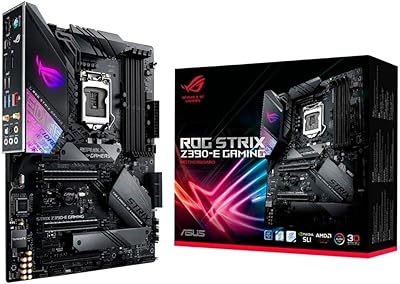
ASUS ROG Strix Z390-E Gaming Motherboard
ASRock Intel Arc A770 Phantom Gaming 16GB GPU
ASRock RX 7900 XT Phantom Gaming Graphics Card
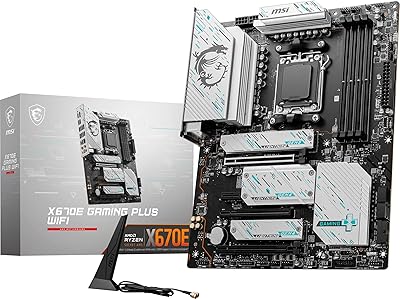
MSI X670E Gaming Plus WiFi AM5 Motherboard
MSI B650 Gaming Plus WiFi