Overview

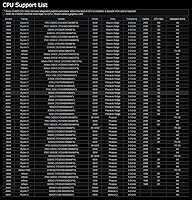
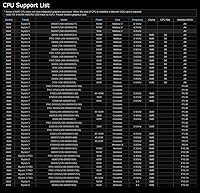
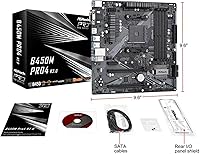
The ASRock B450M PRO4 R2.0 Micro ATX Motherboard sits in a comfortable spot for AMD Ryzen builders who want a dependable foundation without paying a premium for features they'll rarely use. The R2.0 revision brings incremental refinements over the original PRO4, mainly around component quality and BIOS maturity. B450 is an older chipset — no argument there — but it earned a solid reputation for stability, and ASRock's continued Ryzen 5000 support through BIOS updates keeps this Micro ATX motherboard genuinely competitive. If you're building a compact desktop and don't need the overhead of a B550 or X570, price-to-performance value is where this board quietly makes its case.
Features & Benefits

The PRO4 R2.0 covers the essentials well without trying to be something it isn't. Out back, you get a USB 3.2 Gen2 Type-A port running at 10 Gb/s — genuinely useful if you're plugging in a fast external SSD or a high-speed hub. The Ultra M.2 slot runs at PCIe Gen3 x4 bandwidth, so a quality NVMe drive will perform as expected. Four DDR4 DIMM slots support up to 128GB of RAM, giving you real headroom even for memory-hungry workflows. ASRock's Full Spike Protection covers all USB, audio, and LAN ports — a thoughtful safeguard at this price tier. The Live Update utility handles BIOS and driver updates without requiring you to hunt files down manually, which first-time builders tend to appreciate more than they expect.

Best For

This ASRock B450M board makes the most sense for a specific kind of builder: someone putting together their first or second PC on a controlled budget, or someone upgrading an existing AM4 system who doesn't want to replace their DDR4 RAM. It's particularly well-suited for compact Micro ATX cases, where board size limits your options. Home office and productivity builds — think general computing, light creative work, moderate multitasking — fit this board's strengths without bumping into its ceilings. If you're pairing it with a Ryzen 5000 chip, keep in mind you may need an older CPU on hand to flash the BIOS first. Serious overclockers or anyone pushing a high-TDP Ryzen 9 should look at a B550 board with stronger VRM support.

User Feedback

Most buyers who've spent time with the PRO4 R2.0 tend to point to two things: easy installation and a BIOS that doesn't punish beginners. That's genuinely valuable. On the flip side, users running Ryzen 7 or Ryzen 9 chips under sustained loads have flagged some concern about VRM thermals — nothing catastrophic, but worth noting if you're planning to push the board hard without additional case airflow. The Ryzen 5000 BIOS compatibility issue trips people up more than you'd expect; several users noted they needed a Ryzen 3000 CPU to update the firmware before their new chip was recognized. Long-term owners generally report solid day-to-day reliability. Where some hesitation creeps in is against B550 boards at comparable prices, which offer PCIe 4.0 and stronger power delivery.

Pros

  • Broad CPU compatibility spans Ryzen 2000 through 5000 series, giving real flexibility for upgrades.
  • The Ultra M.2 slot at PCIe Gen3 x4 handles fast NVMe drives without bottlenecking typical workloads.
  • Four DDR4 DIMM slots with up to 128GB capacity leaves plenty of room to grow over time.
  • USB 3.2 Gen2 Type-A on the rear panel delivers 10 Gb/s throughput for fast external storage.
  • Full Spike Protection across USB, audio, and LAN ports adds a layer of hardware safety often missing at this price.
  • The Micro ATX footprint opens up a wider selection of compact, affordable cases.
  • ASRock's Live Update tool makes keeping BIOS and drivers current far less tedious for beginners.
  • Long-term owners consistently report stable day-to-day operation with no major reliability issues.
  • BIOS layout is approachable enough that first-time builders rarely feel lost during initial setup.
  • SATA3 ports provide ample connectivity for multi-drive storage configurations.

Cons

  • Ryzen 5000 support requires a BIOS update that may need an older AM4 CPU to complete — a real logistical headache.
  • VRM thermal performance under sustained heavy loads can become a concern without solid case airflow.
  • No PCIe 4.0 support means future high-bandwidth NVMe drives and GPUs won't run at full potential.
  • Limited overclocking headroom makes this a poor choice for anyone serious about pushing clock speeds.
  • B450 is an aging chipset with no upgrade path to AM5, limiting long-term platform viability.
  • Competing B550 boards at a comparable price point offer meaningfully better power delivery and connectivity.
  • Onboard video output options are minimal, so integrated graphics users need to check display compatibility carefully.
  • No PCIe 4.0 M.2 slot means buyers future-proofing their storage setup will eventually outgrow the PRO4 R2.0.
  • The board's value proposition weakens if B550 prices continue to drop, narrowing the cost gap between chipsets.

Ratings

Our AI rating system analyzed thousands of verified global user reviews for the ASRock B450M PRO4 R2.0 Micro ATX Motherboard, actively filtering out incentivized, bot-generated, and duplicate submissions to surface authentic buyer sentiment. Scores reflect a balanced synthesis of real-world performance data, covering both the aspects users consistently praised and the friction points that caused genuine frustration. Nothing has been smoothed over — where the board underdelivers, the scores say so plainly.

Value for Money
88%
Most buyers feel they got a fair deal relative to what the board actually delivers — a stable AM4 platform with solid connectivity at a price that doesn't require justification. For budget Ryzen 5000 builds, the cost-to-capability ratio consistently earns praise from users who compared it against pricier B550 options.
As B550 board prices have continued to drop, the value gap has narrowed enough that some buyers feel the PRO4 R2.0 is no longer the obvious choice it once was. Users who later discovered they needed a BIOS flash often felt the out-of-box experience didn't quite match the implied ease of purchase.
CPU Compatibility
79%
21%
The breadth of supported Ryzen generations — from the 2000 series through Ryzen 5000 — is something users genuinely appreciate, especially those upgrading CPUs without wanting to replace an entire platform. Long-term AM4 users see this as a meaningful advantage for incremental system improvements.
Ryzen 5000 compatibility comes with a catch that trips up a surprising number of buyers: a BIOS update is required, and on units with older firmware, you need a compatible older CPU installed first to perform it. This dependency frustrates buyers who purchased a new Ryzen 5000 chip expecting plug-and-play readiness.
Ease of Installation
86%
First-time builders consistently highlight how approachable this board is during initial assembly — component layout is logical, labeling is clear, and the included manual covers the basics without assuming prior experience. The UEFI BIOS Easy Mode gets repeat mention as a confidence booster for newcomers.
The BIOS flashing requirement for Ryzen 5000 users introduces a setup step that isn't clearly communicated at purchase, and sourcing a compatible older CPU just to complete this process is an unexpected burden. A handful of users also noted that the M.2 screw and standoff were easy to misplace during assembly.
BIOS & Software
74%
26%
ASRock's Live Update utility earns genuine appreciation from users who would otherwise find BIOS maintenance intimidating — being able to update firmware from within Windows removes a significant barrier for less experienced builders. The BIOS itself is navigable, with sensible defaults that work fine for the majority of use cases.
Some users report inconsistent behavior with the Live Update tool, including occasional failed update attempts that required a manual fallback. The BIOS feature set also feels limited compared to B550 competitors, particularly around memory tuning options and fan curve granularity.
Long-term Reliability
83%
Users running this board for one to two years or more typically report no significant hardware failures, capacitor issues, or instability under normal operating conditions. For home office and everyday productivity workloads, the board earns a strong track record of quiet, uninterrupted service.
A subset of users running higher-TDP processors under sustained workloads — think Ryzen 9 chips during extended video rendering sessions — report elevated VRM temperatures that raise questions about component longevity over a multi-year horizon. Reliability confidence is highest when the board is paired with mid-range CPUs.
VRM & Power Delivery
58%
42%
For Ryzen 5 and lower-tier Ryzen 7 chips running standard workloads, the power delivery performs adequately and users in this segment rarely report any issues. With decent case airflow, thermals remain manageable during typical desktop computing tasks.
The VRM configuration is genuinely underpowered for sustained all-core loads on Ryzen 7 3700X and above, let alone high-core-count Ryzen 9 chips. Users who run CPU-intensive work consistently over long periods have reported thermal throttling events, and this is one area where the board's budget positioning becomes a real limitation rather than just a trade-off.
Storage Connectivity
84%
Six SATA3 ports plus an M.2 slot gives most builders more than enough storage expansion room, and users building multi-drive setups for media storage or work file archives appreciate not having to compromise. The M.2 slot handles popular NVMe drives without any configuration headaches.
The absence of PCIe 4.0 on the M.2 slot means next-generation high-speed NVMe drives — like those hitting 7,000 MB/s — are capped well below their rated speeds. It is not a dealbreaker for current workflows, but buyers planning to upgrade their storage over the next few years will eventually feel this ceiling.
USB Connectivity
77%
23%
Having a USB 3.2 Gen2 Type-A port on the rear panel is a practical addition that users with fast external SSDs or USB hubs genuinely put to use. The total USB port count across the rear panel and internal headers covers typical desktop peripheral setups without requiring a hub.
The lack of a USB-C port on the rear panel is a recurring complaint from users who have newer peripherals — phones, laptops, and external drives with USB-C connectors — that require an adapter. At this board's tier, the omission is understandable, but it does feel dated against newer competing models.
Overclocking Headroom
52%
48%
Basic memory overclocking via XMP profile activation works reliably, and users pushing DDR4 to 3200 or 3600 MHz with compatible kits report stable results. For CPU frequency adjustments on mid-range Ryzen chips, modest gains are achievable without immediately running into thermal walls.
Serious overclocking is simply not what this board was designed for, and users who have pushed unlocked Ryzen CPUs aggressively have consistently found the VRM to be the limiting factor. Anyone who considers overclocking a priority should treat the PRO4 R2.0 as an incompatible choice from the outset.
Build Quality & Components
76%
24%
The board feels solidly constructed for its price tier, with no reports of bent PCIe slots, warped PCB, or obviously flimsy connectors during normal installation and use. The R2.0 revision's component refinements appear to have addressed some of the quality consistency concerns that occasionally surfaced with earlier batches.
The board doesn't have reinforced PCIe slots or any premium physical touches, so heavy GPU sag over time is worth monitoring. Users installing and removing heavy air coolers multiple times have noted that the AM4 mounting backplate area can show wear, a typical trait in this segment but worth flagging.
Thermal Management Support
67%
33%
Fan header availability is adequate for a Micro ATX board, supporting standard 4-pin PWM and DC fans across CPU and chassis connectors. Users running modest cooling setups in well-ventilated cases report comfortable system temperatures during everyday tasks.
Fan curve control in the BIOS lacks the granularity found on higher-end boards, which limits fine-tuning for quiet operation in acoustically sensitive environments. Users building low-noise systems have noted that the available fan control options feel basic compared to what competing boards in the B550 range offer.
Form Factor Versatility
81%
19%
The Micro ATX footprint opens up a genuinely broad selection of affordable compact cases, and users building smaller desktops for spare rooms, office desks, or living room setups appreciate the reduction in physical bulk without losing full-size slot access. Standard ATX cases also accommodate it comfortably.
Buyers expecting Mini-ITX compatibility have occasionally confused the form factors, and the board naturally has fewer expansion slots than full ATX alternatives. For users who anticipate adding multiple PCIe expansion cards down the line, the Micro ATX layout starts to feel constrained.
Platform Longevity
61%
39%
The AM4 socket's wide CPU support range means users can still find upgrade paths — including moving to a Ryzen 5000 chip — without replacing the board, making it a reasonable medium-term investment for users not concerned with next-generation transitions.
B450 is effectively a closed-end platform: there are no AM5 CPUs or DDR5 upgrade paths from here, and PCIe 4.0 will never be available on this chipset. Users who plan to build a system they can incrementally upgrade over five or more years are building toward a wall that B550 at least pushes further out.
Audio Performance
71%
29%
The onboard HD audio codec handles standard stereo output and headphone use without any obvious distortion or interference issues, and most users using headsets or desktop speakers for everyday work and media consumption find it entirely adequate. Spike Protection on the audio ports adds a practical safeguard.
Audiophiles or users running high-impedance headphones will likely notice the limitations of the onboard solution compared to a dedicated audio card or external DAC. Background noise picked up by sensitive studio microphones is an occasional complaint from users doing voice recording directly through the rear audio panel.

Suitable for:

The ASRock B450M PRO4 R2.0 Micro ATX Motherboard is a natural fit for budget-conscious builders who want a reliable AM4 platform without paying for features a typical home or office PC will never use. If you're putting together a compact Ryzen-based desktop — maybe a home office workhorse, a light content consumption machine, or a first build where you're learning the ropes — this board covers the fundamentals confidently. It's also a smart pick for anyone already sitting on a set of DDR4 RAM from a previous AM4 system, since upgrading to a Ryzen 5000 CPU here avoids the cost of switching to an entirely new platform. Builders fitting components into a Micro ATX case will appreciate that this form factor opens up a wider range of smaller, more affordable enclosures. For everyday computing, productivity tasks, and moderate multitasking, the PRO4 R2.0 consistently delivers without asking too much from your wallet.
Not suitable for:

If you're planning to push a high-core-count Ryzen 7 or Ryzen 9 processor under sustained all-core loads — rendering, heavy compilation, extended streaming — the ASRock B450M PRO4 R2.0 Micro ATX Motherboard starts to show its limits, particularly around VRM thermal headroom. Enthusiast overclockers should look elsewhere; this board wasn't designed with serious frequency pushing in mind, and the power delivery reflects that. Anyone planning a future upgrade path that benefits from PCIe 4.0 storage or GPU bandwidth will hit a hard ceiling with B450, since the chipset predates that standard entirely. Buyers who want the latest platform longevity — especially those eyeing AM5 compatibility down the road — will find this board a short-term solution at best. And if you're buying a brand-new Ryzen 5000 CPU without access to an older Ryzen processor to flash the BIOS first, you could face a frustrating compatibility hurdle right out of the box.
Specifications

  • Form Factor: Micro ATX layout measuring 10.9 × 10.3 × 2.5 inches, compatible with most Micro ATX and full ATX cases.
  • CPU Socket: AM4 socket supports AMD Ryzen 2000, 3000, 4000, and 5000 series desktop processors.
  • Chipset: AMD B450 chipset provides a mature, stable platform with broad Ryzen CPU compatibility via BIOS updates.
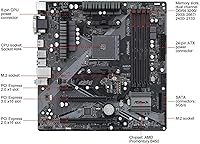
  • RAM Support: Four DDR4 DIMM slots support dual-channel configurations with a maximum total capacity of 128GB.
  • M.2 Storage: One Ultra M.2 slot operates at PCIe Gen3 x4 bandwidth, suitable for high-speed NVMe SSD installations.
  • SATA Ports: Six SATA3 ports deliver up to 6 Gb/s per channel for connecting traditional HDDs and SATA SSDs.
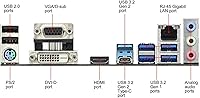
  • USB Connectivity: Rear panel includes one USB 3.2 Gen2 Type-A port at 10 Gb/s, plus multiple USB 3.2 Gen1 and USB 2.0 ports.
  • USB 2.0 Ports: Ten USB 2.0 ports are available in total across rear panel and internal headers for peripherals and front-panel connectors.
  • Spike Protection: Full Spike Protection is implemented across all USB, audio, and LAN ports to guard against voltage transients.
  • Network: Onboard Gigabit LAN provides reliable wired network connectivity for home office and productivity environments.
  • Audio: Integrated multi-channel HD audio codec handles standard stereo and surround sound output for everyday use.
  • OS Support: Compatible with Windows 10 64-bit and Windows 11 64-bit; note that Summit Ridge CPUs do not officially support Windows 11.
  • BIOS Utility: ASRock Live Update tool allows in-OS BIOS and driver updates without requiring manual file downloads from a separate device.
  • Board Weight: The board weighs approximately 2.2 pounds, typical for a fully featured Micro ATX motherboard in this class.
  • CMOS Battery: Requires one CR2032 coin cell battery to retain BIOS settings and system clock data when the PC is unpowered.
  • PCIe Slots: Includes a full-length PCIe x16 slot for discrete graphics cards plus additional PCIe x1 slots for expansion cards.
  • Power Delivery: Standard ATX 24-pin main power connector and 8-pin CPU power connector are used for board and processor power.
  • Revision: The R2.0 designation marks an updated revision of the original B450M PRO4 with refined component selection and improved BIOS maturity.

Related Reviews

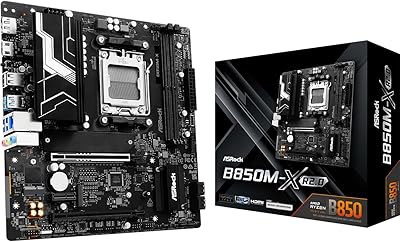
ASRock B850M-X R2.0 Micro-ATX Motherboard
81%
88%
Value for Money
91%
Installation Experience
83%
BIOS Usability
86%
DDR5 Memory Stability
67%
Power Delivery & VRM
More
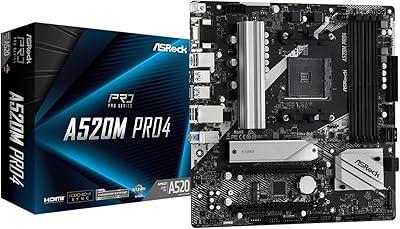
ASRock A520M Pro4 Micro ATX Motherboard
83%
92%
Value for Money
89%
Processor Compatibility
86%
Performance Stability
84%
Build Quality
88%
Ease of Setup
More
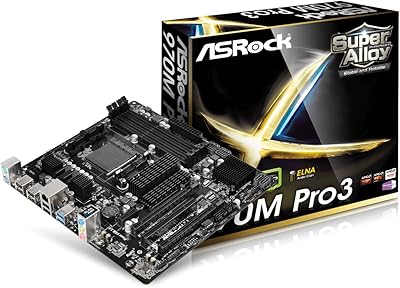
ASRock 970M Pro3 Micro ATX Motherboard
74%
88%
Value for Money
91%
Compatibility & CPU Support
86%
Ease of Installation
61%
BIOS Usability
54%
Overclocking Headroom
More
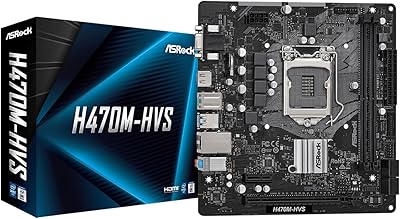
ASRock H470M-HVS Micro-ATX Motherboard
69%
83%
Value for Money
91%
CPU Compatibility
78%
BIOS Experience
47%
Storage Options
53%
Connectivity & USB
More
ASRock B550M-HDV Micro-ATX Motherboard
76%
91%
Value for Money
88%
CPU Compatibility
86%
Ease of Setup
89%
Stability & Reliability
58%
VRM & Power Delivery
More
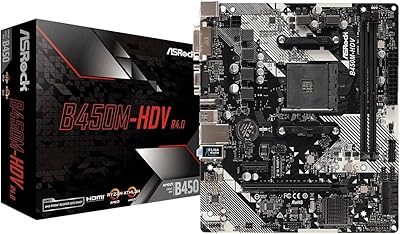
ASRock B450M-HDV R4.0 Motherboard
83%
91%
Value for Money
87%
Performance
89%
Ease of Installation
65%
RAM Compatibility and Overclocking
84%
Build Quality
More
ASRock A620M-HDVM.2 Micro-ATX AM5 Motherboard
85%
89%
Value for Money
93%
Performance with Ryzen 7000 CPUs
85%
Ease of Setup and BIOS
88%
Build Quality and Durability
90%
Compatibility with DDR5
More
ASRock B550 PRO4 Motherboard
85%
88%
Performance
84%
Build Quality
90%
Ease of Setup
91%
Compatibility with AMD Ryzen 3rd Gen
85%
PCIe 4.0 Performance
More
ASRock Z390 PRO4 ATX Motherboard
77%
91%
Value for Money
88%
Out-of-Box Stability
72%
Overclocking Capability
67%
BIOS Experience
74%
Build Quality
More
ASRock B450M/AC Micro-ATX Motherboard
77%
88%
Value for Money
83%
Build Quality
91%
CPU Compatibility
84%
Wireless Performance
79%
Memory Support
More

FAQ

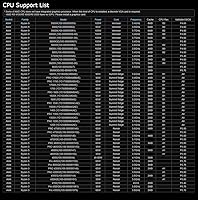
Not always. The ASRock B450M PRO4 R2.0 Micro ATX Motherboard does support Ryzen 5000 series processors, but only after a BIOS update. If your board ships with an older BIOS version, you may need a Ryzen 3000 or earlier CPU installed first to perform the update before your new Ryzen 5000 chip will be recognized. It is worth contacting the seller to ask whether the BIOS has been pre-flashed before you order.
Yes, in most cases. The PRO4 R2.0 uses the same DDR4 standard as earlier AM4 motherboards, so your existing sticks should work fine. Just check that your RAM speed is within the supported range and that you are not exceeding the 128GB total capacity limit across all four slots.

Honestly, not particularly. The B450 chipset does allow some CPU overclocking on Ryzen chips with an unlocked multiplier, but the VRM on this board is not built for serious sustained overclocking. If you are pushing a Ryzen 7 or Ryzen 9 at all-core boost for extended periods, you will want to ensure your case has solid airflow, or consider a B550 board with more robust power delivery instead.

Yes. The M.2 slot is positioned on the board so that a standard full-length GPU installed in the primary PCIe x16 slot will not physically block it. That said, a large GPU may restrict airflow near the M.2 drive, so keep that in mind if thermals are a concern in a tightly packed Micro ATX case.

You get six SATA3 ports plus one M.2 slot, so you can run up to seven drives simultaneously — one NVMe or SATA M.2 SSD and up to six additional HDDs or SATA SSDs. That is more than enough for most home or office builds and even reasonably capable for small NAS-adjacent setups.

Yes, there are video output ports on the rear panel to support integrated Radeon graphics found in Ryzen APUs such as the Ryzen 5 5600G. If you are using a standard Ryzen CPU without integrated graphics, however, you will need a discrete GPU — those chips have no onboard video capability regardless of what the motherboard provides.

The R2.0 is a revised version with updated component selection and a more mature BIOS ecosystem built up over time. In practical terms, the R2.0 tends to come with better out-of-box Ryzen 5000 readiness compared to original PRO4 units, though you may still need a BIOS update depending on when the board was manufactured. The core feature set is very similar between the two revisions.

No. This is a Micro ATX board, which is larger than Mini-ITX. You need a case that explicitly supports Micro ATX or ATX form factors. Micro ATX cases are still quite compact compared to full ATX, so you have a good selection of smaller enclosures to choose from, but a Mini-ITX case will not work.

Generally yes. ASRock's UEFI BIOS on this board has a straightforward layout with both an Easy Mode for quick setup and an Advanced Mode for manual configuration. Most first-time builders report being able to set boot order, enable XMP for RAM speed, and get into Windows without needing to dig through complicated menus. The Live Update tool also makes keeping the BIOS current much less intimidating than manual flashing.

It depends on your priorities. If you want PCIe 4.0 support for a next-gen NVMe drive or future GPU, better VRM performance under heavy CPU loads, or a longer upgrade runway, a B550 board is the smarter long-term investment. But if you are building a practical Ryzen 5000 productivity PC, working within a tighter budget, and have no plans to push the hardware hard, the PRO4 R2.0 does everything you actually need at a lower entry cost.

Where to Buy