Overview

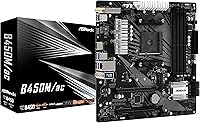
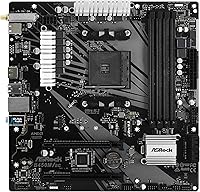
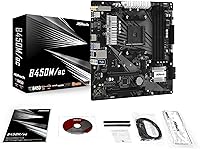
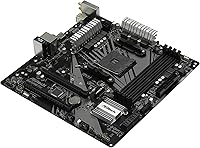
The ASRock B450M/AC Micro-ATX Motherboard arrived in mid-2019 as one of the more practical compact options in the AMD B450 segment, and it holds up well as a value pick. ASRock has built a reputation for no-nonsense boards that punch above their weight, and this Micro-ATX motherboard fits that mold. AMD AM4 socket compatibility covers a wide range of Ryzen CPUs — from the budget-friendly Ryzen 3 all the way up to Ryzen 9 — giving builders genuine upgrade flexibility. Perhaps more impressively, it ships with integrated 802.11ac Wi-Fi, which is far from standard at this price tier.
Features & Benefits

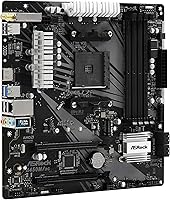
Four DDR4 slots running in dual-channel configuration let you reach up to 64GB of RAM — plenty of headroom whether you are gaming, editing video, or running multiple applications at once. The onboard Wi-Fi is genuinely useful here: it saves both a PCIe slot and the cost of a separate adapter, leaving your expansion slot free for a GPU. Audio comes from the Realtek ALC892 codec, which handles 7.1-channel output competently for everyday use — solid for gaming, less so for recording or serious listening. If you pair the B450M/AC with an AMD APU, the integrated Vega graphics provide a serviceable display output while you save up for a dedicated card.

Best For

This ASRock B450 board is well-suited to a specific kind of builder: someone who wants a capable, tidy system without spending on extras they don't need. It's a strong match for first-time PC builders working with a Ryzen 5 or Ryzen 7, where the broad CPU compatibility and relatively straightforward BIOS make things less intimidating. The Micro-ATX footprint also appeals to home office and HTPC builds where physical space is a real constraint. If you're upgrading from an older AM4 board and finally want wireless without adding an expansion card, this is a logical choice. High-TDP Ryzen 9 users chasing heavy overclocks should look at boards with beefier VRM setups.

User Feedback

Across 313 ratings, this Micro-ATX motherboard sits at 4.5 out of 5 stars, and that score reflects a genuinely satisfied user base rather than just early enthusiasm. Builders consistently highlight easy installation and stable long-term performance as standout strengths, with several noting the Wi-Fi signal holds up reliably without a separate card. The criticism that surfaces most often centers on the limited USB port count on the rear I/O, and a handful of users building with high-TDP processors flag the modest VRM as a ceiling for sustained heavy loads. BIOS updates for newer Ryzen CPU support have been noted as occasionally requiring patience. None of it is catastrophic — just worth knowing before you buy.

Pros

  • Integrated 802.11ac Wi-Fi is a genuine standout at this price point, eliminating the need for a wireless adapter entirely.
  • AM4 socket compatibility spans multiple Ryzen generations, giving this board real longevity as a platform for future CPU upgrades.
  • Four DDR4 slots with up to 64GB capacity offer plenty of memory headroom for gaming and productivity alike.
  • Installation is consistently rated as straightforward, even by first-time builders who are new to the process.
  • The Micro-ATX form factor keeps your build compact without sacrificing essential expansion slots or connectivity options.
  • Onboard Realtek ALC892 audio handles 7.1-channel output well enough that most users will not miss a dedicated sound card.
  • With 4.5 out of 5 stars across over 300 ratings, real-world satisfaction is well-documented and broadly consistent.
  • APU users benefit from integrated AMD Radeon Vega graphics support, making discrete GPU-free builds entirely viable.

Cons

  • The VRM is modest and struggles to sustain stable performance when paired with high-TDP Ryzen 9 processors under load.
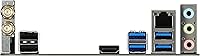
  • USB port count on the rear I/O is limited, which becomes a real inconvenience for multi-peripheral setups.
  • Applying BIOS updates for newer Ryzen CPU support has caused frustration for some users, requiring extra steps.
  • The base DDR4 speed of 2400 MHz is conservative; reaching higher clock frequencies requires manual overclocking in the BIOS.
  • The Realtek ALC892 audio codec is functional but falls short of what content creators or audiophiles would expect.
  • No USB 3.1 Gen 2 or Type-C rear port means the I/O layout lags behind more current board designs.
  • Serious overclockers will find the B450M/AC too limiting — the power delivery simply was not designed for that workload.

Ratings

Our scores for the ASRock B450M/AC Micro-ATX Motherboard are generated by AI after systematically analyzing verified global buyer reviews, with automated filtering applied to remove duplicate, incentivized, and suspected bot-generated feedback. The ratings reflect the full picture — not just the praise, but the consistent pain points and real trade-offs that repeat across hundreds of genuine user experiences. Every score is calibrated to capture how this compact AMD board actually performs in the hands of real builders, from first-time assemblers to experienced upgraders.
Value for Money
88%
Builders consistently point to the integrated Wi-Fi as the key value driver here — getting reliable wireless out of the box at this price tier means skipping both the cost and hassle of a separate adapter. Broad Ryzen compatibility and four memory slots round out a feature set that genuinely punches above its weight for the money.
The value story has a ceiling: users building around a Ryzen 9 or planning sustained heavy workloads will hit the limits of the VRM before extracting full value from their CPU investment. At stock settings with a mid-range Ryzen the equation works well — push harder and the trade-offs become real.
Build Quality
83%
The physical construction feels solid for the price bracket — PCIe slots are reasonably reinforced, the capacitor layout is tidy, and the board handles everyday thermal cycles without showing signs of stress over time. Users who have had it running for a year or more consistently report no hardware-related failures.
It is not a premium board and does not try to look like one — the VRM heatsink coverage is minimal, and the overall aesthetic is utilitarian rather than polished. For a windowed case where component appearance matters, it will not impress the way a higher-tier board would.
CPU Compatibility
91%
AM4 socket coverage spanning Ryzen 3 through Ryzen 9 gives builders a meaningful upgrade path — you can start with a budget Ryzen 3 and step up to a Ryzen 7 without swapping the board. This flexibility is a genuine planning advantage that users frequently cite when justifying the purchase.
Ryzen 5000 series support requires a BIOS update, and performing that flash demands either a compatible older CPU already installed or access to a retailer BIOS flashing service. For builders going straight to a 5000 series chip, this adds a friction point that is not immediately obvious at the time of purchase.
Wireless Performance
84%
Users running this board in home office and gaming setups consistently report stable wireless connections at typical room distances from a router. For streaming, video calls, and online multiplayer, the 802.11ac module delivers without requiring any additional hardware — a practical win in compact or apartment builds where running Ethernet is not realistic.
The module tops out at 802.11ac and does not support the newer Wi-Fi 6 standard, which matters in dense wireless environments where channel congestion is already an issue. Heavy file transfers over Wi-Fi will expose its ceiling compared to a wired connection or a dedicated PCIe wireless card.
Memory Support
79%
21%
Four DIMM slots give this board a real advantage over dual-slot alternatives — you can start with 8GB, add another kit later without wasting existing sticks, and eventually reach 64GB if your workload demands it. Dual-channel configuration is available from the start, which benefits Ryzen CPU performance noticeably in everyday use.
The base memory speed of 2400 MHz is conservative by modern standards, and achieving faster profiles requires manually enabling XMP or setting custom timings in the BIOS — a step that catches some first-timers off guard. Not every memory kit plays nicely out of the box at higher frequencies either.
Audio Quality
67%
33%
The onboard Realtek ALC892 handles everyday audio duties without complaint — gaming headsets, desktop speakers, and media playback through the 7.1-channel output all work reliably. For users who would otherwise spend nothing on audio hardware, skipping a dedicated sound card entirely is a reasonable and cost-effective call.
Content creators, musicians, and anyone with a quality DAC or studio monitor setup will find the ALC892 codec noticeably lacking in signal clarity and dynamic range. The background noise floor is higher than dedicated audio hardware, and this codec simply was not designed to satisfy discerning listeners.
Ease of Installation
89%
First-time builders repeatedly describe the installation experience as one of the least stressful they have encountered — the component layout avoids the cramped awkwardness common on some budget boards, and the BIOS guides you through initial setup clearly. POST on first boot is the norm rather than the exception based on user reports.
The one wrinkle is BIOS flashing for newer CPU support, which requires a working system already running a compatible older chip and adds extra steps that inexperienced builders can find intimidating. Detailed instructions are available online but are not included in the box, which can frustrate users who prefer everything in one place.
BIOS Experience
73%
27%
The UEFI BIOS is accessible and competently organized for the target audience — essential settings like XMP memory profiles, fan control, and boot order are easy to locate without digging. For a builder who just wants a stable, running system, it does what it needs to without unnecessary complexity.
Applying BIOS updates for newer Ryzen CPU support has caused genuine frustration for some users, with reports of the process requiring multiple attempts or needing an older CPU to perform the initial flash. The BIOS feature depth is also shallower than what advanced overclockers would expect from competing boards at similar price points.
USB & I/O Connectivity
58%
42%
The rear I/O covers the basics well enough for a standard desktop setup — a mix of USB 3.0, USB 2.0, and audio jacks handles the most common peripherals without immediately needing a hub. Internal headers provide additional front-panel connectivity options that help offset the limited rear port count for many users.
The limited USB port count is one of the most consistently flagged complaints across the verified user base — anyone running a keyboard, mouse, headset, and external drive simultaneously will run out of rear ports fast. The absence of a USB-C or USB 3.1 Gen 2 port also feels dated compared to more current board designs.
VRM & Power Delivery
62%
38%
For mid-range Ryzen 5 and Ryzen 7 CPUs running at stock frequencies, the power delivery holds up reliably in day-to-day use — gaming sessions, productivity tasks, and typical multitasking do not stress it enough to cause issues. Thermal conditions at these load levels remain manageable without needing additional VRM cooling solutions.
Pair it with a Ryzen 9 or push aggressive all-core overclocks on a high-TDP chip and the VRM struggles to maintain stable voltages under sustained load — thermal throttling and instability are real risks that users have reported in this scenario. This is a hard limit and not something that can be worked around without swapping the board entirely.
Overclocking Headroom
64%
36%
Memory overclocking works reasonably well for the platform — pushing DDR4 to 3000 or 3200 MHz is achievable on compatible kits and delivers a real-world performance bump for Ryzen systems, where memory bandwidth directly impacts CPU throughput. This is the overclocking area where the B450M/AC genuinely delivers for its intended audience.
CPU overclocking is where the modest VRM becomes a practical ceiling — the power delivery cannot sustain the voltages needed for meaningful all-core frequency gains on most Ryzen CPUs. Users chasing benchmark scores or maximum performance extraction will find this board frustrating and should budget for a board with more robust power delivery instead.
APU & Integrated Graphics
81%
19%
The board handles AMD APU builds competently — running a Ryzen 3200G or 3400G delivers a genuinely capable integrated graphics experience for light gaming, home theater use, and everyday productivity without a discrete GPU. HTPC builders in particular find this combination well-suited to quiet, compact, GPU-free living room setups.
Integrated Radeon Vega graphics are only available when using a compatible AMD APU — a standard Ryzen CPU without integrated graphics produces no display output whatsoever. Users unfamiliar with this distinction have run into confusion at first boot, particularly when pairing a discrete-GPU-only Ryzen chip with this board expecting onboard video output.
Long-term Reliability
86%
Across a solid sample of over 300 verified ratings, the pattern of long-term stability is consistent — users running this Micro-ATX motherboard in home office and gaming setups over extended periods rarely report component failures or unexpected instability at normal operating loads. Daily reliability is clearly one of the board's strongest real-world attributes.
Reliability confidence drops meaningfully if the board is consistently pushed beyond its intended operating envelope — sustained high-TDP workloads and aggressive overclocking accelerate component wear on the modest VRM. Under those conditions, reports of long-term instability increase, and the otherwise solid reliability reputation no longer applies in the same way.
Thermal Management
76%
24%
At stock speeds with a mid-range Ryzen CPU, thermal management is quiet and uneventful — the board's passive cooling approach to the chipset works fine in a properly ventilated case, and temperatures stay well within safe operating ranges during typical gaming and productivity sessions without any additional intervention.
VRM thermals under sustained load are the main concern — the minimal heatsink coverage means power delivery components run hotter than they would on a board with more substantial thermal hardware. In a warm case environment, this compounds the performance ceiling issue when running demanding CPU workloads for extended periods.

Suitable for:

The ASRock B450M/AC Micro-ATX Motherboard is a strong fit for value-focused builders who want a complete, wireless-ready AMD platform without stretching their budget or their desk space. If you are pairing a Ryzen 5 or Ryzen 7 with a mid-range GPU for a capable gaming or everyday PC, this board covers all the bases without unnecessary extras. First-time builders in particular will appreciate the broad Ryzen compatibility and an approachable BIOS that does not punish inexperience. The Micro-ATX form factor makes it a natural choice for compact home office desktops and HTPC builds, where tidier cable runs and a smaller footprint genuinely matter. Existing AM4 platform users looking to move to a smaller case or finally add wireless connectivity without sacrificing a PCIe slot will also find this a logical, cost-efficient upgrade path.
Not suitable for:

The ASRock B450M/AC Micro-ATX Motherboard is not the right foundation if your build priorities lean toward serious overclocking or sustained high-TDP workloads. The VRM implementation is modest by design — it is built for efficiency at mid-range power levels, not for pushing a Ryzen 9 chip through heavy all-core loads for extended periods. Enthusiasts chasing maximum frame rates or running CPU-intensive tasks like sustained video encoding should step up to a board with a more robust power delivery stage. The rear I/O is also on the leaner side for USB ports, which can become a daily frustration for users with multiple peripherals. If you are building a workstation that needs several simultaneous USB connections and would rather not rely on a hub, the limited port count is a legitimate friction point worth factoring in before committing.
Specifications

  • Form Factor: Micro-ATX layout is designed to fit both Micro-ATX and full-size ATX mid-tower cases without modification.
  • CPU Socket: AMD AM4 socket supports the full Ryzen desktop CPU lineup from Ryzen 3 through Ryzen 9 across multiple generations.
  • Chipset: AMD B450 (Promontory) chipset delivers a practical balance of platform features and power efficiency for mid-range builds.
  • Compatible CPUs: Officially supports AMD Ryzen 3, Ryzen 5, Ryzen 7, and Ryzen 9 desktop processors on the AM4 platform.
  • Memory Slots: Four DDR4 DIMM slots operate in dual-channel configuration for improved memory bandwidth over single-channel setups.
  • Max RAM: Total system memory can be expanded up to 64GB of DDR4 across all four installed slots.
  • Memory Speed: Base DDR4 memory speed is rated at 2400 MHz, with additional overclocking headroom accessible through BIOS configuration.
  • Wireless: Integrated 802.11a/b/g/n/ac Wi-Fi adapter provides dual-band wireless connectivity without occupying a PCIe expansion slot.
  • Audio: Realtek ALC892 codec handles 7.1-channel HD audio output for gaming headsets and standard speaker configurations.
  • USB 2.0 Ports: Two USB 2.0 ports are available onboard for connecting legacy peripherals and low-bandwidth input devices.
  • Graphics Support: Integrated AMD Radeon Vega graphics output is available exclusively when using a compatible AMD APU processor.
  • Dimensions: Package dimensions measure 11.5 × 16.18 inches (L × H), consistent with the standard Micro-ATX board footprint.
  • Weight: The board ships at approximately 2.2 pounds including packaging materials.
  • First Available: This board was first listed in June 2019, making it a well-established and thoroughly user-tested B450 platform option.

Related Reviews

ASRock B450M PRO4 R2.0 Micro ATX Motherboard
74%
88%
Value for Money
79%
CPU Compatibility
86%
Ease of Installation
74%
BIOS & Software
83%
Long-term Reliability
More
ASRock H470M-HVS Micro-ATX Motherboard
69%
83%
Value for Money
91%
CPU Compatibility
78%
BIOS Experience
47%
Storage Options
53%
Connectivity & USB
More
ASRock A520M Pro4 Micro ATX Motherboard
83%
92%
Value for Money
89%
Processor Compatibility
86%
Performance Stability
84%
Build Quality
88%
Ease of Setup
More
ASRock B550M-HDV Micro-ATX Motherboard
76%
91%
Value for Money
88%
CPU Compatibility
86%
Ease of Setup
89%
Stability & Reliability
58%
VRM & Power Delivery
More
ASRock 970M Pro3 Micro ATX Motherboard
74%
88%
Value for Money
91%
Compatibility & CPU Support
86%
Ease of Installation
61%
BIOS Usability
54%
Overclocking Headroom
More
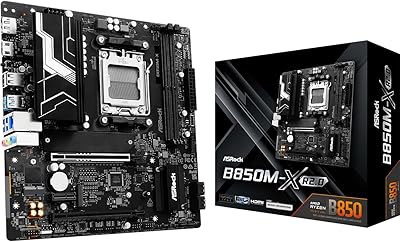
ASRock B850M-X R2.0 Micro-ATX Motherboard
81%
88%
Value for Money
91%
Installation Experience
83%
BIOS Usability
86%
DDR5 Memory Stability
67%
Power Delivery & VRM
More
ASRock A620M-HDVM.2 Micro-ATX AM5 Motherboard
85%
89%
Value for Money
93%
Performance with Ryzen 7000 CPUs
85%
Ease of Setup and BIOS
88%
Build Quality and Durability
90%
Compatibility with DDR5
More
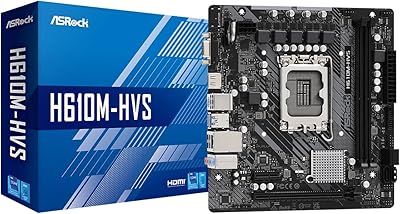
ASRock H610M-HVS Micro ATX Motherboard
72%
83%
Value for Money
74%
Build Quality
78%
CPU Compatibility
77%
BIOS Experience
71%
Memory Support
More
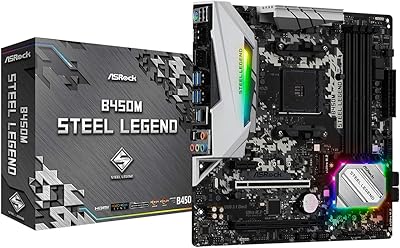
ASRock B450M STEEL LEGEND Motherboard
85%
91%
Value for Money
88%
Gaming Performance
94%
Ease of Installation
65%
Overclocking Capability
89%
Build Quality
More
ASRock B450M-HDV R4.0 Motherboard
83%
91%
Value for Money
87%
Performance
89%
Ease of Installation
65%
RAM Compatibility and Overclocking
84%
Build Quality
More

FAQ

The ASRock B450M/AC Micro-ATX Motherboard can support Ryzen 5000 series CPUs after a BIOS update, but there is a catch: you typically need a compatible older Ryzen chip already installed to perform the flash, since a 5000 series CPU may not POST before the update is applied. If you are starting a fresh build with a 5000 series processor, check whether your retailer offers a BIOS flashing service, or plan to borrow a compatible older CPU temporarily to complete the update.
Yes, but only if you install an AMD APU — a processor with integrated Radeon Vega graphics, such as the Ryzen 3 3200G or Ryzen 5 3400G. A standard Ryzen CPU without integrated graphics will not produce any video output on its own, so a dedicated GPU would be required in that scenario.

User feedback is generally positive on this point — the 802.11ac wireless module handles streaming, browsing, and online gaming well at typical home distances from a router. It is not a Wi-Fi 6 adapter, so if you are in a heavily congested wireless environment or need maximum throughput, a wired Ethernet connection will always outperform it. For most home office and gaming setups, it holds up consistently.

Yes, the B450M/AC includes an M.2 slot with NVMe support, which is a genuinely useful addition at this price tier. It lets you install a high-speed boot drive without using up a SATA port, and the performance difference compared to a traditional SATA SSD is noticeable in real-world use.

For a Ryzen 7 running at stock or light all-core loads, this board handles gaming workloads reliably and without issue. Where it starts to show limits is under sustained, heavy all-core stress — the VRM is built for mid-range efficiency rather than extreme headroom. Casual to moderate gaming is well within its comfort zone; pushing aggressive manual overclocks on a high-TDP chip for long sessions is where you should temper expectations.

Most users find the installation process straightforward, and first-timers tend to report a smooth experience. The board layout is clean, the included manual covers the basics, and the BIOS is approachable enough that you do not need prior experience to get a system running. The one area that adds a step for some users is applying BIOS updates for newer CPU support, which requires a bit of patience but is well-documented online.

Bluetooth is not listed as a confirmed feature in the available specifications for this board. If Bluetooth is important to your build — for a wireless controller, headset, or keyboard — adding an inexpensive USB Bluetooth adapter is a simple and low-cost solution that takes care of it without any compatibility issues.

The rear I/O provides a modest selection of USB ports, which is one of the more commonly noted trade-offs on this board. The two onboard USB 2.0 ports plus the available USB 3.0 outputs cover typical use cases, but users with several wired peripherals may find themselves needing a powered USB hub. It is worth factoring in before committing if connectivity density matters to your setup.

Yes, the B450 chipset supports memory overclocking through the BIOS, and pushing DDR4 kits to 3000 MHz or 3200 MHz is a common and well-supported target on this platform. Ryzen CPUs in particular benefit noticeably from faster memory, so it is worth enabling XMP or manually setting a higher frequency if your kit supports it. Using a tested, compatible memory kit gives you the best chance of a stable result at higher speeds.

It is actually a strong fit for an HTPC setup. The Micro-ATX footprint fits neatly into compact media cases, the onboard Wi-Fi keeps cable clutter down, and the 7.1-channel audio covers typical home entertainment needs without a separate sound card. Pair it with an AMD APU and you can skip a discrete GPU entirely, keeping the build quiet, cool, and energy-efficient.

Where to Buy