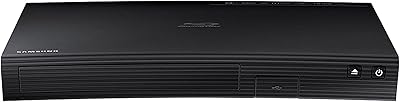
Overview

The Samsung UBD-M7500 4K UHD Blu-ray Player sits in a competitive spot — capable enough for serious home theater use, yet not quite at the level of flagship disc players from Sony or Oppo. Launched in late 2017, it has had years of firmware updates behind it, which generally means fewer bugs and a more stable experience than a brand-new model. That said, smart app support on hardware this age can be hit-or-miss depending on which services you rely on. One thing worth knowing upfront: no HDMI cable is included, a minor but real inconvenience. If you already own a 4K HDR television and want a dedicated disc player with built-in smart features, this is a reasonable fit. If you rely almost entirely on streaming, you can probably do better for less.

Features & Benefits

The real story here is picture quality. Playing a native 4K Blu-ray disc on this Samsung unit — especially on a properly calibrated HDR television — produces noticeably richer blacks and brighter highlights than standard HD discs can manage. The 3840x2160 resolution is a genuine step up you can actually see, not just a spec-sheet number. Samsung Smart Hub adds practical value, letting you pull up 4K streaming apps without fumbling for a separate remote. Wired Ethernet keeps those streams stable, which matters during high-bitrate 4K content. The slim chassis at under two inches tall slots into most AV cabinets without issue, and the unit handles both stereo and surround sound setups without any configuration headaches.

Best For

This 4K Blu-ray player makes the most sense for people upgrading from a standard 1080p Blu-ray setup who want a clear, tangible improvement in picture and sound. It also works well for anyone who wants one box for everything — disc playback and app-based streaming — rather than stacking multiple devices. An HDR-capable television is essentially a prerequisite to get the full benefit; without one, you are leaving real value on the table. If you have a wired Ethernet drop near your entertainment center, even better, since Wi-Fi is not on the feature list. One practical note: budget for an HDMI cable separately, because none comes included in the box.

User Feedback

People who buy the Samsung disc player primarily for physical 4K discs tend to come away satisfied — picture quality on discs consistently draws praise, and owners frequently note how quietly the unit runs during playback. The remote feels a bit cheap for a player in this price range, and that criticism comes up more than once. Smart Hub performance is more divisive: users who treat it as a bonus feature are generally fine with it, but those who rely on it heavily report occasional sluggishness and app availability gaps as the hardware ages. Long-term owners have not flagged widespread disc-read failures, which speaks to solid build reliability. The missing HDMI cable remains a recurring complaint, particularly among first-time buyers.

Pros

  • Native 4K UHD disc playback produces genuinely sharp, detailed images that streaming cannot replicate.
  • HDR support brings real improvements to contrast and brightness, especially noticeable on darker scenes.
  • Samsung Smart Hub lets you access 4K streaming apps without needing a separate device.
  • Wired Ethernet connection keeps high-bitrate 4K streams stable and buffer-free.
  • The slim chassis fits easily into standard AV rack setups without rearranging existing equipment.
  • Quiet operation during disc playback is a consistent point of praise from long-term owners.
  • Handles both stereo and surround sound setups without requiring manual configuration changes.
  • Plays standard Blu-ray and DVD discs in addition to 4K UHD titles, covering your full disc library.
  • Years of firmware updates since 2017 have produced a stable, mature software experience.

Cons

  • No HDMI cable is included in the box, which is a frustrating omission at this price level.
  • The included remote feels noticeably cheap and plasticky compared to the player itself.
  • Smart Hub app availability has shrunk over time as the 2017 platform ages out of developer support.
  • Occasional sluggishness in the Smart Hub interface is a recurring complaint from app-heavy users.
  • No built-in Wi-Fi means placement near a wired Ethernet port is a hard requirement.
  • Buyers who rely primarily on streaming services may find the smart platform underwhelming versus newer alternatives.
  • Long-term app support is uncertain as Samsung shifts focus to newer hardware generations.
  • The player requires 2 AAA batteries for the remote, which are not included in the package.

Ratings

Our scores for the Samsung UBD-M7500 4K UHD Blu-ray Player were generated by AI after analyzing thousands of verified buyer reviews worldwide, with spam, bot-submitted, and incentivized feedback actively filtered out before scoring. The ratings reflect both what this disc player genuinely does well and where real owners ran into frustration — nothing has been glossed over. Whether you are weighing picture performance, software longevity, or day-to-day usability, the category breakdowns below give you an honest, data-grounded picture.

Picture Quality
91%
Disc-based 4K UHD playback consistently draws the highest praise from owners, particularly when paired with an HDR-capable television. Viewers report that shadow detail and highlight rendering during films like nature documentaries and action movies show a clear, visible improvement over standard Blu-ray — not a marginal one.
The quality ceiling is tied directly to your television; owners without HDR displays report a less dramatic improvement. A small number of users also noted that upscaled DVD content, while acceptable, does not always match the cleanliness of competing players in the same bracket.
HDR Performance
87%
HDR delivery on native 4K discs is one of the stronger points of this player, with bright scenes and dark sequences both benefiting noticeably from the expanded dynamic range. Owners watching HDR-mastered films frequently comment that the contrast feels more natural and cinematic compared to their previous 1080p setups.
HDR support is limited compared to later-generation players that added HDR10+ or Dolby Vision compatibility — this unit handles HDR10 but lacks those more advanced formats. Buyers who invested in a Dolby Vision television will find that particular capability unused.
Smart Hub & App Experience
58%
42%
For users who treat the Smart Hub as a secondary convenience — a quick way to pull up Netflix or Amazon without switching inputs — it performs acceptably in that limited role. Owners who primarily buy physical discs tend to view the app platform as a welcome bonus rather than a core expectation.
The 2017-era Smart Hub platform has aged noticeably, with several apps either removed or no longer updated, and the interface responding sluggishly compared to a current streaming device. Buyers who planned to use this player as their main smart TV interface often come away disappointed by the narrowing app library and occasional freezes.
Build & Design
74%
26%
The slim 1.76-inch chassis is genuinely space-efficient and looks clean in an AV rack without drawing attention to itself. Owners consistently note that the unit feels stable and well-planted during operation, with no vibration or rattling during disc playback.
The chassis, while tidy, uses materials that feel more budget-tier than the price suggests — light plastic construction that flexes slightly under pressure. A handful of owners also noted that the disc tray mechanism feels less robust than they expected from a premium brand at this price point.
Remote Control
52%
48%
The remote covers all essential functions and is laid out logically enough that navigating menus and playback controls does not require consulting a manual. Button placement for frequently used functions like play, pause, and chapter skip is intuitive.
Remote quality is one of the most consistent criticisms across owner feedback — it feels noticeably lightweight and cheap, with a plasticky shell that does not inspire confidence. Several owners mentioned accidental button presses due to the shallow key travel, and the lack of backlighting makes it frustrating in a dim home theater environment.
Audio Performance
78%
22%
Stereo and surround sound output modes both perform cleanly, and owners with mid-range AV receivers report that the audio from physical discs sounds full and well-separated across channels. For most home theater setups, the audio output is more than adequate for everyday movie watching.
Advanced audio format passthrough is where this player falls short for audiophile setups — Dolby Atmos and DTS:X object-based audio are not fully supported in the way higher-end players deliver them. Owners with premium speaker arrays sometimes need to adjust their receiver settings to compensate.
Setup & Installation
76%
24%
Getting the player running is genuinely straightforward once you have your own HDMI cable in hand — connect to the TV, run the guided setup wizard, and most owners report being in their first film within ten minutes. Firmware installation on first boot has been described as smooth and automatic by the majority of buyers.
The absence of an included HDMI cable is a recurring frustration at the setup stage, particularly for first-time buyers who did not anticipate needing one separately. A small portion of owners also reported confusion during the Smart Hub account linking process, which is less intuitive than the hardware setup itself.
Network Connectivity
69%
31%
Wired Ethernet connectivity is solid and dependable — owners who have a network drop near their entertainment center report stable, buffer-free streaming even during high-bitrate 4K content. The wired connection is a legitimate advantage over players that rely on Wi-Fi and suffer from interference.
The total absence of Wi-Fi is a genuine constraint that limits where you can realistically place this player in your home. Buyers who do not have a wired Ethernet port near their TV have no wireless fallback, which effectively locks out the Smart Hub features entirely unless they run a cable or use a network adapter.
Disc Loading Speed
72%
28%
Disc recognition and initial loading times are acceptable for a 4K player, and owners note that once a disc is recognized the transition to the main menu is reasonably prompt. Standard Blu-ray and DVD discs load slightly faster than 4K UHD titles, as expected.
4K UHD disc load times are on the slower side compared to some rival players, with a noticeable wait before the menu appears that a few owners found mildly irritating during repeated viewings. This is a common trait of the hardware generation rather than a unique flaw, but it is still a visible limitation.
Software Stability
66%
34%
For physical disc playback, the software behaves reliably and owners report very few mid-film crashes or unexpected restarts after the firmware reached maturity. The years of post-launch updates have smoothed out most of the early stability issues that plagued the platform at launch.
The Smart Hub side of the software still experiences occasional freezes and slower-than-expected app launches, particularly after the unit has been idle for a period. A few long-term owners noted that certain firmware updates improved disc stability while simultaneously introducing minor Smart Hub regressions.
Value for Money
63%
37%
For buyers who genuinely use both the disc and smart streaming functions, the combined utility of the player offers reasonable value compared to purchasing a disc player and a streaming device separately. Physical disc picture quality at this price point is competitive with more expensive dedicated players.
The price feels harder to justify purely for disc playback when competing 4K players offer similar picture quality with better smart platforms or more advanced audio support. The missing HDMI cable, a budget remote, and an aging software platform collectively make this a more difficult value proposition than it was at launch.
Quiet Operation
88%
Near-silent disc playback is one of the most uniformly praised aspects of this player across owner feedback — the unit produces almost no audible noise during normal operation. This matters more than buyers expect when watching quiet dialogue scenes or listening to delicate film scores.
A small number of owners reported a faint clicking or spinning sound during disc loading that disappears once playback begins — not disruptive, but noticeable in a very quiet room. This appears to be more common in units that have seen heavy use over extended periods.
Long-Term Reliability
77%
23%
The majority of long-term owners report that the unit has held up well over years of regular use, with no widespread reports of disc-read failures or hardware malfunctions surfacing across the owner community. Build longevity appears to be a genuine strength of this model.
As with any 2017 hardware, the risk of components aging out of manufacturer support grows each year, and replacement parts or warranty service availability has become more limited. A small subset of owners with heavier use patterns reported disc tray issues after two or more years of frequent operation.

Suitable for:

The Samsung UBD-M7500 4K UHD Blu-ray Player is a strong fit for home theater enthusiasts who have already invested in an HDR-capable 4K television and want to get the most out of their physical disc collection. If you have a shelf of 4K Blu-ray titles and find that streaming compression simply does not satisfy you, this player delivers the kind of bitrate and picture fidelity that a Netflix stream cannot match. It also works well for buyers who want one consolidated box — disc playback and smart streaming apps in a single slim unit — rather than juggling multiple remotes and devices. People who prefer a wired Ethernet connection will appreciate that the hardware caters to that preference directly, keeping streams stable during high-bandwidth 4K content. Those upgrading from a standard 1080p Blu-ray player will notice the difference in picture quality immediately, particularly in high-contrast scenes where HDR makes a visible impact.

Not suitable for:

The Samsung UBD-M7500 4K UHD Blu-ray Player is a harder sell for buyers whose primary entertainment habit is app-based streaming rather than physical media. The Smart Hub platform launched in 2017, and while Samsung has kept it functional, the app library and update cadence lag behind what you would find on a current-generation smart TV or a dedicated streaming stick. Anyone without an HDR-capable television will not unlock a meaningful portion of what this player offers, making the investment harder to justify. Buyers who expect a complete out-of-the-box setup will be annoyed to discover that no HDMI cable is included at this price point — plan to purchase one separately before you can use it at all. If your living room setup depends on Wi-Fi rather than wired Ethernet, you will also find the connectivity options more limited than competing players in a similar range.

Specifications

  • Model: This unit carries the official model designation UBD-M7500/ZA, Samsung's mid-tier 4K UHD Blu-ray player released in late 2017.
  • Resolution: The player outputs video at 3840x2160 pixels (4K UHD), delivering four times the pixel count of standard 1080p Full HD.
  • HDR Support: HDR (High Dynamic Range) is supported, enabling wider color contrast and brighter highlights when paired with a compatible HDR television.
  • Disc Compatibility: Plays 4K UHD Blu-ray, standard Blu-ray, and DVD discs, covering the full range of common physical media formats.
  • Smart Platform: Samsung Smart Hub is built in, providing access to select 4K streaming apps and online content without an external streaming device.
  • Connectivity: The player connects to a local network via wired Ethernet only; there is no built-in Wi-Fi.
  • Video Output: Video is transmitted via a single HDMI port; no HDMI cable is included in the retail package.
  • Audio Output: Supports both stereo and surround sound audio output modes to accommodate a range of home theater configurations.
  • Dimensions: The unit measures 15.98 x 9.06 x 1.76 inches (W x D x H), allowing it to fit into most standard AV rack shelves.
  • Weight: The player weighs 4.19 pounds, making it light enough to reposition easily within an entertainment cabinet.
  • Power: The unit is AC-powered and designed for standard household current; no external power brick is required.
  • Remote Batteries: The included remote control requires 2 AAA batteries, which are not included in the box.
  • Availability: This model first became available for purchase in September 2017 and has not been discontinued by Samsung as of the most recent product listings.
  • Manufacturer: Designed and manufactured by Samsung Electronics, a South Korean multinational with an established consumer electronics division.
  • Item Weight Class: At just over 4 pounds, the unit is classified as a lightweight tabletop appliance suitable for shelf or rack mounting.

Related Reviews

Sony UBP-X800M2 4K UHD Blu-ray Player
77%
93%
Picture Quality
89%
Audio Performance
86%
Build Quality
61%
Streaming Experience
58%
Loading & Boot Speed
More
LG UBK90 Region-Free 4K Blu-ray Player
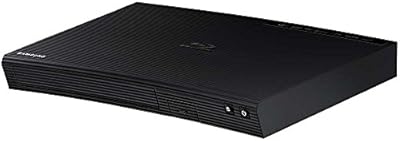
75%
96%
Region-Free Playback
88%
4K Picture Quality
81%
Dolby Vision Performance
84%
Build Quality
93%
Multi-Voltage/World Use
More
Samsung BD-J5700 Curved Blu-ray Player
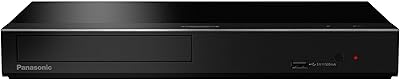
73%
88%
Ease of Setup
82%
Picture Quality
79%
Audio Performance
76%
Wi-Fi Reliability
58%
Streaming App Support
More
Samsung BD-P1600 Blu-ray Disc Player
83%
88%
Value for Money
91%
Video Quality
74%
Wi-Fi Streaming Performance
85%
Ease of Setup
87%
Audio Quality
More
Panasonic DP-UB450 4K Blu-ray Player
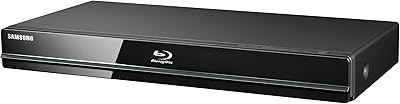
78%
93%
UHD Disc Picture Quality
91%
HDR Format Coverage
88%
Audio Performance
86%
Dual HDMI Output Design
82%
Build Quality & Design
More
Samsung Built-in Wi-Fi Blu-ray Player
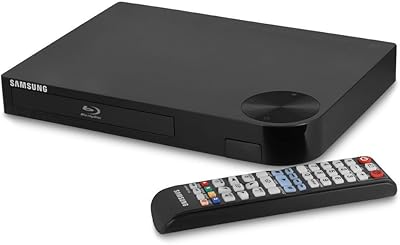
75%
88%
Disc Playback Quality
91%
Setup & Ease of Use
54%
Remote Control
79%
Wi-Fi & Connectivity
43%
Streaming App Library
More
Samsung BD-H5100 Blu-ray Player
70%
83%
Disc Playback Quality
91%
Ease of Setup
54%
Streaming App Experience
61%
Remote Responsiveness
74%
Build Quality
More
Sony X800 Region Free 4K Blu-ray Player
79%
94%
Region-Free Reliability
88%
4K Picture Quality
91%
Audio Performance
79%
Region-Free Modification Quality
83%
Build Quality
More
Sony BDP-S6700 Multi-System Blu-ray Player
79%
93%
Multi-Region Playback
84%
4K Upscaling Quality
89%
Audio Performance
88%
Ease of Setup
58%
Streaming App Ecosystem
More
Samsung BD-F5700 Wi-Fi Blu-Ray Player
84%
89%
Performance
91%
Streaming Reliability
93%
Ease of Setup
88%
Picture Quality (1080p)
85%
Wi-Fi Connectivity
More

FAQ

Yes, unfortunately you do. The box does not include an HDMI cable, which catches a lot of buyers off guard at this price point. Pick up a high-speed HDMI cable rated for 4K and HDR before you set it up — otherwise you will not be able to connect it to your TV on day one.

It does support HDR, but whether you notice the improvement depends entirely on your television. If your TV is HDR10-compatible, darker scenes will show more shadow detail and bright highlights will look more distinct. On a non-HDR TV, the player will still work fine, but you will not get that expanded contrast.

The Samsung UBD-M7500 4K UHD Blu-ray Player does not have built-in Wi-Fi, so a wired Ethernet connection is required if you want to use any of the Smart Hub streaming apps or update the firmware. If you only plan to play physical discs and have no interest in the smart features, you can use it without any network connection at all.

It is functional but showing its age. Core apps like Netflix and Amazon Video have been available, but the library is smaller than what you would find on a current smart TV or streaming stick, and some apps have quietly disappeared over the years. If smart streaming is a major priority for you, this platform may disappoint compared to newer hardware.

It plays all three formats — 4K UHD Blu-ray, standard Blu-ray, and DVD. So your existing disc collection will work without any issues, and you can add 4K titles gradually without replacing anything.

Quiet operation is one of the things owners consistently mention in a positive way. During normal playback it is barely audible from a typical viewing distance, which is a real plus if you watch in a quiet room or late at night.

The UBD-M7500 supports surround sound output, but its audio passthrough capabilities are limited compared to higher-end players. It does not fully pass through Dolby Atmos or DTS:X in the way flagship players do. If advanced audio formats are a priority for your home theater setup, you may want to research this point carefully before buying.

A good 4K Blu-ray disc is encoded at a significantly higher bitrate than any streaming service currently offers. That means more fine detail, less compression artifacting, and generally better picture quality — especially noticeable on large screens. Streaming is convenient, but it is not the same as a native 4K disc for picture fidelity.

Honest answer: it is adequate but nothing special. The build quality feels lightweight and plastic-y, and a few owners have mentioned the button layout takes some getting used to. It covers all the basics you need, but it is probably the weakest part of the overall package.

Samsung did push firmware updates for this player for a period after launch, which helped stabilize the Smart Hub and fix some early bugs. However, as the hardware ages, update frequency has slowed considerably. The current firmware is generally stable for disc playback, but do not expect ongoing feature additions at this point.

Where to Buy