Overview

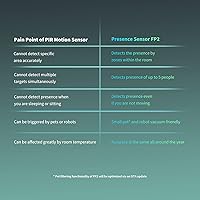
The Aqara FP2 mmWave Presence Sensor represents a meaningful step forward from the passive infrared sensors most smart homes still rely on. PIR sensors work by detecting movement — the moment you stop moving, they lose track of you. mmWave radar, by contrast, picks up the tiny physical signals your body produces even at rest. That changes a lot. The FP2 connects directly to 2.4 GHz Wi-Fi — no hub needed — and works with HomeKit, Alexa, Google Home, and Home Assistant. One thing worth knowing upfront: it runs on continuous wired power via USB-C, so placement depends on where you can route a cable. The zone configuration is genuinely powerful, but it takes patience to dial in.

Features & Benefits

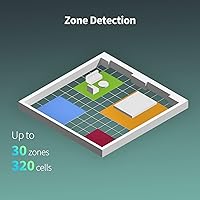
The technology backbone here is what sets this mmWave sensor apart. It covers up to 430 square feet and can track up to five people simultaneously, assigning each a position within the room rather than simply flagging that someone moved. You can carve that space into 30 independent zones — sofa, desk, bed — and attach different automations to each. Mount it on the ceiling and fall detection activates, sending an app alert if someone goes down, which is useful for elderly family members living alone. There is also contact-free sleep monitoring that tracks stages, heart rate, and respiration. A built-in light sensor rounds things out, and all automations run locally, so the system keeps working even when your internet goes down.

Best For

This presence detector makes the most sense for people already invested in a smart home ecosystem — HomeKit users, Home Assistant tinkerers, or anyone running Alexa or Google Home routines who wants more precision than a standard motion sensor can offer. It is a solid option for families keeping an eye on an elderly parent, since the camera-free design respects privacy while still sending useful alerts. The IPX5 waterproof rating makes it genuinely viable in bathrooms, opening up automations most sensors cannot handle. Anyone who values local automation over cloud dependency will appreciate that it keeps running offline. That said, if you are new to smart home setups and expecting plug-and-play simplicity, the learning curve may catch you off guard.

User Feedback

The FP2 sits at 3.7 stars overall — an honest reflection of a device that impresses technically but frustrates during setup. Users consistently praise its accuracy in still-presence detection, which is exactly where PIR sensors have always fallen short. The Home Assistant integration via HomeKit Controller gets specific credit for being stable and reliable. On the other side, the Aqara Home app draws complaints for its steep learning curve, and Wi-Fi stability can become an issue if the sensor sits more than about 6 meters from your router — something worth planning around. A few buyers also note that fall detection should be treated as a supplementary alert, not a replacement for dedicated safety equipment. Capable hardware, but set your expectations for setup accordingly.

Pros

  • Detects stationary people accurately — no more lights shutting off while you are sitting still at your desk.
  • A single unit can replace several basic motion sensors thanks to its 430 square foot coverage area.
  • Up to 30 configurable zones let you assign different automations to a sofa, a bed, and a desk independently.
  • Works with HomeKit, Alexa, Google Home, and Home Assistant without requiring a separate hub.
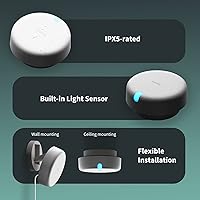
  • IPX5 waterproofing makes it one of the few presence sensors genuinely safe for bathroom use.
  • Local automation execution means your routines keep running even during an internet outage.
  • The built-in light sensor adds useful context for lighting automations without needing a separate device.
  • Home Assistant integration via HomeKit Controller is widely reported as stable and reliable.
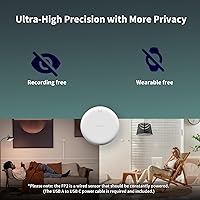
  • Camera-free design provides meaningful peace of mind for privacy-conscious households.
  • Tracks up to five people simultaneously with individual positional data, not just a single presence flag.

Cons

  • Requires continuous wired power — there is no battery option, so placement depends entirely on cable access.
  • Only supports 2.4 GHz Wi-Fi; households running 5 GHz-only networks will hit an immediate compatibility wall.
  • The Aqara Home app has a steep learning curve, and zone setup can take considerable trial and error to get right.
  • Wi-Fi connection can become unstable if the FP2 is placed more than about 6 meters from the router.
  • The power adapter is not included in the box, which is an easy-to-miss extra cost at checkout.
  • Fall detection works only in ceiling-mount orientation, which limits where and how you can install it.
  • Sleep monitoring is a supplementary feature and should not be treated as a substitute for medical-grade tracking.
  • The 3.7-star average rating signals that a meaningful share of buyers run into real frustration during setup.
  • Google Home and Alexa require connecting through Aqara Home first, adding steps compared to direct pairing.
  • Detection angle is 120° horizontal and 40° vertical, so room geometry and mounting height genuinely affect performance.

Ratings

Our AI scoring system analyzed thousands of verified global user reviews for the Aqara FP2 mmWave Presence Sensor, actively filtering out incentivized, bot-generated, and duplicate submissions to surface what real buyers actually experience. The scores below reflect both the genuine strengths that make this sensor stand out in the smart home space and the friction points that have frustrated a meaningful share of buyers. Nothing has been smoothed over — the ratings are calibrated to give you an honest picture before you decide.

Presence Detection Accuracy
91%
This is where the FP2 genuinely earns its reputation. Users consistently report that it keeps detecting them while reading on the couch, working quietly at a desk, or lying in bed — situations where a PIR sensor would have cut the lights minutes earlier. The mmWave radar picks up breathing and micro-movements that traditional sensors simply miss.
A small number of users report occasional false negatives in very large or oddly shaped rooms where the sensor's 40° vertical angle leaves blind spots depending on mounting height. Edge cases involving pets moving at human height can also confuse the detection logic without careful interference zone setup.
Zone Configuration Flexibility
83%
The ability to carve a single room into up to 30 independently triggered zones is genuinely powerful for serious smart home setups. Users running HomeKit or Home Assistant have built nuanced automations — lights that respond differently depending on which chair you are sitting in, or bedtime scenes that trigger only when the bed zone registers presence.
Getting those zones to behave reliably takes real effort. Multiple users describe spending hours in the Aqara Home app refining zone boundaries, only to find that real-world behavior differs from what the app preview suggests. The configuration interface is functional but not intuitive, especially for first-time users.
Platform Compatibility
88%
Few sensors at this price point expose themselves natively to four major ecosystems — HomeKit, Alexa, Google Home, and Home Assistant — without requiring a hub. Users switching between ecosystems or running hybrid setups report this as a standout advantage. The Home Assistant path via HomeKit Controller is particularly well-regarded for its stability.
Google Home and Alexa users have to connect through Aqara Home first, which adds setup steps and occasional friction during onboarding. A handful of users report that Alexa skill reconnections after firmware updates require manual intervention, which feels unnecessary for a supposedly seamless multi-platform device.
Setup & App Experience
54%
46%
The initial Wi-Fi pairing process is relatively quick when the 2.4 GHz requirement is understood upfront. Users who took time to read the documentation before starting generally completed the basic setup without major issues, and the app does provide visual zone mapping that makes the concept approachable.
The Aqara Home app is where a significant portion of buyer frustration accumulates. Zone configuration, sensitivity tuning, and interference area settings are buried in menus that feel unpolished. Users frequently report that settings do not save correctly on the first attempt, and the app occasionally loses connection to the sensor requiring a re-add.
Wi-Fi Connectivity Stability
61%
39%
When the sensor is placed within the recommended 6-meter range of a 2.4 GHz router and the network is stable, most users report a reliable connection with no drops over weeks of use. Local automation execution means that even brief Wi-Fi hiccups do not break the sensor's core functionality during daily use.
Buyers who placed the sensor in larger homes or in rooms farther from their router report persistent disconnection issues. The strict 2.4 GHz requirement is a recurring pain point — users with mesh networks or 5 GHz-only setups have hit an immediate wall, and the product packaging does not emphasize this limitation clearly enough.
Fall Detection Usefulness
67%
33%
For families with elderly relatives living independently, the ceiling-mounted fall detection adds a layer of passive oversight that feels meaningful without being intrusive. Several caregivers note that receiving an app alert within seconds of a detected fall gave them peace of mind they previously only had with camera-based solutions.
The feature requires strict ceiling mounting, which limits flexibility for renters or users in rooms with high ceilings. Multiple reviewers point out that detection is inconsistent depending on room layout and ceiling height, and the consensus is clear — this is a helpful notification tool, not a medically reliable safety system.
Sleep Monitoring Quality
62%
38%
The non-contact sleep tracking is a genuinely novel feature that users appreciate for its privacy-first approach. Those who have compared its stage and respiration data against a wearable report that the broad trends — light vs. deep sleep, general rest duration — are often in the right ballpark.
Accuracy at the granular level is inconsistent, particularly for heart rate estimates and distinguishing sleep stages reliably night over night. Users sharing a bed report that the sensor sometimes conflates two people's data. Most reviewers treat it as a rough guide rather than a trustworthy health metric.
Multi-Person Tracking
78%
22%
The ability to track up to five people simultaneously and assign them to different zones opens up automations that simply are not possible with single-occupancy sensors. Families who have set up distinct room zones report that the FP2 handles two or three people moving independently around a living room with solid reliability.
Performance degrades noticeably when four or five people are present in a smaller space, with zone attribution becoming less precise. Users trying to automate very specific per-person scenarios — for instance, different lighting for two people sitting close together — report that the positional resolution at close range is not always reliable enough.
Build Quality & Design
79%
21%
The compact puck-shaped form factor at 2.51″ x 2.51″ x 1.14″ blends into most room decors without drawing attention. Users consistently describe it as feeling solidly made for its size, and the included metal mounting plate gives ceiling installs a clean, secure finish rather than the flimsy feel of adhesive-only alternatives.
The white finish shows dust more readily than users would like, particularly on ceiling mounts where cleaning is inconvenient. A few buyers also note that the USB-C port placement makes cable management slightly awkward depending on the mounting orientation chosen.
Value for Money
73%
27%
For users who actually leverage the zone configuration and multi-platform integration, replacing three or four basic PIR sensors with a single FP2 represents a real efficiency and cost argument. The feature density — presence detection, light sensor, fall alerts, sleep monitoring, local automations — is genuinely high for the price tier.
Buyers who struggled through setup and never got zone detection working reliably feel the price is hard to justify. The omission of a power adapter stings a little, and for users who only need basic motion detection, the FP2 is significantly over-engineered and overpriced relative to simpler alternatives.
Installation Ease
58%
42%
The included screw kit, metal plate, and adhesive sticker give users multiple mounting options, which is appreciated. Wall mounting for standard presence detection is manageable for anyone comfortable with basic DIY, and the sensor is light enough that adhesive mounting holds reliably on smooth surfaces.
Ceiling mounting for fall detection is where installation becomes genuinely fiddly. The cable must be routed neatly, the sensor must be oriented correctly, and the optimal height range is not always clearly communicated. Users in rental properties or with limited cable management options find the wired power requirement a real constraint.
Local Automation Reliability
86%
The offline-first automation architecture is one of the FP2's most underrated strengths. Users who have experienced cloud-dependent sensors going dark during an internet outage specifically highlight this as a reason they stayed with the FP2 long-term. Lights, scenes, and routines continue executing without any internet connection.
Local automation applies to Aqara Home-based routines, but some platform-specific automations in Alexa or Google Home still route through the cloud, which creates inconsistency depending on which ecosystem you use. Users expecting everything to be fully local regardless of platform are sometimes caught off guard.
Water & Environment Resistance
84%
The IPX5 rating opens up installation locations that most smart sensors cannot handle, most notably bathrooms. Users who installed this presence detector in bathrooms report reliable performance over months, with the sensor handling steam from showers without degradation. This makes it one of very few presence sensors that can automate bathroom lighting intelligently.
IPX5 covers water jets but not full submersion or prolonged high-humidity condensation, so users in extremely steam-heavy environments like sauna-adjacent spaces should be cautious. Some users also note that the USB-C port is the vulnerability point — it needs to face away from direct water exposure regardless of the IP rating.
Light Sensor Integration
71%
29%
Having a built-in ambient light sensor means one device can handle both presence and brightness-conditional automations, which simplifies setups considerably. HomeKit users especially appreciate being able to set rules like triggering lights only when the room is occupied and below a certain lux threshold — all from a single sensor.
The light sensor is only available for automations within Aqara Home, HomeKit, and IFTTT, which excludes native Alexa and Google Home routines from using this data directly. Users on those platforms who expected full feature parity were disappointed to find the light sensor data is not exposed through those integrations.

Suitable for:

The Aqara FP2 mmWave Presence Sensor is a strong fit for smart home enthusiasts who want a single, intelligent device to replace a cluster of basic motion sensors across a room. If you are running HomeKit, Home Assistant, Alexa, or Google Home and want your automations to respond to where people actually are — not just whether something moved — this sensor delivers that level of precision. Caregivers looking for a non-intrusive way to keep an eye on an elderly parent will appreciate the ceiling-mount fall alert feature and the fact that no camera is involved; it watches over a space without watching anyone. The IPX5 water resistance rating opens up genuinely useful bathroom automations that most sensors simply cannot handle safely. Anyone who prioritizes local processing will also find comfort in the fact that routines continue running even when the internet is down.
Not suitable for:

The Aqara FP2 mmWave Presence Sensor is not the right choice if you are expecting a straightforward, plug-and-play experience — the zone configuration and Aqara Home app have a real learning curve that can be discouraging for casual users. It also requires continuous wired power via USB-C, which means placement is dictated by cable access rather than wherever is most convenient; renters or anyone who dislikes cable management should think carefully before buying. The sensor only connects over 2.4 GHz Wi-Fi, so if your router broadcasts exclusively on 5 GHz or you cannot place the sensor within roughly 6 meters of your router, connectivity problems are likely. Fall detection and sleep monitoring are supplementary alert features, not medically validated tools, so anyone looking for clinically reliable safety monitoring should look elsewhere. Finally, if you have no existing smart home ecosystem and no interest in building one, the feature set here will largely go unused.

Specifications

  • Detection Technology: Uses millimeter-wave (mmWave) radar to detect human presence, including stationary occupants, without requiring any physical movement.
  • Coverage Area: Monitors up to 40 sq m (430 sq ft) in a single room with one sensor unit.
  • Detection Angle: Covers a 120° horizontal and 40° vertical field, making placement height and angle important factors for optimal performance.
  • Max Range: Effective detection reaches up to 8 meters (approximately 26 feet) from the sensor.
  • Zone Configuration: Supports up to 30 independently configurable detection zones within the coverage area, each capable of triggering separate automations.
  • Multi-Person Tracking: Simultaneously detects and tracks up to 5 occupants with individual positional data rather than a single combined presence signal.
  • Power Source: Requires continuous wired power via USB-C at 5V and 1A; a power adapter is not included in the box.
  • Connectivity: Connects exclusively over 2.4 GHz Wi-Fi and does not support 5 GHz networks or require a proprietary hub.
  • Water Resistance: Rated IPX5, meaning it can withstand water jets from any direction, making it suitable for bathroom and humid environment installation.
  • Dimensions: Measures 2.51″ in depth, 2.51″ in width, and 1.14″ in height, resulting in a compact, puck-shaped form factor.
  • Weight: The sensor unit weighs 2.72 ounces, light enough for ceiling mounting without heavy-duty hardware.
  • Compatible Platforms: Works natively with Apple HomeKit, Amazon Alexa, Google Home, and Home Assistant via HomeKit Controller integration.
  • Mounting Options: Can be mounted on a wall or ceiling; ceiling mounting is specifically required to enable fall detection mode.
  • Extra Sensor: Includes a built-in ambient light sensor that can be used to trigger light-level-based automations in Aqara Home, HomeKit, and IFTTT.
  • Local Automation: Automation routines execute locally on the device and continue to function without an active internet connection.
  • Fall Detection: When ceiling-mounted, the sensor can detect sudden falls and send an alert notification through the Aqara Home app.
  • Sleep Monitoring: Tracks sleep stages, estimated heart rate, and respiration rate without any wearable or direct contact with the user.
  • In the Box: Package includes the presence sensor, a USB-C to USB-A cable, a metal mounting plate, adhesive sticker, screw kit, and a user manual.
  • Operating Temperature: Rated for use between 14°F and 104°F (-10°C to 40°C), covering typical indoor environments including unheated bathrooms.
  • Router Distance: Aqara recommends placing the sensor within 6 meters (approximately 19 feet) of the router for a stable Wi-Fi connection.

Related Reviews

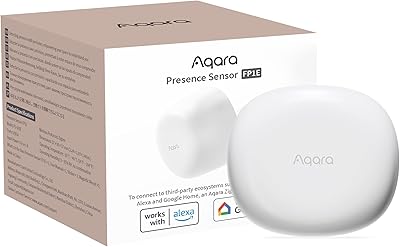
Aqara FP1E mmWave Presence Sensor
76%
88%
Presence Detection Accuracy
83%
False Alarm Reduction
77%
Setup & Installation
81%
Ecosystem Compatibility
52%
Hub Dependency & Total Cost
More
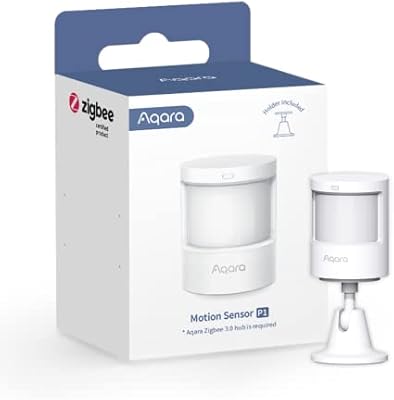
Aqara Motion Sensor P1
87%
91%
Detection Accuracy
95%
Battery Life
88%
Ease of Setup
85%
App Integration
89%
Zigbee Connectivity
More
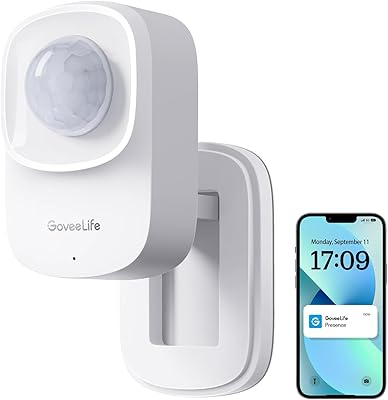
GoveeLife H5127 mmWave Presence Sensor
76%
88%
Presence Detection Accuracy
81%
False Positive Rate
71%
App & Automation Depth
74%
Installation & Mounting
66%
Ecosystem Compatibility
More
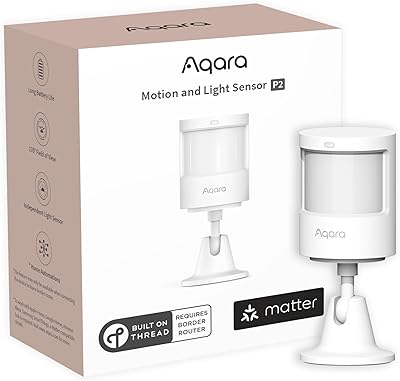
Aqara Motion and Light Sensor P2
80%
88%
Motion Detection Accuracy
84%
Light Sensor Functionality
91%
Thread Connectivity Reliability
89%
Battery Life
79%
Ecosystem Compatibility
More
TREATLIFE PS-W1 WiFi mmWave Presence Sensor
70%
83%
Presence Detection Accuracy
61%
Wi-Fi Setup & Pairing
57%
App Experience
79%
Installation Flexibility
71%
Build Quality
More
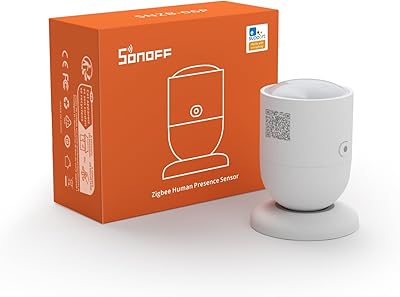
SONOFF SNZB-06P Zigbee Presence Sensor
79%
88%
Presence Detection Accuracy
86%
Stationary Person Detection
71%
Platform Compatibility
67%
Hub Dependency & Setup
83%
Battery Life
More
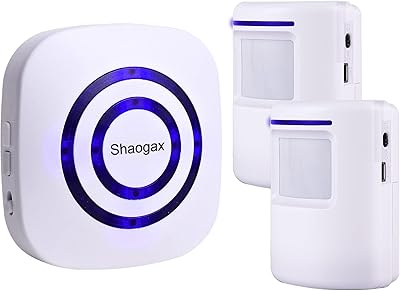
Shaogax Wireless Motion Sensor Driveway Alarm System
71%
91%
Ease of Setup
83%
Wireless Range
88%
Alert Customization
58%
False Alert Rate
61%
Build Quality
More
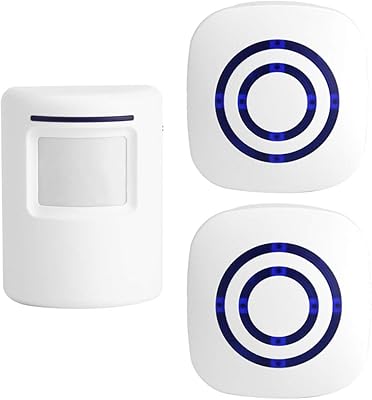
Actpe Wireless Motion Sensor Driveway Chime
69%
93%
Ease of Setup
88%
Value for Money
76%
Detection Reliability
81%
Wireless Range
61%
Battery Life
More
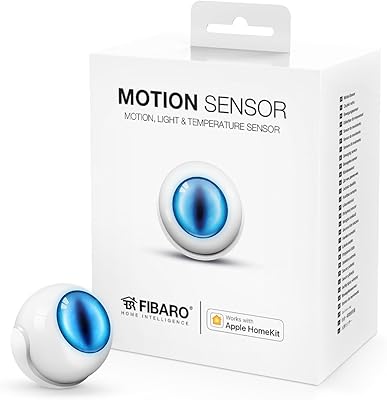
Fibaro Motion Sensor
86%
91%
Motion Detection Accuracy
85%
Battery Life
88%
HomeKit Integration
93%
Ease of Installation
89%
Design and Size
More
Shelly BLU Motion Bluetooth Motion Sensor
74%
78%
Ease of Setup
81%
Motion Detection Accuracy
67%
Indoor Range
84%
Battery Life
76%
Lux Sensor Usefulness
More

FAQ

No, the Aqara FP2 mmWave Presence Sensor connects directly to your 2.4 GHz Wi-Fi network without needing any hub. Just make sure your router broadcasts on 2.4 GHz — if it is set to 5 GHz only, the sensor will not connect.

A standard PIR motion sensor only reacts to physical movement, so if you sit still for a few minutes, it assumes the room is empty and your lights shut off. The FP2 uses mmWave radar, which picks up tiny physical signals — breathing, micro-movements — and keeps detecting you even when you are completely still. It is a meaningful upgrade for anyone who has been frustrated by lights turning off mid-meeting or mid-movie.

The most reliable path is to add the device to Aqara Home first, then integrate it into Home Assistant using the HomeKit Controller integration. Many users report this method as stable and straightforward. Trying to bypass Aqara Home entirely is not officially supported and tends to create more trouble than it is worth.

It can be a genuinely useful supplementary alert — if a fall is detected, you get a notification through the app. That said, it should not be your only safety net. It is not a medically certified device, and factors like mounting height, room layout, and sensor positioning all affect accuracy. Think of it as an extra layer of awareness, not a replacement for a dedicated personal emergency response system.

The sensor needs a standard 5V, 1A USB adapter — the kind used by many small electronics. Aqara includes the USB-C to USB-A cable but leaves the adapter out of the box, which catches a lot of buyers off guard. Any reputable 5V 1A USB wall adapter will work fine; just make sure you have one ready before installation.

Yes, the IPX5 rating means it can handle splashing and water jets from any direction, so bathroom installation is practical and safe. Just keep in mind that steam over time could affect performance, and the wired power requirement means you will need a USB outlet or cable run nearby.

Honest answer: it takes some patience. The Aqara Home app walks you through the process, but defining zones accurately — especially in irregular room shapes or for specific furniture positions — requires trial and error. Most users get the basics working within an hour, but fine-tuning zones to behave exactly as you want can take several sessions.

No, that is actually one of the stronger points of this presence detector. Automations are processed locally on the device itself, so a router outage or internet disruption does not break your routines. The app-based features and remote alerts will be unavailable during an outage, but the core automations keep running.

It depends on how your router handles band steering. If your router automatically pushes devices to the 5 GHz band, the FP2 may fail to connect. The safest approach is to set up a separate 2.4 GHz network with a distinct name during initial setup, connect the sensor to that, and then recombine your networks afterward if needed. Most users with dual-band routers get through this without problems once they are aware of it.

None at all. The mmWave radar passively monitors breathing rate, heart rate estimates, and movement patterns through the air, so there is nothing to wear or place on a bed. The sensor just needs a clear line of sight to the sleeping area, ideally mounted on the ceiling above or on a nearby wall at the right height.

Where to Buy