



Overview

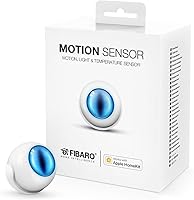
The Fibaro Motion Sensor HomeKit Multisensor is a compact, battery-powered device that packs motion detection, temperature sensing, light intensity measurement, and tamper detection into a puck-sized form factor — and it has been doing so since late 2016. What keeps it relevant today is its native HomeKit support, which means no hub, no bridge, and no workarounds. You set it up entirely through the Fibaro app on an iPhone, iPad, or iPod touch, and it appears in your Home app ready to go. If you are an Android user, stop here — this Fibaro sensor is iOS-only from start to finish, and that is not a soft limitation.

Features & Benefits

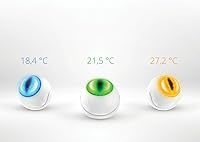
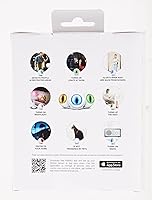
What makes the HomeKit multisensor genuinely useful day-to-day is how its sensors work together rather than in isolation. Motion-triggered automations fire quickly — lights can come on the moment you walk into a room and turn off when you leave, all without touching your phone. The temperature and ambient light readings layer on top of that, letting you build scenes that respond to real conditions rather than just a clock schedule. A built-in accelerometer adds a layer of physical security by alerting you if the sensor itself gets knocked or moved. And since it runs on a single included CR123A battery with no wiring required, placing it almost anywhere is genuinely easy.

Best For

This motion and temperature sensor fits best into households already committed to the Apple ecosystem. If your automations live in the Home app and you use Siri regularly, it slots in without friction. Renters especially benefit — the magnetic mounting bracket means no drilling, no wall damage, and easy repositioning whenever needed. It also makes sense for anyone trying to consolidate devices; rather than buying a separate motion sensor and thermometer, this Fibaro sensor covers both in one small unit. That said, if your home runs on Alexa or Google Home, look elsewhere — there is no cross-platform support and no workaround worth the hassle.

User Feedback

Across roughly 260 ratings, this Fibaro sensor lands at 3.7 out of 5 — a score that reflects a genuinely split audience. Buyers who are happy tend to praise reliable motion detection and how cleanly it integrates with the Home app. The complaints, however, are consistent enough to take seriously. The iOS-only setup frustrates anyone outside the Apple world, and several users flag the Fibaro app itself as feeling dated and occasionally buggy. Temperature readings come up repeatedly as a concern — not dramatically wrong, but noticeably off compared to a dedicated thermometer. Battery life is fine for typical use, though heavy automation users find themselves replacing it more often than expected.

Pros

  • Works natively with Apple HomeKit — no hub or bridge needed to get started.
  • Detects motion reliably, with HomeKit automations responding quickly and consistently in real use.
  • Combines motion, temperature, and light sensing in one compact unit, cutting down on device clutter.
  • The magnetic mounting bracket allows flexible placement on walls, shelves, or tabletops without drilling.
  • Siri voice queries let you check room conditions hands-free without opening any app.
  • The built-in accelerometer sends a tamper alert if the sensor gets moved or knocked unexpectedly.
  • Comes with the CR123A battery included, so setup can begin right out of the box.
  • Its small, discreet form factor blends into most home interiors without looking out of place.
  • No wiring or electrician needed — entirely battery-powered for the full lifetime of the device.
  • Supports multi-condition automations that factor in both occupancy and ambient light levels simultaneously.

Cons

  • Setup requires an iOS device — Android users are completely locked out from the very start.
  • Temperature readings can drift noticeably compared to a dedicated thermometer, limiting precision-dependent use cases.
  • The Fibaro app feels dated and can be finicky, making configuration less intuitive than rival apps.
  • Heavy automation users report faster battery drain, requiring more frequent CR123A replacements than most would expect.
  • Strictly tied to Apple HomeKit with zero support for Alexa, Google Home, or any other platform.
  • A 3.7-star average across 259 reviews signals a divided user base that is worth taking seriously.
  • No local readout or indicator exists — all sensor data is accessible only through the Home app.
  • Bluetooth LE range can be less consistent than Wi-Fi-based alternatives in larger or multi-floor homes.

Ratings

Our scores for the Fibaro Motion Sensor HomeKit Multisensor were generated by AI after analyzing verified buyer reviews worldwide, with active filtering applied to remove incentivized, bot-driven, and spam submissions. The result is a transparent, balanced breakdown that reflects both where this sensor genuinely delivers and where real users have consistently run into friction. Strengths and recurring pain points are weighted equally so you get an honest picture before committing to a purchase.

Motion Detection Accuracy
83%
The PIR motion sensor is the clear strong suit here. Users consistently report that lights trigger reliably when entering a room and cut off promptly after leaving, with very few reports of false positives in typical residential settings. For basic occupancy-based automations, it simply works.
A number of reviewers note occasional delayed triggers in larger rooms where the detection angle may not cover the full space. Cold environments can affect PIR sensitivity, and the sensor offers no adjustable detection threshold within the Fibaro app to compensate.
HomeKit Integration
88%
Native HomeKit support means the sensor appears in the Home app without workarounds, and automations fire with low-latency response that users of other platforms often envy. Pairing with compatible smart bulbs, locks, or thermostats is reliable once the initial setup clears.
The integration shines only inside Apple's walled garden. Users who run a mixed-platform home will find no native bridge to Alexa or Google Home, meaning this Fibaro sensor operates in isolation from a significant portion of the broader smart home market.
Setup Experience
61%
39%
For iOS users, the initial pairing through the Fibaro app is reasonably quick, with most reporting they are operational within a few minutes and no tools required. The battery-powered, wireless design means there is genuinely nothing to physically install beyond placing the sensor and following the prompts.
The iOS-only requirement is a hard barrier for Android users, and even iPhone owners report that the Fibaro app can be inconsistent during the pairing process. Several reviewers mention needing to retry the connection multiple times before achieving a stable link.
Temperature Accuracy
54%
46%
For casual awareness — understanding whether a room is broadly warm or cool — the temperature readings are functional and update at a reasonable interval. Users building automations around loose thresholds rather than precise degree values tend to find the data workable for their purposes.
Side-by-side comparisons with dedicated thermometers appear frequently in critical reviews, with many users reporting drift of one to three degrees. This makes the HomeKit multisensor unsuitable for precision use cases like nursery monitoring, wine storage, or any environment where accurate readings genuinely matter.
App Experience
57%
43%
The Fibaro app covers core configuration needs — initial pairing, basic scene setup, and battery monitoring — without requiring any technical background. For users who plan to manage everything through Apple's native Home app after setup, the Fibaro app functions adequately as a one-time step.
Compared to the Eve or Aqara apps, the Fibaro interface feels visibly dated in both design and responsiveness, with recurring complaints about stalling and forced restarts during configuration. Users expecting a polished, modern experience will likely find it underwhelming at this price point.
Battery Life
69%
31%
Households running a modest number of daily automations report solid longevity from the included CR123A, often going months before needing a replacement. Battery status is visible in both apps, so the sensor rarely dies without any prior warning to the user.
Power users triggering automations constantly throughout the day report significantly shorter battery spans, sometimes requiring a replacement every few months. CR123A cells are also less universally stocked than standard AA or AAA batteries, making a last-minute swap more inconvenient than it should be.
Build Quality
79%
21%
The sensor has a clean, confident feel in hand — the white plastic shell is smooth and consistent, and the magnetic bracket grips surfaces firmly without any wobble. Nothing about the physical construction feels flimsy for a device competing in the mid-range smart home category.
The all-plastic build does not convey the premium quality that the price tag might suggest when placed beside metal-finished competitors. A few users also note that the outer shell picks up fingerprints and minor scuffs noticeably in high-traffic areas of the home.
Mounting & Placement
86%
The magnetic smart bracket is one of the most consistently praised elements — it holds firmly on flat surfaces, repositions without fuss, and requires zero drilling. Renters especially appreciate the freedom to move the sensor between rooms without leaving any marks on walls.
The magnetic grip can underperform on textured or uneven surfaces such as rough plaster or exposed brick, where the optional screw mount becomes necessary instead. In bathrooms or other high-humidity environments, the bracket adhesion may also weaken noticeably over time.
Value for Money
67%
33%
For Apple HomeKit users needing motion, temperature, and light sensing in one hub-free device, the combined functionality compares reasonably well against buying three separate sensors. The included battery and mounting hardware add to the overall out-of-box readiness without additional cost.
The polarizing 3.7-star average tempers the value proposition considerably — buyers at this price point expect sharper software and better temperature accuracy than this motion and temperature sensor consistently delivers. Competitors like Eve Motion offer tighter app integration at a comparable price.
Light Sensor Utility
72%
28%
The ambient light sensor adds an automation layer that most standalone motion sensors simply lack — only triggering lights when a room is already dark, rather than firing at full brightness in the middle of the day. Users who invest time configuring light-conditional scenes tend to find it genuinely rewarding.
The feature goes largely unused by casual buyers because the Fibaro app does not make light-conditional scene setup particularly intuitive. Without guidance, many users leave this sensor capability entirely idle and never unlock the more intelligent automation behavior it enables.
Tamper Detection
76%
24%
The built-in three-axis accelerometer adds a practical layer of physical security — if someone knocks or moves the sensor out of position, a HomeKit alert fires immediately. Users who position this Fibaro sensor near entry points or in shared spaces tend to value this feature more than they expected.
The accelerometer can generate false positives in homes with pets or near sources of vibration such as HVAC vents or washing machines, leading some users to disable the feature entirely to avoid nuisance alerts. Sensitivity is not adjustable anywhere in the current app.
Siri Compatibility
84%
Being fully HomeKit-native, the sensor responds to Siri queries immediately out of the box — asking about a room temperature or checking for recent motion works reliably without any extra configuration steps. Households already using Siri for smart home control find this integration feels completely natural in daily use.
Siri's usefulness depends on how well the broader HomeKit setup in your home is already organized. Poorly named rooms or incomplete configurations can produce vague or unhelpful voice responses — a limitation of the HomeKit platform generally, rather than a specific flaw in the sensor itself.
Ecosystem Compatibility
43%
57%
Within Apple HomeKit, the sensor operates without any compatibility friction — it pairs cleanly, respects automation logic, and works reliably alongside any other HomeKit-certified accessory. For households fully committed to Apple's platform, the integration is clean and stable from day one.
Outside of Apple HomeKit, this sensor is entirely non-functional — no Alexa skill, no Google Home support, and no Z-Wave or Zigbee fallback for third-party hubs exist. Buyers with a mixed-ecosystem home, or anyone who might switch platforms later, should weigh this hard lock-in carefully.

Suitable for:

The Fibaro Motion Sensor HomeKit Multisensor is a strong fit for anyone already living inside the Apple ecosystem who wants a single sensor to handle motion, temperature, and ambient light without juggling multiple devices or hubs. It works particularly well for renters and people in temporary living situations — the magnetic mounting bracket lets you place it nearly anywhere without putting a single hole in the wall. Siri-first households get real value here, since you can ask about room conditions by voice rather than pulling up an app. If you are trying to build lighting automations that respond intelligently to both occupancy and light levels rather than just a timer, this Fibaro sensor gives you the data inputs to do exactly that. It also suits anyone who values a discreet, small footprint, since the sensor blends into most rooms without drawing attention.

Not suitable for:

The Fibaro Motion Sensor HomeKit Multisensor is a hard pass for anyone outside the Apple ecosystem — there is no Android setup path, no Alexa integration, and no Google Home compatibility whatsoever. If your home automation runs on anything other than Apple HomeKit, this sensor simply will not work for you, and no third-party workaround changes that in any practical sense. Buyers who need precise, reliable temperature data — say, for monitoring a wine cellar, greenhouse, or a baby's room — should look elsewhere, since user feedback consistently flags temperature accuracy as a weak point relative to dedicated thermometers. Those who trigger dozens of automations daily may find the battery drains faster than expected, turning a wireless convenience into a recurring maintenance task. Finally, if you find competing apps like Eve or Aqara polished and intuitive, be prepared — the Fibaro app has a reputation for feeling dated, which can make setup more frustrating than it should be.

Specifications

  • Brand: This sensor is manufactured by FIBARO, a smart home technology company known for its HomeKit and Z-Wave compatible devices.
  • Dimensions: The unit measures 1.1 × 2.83 × 2.83 inches, giving it a compact, puck-shaped form factor suited to discreet placement on most surfaces.
  • Weight: At 0.845 oz, the sensor is light enough to be secured reliably by its magnetic mounting bracket without additional fasteners.
  • Connectivity: Communication is handled via Bluetooth LE, with native integration into Apple HomeKit for automation and scene control.
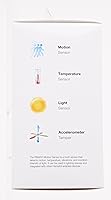
  • Sensors: Four sensors are built into the unit: a passive infrared motion detector, a temperature sensor, an ambient light intensity sensor, and a three-axis accelerometer.
  • Ecosystem: Compatible exclusively with Apple HomeKit; it has no official integration with Amazon Alexa, Google Home, SmartThings, or any other smart home platform.
  • Setup Platform: Initial configuration requires the Fibaro app on an iPhone, iPad, or iPod touch running a compatible version of iOS.
  • Power Source: The sensor is powered by a single CR123A lithium battery, which is included in the box at the time of purchase.
  • Battery Count: One CR123A lithium metal battery is required; no external wiring, adapter, or secondary power source is needed at any point.
  • Mounting Type: A magnetic smart bracket with grip is included, enabling wall mounting or surface placement without drilling or permanent adhesives in most situations.
  • Color: Available in white only, designed to blend with standard wall and ceiling finishes in typical residential interiors.
  • Item Model: The official model designation is Motion by FIBARO, listed under ASIN B01N0SG36A.
  • Recommended Use: FIBARO designates this sensor for residential security monitoring, smart home automation, and basic energy management applications.
  • Launch Date: The sensor first became available in December 2016 and has not been discontinued by the manufacturer as of the latest available data.
  • Siri Support: Because it is HomeKit-native, the sensor supports Siri voice queries, allowing users to ask about current room temperature or motion status entirely hands-free.

Related Reviews
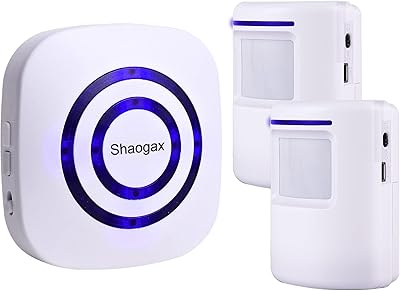
Shaogax Wireless Motion Sensor Driveway Alarm System
71%
91%
Ease of Setup
83%
Wireless Range
88%
Alert Customization
58%
False Alert Rate
61%
Build Quality
More
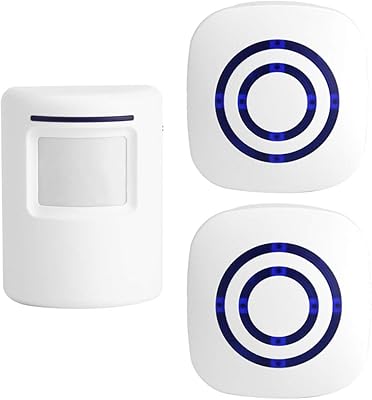
Actpe Wireless Motion Sensor Driveway Chime
69%
93%
Ease of Setup
88%
Value for Money
76%
Detection Reliability
81%
Wireless Range
61%
Battery Life
More
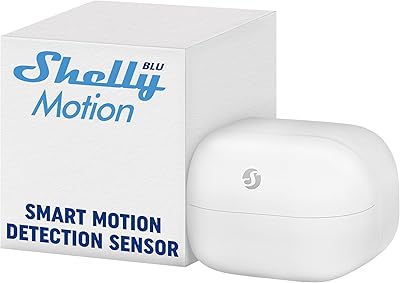
Shelly BLU Motion Bluetooth Motion Sensor
74%
78%
Ease of Setup
81%
Motion Detection Accuracy
67%
Indoor Range
84%
Battery Life
76%
Lux Sensor Usefulness
More
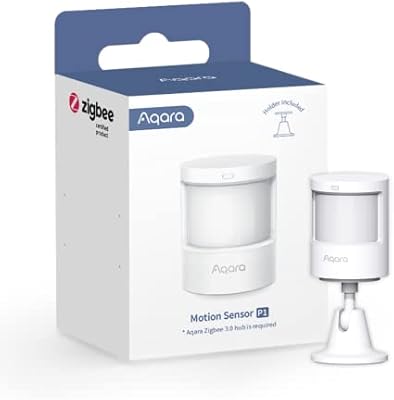
Aqara Motion Sensor P1 Zigbee Sensor
77%
93%
Battery Life
84%
Detection Accuracy
41%
Hub Dependency
76%
App & Configuration
81%
Detection Range & Angle
More
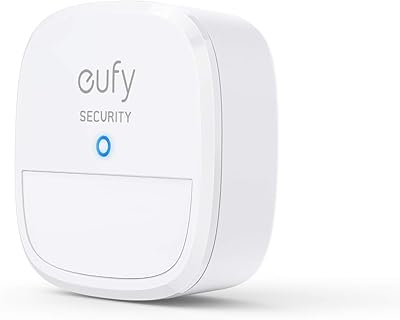
eufy Security Motion Sensor
85%
90%
Detection Accuracy
95%
Ease of Installation
93%
Battery Life
87%
Sensitivity Adjustment
89%
App & Notification System
More
Aqara Motion and Light Sensor P2
80%
88%
Motion Detection Accuracy
84%
Light Sensor Functionality
91%
Thread Connectivity Reliability
89%
Battery Life
79%
Ecosystem Compatibility
More
GREENCYCLE M-SF20R Wireless Driveway Alarm
78%
91%
Ease of Setup
78%
Detection Reliability
62%
Wireless Range
88%
Chime & Alert Volume
61%
Battery Life
More
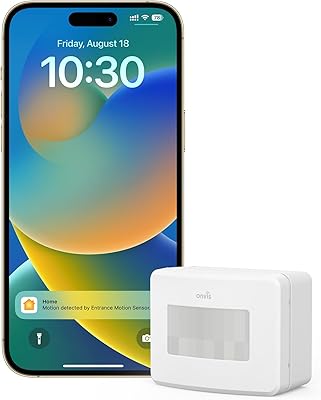
Onvis SMS2 Smart Motion Sensor
78%
83%
Motion Detection Accuracy
88%
Response Speed
79%
HomeKit Integration
81%
Temperature Accuracy
78%
Humidity Monitoring
More
COTINSE N911N Solar Motion Sensor Alarm
71%
88%
Ease of Setup
71%
Deterrence Effectiveness
91%
Alarm Volume
83%
Sound Variety
44%
Remote Control Usability
More
Sensor Switch CMR 10 Ceiling Motion Sensor
73%
83%
Motion Detection Reliability
79%
Ease of Installation
67%
Coverage Area Accuracy
81%
Build Quality
84%
Time Delay Adjustability
More

FAQ

No, it does not. Setup relies entirely on the Fibaro app, which is available only on iOS — meaning iPhone, iPad, or iPod touch. If you do not own an Apple device, there is currently no supported path to configure or use this sensor at all.

No hub is required. The Fibaro Motion Sensor HomeKit Multisensor connects directly to your iPhone via Bluetooth LE and integrates natively with the Apple Home app, so you can go straight from unboxing to setup without any additional bridge hardware.

For users running a moderate number of automations, the included CR123A battery typically lasts several months to around a year. If the sensor is triggering dozens of scenes every day, expect to replace it more frequently — some heavy users report going through a battery every few months.

No. This sensor is built exclusively for Apple HomeKit and has no official compatibility with Amazon Alexa, Google Home, or any other platform. If your setup lives outside the Apple ecosystem, this is simply not the right sensor for your home.

It is adequate for general awareness — knowing whether a room is running warm or cool — but it is not scientific grade. Several users have noted readings that run a degree or two off compared to a standalone thermometer. For casual automation purposes that is usually acceptable, but for precision monitoring you would be better served by a dedicated temperature device.

In most cases, no. The magnetic smart bracket is designed to grip surfaces without drilling, and many users simply place the sensor on a shelf or tabletop. It is especially convenient for renters who cannot make permanent changes to walls.

The most common setup is motion-triggered lighting — lights on when you enter a room, off when you leave. Beyond that, you can layer in the temperature and light intensity data to build more nuanced scenes, like adjusting smart blinds when a room gets too bright or nudging a thermostat when conditions drop below a certain level.

Yes. The sensor uses passive infrared technology, which reads heat signatures rather than visible light, so darkness has no effect on motion detection. The separate light intensity sensor measures ambient brightness and is used to condition automations — for example, only triggering lights if the room is already dim.

The built-in three-axis accelerometer detects displacement and can fire a HomeKit alert if the sensor is knocked or moved out of position. It is a useful layer of awareness if you are using this Fibaro sensor in any security-sensitive area of your home.

Both the Fibaro app and the Apple Home app display current battery status and will notify you when levels drop. That said, it is worth keeping a spare CR123A on hand — particularly if you depend on this motion and temperature sensor for critical automations that you cannot afford to have go offline unexpectedly.

Where to Buy