Overview

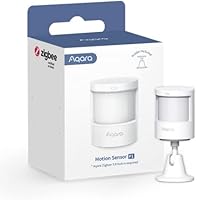
The Aqara Motion Sensor P1 Zigbee Sensor is a capable mid-range PIR detector built squarely for people already invested in the Aqara smart home ecosystem. Right away, the most important thing to know: it requires an Aqara Zigbee 3.0 hub — not a generic Zigbee coordinator, not a third-party bridge. If you don't own one already, factor that cost into your decision. For those who do, this motion detector delivers impressive battery longevity, a wide detection angle, and app-based configuration that removes the need for any hardware tinkering. It's a well-thought-out device for the right buyer, but a frustrating mismatch for anyone expecting compatibility with a broader Zigbee network.

Features & Benefits

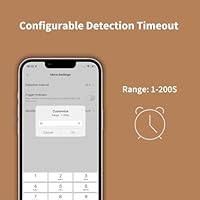
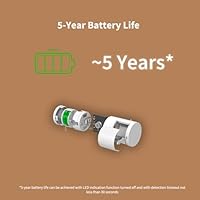
The headline spec is five-year battery life, powered by two included CR2430 coin cells. That kind of longevity means you install it once and largely forget it exists — no annual swaps, no dead-sensor surprises mid-vacation. The detection coverage is genuinely wide: picture a sensor mounted in a hallway corner covering the full width of the room and then some. Through the Aqara Home app, you can dial the motion timeout anywhere from one second to over three minutes, which is useful for automations where lights shouldn't linger. Three sensitivity settings let you avoid false triggers from pets or air vents, and the 360° adjustable stand means installation rarely requires a second set of hands.

Best For

This Zigbee motion sensor is a natural fit for Apple HomeKit households already running Aqara hardware. It's also a solid pick for anyone building Zigbee-based automations — lights that respond to presence, plugs that cut power when a room empties, or alerts that fire the moment someone enters a space. Renters will appreciate that it's entirely battery-powered and wall-mountable without permanent fixtures. Where it falls short is equally worth stating plainly: if you don't own an Aqara hub, this device won't function with your existing Zigbee setup, regardless of what coordinator or bridge you're running. Ecosystem commitment is the real prerequisite here.

User Feedback

Across several hundred reviews, the Aqara P1 earns consistent praise for reliable detection response and a battery life that appears to live up to its claims — a detail that genuinely matters when most smart sensors drain cells in under a year. Build quality gets good marks too; the housing feels solid and the adjustable stand holds its angle without creeping. The recurring frustration, predictably, is the hub requirement — buyers who missed the fine print discover it only after unboxing. A smaller number of users report that sensitivity calibration takes trial and error in larger, open-plan rooms. The app experience is generally rated as straightforward, though occasional firmware prompts have been flagged as mildly disruptive.

Pros

  • Battery life genuinely holds up — buyers report years of use without a single swap.
  • Wide detection angle covers most rooms from a single corner-mounted position.
  • Detection timeout is fully adjustable in the app — no hardware changes needed.
  • Three sensitivity levels make it easy to ignore pets without sacrificing real detection.
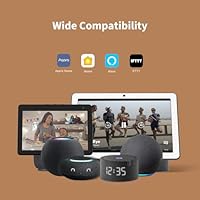
  • Works with HomeKit, Alexa, IFTTT, and Home Assistant, covering most major platforms.
  • The 360° adjustable stand means you can fine-tune coverage after installation without re-drilling.
  • Build quality feels solid and purposeful for the price tier.
  • Batteries are included out of the box — ready to pair immediately.
  • Compact and discreet; it blends into most home environments without standing out awkwardly.
  • Zigbee connectivity means low latency and no reliance on cloud for local automations.

Cons

  • Requires an Aqara Zigbee hub — no exceptions, regardless of what Zigbee gear you already own.
  • Light sensitivity feature is stripped out when using HomeKit or Alexa integrations.
  • Zigbee2MQTT and third-party USB dongles are unsupported, limiting advanced DIY setups.
  • Calibrating sensitivity in larger or open-plan rooms can take several rounds of trial and error.
  • Hub firmware must be kept current for optimal performance, which adds an ongoing maintenance step.
  • CR2430 batteries are less common than AA or AAA cells and can be harder to find locally.
  • New buyers sometimes miss the hub dependency before purchasing, leading to frustrating returns.
  • No built-in visual indicator makes it harder to confirm detection without checking the app.
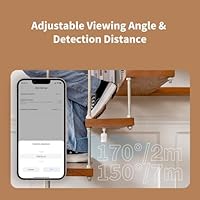
  • Detection range drops to 4 meters at the full 170° angle — shallower rooms get the widest coverage.

Ratings

The scores below reflect an AI-driven analysis of verified global buyer reviews for the Aqara Motion Sensor P1 Zigbee Sensor, with spam, incentivized feedback, and bot activity actively filtered out before scoring. Each category is rated based on patterns consistently surfaced across hundreds of real-world purchases, covering everything from daily automation performance to long-term reliability. Both what buyers love and what frustrates them is reflected transparently — nothing is glossed over.

Battery Life
93%
This is where the Aqara P1 genuinely earns its reputation. Buyers across multiple climates and usage intensities report that the batteries last far longer than comparable sensors, with many citing two to three years of use without a single replacement — and the five-year claim not feeling like an exaggeration. For multi-sensor setups, that kind of longevity removes a significant maintenance burden.
A small number of users with extremely short detection timeouts — set to one or two seconds — report faster-than-expected drain, suggesting that aggressive automation configs do eat into battery life. CR2430 cells are also harder to find at local stores compared to more common battery formats.
Detection Accuracy
84%
For standard residential rooms, the motion detector triggers quickly and reliably, with very few reports of missed detections in normal use. Buyers using it for lighting automations particularly appreciate the fast response time, which avoids that awkward half-second delay where lights haven't yet turned on as you enter a room.
Larger open-plan spaces and irregular room layouts expose the sensor's limitations — coverage becomes less uniform, and some buyers report needing to run several rounds of sensitivity adjustments before false triggers from pets or HVAC airflow are dialed out. High-sensitivity mode in particular can be overly eager.
Hub Dependency
41%
59%
For buyers already in the Aqara ecosystem, the hub requirement is a non-issue — the pairing process is quick, the Zigbee connection is stable, and local processing through the hub means automations don't rely on cloud uptime to function.
This is the single most cited frustration across all buyer feedback. A meaningful portion of one-star and two-star reviews trace directly to buyers who did not realize a separate Aqara hub was required before purchasing. Incompatibility with third-party Zigbee coordinators and Zigbee2MQTT setups closes the door on a large segment of the DIY smart home audience.
App & Configuration
76%
24%
The ability to adjust detection timeout and sensitivity entirely within the Aqara Home app — without touching the physical sensor — is something buyers frequently call out as genuinely useful. Setting up IF/THEN automations is accessible enough that non-technical users can configure meaningful routines without much of a learning curve.
Occasional firmware update prompts disrupt the experience, and a handful of users report that the app feels slightly clunky when navigating between sensor settings and automation rules. The light sensitivity feature being unavailable in HomeKit and Alexa also means some users have to manage two interfaces to get full functionality.
Detection Range & Angle
81%
19%
The wide-angle coverage handles most living rooms and hallways from a single mounting point, which reduces the number of sensors needed for basic room coverage. Buyers using it at the top of staircases or in hallway corners report that it catches motion across the full intended zone without needing to be repositioned.
The effective range drops at the widest angle — coverage at 170° extends only to about 4 meters, which can leave gaps in deeper rooms if the sensor is placed at one end. Users expecting full 7-meter coverage at maximum width will find the geometry doesn't work that way.
Ease of Installation
88%
Battery-powered design with no wiring makes this approachable for renters and anyone uncomfortable with electrical work. The 360° stand locks into position reliably, and most buyers report being up and running within a few minutes of unboxing — pairing included.
Wall adhesion quality of the included mounting hardware is noted as average by some users, particularly on textured or painted drywall. A few buyers opted for third-party adhesive mounts or screws to get a more secure fit over the long term.
Build Quality
78%
22%
The housing feels more substantial than the size and weight suggest, and buyers consistently describe it as well-finished for a battery-powered sensor. The stand mechanism feels secure and doesn't develop play or wobble after repeated angle adjustments.
The all-white plastic finish shows smudges and scuffs more than darker alternatives, which matters in high-traffic mounting locations. A small number of buyers in humid environments reported minor discoloration over extended periods, though structural integrity wasn't flagged as an issue.
Platform Compatibility
69%
31%
Supporting HomeKit, Alexa, IFTTT, and Home Assistant from a single device is a legitimately broad compatibility list for a mid-range Zigbee sensor. Buyers who switch between ecosystems or run mixed setups appreciate not being locked into one integration path.
The platform list looks more complete than it is in practice — HomeKit and Alexa both lose the light sensitivity function, which limits conditional automations based on ambient light. Users who specifically bought this motion detector for lux-triggered automations through those platforms were disappointed to discover the limitation post-purchase.
Value for Money
82%
18%
Factoring in the five-year battery life, the wide detection angle, and the app-based configuration flexibility, buyers broadly feel the price is fair relative to what they get. Compared to competing Zigbee PIR sensors at similar price points, the Aqara P1 generally offers more tunability.
The value proposition weakens significantly if you don't already own a compatible hub — adding that cost shifts the effective entry price considerably higher, which changes the calculus for first-time Aqara buyers evaluating this as a standalone purchase.
Response Speed
86%
Local Zigbee processing through the hub keeps latency low, and buyers using this sensor to trigger lights report that the delay between entering a room and the lights responding is minimal — consistently fast enough that it doesn't feel like automation lag.
A small number of users report occasional missed triggers during brief, low-movement activity — like someone sitting still at a desk and then making a small movement. This is a common PIR limitation rather than a device defect, but it does affect use cases that require continuous occupancy sensing.
Sensitivity Calibration
67%
33%
Having three sensitivity levels accessible through the app means you can reduce false triggers without physically relocating the sensor. Buyers in standard-sized rooms find the medium setting handles most scenarios without any further adjustment.
The three-level system is somewhat coarse — buyers looking for precise intermediate settings between medium and high, for example, have no option within the app. Users in challenging environments with irregular obstacles or mixed-height traffic reported needing more granularity than the three presets provide.
Notification & Alerts
79%
21%
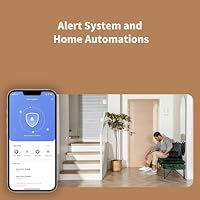
Cloud push notifications work reliably for buyers monitoring spaces remotely, and the integration with the Aqara Alert System adds local alarms as a backup layer. IFTTT support further extends what you can trigger on a motion event.
Cloud-dependent notifications introduce a single point of failure if internet connectivity drops, and there's no native way to receive alerts locally without setting up additional hardware. Some buyers wanted more granular control over notification frequency to avoid alert fatigue in high-traffic spaces.
Mounting Flexibility
83%
The 360° adjustable stand is a practical advantage over fixed-angle alternatives, letting you correct the detection zone after installation without re-drilling or re-mounting. Buyers who initially placed it in a suboptimal spot appreciated being able to fine-tune without starting over.
The sensor is designed primarily for wall mounting, and ceiling installation options are limited without third-party accessories. Buyers who wanted overhead placement for broader floor-level coverage found the default mounting system didn't accommodate that configuration cleanly.

Suitable for:

The Aqara Motion Sensor P1 Zigbee Sensor is the right pick for smart home users who are already running — or planning to run — an Aqara Zigbee 3.0 hub as the backbone of their setup. Apple HomeKit households benefit particularly well, since the sensor integrates cleanly into HomeKit automations for lighting control, occupancy-based scenes, and security alerts. It also suits Home Assistant users looking for a dependable Zigbee PIR with low maintenance overhead; five years between battery changes is a genuine convenience that adds up across a multi-sensor home. Renters and anyone reluctant to run wires will appreciate the entirely battery-powered design combined with a wall-mount stand that leaves no permanent marks. If your goal is automating lights when someone enters a room, triggering a plug when an area is occupied, or getting a push notification when motion is detected in a space you're monitoring remotely, this motion detector handles all of it reliably within the Aqara ecosystem.

Not suitable for:

If you don't own an Aqara Zigbee hub, the Aqara Motion Sensor P1 Zigbee Sensor is a hard pass — full stop. It will not pair with third-party Zigbee coordinators, generic USB dongles, or hubs from other brands, regardless of whether they run Zigbee 3.0. Buyers who want a flexible sensor they can plug into an existing multi-brand smart home stack should look elsewhere. The light sensitivity feature that some find useful for conditional automations is also unavailable when using HomeKit or Alexa, which is a quiet but meaningful limitation for users who rely on those platforms exclusively. Open-plan rooms and large spaces can require extra time dialing in sensitivity levels to avoid false triggers, so users expecting plug-and-play perfection in unusual layouts may find the calibration process more hands-on than anticipated. Finally, anyone committed to a fully local, hub-free Zigbee setup using Zigbee2MQTT should note that this configuration is not officially supported.

Specifications

  • Brand & Model: Manufactured by Aqara under model number MS-S02, a Zigbee 3.0 motion detection device within the broader Aqara smart home product line.
  • Dimensions: The sensor body measures 1.59″ deep, 2.16″ wide, and 2.75″ tall, making it compact enough to mount discreetly in most room corners.
  • Weight: At 2.1 ounces including the stand, this motion detector is light enough that the included wall mount handles it without additional hardware.
  • Connectivity: Uses Zigbee 3.0 wireless protocol and must be paired exclusively with a compatible Aqara Zigbee 3.0 hub — no other Zigbee bridges or coordinators are supported.
  • Battery Type: Powered by two CR2430 lithium coin cell batteries, both of which are included in the box at time of purchase.
  • Battery Life: Aqara rates battery life at up to five years under normal operating conditions, including low-temperature environments and fast detection timeout settings.
  • Detection Angle: Offers a 170° field of view at distances up to 4 meters, narrowing to a 150° field of view for distances up to the maximum range of 7 meters.
  • Max Range: The sensor can reliably detect motion up to 7 meters away, provided the sensitivity is set appropriately for the space.
  • Detection Timeout: Motion timeout is fully configurable between 1 and 200 seconds via the Aqara Home app, with no physical adjustments required on the device itself.
  • Sensitivity Levels: Three selectable sensitivity levels — high, medium, and low — allow users to tune the detection distance and reduce false triggers from pets or air movement.
  • Stand & Mounting: Includes a 360° adjustable stand for flexible angle positioning, with a wall-mount design that does not require permanent wiring or complex installation.
  • Platform Support: Compatible with Aqara Home, Apple HomeKit, Amazon Alexa, IFTTT, and Home Assistant when used with a supported Aqara hub.
  • HomeKit Limitation: The light sensitivity function is unavailable when the sensor is used through Apple HomeKit or Amazon Alexa; full functionality requires the Aqara Home app.
  • Hub Wi-Fi Requirement: The required Aqara hub needs a 2.4 GHz Wi-Fi network for most models, while select hubs such as the Camera Hub G3 also support 5 GHz connections.
  • Hub Placement: For a stable Zigbee connection, the sensor should be placed within 10 meters (approximately 393 inches) of the paired Aqara Zigbee hub.
  • Automation Support: Supports IF/THEN automation logic within the Aqara Home app, enabling triggers for lights, smart plugs, and alert notifications upon motion detection.
  • Alert System: Can be integrated into the Aqara Home Alert System to deliver local sound and light alarms as well as cloud-based push notifications when motion is detected.
  • Customer Rating: Holds a 4.2 out of 5 star rating based on 716 customer reviews on Amazon, ranking in the top 10 in the Motion Detectors category in Electronics.

Related Reviews
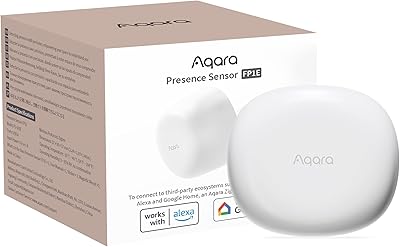
Aqara FP1E mmWave Presence Sensor
76%
88%
Presence Detection Accuracy
83%
False Alarm Reduction
77%
Setup & Installation
81%
Ecosystem Compatibility
52%
Hub Dependency & Total Cost
More
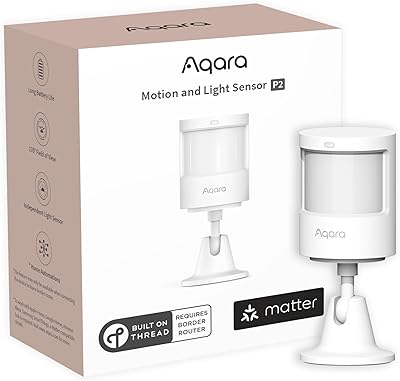
Aqara Motion and Light Sensor P2
80%
88%
Motion Detection Accuracy
84%
Light Sensor Functionality
91%
Thread Connectivity Reliability
89%
Battery Life
79%
Ecosystem Compatibility
More
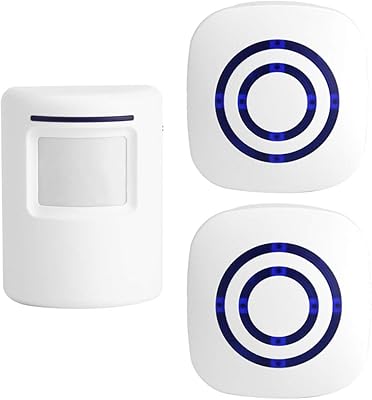
Shaogax Wireless Motion Sensor Driveway Alarm System
71%
91%
Ease of Setup
83%
Wireless Range
88%
Alert Customization
58%
False Alert Rate
61%
Build Quality
More
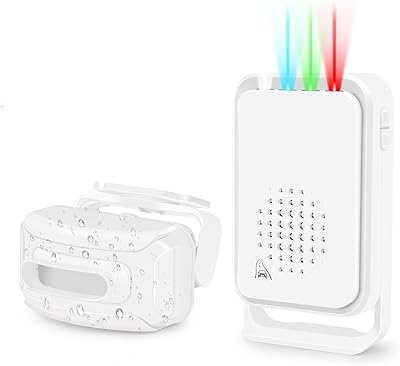
Actpe Wireless Motion Sensor Driveway Chime
69%
93%
Ease of Setup
88%
Value for Money
76%
Detection Reliability
81%
Wireless Range
61%
Battery Life
More
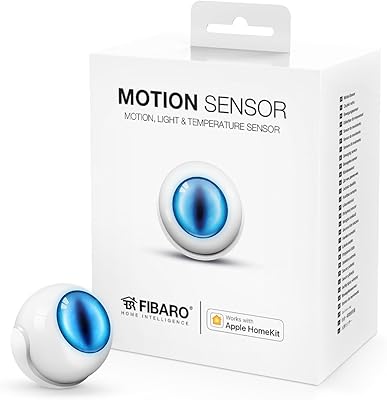
Fibaro Motion Sensor HomeKit Multisensor
71%
83%
Motion Detection Accuracy
88%
HomeKit Integration
61%
Setup Experience
54%
Temperature Accuracy
57%
App Experience
More
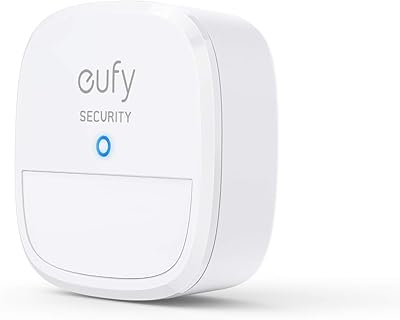
eufy Security Motion Sensor
85%
90%
Detection Accuracy
95%
Ease of Installation
93%
Battery Life
87%
Sensitivity Adjustment
89%
App & Notification System
More
Shelly BLU Motion Bluetooth Motion Sensor
74%
78%
Ease of Setup
81%
Motion Detection Accuracy
67%
Indoor Range
84%
Battery Life
76%
Lux Sensor Usefulness
More
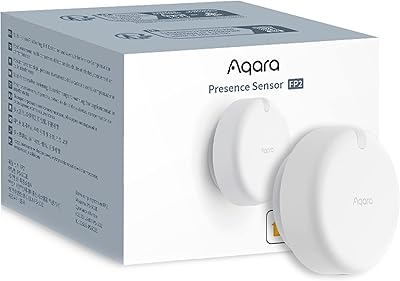
Aqara FP2 mmWave Presence Sensor
74%
91%
Presence Detection Accuracy
83%
Zone Configuration Flexibility
88%
Platform Compatibility
54%
Setup & App Experience
61%
Wi-Fi Connectivity Stability
More
Onvis SMS2 Smart Motion Sensor
78%
83%
Motion Detection Accuracy
88%
Response Speed
79%
HomeKit Integration
81%
Temperature Accuracy
78%
Humidity Monitoring
More
GREENCYCLE M-SF20R Wireless Driveway Alarm
78%
91%
Ease of Setup
78%
Detection Reliability
62%
Wireless Range
88%
Chime & Alert Volume
61%
Battery Life
More

FAQ

Yes, a dedicated Aqara Zigbee 3.0 hub is required — there are no workarounds. The sensor will not pair with third-party Zigbee coordinators, USB dongles, or hubs from other brands. If you don't already own an Aqara hub, you'll need to factor that into your purchase.

The sensor works with the Aqara Hub M2, M1S, M1S Gen2, E1, Camera Hub G2H, G2H Pro, and G3. Each has slightly different Wi-Fi requirements, so check that your home network matches the hub's supported frequencies before buying.

Yes, it integrates cleanly with HomeKit and works well for presence-based automations like turning lights on when you enter a room. Just be aware that the light sensitivity function is not available through HomeKit — you'll need the Aqara Home app to access that feature.

In most standard rooms, the wide detection angle covers the full width from a single corner placement without issue. Longer or open-plan spaces can require some sensitivity adjustments, but for typical residential rooms the default settings usually work well out of the box.

Based on buyer feedback, it appears to hold up reasonably well in practice. Most users report far longer intervals between battery replacements compared to other motion sensors they've used. Usage patterns and detection frequency will affect actual longevity, but the claim doesn't appear to be exaggerated.

Yes, the timeout is adjusted entirely through the Aqara Home app — no screwdrivers, no dip switches. You can set it anywhere from 1 second to 200 seconds, which is useful for fine-tuning light automations so they don't switch off too quickly or stay on too long.

Yes, the Aqara Motion Sensor P1 Zigbee Sensor is compatible with Home Assistant when paired through a supported Aqara hub. Note that Zigbee2MQTT and third-party USB dongle setups are not officially supported by Aqara, so functionality in those configurations may be limited or inconsistent.

Installation is straightforward for most people. The sensor comes with a 360° adjustable stand that mounts to the wall, and because it's battery-powered there's no wiring involved. You can reposition the angle after mounting without starting over, which is helpful for getting the coverage exactly right.

It can, depending on your setup, but the three sensitivity levels give you a practical way to address this. Dropping to medium or low sensitivity reduces the detection range, which can help exclude floor-level movement or drafts near air vents. It may take a round or two of adjustment to find the right setting for your space.

Yes, cloud-based push notifications are supported and can be configured through the Aqara Home app. You can also set up local sound and light alarms as part of the Aqara Alert System for on-site alerts, and IFTTT integration opens up additional notification and automation options if you use that platform.