Overview

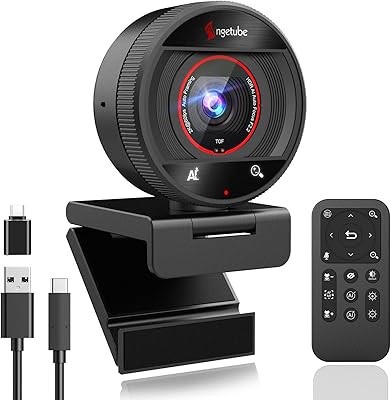
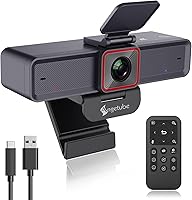
The Angetube 913AI 4K AI Tracking Webcam entered the mid-range webcam space in early 2023, aimed at remote workers and streamers who want auto-framing without spending flagship prices. It competes with established brands by pairing a Sony CMOS sensor with built-in presenter tracking — a combination that is hard to find at this price point. Setup takes seconds: plug in the USB-C cable and it runs on Windows, Mac, Linux, and Chrome OS without any drivers to install. The physical remote control is a rare perk at this tier, putting brightness, zoom, and mic controls in your hand from anywhere in the room. With over 550 ratings and a 4.5-star average, buyer reception has been genuinely solid.
Features & Benefits

The 913AI uses a Sony CMOS component — worth clarifying, this is the sensor technology, not a Sony-branded camera — to deliver sharp 4K footage at 30fps or smooth 1080p at 60fps, depending on your priority. The AI presenter tracking is the standout feature: it follows your face as you move, so you are not anchored to a fixed spot during calls or presentations. HDR kicks in at 30fps and does a decent job correcting blown-out windows or dark corners in rooms with uneven lighting. The dual noise-canceling microphones cover a wide pickup range, though reverberant spaces will still challenge them. An adjustable field of view lets you go wider for group calls or tighter for solo use.

Best For

This AI tracking webcam is a natural pick for remote workers who pace, gesture, or step away from their desk mid-call — the auto-framing keeps you in frame without manual adjustment. Mac users will appreciate that brightness, zoom, and mute are all accessible through the hardware remote, no settings app required. It also performs well in small conference rooms where a single camera needs to cover several people at once. Streamers and content creators who want clean 4K output without routing through a capture card will find it capable. And for anyone running Linux or Chrome OS, having a reliable, driver-free option is still genuinely useful — the market does not offer many.

User Feedback

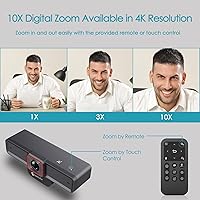
Buyers consistently highlight two strengths: tracking responsiveness and image sharpness in well-lit conditions. Presenters and teachers in particular seem to value the freedom of movement the auto-framing provides. On the critical side, several users report that the tracking loses its lock in dim rooms or when the background shifts suddenly — lighting quality matters more than the specs imply. The 10x digital zoom, while useful in a pinch, introduces noticeable softness at higher magnification levels. A few reviewers also flag microphone performance in echo-heavy rooms as underwhelming. Overall, the satisfaction trend for this webcam is positive, and most complaints are situational rather than fundamental design issues.

Pros

  • AI presenter tracking keeps you in frame as you move, no manual adjustment needed during calls.
  • Plug-and-play USB-C setup works across Windows, Mac, Linux, and Chrome OS without any driver installation.
  • The included remote control lets you mute, zoom, and adjust brightness from across the room.
  • HDR mode does a solid job balancing bright windows and darker areas in mixed-light environments.
  • Adjustable field of view makes it flexible for solo calls and small group meetings alike.
  • 1080p at 60fps mode delivers noticeably smoother motion for presentations and fast-moving demos.
  • The Sony CMOS sensor produces sharp, color-accurate footage in well-lit conditions.
  • No software required for core controls — a genuine relief for Mac and Linux users.
  • Wide microphone pickup range reduces the need to sit close to the camera during calls.

Cons

  • AI tracking loses focus in low-light environments, limiting usefulness in darker rooms or evening setups.
  • 10x digital zoom introduces visible softness — fine for rough framing adjustments, not for sharp close-ups.
  • 4K recording is capped at 30fps, which may feel less fluid during fast-paced presentations or demos.
  • Built-in microphones underperform in echo-prone or reverberant spaces like bare-walled home offices.
  • The remote control requires a CR2 battery that is not universally stocked and adds a small ongoing cost.
  • AI tracking can occasionally overcorrect or reframe abruptly when background movement is detected.
  • No companion app means advanced settings like color calibration or custom tracking zones are not accessible.
  • At 13.2 ounces, the 913AI is on the heavier side for a webcam and may not balance well on thin laptop screens.

Ratings

The scores below for the Angetube 913AI 4K AI Tracking Webcam were generated by our AI after analyzing verified buyer reviews from multiple global markets, with spam, incentivized, and bot-flagged submissions actively filtered out. Each category reflects the genuine consensus of real-world users, capturing both what this webcam does well and where it falls short of expectations.
AI Tracking Accuracy
83%
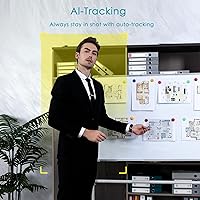
Users who present or teach remotely praise the tracking for keeping them centered without any manual intervention. In well-lit rooms, the face detection latches on quickly and follows smooth movement across a desk or small room without constantly losing focus.
In lower light or rooms with busy backgrounds, the tracking can misfire — locking onto a lamp or window reflection instead of the presenter. A few buyers also report the camera overcorrecting on sudden movements, causing a brief but noticeable reframe jolt during live calls.
Image Quality
86%
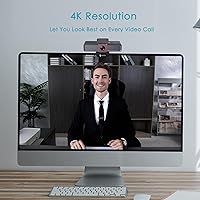
In 4K mode under good lighting, colors look vivid and facial detail is sharp enough that viewers on the other end frequently comment on the improvement over a typical built-in webcam. The Sony CMOS sensor component handles skin tones and fine textures noticeably better than many competitors in the same price range.
Switch to a dim room and the picture degrades more than expected, with visible noise creeping in even at moderate darkness. HDR helps with contrast in mixed-light settings, but it cannot fully compensate for genuinely poor ambient lighting conditions.
Microphone Performance
71%
29%
For everyday home office calls, the dual noise-canceling microphones do a competent job filtering out consistent background noise like air conditioning hum, keyboard clicks, and street traffic. Colleagues on calls with these buyers rarely report needing them to repeat themselves in normal environments.
Rooms with echo — bare walls, hard floors, minimal furniture — expose the microphones' limits quickly. Reverb is harder to filter than steady-state noise, and in those spaces the audio can sound hollow or slightly metallic. Users with serious audio needs consistently recommend pairing this with a separate USB microphone.
Remote Control Usability
88%
The remote is consistently cited as one of the most practical features for users who run meetings or present in small rooms. Being able to mute, adjust brightness, or toggle AI tracking without touching the computer feels like a meaningful quality-of-life upgrade that buyers did not expect at this price point.
A handful of users report the IR signal becoming unreliable when the angle to the camera is off-axis or when there is strong ambient light in the room. The CR2 battery is also a minor irritation — it is less commonly stocked than AA or AAA, meaning you need to plan ahead for replacements.
HDR & Exposure Handling
77%
23%
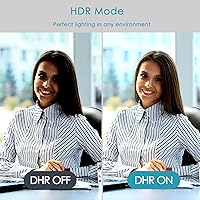
For calls in rooms with a bright window in the background, HDR mode makes a real difference — the background stops blowing out completely and the face stays properly exposed. Users in home offices with mixed natural and artificial lighting report it as a genuine improvement over non-HDR webcams they have used previously.
HDR is locked to 30fps, so users who prefer the smoother 60fps mode have to choose between motion smoothness and better dynamic range. In some software configurations, HDR also introduces a slight warm color shift that some users find unflattering.
Setup & Compatibility
91%
Plug-and-play reliability is a consistent highlight across reviews — Linux and Chrome OS users in particular appreciate finding a 4K webcam that simply works without hunting for third-party drivers. Zoom, Teams, and Meet all detect it immediately in the vast majority of setups.
A small number of users on older Windows 10 builds report the camera not being recognized on first plug-in, requiring a USB hub swap or port change to resolve. Nothing that indicates a widespread defect, but worth knowing if your machine is running older system software.
Digital Zoom Quality
62%
38%
As a quick framing tool during a live call — pulling slightly tighter on your face or widening out to include a second person — the digital zoom works well enough for its intended purpose. Users who use it in the 2x to 3x range generally report it looks acceptable on most video call platforms.
Push it past 5x and the image softens noticeably, with pixelation becoming visible on larger screens. This is a digital zoom limitation inherent to any webcam, but some buyers arrive expecting optical-zoom-like sharpness and are disappointed. Turning off AI before zooming manually is also an extra step that interrupts workflow.
Low-Light Performance
64%
36%
The f/2.2 aperture provides a reasonable amount of light intake for indoor evening use, and in moderately dim rooms the image remains usable. Users who keep a lamp near their face report perfectly acceptable call quality even after sunset.
Without supplemental lighting, the image noise in genuinely dark environments is more pronounced than buyers expect from a 4K sensor. The AI tracking also degrades in these conditions, making evening calls in unlit rooms a noticeably weaker experience than daytime use.
Build Quality & Design
74%
26%
The physical construction feels solid for the price — the plastic housing does not flex or creak, and the adjustable mount clips securely onto most monitor tops and laptop screens. Several users mention it does not feel like a cheap peripheral despite being mid-range in cost.
At 13.2 ounces it is heavier than many competing webcams, which can cause it to tilt forward on thinner laptop screens if not carefully balanced. A few buyers also note the matte finish attracts fingerprints and dust more than expected.
Auto-Framing for Groups
69%
31%
For small meeting rooms with two or three people seated at a similar distance from the camera, the auto-framing logic does a decent job widening out to keep everyone visible. Teachers running small virtual classrooms and team leads doing hybrid standups find this genuinely useful.
When participants are positioned at very different distances or angles, the framing algorithm sometimes struggles to find a stable composition. It tends to favor the closest or most active face, which can leave others partially out of frame during longer sessions.
Value for Money
82%
18%
Buyers who compare this against dedicated auto-tracking webcams from more established brands consistently feel the feature-to-price ratio is strong. Getting 4K, HDR, AI tracking, and a hardware remote in a single package without reaching flagship prices strikes most buyers as a fair trade.
Users who primarily need a static webcam without AI features point out they are effectively paying for tracking they do not use, and they could get better raw image quality from a simpler camera at the same price. The value proposition is strong only if auto-framing is actually part of your workflow.
Software-Free Operation
89%
The ability to adjust brightness and control key functions entirely through the hardware remote — without opening any app — is consistently praised by Mac and Linux users who want zero software bloat. It makes the experience feel clean and portable across different machines.
The trade-off is that there is no companion app for users who do want finer control, such as custom color profiles, tracking sensitivity adjustments, or scheduled presets. Power users who like deep configuration options will hit a ceiling quickly.
Streaming Suitability
78%
22%
For casual streamers and educators recording to platforms like YouTube or OBS, the 4K output and HDR make for a noticeably professional-looking feed without requiring a capture card. The H.264 format support ensures smooth compatibility with most broadcasting software.
Dedicated streamers building a proper studio setup will likely outgrow this webcam's limitations — particularly the 4K-at-30fps cap and the lack of advanced color calibration controls. It serves the casual-to-intermediate creator well, but serious production environments will want more.

Suitable for:

The Angetube 913AI 4K AI Tracking Webcam is a strong match for remote workers who present, teach, or coach on video calls and need the freedom to move without manually adjusting the camera frame. It suits home office setups where lighting is reasonably controlled and the user wants capable hardware without the friction of installing companion software. Mac, Linux, and Chrome OS users in particular will value the plug-and-play compatibility, since driver-free webcams at this resolution are not as common as you might expect. The included remote control makes it especially practical in small meeting rooms or classrooms, where walking back to a desk just to mute or zoom is genuinely inconvenient. Content creators and streamers who want clean 4K footage and HDR output without investing in a separate capture card will also find it a cost-effective option.
Not suitable for:

The Angetube 913AI 4K AI Tracking Webcam is not the right choice for buyers who work in dimly lit rooms or rely on backlit setups, since the AI tracking noticeably struggles when lighting conditions are poor. Anyone expecting broadcast-quality audio from the built-in microphones will likely be disappointed, particularly in rooms with hard surfaces that cause echo or reverb. The digital zoom, while technically impressive on paper, softens image quality at higher magnification levels — so if sharp close-up framing is a priority, a fixed-lens camera with optical zoom will serve you better. Buyers who need ultra-smooth 4K footage at 60fps will also need to look elsewhere, as 4K on this webcam is capped at 30fps. Finally, professional video producers or anyone investing in a dedicated streaming studio setup will likely outgrow what this webcam offers fairly quickly.
Specifications

  • Sensor: Uses a Sony CMOS sensor component for high signal-to-noise ratio imagery, particularly effective in well-lit conditions.
  • Max Resolution: Captures video at 3840x2160 (4K UHD) at up to 30fps for maximum detail in static or slow-moving scenes.
  • 1080p Mode: Switches to 1920x1080 resolution at up to 60fps for smoother motion during fast-paced presentations or demos.
  • Aperture: Fixed aperture of f/2.2 allows adequate light intake for indoor video calls without requiring external lighting.
  • HDR: HDR mode is available at 30fps and dynamically corrects overexposed highlights and underexposed shadows in mixed-light environments.
  • Digital Zoom: Supports up to 10x digital zoom, adjustable via the included remote control, though image sharpness decreases at higher magnification.
  • Field of View: Field of view is adjustable, allowing users to switch between a wider angle for group calls and a tighter frame for solo use.
  • AI Features: Built-in AI handles face detection, automatic framing, and presenter tracking, following the subject as they move around the room.
  • Microphones: Dual AI noise-canceling microphones are integrated into the unit with a rated pickup range of up to 5 meters (approximately 16 feet).
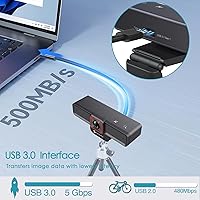
  • Connectivity: Connects via USB-C with a USB 3.0 interface, delivering up to 5Gbps bandwidth for uncompressed video transmission.
  • Plug-and-Play: No drivers or software installation are required; the webcam is recognized automatically by supported operating systems upon connection.
  • Remote Control: An infrared remote control is included in the box and requires one CR2 battery, which is also included.
  • Video Formats: Supports JPEG, YUY2, and H.264 output formats, ensuring compatibility with a wide range of video calling and recording applications.
  • Compatible OS: Works with Windows 7, 8, 10, and 11, Mac OS X, Chrome OS, Linux, and Ubuntu without additional driver installation.
  • Dimensions: The camera body measures 5.14 x 1.93 x 2.74 inches, making it compact enough for most monitor tops or tripod mounts.
  • Weight: Weighs 13.2 ounces, which is on the heavier side for a webcam and may require a sturdy mount on thinner laptop screens.
  • Power Source: Draws power entirely through the USB connection; no external power supply or wall adapter is required for operation.
  • Model Number: The official model number is 913AI, released under the Angetube brand in March 2023.

Related Reviews

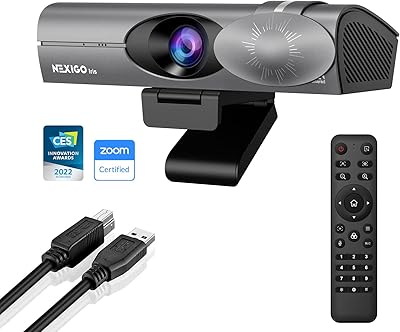
NexiGo Iris 4K AI Webcam
78%
88%
Image Quality
91%
Low-Light Performance
74%
AI Auto-Framing
63%
Setup & Ease of Use
79%
Build Quality
More
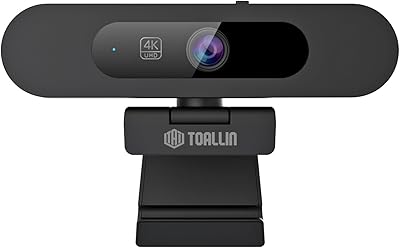
TOALLIN TL828A 4K AI Webcam
86%
91%
Video Quality
89%
AI Tracking & Auto-Framing
95%
Ease of Setup
88%
Audio Quality
83%
Build Quality
More
Angetube 873AI Webcam
77%
83%
Video Quality
88%
AI Auto-Framing
86%
TOF Autofocus
77%
HDR Performance
71%
AI Noise Reduction (Microphone)
More
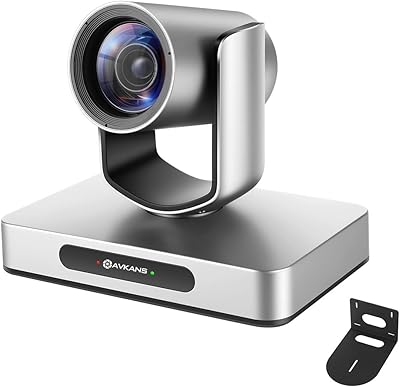
AVKANS 4K NDI PTZ Camera with AI Tracking
85%
89%
AI Tracking Accuracy
91%
Ease of Setup (PoE & NDI Integration)
88%
Video Output Flexibility (HDMI, SDI, USB, IP)
85%
Build Quality
90%
Software Compatibility (OBS, Zoom, vMix)
More
Lusinx TW 4K Webcam
Lusinx TW 4K Webcam
73%
73%
Video Quality
79%
Low-Light Performance
71%
Microphone Quality
91%
Setup & Compatibility
58%
Build Quality
More
PixelForge 4K Webcam
86%
94%
Video Quality
88%
Audio Performance (Microphone)
91%
Ease of Setup
89%
Lighting Effectiveness
86%
Privacy Features
More
Lumina LX011 4K Webcam
81%
91%
Image Quality
87%
Low-Light Performance
83%
AI Auto-Framing
93%
Build Quality
78%
Microphone Quality
More
MOERTEK MT 4K Webcam
76%
83%
Image Quality at 1080P
67%
4K Capture Quality
71%
AI Auto-Framing
91%
Ease of Setup
62%
Microphone Performance
More
Combess XIAOJINGLING 4K Webcam
71%
71%
Image Quality
66%
Low-Light Performance
64%
Autofocus Performance
61%
Microphone Quality
55%
Noise Reduction
More
Diccik 4K HD Webcam
Diccik 4K HD Webcam
72%
81%
Value for Money
69%
Video Quality
93%
Ease of Setup
76%
Light Correction
57%
Microphone Quality
More

FAQ

No, the 913AI is fully plug-and-play. Just connect it via the USB-C cable and your operating system should recognize it immediately. This applies to Windows, Mac, Linux, and Chrome OS — no drivers, no setup app required.

In good lighting, the presenter tracking is responsive and keeps you centered as you move around the room. The main caveat is lighting: in dim environments, the face detection can lose its lock or reframe abruptly. If your room is well-lit, the tracking performs reliably for most call and presentation scenarios.

Yes, you can disable the AI function at any time using the included remote control or the touch switch on the camera body. This is also recommended if you want to use the manual digital zoom, since AI and manual zoom are not designed to run simultaneously.

Yes, the Angetube 913AI 4K AI Tracking Webcam works with all major video calling platforms including Zoom, Teams, Webex, Skype, and Google Meet, since it presents itself as a standard UVC device. Most users report no setup issues, though occasionally a platform may default to the built-in camera first and you will need to switch the input manually in your call settings.
It is useful for rough framing adjustments, but be realistic about what digital zoom can deliver. At higher zoom levels, you will see softness and some pixelation. Think of it as a convenience tool, not a replacement for optical zoom. For most calls, staying in the lower zoom range (2x to 4x) keeps the image looking clean.

It handles moderate low-light decently thanks to the f/2.2 aperture, but it is not a low-light specialist. In genuinely dark rooms, image noise increases and the AI tracking becomes less reliable. Adding a basic desk light or ring light behind your monitor will make a noticeable difference to both image quality and tracking performance.

The dual noise-canceling mics are solid for a webcam and handle background hum and keyboard noise reasonably well in normal office conditions. In rooms with hard walls or significant echo, they will struggle — reverb is harder to filter than steady noise. For casual calls and meetings, they are fine. Podcasters or anyone recording voiceovers professionally should use a dedicated microphone instead.

Yes, it is one of the more reliably compatible options on those platforms precisely because it requires no proprietary drivers. As long as your system supports standard USB video class devices — which Linux and Chrome OS both do — this webcam should work without any configuration.

The AI auto-framing adjusts its field of view based on how many people are detected in the frame, widening out to keep a group visible rather than locking onto a single face. It is not perfect and works best when participants are seated at a similar distance from the camera, but it handles small group setups like a two or three person desk arrangement reasonably well.

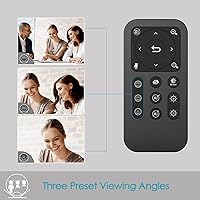
The remote handles most key controls: toggling AI on and off, adjusting digital zoom, muting the microphone, disabling the video feed, flipping the image, and adjusting brightness. This last one is particularly useful for Mac users who do not want to dig into settings menus. Effective range is not officially specified, but most users find it reliable across a typical room of 10 to 15 feet.