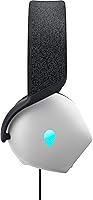
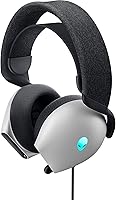
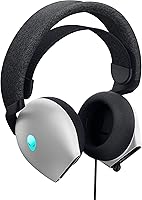
Overview

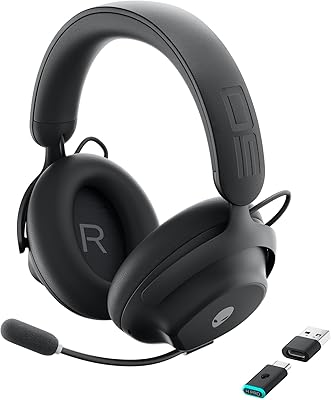
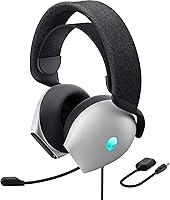
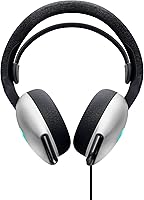
The Alienware AW520H entered the mid-range gaming headset market in mid-2023 with a clear pitch: solid audio, wired reliability, and a design that fits naturally into the Alienware ecosystem. The Lunar Light colorway is understated by gaming standards — no aggressive angles or loud colors, just a clean look that ages well on a desk. Connectivity covers both USB and 3.5mm, so you can run it on a Windows PC or plug it into a controller without a second thought. Going wired is a deliberate choice here. No charging cycles, no latency, no mid-session battery anxiety — just plug in and play. At this price tier, it sits alongside the HyperX Cloud III and SteelSeries Arctis Nova 3, which makes it a genuinely competitive field.

Features & Benefits

The 40mm dynamic drivers in this Alienware headset are Hi-Res certified, covering a frequency range that goes well beyond what most competitive headsets offer — translating in practice to a noticeably wider, more detailed soundstage. Dolby Atmos adds genuine positional accuracy in supported games, but there is a catch worth knowing: it requires the Dolby Access app on Windows, and full functionality may require a paid subscription. The retractable boom mic handles background noise well thanks to AI-driven processing, making voice clarity in squad play much better than you would expect at this tier. The suspension headband and memory foam ear pads work together to spread weight evenly, keeping things comfortable through three or four hours of continuous play without the usual pressure buildup.

Best For

This wired gaming headset makes the most sense if you are already inside the Alienware or Dell ecosystem — Alienware Command Center handles the RGB synchronization and audio tweaking without any extra friction. It is also a strong pick for competitive FPS players or anyone who spends serious time in open-world games where positional audio actually matters. The under-12-ounce build makes a real difference during long desk sessions; you stop noticing it is on your head, which is genuinely the best thing you can say about headset ergonomics. Those expecting wireless should look elsewhere — this is a conscious tradeoff for zero-latency performance, not an oversight. Budget upgraders stepping up from a sub-40-dollar headset will notice the jump in build quality and driver clarity almost immediately.

User Feedback

Owners consistently point to all-day wearing comfort as the standout, with many noting they pushed through four-plus hour sessions without the ear fatigue that plagues denser, heavier headsets. Build quality also gets genuine praise — it does not feel hollow or creaky like some competing options in this range. On the critical side, users outside the Alienware ecosystem often find Command Center software an unnecessary install, since the RGB contributes little beyond aesthetics. A few long-term owners have flagged cable durability near the connector after months of heavy use. Mic quality draws mixed responses — clean in quiet environments, but some report it struggles in louder rooms even with noise cancellation active. Overall, satisfaction skews positive, with comfort and audio clarity cited most frequently.

Pros

  • Lightweight build under 12 ounces keeps fatigue minimal during marathon gaming sessions.
  • Suspension headband and memory foam ear pads hold up comfortably through four-plus hour stretches.
  • Dual USB and 3.5mm connectivity gives genuine flexibility across PC and compatible console setups.
  • Wide-range drivers deliver noticeably more audio detail than typical budget headsets in this category.
  • Dolby Atmos provides real positional accuracy in FPS titles when properly set up on Windows.
  • Retractable mic stays out of the way and keeps voice clear in quiet to moderate environments.
  • AlienFX RGB syncs cleanly with other Alienware peripherals for a cohesive desk setup.
  • On-headset volume and mute controls are well-placed for quick adjustments mid-game.
  • Solid build quality with no hollow flex or creaking at adjustment points.

Cons

  • Dolby Atmos requires the Dolby Access app and may need a paid subscription to unlock full spatial audio.
  • Mic noise cancellation struggles noticeably in louder or more chaotic home environments.
  • Alienware Command Center feels like unnecessary software overhead for non-Alienware PC users.
  • Cable durability near the USB connector has been flagged by long-term owners after months of daily use.
  • No detachable cable makes transport awkward and increases long-term wear risk.
  • Bass tuning out of the box can overwhelm mid-range detail without manual EQ adjustment.
  • Full feature access is locked to Windows via USB, leaving Mac and Linux users with a basic stereo experience.
  • No hardware toggle for RGB lighting — managing it requires Command Center running in the background.
  • Headband adjustment range may feel limiting for users with larger head sizes during extended sessions.

Ratings

Our AI rating engine analyzed thousands of verified global purchases of the Alienware AW520H, actively filtering out incentivized reviews, bot patterns, and duplicate submissions to surface what real buyers actually experience. The scores below reflect a balanced picture — strengths are credited where earned, and recurring frustrations are not glossed over. Whether this wired gaming headset fits your setup depends heavily on a few critical factors, and this breakdown covers all of them.

Wearing Comfort
88%
The suspension headband paired with memory foam ear pads creates a genuinely pressure-free fit that holds up through three to four hour gaming sessions without the usual temple soreness. Buyers who game daily after work consistently call it one of the most comfortable headsets they have owned at this price tier.
A minority of users with larger heads report the inner strap adjustment range is not generous enough, causing mild tightness after extended wear. The breathable fabric helps, but in warmer climates some heat retention around the ears was still flagged after the two-hour mark.
Audio Quality
83%
The wide-range drivers deliver a noticeably detailed soundstage compared to budget alternatives — footsteps, environmental cues, and layered audio in open-world games come through with real clarity. Buyers upgrading from entry-level headsets describe it as a meaningful, immediately perceptible improvement.
Bass can lean slightly aggressive out of the box, which some users find fatiguing during longer music or cinematic sessions. Without EQ tuning through Alienware Command Center, the low-end can slightly muddy mid-range detail in complex audio mixes.
Positional Audio & Dolby Atmos
74%
26%
When properly set up, Dolby Atmos adds a convincing vertical and horizontal soundstage that genuinely helps in competitive FPS titles — locating enemies above or below becomes more reliable. Users who took the time to configure it through the Dolby Access app report it as a solid advantage in games like Warzone and Apex.
The setup process is a genuine barrier — it requires the Dolby Access app on Windows, and full spatial audio functionality sits behind a paid subscription tier that many buyers did not expect. Users outside the Windows ecosystem or those unwilling to install additional software lose access to this feature entirely.
Microphone Quality
69%
31%
In quiet home office or bedroom setups, the retractable boom mic performs well — voice comes through clearly without obvious harshness, and squad members generally report understanding calls without asking for repeats. The retractable design is also appreciated for keeping the mic out of the way when not in use.
The AI noise cancellation struggles more than expected in genuinely noisy environments — loud keyboards, fans, or ambient household noise can bleed through noticeably. Several users flagged that voice pickup narrows if the mic is not positioned precisely close to the mouth, which takes trial and error to get right.
Build Quality & Durability
77%
23%
The overall construction feels solid and deliberate — there is no hollow flex or cheap creak when adjusting the headband, which gives a reassuring impression of longevity. The hinge points and retractable mic mechanism in particular feel more robust than competing options at a similar price.
Long-term owners have flagged that the cable shows wear near the connector after several months of daily desk use, especially if the cable gets regularly coiled or routed under a chair. The plastic used on the outer shell, while sturdy initially, shows light surface scratching with regular handling over time.
Microphone Noise Cancellation
66%
34%
In controlled environments, the AI-driven noise cancellation does a reasonable job isolating voice from steady background hum like air conditioning or white noise. Users in home setups with minimal ambient chaos report clean, intelligible voice transmission in Discord and in-game voice chat.
Dynamic or sudden background noise — a dog barking, traffic, or mechanical keyboards — tends to slip through more than the marketing implies. Compared to dedicated noise-canceling microphones or even some competitors at this price, the cancellation feels inconsistent rather than reliably robust.
Connectivity & Compatibility
84%
Having both USB and 3.5mm options in one headset is genuinely practical — USB handles PC use with full feature access while the 3.5mm jack lets users plug into a PS5 controller or Nintendo Switch dock without a second headset. This dual-path approach is one of the more thoughtful design decisions in this product.
Full feature access — including Dolby Atmos and Command Center integration — is restricted to Windows PC via USB. Users on Mac or Linux lose most of the software-dependent functionality, reducing the headset to a basic stereo device with no meaningful ecosystem benefit.
Software & Ecosystem Integration
61%
39%
For buyers already running Alienware Command Center on a Dell or Alienware rig, the integration is smooth — EQ profiles, RGB sync, and audio settings all live in one place without juggling multiple apps. The ecosystem cohesion is a genuine perk for users already invested in the Alienware peripheral stack.
Users outside the Alienware ecosystem consistently describe Command Center as bloated software they installed purely for this headset, only to uninstall it shortly after. The app requires a noticeable system footprint and can feel like overkill just to adjust EQ or toggle lighting on a single peripheral.
RGB Lighting
71%
29%
The AlienFX logo lighting looks clean and polished on a gaming desk setup, and the sync with other Alienware peripherals creates a cohesive visual theme that existing Alienware users genuinely appreciate. Color accuracy across the full spectrum is consistent and not washed out, which is better than expected for a headset at this tier.
For users without other AlienFX hardware, the RGB contributes nothing functional and requires Command Center running in the background to manage — a trade-off that is hard to justify. There is no standalone hardware button to toggle lighting without the software, which frustrates users who prefer a cleaner, software-free setup.
Cable Quality & Length
63%
37%
The cable length is adequate for most standard desk setups, giving enough reach from a tower PC or monitor hub without excess slack creating a tangle. The braided section near the headset feels premium compared to basic rubber cables found on cheaper alternatives.
Several buyers with floor-standing tower PCs or desks positioned away from their setup found the cable length just barely sufficient, requiring them to route it awkwardly. Durability near the USB connector is the most commonly flagged weak point from users who have owned the headset for six months or more.
Value for Money
78%
22%
At its price point, the AW520H delivers a combination of comfort, audio breadth, and build quality that genuinely justifies the cost for Alienware ecosystem users or buyers stepping up from budget gear. The dual connectivity and Hi-Res driver certification add practical value that is not always found at this tier.
Against direct competitors like the HyperX Cloud III, which offers comparable audio and comfort at a similar or lower price without requiring ecosystem buy-in, the value case weakens for general buyers. Users who cannot leverage Dolby Atmos or Command Center end up paying a premium for features that are effectively locked behind software walls.
Weight & Portability
86%
Coming in just under 12 ounces, this wired gaming headset sits in a sweet spot where it feels substantial without adding strain during long desk sessions. Buyers who are particularly sensitive to headset fatigue — or who have had neck discomfort with heavier models — flag the light build as a standout positive.
The headset is not designed with portability in mind — no included carrying case, and the cable is not detachable, making transport slightly awkward. It is a desk peripheral first and foremost, and treating it as anything else exposes the cable and hinge joints to unnecessary wear.
On-Headset Controls
72%
28%
Having volume adjustment and mic mute directly on the headset removes the need to alt-tab or reach for a software panel mid-game, which is a small but meaningful quality-of-life improvement during competitive play. The control placement is intuitive enough that most users locate them by feel after a short adjustment period.
The control wheel can feel slightly stiff compared to the smooth dials found on premium competitors, and some users report accidentally adjusting volume when reaching for the mute button in the heat of the moment. There is no dedicated game-to-chat audio balance dial, which is a notable absence for users who mix party chat with in-game audio.

Suitable for:

The Alienware AW520H is built squarely for gamers who spend serious time at a desk and already have some stake in the Alienware or Dell ecosystem. If you run Alienware Command Center, the software integration actually earns its keep — EQ tuning, RGB sync, and audio profiles all live in one place without friction. Competitive FPS players who rely on positional audio to track footsteps or callouts will get real mileage out of Dolby Atmos once it is properly configured. The lightweight build and suspension headband make it a strong choice for anyone who has battled fatigue or pressure headaches from heavier headsets during four-plus hour sessions. It also makes solid sense as a step-up purchase for gamers moving off a budget headset who want noticeably better driver clarity and a more premium physical feel without committing to a flagship price.

Not suitable for:

If wireless freedom matters to you at all, the Alienware AW520H is simply not the right fit — the wired-only design is a hard constraint, not a minor inconvenience, and no amount of audio quality will change that for someone who games from a couch or moves around their space. Buyers on Mac, Linux, or non-Alienware Windows PCs will find that most of the software-dependent features — Dolby Atmos, Command Center integration, advanced EQ — are either unavailable or require installing bloat they did not ask for. If your primary concern is microphone performance in a loud or shared living environment, the AI noise cancellation here will likely disappoint; it handles steady background hum reasonably well but struggles with dynamic or unpredictable noise. Streamers or content creators who need broadcast-grade mic clarity should budget for a dedicated microphone instead of relying on the built-in boom. And if you are a platform agnostic gamer who splits time between PC, console, and handheld, the feature set shrinks considerably outside of a Windows USB connection.

Specifications

  • Driver Size: Equipped with 40mm dynamic drivers certified for Hi-Res audio, covering a frequency range from 20Hz up to 40kHz.
  • Impedance: Rated at 32 Ohm, making it easy to drive from a standard PC USB port or 3.5mm headphone jack without an external amplifier.
  • Connectivity: Supports both USB-A and 3.5mm analog connections, allowing use across Windows PCs and any device with a standard headphone jack.
  • Spatial Audio: Dolby Atmos spatial audio is supported on Windows via the Dolby Access app, adding positional depth in compatible games and media.
  • Microphone Type: Features a retractable unidirectional boom microphone that folds away cleanly when not in use and deploys with a firm, adjustable arm.
  • Noise Cancellation: AI-driven active noise cancellation is built into the microphone signal chain to reduce steady ambient noise during voice communication.
  • RGB Lighting: AlienFX logo lighting supports up to 16.8 million colors and syncs with Alienware Command Center for customizable lighting effects and peripheral sync.
  • Ear Pad Material: Over-ear pads are constructed from memory foam with a breathable fabric outer layer designed to reduce heat buildup during extended sessions.
  • Headband Design: Uses a suspension-style headband with an adjustable inner strap that allows tension and fit customization by sliding the strap up or down.
  • Weight: The headset weighs approximately 11.8 ounces (0.74 lbs), placing it in the lighter end of the over-ear wired gaming headset category.
  • Dimensions: Physical dimensions measure approximately 7.28 x 4.35 x 8.46 inches, fitting standard over-ear sizing with a moderate profile on the head.
  • Wireless: This headset is wired only — it does not support Bluetooth or any form of wireless audio transmission.
  • Platform Support: Fully featured on Windows PC via USB; the 3.5mm connection provides basic stereo audio compatibility with consoles, mobile devices, and other platforms.
  • On-Headset Controls: Includes a physical volume control wheel and a dedicated microphone mute button mounted directly on the ear cup for quick in-session adjustments.
  • Ear Placement: Designed as a circumaural (over-ear) headset, with ear cups that fully surround the ear rather than resting on it.
  • Software: Alienware Command Center is required on Windows to access EQ customization, RGB lighting control, and full Dolby Atmos configuration.
  • Cable: Ships with a fixed, non-detachable cable; a 3.5mm adapter is included for use with devices that lack a full-size headphone jack.
  • Manufacturer: Designed and sold by Alienware, a subsidiary of Dell Technologies, with standard Dell manufacturer support and warranty coverage.
  • Release Date: The headset was first made available for purchase on June 30, 2023, as part of Alienware's updated peripheral lineup.
  • Color Option: Available in Lunar Light, a light neutral colorway that complements the broader Alienware aesthetic without the aggressive styling of darker gaming peripherals.

Related Reviews
Alienware Pro Wireless Gaming Headset
87%
91%
Sound Quality
88%
Noise Cancellation
90%
Comfort for Long Sessions
95%
Battery Life
92%
Charging Speed
More
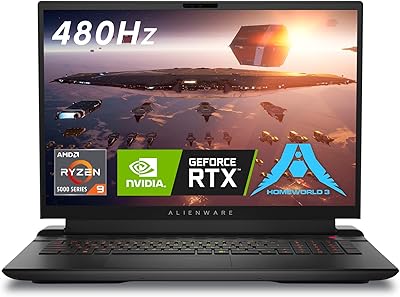
Alienware m18 AMD Gaming Laptop
85%
94%
Gaming Performance
92%
Display Quality
89%
Cooling System
60%
Portability
75%
Battery Life
More
Alienware Pro Wireless Gaming Keyboard
87%
93%
Connectivity
89%
Customization (Hot-Swappable Switches)
91%
Ergonomics and Layout
88%
RGB Lighting
85%
Battery Life
More
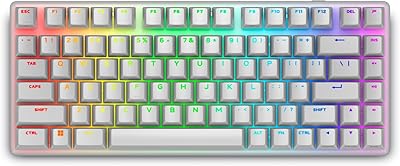
Alienware AW420K Tenkeyless Gaming Keyboard
90%
96%
Typing Responsiveness
91%
Build Quality
93%
RGB Lighting Customization
95%
Key Switch Durability
87%
Ergonomics & Comfort
More
Alienware X16 R1 Gaming Laptop
88%
96%
Gaming Performance
93%
Display Quality
91%
Cooling Efficiency
86%
Portability
74%
Battery Life
More
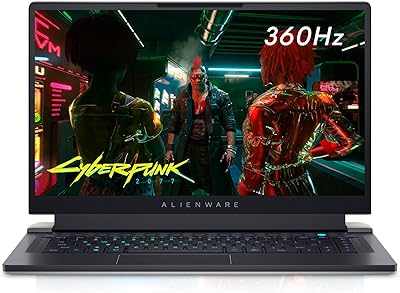
Alienware X15 R1 Gaming Laptop
83%
94%
Gaming Performance
92%
Graphics Quality
90%
Display Quality
88%
Build Quality
62%
Battery Life
More
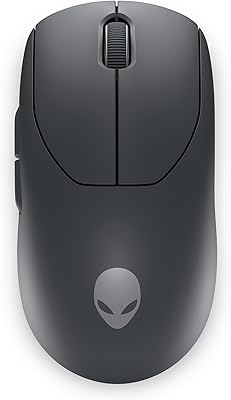
Alienware Pro Wireless Gaming Mouse
83%
91%
Precision and Performance
74%
Battery Life
88%
Ergonomics and Comfort
84%
Customization Options
90%
Build Quality
More
Alienware AW3420DW 34-inch Curved Monitor
85%
91%
Display Quality
94%
Gaming Performance
88%
Build Quality
86%
Ergonomics
84%
Ease of Setup
More
Alienware 16 Area-51 Gaming Laptop
86%
95%
Performance for Gaming
92%
Graphics Quality
89%
Cooling Efficiency
91%
Display Quality
88%
Build Quality
More
Alienware 18 Area-51 Gaming Laptop
85%
94%
Performance
92%
Display Quality
88%
Thermals and Cooling
90%
Build Quality
75%
Battery Life
More

FAQ

For basic audio through the 3.5mm jack, no software is needed at all — just plug in and it works. However, if you want Dolby Atmos spatial audio, you will need the Dolby Access app on Windows, and full functionality may require a paid subscription. Alienware Command Center is also needed if you want to adjust EQ settings or control the RGB lighting.

Yes, through the 3.5mm connection it will work with PS5 and Xbox controllers that have a headphone jack. Just keep in mind that you lose all the PC-specific features like Dolby Atmos and Command Center integration when using it this way — you get standard stereo audio, nothing more.

Most users report it holds up well through three to four hour sessions without significant pressure or fatigue, which is genuinely good for an over-ear headset. The suspension headband spreads the weight evenly, and the breathable fabric on the ear pads helps reduce heat buildup. That said, users with larger heads have noted the inner strap adjustment has limits, so if possible, try it on before committing.

In a reasonably quiet room, yes — voice clarity is solid and squadmates will hear you without complaints. The noise cancellation handles steady background noise like fans or air conditioning reasonably well. If your environment is louder or more unpredictable, the mic struggles more than you might expect, and positioning it close to your mouth makes a meaningful difference.

You can use it for basic audio output through USB or 3.5mm on both platforms, but that is about all you get. Alienware Command Center does not run on Mac or Linux, so there is no EQ control, no RGB management, and no Dolby Atmos access. If you are primarily on one of those platforms, most of what makes this headset distinctive will simply be unavailable to you.

The logo lighting is subtle enough that most users do not find it distracting — it is on the outside of the ear cup and not in your peripheral vision during play. You can turn it off or adjust it through Alienware Command Center, but there is no physical hardware button to do so without the software running. For users who prefer no lighting at all, it is a mild inconvenience to manage via software.

Both are strong mid-range options with over-ear designs and comfortable builds, but they take different approaches. The Cloud III is generally seen as a more platform-agnostic pick with arguably stronger out-of-the-box mic performance and no software dependency. This Alienware headset has an edge if you are in the Alienware ecosystem and want Dolby Atmos support, but outside that context the Cloud III is harder to argue against at a similar price.

The cable is not detachable, which is worth knowing if you are prone to cable wear or like swapping connections. The length is adequate for most standard desk setups, but users with floor-standing towers positioned further away have found it just barely sufficient. If cable management or longevity is a priority for you, the fixed design is a real consideration.

Not strictly, but it helps a lot. Any Windows PC can run Alienware Command Center and the Dolby Access app, so you can unlock the full feature set even on a non-Alienware machine. Where the ecosystem advantage really shows is if you already have other AlienFX peripherals — the RGB sync and unified control panel become genuinely convenient rather than just tolerable overhead.

The breathable fabric covering is best maintained with a dry or very slightly damp cloth — avoid soaking the foam or using alcohol-based cleaners, as these can degrade the material over time. The fabric tends to attract lint and dust, so a light wipe-down every week or two keeps them looking fresh. Long-term durability of the foam is generally solid, though like all memory foam ear pads, they will compress gradually with heavy daily use over the course of a year or more.