

Overview

The Alienware Area-51 18-inch Gaming Laptop is the return of a nameplate that genuinely means something to people who've followed this brand for years. This isn't a machine you tuck into a backpack for a coffee shop session — at 7.49 lbs with an 18-inch chassis, it lives on a desk and earns its place there. Think of it as a desktop replacement that happens to be portable when the situation calls for it. The Liquid Teal finish and angular industrial design aren't afterthoughts; they signal intent. Buyers spending at this tier aren't looking for reassurance through marketing — they want proof the hardware delivers, and here it largely does.

Features & Benefits

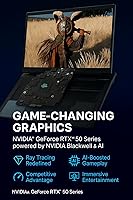
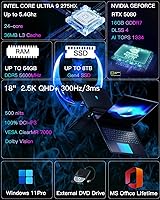
The heart of this 18-inch gaming beast is the Intel Core Ultra 9 275HX — 24 cores up to 5.4GHz — paired with a dedicated NPU that handles AI workloads like background noise suppression or frame upscaling without taxing the main CPU. That distinction matters when you're gaming and streaming simultaneously. The RTX 5080 with 16GB GDDR7 brings serious GPU headroom: DLSS 4 and Frame Generation push frame rates well beyond what raw hardware alone could sustain, while Reflex 2 cuts input latency at the system level. An 18″ QHD+ display at 300Hz with G-SYNC ties it together — sharp, color-accurate, and tear-free under any load.

Best For

Dell's flagship gaming laptop is built for a specific kind of buyer, and it's worth being upfront about who that is. If you want desktop-class GPU performance without the commitment of a full tower rig, this machine makes a strong case. Content creators get a color-accurate display paired with the kind of CPU and memory headroom — 64GB DDR5, 2TB SSD — that handles large project files for years without bottlenecking. Alienware loyalists after the brand's definitive statement piece will find it here. Just don't buy this expecting to carry it around daily; it's a desk machine that happens to have a handle.

User Feedback

Buyers who've spent time with this Alienware Area-51 consistently point to display quality and raw gaming performance as highlights — frame rates at QHD+ are genuinely impressive, and the screen holds up through extended sessions without eye fatigue. The fan noise under full load is real and worth knowing upfront: this is a 300W system, and the quad-fan setup works audibly hard when pushed. Weight and bulk remain a sticking point for anyone who imagined moving it more often than they end up doing. The Alienware Command Center software draws mixed reactions — power users appreciate the granular control, while others find the interface cluttered and overstuffed with options.

Pros

  • RTX 5080 with 16GB GDDR7 delivers desktop-tier GPU performance in a portable chassis.
  • The 18″ QHD+ 300Hz display is sharp, fast, and color-accurate enough for professional creative work.
  • 24-core Intel CPU handles simultaneous gaming, streaming, and rendering without throttling.
  • 64GB DDR5 and 2TB SSD provide serious headroom that keeps this system relevant for years.
  • DLSS 4 and Frame Generation push frame rates well beyond raw hardware limits at high resolutions.
  • Wi-Fi 7 ensures the wireless connection stays well ahead of most home network bottlenecks.
  • Per-key RGB lighting offers genuine customization depth, not just a single-zone color wash.
  • Dolby Atmos four-speaker audio is strong enough for immersive gaming without reaching for headphones.
  • G-SYNC integration eliminates screen tearing without needing to cap frame rates manually.
  • Windows 11 Pro is included, making this viable for professional and hybrid work environments.

Cons

  • At 7.49 lbs, daily portability is a real sacrifice — this is a desk machine that can move, not a travel laptop.
  • Fan noise under full load is aggressive and noticeable; quiet-room users will feel it.
  • Alienware Command Center remains polarizing — its interface can feel bloated for users who want simplicity.
  • The investment tier is significant, and casual gamers are unlikely to fully utilize what they are paying for.
  • Only three USB 3.0 ports may feel limiting for power users running multiple peripherals simultaneously.
  • The large chassis and bold Liquid Teal design are not office-neutral — it is a loud aesthetic by design.
  • Battery life under any meaningful workload is short, as expected for a 300W-capable system — a wall outlet is effectively required.
  • The sheer size means aftermarket bags and cases that actually fit it well are harder to source.
  • Thermal management, while effective, means the bottom and sides run warm during extended heavy sessions.

Ratings

The scores below reflect AI analysis of verified global user reviews for the Alienware Area-51 18-inch Gaming Laptop, with spam, bot-generated, and incentivized submissions actively filtered out before any scoring was applied. Every category captures the full picture — what real buyers genuinely praised and what frustrated them enough to mention it more than once. Strengths and pain points are weighted equally, so the numbers tell an honest story rather than a flattering one.

Gaming Performance
96%
Users consistently describe frame rates in demanding AAA titles as well beyond what they expected from a laptop, with DLSS 4 and Frame Generation pushing numbers that previously required a dedicated desktop tower. Competitive players specifically noted that Reflex 2 made input latency feel closer to a wired desktop setup than any laptop they had used before.
A small segment of buyers noted that sustained peak GPU performance requires the machine to be plugged into a high-wattage outlet — running on battery visibly throttles output, which is expected for this class but still caught some buyers off guard.
Display Quality
93%
The 18″ QHD+ panel at 300Hz earned consistent praise for its sharpness and color fidelity — content creators mentioned being able to trust it for color grading without needing an external monitor. G-SYNC made high-frame-rate gameplay look clean and tear-free even in fast-moving scenes where lesser panels smear.
A handful of users noted that 500-nit brightness, while solid indoors, falls short in brightly lit rooms near windows. The glossy finish some units exhibited also attracted reflections in well-lit environments, which distracted during long sessions.
Thermal Management
78%
22%
The quad-fan Cryo-Chamber setup genuinely keeps the CPU and GPU within acceptable temperature ranges even during extended gaming marathons, with users reporting stable clock speeds over multi-hour sessions that would throttle less capable cooling systems.
The thermal system works, but it works loudly. Under sustained load the fans spin to levels that are clearly audible across a room, and the underside of the chassis gets warm enough to make lap use uncomfortable for most buyers. This is the single most frequently mentioned frustration across user feedback.
Fan Noise
61%
39%
Buyers who game with headphones — which is most of the target audience — report that fan noise becomes a complete non-issue once audio is engaged. Alienware Command Center also offers quieter thermal profiles for lighter tasks where full cooling output is unnecessary.
In any quiet environment, the fans under full load are distracting and hard to ignore. Users who work in shared spaces or stream with an open microphone flagged fan noise as a significant practical problem, and several wished Alienware offered a more aggressive silent mode that still maintained reasonable performance.
Build Quality
88%
The chassis feels genuinely solid — buyers describe a rigidity and heft that reinforces the premium price tier rather than undermining it. The Liquid Teal finish held up well in user reports, with no peeling or fading mentioned even after months of desk use.
The sheer size of the machine makes it vulnerable to cosmetic damage during transport if not protected carefully, and the hinge mechanism drew occasional comments about feeling stiffer than ideal — opening the lid one-handed requires effort.
Portability
42%
58%
Buyers who set up this Alienware Area-51 on a permanent desk and move it only occasionally — between home and a friend's place, for example — rarely flagged portability as a daily issue. The machine carries well in a padded bag for infrequent transport.
At 7.49 lbs and with an 18-inch footprint, daily commuters and frequent travelers almost universally regretted the purchase in portability terms. Finding a bag that fits the chassis comfortably proved harder than expected, and the power brick adds further weight to any travel setup.
Keyboard & Input
83%
Per-key AlienFX RGB gave users meaningful customization beyond aesthetics — macro setups for MMO players and color-coded key zones for different application contexts were commonly praised. The keyboard layout on the 18-inch chassis benefits from having more room than cramped smaller laptops.
Some users found the default membrane keyboard travel shallower than preferred for long typing sessions, and the optional Cherry MX upgrade — while praised by those who chose it — added to an already significant total cost that not all buyers were prepared for.
Software Experience
67%
33%
Alienware Command Center gives power users genuine depth — performance mode switching, fan curve customization, per-application macro profiles, and full RGB control from a single interface is appreciated by buyers who want that level of control over their machine.
Casual users and those migrating from simpler setups found the software dense and occasionally unintuitive, with some reporting that it launched automatically and added to startup time. A notable portion of feedback described it as feature-rich but poorly organized.
CPU Performance
91%
Video editors and streamers praised the 24-core Intel Core Ultra 9 275HX for handling simultaneous workloads — rendering a video export while gaming in the background, or encoding a live stream without dropping frames — tasks that would visibly strain a lower-core-count chip.
A small number of technically sophisticated users noted that in certain workloads the mobile version of this chip does not reach the same sustained clock speeds as its desktop equivalent, particularly when thermal headroom is shared with the GPU under combined load.
Value for Money
71%
29%
Buyers who fully utilize the hardware — heavy gaming, content creation, long-term daily use — generally concluded that the machine justifies its place in the flagship tier when measured against what it would cost to assemble a comparable desktop setup plus a display.
Buyers who game more casually or who underestimated how desk-bound this machine would be frequently expressed post-purchase doubt about whether the investment matched their actual usage patterns. The premium here rewards a specific type of user and punishes mismatched expectations.
Memory & Storage
89%
64GB of DDR5 RAM meant that not a single user reported hitting a memory ceiling, even when running demanding creative applications, virtual machines, and background processes simultaneously. The 2TB SSD provided enough space for large game libraries without immediate pressure to manage storage.
Some users wished for clarity on how many RAM slots are accessible and whether the storage configuration is expandable without voiding warranty protections — documentation on this was not consistently available at point of purchase.
Audio Quality
79%
21%
The Dolby Atmos four-speaker system surprised buyers who expected laptop audio to be an afterthought — the combination of tweeters and woofers produced a soundstage wide enough to follow directional in-game audio cues without reaching for headphones during casual sessions.
At maximum volume, the low-end response is limited by the chassis depth, and bass-heavy audio can sound compressed. Users who value audio fidelity for music or cinematic content recommended pairing the machine with external speakers or quality headphones for the best experience.
Wireless Connectivity
86%
Users with Wi-Fi 7 compatible routers reported noticeably lower wireless latency compared to their previous gaming laptops, with online multiplayer sessions described as feeling more consistent and responsive — especially in environments where multiple devices compete for bandwidth.
The benefit of Wi-Fi 7 is contingent on having a compatible router, and users on older networking hardware did not notice a meaningful difference over their previous machines. A small number also reported that the wireless card required a driver update out of the box for stable operation.
Battery Life
38%
62%
For very light tasks — web browsing, document editing, video streaming at reduced brightness — the battery provides enough runtime for a working session away from an outlet, which buyers found useful for meetings or brief travel stints.
Under any meaningful gaming or creative workload, battery life is short enough that most users carry the power adapter everywhere. The adapter itself is large and heavy, adding another layer of inconvenience for anyone hoping to use this machine away from a desk regularly.
Port Selection
64%
36%
The available USB 3.0 ports handled standard peripheral setups — mouse, keyboard, external drive — without requiring a hub for most users, and the inclusion of modern connectivity options suited the professional Windows 11 Pro configuration.
Three USB 3.0 ports is modest for a flagship machine at this price point, and power users running multiple peripherals simultaneously — audio interfaces, capture cards, external displays, and storage — reached for a USB hub earlier than expected. The port count felt like a compromise relative to the rest of the spec sheet.

Suitable for:

The Alienware Area-51 18-inch Gaming Laptop is purpose-built for buyers who treat their gaming setup as a serious long-term investment rather than an impulse purchase. Hardcore gamers who want RTX 5080-class performance without assembling a desktop will find this machine delivers where it counts — high frame rates at QHD+ resolution, low input latency courtesy of Reflex 2, and a display accurate enough to actually see the difference. Content creators who shoot, edit, or render professionally will appreciate the 100% DCI-P3 color coverage and the 24-core CPU that chews through export queues without breaking a sweat. The 64GB of DDR5 and 2TB SSD mean you are unlikely to hit a resource ceiling for several years, making the upfront cost easier to justify over a long ownership horizon. If you work primarily from a desk and move the machine only occasionally — between home and a friend's place, say — the size and weight become a non-issue rather than a daily burden.

Not suitable for:

If you need a laptop you can realistically carry through airports, commute with daily, or use on your lap for extended periods, the Alienware Area-51 18-inch Gaming Laptop is simply the wrong tool for the job — 7.49 lbs and an 18-inch footprint are honest dealbreakers for mobile users, not marketing oversights. Buyers on a tighter budget who are hoping flagship specs justify the cost should weigh whether they will actually stress the RTX 5080 and 64GB of RAM regularly, because the premium here is steep and you pay for headroom you may rarely use. Anyone sensitive to fan noise in a quiet environment will struggle under load — this machine's cooling system is effective but audible, and it is not subtle about it. Users who prefer a clean, minimal software experience may find Alienware Command Center frustrating to navigate, particularly if they just want to game without configuring a platform first. Finally, buyers expecting a color other than Liquid Teal or a chassis that blends into a corporate office environment should look elsewhere; this design makes a statement whether you want it to or not.

Specifications

  • Processor: Powered by the Intel Core Ultra 9 275HX with 24 cores and a turbo boost up to 5.4GHz, alongside a dedicated NPU for AI workload offloading.
  • Graphics: NVIDIA GeForce RTX 5080 with 16GB of GDDR7 memory supports DLSS 4, Frame Generation, Ray Reconstruction, and NVIDIA Reflex 2.
  • Display: 18″ QHD+ panel at 2560x1600 resolution with a 300Hz refresh rate, 3ms response time, 500-nit peak brightness, and G-SYNC support.
  • Color Accuracy: Covers 100% of the DCI-P3 color gamut and includes ComfortView+ for reduced eye strain during extended sessions.
  • Memory: 64GB of DDR5 RAM is installed at the factory, providing substantial headroom for gaming, rendering, and heavy multitasking simultaneously.
  • Storage: A 2TB solid-state drive handles both OS and application storage, with fast read and write speeds suitable for large game libraries and media files.
  • Cooling System: Cryo-Chamber airflow design with four fans, seven copper heat pipes, and Cryo-Tech thermal compound supports sustained operation up to 300W total power draw.
  • Audio: Dolby Atmos-certified four-speaker system combining tweeters and woofers delivers directional, layered audio without requiring external speakers or headphones.
  • Wireless: Wi-Fi 7 (802.11ax) provides next-generation wireless connectivity with lower latency and higher throughput than previous Wi-Fi standards.
  • Keyboard: Per-key AlienFX RGB lighting enables full individual key customization, with an optional ultra-low-profile Cherry MX mechanical keyboard variant available.
  • Operating System: Ships with Windows 11 Pro (64-bit), providing access to professional-grade security, virtualization, and remote desktop features out of the box.
  • Dimensions: The chassis measures 14.37 x 11.41 x 0.85 inches, positioning it firmly in the large-format desktop-replacement category.
  • Weight: The unit weighs 7.49 lbs, which is expected for an 18-inch platform of this thermal and hardware caliber but limits casual portability.
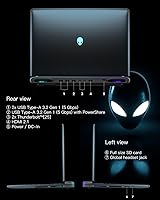
  • USB Ports: Three USB 3.0 ports are included for connecting peripherals such as external drives, controllers, and audio interfaces.
  • Color: Available in Liquid Teal, a distinctive finish that is part of Alienware's broader industrial design language for the Area-51 family.
  • Software: Alienware Command Center provides centralized control over performance profiles, thermal settings, macro programming, and RGB lighting configurations.

Related Reviews
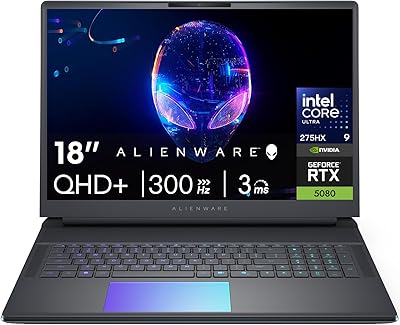
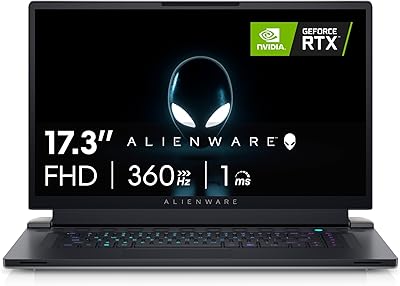
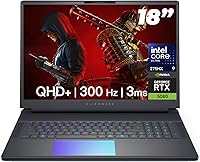
Alienware 18 Area-51 Gaming Laptop, Intel Core Ultra 9, 32GB RAM, 2TB SSD, NVIDIA RTX 5080
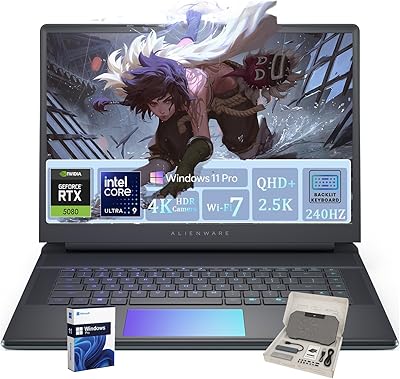
79%
94%
Performance
92%
Display Quality
89%
Cooling Efficiency
55%
Portability
88%
Build Quality
More
Alienware 16 Area-51 Gaming Laptop
86%
95%
Performance for Gaming
92%
Graphics Quality
89%
Cooling Efficiency
91%
Display Quality
88%
Build Quality
More
Alienware X17 R2 Gaming Laptop - 17.3-inch FHD, Core i7-12700H, 16GB RAM, 1TB SSD, RTX 3070Ti
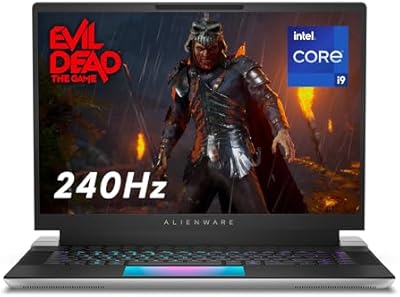
84%
94%
Gaming Performance
92%
Display Quality
85%
Thermal Management
90%
Build Quality
60%
Portability
More
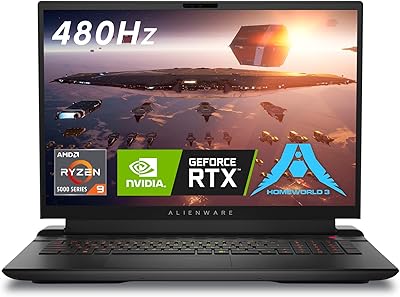
Alienware m18 AMD 18-inch Gaming Laptop
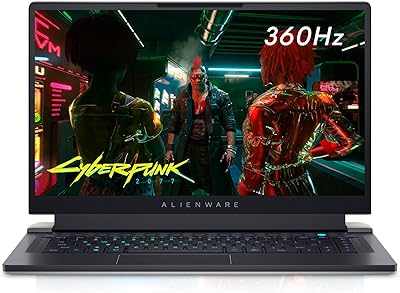
76%
93%
Gaming Performance
91%
Display Quality
84%
Thermal Management
88%
Build Quality
41%
Portability
More
Alienware X15 R1 Gaming Laptop
83%
94%
Gaming Performance
92%
Graphics Quality
90%
Display Quality
88%
Build Quality
62%
Battery Life
More
Alienware X16 R1 Gaming Laptop
75%
93%
Gaming Performance
91%
Display Quality
88%
Build Quality
67%
Thermal Management
48%
Battery Life
More
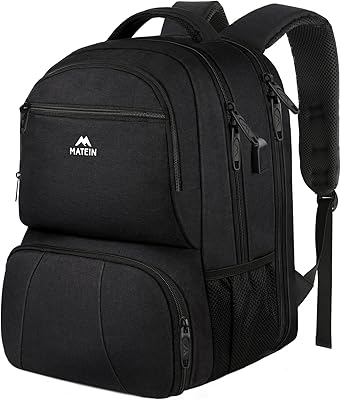
MATEIN 18-inch Insulated Lunch Laptop Backpack
79%
91%
Storage Capacity
74%
Insulated Cooler Performance
88%
Laptop Protection
76%
Build Quality & Durability
69%
USB Charging Port
More
Wenger Synergy 18-Inch Laptop Luggage
90%
95%
Build Quality
94%
Laptop Protection
92%
Tablet Storage
90%
Mobility & Wheels
88%
Handle Comfort
More
NOTODD N600 16-inch Windows Laptop
65%
78%
Value for Money
44%
Processing Performance
73%
Display Quality
52%
Build Quality
57%
Battery Life
More
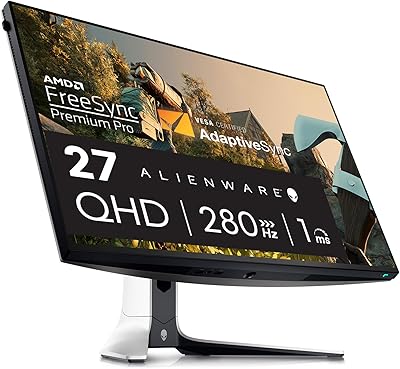
Alienware AW2723DF 27-inch Gaming Monitor
80%
93%
Motion Clarity
88%
Color Accuracy
91%
Refresh Rate Performance
54%
HDR Quality
89%
Build Quality
More

FAQ

Alienware's high-end 18-inch platforms have historically offered some upgrade paths for RAM and storage, but accessibility varies by revision. It is worth checking Dell's official documentation or opening the service manual before assuming you can easily swap components — some configurations solder or restrict access to memory slots.

Honestly, it gets noticeable. The quad-fan Cryo-Chamber setup is engineered to sustain up to 300W of combined CPU and GPU power draw, and it does that job well — but under sustained load like demanding AAA titles or long rendering sessions, the fans spin up audibly. If you are in a quiet room, you will hear it. Most users in this category use headphones during gaming, which masks it entirely.

Technically you can, but it is not what this machine is designed for. The base gets warm under load, and at 7.49 lbs across an 18-inch footprint, sustained lap use is uncomfortable for most people. Treat it as a desk machine that can move when needed, and you will have a much better experience.

The dedicated NPU on the Intel Core Ultra 9 275HX is a real, functional processing unit designed to handle AI inference tasks without pulling resources from the CPU or GPU. Practically speaking, it accelerates features like AI-powered noise suppression in communication apps, background removal in streaming software, and AI upscaling workloads — freeing the main processor for everything else running simultaneously.

Yes, this Alienware Area-51 supports external display output. For exact port specifications and maximum external resolution support, checking the official Dell product page is recommended, as output capability depends on the specific display connections available on the unit.

Realistically, do not count on meaningful gaming performance away from an outlet. A system capable of 300W total power draw will drain any laptop battery quickly under load — you are looking at a short unplugged window at best. For light tasks like browsing or video playback, battery life will be more reasonable, but this machine performs at its best when plugged in.

It handles both genuinely well. The 100% DCI-P3 display coverage means color grading is done on a screen accurate enough for professional work, and the 24-core CPU combined with 64GB of DDR5 gives video editing applications serious compute resources to work with. Creators who also game will feel right at home.

It is a comprehensive but somewhat dense piece of software. You can control fan profiles, switch between performance modes, program macros, and adjust per-key RGB lighting all from one hub — which is genuinely useful. That said, the interface is not particularly streamlined, and users who just want to turn the machine on and play may find it more than they need. You can largely ignore it once you have set your preferred performance profile.

Wi-Fi 7 reduces wireless latency and dramatically increases potential throughput compared to Wi-Fi 6 or 6E. For online gaming, this translates to more stable pings and less susceptibility to interference in crowded wireless environments. The catch is that your router also needs to support Wi-Fi 7 to see the full benefit — if you are on an older router, you will still connect fine, just not at Wi-Fi 7 speeds.

Dell typically includes a standard limited hardware warranty with Alienware purchases, and premium support upgrade options are usually available at purchase or after. For exact warranty terms, duration, and what is covered for your specific configuration and region, Dell's support site has the most reliable current information. Given the investment involved, reviewing the warranty terms before buying is well worth five minutes of your time.

Where to Buy