




Overview

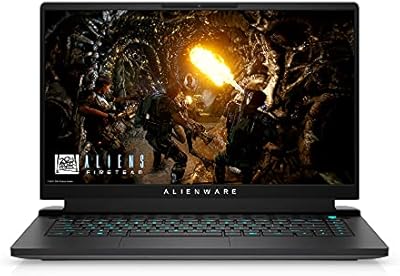
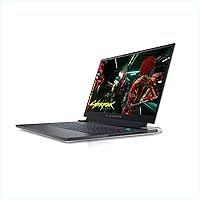
The Alienware X15 R1 Gaming Laptop is Alienware's most determined push into ultra-thin gaming territory, cramming an 11th-gen Intel i7 and an RTX 3070 into a chassis that sits just 0.62 inches thin. That combination is inherently full of tension, and how well it works depends entirely on what you ask of it. It competes directly with the Razer Blade 15 and ASUS ROG Zephyrus G15 — premium machines with similarly ambitious specs. This is a performance-first machine, and trade-offs exist. Still, the Lunar Light colorway makes it one of the few gaming laptops that can sit on a work desk without looking like it belongs in a LAN cafe.

Features & Benefits

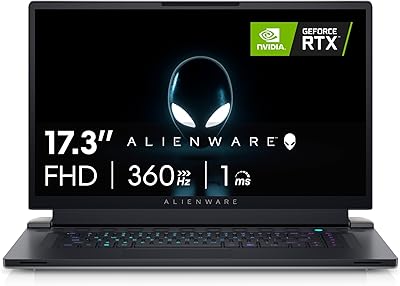
The display is where the X15 R1 earns serious credibility. A 360Hz panel at 1080p with 1ms response and G-SYNC is not a spec you buy for bragging rights — in fast-paced shooters, the difference is genuinely visible and felt. Advanced Optimus manages GPU switching without manual intervention, which matters for battery preservation during lighter tasks. ComfortView Plus cuts blue light for evening sessions without washing out color. The RTX 3070 handles 1080p gaming with real headroom and manages light ray-tracing work confidently. The i7-11800H's eight-core architecture pulls its weight in video exports and 3D tasks too, making this more than a one-trick machine.

Best For

This Alienware ultraslim is built for competitive FPS players who want every frame that silicon can produce at 1080p and have no interest in 1440p or 4K. It also suits the road-warrior gamer — someone who needs a machine that looks professional in a meeting but can run demanding titles at the hotel after. Light content creators doing video edits or renders will find it capable. If you already have an external display and want a portable powerhouse, this gaming laptop delivers without making you carry something that weighs as much as a textbook. Resolution purists should look elsewhere.

User Feedback

The display draws consistent praise — owners report that real-world frame rates in popular competitive titles live up to the spec, and the keyboard action earns positive marks for feel and feedback. Where things get more complicated is thermals. Under sustained heavy load, the fans ramp up audibly and the underside of the chassis gets warm — an honest consequence of fitting this much power into such a slim frame. Battery life is where expectations need to be managed; a few hours of light use is realistic, not a full workday. A handful of long-term owners have flagged hinge durability as something to watch, though it does not appear to be widespread.

Pros

  • The 360Hz display delivers a genuinely noticeable advantage in fast-paced competitive titles.
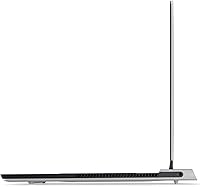
  • At just 0.62 inches thin and 5 lbs, the X15 R1 is remarkably portable for its performance tier.
  • The RTX 3070 handles 1080p gaming with headroom to spare, including decent ray-tracing performance.
  • Advanced Optimus intelligently manages GPU switching, helping preserve battery during lighter tasks.
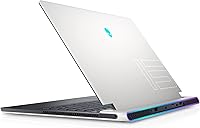
  • The Lunar Light colorway looks understated and professional compared to most gaming laptops.
  • The i7-11800H handles multi-threaded workloads like video exports and 3D rendering without breaking a sweat.
  • ComfortView Plus reduces eye strain during long gaming or work sessions without washing out the panel.
  • The 1TB NVMe SSD loads games and applications quickly and holds a solid library without feeling cramped.
  • Keyboard feel earns consistent praise from owners for its tactile feedback and responsiveness.
  • G-SYNC integration ensures smooth, tear-free visuals that complement the high refresh rate panel.

Cons

  • Fan noise under heavy load is noticeable and can be disruptive in quiet environments.
  • The chassis gets warm during extended gaming sessions — a direct consequence of the ultra-thin design.
  • Battery life is limited; expect a few hours of light use rather than all-day productivity.
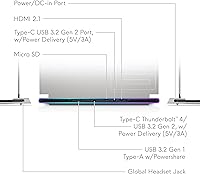
  • Only two USB 3.0 ports is restrictive for users who run peripherals without a hub.
  • The 1080p display rules out higher-resolution gaming entirely, with no panel upgrade available.
  • Some long-term owners have reported concerns about hinge durability over extended daily use.
  • The webcam resolution is underwhelming at 0.92MP, which feels dated at this price point.
  • Thermal throttling can occur during prolonged, intensive workloads due to the constrained chassis space.
  • The premium pricing leaves little room for forgiveness if thermals or build quality disappoint over time.

Ratings

The scores below reflect an AI-driven analysis of verified global user reviews for the Alienware X15 R1 Gaming Laptop, with spam, bot-generated, and incentivized feedback actively filtered out before any score was calculated. Every category — from display performance to long-term reliability — was weighted against real ownership experiences, not marketing claims. Both the standout strengths and the recurring frustrations are honestly represented here.

Display Quality
93%
The 360Hz panel is the single most praised aspect of this machine among competitive players, who report that fast-moving scenes in shooters look dramatically smoother than on standard 144Hz laptops. G-SYNC eliminates screen tearing effectively, and the 1ms response makes ghosting a non-issue during rapid in-game movements.
The 1080p resolution ceiling frustrates users who also use the laptop for content consumption or photo editing, where the pixel density starts to feel limiting on a 15.6-inch panel. Color accuracy, while decent, falls short of what creative professionals would need for serious color-graded work.
Gaming Performance
89%
At 1080p, the RTX 3070 delivers consistently high frame rates in demanding titles, keeping the 360Hz display genuinely fed in esports games and sustaining smooth performance in AAA releases at high settings. Users moving from mid-tier laptops consistently report a substantial jump in playable frame rates.
Sustained heavy loads — long gaming sessions in thermally intensive titles — can trigger noticeable performance dips as the chassis struggles to maintain peak clock speeds. The RTX 3070 in this slim form factor runs at a lower power limit than desktop or thicker laptop variants of the same GPU, which some buyers only discover after purchase.
Thermal Management
61%
39%
Alienware's Command Center gives users meaningful control over fan profiles, and switching to a more aggressive cooling mode does reduce throttling during gaming sessions. Idle and light-load thermals are perfectly reasonable for a machine this thin, and the chassis stays comfortable during web browsing or light productivity work.
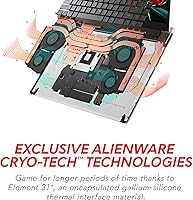
Under sustained gaming loads, the bottom of the chassis reaches temperatures that make lap use genuinely uncomfortable, and the fans ramp to audible levels that can distract users without headphones. This is the most consistently raised complaint across owner reviews, and it is a structural consequence of fitting high-TDP components into a 0.62-inch chassis.
Build Quality
78%
22%
The chassis feels dense and well-assembled for its weight, and the Lunar Light finish holds up reasonably well against everyday handling without showing smudges as aggressively as darker finishes. Most short-term owners report that the laptop feels premium to the touch and shows no flex in the keyboard deck under normal use.
A recurring concern among longer-term owners centers on hinge durability, with some reporting increased resistance or loosening after six or more months of daily opening and closing. The slim design also means the chassis has less structural redundancy than thicker gaming laptops, making careful handling during transport more important.
Fan Noise
54%
46%
In balanced or quiet modes, the fans are unobtrusive enough for casual gaming or media use, and the Alienware Command Center makes it straightforward to manage noise levels based on the task at hand. Users gaming with a headset on largely report that fan noise is not a meaningful issue for them.
Without headphones, sustained gaming sessions produce fan noise that multiple reviewers describe as distracting and difficult to ignore in quiet environments. This is a hard trade-off given the chassis dimensions, and users who value near-silent operation should factor this in as a significant limitation rather than a minor inconvenience.
Portability
86%
At 5 lbs and just over half an inch thin, the X15 R1 slides into a backpack or bag in a way that comparable-spec gaming laptops simply cannot, making it a realistic daily carry for commuters or students who refuse to compromise on performance. The slim profile also means it fits on cafe tables and economy tray tables without awkwardness.
The power brick required to run this machine at full performance is large and heavy, partially undermining the portability of the laptop itself — and forgetting it at home is not an option for serious use. A few users also note that the slim chassis makes it feel slightly more fragile in a crowded bag than a thicker, rubber-edged competitor would.
Battery Life
43%
57%
Advanced Optimus helps extend unplugged runtime during light tasks by handing workloads to the integrated graphics, and users doing basic browsing or note-taking report getting a few serviceable hours away from the outlet. For a machine with this level of hardware, any usable battery life at all is a design achievement.
The moment gaming or any GPU-intensive work begins, battery life drops sharply — most users report under two hours of unplugged gaming. This is one of the most common disappointments cited in owner reviews, and users who regularly work or game on the go without outlet access will find it a persistent frustration.
Keyboard & Typing Experience
82%
18%
The backlit keyboard earns consistent praise for its tactile feel and key spacing, with users noting it holds up well for both rapid gaming inputs and longer typing sessions like documents or emails. Macro support and per-key programmability via Alienware Command Center add practical value for users who customize heavily.
The key travel is shorter than what dedicated typists or users accustomed to desktop mechanical keyboards might prefer, and the slim chassis limits how much depth Alienware could engineer into each keystroke. A few users found the trackpad less precise than competitors at the same price tier, though most gaming laptop buyers use an external mouse anyway.
Port Selection
57%
43%
The available USB 3.0 ports handle standard peripherals like a mouse and headset without issue, and the memory card slot adds a small but practical convenience for photographers or video creators moving files from a camera. The port layout is reasonably accessible during desk use.
Two USB 3.0 ports is a real limitation for users running a full desktop setup — mouse, headset, external drive, and a controller simultaneously exceeds capacity without a hub. Multiple reviewers flag this as a frustrating omission at this price point, particularly compared to competing slim gaming laptops that offer Thunderbolt or additional USB-C connectivity.
Software & Ecosystem
74%
26%
Alienware Command Center provides genuine utility for managing performance profiles, fan curves, and lighting in one place, and experienced users appreciate the level of control it offers over how the machine behaves under different workloads. The integration between the software and hardware is tighter than many third-party alternatives.
New users frequently describe the Command Center interface as overwhelming at first, and some report that software updates have occasionally reset custom profiles or introduced minor instability. A handful of owners also noted that AlienFX lighting software added unwanted background resource usage before they disabled it manually.
Value for Money
67%
33%
For buyers whose primary need is the highest possible refresh rate in a slim gaming laptop, the combination of a 360Hz G-SYNC display, RTX 3070, and a genuinely portable chassis is difficult to replicate at a lower price point. The machine delivers on its core promise for its target audience.
At its price tier, the limited port selection, soldered RAM, and thermal constraints feel like harder trade-offs to accept than they might on a less expensive machine. Buyers comparing it against thicker gaming laptops at similar prices will often find better sustained performance and upgradeability elsewhere, making the value proposition heavily dependent on how much portability matters to the individual.
Webcam Quality
38%
62%
The built-in webcam covers basic video call needs in well-lit environments, and for users who primarily game or work at a desk with decent lighting, it is functional enough to avoid the immediate need for an external camera.
At 0.92MP, the webcam is noticeably behind what competitors offer at this price, and multiple users describe the image quality as soft and noisy in anything less than ideal lighting. Streamers or remote workers who rely on a built-in camera for professional video calls will almost certainly need to budget for an external USB webcam.
Display Comfort
81%
19%
ComfortView Plus delivers on its promise of reduced eye strain during extended evening sessions, and several users specifically mention being able to game or work for longer periods without the eye fatigue they experienced on previous laptops without similar blue-light filtering. The low-reflectance panel also handles ambient lighting reasonably well.
The panel's brightness ceiling, while adequate for indoor use, can feel limiting in brightly lit environments or near a window during the day. Users who regularly work outdoors or in very bright offices may find themselves squinting at the display more than they would with a higher-nit panel.
Long-Term Reliability
71%
29%
The majority of owners report no significant hardware failures within the first year of use, and Alienware's brand reputation and support infrastructure provide reasonable confidence for buyers concerned about long-term ownership. Build consistency appears solid across units for most buyers.
The hinge concern noted by a subset of long-term users is the most credible reliability flag in aggregate feedback, and the thermal stress of running high-TDP components in a constrained chassis over years of use raises some questions about longevity that are difficult to answer without more multi-year ownership data. Extended warranty coverage is worth considering given the premium investment.

Suitable for:

The Alienware X15 R1 Gaming Laptop is the right call for competitive gamers who live and die by frame rates — specifically those grinding FPS titles where a 360Hz display at 1080p translates directly into a measurable edge over opponents. It is also a strong fit for the dual-life user: someone who needs a machine that can sit in a business meeting without raising eyebrows, then run demanding titles at full tilt later in the evening. The Lunar Light design and slim profile make that crossover genuinely believable in a way most gaming laptops cannot manage. Light content creators who do video editing, streaming, or occasional 3D rendering alongside gaming will find the eight-core i7 and RTX 3070 combination more than adequate for their workloads. Buyers who already own an external monitor and are primarily hunting for portable horsepower will get the most out of what this machine offers.

Not suitable for:

If resolution matters to you — if you want to game or create at 1440p or 4K — the Alienware X15 R1 Gaming Laptop is not the right machine, since its display tops out at 1080p with no upgrade path. Anyone sensitive to fan noise should approach this one carefully; the physics of a 0.62-inch chassis mean the cooling system has to work hard under sustained load, and it is audible when it does. Battery-dependent users, such as students or frequent travelers without reliable access to outlets, will find the unplugged runtime frustrating — this is a machine that performs at its best when plugged in. Those who want to push beyond 1080p gaming or run the GPU at full throttle for hours in a quiet environment will likely find the thermal trade-offs a constant compromise rather than an occasional inconvenience.

Specifications

  • Display Size: The laptop features a 15.6-inch FHD IPS panel with a native resolution of 1920x1080 pixels.
  • Refresh Rate: The display runs at 360Hz with a 1ms response time, making it one of the fastest panels available in a laptop form factor.
  • Display Tech: The panel includes NVIDIA G-SYNC, Advanced Optimus for automatic GPU switching, and ComfortView Plus for reduced blue light emission.
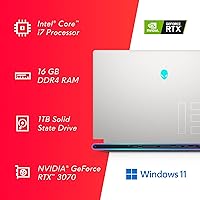
  • Processor: An Intel Core i7-11800H powers the system, featuring 8 cores, 16 threads, 24MB cache, and a boost clock up to 4.6GHz.
  • Graphics: A dedicated NVIDIA GeForce RTX 3070 with 8GB of GDDR6 memory handles all rendering and GPU-accelerated workloads.
  • Memory: The system ships with 16GB of DDR4 RAM running at 3200MHz.
  • Storage: A 1TB M.2 PCIe NVMe SSD provides the primary storage, offering fast sequential read and write speeds with no optical drive included.
  • Operating System: Windows 11 Home comes pre-installed from the factory.
  • Chassis Dimensions: The laptop measures 14.16 inches wide, 10.91 inches deep, and just 0.62 inches thin, making it among the slimmest gaming laptops in its class.
  • Weight: The unit weighs approximately 5 pounds, which is notably light given the hardware it contains.
  • Connectivity: Wireless connectivity is handled via Bluetooth, with 2 USB 3.0 ports available for peripheral connections.
  • Webcam: A built-in webcam is included with a resolution of 0.92MP, suitable for basic video calls but not high-fidelity streaming.
  • Keyboard: The laptop includes a backlit keyboard with support for macro key assignments and per-key customization via Alienware Command Center.
  • Card Slot: A memory card slot is included as part of the I/O configuration for convenient media transfers.
  • Battery: Power is provided by an integrated Lithium Ion battery pack included in the box; runtime under gaming loads is limited by the high-power hardware.
  • Power Input: The system operates at up to 240 volts AC, and the appropriate power adapter is included in the package.
  • Color Option: This specific configuration ships in Lunar Light, a white finish that distinguishes it from the brand's traditional darker colorways.
  • Model Number: The official model identifier for this configuration is AWX15R1-7972WHT-PUS.

Related Reviews
Alienware X16 R1 Gaming Laptop
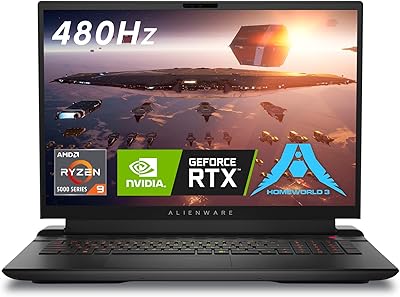
75%
93%
Gaming Performance
91%
Display Quality
88%
Build Quality
67%
Thermal Management
48%
Battery Life
More
Alienware m18 AMD 18-inch Gaming Laptop
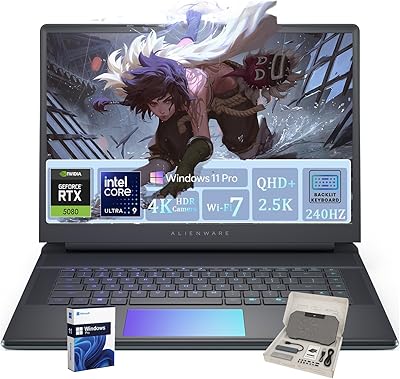
76%
93%
Gaming Performance
91%
Display Quality
84%
Thermal Management
88%
Build Quality
41%
Portability
More
Alienware Area-51 18-inch Gaming Laptop
75%
96%
Gaming Performance
93%
Display Quality
78%
Thermal Management
61%
Fan Noise
88%
Build Quality
More
Alienware 16 Area-51 Gaming Laptop
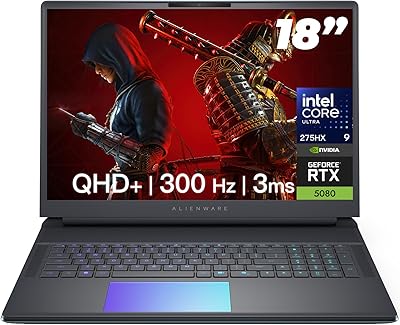
86%
95%
Performance for Gaming
92%
Graphics Quality
89%
Cooling Efficiency
91%
Display Quality
88%
Build Quality
More
Alienware M15 R6 Gaming Laptop, 32GB RAM, 1TB SSD, RTX 3080
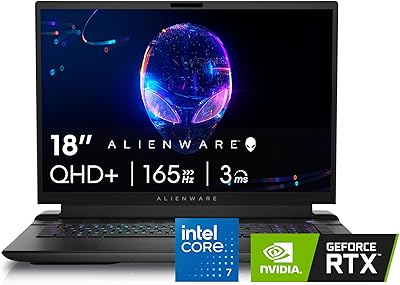
83%
94%
Performance
93%
Gaming Experience
91%
Display Quality
75%
Thermals
89%
Build Quality
More
Alienware M18 R2 18-inch Gaming Laptop
70%
91%
Display Quality
84%
Gaming Performance
88%
Build Quality
29%
Battery Life
63%
Value for Money
More
Alienware x14 R2 Gaming Laptop, Intel Core i7-13620H, 32GB RAM, 1TB SSD, NVIDIA GeForce RTX 4060
86%
91%
Overall Performance
94%
Gaming Performance
89%
Display Quality
78%
Thermals & Cooling
82%
Battery Life
More
Alienware 18 Area-51 Gaming Laptop, Intel Core Ultra 9, 32GB RAM, 2TB SSD, NVIDIA RTX 5080
79%
94%
Performance
92%
Display Quality
89%
Cooling Efficiency
55%
Portability
88%
Build Quality
More
Alienware X17 R2 Gaming Laptop - 17.3-inch FHD, Core i7-12700H, 16GB RAM, 1TB SSD, RTX 3070Ti

84%
94%
Gaming Performance
92%
Display Quality
85%
Thermal Management
90%
Build Quality
60%
Portability
More
MALLRACE LX15PRO 15.6″ Gaming Laptop
67%
83%
CPU Performance
47%
Gaming Capability
61%
Build Quality
63%
Display Quality
81%
RAM & Multitasking
More

FAQ

The X15 R1 has a very slim chassis, and Alienware has restricted user-accessible upgradeability on this model. The RAM is soldered to the motherboard, so 16GB is what you get permanently. The SSD may be replaceable by a technician, but opening the chassis yourself risks voiding your warranty, so it is worth factoring in whether 1TB is enough storage before you buy.

Honestly, they get noticeable. Under sustained gaming loads, the cooling system ramps up audibly to compensate for the slim chassis. It is not the loudest gaming laptop out there, but if you are sensitive to fan noise or gaming in a quiet room without headphones, it is something to be aware of. Using the Alienware Command Center to tweak performance modes can help dial it back somewhat at the cost of a little thermal headroom.

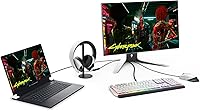
Yes, with an external monitor connected via the appropriate port, the RTX 3070 is capable of driving 1440p gaming at solid frame rates in most titles. True 4K gaming at high settings will push the card harder, but lighter or older titles can still run well. Keep in mind the built-in display is capped at 1080p, so an external screen is the only path to higher resolutions.

For light tasks like browsing or document work with the GPU not under load, a few hours is a realistic expectation. Once you start gaming, battery life drops significantly and you will want to be near an outlet. This is pretty standard for high-performance gaming laptops — plan to use it plugged in for serious sessions.

The underside does get warm under load, which is the nature of pushing high-end components through a 0.62-inch chassis. Most users find it manageable on a desk, but prolonged lap use during heavy gaming can get uncomfortable. A laptop cooling pad can help if that is your primary usage scenario.

For competitive FPS titles like CS2, Valorant, or Apex Legends where you are regularly hitting high frame counts, 360Hz is a genuine advantage — motion clarity and input responsiveness are both improved. For slower-paced or GPU-limited games where you are not consistently hitting 200 or more frames per second, the difference over a 144Hz or 165Hz panel is less dramatic. It is most valuable if competitive play is your primary focus.

The keyboard has earned generally positive feedback from owners. The travel is reasonable for a slim laptop and the backlit keys are responsive enough for both gaming and longer typing work. It is not a mechanical keyboard, but it holds its own compared to other premium gaming laptops in this class.

The i7-11800H is an eight-core chip that handles encoding, video editing, and light 3D work genuinely well alongside gaming. If you are running OBS while gaming, or doing occasional Premiere Pro edits and rendering, it is up to the task. It is not a purpose-built creator workstation, but for someone who games primarily and creates on the side, it is a solid dual-purpose tool.

Two USB 3.0 ports is the sticking point for many users. If you run a mouse, a headset, and an external drive simultaneously, you are already at capacity. A USB hub solves the problem practically, but it is an extra purchase and an extra cable to manage, which undercuts the clean portability this machine promises. Check the full I/O spec carefully before committing if peripherals are important to your setup.

A subset of long-term owners has flagged the hinge as something to monitor over time with regular travel use. It does not appear to be a widespread failure point, but it is worth handling the lid with care rather than flipping it open one-handed repeatedly. Build quality overall is solid for the form factor, and Alienware's support and warranty coverage gives some peace of mind if issues do arise.