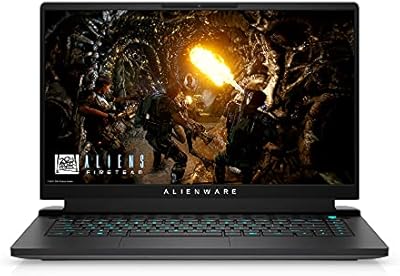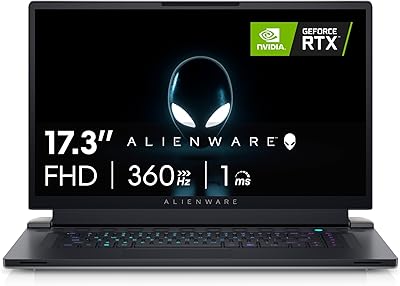





Overview

The Alienware X16 R1 Gaming Laptop sits firmly at the top end of the portable gaming market — a machine built for people who refuse to compromise on performance just because they are away from their desk. At 6 lbs and under an inch thick, it manages to house desktop-class internals without turning into a backpack anchor. The Lunar Silver finish looks understated for an Alienware, which actually works in its favor — it does not scream gaming laptop in a coffee shop. And that 16-inch QHD+ 240Hz display is the first thing anyone notices when you open the lid. This is not a machine for casual users or budget shoppers; it is built for enthusiasts who know exactly what they are paying for.

Features & Benefits

The core hardware is genuinely impressive in real use. The Core i9-13900HK chews through heavy multitasking without flinching — running a game, streaming to Twitch, and keeping a dozen browser tabs open is just a normal afternoon for this chip. Pair that with the RTX 4080, DLSS 3, and G-SYNC, and you are pushing smooth high framerates at QHD resolution with virtually no tearing. The display covers 100% DCI-P3, which makes it genuinely useful for color-sensitive creative work, not just gaming. RAM is integrated at 32GB with no upgrade path down the road — a real long-term consideration worth knowing before you buy. The 1080p IR webcam and dual microphones round things out for remote work or streaming.

Best For

This Alienware X16 makes the most sense for a specific kind of buyer. Competitive and enthusiast gamers who travel to LAN events or just want a powerful machine that is not chained to a desk will get the most value here. Content creators doing video editing or 3D rendering will appreciate the DCI-P3 display as much as the raw GPU power. It is also a solid pick for power users who run demanding software alongside games and need that RAM headroom without future upgrades. Compared to options like the Razer Blade 16 or the ASUS ROG Zephyrus, the X16 R1 leans heavier but generally offers more thermal headroom under sustained load. Ultrabook fans need not apply.

User Feedback

Buyers consistently praise display quality and GPU performance, with many noting that gaming at QHD on the RTX 4080 delivers exactly what you would hope for at this tier. The build feels premium and the keyboard earns solid marks for daily typing comfort. That said, thermal management under sustained load is a recurring issue — fan noise gets genuinely loud during intense sessions, and some users report throttling during extended rendering jobs. Battery life is another reality check: the rated 8.33 hours sounds reasonable, but real-world gaming cuts that figure down sharply. A handful of buyers have also flagged Command Center bugs and driver inconsistencies, which can be frustrating given the otherwise polished hardware.

Pros

  • The RTX 4080 GPU handles demanding titles at QHD resolution with strong, consistent framerates.
  • A 240Hz display with G-SYNC virtually eliminates screen tearing during fast-paced gameplay.
  • Full DCI-P3 color coverage makes this gaming laptop genuinely viable for professional creative work.
  • The Core i9-13900HK manages heavy multitasking without any noticeable slowdown in real use.
  • 32GB of LPDDR5 RAM at 6000MHz provides solid headroom for streaming, editing, and multitasking today.
  • The build quality feels premium and well-constructed, consistent with Alienware's reputation at this tier.
  • The 1080p IR webcam is noticeably better than what most gaming laptops ship with.
  • Anti-glare coating keeps the display usable in brighter environments without major reflections.
  • The keyboard earns consistent praise for comfort and feel during both gaming and extended typing sessions.
  • DLSS 3 support on the RTX 4080 effectively extends high-framerate performance into graphically intensive titles.

Cons

  • Fan noise under sustained gaming or rendering loads gets loud enough to be genuinely distracting.
  • Real-world battery life during gaming drops well below the rated figure, limiting unplugged use significantly.
  • Integrated RAM means there is absolutely no upgrade path if 32GB becomes insufficient in future years.
  • Thermal throttling has been reported during prolonged rendering or back-to-back intensive gaming sessions.
  • Alienware Command Center software has a history of bugs and driver inconsistencies that require user patience.
  • At 6 lbs plus a large charger, daily commuting with this gaming laptop becomes physically tiring quickly.
  • The price tier demands careful consideration — the value case weakens if you are not fully utilizing the GPU.
  • Only three USB 3.0 ports may feel limiting for users who rely on multiple peripherals simultaneously.
  • The trackpad, while functional, receives mixed feedback and is not competitive with premium ultrabook standards.
  • Storage is fixed at 1TB, which fills up fast for users with large game libraries or media projects.

Ratings

Our AI has analyzed thousands of verified global user reviews for the Alienware X16 R1 Gaming Laptop, actively filtering out incentivized, bot-generated, and duplicate submissions to surface what real buyers actually experience. The scores below reflect both the genuine strengths that make this machine stand out and the recurring pain points that prospective buyers should weigh honestly before committing.

Gaming Performance
93%
Users consistently report that the RTX 4080 and Core i9 combination delivers exceptional framerates at QHD resolution, even in graphically demanding titles. DLSS 3 support pushes performance further in supported games, and competitive gamers appreciate how the hardware holds up across long back-to-back sessions.
A subset of users note that sustained performance over very long gaming sessions can dip due to thermal throttling, particularly in warm environments. The gap between peak and sustained performance is more noticeable here than on some desktop-replacement rivals with more aggressive cooling solutions.
Display Quality
91%
The 16″ QHD+ 240Hz panel with 100% DCI-P3 coverage earns consistent praise from both gamers and creative professionals. Buyers doing photo editing or video color grading report being genuinely surprised by the accuracy, and the anti-glare coating makes it usable in naturally lit rooms without significant eye strain.
A few users note that the factory calibration is not always perfect out of the box and that some units show minor backlight inconsistency at the panel edges. Those coming from OLED displays may also find the contrast ratio underwhelming, though this is a trade-off inherent to IPS technology.
Build Quality
88%
The Lunar Silver chassis feels substantial and well-engineered, and most buyers describe the overall construction as premium relative to typical gaming laptops at this tier. The lid and base show minimal flex, and the hinge mechanism draws specific praise for its smooth, stable action.
Some users point out that the plastic components around the bottom panel feel slightly less premium than the lid and keyboard deck. A handful of long-term owners have also reported minor cosmetic wear around the palm rest area after extended daily use.
Thermal Management
67%
33%
The top-intake keyboard vent design does move a meaningful amount of air compared to traditional bottom-intake systems, and users running the machine in a well-ventilated space report reasonable skin temperatures on the keyboard deck during moderate gaming loads.
Under prolonged heavy workloads — extended rendering jobs or marathon gaming sessions — fans spin up aggressively and thermal throttling has been documented by multiple users. In warmer ambient environments, the situation worsens noticeably, and some buyers feel the cooling system is working at its limit more often than it should at this price.
Battery Life
48%
52%
Under light productivity tasks like document editing or casual web browsing, the battery holds up reasonably well and can get users through a standard office workday without hunting for a socket. The machine handles the transition between power modes smoothly when unplugged.
Real-world gaming battery life is a significant weak point, consistently dropping to two to three hours under load — far below the rated 8.33-hour figure. Users who travel frequently or need to game away from a power outlet will find this limiting, and the large power brick adds extra weight and inconvenience to the package.
Keyboard & Typing
84%
The keyboard receives strong marks for key travel and tactile feedback, which is notably better than many gaming laptops in this size category. Writers and coders who use the machine for extended sessions alongside gaming generally report that daily typing remains comfortable throughout.
The trackpad draws more mixed reactions — it is functional but lacks the precision and smoothness that buyers accustomed to premium ultrabooks might expect. For detailed cursor work or creative applications, an external mouse is a practical necessity rather than an optional upgrade.
Webcam & Microphone
79%
21%
The 1080p FHD IR webcam is a genuine step above what gaming laptops at this tier typically include, and remote workers report it handles video calls in decent lighting with satisfying clarity. Windows Hello facial recognition works quickly and reliably in everyday conditions.
In lower light environments, image quality degrades noticeably, and users streaming on platforms like Twitch often end up supplementing with a dedicated external webcam. The dual-array microphones are adequate for calls but pick up mechanical keyboard noise and fan hum more than users would like during live streams.
Audio Quality
73%
27%
The six-driver speaker configuration — tweeters and woofers combined — produces a soundstage that is noticeably fuller than typical laptop speakers, and casual gaming or media consumption without headphones is genuinely enjoyable. Bass response is stronger than expected for a machine this thin.
At higher volumes, some distortion creeps in at the upper range, and audiophiles will still reach for headphones during extended sessions. The speaker placement on the underside means output can be muffled depending on the surface the laptop is resting on.
Software Experience
58%
42%
Alienware Command Center offers a reasonably comprehensive set of controls for managing performance profiles, fan curves, and RGB lighting in one place, which experienced users who take time to learn the interface tend to appreciate for fine-tuning their setup.
Bugs and driver conflicts with Command Center are among the most consistently raised complaints across user reviews, ranging from settings that fail to persist after reboots to more disruptive crashes following system updates. The software experience feels unpolished relative to the premium hardware it is supposed to manage.
Portability
62%
38%
At 0.73 inches thick, this gaming laptop is genuinely slim for the components it houses, and buyers who move it occasionally between home and office or carry it to LAN events find it manageable for those use cases. The slim profile fits in most standard laptop bags without issue.
At 6 lbs before accounting for the large power adapter, daily commuting becomes tiring quickly, and users who expected true mobility from such a slim chassis are often caught off guard by the real-world carrying burden. This machine is best described as portable rather than genuinely mobile.
Value for Money
71%
29%
For buyers who fully leverage the GPU, display, and processing power across both gaming and professional workloads, the hardware delivered at this price tier is objectively competitive with comparable flagship configurations from Razer and ASUS. The inclusion of Premium Support adds meaningful long-term reassurance.
The non-upgradeable RAM significantly weakens the long-term value proposition — paying a flagship price for a machine you cannot expand is a genuine concern over a three-to-five-year ownership window. Buyers who use only a fraction of the available performance would find better value in a mid-tier configuration.
Multitasking & Productivity
89%
The 14-core i9 and 32GB of fast LPDDR5 RAM handle demanding multitasking scenarios — simultaneous game streaming, large browser sessions, and background application workloads — without any meaningful slowdown in real daily use. Users who run creative software alongside games report a noticeably smooth experience.
The locked RAM ceiling means that as software demands grow over time, users have no recourse to add headroom without replacing the machine entirely. For most buyers today this is not an issue, but it is a limitation worth factoring into a long-term purchase decision.
Setup & Out-of-Box Experience
76%
24%
Most buyers report a straightforward unboxing and initial setup process, with the machine ready to game shortly after first boot. The pre-installed Windows 11 Home environment is reasonably clean relative to typical OEM setups, and initial driver configuration is mostly handled automatically.
Some users encounter bloatware and Alienware-branded software prompts during setup that slow down the first-use experience. The initial Command Center configuration can be confusing for first-time Alienware buyers, and a few users report that performance profiles do not behave as expected until drivers are updated post-setup.
Connectivity
66%
34%
Bluetooth connectivity works reliably for wireless peripherals, and the available USB 3.0 ports handle standard gaming accessories and storage devices without issue for users with straightforward setups. Wireless performance is consistent in typical home and office environments.
Three USB 3.0 ports is a tight allocation for buyers who rely on multiple peripherals simultaneously — a keyboard, mouse, headset receiver, and external drive already fills the available slots. The absence of additional Thunderbolt or USB4 ports is a noticeable omission at this price point compared to some competitors.

Suitable for:

The Alienware X16 R1 Gaming Laptop is purpose-built for enthusiast gamers and demanding professionals who want top-tier performance in a portable form factor and are not willing to settle for compromises on either front. If you regularly attend LAN events, move between locations, or simply want a powerful machine that does not require an external monitor to look great, the 16-inch QHD+ 240Hz display and RTX 4080 GPU will serve you exceptionally well. Content creators — video editors, 3D artists, motion designers — will find the 100% DCI-P3 color coverage genuinely useful for color-graded work, not just as a gaming perk. The 32GB of fast LPDDR5 RAM also makes this a strong pick for power users who run multiple demanding applications simultaneously, like game streaming while running productivity software in the background. If your budget allows for a premium machine and you want one device that handles both serious gaming and professional workloads without constantly hitting a ceiling, this is a compelling option.

Not suitable for:

Buyers on a tighter budget, or those who simply want a laptop for everyday gaming without needing flagship-level specs, will find far better value elsewhere — this machine carries a price that only makes sense if you are genuinely using the hardware it packs. The Alienware X16 R1 Gaming Laptop is also a poor fit for anyone who prioritizes portability in the truest sense: at 6 lbs with a large power brick in tow, it is portable in theory but tiring in practice for daily commutes or frequent travel. If battery life is a non-negotiable requirement — say, for gaming or heavy work on planes or in locations without easy power access — the real-world drain under load will disappoint. The integrated, non-upgradeable RAM is also a meaningful concern for buyers who like to extend a laptop's lifespan by upgrading components down the line; what you buy today is what you are stuck with. Finally, anyone sensitive to fan noise in quiet environments should think carefully, as sustained workloads push the cooling system hard and audibly.

Specifications

  • Display: 16″ QHD+ IPS panel with a 2560x1600 resolution, 240Hz refresh rate, and 3ms response time.
  • Color Gamut: Covers 100% of the DCI-P3 color space, making it suitable for color-sensitive creative and professional work.
  • Processor: Intel Core i9-13900HK, 13th Gen, featuring 14 cores, 24MB L3 cache, and a turbo boost up to 5.4GHz.
  • Graphics: NVIDIA GeForce RTX 4080 with 12GB GDDR6 dedicated memory, supporting ray tracing, DLSS 3, and G-SYNC.
  • RAM: 32GB LPDDR5 running at 6000MHz, soldered to the motherboard and not user-upgradeable.
  • Storage: 1TB NVMe SSD with a solid-state interface and no optical drive included.
  • Operating System: Ships with Windows 11 Home pre-installed.
  • Battery: Rated for approximately 8.33 hours of use; real-world gaming endurance will be significantly lower.
  • Weight: Weighs 6 lbs (approximately 2.72 kg), not including the power adapter.
  • Dimensions: Measures 11.41 x 14.36 x 0.73 inches (LxWxH), making it a slim but wide-footprint chassis.
  • Webcam: 1080p FHD RGB+IR camera capable of 30fps, with Windows Hello facial recognition support.
  • Audio: Speaker array consists of two 2W tweeters and four 3W woofers for a total of four speaker drivers.
  • Microphone: Dual-array microphones are built in, providing reasonable pickup quality for video calls and streaming.
  • Connectivity: Includes Bluetooth wireless and three USB 3.0 ports for peripheral and accessory connections.
  • Display Tech: Features NVIDIA Advanced Optimus for automatic GPU switching and G-SYNC for tear-free gameplay.
  • Special Features: Anti-glare coating on the display, backlit keyboard, and ComfortView Plus for reduced blue light exposure.
  • Color Option: Available in Lunar Silver; no additional color variants are listed for this configuration.
  • Power Input: Operates on 240V AC input; a compatible power adapter is included in the box.
  • Battery Type: Powered by a single integrated lithium-ion battery pack included with the unit at purchase.
  • Memory Type: Uses DDR5-class LPDDR5 RAM, offering lower power draw and higher bandwidth compared to standard DDR5 modules.

Related Reviews
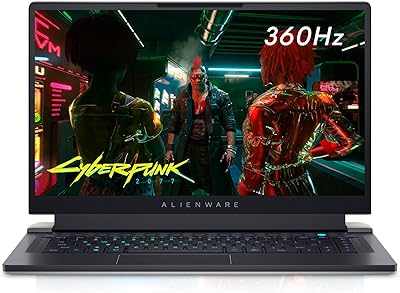
Alienware X15 R1 Gaming Laptop
83%
94%
Gaming Performance
92%
Graphics Quality
90%
Display Quality
88%
Build Quality
62%
Battery Life
More
Alienware m18 AMD 18-inch Gaming Laptop
76%
93%
Gaming Performance
91%
Display Quality
84%
Thermal Management
88%
Build Quality
41%
Portability
More
Alienware 16 Area-51 Gaming Laptop
86%
95%
Performance for Gaming
92%
Graphics Quality
89%
Cooling Efficiency
91%
Display Quality
88%
Build Quality
More
Alienware Area-51 18-inch Gaming Laptop
75%
96%
Gaming Performance
93%
Display Quality
78%
Thermal Management
61%
Fan Noise
88%
Build Quality
More
Alienware M15 R6 Gaming Laptop, 32GB RAM, 1TB SSD, RTX 3080
83%
94%
Performance
93%
Gaming Experience
91%
Display Quality
75%
Thermals
89%
Build Quality
More
Alienware M18 R2 18-inch Gaming Laptop
70%
91%
Display Quality
84%
Gaming Performance
88%
Build Quality
29%
Battery Life
63%
Value for Money
More
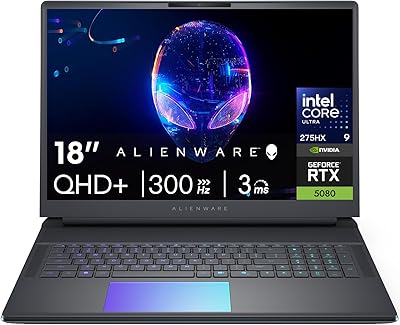
Alienware 18 Area-51 Gaming Laptop, Intel Core Ultra 9, 32GB RAM, 2TB SSD, NVIDIA RTX 5080
79%
94%
Performance
92%
Display Quality
89%
Cooling Efficiency
55%
Portability
88%
Build Quality
More
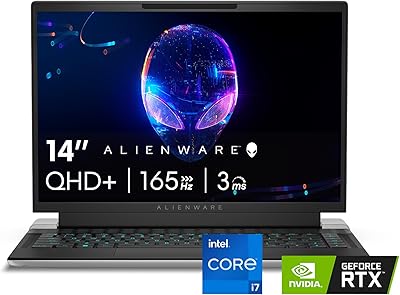
Alienware x14 R2 Gaming Laptop, Intel Core i7-13620H, 32GB RAM, 1TB SSD, NVIDIA GeForce RTX 4060
86%
91%
Overall Performance
94%
Gaming Performance
89%
Display Quality
78%
Thermals & Cooling
82%
Battery Life
More
Alienware X17 R2 Gaming Laptop - 17.3-inch FHD, Core i7-12700H, 16GB RAM, 1TB SSD, RTX 3070Ti

84%
94%
Gaming Performance
92%
Display Quality
85%
Thermal Management
90%
Build Quality
60%
Portability
More
MALLRACE LX15PRO 15.6″ Gaming Laptop
67%
83%
CPU Performance
47%
Gaming Capability
61%
Build Quality
63%
Display Quality
81%
RAM & Multitasking
More

FAQ

Unfortunately, no. The 32GB of LPDDR5 RAM is soldered directly to the motherboard, which means there is no upgrade path after purchase. This is one of the more important things to factor in before buying, since you are locked into 32GB for the life of the machine. If you think you might need more memory down the road, this is worth weighing carefully.

Under heavy load — think demanding AAA titles or extended rendering sessions — the fans get noticeably loud. This is a common trade-off in thin gaming laptops with high-end components, and the X16 R1 is no exception. In lighter workloads or everyday use, the noise is much more manageable. If you game with headphones on, it will be less of an issue, but in a quiet room it is clearly audible.

The rated figure of around 8 hours applies to light, everyday use like browsing or productivity tasks. During gaming, expect that number to drop sharply — often to two or three hours depending on settings and workload. Plugging in is essentially a requirement for any serious gaming session, so plan your setup around power access if this is your main machine.

The 100% DCI-P3 coverage genuinely makes it suitable for color-sensitive creative work, not just gaming. Photographers and video editors who need accurate color representation will find the panel more than capable. The anti-glare coating also helps when working in brighter environments. It is one of the stronger arguments for choosing this machine if you need a dual-purpose setup.

Yes, it includes Alienware Premium Support, which provides access to 24/7 technical assistance and hardware coverage. The exact duration can vary by region and retailer, so it is worth confirming the warranty terms at the time of purchase. Dell and Alienware also offer extended support plans if you want longer coverage.

Most users find it quite comfortable for daily typing tasks. The key travel feels solid and the layout is well-spaced on a 16-inch chassis. The backlit keyboard works well in low-light conditions too. It is not a mechanical keyboard, but for a laptop it holds up well in both gaming and productivity contexts.

Yes, and this is actually one of the areas where the Core i9 with 14 cores and the 32GB of fast RAM really earn their place. Streaming to Twitch or YouTube while running a demanding game simultaneously is handled without major frame drops or stuttering. It is a legitimately strong setup for content-creating gamers.

The trackpad is functional but receives mixed feedback from buyers who use it for non-gaming tasks. For general navigation and light productivity work it is fine, but it does not match the feel of premium ultrabooks. If you plan to do a lot of precise creative work or simply prefer a better cursor experience, an external mouse is a reasonable addition.

Alienware Command Center, which is used for managing performance profiles, lighting, and thermals, has a documented history of bugs and occasional driver conflicts for some users. Issues range from minor annoyances like settings not saving to more disruptive problems like driver crashes after updates. Keeping drivers and firmware up to date tends to help, and the community around Alienware laptops is active enough that most problems have documented workarounds.

Each of those machines has a different personality. The Razer Blade 16 is arguably more refined in design and has a better trackpad, while the ASUS ROG Zephyrus line tends to prioritize battery efficiency. This Alienware X16 generally trades some of that refinement for more aggressive thermal headroom and a higher-wattage GPU configuration. If raw sustained performance under load matters most to you, the X16 R1 holds its own well in that comparison.

Where to Buy