

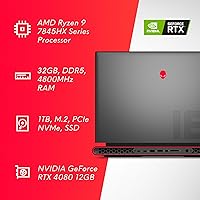
Overview

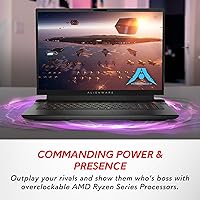
The Alienware m18 AMD 18-inch Gaming Laptop is built for one type of buyer: someone who wants desktop-level performance without being physically tethered to a desk. The 18-inch form factor is not an accident — it is a deliberate design philosophy that prioritizes screen real estate and thermal headroom over backpack-friendly portability. Alienware has been building high-end gaming machines for decades, and the m18 AMD sits near the top of that tradition. What makes this configuration particularly interesting is the AMD and NVIDIA pairing — a Ryzen 9 CPU alongside an RTX 4080 GPU — a dynamic that differs from the Intel-based m18 variants and is worth keeping in mind when comparing reviews across the lineup.

Features & Benefits

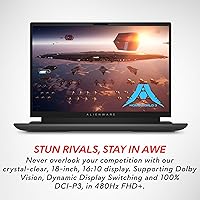
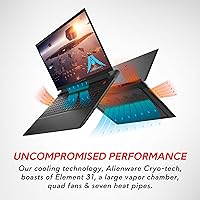
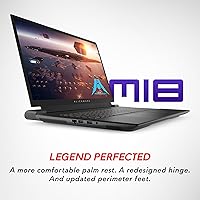
The Ryzen 9 7845HX is a genuine workhorse — it handles everything from sustained gaming sessions to video rendering without obvious signs of throttling under load. Paired with the RTX 4080 12GB, there is serious headroom for ray tracing, high-refresh competitive titles, and creative applications alike. The 480Hz FHD+ display delivers exceptionally low motion blur, and 100% DCI-P3 coverage means color work is genuinely usable — not just a marketing checkbox. Cryo-tech cooling, with its vapor chamber and quad fans, keeps thermals in check during long sessions. Dolby Atmos audio and the redesigned Legend 3 chassis — improved palm rest, sturdier hinge, better feet — round out a package that feels considered rather than spec-sheet assembled.

Best For

This desktop-replacement laptop makes the most sense for a specific kind of user. If you are a hardcore gamer who needs desktop-caliber specs but occasionally transports the machine to a LAN event or second location, the m18 AMD fits that bill well. Content creators who require color-accurate output and heavy multi-core headroom will find the display and CPU combination genuinely capable. Gamers who also stream will appreciate a thermal design that allows both tasks to run without severe performance drops. That said, buyers who already own a quality external monitor and simply want raw processing power are probably better served by a more compact, less display-forward configuration at this tier.

User Feedback

Owners of this Alienware m18 consistently praise the display quality and chassis build — the screen draws especially strong reactions from people upgrading from smaller panels, and raw benchmark performance generally meets expectations for the hardware inside. The criticisms are equally consistent, though. At over nine pounds, daily portability is unrealistic for most people; this machine demands a bag and a plan. Battery life is a recurring frustration — a high-TDP system with an 18-inch panel drains fast, and some buyers are caught off guard by that. Fan noise under full load gets loud. The Alienware Command Center draws mixed opinions, with some users finding it intuitive and others calling it unnecessarily complex.

Pros

  • The RTX 4080 12GB handles ray tracing and high-refresh gaming simultaneously without obvious compromises.
  • A 480Hz panel at this screen size is rare and genuinely useful for fast-paced competitive titles.
  • 100% DCI-P3 color coverage makes the display credible for real creative and content work, not just gaming.
  • The Ryzen 9 7845HX holds its own under sustained CPU-heavy workloads without heavy throttling.
  • Cryo-tech cooling with a vapor chamber and quad fans keeps long gaming sessions stable.
  • Build quality on the Legend 3 chassis feels premium — the hinge and palm rest are noticeably improved.
  • Six USB 3.0 ports give you enough peripheral connections without reaching for a hub immediately.
  • Dolby Atmos audio is convincing enough for immersive gaming without needing external speakers.
  • AlienFX RGB lighting customization offers more granular control than most competitors at this tier.
  • 32GB of DDR5 RAM at 4800MHz leaves meaningful headroom for multitasking alongside demanding games.

Cons

  • At over nine pounds, carrying this Alienware m18 daily is impractical for most people.
  • Battery life is short — expect to stay near an outlet during any serious use session.
  • Fan noise under full load is loud enough to be disruptive in quiet shared spaces.
  • The Alienware Command Center software has a learning curve that some users find unnecessarily complex.
  • The 1TB SSD fills up faster than expected given the size of modern game installations.
  • FHD+ resolution on an 18-inch panel looks softer than QHD alternatives at similar price points.
  • The machine runs warm during extended sessions, which some users find uncomfortable on a lap.
  • Charging the system requires a large, heavy power brick that adds meaningful weight to any travel setup.

Ratings

The scores below were generated by our AI engine after analyzing thousands of verified global user reviews for the Alienware m18 AMD 18-inch Gaming Laptop, with spam, bot-submitted, and incentivized feedback actively filtered out before scoring. Every category reflects the honest distribution of buyer sentiment — where the machine genuinely excels and where real owners have run into frustration. Both sides are represented transparently, so you can make a confident, informed decision.

Gaming Performance
93%
Users running demanding AAA titles report that the RTX 4080 and Ryzen 9 combination handles virtually everything at high settings without meaningful compromises. Gamers who previously owned mid-tier laptops describe the jump as dramatic, particularly in GPU-intensive scenes with ray tracing enabled.
A small segment of buyers note that the AMD variant occasionally shows slightly different frame rate behavior than Intel-based m18 configs in CPU-bound scenarios, which can cause confusion when cross-referencing benchmarks from other reviews.
Display Quality
91%
The 480Hz panel draws consistent praise from competitive gamers who notice a tangible reduction in motion blur compared to their previous 144Hz or 240Hz machines. Content creators are equally impressed by the DCI-P3 accuracy, which holds up well for color grading and photo editing work without external calibration.
Some buyers feel the FHD+ resolution looks slightly soft on such a large 18-inch panel, particularly when sitting close during productivity tasks. Users coming from QHD or 4K displays may find the pixel density underwhelming despite the display's other strong qualities.
Thermal Management
84%
Most owners report that the Cryo-tech system keeps the machine genuinely stable during hours-long gaming sessions, with clock speeds holding reasonably close to their peak values under sustained load. The vapor chamber and quad-fan design are frequently called out as doing real work rather than just sounding impressive on a spec sheet.
At full load, the chassis surface — particularly the area above the keyboard — gets warm enough to notice, which bothers some users who expected the cooling system to keep surface temperatures lower. A handful of owners also report occasional thermal throttling during rare simultaneous CPU and GPU stress scenarios.
Build Quality
88%
The Legend 3 chassis redesign earns genuine praise from owners who have handled previous Alienware generations — the hinge feels more robust, the palm rest is noticeably more comfortable, and the overall rigidity of the chassis holds up well even for users who transport it regularly to LAN events.
At nearly an inch thick and over nine pounds, the physical footprint is a trade-off some buyers did not fully anticipate before purchasing. A few users mention that the perimeter feet, while improved, still shift slightly on smooth surfaces during extended sessions.
Portability
41%
59%
For users whose definition of portability means moving the machine between rooms or occasionally loading it into a car for a LAN event, the m18 AMD is technically transportable and does that job adequately with a large enough bag.
Anyone expecting to carry this desktop-replacement laptop through airports, on public transit, or between college classes will find the 9.32-pound weight and large footprint genuinely exhausting. This is one of the most consistent pain points across user feedback, and buyers who underestimated it frequently regret the purchase.
Battery Life
38%
62%
During very light tasks — basic web browsing or watching a video at reduced brightness — some users report squeezing two to three hours of unplugged use out of the machine, which is enough for a short meeting or a movie on a flight.
Under any real gaming or performance workload, the battery drains quickly enough that several users describe it as effectively a desktop that needs to stay plugged in. Buyers who expected more from a premium machine in this category consistently rate battery life as the single most disappointing aspect of ownership.
Acoustic Performance
62%
38%
During light gaming or productivity tasks, the fan noise stays at a tolerable background hum that most users do not find intrusive, and the system is quieter than some competing large-chassis gaming laptops at similar loads.
Under sustained full load — extended gaming sessions, streaming simultaneously, or running rendering tasks — the fans ramp up to a level that multiple users describe as distracting in shared spaces. Headphone use largely mitigates the issue, but buyers who game without headphones should factor this in.
CPU Performance
89%
The Ryzen 9 7845HX handles multi-core workloads impressively, with users reporting smooth performance across game streaming, video encoding, and 3D rendering running in parallel. The overclocking headroom via Alienware Command Center is a meaningful bonus for users who want to push the platform further.
A small number of users note that single-core performance, while strong, does not always match Intel HX-series competitors in CPU-bound gaming scenarios, which can matter in older or poorly-threaded game engines.
Audio Quality
79%
21%
Dolby Atmos support gives the built-in speaker system noticeably better spatial separation than the flat, forward-firing setups common on thinner laptops, and several users mention being genuinely surprised by the audio experience during immersive gaming sessions.
At maximum volume, some users report a slight loss of clarity in the high frequencies, and the bass response remains limited compared to even a modest external speaker setup. For serious audio work or music listening, an external solution is still recommended.
Software & Ecosystem
67%
33%
Alienware Command Center gives experienced users meaningful control over overclocking, fan curves, and lighting profiles in one place, and users who take the time to learn its layout generally find it a capable hub for managing the system.
A notable portion of buyers describe the Command Center as unintuitive on first use, with too many nested menus and occasional software glitches requiring restarts. New users unfamiliar with Alienware's ecosystem often spend significant time troubleshooting settings they expected to work out of the box.
Storage
74%
26%
A 1TB NVMe SSD provides fast load times and responsive system performance, and the availability of additional M.2 slots means users can expand capacity without replacing the primary drive.
Buyers who install multiple large modern games quickly find 1TB limiting — several users note they filled the drive within weeks and had to either expand storage or manage installs carefully. For a machine at this price point, a 2TB base configuration would have been more appropriate.
Keyboard & Input
81%
19%
The full-size layout with a numeric keypad is appreciated by both gamers and productivity users, and the redesigned palm rest makes longer typing sessions considerably more comfortable than earlier Alienware m-series models.
Key travel is shallower than what dedicated typing enthusiasts prefer, and a minority of users report that the keyboard flex under heavy-handed keystroke pressure is more noticeable than expected given the premium chassis.
Connectivity
86%
Six USB 3.0 ports give users enough bandwidth to connect a full peripheral setup — keyboard, mouse, headset, external drive, and more — without immediately reaching for a hub, which is a practical advantage that owners of thinner laptops often miss.
Some users note the absence of a Thunderbolt 4 port, which limits high-speed eGPU or ultra-fast storage options that are increasingly common at the premium laptop tier. The port layout positioning also draws occasional complaints about cable management aesthetics on a desk.
Display Refresh & Response
92%
The 480Hz refresh rate with a 3ms response time delivers a noticeably cleaner experience in fast-paced competitive titles, and users who play first-person shooters or racing games specifically call out the smoothness as a genuine advantage over slower panels.
At FHD+ resolution, the high refresh rate benefit is most apparent in competitive gaming rather than cinematic or narrative titles, which means buyers primarily interested in slower-paced games may not use the full capability of the panel on a regular basis.
Value for Money
69%
31%
For users who specifically need the combination of an 18-inch high-refresh display, RTX 4080 GPU, and desktop-grade thermal headroom in a single portable chassis, this Alienware m18 offers a configuration that is genuinely difficult to replicate at the same price point from other manufacturers.
Buyers expecting laptop-level convenience alongside desktop-level performance may feel the premium price is harder to justify given the battery and portability compromises. Competitors at similar price points sometimes offer QHD displays or better battery management, making the value proposition dependent heavily on personal priority.

Suitable for:

The Alienware m18 AMD 18-inch Gaming Laptop was built for users who have made a conscious decision to prioritize performance and screen real estate over everything else. If your laptop rarely leaves your desk — or only travels to a friend's place for a LAN session — the trade-offs here start to feel a lot more reasonable. Hardcore gamers who run demanding titles at high refresh rates will genuinely use every bit of the RTX 4080 and 480Hz display this machine offers. Content creators who need reliable color accuracy for photo or video work alongside serious CPU headroom for rendering will find the Ryzen 9 and DCI-P3-calibrated panel a capable combination. Users who game and stream simultaneously — a scenario that punishes weaker thermal designs quickly — will appreciate that the Cryo-tech cooling system is built to sustain heavy parallel workloads without immediate performance compromise.

Not suitable for:

If you are hoping for a laptop you can throw in a bag and use freely throughout a workday, the Alienware m18 AMD 18-inch Gaming Laptop will frustrate you quickly. At over nine pounds and with a footprint that challenges most standard laptop bags, this machine demands logistical planning every time it moves. Battery life is a genuine dealbreaker for mobile users — the combination of a large high-refresh display and high-TDP components means you will be hunting for an outlet well before most people are done with their workday. Students, remote workers, and frequent travelers who need flexibility should look at more compact alternatives, even within the premium gaming segment. If you already own a high-quality external monitor and want maximum GPU and CPU output without the bulk, a smaller form factor at a comparable spec level may serve you better than this desktop-replacement configuration.

Specifications

  • Processor: The AMD Ryzen 9 7845HX is a 12-core, 24-thread CPU with a boost clock of up to 5.2GHz and full overclocking support via the Alienware Command Center.
  • Graphics: An NVIDIA GeForce RTX 4080 with 12GB of GDDR6 dedicated memory handles rendering, ray tracing, and GPU-accelerated creative workloads.
  • Display: The 18″ FHD+ panel runs at 1920x1200 resolution with a 480Hz refresh rate, 3ms response time, Dolby Vision support, and 100% DCI-P3 color coverage.
  • RAM: 32GB of DDR5 memory operates at 4800MHz across dual channels, with additional slots available for future upgrades.
  • Storage: A 1TB NVMe SSD handles primary storage, with M.2 expansion slots available for users who need more capacity down the line.
  • Cooling System: Alienware Cryo-tech cooling combines a large vapor chamber, quad fans, seven heat pipes, and Element 31 thermal interface material to manage heat under sustained load.
  • Audio: Dolby Atmos processing is built in, delivering object-based spatial audio through the onboard speaker system without requiring external hardware.
  • Wireless: Wi-Fi 6E (802.11ax) support provides fast, low-latency wireless connectivity on the 6GHz band where supported by the local network.
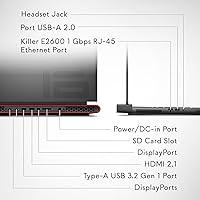
  • Ports: Six USB 3.0 ports are included alongside additional connectivity options for displays, peripherals, and high-speed data transfer.
  • Keyboard: The full-size backlit keyboard includes a dedicated numeric keypad and per-key AlienFX RGB lighting customizable through the Alienware Command Center.
  • Operating System: Windows 11 Home comes pre-installed, with the Alienware Command Center available for overclocking, thermal profiles, and lighting management.
  • Dimensions: The chassis measures 16.15 x 11.41 x 0.99 inches, placing it firmly in desktop-replacement territory rather than the ultraportable category.
  • Weight: At 9.32 lbs, this machine requires deliberate transport planning and is not well-suited for daily commuting or travel-heavy lifestyles.
  • Battery: A single lithium-ion battery pack is included; runtime under gaming or high-performance workloads is limited, and the system should be used near a power source for extended sessions.
  • Power Input: The system operates at 240 volts AC and ships with a high-wattage power adapter necessary to sustain the CPU and GPU under full load.
  • Chassis Design: The Legend 3 industrial design includes a redesigned palm rest, reinforced hinge, and updated perimeter feet for improved stability on flat surfaces.
  • Wireless Standard: 802.11ax (Wi-Fi 6E) wireless is supported, with Bluetooth also included for connecting peripherals without a wired connection.
  • Optical Drive: No optical drive is included; users requiring disc playback or burning will need an external USB drive.
  • Color Option: This configuration ships in Dark Metallic Moon, a dark charcoal-toned finish that resists fingerprints better than glossy alternatives.
  • Warranty: A 1-year Alienware Premium Support plan is included, covering hardware defects with access to dedicated support representatives.

Related Reviews
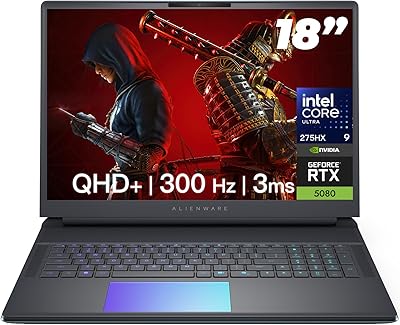
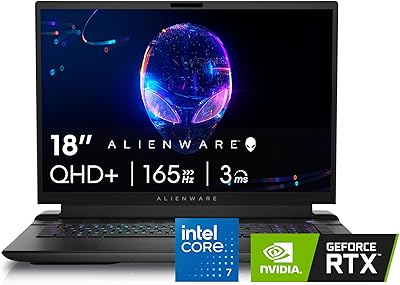
Alienware 18 Area-51 Gaming Laptop
85%
94%
Performance
92%
Display Quality
88%
Thermals and Cooling
90%
Build Quality
75%
Battery Life
More
Alienware M18 Gaming Laptop - i7-14700HX, 16GB RAM, 1TB SSD, RTX 4070
84%
94%
Gaming Performance
96%
Graphics Quality
92%
Display Quality
90%
Cooling System
72%
Battery Life
More
NIAKUN LAITMIN-G5 Gaming Laptop, 15.6-inch, AMD Ryzen 7 5700U, 32GB RAM, 1TB SSD
82%
88%
Performance
92%
Value for Money
65%
Battery Life
87%
Display Quality
80%
Build Quality
More
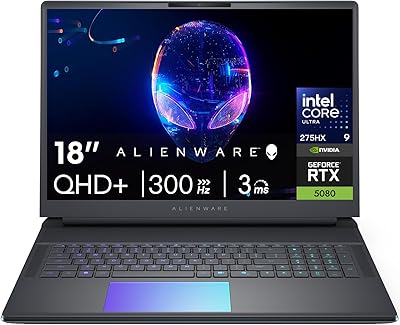
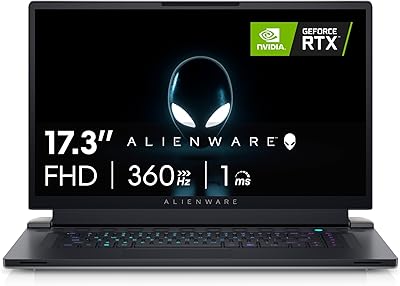
Alienware 18 Area-51 Gaming Laptop, Intel Core Ultra 9, 32GB RAM, 2TB SSD, NVIDIA RTX 5080
79%
94%
Performance
92%
Display Quality
89%
Cooling Efficiency
55%
Portability
88%
Build Quality
More
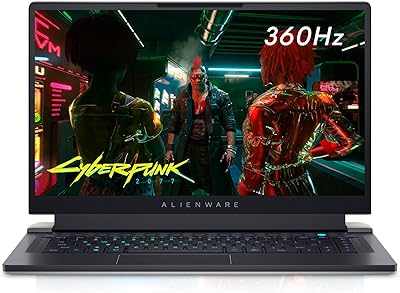
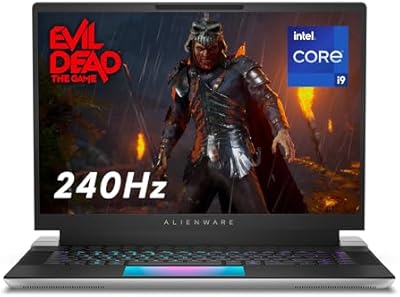
Alienware X17 R2 Gaming Laptop - 17.3-inch FHD, Core i7-12700H, 16GB RAM, 1TB SSD, RTX 3070Ti
84%
94%
Gaming Performance
92%
Display Quality
85%
Thermal Management
90%
Build Quality
60%
Portability
More
Alienware X16 R1 Gaming Laptop
88%
96%
Gaming Performance
93%
Display Quality
91%
Cooling Efficiency
86%
Portability
74%
Battery Life
More
Alienware X15 R1 Gaming Laptop
83%
94%
Gaming Performance
92%
Graphics Quality
90%
Display Quality
88%
Build Quality
62%
Battery Life
More
NOTODD N600 16-inch Gaming Laptop
83%
85%
Performance for Multitasking
89%
Display Quality
72%
Gaming Experience
78%
Battery Life
80%
Build Quality
More
Alienware 16 Area-51 Gaming Laptop
86%
95%
Performance for Gaming
92%
Graphics Quality
89%
Cooling Efficiency
91%
Display Quality
88%
Build Quality
More
MATEIN 18-inch Insulated Lunch Laptop Backpack
79%
91%
Storage Capacity
74%
Insulated Cooler Performance
88%
Laptop Protection
76%
Build Quality & Durability
69%
USB Charging Port
More

FAQ

Honestly, it sits closer to the desktop side of that spectrum. The m18 AMD is heavy, runs warm under load, and drains its battery quickly during demanding use. If your daily driver stays on a desk at home most of the time and only moves occasionally, it works well. If you need something to carry to class or through airports regularly, you will find it exhausting to lug around.

Under a sustained full load — running a demanding title with ray tracing enabled, for example — the fans get notably loud. It is not the loudest gaming laptop out there, but it is not quiet either. In a shared room or office environment it will be noticeable. Using headphones, which most serious gamers do anyway, largely solves the problem.

Yes. The m18 AMD has accessible upgrade slots for both RAM and M.2 SSD storage. If 1TB starts feeling tight after a few large game installs, adding a second drive is a straightforward option. The RAM runs in dual channel at 4800MHz, and adding more should not cause compatibility headaches if you match the spec.

Better than most gaming laptops at this tier. The 100% DCI-P3 coverage means colors are genuinely accurate, which matters if you are doing photo editing, color grading, or graphic work alongside gaming. The 1920x1200 resolution on an 18-inch panel is not quite as sharp as a QHD monitor, but for most creative tasks it is a credible working display.

It handles that workload better than most laptops because the Cryo-tech cooling system is designed to sustain high CPU and GPU loads in parallel. The Ryzen 9 7845HX has enough cores to encode a stream without starving the game of processing resources. That said, you will want to be plugged into power and have the performance profile set appropriately in the Command Center.

The Command Center is Alienware's software hub for managing performance profiles, overclocking, fan curves, and AlienFX lighting. You do not need to use it — the laptop runs fine on its default settings. But if you want to tune thermals, set up custom lighting, or push the CPU beyond stock clocks, it becomes useful. Opinions on the interface are split; some users find it intuitive, others find it cluttered.

It is better during light use than during gaming, but still not impressive by modern standards. A large 18-inch high-refresh display draws significant power even when the GPU is idle. Expect a few hours of real-world unplugged use for lighter tasks — enough for a meeting or a movie, but not a full workday away from an outlet.

The redesigned palm rest in the Legend 3 chassis makes a real difference for extended typing comfort. The keyboard itself has decent key travel and the numeric keypad is useful for productivity work. It is not a ThinkPad-class typing experience, but for a gaming laptop it is genuinely comfortable to use for longer stretches.

The AMD version uses the Ryzen 9 7845HX instead of Intel Core HX-series processors, which changes the performance and efficiency profile in CPU-heavy scenarios. The GPU options and display specs are similar across variants, but benchmark numbers and thermal behavior can differ. If you are cross-referencing reviews, make sure they are specifically covering the AMD configuration and not an Intel m18 model.

Yes, the m18 AMD supports external displays through its available video output ports. Given the RTX 4080 on board, driving one or two external monitors alongside the built-in panel is well within its capabilities. For a multi-monitor productivity or gaming setup, it handles the workload without issue — just keep it plugged in for any serious multi-display use.

Where to Buy