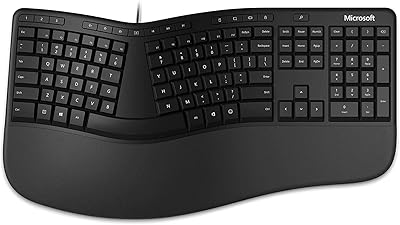
Adesso TruForm 150 Ergonomic Keyboard
Overview
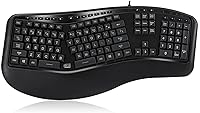
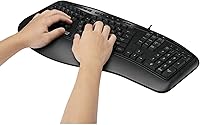
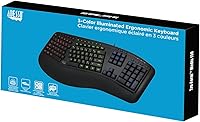
The Adesso TruForm 150 Ergonomic Keyboard has been quietly holding its ground in the budget ergonomic market since 2014 — not through flashy marketing, but because it addresses a genuine pain point for people whose wrists start aching after long stretches at a flat keyboard. The split key zone layout and gently sloped body promote a more neutral hand and wrist position without pushing you into an extreme angle. It connects via USB, works plug-and-play across Windows, Linux, and Chromebook systems, and includes three switchable backlight colors. Steady sales nearly a decade after launch suggest it continues to earn its place on real desks.
Features & Benefits
The integrated palm rest is one of the first things you appreciate — it keeps wrists at a comfortable height without requiring a separate purchase. The membrane keys are quiet enough for a shared office or bedroom, and Adesso rates them for roughly five million keystrokes, which is respectable at this price tier. This ergonomic keyboard also packs 20 dedicated hotkeys for media playback, volume, and browser shortcuts, saving a surprising amount of reach during a long workday. The large-print keycaps help in dim lighting, and the backlight — red, green, or blue, one color active at a time — adds practical low-light visibility without turning your desk into a light show.
Best For
This split-key board makes the most sense for remote and office workers logging serious hours who feel it in their forearms but aren't ready to spend heavily on a high-end ergonomic setup. It suits people making their first move away from a flat keyboard particularly well — the slope is gentle rather than aggressive, which makes the adjustment period feel manageable rather than disruptive. Night-shift workers and students at bedroom desks will appreciate the quiet keystrokes and the backlit keys. Chromebook and Linux users will also find it a rare comfortable fit, since driver-free compatibility at this price point is genuinely harder to come by than it should be.
User Feedback
With a 3.8-star average across more than 1,100 ratings, the TruForm 150 sits in that honest middle ground — appreciated by many, but not without real complaints. The most consistent praise focuses on the comfort improvement over flat keyboards and the overall value for the price. Critics are candid: the membrane feel strikes fast typists as imprecise, and some users have flagged backlight inconsistency cropping up over time. Longer-term owners mention key legends fading and durability questions around the USB cable. It is also worth flagging that the split layout genuinely takes a few days to feel natural, so buyers expecting no adjustment period at all may find the first week frustrating.
Pros
- The split-key layout encourages a noticeably more natural wrist position during long typing sessions without a steep learning curve.
- An integrated palm rest means one less accessory to buy and one less thing cluttering your desk.
- Plug-and-play USB setup works across Windows, Linux, and Chromebook without hunting for drivers.
- The membrane keys are genuinely quiet — considerate for shared offices, bedrooms, or late-night work sessions.
- Large-print keycaps make a real difference for anyone typing in dim light or with vision sensitivities.
- Twenty built-in hotkeys cover media, volume, and browser functions without remapping or extra software.
- The gentle ergonomic curve makes this split-key board a manageable first step for flat-keyboard converts.
- At its price point, getting a backlit ergonomic keyboard with a palm rest included is a solid package deal.
- Broad device compatibility makes this ergonomic keyboard versatile across a mixed-device home or office setup.
- Over a decade on the market with consistent sales suggests reliable supply and ongoing manufacturer support.
Cons
- The membrane keys feel soft and imprecise to fast typists, especially those used to mechanical switches.
- Backlight inconsistency is a recurring complaint — some keys appear dimmer than others after extended use.
- Key legends have been reported to fade noticeably with heavy daily use over several months.
- The USB cable has drawn durability questions in longer-term reviews, with some owners noting wear at the connector.
- There is no wireless or Bluetooth option, which limits flexibility for cleaner or multi-device desk setups.
- The adjustment period is real — expect several days of slower, error-prone typing before the split layout feels natural.
- Backlight color choice is limited to red, green, or blue with no mixed or custom color support.
- The 3.8-star aggregate rating across a large review base signals consistent trade-offs that go beyond isolated complaints.
- At 2.75 pounds and over 20 inches wide, the footprint may feel bulky on a compact or shared desk.
Ratings
Our scores for the Adesso TruForm 150 Ergonomic Keyboard are generated by AI after analyzing verified buyer reviews from around the world, with spam, bot submissions, and incentivized feedback actively filtered out before any score is calculated. The result is an honest rating profile built from what real desk workers, remote employees, and first-time ergonomic keyboard buyers actually experienced — including the trade-offs. Both the strengths that earned loyalty and the pain points that frustrated buyers are transparently reflected in every category below.
Ergonomic Comfort
Typing Feel
Value for Money
Long-term Durability
Backlight Quality
Key Legibility
Palm Rest Comfort
Setup & Compatibility
Noise Level
Hotkey Functionality
Adjustment Curve
Desk Footprint
Suitable for:
The Adesso TruForm 150 Ergonomic Keyboard is a strong fit for anyone who spends the bulk of their workday at a keyboard and has started noticing tension in their wrists or forearms but isn't ready to commit serious money to a high-end ergonomic solution. It works especially well as a first step away from a flat keyboard — the slope is measured and approachable rather than dramatic, so the adjustment feels gradual rather than jarring. Remote workers and home office setups will get the most out of it, particularly those who type across multiple sessions throughout the day and want a palm rest included rather than sourced separately. Night-shift workers, students in shared rooms, and anyone working in low-light conditions will appreciate the quiet membrane keys and the functional backlight. It is also one of the few ergonomic options in this price tier that works reliably with Chromebook and Linux without any driver installation, which makes it genuinely useful for a broader range of setups than many comparable boards.
Not suitable for:
The Adesso TruForm 150 Ergonomic Keyboard is not the right choice for fast, high-volume typists who rely on crisp, tactile key feedback — the membrane mechanism has a softer, mushier feel that tends to frustrate anyone coming from mechanical switches. Competitive gamers or power users who want full RGB lighting customization will also be disappointed; the backlight here offers one active color at a time in three fixed options, and that is the extent of it. If you are looking for a wireless setup to clean up your desk, this board is wired-only with no Bluetooth option. Buyers with durability as a top priority should take the long-term user complaints seriously — reports of key legends fading and USB cable wear suggest this split-key board is better suited to moderate daily use than to punishing, around-the-clock workloads. Finally, anyone hoping for a steep ergonomic tilt or advanced wrist-angle correction will likely find the gentle slope here underwhelming compared to more specialized alternatives.
Specifications
- Brand: This keyboard is manufactured by Adesso, a peripheral brand with a long-standing focus on ergonomic and accessibility-oriented input devices.
- Model: The model number is AKB-150EB, a USB-only backlit variant within Adesso's TruForm 150 product line.
- Connectivity: The keyboard connects via a standard USB-A wired connection and is bus-powered, requiring no external power adapter.
- Key Layout: It uses a 105-key US layout, covering the full alphanumeric zone, function row, navigation cluster, and numeric keypad.
- Key Mechanism: Keys use a membrane switch design, which produces softer, quieter actuation compared to mechanical switches.
- Keystroke Lifecycle: The membrane switches are rated for approximately 5 million keystrokes under normal operating conditions.
- Backlight Colors: Three backlight colors are available — red, green, and blue — with only one color active at a time, toggled via a dedicated key.
- Ergonomic Design: The keyboard features a natural split-key zone layout with a gently sloped body intended to encourage a more neutral forearm and wrist position.
- Palm Rest: An integrated palm rest is built directly into the keyboard body, providing wrist support without requiring a separate accessory.
- Dimensions: The keyboard measures 20.5″ in length, 9.3″ in width, and 1.5″ in height.
- Weight: The unit weighs 2.75 pounds, which is typical for a full-size ergonomic keyboard with an integrated palm rest.
- Hotkeys: Twenty dedicated multimedia and internet hotkeys are built in, covering functions such as volume control, media playback, and browser shortcuts.
- Keycap Style: Keycaps use a large-print character design intended to improve legibility in dim or low-contrast lighting conditions.
- OS Support: The keyboard is compatible with Windows XP and later, as well as Linux and Chromebook environments, with no driver installation required.
- Compatible Devices: It is designed for use with desktop PCs, laptops, and Chromebook devices that have an available USB-A port.
Related Reviews
Adesso WKB-4500UB Wireless Ergonomic Keyboard with Touchpad
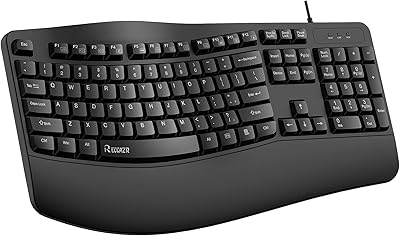
RECCAZR Ergonomic Wired Keyboard
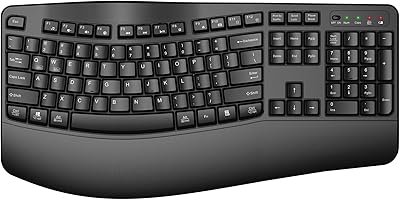
QUASIO Wave Keys Ergonomic Wireless Keyboard with Wrist Rest
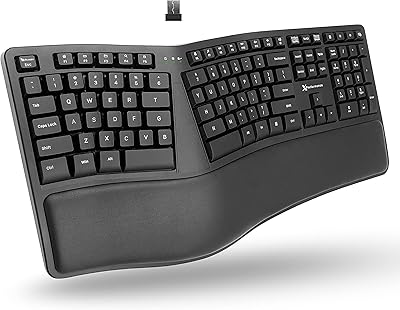
X9 Performance Wireless Ergonomic Split Keyboard
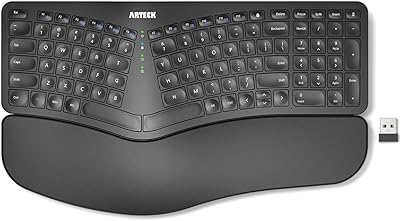
Arteck HW315
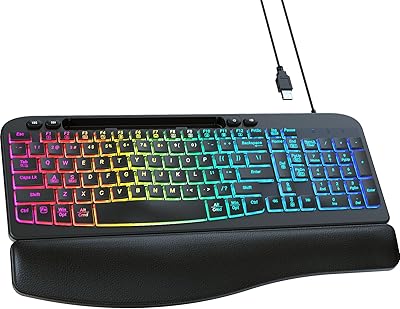
VEILZOR Ergonomic Backlit Keyboard with Wrist Rest

TECKNET TK-EKB01040BS01 Wireless Keyboard
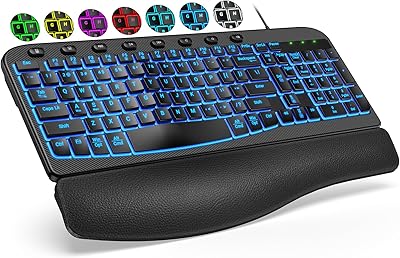
SABLUTE KG812B Ergonomic Wired Keyboard
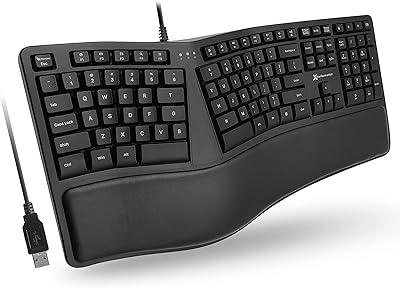
X9 Performance X9ERGOKEY Ergonomic Split Keyboard