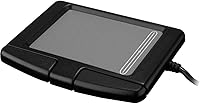
Adesso GP-160UB Glidepoint Touchpad

Overview
The Adesso GP-160UB Glidepoint Touchpad is a compact and precise alternative to traditional mouse devices. This touchpad offers button-free navigation, making it ideal for those who prefer a minimalist design. Its portable and lightweight construction makes it a great option for users on the go, easily fitting into bags or backpacks. It’s also designed with durability in mind, offering resistance to spills and rough handling, so you don’t have to worry about accidental damage. Whether you're traveling or working in tight spaces, this touchpad delivers consistent performance across both PC and Mac platforms.
Features & Benefits
The Adesso GP-160UB Glidepoint Touchpad uses advanced Glidepoint technology to provide smooth, accurate control without the need for physical buttons. The absence of moving parts ensures a longer lifespan, minimizing wear and tear over time. Despite its compact size, this touchpad is incredibly efficient, delivering precise navigation that can handle both light tasks and more detailed control. It’s also incredibly easy to use, as it requires no additional drivers or software for setup. Compatible with both Windows and macOS, it's perfect for users looking for a hassle-free, cross-platform experience.
Best For
This touchpad is best suited for individuals who need a portable and lightweight input device. It's a great choice for frequent travelers, offering a space-saving alternative to bulkier mouse devices. Those working in cramped desk spaces will also appreciate its compact design and portability. Additionally, the Adesso GP-160UB is perfect for anyone looking for a minimalist input solution, as its button-free interface eliminates the need for physical clicks. Users who prioritize durability and spill-resistance in their tech accessories will find this model especially appealing.
User Feedback
With a rating of 4.0 out of 5 stars from over 200 users, the Adesso GP-160UB receives praise for its portability and ease of use. Many appreciate how convenient it is for travel, especially when paired with laptops or portable setups. However, some users have noted occasional issues with its sensitivity, particularly during more intricate tasks. Despite these minor drawbacks, it is widely regarded as a durable option that holds up well in professional environments. While it excels in portability, it’s better suited for lighter use and may not replace a full mouse for more demanding applications.
Pros
- This touchpad's compact design makes it easy to carry, perfect for travel or small workspaces.
- It offers seamless compatibility with both Windows and macOS, making it versatile for different users.
- The durable, spill-resistant construction stands up well to daily use, even in tough environments.
- Its button-free navigation offers a minimalist experience, which many users find intuitive.
- The lightweight build (just 1.6 ounces) ensures it's portable without adding bulk to a bag or briefcase.
- Users appreciate how easy it is to set up with plug-and-play functionality, requiring no extra drivers.
Cons
- Some users report occasional issues with sensitivity, making it less precise than a traditional mouse for detailed tasks.
- This device may not provide enough comfort for users who need extended periods of use, as it lacks physical buttons.
- Its smaller size can be limiting for users who prefer a larger, more ergonomic touchpad for more precision.
- Not ideal for high-performance tasks like gaming or professional graphic design, where more control is needed.
- While spill-resistant, it is still not fully waterproof, which may not be sufficient for some work environments.
- A few users have mentioned that the touchpad is less responsive on surfaces that aren't perfectly smooth.
Ratings
The Adesso GP-160UB Glidepoint Touchpad has received diverse feedback from users worldwide, with reviews filtered to ensure authenticity. After analyzing verified user reviews from multiple platforms and languages, the scores reflect both the device's strong points and areas where it could improve. Positive comments focus on its portability and ease of use, while some users highlighted occasional sensitivity issues, which have impacted its overall ratings in certain areas.
Portability
Usability
Durability
Compatibility
Performance
Design & Build Quality
Ease of Setup
Precision & Sensitivity
Spill Resistance
Value for Money
Customer Support
Compactness
Suitable for:
The Adesso GP-160UB Glidepoint Touchpad is an excellent choice for users who prioritize portability and simplicity. Frequent travelers, students with limited desk space, or anyone who needs a compact, button-free navigation device will find this touchpad highly convenient. Its lightweight design makes it easy to carry around, whether for business trips or working in tight spaces. The ease of use, combined with its plug-and-play compatibility with both PC and Mac, also makes it ideal for casual users who need a straightforward solution without the need for additional software or drivers.
Not suitable for:
However, this touchpad may not be the best fit for those who require higher precision or advanced functionality. Users involved in detailed work such as graphic design, gaming, or those who need more precise control may find the performance lacking. While it is durable and spill-resistant, its smaller size and lack of physical buttons might not suit those accustomed to larger, more ergonomic devices. Additionally, the occasional sensitivity issues reported by some users could be frustrating in more demanding tasks.
Specifications
- Technology: Uses Glidepoint technology for smooth and precise touchpad control.
- Connectivity: Connects to devices via a standard USB port, requiring no additional drivers.
- Compatibility: Compatible with both PC and Mac operating systems.
- Dimensions: Measures 7 x 5.25 x 2.25 inches, offering a compact design.
- Weight: Weighs just 1.6 ounces, making it lightweight and portable.
- Design: Features a button-free design for a minimalist, intuitive navigation experience.
- Durability: Spill-resistant construction enhances its durability in various environments.
- Surface: The touchpad surface is designed for smooth, accurate touch gestures.
- Power Source: Powered by the USB connection; no separate power source required.
- Performance: No moving parts, reducing wear and tear over time for consistent performance.
- Multi-finger Gestures: Supports multi-finger gestures like scrolling, zooming, and tapping.
- Portability: Compact and lightweight, this device is ideal for travel and limited desk space.
- Sensitivity: Offers accurate touch responses, though some users report occasional sensitivity issues.
- Usage Type: Best suited for light, everyday use rather than heavy-duty tasks like gaming.
- Setup: Easy to set up—just plug into a USB port with no drivers required.
- Surface Material: Made with durable materials designed to resist damage from spills and rough handling.
- Warranty: Warranty details are provided by the manufacturer and vary by region.
- Precision: Offers good precision for most tasks, though it may not match the accuracy of a mouse.
Related Reviews
Adesso AKB-425UB Rackmount USB Touchpad Keyboard
Adesso WKB-4500UB Wireless Ergonomic Keyboard with Touchpad

Logitech Wireless Touchpad
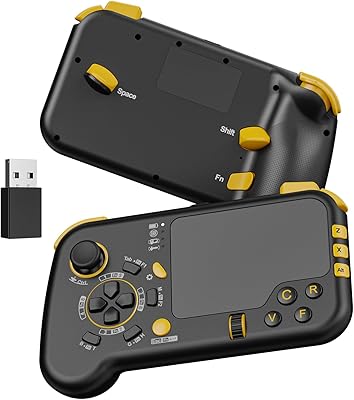
IFYOO GTP01 Wireless Gaming Touchpad Controller
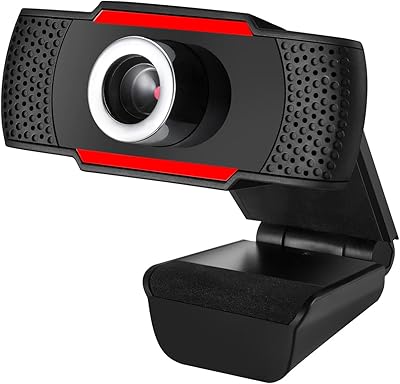
Adesso CyberTrack H3
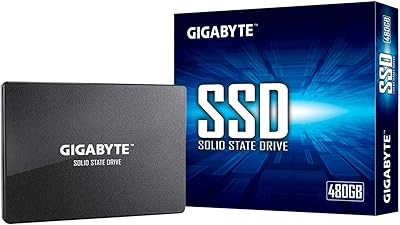
GIGABYTE GP-GSTFS31480GNTD 480GB SATA SSD
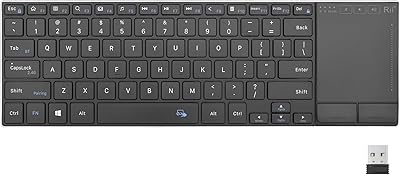
Rii K22S Wireless Bluetooth Touchpad Keyboard
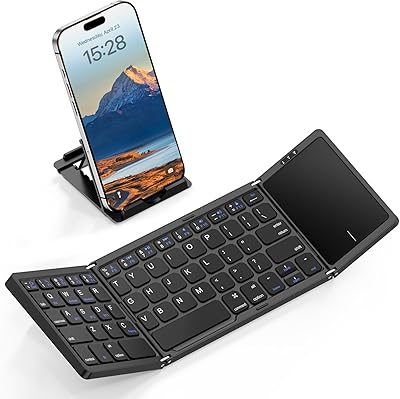
Kidopire Foldable Bluetooth Keyboard with Touchpad
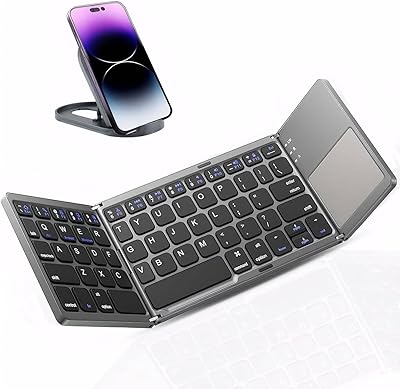
JPHTEK Foldable Bluetooth Keyboard with Touchpad