




Overview
The Adesso CyberTrack H3 sits comfortably in the value tier of the webcam market, offering 720p video for remote workers, students, and anyone tired of their laptop's built-in camera. It connects via USB 2.0 with no driver installation required on most systems, and it works across both Windows and Mac. At just 3.52 oz, it's light enough to toss in a bag without a second thought. What sets it apart from similarly priced fixed-focus options is its manual focus ring, which gives you actual control over sharpness rather than leaving it to an algorithm. It's the middle child of Adesso's CyberTrack lineup — more capable than the H2, less ambitious than the H4.
Features & Benefits
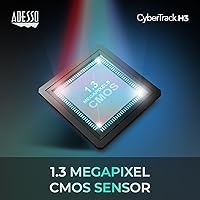
The 1.3MP CMOS sensor delivers 1280x720 at 30fps, which is plenty for Zoom, Skype, or Microsoft Teams calls without chewing through bandwidth. The manual focus ring is genuinely useful if you have a fixed desk setup — dial it in once and forget it. There's also a programmable driver that lets you tweak brightness, contrast, saturation, white balance, and exposure, which is a nice touch at this price. The built-in mono microphone handles quiet environments reasonably well, removing the need for a separate mic if your calls are casual. Plug it into a PC, laptop, or even a smart TV and it just works.
Best For
This webcam makes the most sense for someone upgrading from a grainy built-in laptop camera who doesn't want to spend much. Students attending online classes, remote workers on tight budgets, and first-time webcam buyers will find it hits a practical sweet spot. It rewards users who work in consistent, well-lit spaces — natural light or a decent desk lamp makes a real difference in image quality. If you prefer dialing in your own image settings rather than trusting auto-adjustments, the manual controls here are a genuine advantage. It's not for streamers or content creators, but for everyday video calls, it covers the basics well.
User Feedback
With a 4.1-star average across over 100 ratings, this budget webcam earns its score without inspiring wild enthusiasm. Users consistently praise how quick and painless the setup is, and daytime video quality gets positive marks in good lighting. The manual focus draws mixed reactions — some appreciate the precision, others find it fiddly when they just want things to work automatically. The built-in microphone is where expectations need to be managed: it's functional in a quiet room, but picks up background noise and lacks clarity in louder environments. Low-light performance is a common complaint, which is typical for CMOS sensors at this price. A handful of users have also noted minor hiccups with the driver software on certain setups.
Pros
- Plug-and-play setup works on Windows and Mac without installing drivers for most users.
- Manual focus ring lets you lock in a sharp image for a fixed desk setup and leave it there.
- Lightweight at under 4 oz, making it easy to carry between home and office.
- The programmable driver offers real image controls — brightness, contrast, white balance — rarely found at this price.
- Video clarity in good lighting is a noticeable step up from most built-in laptop cameras.
- Works with Zoom, Teams, and Skype right out of the box with no configuration needed.
- Compact clip fits standard monitors and laptop screens without requiring a separate stand.
- Sits at a practical mid-point in the CyberTrack lineup, offering more than the entry model without a steep price jump.
Cons
- Low-light image quality degrades quickly — without a dedicated lamp, evening calls look grainy and flat.
- The built-in microphone struggles noticeably in any environment with background noise or echo.
- Manual focus has no autofocus fallback, so shifting your seating position means readjusting by hand.
- Some users report that driver software settings do not persist reliably after a system restart.
- The fixed USB cable is relatively short and offers no cable management, which can clutter a tidy desk setup.
- The plastic clip can loosen over time, causing the camera to drift from its set angle.
- Driver software installation has caused compatibility hiccups for a small but consistent number of Windows users.
- 30fps with no higher option makes this webcam unsuitable for recording fast movement or polished video content.
Ratings
The Adesso CyberTrack H3 has been evaluated by our AI rating system after analyzing verified buyer reviews from global markets, with spam, bot-generated, and incentivized feedback actively filtered out. The scores below reflect a balanced synthesis of real-world user experiences — strengths and frustrations alike — so you get an honest picture before committing to a purchase. This budget webcam earns solid marks in some areas and shows clear limitations in others, all of which are transparently captured in each category below.
Video Clarity (Daytime)
Low-Light Performance
Built-in Microphone
Manual Focus Control
Setup & Ease of Use
Image Adjustment Controls
Build Quality & Design
Value for Money
Compatibility
Frame Rate & Motion Smoothness
Portability
Platform Versatility
Suitable for:
The Adesso CyberTrack H3 is a practical choice for anyone whose current setup is a grainy built-in laptop camera and who wants a genuine improvement without a significant financial commitment. Students attending online classes, remote workers joining daily stand-ups, and anyone who video calls family or colleagues a few times a week will find it covers the essentials reliably. It works especially well for people with a consistent, well-lit desk setup — natural light from a nearby window or a simple ring light transforms what this webcam is capable of. The manual focus is a real advantage for users who sit at a fixed distance from their screen every day, since you set it once and it stays sharp without any fussing. First-time webcam buyers who want plug-and-play simplicity on Windows or Mac, without reading a manual or installing complex software, will appreciate how quickly it gets them up and running.
Not suitable for:
The Adesso CyberTrack H3 is not the right tool for anyone who needs dependable performance beyond a well-lit, quiet room. Content creators, streamers, or anyone recording tutorials for YouTube or professional presentations will quickly outgrow what this webcam offers — the 720p resolution, fixed 30fps ceiling, and limited low-light capability are genuine constraints at that level. The built-in microphone, while functional in near-silence, is not suitable for open-plan offices, shared households, or any environment with ambient noise; buyers in those situations will need to budget for a separate microphone regardless. Those who expect autofocus — the kind that adjusts automatically when you lean forward or shift in your seat — will find the manual-only focus ring frustrating rather than empowering. If your work involves frequent camera movement, variable lighting conditions, or an audience that expects polished, high-definition video, spending more on a 1080p autofocus model is a smarter long-term decision.
Specifications
- Resolution: Captures video at 720p (1280x720 pixels), delivering clear, detailed imagery suitable for everyday video conferencing.
- Frame Rate: Records and streams at 30 frames per second, producing smooth motion during calls and video recordings.
- Image Sensor: Uses a 1.3-megapixel CMOS sensor that balances color accuracy and sharpness under adequate lighting conditions.
- Focus Type: Features a manual focus ring that allows users to physically adjust sharpness to match their specific seating distance.
- Connectivity: Connects via USB 2.0, compatible with any standard USB-A port on a PC, laptop, or smart TV.
- Microphone: Includes a built-in mono microphone designed for basic voice capture during calls in quiet environments.
- Dimensions: Measures 3.5 x 5.25 x 1.7 inches, making it compact enough to fit on most monitor bezels without obstruction.
- Weight: Weighs 3.52 oz, light enough to carry daily in a laptop bag alongside other accessories.
- OS Support: Fully compatible with Windows and Mac operating systems, with plug-and-play recognition on most modern versions.
- Platform Support: Works with PCs, laptops, and smart TVs that have an accessible USB port.
- App Compatibility: Recognized natively by Zoom, Skype, Microsoft Teams, and other major video conferencing applications.
- Adjustable Settings: The optional driver software enables manual control over brightness, contrast, saturation, white balance, and exposure.
- Color: Available in black with a matte plastic finish that blends with most monitor and laptop aesthetics.
- Model Number: Officially designated as the CyberTrack H3, sitting between the H2 and H4 in Adesso's webcam lineup.
- Brand: Manufactured by Adesso, a US-based peripheral brand with a range of input and imaging devices for consumers and businesses.
Related Reviews
Adesso Cybertrack H5 1080p Autofocus Webcam
QCY H3
KEDIERS H3 Mid Tower ATX PC Case
TIDRADIO TD-H3 Ham Multi-Band Two-Way Radio
ADESSO iMouseE1 Wired Vertical Ergonomic Mouse
NZXT H3 Flow Micro-ATX Case
VISIONHMD Bigeyes H3 Video Display Glasses
Adesso TruForm 150 Ergonomic Keyboard