Overview

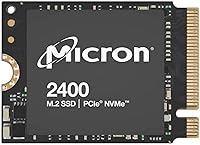
The Micron 2400 2TB M.2 2230 NVMe SSD arrived at a point when handheld gaming upgrades were becoming serious business, and it addressed a real gap: nobody was offering a credible 2TB option in the compact 2230 form factor. Micron is not a branding exercise — they actually fabricate their own NAND, which puts this compact NVMe drive in a different league from the anonymous drives flooding the market. Backed by PCIe Gen 4, it is not a budget stopgap but a genuine performance upgrade. For anyone who has outgrown their device's stock storage, this is a practical and well-credentialed answer.
Features & Benefits

What makes this 2230 SSD stand out is the combination of capacity and speed that most rivals simply cannot match at this size. Sequential reads hit up to 4500 MB/s and writes up to 4000 MB/s over PCIe 4.0 x4 — numbers that translate into noticeably snappier game load times and faster file transfers in the real world, not just in benchmarks. The NVMe protocol keeps latency low, and the drive weighs barely 10 grams, so there is zero compromise to portability. Compatibility with the Steam Deck and ROG Ally is confirmed out of the box, and Micron's proprietary NAND points toward strong long-term endurance.

Best For

This compact NVMe drive is the natural choice for Steam Deck owners running out of room for large modern game installs who do not want to rely on a microSD card for primary storage. ROG Ally users and anyone building around a mini-PC or ultrabook with a 2230-only slot will find very few alternatives at this capacity. It also suits creative professionals who carry compact machines loaded with video or photo projects. If you know enough to be shopping in this niche and want a name you can trust rather than a roll of the dice on an unbranded module, the Micron 2400 2TB is the logical pick.

User Feedback

Across verified purchases, the installation experience draws consistent praise — owners report a clean, no-surprises swap into the Steam Deck with full recognition on first boot. Real-world speed gains over stock drives come up repeatedly, particularly around game loading. The honest pushback centers on price: this 2230 SSD costs more than lesser-known alternatives, and some buyers flag that gap upfront. Most ultimately conclude it is worth paying for the brand assurance. A small number of users in passively cooled enclosures mention warmth under heavy sustained workloads, though this reads as an edge case rather than a structural flaw. The overall rating and repeat buyer loyalty reflect genuine satisfaction.

Pros

  • 2TB capacity in the 2230 form factor remains rare, giving owners maximum internal storage without compromise.
  • Gen 4 PCIe speeds translate into noticeably faster game load times compared to stock handheld SSD drives.
  • Micron manufactures its own NAND, which means tighter quality control and more predictable long-term endurance.
  • Confirmed plug-and-play compatibility with both the Steam Deck and ASUS ROG Ally out of the box.
  • At roughly 10 grams, this compact NVMe drive adds zero perceptible weight to any portable device.
  • Installation is clean and straightforward for anyone comfortable with a basic internal hardware swap.
  • Repeat buyers specifically cite long-term reliability, which is a more meaningful signal than launch-day reviews.
  • BSR ranking of #467 in Internal Solid State Drives reflects sustained demand, not just an initial spike.
  • Real-world write performance handles large game installs and file migrations without stuttering or slowdowns.
  • NVMe latency is noticeably lower than older SATA-based M.2 alternatives still lingering in the 2230 market.

Cons

  • No dedicated consumer software for firmware updates or drive health monitoring is available from Micron.
  • The price premium over unbranded 2230 alternatives is real and may be hard to justify on a tight budget.
  • TBW endurance figures are not prominently advertised, leaving write-intensive users without a clear long-term benchmark.
  • Users in passively cooled or fanless enclosures may need to plan additional airflow when running heavy workloads.
  • No accessories are included — buyers upgrading a Steam Deck need to source a compatible screwdriver separately.
  • Achieving full rated speeds requires a Gen 4 host controller; older systems will cap performance at Gen 3 limits.
  • Micron's consumer brand recognition is lower than Samsung or WD, which creates unnecessary hesitation for some buyers.
  • OS migration or a clean reinstall is required after swapping, adding setup time that first-time upgraders may not anticipate.

Ratings

The scores below reflect our AI-driven analysis of verified global buyer reviews for the Micron 2400 2TB M.2 2230 NVMe SSD, with spam, bot-generated, and incentivized feedback actively filtered out before scoring. Each category is weighted against real-world usage patterns reported by actual owners — from Steam Deck hobbyists to compact workstation builders. Both the clear strengths and the genuine friction points are represented here without sugarcoating.

Read & Write Performance
93%
Owners consistently report that game load times drop noticeably after swapping in this compact NVMe drive, particularly on the Steam Deck where the difference versus the stock SSD is hard to miss. Sequential reads pushing toward 4500 MB/s feel tangible when moving large game installs or creative project files.
A small number of users running the drive in thermally constrained handheld devices note that sustained sequential writes can throttle slightly under prolonged stress. The gap between peak spec and real-world sustained output is narrow but worth acknowledging for workstation-style workloads.
Storage Capacity
97%
Two terabytes in the 2230 form factor was genuinely rare when this drive launched, and it remains one of the few options that lets handheld gaming PC owners store a full modern library without managing a microSD card alongside it. Users repeatedly call this the single biggest reason they chose the Micron 2400 2TB over anything else.
There is effectively no complaint about the capacity itself — the only friction is that reaching this tier costs noticeably more than settling for 1TB alternatives. For buyers on a strict budget, the jump in price to get 2TB can sting.
Form Factor Compatibility
96%
The 2230 footprint drops straight into the Steam Deck and ROG Ally without adapters, shims, or any modification. Owners of ultrabooks and mini-PCs with 2230-only slots report equally clean fitment, and the roughly 10-gram weight adds absolutely nothing to the device's feel in hand.
Compatibility is excellent within its intended niche, but buyers who mistakenly purchase this for a standard 2280 slot will need an adapter bracket. The 2230 size is a feature for the right device and a minor inconvenience if your setup does not call for it specifically.
Installation Experience
91%
The swap process earns consistent praise across Steam Deck teardown threads and verified purchase reviews alike. The drive seats cleanly, is recognized on first boot without fuss, and the standard tool-based installation matches what experienced upgraders already expect from internal M.2 drives.
This is not a plug-and-play external drive — cloning or reinstalling the operating system is required after swapping, which adds steps for less experienced users. A handful of reviewers flagged that the process took longer than anticipated when factoring in software migration.
Build & Endurance
89%
Micron manufactures its own NAND rather than sourcing from third-party suppliers, which translates to tighter quality control and more predictable endurance figures. Long-term owners and repeat buyers specifically cite reliability over months of heavy use as a primary reason they keep returning to this brand.
Consumer-facing endurance ratings are not prominently published in the listing, which leaves some buyers uncertain about TBW figures compared to drives that advertise them explicitly. For users running write-intensive workflows continuously, a clearer endurance spec would strengthen purchase confidence.
Thermal Management
72%
28%
Under typical gaming and everyday workloads in ventilated devices, the drive runs at perfectly acceptable temperatures with no throttling observed by the majority of owners. Most Steam Deck and ROG Ally users report zero heat-related issues during normal play sessions.
A subset of users running this 2230 SSD inside passively cooled enclosures or tightly sealed mini-PCs note elevated temperatures during sustained heavy workloads. It is a narrow edge case rather than a widespread flaw, but buyers building into fanless chassis should factor in airflow planning.
Value for Money
74%
26%
Given the combination of a 2TB capacity, Gen 4 speeds, and a brand that actually makes its own NAND, the price premium over no-name alternatives is defensible for buyers who have been burned by unreliable drives before. The scarcity of quality 2230 options at this capacity also reduces the realistic competition.
The cost gap versus lesser-known 2230 SSDs is real and comes up regularly in buyer commentary. Users who are comfortable gambling on an unbranded drive and do not need the peace of mind of a major manufacturer will find cheaper paths to 2TB.
Sequential Read Speed
92%
Real-world read performance in game streaming and large file access holds up well against the rated ceiling, with most users reporting speeds that align closely with advertised figures when tested on Gen 4 capable host slots. The difference versus Gen 3 drives is perceptible in back-to-back comparisons.
Achieving the full rated read speed requires a host device with a Gen 4 controller — on older Gen 3 systems, the drive operates within that platform's limits. Users on legacy hardware will not see the headline numbers, though the drive remains perfectly functional.
Sequential Write Speed
88%
Write speeds hold steady for typical use cases like installing large game patches, transferring video footage, or migrating a full game library in one session. The drives handles bursts without any stuttering that owners of slower SATA-based M.2 upgrades would recognize.
Under very prolonged write sessions — think continuous 4K video capture or moving hundreds of gigabytes in a single transfer — a modest dip from peak rated write speeds has been noted. It does not affect everyday use but is worth knowing for niche high-throughput recording scenarios.
Brand Reliability
94%
Micron's standing as one of the world's few vertically integrated memory manufacturers carries genuine weight with informed buyers. The confidence that comes from purchasing a drive made by the same company that produces the underlying flash memory is reflected clearly in the tone of long-term ownership reviews.
Micron's consumer SSD line has less retail shelf presence than Samsung or WD, meaning some buyers are less familiar with the brand despite its credentials. Occasional questions about warranty support accessibility pop up in community discussions, though reported warranty issues themselves are rare.
Firmware & Software Stability
83%
Owners across platforms report stable, issue-free operation from day one with no firmware-related crashes or sudden disconnects surfacing in the review pool. The drive behaves exactly as expected across the operating systems typically run on its target devices.
Micron does not offer a dedicated consumer SSD toolbox application for firmware updates or health monitoring the way Samsung does with Magician. Users who want granular drive health visibility need to rely on third-party tools, which adds a small but real layer of friction.
Weight & Portability
96%
At approximately 10 grams, this compact NVMe drive is essentially weightless in context. Handheld gaming device owners and ultrabook users report zero perceptible change in how their hardware feels after the swap, which matters when the host device is already optimized to be as light as possible.
There is genuinely little to criticize here. The only theoretical concern is that the smaller PCB surface area of a 2230 drive offers slightly less thermal mass than a full-length 2280 module, but this is physics, not a manufacturing shortcoming.
Packaging & Delivery Condition
78%
22%
The drive arrives in straightforward protective packaging appropriate for a premium internal component. Buyers report no instances of physical damage on arrival in the large majority of cases, and the bare-drive format means there is no unnecessary plastic waste to discard.
The packaging is purely functional with no accessories included — no mounting screw, no thermal pad, no installation guide. Budget-conscious buyers upgrading a Steam Deck for the first time may need to source a small Phillips screwdriver and a replacement screw separately.

Suitable for:

The Micron 2400 2TB M.2 2230 NVMe SSD is the most straightforward recommendation for Steam Deck owners who have burned through their stock storage and are tired of juggling microSD cards just to keep a reasonable game library accessible. ROG Ally users and anyone upgrading a handheld gaming PC with a 2230-only slot will find this compact NVMe drive to be one of the very few options that delivers both the capacity and the speed to match their device's potential. Ultrabook and mini-PC builders who are locked into the shorter 2230 form factor and want a name-brand drive they can trust over the long haul will also feel right at home here. Creative professionals carrying compact machines loaded with video or photo projects benefit from the Gen 4 throughput, which keeps file transfers and project loading from becoming a bottleneck. If you already know you need a 2230 drive and brand reliability matters to you — because Micron actually manufactures its own NAND rather than reselling someone else's flash — this is the drive that earns its price premium honestly.
Not suitable for:

The Micron 2400 2TB M.2 2230 NVMe SSD is the wrong purchase for anyone whose device uses a standard 2280 slot, where longer drives with more competitive pricing are widely available from Samsung, WD, and others. Budget-focused buyers who are comfortable taking a chance on a lesser-known 2230 brand will find meaningful savings elsewhere, since the premium here is partly for the assurance of buying from a vertically integrated manufacturer — value that not every buyer needs to pay for. Users who want a consumer-friendly companion app for firmware updates and drive health monitoring will find the experience bare-bones compared to ecosystems like Samsung Magician. Anyone building into a fanless or passively cooled enclosure and planning sustained heavy write workloads should research thermal headroom carefully, as a small subset of users in those setups has reported elevated temperatures. Finally, this is strictly an internal drive requiring disassembly of the host device, so buyers looking for a simple plug-in external storage solution should shop in a different category entirely.
Specifications

  • Storage Capacity: The drive offers 2TB of usable NVMe flash storage, making it one of the highest-capacity options available in the M.2 2230 form factor.
  • Form Factor: Built to the M.2 2230 specification, the drive measures 22mm wide by 30mm long, fitting devices that cannot accommodate a full-length 2280 module.
  • Interface: Connects via PCIe Gen 4 x4, delivering bandwidth well beyond what older PCIe Gen 3 or SATA-based M.2 drives can provide.
  • Protocol: Uses the NVMe protocol, which significantly reduces command latency compared to the legacy AHCI protocol used by SATA drives.
  • Sequential Read: Rated for sequential read speeds of up to 4500 MB/s under optimal conditions on a compatible Gen 4 host platform.
  • Sequential Write: Rated for sequential write speeds of up to 4000 MB/s, suitable for large file transfers, game installs, and creative project migrations.
  • NAND Type: Uses proprietary Micron-manufactured flash memory, produced in-house rather than sourced from a third-party NAND supplier.
  • Drive Weight: The drive weighs approximately 0.353 oz (roughly 10g), adding no meaningful mass to any host device after installation.
  • Installation Type: Designed for internal installation via a standard M.2 slot, requiring basic disassembly of the host device and a small Phillips screwdriver.
  • Compatible Devices: Confirmed compatible with the Valve Steam Deck, ASUS ROG Ally, and any laptop, ultrabook, or desktop system equipped with an M.2 2230 slot.
  • Host Interface Gen: Requires a PCIe Gen 4 capable host controller to reach rated speeds; operates at reduced throughput on Gen 3 platforms but remains fully functional.
  • Brand & Origin: Manufactured by Micron Technology, one of the few companies globally that designs, fabricates, and sells its own NAND flash memory.
  • Release Date: First made available in February 2023, filling a notable market gap for high-capacity 2230 drives targeting handheld gaming and compact PC upgrades.
  • Seller Rank: Holds a Best Sellers Rank of #467 in the Internal Solid State Drives category on Amazon, reflecting sustained and broad consumer demand.
  • User Rating: Carries an average rating of 4.8 out of 5 stars based on 282 verified ratings at the time of evaluation.
  • Accessories Included: The drive ships as a bare module with no mounting screw, thermal pad, enclosure, or installation guide included in the package.
  • Software Support: Micron does not offer a dedicated consumer SSD toolbox application; drive health and firmware status must be monitored via third-party utilities such as CrystalDiskInfo.
  • Operating Temp: Designed to operate within standard consumer SSD temperature ranges, though sustained workloads in passively cooled or fanless enclosures may push temperatures toward thermal throttle thresholds.

Related Reviews
KINGDATA M.2 2230 2TB NVMe SSD
88%
91%
Performance
93%
Read Speed
89%
Write Speed
85%
Durability
88%
Temperature Management
More
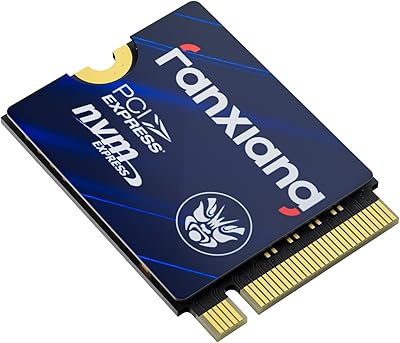
fanxiang S630 2TB M.2 2230 NVMe SSD
87%
89%
Performance
90%
Speed (Read/Write)
88%
Thermal Management
85%
Ease of Installation
92%
Build Quality
More
Fikwot FX953 2TB M.2 2230 NVMe SSD
88%
92%
Performance
89%
Value for Money
74%
Thermals/Heat Management
94%
Read Speed
89%
Write Speed
More
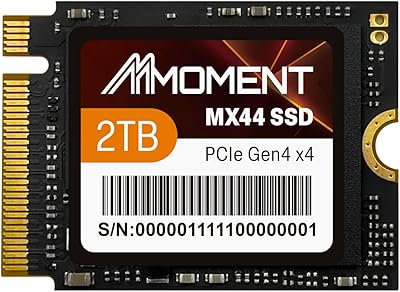
MMOMENT 2TB MX44 M.2 2230 NVMe SSD
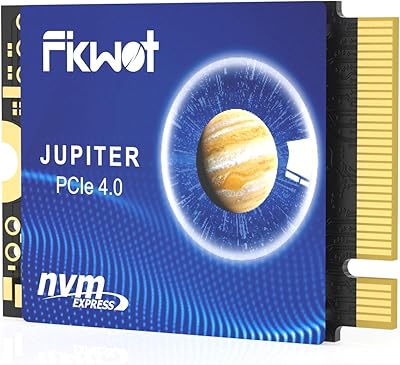
88%
91%
Performance
93%
Speed (Read/Write)
88%
Ease of Installation
85%
Durability (Shock & Dust Resistance)
89%
Capacity (2TB)
More
XPC Technologies SN740 2TB M.2 2230 NVMe SSD
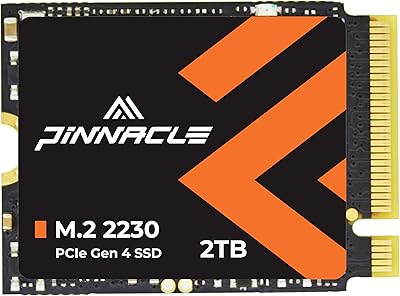
87%
92%
Performance
88%
Installation Ease
94%
Compatibility with Steam Deck
89%
Write Speed
91%
Read Speed
More
Timetec 2TB M.2 2230 SSD NVMe PCIe Gen4x4
89%
94%
Performance
88%
Installation Ease
96%
Speed (Read/Write)
85%
Compatibility with Devices
90%
Reliability
More
SanDisk 2TB SSD Plus M.2 NVMe SSD
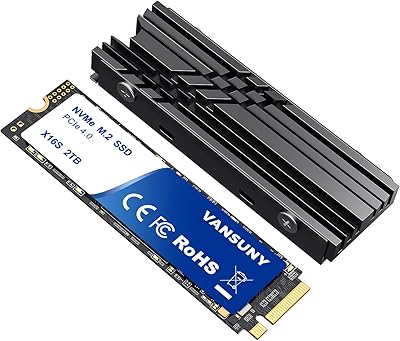
86%
89%
Performance
92%
Ease of Installation
88%
Reliability
91%
Value for Money
90%
Capacity
More
Vansuny 2TB NVMe M.2 SSD
86%
95%
Performance
88%
Installation Ease
78%
Thermal Management
92%
Storage Capacity
94%
Speed for Gaming
More
GAMERKING 2TB M.2 NVMe SSD
85%
91%
Performance (Read/Write Speeds)
72%
Thermal Management
88%
Ease of Installation
94%
Compatibility with PS5
87%
Value for Money
More
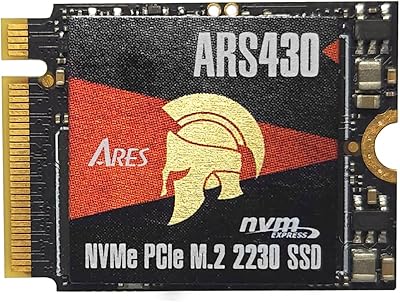
DATO ARS430 2TB M.2 2230 SSD
86%
94%
Performance
92%
Value for Money
88%
Thermal Management
70%
Ease of Installation
82%
Compatibility with Steam Deck
More

FAQ

Yes, it drops straight in. The Micron 2400 2TB M.2 2230 NVMe SSD is one of the most widely confirmed 2230 upgrades for the Steam Deck, with no adapters, shims, or BIOS changes required. You will need to reinstall SteamOS or restore from a backup after the swap, but the hardware side is clean and straightforward.

That depends on your setup. For Steam Deck users, most people do a fresh SteamOS install via a USB recovery image rather than cloning, since it only takes a few minutes. If you are upgrading a Windows ultrabook or mini-PC, cloning your existing drive first saves a lot of time versus a clean reinstall.

The speed improvement is genuinely noticeable in everyday use. Game load times on the Steam Deck drop compared to the stock drive, and large file transfers feel substantially quicker. Synthetic benchmarks will show the full Gen 4 numbers, but even in regular use the jump from a slower stock SSD is hard to miss.

No, a 2230 drive is significantly shorter than a 2280 module and will not fit securely in a 2280 slot without a physical adapter bracket. Check your device's service manual or motherboard documentation before purchasing to confirm your slot accepts 2230 modules natively.

Micron is one of a small number of companies in the world that actually manufactures its own NAND flash memory. This compact NVMe drive uses Micron's own flash, which means the quality control and endurance characteristics come directly from the same source rather than being dependent on a third-party supplier.

If you play modern AAA titles, 2TB fills up faster than most people expect. A single game can easily occupy 80 to 150GB, so a 1TB drive starts feeling tight once you have a dozen titles installed. The extra capacity means you can keep your full library on the internal drive instead of managing installs on an external card.

Under normal gaming conditions, temperatures are fine for the vast majority of users. A small number of people running extremely sustained write-heavy workloads in very tight enclosures have reported elevated temperatures, but this is not a common complaint in day-to-day handheld gaming use. The ROG Ally has enough airflow for typical sessions.

Micron does not publish a consumer-facing SSD toolbox the way Samsung does with Magician. For health monitoring, third-party tools like CrystalDiskInfo on Windows or nvme-cli on Linux will report SMART data. Firmware updates, if needed, would need to come through Micron's support channels directly.

You need a small Phillips #0 screwdriver to open the back panel and a Phillips #1 for the SSD mounting screw. Some people also use a plastic pry tool to separate the shell without scratching it. Beyond that, you will need a USB drive to run the Steam Deck recovery image for the software side of the install.

The main difference is who is making the flash inside the drive. With Micron, you know the NAND comes from a controlled, first-party manufacturing process. No-name 2230 drives often use recycled, downgraded, or lower-grade flash that can show reliability issues over time. The premium is real, but it is essentially insurance against a drive that fails after six months of heavy use.

Where to Buy