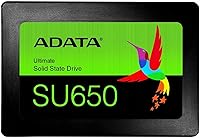
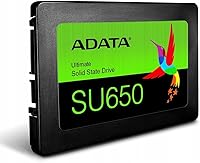
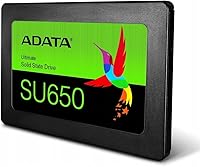

Overview

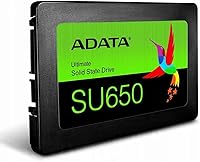
The ADATA Ultimate SU650 960GB 2.5″ SATA SSD is a straightforward upgrade aimed at anyone still running a spinning hard drive in an older laptop or desktop. ADATA has been producing flash storage out of Taiwan for decades — an established name in consumer memory, not a newcomer. At 960GB, you get genuinely useful storage: room for a full OS, your applications, and a healthy media library, without crossing into NVMe price territory. The 2.5-inch form factor and SATA III interface keep it compatible with older systems that lack an M.2 slot. Honest caveat: this is an everyday-use drive, not built for high-demand workloads.

Features & Benefits

The SU650 960GB uses 3D NAND flash, which stacks memory cells vertically — a design that improves endurance and lowers cost versus older planar NAND. Sequential reads reach 520MB/s and writes hit 450MB/s, which in everyday terms means faster boot times and quicker app launches compared to any hard drive. Dynamic SLC caching smooths out short write bursts nicely, but be aware: during sustained large transfers — big backups, full disk clones — write speeds can dip once the cache saturates. This is a SATA drive, so there is an inherent bandwidth ceiling; it won't challenge NVMe performance and isn't meant to. Compatibility is wide — Windows, macOS, Linux, and Unix are all supported, handy for repurposing older or mixed-OS machines.

Best For

This budget SATA SSD makes the most sense for a specific type of buyer: someone with an older laptop or desktop that still has a 2.5-inch SATA bay and a mechanical hard drive holding it back. Students and home users who need reliable everyday storage for documents, photos, and light applications will find it more than sufficient. It is also a solid pick for IT teams refreshing aging office machines on a tight budget, and for Linux or Unix users breathing new life into repurposed hardware. If your system already supports NVMe, look elsewhere — but if SATA is what you have, this is a sensible, practical choice that does the job cleanly.

User Feedback

Close to 1,000 ratings and a 4.2-star average paint a fairly consistent picture. Buyers switching from a hard drive are almost universally pleased — boot times drop noticeably, and the overall system responsiveness improvement tends to overshadow everything else in their minds. Worth keeping in context: much of that enthusiasm reflects the universal hard-drive-to-SSD gain rather than this ADATA drive doing anything exceptional among SATA competitors. More critical voices point to sustained write speeds falling short of spec during heavy transfers — a predictable outcome once the SLC cache fills. Isolated durability complaints exist but show no clear pattern. On compatibility, the picture is positive: users across Windows, macOS, and Linux setups report smooth, trouble-free installs.

Pros

  • Replacing a slow hard drive with this budget SATA SSD dramatically cuts boot times on older machines.
  • At 960GB, there is ample room for an OS, applications, and a sizable media library without running short.
  • The 2.5-inch form factor fits virtually any older laptop or desktop without requiring adapters or extra hardware.
  • 3D NAND technology delivers better endurance and efficiency than older-generation planar NAND at this price level.
  • Broad OS support — Windows, macOS, Linux, and Unix — makes the SU650 960GB versatile for mixed or repurposed setups.
  • At under half an ounce, it adds no meaningful weight during a laptop or mini PC upgrade.
  • Installation is simple enough that first-timers rarely report any issues getting the drive recognized and running.
  • Dynamic SLC caching handles typical daily workloads — documents, browsing, light media — without any noticeable slowdowns.
  • ADATA's long track record in consumer flash storage offers reasonable confidence for a budget-tier purchase.
  • Close to 1,000 buyer ratings lean positively, with most users reporting a meaningful real-world speed improvement over their old hard drive.

Cons

  • Sustained write speeds drop once the SLC cache fills — large backups or full-disk clones can slow noticeably mid-transfer.
  • The SATA III interface imposes a hard bandwidth ceiling that no SATA-based drive can escape, regardless of brand or price.
  • Buyers with NVMe-capable systems will find significantly faster drives available at comparable or only slightly higher prices.
  • Advertised sequential speeds are theoretical peaks; real-world performance under sustained load tends to fall short of those published figures.
  • No prominently published endurance rating makes it difficult to assess long-term suitability for write-heavy workloads.
  • A small number of users report early drive failures, though the available data makes it hard to gauge how widespread the issue is.
  • Much of the glowing praise in buyer reviews reflects the universal HDD-to-SSD improvement rather than the SU650 distinguishing itself among competing drives.
  • No cloning software or mounting bracket is included in the box, which may mean additional purchases for some users.
  • Investing in this drive for a new build makes little sense today — the NVMe market offers better performance at similar price points.
  • The lack of an M.2 form factor means it cannot serve as an upgrade path for modern ultrabooks or compact systems that have dropped the 2.5-inch bay entirely.

Ratings

Based on AI-assisted analysis of verified buyer reviews worldwide — with spam, bot activity, and incentivized feedback actively filtered out — the ADATA Ultimate SU650 960GB 2.5″ SATA SSD earns scores that reflect both where it genuinely delivers and where real buyers encounter limitations. For its core audience of budget-conscious upgraders replacing aging mechanical hard drives, results trend positively across value, usability, and compatibility. Where the picture becomes more nuanced is in sustained write performance and long-term durability, and those trade-offs are reflected transparently in the scores below.

Value for Money
84%
Among budget SATA SSDs, the SU650 960GB consistently draws praise for delivering a meaningful performance upgrade without a significant financial outlay. Buyers replacing a years-old hard drive in a secondary laptop or a household computer find the cost-to-benefit ratio at this capacity genuinely difficult to argue with.
The value equation weakens considerably for anyone whose machine supports NVMe, where comparable or faster drives are available at prices that have dropped sharply. A handful of buyers who experienced early failures also felt the long-term value proposition was harder to defend after a replacement hassle.
Read Performance
77%
23%
For the tasks most buyers actually use this drive for — booting Windows, opening a browser, loading everyday documents — real-world read responsiveness is a clear and immediate step up from any mechanical hard drive. Daily app launches feel snappy and consistent in normal mixed-use conditions.
The SATA III interface imposes a bandwidth ceiling no SATA-based drive can escape, so buyers coming from an NVMe system will notice a step backward in raw throughput. Published read figures are also peak benchmarks rarely reflected in typical mixed-workload real-world performance.
Write Performance
63%
37%
For short, everyday write tasks — saving documents, downloading software updates, installing applications — the Dynamic SLC cache keeps things moving at a pace that feels fast and responsive to the average user. Most buyers in the target upgrade demographic never push writes hard enough to encounter any perceptible issues.
Once the SLC cache saturates during a sustained large write — moving a 30GB folder, running a full drive clone, or doing a large media backup — speeds can drop noticeably below the advertised 450MB/s. Reviewers doing regular large file transfers specifically call this out as a tangible and recurring frustration.
Installation Ease
91%
User feedback is overwhelmingly positive here — the standard 2.5-inch form factor means the drive slides directly into any compatible laptop or desktop bay without adapters, special tools, or confusing steps. First-time upgraders consistently report completing the entire physical swap in well under 15 minutes.
The drive ships with nothing beyond the bare unit — no cloning software license, no mounting bracket, no SATA cable — which means buyers handling a full system migration need to source those tools independently. For complete first-timers, the data transfer step rather than the hardware swap is where confusion tends to surface.
Build Quality
73%
27%
The compact metal shell feels appropriately solid for a budget-tier product and fits precisely into standard drive bays without rattling or flexing. Nothing about the physical construction raises immediate concern for normal desktop or laptop daily use.
A small but consistent thread of buyer reports mentions drive failures within the first year of ownership, raising mild concern about unit-to-unit manufacturing consistency. It is not an alarming pattern in aggregate, but it is persistent enough to make a backup habit genuinely advisable.
Storage Capacity
88%
At 960GB, this ADATA drive hits a practical sweet spot for most everyday users — ample room for a full OS, a broad application library, and substantial personal media without requiring constant storage management. Students and home users consistently cite capacity as a non-issue throughout their ownership.
Power users with large local video libraries, extensive game collections, or professional working files may find 960GB feeling tighter than expected within a couple of years. The only realistic remedies are adding external storage or accepting deliberate and ongoing file management discipline.
OS Compatibility
93%
One of the clearest strengths in buyer feedback is how cleanly this budget SATA SSD works across different operating environments — Windows, macOS on older Mac hardware, and all major Linux and Unix distributions — without requiring proprietary drivers or special configuration. Cross-platform households and Linux users on repurposed hardware particularly appreciate the genuine plug-and-play experience.
The drive offers zero compatibility advantage for newer Mac systems, modern ultrabooks, or any machine that has moved away from 2.5-inch bays entirely. Buyers who overlook this hardware constraint before purchasing are a recurring source of unnecessary return-related feedback in the review pool.
Everyday Reliability
78%
22%
For standard daily workloads — office applications, web browsing, media playback, light photo work — the SU650 960GB performs consistently and without drama across an extended ownership period. The majority of buyers using it as a primary drive in a home or small office setting report trouble-free operation.
Reliability reports become noticeably more mixed when buyers push the drive harder or use it for more write-intensive tasks over time. The absence of a published TBW endurance rating makes it objectively difficult for buyers to set informed long-term expectations based on their actual usage patterns.
Sustained Transfer Speed
54%
46%
For short, everyday file transfers — copying a folder of documents, moving a batch of photos, downloading a game patch — the drive performs at a pace that feels responsive and more than adequate for light use. The SLC cache handles these common burst scenarios efficiently and without any noticeable lag.
Buyers attempting large sequential writes — full disk backups, bulk video file transfers, moving entire software libraries — frequently report speeds dropping well below 200MB/s once the SLC cache is exhausted. This is the single most consistently cited technical frustration across critical reviews in the dataset.
Boot Time Improvement
87%
For users upgrading from a mechanical hard drive, the boot time improvement is one of the most celebrated outcomes in verified buyer feedback — machines that previously took over a minute to reach the desktop routinely boot in 10 to 15 seconds with this drive installed. It is an immediate, tangible, and deeply satisfying win for that specific user.
The enthusiastic boot time praise is largely a reflection of the universal gap between any SSD and a hard drive, rather than this particular drive standing out among competing SATA SSDs. Buyers upgrading from an existing SSD will notice no meaningful improvement in this area whatsoever.
Physical Design & Fit
86%
At just 0.48 ounces, the drive is light enough that laptop users genuinely notice no change in system weight, and its slim 0.6-inch profile fits standard 2.5-inch bays without requiring a spacer or thickness adapter. The compact footprint is a practical advantage for older and space-constrained systems.
No desktop mounting bracket for 3.5-inch bays is included in the box, which surprises some desktop users who need to purchase one separately. The exterior also provides no activity LED or visual status indicator, a minor omission that occasionally frustrates users troubleshooting installation issues.
Long-term Durability
66%
34%
The 3D NAND architecture provides inherently better endurance than older planar NAND designs, and the majority of buyers running the drive for one to two years under normal everyday workloads report no reliability issues. The 3-year limited warranty provides a reasonable safety net for this product tier.
ADATA does not publish a clear TBW endurance figure for this series in readily accessible consumer documentation, which makes scientific long-term assessment genuinely difficult. Scattered early-failure anecdotes in verified reviews introduce enough uncertainty that storing critical data without an independent backup would be unwise.
Software & Accessories
43%
57%
Buyers who already know their way around a cloning tool or fresh OS install will not find the minimal packaging a problem — the drive itself functions exactly as advertised, and experienced users require nothing more. The simplicity of the out-of-box experience reflects the no-frills positioning of this product tier.
The box contains essentially nothing beyond the drive itself — no cloning software, no mounting bracket, no SATA cable, and no meaningful documentation. Competing drives at similar price points occasionally bundle basic migration tools or adapters, making this bare-bones approach a noticeable gap specifically for less experienced buyers.

Suitable for:

The ADATA Ultimate SU650 960GB 2.5″ SATA SSD is the right call for anyone whose older laptop or desktop is still crawling along on a mechanical hard drive and happens to have a 2.5-inch SATA bay available. If your machine predates the M.2 era or simply lacks an NVMe slot, this drive slots in without adapter headaches — just swap it in and you're done. Students who need dependable everyday storage for coursework, photos, and general applications will get solid, no-drama performance without a serious outlay. Home users reviving an aging family PC, small business owners refreshing a fleet of office machines on a lean budget, and IT administrators sourcing a cost-effective storage solution for older workstations will all find it fits comfortably. It also runs cleanly across Windows, macOS, Linux, and Unix, making it genuinely useful for anyone repurposing older hardware across different operating environments.

Not suitable for:

The ADATA Ultimate SU650 960GB 2.5″ SATA SSD is not the right fit for buyers whose systems already support NVMe — if your motherboard has an M.2 slot, that same budget applied to an NVMe drive will deliver substantially faster real-world speeds, and there's no good reason to settle for less. Power users who regularly push large files — full-disk backups, 4K video projects, or multi-gigabyte archives — should be cautious, since the SLC cache has a saturation point and sustained write performance can drop noticeably once it's exhausted. Gamers chasing fast load times on modern titles will find the SATA bandwidth ceiling a genuine limitation compared to what current NVMe drives routinely offer. If you're planning a new build or upgrading a recently purchased mid-range or high-end machine, this ADATA drive is simply outclassed by better-value NVMe alternatives at comparable prices. Buyers with write-intensive workloads — surveillance setups, small servers, or frequent large-file editing — should seek out drives specifically rated for higher endurance.

Specifications

  • Capacity: Provides 960GB of usable flash storage, sufficient for a full operating system installation, a broad software library, and a sizeable media collection.
  • Form Factor: Built to the standard 2.5-inch form factor, physically compatible with laptops, desktops, and mini PCs that feature a 2.5-inch internal drive bay.
  • Interface: Connects via SATA III running at 6Gb/s, the standard storage interface found on the vast majority of consumer laptops and desktops produced over the last fifteen years.
  • Sequential Read: Rated for sequential read speeds of up to 520MB/s under controlled benchmark conditions, which in practice translates to noticeably faster OS boot times and application loading.
  • Sequential Write: Rated for sequential write speeds of up to 450MB/s, though sustained real-world write performance may fall below this figure once the Dynamic SLC Cache is fully saturated.
  • NAND Type: Uses 3D NAND flash, a memory architecture that stacks storage cells vertically to improve density and endurance relative to older planar NAND designs at comparable cost.
  • Cache Type: Employs Dynamic SLC Caching, which temporarily treats a portion of the NAND as single-level cell memory to accelerate short burst write operations.
  • Weight: Weighs 0.48 ounces (approximately 14 grams), adding negligible mass to any laptop, desktop, or portable system during installation.
  • Dimensions: Measures 4.1 x 0.6 x 5.1 inches, conforming to the established 2.5-inch drive standard and fitting standard laptop and desktop drive bays without modification.
  • OS Support: Compatible with Windows, macOS, Unix, and Linux operating systems, functioning as a standard SATA block device without requiring proprietary drivers.
  • Installation: Designed for internal installation only, intended to replace or supplement an existing 2.5-inch hard drive or SSD within a host system.
  • Model Number: The official product identifier is ASU650SS-960GT-R, which specifies this as the 960GB variant of the SU650 series in ADATA's lineup.
  • Drive Series: Part of ADATA's Ultimate SU650 line, a consumer-focused SATA SSD series designed to deliver reliable everyday performance at budget-friendly price points.
  • Brand Origin: Manufactured by ADATA Technology Co., Ltd., a Taiwanese company founded in 2001 with an established presence in consumer DRAM and NAND flash storage products.
  • Warranty: Covered by a 3-year limited warranty from ADATA, which is the standard coverage period for consumer-grade SSDs in this product category.
  • Shock Resistance: Rated to withstand shocks up to 1,500G, offering significantly better resilience to physical impact than any spinning mechanical hard drive.
  • Operating Temp: Operates reliably within an ambient temperature range of 0°C to 70°C, covering all typical indoor computing and office environments.

Related Reviews
ADATA SU650 1TB 3D-NAND SATA 2.5 inch Internal SSD
86%
88%
Performance
92%
Value for Money
85%
Installation Ease
87%
Speed (Read/Write)
78%
Software Experience
More
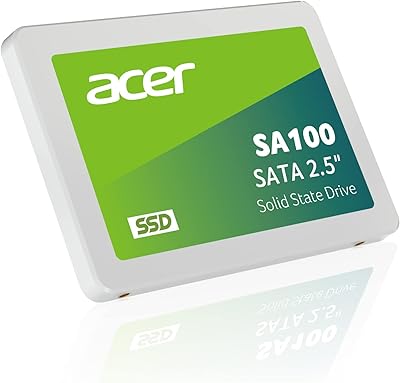
Acer SA100 960GB 2.5-inch SATA SSD

86%
91%
Value for Money
87%
Performance (Read Speed)
75%
Performance (Write Speed)
88%
Durability and Build Quality
90%
Compatibility
More
Vantec NexStar JX 3.5″ HDD Enclosure
76%
93%
Ease of Setup
78%
Transfer Speed — USB
86%
Transfer Speed — eSATA
74%
Thermal Management
67%
Build Quality
More
Cenmate 5-Bay Hybrid HDD/NVMe Enclosure
73%
83%
Build Quality
78%
Thermal Management
71%
Transfer Speed
69%
RAID Functionality
76%
Drive Compatibility
More
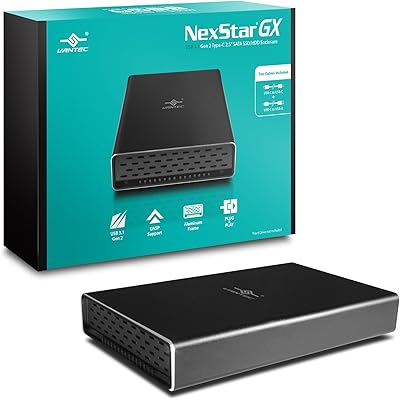
Vantec NexStar GX 2.5″ USB-C Drive Enclosure

79%
88%
Build Quality
83%
Transfer Speed
91%
Ease of Setup
71%
Heat Management
63%
Drive Fit & Tolerance
More
ICY DOCK ToughArmor MB998SP-B 8-Bay 2.5” SATA/SAS HDD/SSD Mobile Rack Enclosure for 5.25″ Bay
87%
91%
Performance
88%
Cooling Efficiency
89%
Build Quality
93%
Ease of Installation
72%
Noise Level
More
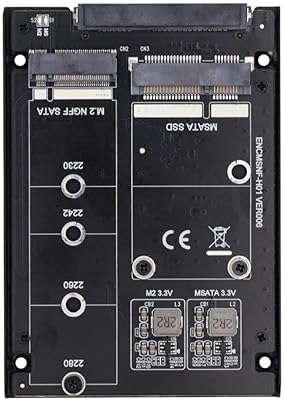
ChenYang CY-SA-060 mSATA M.2 SATA SSD Enclosure
70%
88%
Value for Money
54%
Drive Compatibility
79%
JBOD Functionality
58%
Build Quality
72%
Installation Ease
More
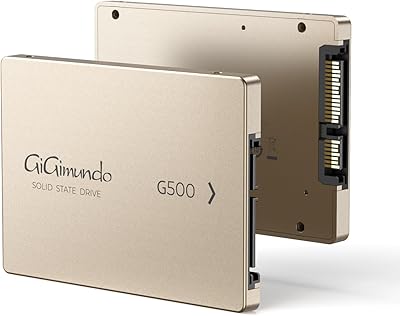
GiGimundo G500 1TB 2.5-inch SATA SSD
73%
83%
Value for Money
74%
Read/Write Performance
78%
Build Quality
58%
Reliability & Longevity
91%
Ease of Installation
More
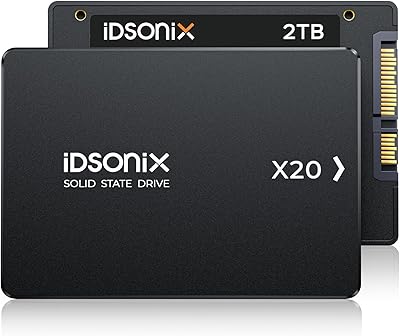
iDsonix X20 2TB 2.5-inch Internal SSD
74%
74%
Read/Write Performance
83%
Value for Money
86%
Storage Capacity
47%
Brand Reliability
57%
Warranty & Support
More
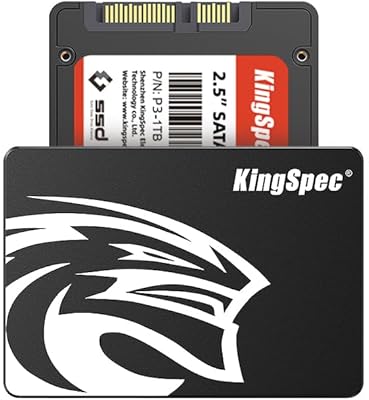
KingSpec 512GB 2.5-inch SATA SSD
77%
88%
Value for Money
83%
Read & Write Speed
86%
Installation Ease
61%
Long-term Reliability
63%
Thermal Performance
More

FAQ

It will fit in any laptop that uses a standard 2.5-inch SATA drive bay, which covers the majority of consumer laptops made over the past fifteen or so years. The simplest way to confirm is to check your laptop's service manual or look up your exact model online — if it currently houses a 2.5-inch hard drive, this drive will slot right in. Thin ultrabooks and newer laptops that use only M.2 slots will not be compatible.

The difference is dramatic and immediately obvious for everyday tasks. Boot times that used to stretch past a minute on an old hard drive typically drop to under 15 seconds, and applications that previously took several seconds to open tend to launch almost instantly. For most people upgrading from a spinning drive, it is the single biggest performance improvement they have ever made to an existing machine.

For most laptops and desktops, this is a genuinely DIY-friendly upgrade requiring little more than a small Phillips-head screwdriver and about 15 minutes. The hardware swap itself is straightforward — the trickier part is migrating your data, for which free cloning tools like Macrium Reflect (Windows) or Clonezilla work reliably. If you are not comfortable with either cloning or a fresh OS install, a technician can handle the full process quickly and affordably.

Yes, and it is worth being upfront about. The SLC cache on this ADATA drive significantly speeds up typical write tasks — saving documents, installing apps, or copying moderate-sized files — but if you push a sustained large transfer, like a 50GB folder or a full drive clone, speeds can drop noticeably once that cache is exhausted. For everyday computing, most users will never hit that ceiling; for regular heavy-duty transfers or large backup jobs, it is something to factor into your decision.

Yes, but only on older Mac models that still use a 2.5-inch SATA bay — most commonly MacBook Pros from 2009 through 2012 and certain Mac Mini configurations from that era. Newer Macs have moved entirely to proprietary or M.2 NVMe storage, so compatibility depends entirely on your specific model. No special drivers are needed; macOS will recognize the SU650 960GB natively once installed.

Honestly, no — if your machine supports NVMe via an M.2 slot, you should use it. NVMe drives deliver significantly faster speeds than any SATA drive at comparable or only slightly higher prices, and there is no practical benefit to choosing a SATA drive for a system that can do better. This budget SATA SSD is specifically the right tool for machines where SATA is the only option available.

Disk cloning is the most seamless method: software like Macrium Reflect (free for personal use on Windows) or Clonezilla copies everything from your old drive to the new one, so you boot into an identical system without reinstalling anything. A fresh OS install is the cleaner alternative — you reinstall your operating system from scratch and manually move only the files you actually want. Either approach works; cloning is faster, while a fresh install tends to result in a tidier, faster-running system.

This ADATA drive carries a standard 3-year limited warranty, which is the norm for consumer SSDs in this tier. If the drive fails under normal use within that window, ADATA handles the replacement through their support channels — you will need proof of purchase, so keep your receipt or order confirmation. The process is fairly standard for the industry, though ADATA's support responsiveness has been rated as adequate rather than exceptional in user reports.

For the majority of everyday users, yes — comfortably so. A typical Windows or macOS installation consumes around 20 to 30GB, leaving you with well over 900GB for applications, documents, and personal files. Where you might feel squeezed is if you store a large local video or photo library, or maintain a significant game library; in those cases, pairing this drive with an external storage device for overflow is a cost-effective solution.

Yes, fully and without any fuss. Linux recognizes SATA SSDs as standard block devices, so the SU650 960GB works immediately with all major distributions — Ubuntu, Fedora, Debian, Arch, and others — requiring no special configuration or drivers. It is actually a popular choice among Linux users refreshing older hardware precisely because of this plug-and-play compatibility.
