Overview

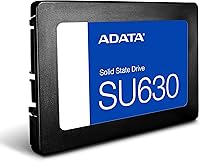
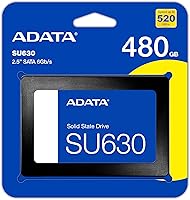
The ADATA SU630 480GB Internal SATA SSD sits squarely in the entry-level storage market, designed for everyday users who want to breathe new life into an aging PC or laptop without spending a lot. ADATA has built a solid reputation delivering dependable value storage, and the SU630 fits that mold. Its 2.5-inch SATA form factor means it slots directly into virtually any system that still runs a spinning hard drive, desktop or notebook alike. The underlying QLC 3D NAND architecture makes 480GB of capacity achievable at an accessible price point, though as with any QLC drive, there are real-world trade-offs worth understanding before you buy.
Features & Benefits

The SU630 posts sequential read speeds of up to 520 MB/s and writes up to 450 MB/s — numbers that put it well ahead of any mechanical drive. Those figures are achievable thanks to Dynamic SLC caching, which temporarily treats a portion of the QLC NAND as faster single-level cell storage. Think of it as a sprint mode: great for everyday tasks, but sustained heavy writes will see speeds taper once that cache fills. LDPC error-correction runs quietly in the background, catching and fixing data errors before they cause problems. The drive weighs just 1.66 oz and fits neatly into a 7mm bay, and ADATA throws in a toolbox utility to track health and wear over time.

Best For

This budget SATA drive is a natural fit for anyone pulling a noisy, slow spinning disk out of an old laptop or desktop. If your machine takes two minutes to boot and crawls opening browser tabs, swapping in the SU630 will feel like a genuine transformation. It handles daily workloads — browsing, document editing, streaming, light gaming — without a hiccup. It also works well as a secondary drive for media storage or a backup destination, where long-term write endurance matters less. Students and home office workers especially get a lot of mileage here: real, noticeable speed gains without the premium price tag of higher-tier NVMe options.

User Feedback

With over 6,000 ratings, this ADATA SSD has collected a wide cross-section of real-world opinion. The most consistent praise centers on dramatically faster boot times and how painless the installation process is — most users report it as a simple swap with no technical headaches. Out-of-box experience tends to be positive. Where buyers push back is on sustained write performance: under prolonged heavy loads, once the SLC cache saturates, speeds drop noticeably, which is a known QLC characteristic rather than a defect. Long-term reliability feedback is mixed but generally acceptable for the price tier. The toolbox software gets occasional mentions but few buyers seem to rely on it regularly.

Pros

  • Boot times on aging machines drop dramatically — the difference versus a mechanical drive is immediately obvious.
  • The 2.5-inch SATA form factor fits virtually any older laptop or desktop without adapters or modifications.
  • At 480GB, there is enough room for an operating system, core applications, and a solid media library.
  • The drive runs silently and stays cool, with no moving parts to rattle or generate excess heat.
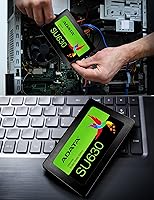
  • Installation is straightforward — most users report a clean, no-hassle swap with no prior technical experience needed.
  • LDPC error-correction quietly protects data integrity in the background without any user intervention required.
  • The bundled SSD Toolbox lets you keep an eye on drive health and estimated lifespan over time.
  • Weighing under 2 oz, the SU630 is light enough that it adds virtually nothing to a laptop's total weight.
  • Over 6,000 real-world ratings reflect broad, diverse experience across many machine types and use cases.
  • For light daily workloads, the Dynamic SLC cache keeps read and write speeds feeling snappy and responsive.

Cons

  • Sustained write speeds fall noticeably once the SLC cache is exhausted — not ideal for large file transfers.
  • QLC NAND has lower write endurance than TLC or MLC alternatives, which matters over a long ownership period.
  • The SATA III interface is a ceiling — this budget SATA drive cannot compete with NVMe speeds regardless of settings.
  • The toolbox software is functional but basic; do not expect a polished or feature-rich monitoring experience.
  • Long-term reliability feedback from users is mixed, with some reporting issues after a year or two of use.
  • Not a smart buy for a brand-new build where an M.2 slot is available and NVMe drives are similarly priced.
  • 480GB may feel tight if you store large game installs, video projects, or a growing photo collection on one drive.
  • The drive does not support PCIe, NVMe, or any protocol beyond standard SATA — future upgrade paths are limited.

Ratings

The scores below reflect an AI-driven analysis of thousands of verified global user reviews for the ADATA SU630 480GB Internal SATA SSD, with spam, incentivized submissions, and bot activity actively filtered out to surface what real buyers actually experienced. The SU630 performs strongly in categories that matter most to its target audience — everyday PC users upgrading from aging hard drives — while showing honest weaknesses in areas like sustained write performance and long-term endurance. Both strengths and frustrations are represented transparently so you can make an informed call.

Value for Money
91%
For buyers replacing a slow spinning hard drive on a tight budget, the SU630 delivers a transformative speed improvement at an entry-level price point that is hard to argue with. Reviewers consistently describe it as one of the most impactful upgrades they have made to an older machine, dollar for dollar.
The value equation weakens for buyers who compare it against similarly priced NVMe drives in newer systems — in that context, the SATA interface becomes a visible ceiling. A few users felt the QLC NAND trade-offs were not clearly communicated upfront, making the value feel less straightforward after the fact.
Read Performance
83%
Day-to-day read performance is genuinely strong for a budget SATA drive, with boot times and application load speeds that impress users coming from mechanical hard drives. Web browsing, document access, and media playback all feel snappy and responsive under normal conditions.
Read speeds are still capped by the SATA III interface, so users comparing benchmarks against NVMe alternatives will notice a clear gap. The SLC cache helps peak numbers look good on paper, but real-world read performance on a full or near-full drive can dip from those advertised figures.
Write Performance
64%
36%
For light writing tasks — saving documents, downloading software, moving moderate file batches — the Dynamic SLC cache keeps things feeling fluid and fast enough that most everyday users will not notice any bottleneck. Casual workflows are handled without obvious hesitation.
Once the SLC cache is exhausted during large sequential writes, the underlying QLC NAND shows its limitations plainly, with speeds dropping to levels that can frustrate users moving big files or installing large game updates. This is the most consistently cited complaint across user reviews and is a real consideration for any write-heavy workflow.
Installation Ease
93%
Users across all technical skill levels describe the installation process as refreshingly painless — the standard 2.5-inch form factor slots directly into virtually any compatible laptop or desktop bay without fuss. The included Migration Utility adds genuine value by letting users clone their existing drives without a clean reinstall.
A small number of users running very slim ultrabooks found the 7mm height fit tighter than expected in certain proprietary chassis. The migration software, while useful, has received occasional complaints about compatibility with specific older hardware configurations.
Long-term Reliability
67%
33%
Many users report the SU630 running without issue for a year or two of regular light use, and LDPC error correction provides a meaningful layer of data protection that most buyers in this price range do not think about until it matters. For low-intensity workloads, the reliability track record is reasonably solid.
A noticeable subset of longer-term reviews mention drive failures or degraded performance after 18 to 36 months, which is a concern given the QLC NAND architecture and its lower write endurance compared to TLC alternatives. Users who write heavily to the drive daily are at greater risk of hitting endurance limits sooner than expected.
Boot Time Improvement
89%
This is one of the most universally praised aspects across the review base — users upgrading from a mechanical HDD report boot times shrinking from 90 seconds or more down to 15 to 20 seconds, which is a visceral, immediately felt improvement that justifies the upgrade for many buyers on its own.
Boot time gains are largely a function of moving from any HDD to any SSD, so the SU630 does not stand out particularly versus other budget SATA drives in this specific regard. Users already on an older SSD would see far less dramatic improvement.
Compatibility
88%
The universal 2.5-inch SATA III form factor means the SU630 works with an extremely wide range of laptops and desktops, including machines from the mid-2000s onward that most other storage upgrades cannot accommodate as easily. Users rarely report compatibility surprises.
The drive is inherently incompatible with systems that only offer M.2 slots, which is increasingly common in newer thin-and-light laptops. A handful of users also noted that certain older SATA II systems cap the drive at reduced speeds, though it remains functional.
Software & Toolbox
61%
39%
The bundled SSD Toolbox gives users a basic but functional window into drive health metrics, wear level, and estimated lifespan — information that is genuinely useful for anyone who wants to keep an eye on how the drive is holding up over time without downloading third-party utilities.
The toolbox is widely described as bare-bones and visually dated, with limited functionality compared to monitoring tools bundled with competing brands. Several users reported installation hiccups on certain Windows configurations, and the software does not appear to receive frequent updates.
Noise & Heat
94%
With no moving parts whatsoever, this budget SATA drive runs in complete silence and generates minimal heat during typical operation — a genuine quality-of-life upgrade over a spinning hard drive that clicks, seeks, and radiates warmth under load. Users in quiet office or bedroom environments particularly appreciate this.
There is very little to criticize here relative to the product category. A small number of users in thermally constrained chassis reported slightly elevated drive temperatures under prolonged heavy use, but this is more a chassis airflow issue than a drive-specific problem.
Build & Physical Quality
74%
26%
The SU630 feels appropriately solid for its weight class, and the slim, lightweight profile makes it easy to handle during installation. At under 2 oz, it adds nothing meaningful to a laptop's bulk, and the all-plastic shell holds up fine in a standard internal bay.
The enclosure is entirely plastic, which feels noticeably less premium than the metal shells found on mid-range and higher SSD competitors. While this is cosmetically irrelevant once installed, users who handle the drive extensively during builds sometimes comment on it feeling cheaper than expected.
Write Endurance (TBW)
56%
44%
For users performing routine light writes — daily document saves, OS updates, occasional downloads — the rated endurance is adequate to get several years of use from the drive without exhausting its write budget. Most home and student users will never hit the wall under normal conditions.
QLC NAND carries a lower total bytes written rating than TLC or MLC drives at comparable capacities, and this is a real limitation for anyone running virtual machines, managing large databases, or routinely working with video files. Power users monitoring TBW figures may find the headroom uncomfortably slim.
Out-of-Box Experience
86%
Reviewers consistently describe a clean, trouble-free initial experience — the drive is recognized immediately by Windows and popular Linux distributions without requiring manual driver installation, and the migration utility works as expected for most standard system configurations.
The packaging is minimal and the documentation is sparse, which could leave very first-time upgraders without the contextual guidance they might need. A few users also noted the migration software requires a working internet connection for activation, which created friction in offline setup scenarios.
Sustained Load Handling
53%
47%
Under brief to moderate workloads — the kind of mixed activity that defines a normal home or student computing session — the SU630 manages transitions well enough that the average user will not encounter obvious stalls or slowdowns during typical use.
Extended sustained workloads expose the drive's most significant limitation clearly: once the SLC write cache fills, throughput drops sharply and recovery is slow. Video editors rendering large exports, or users transferring hundreds of gigabytes at once, will find the performance cliff frustrating and unacceptable for professional use.
Brand Trust & Support
71%
29%
ADATA has a multi-decade presence in the storage and memory market and is a recognizable name among PC builders in the value segment. The brand has enough market history that replacement units and warranty claims are generally handled without excessive friction, according to user reports.
Customer support responsiveness gets mixed feedback, with some users describing slow or unhelpful warranty resolution experiences particularly for cross-border purchases. ADATA does not carry the same brand confidence as Samsung or Western Digital in the eyes of more experienced buyers who prioritize long-term support.

Suitable for:

The ADATA SU630 480GB Internal SATA SSD is built for one very specific and very common situation: pulling a sluggish spinning hard drive out of an older PC or laptop and replacing it with something that actually feels fast. If your machine is four or more years old and still boots from a mechanical disk, this drive will make a night-and-day difference for everyday tasks — Windows loads faster, applications open without the usual waiting, and the whole system feels more responsive. Students running a secondhand laptop for schoolwork, home office users who just need reliable daily computing, and anyone on a strict budget who cannot justify spending more on an NVMe drive will find the SU630 hits a genuinely useful sweet spot. It also works well as a secondary storage drive inside a desktop, particularly for media libraries or backup duties where raw write speed is not the priority. The 2.5-inch SATA form factor means compatibility is rarely an issue — if your system has a spare bay or an existing HDD to replace, this drive will almost certainly fit.
Not suitable for:

The ADATA SU630 480GB Internal SATA SSD is not the right call for buyers who push their storage hard on a regular basis. Video editors moving large project files, photographers batch-processing RAW images, or anyone routinely writing large amounts of data will run into a real limitation: once the Dynamic SLC cache fills up, sustained write speeds drop significantly, because the underlying QLC NAND is inherently slower under heavy continuous loads. If you are building a new system from scratch, there is also little reason to choose a SATA drive when NVMe options at similar price points deliver substantially better throughput. Gamers who install and update large game libraries frequently may also find the write endurance of QLC NAND a long-term concern. And if your system already has an M.2 slot, skipping SATA entirely in favor of a faster interface is a smarter long-term investment.

Specifications

  • Capacity: The drive offers 480 GB of usable storage, suitable for an operating system, applications, and a personal media library.
  • Form Factor: It uses a standard 2.5-inch form factor with a 7mm height profile, compatible with most laptops and desktops that accept 2.5-inch drives.
  • Interface: The drive connects via SATA III, the widely supported 6 Gb/s interface found in the vast majority of consumer PCs and notebooks.
  • NAND Type: Storage is built on QLC (Quad-Level Cell) 3D NAND Flash, a technology that prioritizes capacity and cost efficiency over raw endurance.
  • Read Speed: Sequential read speeds reach up to 520 MB/s under optimal conditions with Dynamic SLC caching active.
  • Write Speed: Sequential write speeds reach up to 450 MB/s under optimal conditions, though sustained heavy writes may see reduced throughput once the SLC cache is saturated.
  • Caching: Dynamic SLC Cache technology temporarily designates a portion of the NAND as faster single-level cell storage to accelerate common read and write operations.
  • Error Correction: LDPC (Low-Density Parity-Check) ECC is implemented to detect and correct data errors, helping maintain data integrity throughout the drive's lifespan.
  • Dimensions: The drive measures 3.95 x 2.75 x 0.28 inches, consistent with the standard 2.5-inch internal drive footprint.
  • Weight: At 1.66 oz, the SU630 adds negligible weight to any laptop or desktop build.
  • Compatible Devices: The drive is designed for internal installation in both desktop PCs and notebooks that support 2.5-inch SATA storage.
  • Installation Type: This is an internal drive intended for permanent installation inside a computer chassis, not for plug-and-play external use without an enclosure.
  • Included Software: ADATA bundles the SSD Toolbox and a Migration Utility, allowing users to monitor drive health and clone existing drives to the SU630.
  • Manufacturer: The SU630 is designed and sold by ADATA Technology, a Taiwan-based company with an established presence in the value memory and storage market.
  • Color: The drive shell is finished in black, consistent with standard internal SSD aesthetics.
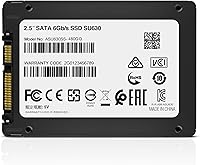
  • Model Number: The official model number is ASU630SS-480GQ-R, which can be used to verify compatibility or look up firmware updates from ADATA directly.

Related Reviews
ADATA SU650 1TB 3D-NAND SATA 2.5 inch Internal SSD
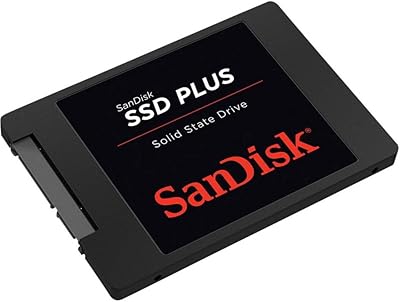
86%
88%
Performance
92%
Value for Money
85%
Installation Ease
87%
Speed (Read/Write)
78%
Software Experience
More
SanDisk SSD Plus 480GB Internal SSD
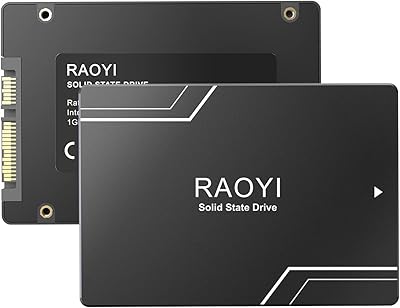
83%
91%
Value for Money
86%
Read Performance
67%
Write Performance
94%
Installation Ease
71%
Long-term Reliability
More
RAOYI 1TB 2.5″ SATA III Internal SSD
73%
88%
Value for Money
76%
Read/Write Performance
92%
Installation Ease
89%
Compatibility
61%
Brand Reliability
More
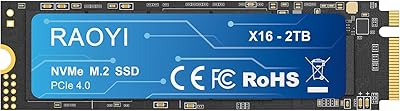
RAOYI 2TB PCIe Gen4 M.2 NVMe SSD
77%
91%
Value for Money
84%
Read Speed Performance
73%
Write Speed Performance
93%
PS5 Compatibility
88%
Ease of Installation
More
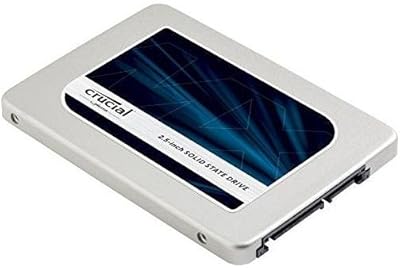
Crucial MX300 2TB Internal SSD
79%
78%
Read & Write Speed
91%
Storage Capacity
88%
Reliability & Longevity
63%
Value for Money
86%
Installation & Setup
More
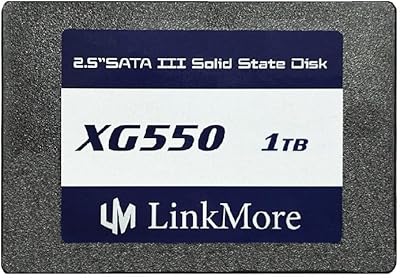
LinkMore XG550 1TB Internal SSD
78%
88%
Value for Money
93%
Installation Ease
87%
Boot Time Improvement
74%
Read/Write Performance
61%
Reliability & Longevity
More
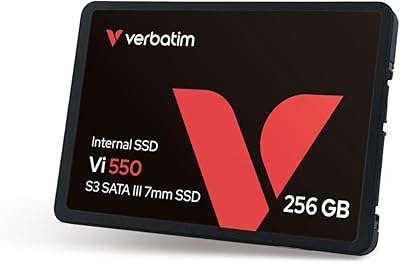
Verbatim 256GB Vi550 SATA III 2.5″ Internal SSD
86%
92%
Performance
88%
Value for Money
85%
Build Quality
90%
Ease of Installation
87%
Durability
More
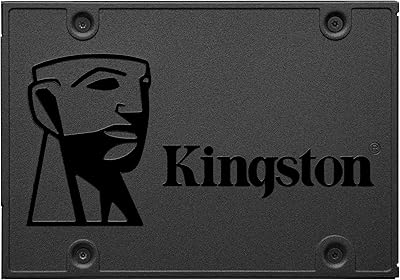
Kingston A400 240GB SATA SSD
79%
91%
Value for Money
93%
Boot Speed Impact
61%
Write Performance
83%
Long-term Reliability
54%
Workload Suitability
More
Crucial MX500 500GB 3D NAND SATA 2.5 Inch Internal SSD
87%
92%
Read Speed
88%
Write Speed
91%
Reliability
78%
Compatibility with Older Systems
84%
Temperature Management
More
SanDisk SSD Plus 2TB Internal SSD
82%
88%
Read Speed Performance
74%
Write Speed Performance
94%
Installation & Compatibility
91%
Value for Money
86%
Long-Term Durability & Reliability
More

FAQ

In most cases, yes. The SU630 uses a standard 2.5-inch SATA form factor, which is what the vast majority of laptops from the past decade use. The 7mm height also means it fits in both standard and slim-bay notebooks. Just double-check your laptop manual or manufacturer specs to confirm it uses a 2.5-inch SATA bay before ordering.

The difference coming from a mechanical hard drive is significant and immediately noticeable for everyday tasks. Boot times can drop from over a minute to under 20 seconds in many cases, and applications open much faster. For light workloads like browsing, email, and document work, the system will feel genuinely snappier across the board.

The SU630 uses a technique called Dynamic SLC caching, where a portion of the drive temporarily behaves like faster, simpler NAND storage to handle incoming data quickly. For most everyday tasks — saving files, downloading apps, copying moderate amounts of data — you will never notice any limitation. The catch is that if you write a very large amount of data in one go (think dozens of gigabytes at once), speeds can drop once that cache fills up, because the underlying QLC NAND is slower by nature. For typical home and office use, this rarely comes into play.

Not out of the box — it is designed as an internal drive. However, if you pick up an inexpensive 2.5-inch USB enclosure separately, you can turn it into an external drive. ADATA does note USB connectivity as a use case, but the enclosure itself is not included in the box.

Yes, ADATA includes a Migration Utility alongside the SSD Toolbox. The migration tool lets you clone your existing drive — operating system and all — onto the SU630, so you do not have to do a fresh Windows install. It is a handy inclusion that makes the upgrade process more approachable for less technical users.

Yes, the SU630 is a standard SATA SSD and is fully compatible with Windows 11, as well as Windows 10, Linux, and other operating systems. Keep in mind that Windows 11 has its own hardware requirements for the system itself — the drive compatibility is a separate matter from whether your overall PC meets Microsoft's upgrade criteria.

For light to moderate everyday use — browsing, office work, media playback — the drive should serve most users for several years without issue. QLC NAND does have lower write endurance than TLC or MLC alternatives, so users who write large volumes of data regularly may see a shorter lifespan. The LDPC error correction helps protect data integrity throughout the drive's life, and the included toolbox lets you monitor wear level over time.

It depends on how you game. For casual gaming — a few installed titles, moderate load times — the SU630 performs fine and is a massive step up from an HDD. For serious gamers who install and update large libraries frequently, or who game off the drive consistently at high intensity, the QLC NAND write endurance and sustained write performance may become limiting factors over time. An NVMe drive would be a stronger long-term choice for that use case.

None at all. Because this budget SATA drive has no moving parts, it operates completely silently and produces very little heat. That is one of the most underrated quality-of-life improvements over a mechanical hard drive, especially in a quiet home or office environment.

The ADATA SSD Toolbox gives you a dashboard view of the drive's health status, estimated remaining lifespan, wear level, and some basic optimization options. It is not a sophisticated utility, but it does give you a straightforward way to keep tabs on how the drive is holding up over time. Most users install it once, check it occasionally, and find it reassuring rather than essential.

Where to Buy