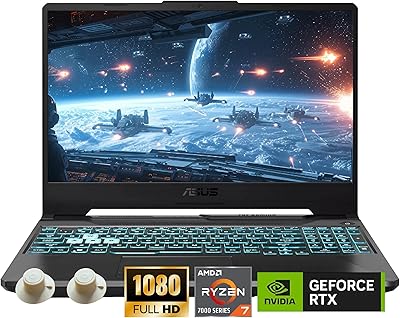
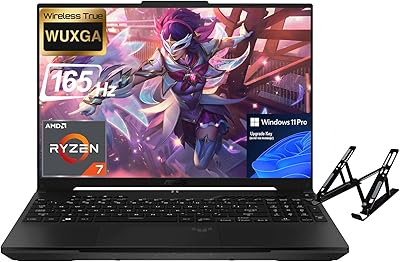
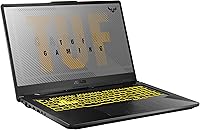
ASUS TUF Gaming A17 17.3″ Gaming Laptop

ASUS TUF Gaming A17 17.3″ Gaming Laptop — image 1

ASUS TUF Gaming A17 17.3″ Gaming Laptop — image 2
ASUS TUF Gaming A17 17.3″ Gaming Laptop — image 3

ASUS TUF Gaming A17 17.3″ Gaming Laptop — image 4
ASUS TUF Gaming A17 17.3″ Gaming Laptop — image 5
ASUS TUF Gaming A17 17.3″ Gaming Laptop — image 6
ASUS TUF Gaming A17 17.3″ Gaming Laptop — image 7
72%
28%

Overview

The ASUS TUF Gaming A17 17.3″ Gaming Laptop doesn't try to be flashy — and that's exactly the point. Built around a MIL-STD-810 military-grade chassis, this machine prioritizes durability and sustained performance over aesthetics. Pairing AMD's Ryzen 7 4800H with an NVIDIA GTX 1660 Ti at this price tier is genuinely competitive; you're getting real processing muscle without climbing into premium RTX territory. The large 17.3-inch display gives you actual screen space to game on, which desk-bound or dorm-room users will appreciate. This is a workhorse — built to take daily abuse and keep running, not to impress anyone at a coffee shop.

Features & Benefits

The Ryzen 7 4800H is the real standout here. Eight cores running up to 4.2GHz means this laptop handles heavy multitasking — streaming while gaming, juggling browser tabs, even light video editing — without skipping a beat. The GTX 1660 Ti holds its own at 1080p; expect solid frame rates across most AAA titles and strong numbers in esports games. That 120Hz IPS-Type display makes motion noticeably smoother than a standard 60Hz panel. Throw in a 1TB NVMe SSD and 16GB of fast DDR4 RAM, and load times are genuinely quick. Battery life realistically lands around 5 to 6 hours of mixed use — don't expect anything close to the claimed figures under a real gaming load.

Best For

The ASUS TUF A17 makes the most sense for college students and young professionals who need a dependable machine that can handle coursework, gaming sessions, and everything in between without babying it. If you're gaming at 1080p and want smooth frame rates without paying a premium for the latest GPU generation, this laptop delivers. It's also a strong pick for anyone who's been nursing along an aging budget machine — the performance jump will be immediately noticeable. Just go in knowing you're not buying something light enough to carry comfortably all day; this 17-inch gaming machine is best treated as a portable desktop that moves between rooms, not a true on-the-go companion.

User Feedback

Owners consistently highlight the keyboard feel and chassis rigidity as genuine strengths — the build inspires confidence in a way most plastic-heavy competitors simply don't. SSD performance also draws regular praise, with boot and game load times that feel noticeably quick. On the downside, the fans ramp up aggressively under sustained load, and the weight becomes a real consideration for anyone commuting with it daily. Several users have reported thermal throttling during marathon gaming sessions, which can quietly cut into expected frame rates. Battery life complaints are widespread — real gaming drains it fast. A smaller number of buyers have also encountered AMD and NVIDIA driver conflicts on Windows 10, though most report the issue clears up after a driver update.

Pros

  • The 8-core Ryzen 7 4800H handles gaming, streaming, and heavy multitasking simultaneously without breaking a sweat.
  • The GTX 1660 Ti delivers consistently solid 1080p frame rates across AAA titles and esports games alike.
  • MIL-STD-810 military-grade build quality sets this TUF Gaming laptop apart from cheaper, flimsier competitors.
  • The 120Hz display makes gameplay noticeably smoother than standard 60Hz panels at this price range.
  • A 1TB NVMe SSD keeps game installs, boot times, and app launches genuinely fast in daily use.
  • 16GB of DDR4 RAM provides comfortable headroom for modern games running alongside background applications.
  • The large 17.3-inch screen is a real advantage for home gaming setups and long media sessions.
  • Keyboard feel and key travel earn consistent praise from users logging long gaming and typing sessions.
  • A 90WHr battery is one of the largest cells available in this class, extending mixed-use sessions meaningfully.
  • Gigabit Ethernet delivers stable, low-latency wired connectivity for online gaming whenever Wi-Fi falls short.

Cons

  • Fan noise ramps up aggressively under sustained gaming load and is hard to ignore in quiet environments.
  • At nearly 5.73 lbs, this 17-inch gaming machine is genuinely heavy for anyone commuting or traveling regularly.
  • Real-world gaming battery life falls well short of ASUS marketing claims — expect roughly 2 to 3 hours under load.
  • The GTX 1660 Ti has no ray tracing support, limiting next-generation visual options in newer titles.
  • Thermal throttling under extended gaming sessions has been reported, quietly cutting into expected frame rates over time.
  • Display color gamut coverage is limited, making it a poor choice for color-accurate photo or video editing.
  • AMD and NVIDIA driver conflicts on Windows 10 have caused setup headaches for a notable subset of buyers.
  • Panel brightness can fall short in well-lit rooms, reducing screen clarity during daytime use.
  • The port selection is functional but dated — Wi-Fi 5 and a single USB 2.0 port show the hardware age.
  • No optical drive is included, which may be a friction point for users with disc-based software or media.

Ratings

The scores below reflect an AI-powered analysis of thousands of verified owner reviews for the ASUS TUF Gaming A17 17.3″ Gaming Laptop, with spam, bot-generated, and incentivized feedback actively filtered out before any category was scored. Each rating captures the complete picture — not just what users appreciated, but where the machine genuinely fell short in real daily use. Both clear strengths and honest pain points are weighted into every score so you can calibrate expectations before committing to a purchase.

Gaming Performance
82%
18%
At 1080p, the GTX 1660 Ti consistently delivers above 60fps in most AAA titles and well over 100fps in popular esports games like Valorant and Apex Legends. Users gaming at a fixed desk report a smooth, responsive experience that holds up reliably across normal sessions without visible stutter or hitching.
Pushing settings to ultra in graphically demanding titles like Cyberpunk 2077 causes noticeable frame rate dips, and the absence of ray tracing means users chasing the latest visual effects will need to look elsewhere. This machine is better matched to solid mid-to-high settings performance than to maxing out every visual slider.
Build Quality
88%
The MIL-STD-810H certification is not just a marketing badge here — owners consistently note the chassis feels dense and rigid compared to cheaper gaming laptops they have used before. The hinge and keyboard deck show minimal flex under pressure, and the machine handles the daily wear of dorm life or a busy desk without creaking or warping.
The lid picks up visible fingerprints and minor surface scuffs over time on the Fortress Gray finish. A number of users also note the plastic bottom panel feels slightly less premium than the top deck, which is a minor but perceptible inconsistency relative to the otherwise solid construction.
Display Quality
76%
24%
The 120Hz refresh rate is the panel's clear standout — switching back to a 60Hz screen after gaming on this one feels immediately sluggish. For esports titles and fast-paced action games the smoother motion makes a genuine, tangible difference, and everyday tasks like scrolling and video playback also benefit noticeably from the higher refresh rate.
Color gamut coverage is the display's most significant weakness, falling short of the sRGB range many buyers expect at this price and making colors look slightly washed out in photo editing tools or visually rich game environments. Peak brightness also struggles in brightly lit rooms, limiting comfortable use in sunlit spaces.
CPU Performance
91%
The Ryzen 7 4800H genuinely punches above its price class — eight cores and sixteen threads handle gaming, Discord, a browser with multiple tabs, and a live stream running simultaneously without any of them suffering perceptibly. Users upgrading from older quad-core machines consistently describe the multitasking improvement as both immediate and dramatic.
Under prolonged all-core workloads like extended video rendering or large compilation tasks, the processor does encounter thermal limits that pull clock speeds back slightly over time. This matters more for content creators than for gamers, but users who routinely stress-test the machine will notice it cannot sustain peak boost indefinitely.
Thermal Management
63%
37%
For gaming sessions under an hour, the dual-fan cooling system does a reasonable job keeping temperatures in check and maintaining consistent frame rates. The vents are positioned well enough to avoid blowing hot air directly onto the user's hands, and many owners report stable performance during shorter, less demanding gaming bursts.
Extended gaming marathons beyond 60 to 90 minutes under heavy load frequently trigger thermal throttling, reducing clock speeds to manage heat and producing measurable frame rate drops compared to shorter benchmark runs. The bottom of the chassis also becomes genuinely uncomfortable during these sessions, making sustained lap use a real problem.
Battery Life
47%
53%
The 90WHr cell is one of the more generously sized batteries in this laptop class, meaning light mixed-use tasks like document editing, browsing, and streaming can realistically stretch to 4 or 5 hours on a single charge. For non-gaming productivity away from an outlet, it offers more runway than smaller-battery competitors in this tier.
Under any real gaming load the battery drains in roughly 2 to 3 hours — far below the 11-hour figure promoted in the listing, which has become a recurring and pointed frustration in user reviews. Buyers who purchased expecting meaningful all-day battery life frequently leave negative feedback after discovering the marketed figure requires near-idle conditions to approach.
Portability
52%
48%
For users who work primarily from a fixed desk, the 17.3-inch form factor is an asset rather than a drawback — the larger chassis accommodates better cooling, a bigger battery, and more screen space than most 15-inch competitors, all of which benefit desk-bound users in a meaningful and practical way.
At 5.73 lbs with a footprint requiring a large dedicated bag, daily commuters and students carrying the machine between classes consistently cite the weight as a genuine and recurring inconvenience. The power adapter adds further bulk, and the full travel package is simply not comfortable for anyone moving it around multiple times per day.
Storage & Memory
87%
The pairing of a 1TB NVMe SSD and 16GB of DDR4 at 3200MHz is well-matched to gaming and light creative work in practice. Game installs load fast, Windows boots quickly, and users rarely bump into RAM limits running several applications simultaneously — those upgrading from SATA SSDs or 8GB systems describe the improvement as immediately obvious.
Users with large game libraries may find 1TB fills up faster than expected given modern install sizes, and expanding internal storage requires replacing or supplementing the existing drive rather than simply adding to it. This is a meaningful limitation for anyone who regularly installs and rotates between many large titles.
Value for Money
79%
21%
For a buyer prioritizing 1080p gaming performance per dollar, the Ryzen 7 4800H and GTX 1660 Ti combination delivers real capability without crossing into premium RTX pricing territory. Users who compared specifications against similarly priced competitors consistently describe this as one of the better-equipped options available in the mid-range gaming laptop segment.
The GTX 1660 Ti is now an older GPU generation, and buyers planning to keep this machine three or more years may find it struggling with future game demands sooner than an RTX alternative would. The dated Wi-Fi 5 adapter and absence of a Thunderbolt port also erode the long-term value case for buyers who care about future-ready connectivity.
Keyboard & Trackpad
77%
23%
The keyboard consistently earns praise for its key travel depth and tactile feedback, which is noticeably better than the shallow, unresponsive keyboards found on many competing gaming laptops at this price. Extended typing sessions for coursework or work tasks feel comfortable, and the inclusion of a full numpad is a practical bonus that number-heavy users appreciate.
The trackpad is functional but polarizing — some users find it adequately sized and responsive, while others report inconsistent tap-to-click registration and an unremarkable surface texture. Most gamers connect an external mouse regardless, but the trackpad's shortcomings become more apparent during everyday productivity tasks where precise cursor control is needed.
Fan Noise
54%
46%
During light workloads — browsing, document editing, or streaming video — the fans run quietly enough to fade into the background without much effort. This makes the TUF A17 a reasonably pleasant machine for study sessions or non-gaming productivity, where thermal demands stay low and the cooling system does not need to push hard.
Once gaming starts in earnest, the fans ramp up to an audible level that many users describe as distracting in quiet dorm rooms, libraries, or shared workspaces. At peak load the noise has been compared unfavorably to competing laptops in the same class, and third-party fan control software frequently becomes a necessity rather than an option.
Connectivity
71%
29%
Gigabit Ethernet is a practical asset for competitive online gaming, delivering the stable, low-latency wired connection that Wi-Fi cannot reliably replicate. Three USB 3.0 Type-A ports handle most standard peripheral setups comfortably — a gaming mouse, headset adapter, and external drive can all connect simultaneously without requiring a hub.
Wi-Fi 5 feels dated compared to the Wi-Fi 6 adapters now standard in many competing laptops at similar prices, and users in dense apartment buildings occasionally report congestion-related slowdowns. The absence of a Thunderbolt or USB-C port is a notable gap that limits high-speed docking, fast charging, and modern display output options.
Software Experience
66%
34%
Out of the box, the Windows 10 Home installation runs cleanly on the Ryzen platform, and ASUS Armoury Crate gives users accessible control over fan profiles and performance modes without requiring any technical expertise. Most owners report the machine is ready for gaming within minutes of completing the initial setup.
A recurring complaint involves conflicts between AMD Ryzen chipset drivers and the NVIDIA GPU drivers on Windows 10, occasionally surfacing as display glitches, unexpected crashes, or unexplained frame rate instability. Resolving these issues typically demands manual driver updates and troubleshooting patience — a frustrating experience for users who expected a straightforward plug-and-play setup.

Suitable for:

The ASUS TUF Gaming A17 17.3″ Gaming Laptop is built for buyers who want genuine performance and durability without paying flagship prices. College students and young professionals who game regularly will find it a capable all-rounder — the 8-core Ryzen 7 handles coursework, multitasking, and gaming in a single machine without feeling stretched. Anyone still on an aging laptop with a weak GPU will notice an immediate, meaningful performance jump, particularly at 1080p where the GTX 1660 Ti delivers consistently smooth frame rates in both AAA and competitive titles. The MIL-STD-810 chassis makes it a smart pick for buyers who are hard on their gear and want a machine that holds up over years of daily use. If screen real estate matters more to you than portability — think dorm desks, home offices, or LAN setups — the 17.3-inch 120Hz display is a legitimate draw that smaller laptops simply cannot match.

Not suitable for:

The ASUS TUF Gaming A17 17.3″ Gaming Laptop is a poor fit for anyone who travels frequently or needs a laptop they can comfortably carry all day — at nearly 5.73 lbs, the weight adds up fast in a backpack. Buyers chasing high-refresh gaming at maximum settings in the most demanding modern titles may find the GTX 1660 Ti running short of headroom, and since it is an older GPU generation, there is no ray tracing support if that matters to your gaming lineup. If you need reliable all-day battery life away from an outlet, this machine will disappoint — real-world gaming drains it in roughly 2 to 3 hours, falling well short of any marketing claim. Buyers expecting near-silent operation will be put off by the fan noise under any sustained load. Finally, creative professionals who need accurate color reproduction for photo or video work should look elsewhere, as the display color gamut coverage is limited.

Specifications

  • Processor: Equipped with the AMD Ryzen 7 4800H, an 8-core, 16-thread chip clocked up to 4.2GHz, delivering strong multi-threaded performance for both gaming and demanding productivity workloads.
  • Graphics Card: Features the NVIDIA GeForce GTX 1660 Ti with 6GB of GDDR6 VRAM, a capable card for smooth 1080p gaming across a wide range of AAA and competitive titles.
  • Display: A 17.3″ IPS-Type Full HD panel at 1920x1080 resolution with a 120Hz refresh rate, producing noticeably smoother motion than standard 60Hz screens during fast-paced gameplay and video playback.
  • System RAM: Ships with 16GB of DDR4 running at 3200MHz, providing comfortable headroom for modern games running alongside background applications, browser tabs, and communication tools.
  • Storage: Includes a 1TB PCIe NVMe M.2 SSD, which delivers significantly faster read and write speeds than traditional SATA drives, keeping boot times, game load screens, and file transfers quick.
  • Battery: Houses a 90WHr lithium-ion cell, one of the larger battery packs in this laptop class, though sustained gaming will drain it in roughly 2 to 3 hours rather than the marketed figure.
  • Operating System: Ships with Windows 10 Home pre-installed, supporting the full range of PC gaming titles and standard productivity software without any additional OS setup required.
  • Weight: The chassis weighs 5.73 lbs (approximately 2.6 kg), typical for a 17-inch gaming laptop but a meaningful consideration for anyone planning to carry it daily for commuting or campus use.
  • Dimensions: Measures 15.7 x 10.6 x 1 inches, a footprint that fits comfortably on a standard desk but requires a larger bag or dedicated laptop sleeve for transport.
  • Wireless: Supports Wi-Fi 5 (802.11ac) and Bluetooth for wireless connectivity, covering most home and office networking needs, though it lacks the higher throughput ceiling of newer Wi-Fi 6 adapters.
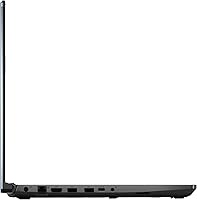
  • Ports: Includes three USB 3.0 Type-A ports, one USB 2.0 port, a 3.5mm combo audio jack, and a Gigabit Ethernet port for low-latency wired network connections.
  • Build Standard: The chassis meets MIL-STD-810H military-grade testing standards for resistance to drops, vibration, temperature extremes, and humidity, setting it apart from standard consumer-grade plastic builds.
  • Color: Available in Fortress Gray, a muted, understated finish with angular TUF-series styling details that avoids the more aggressive aesthetic found on some competing gaming laptops.
  • Optical Drive: No optical drive is included, which is standard for modern gaming laptops of this profile but worth noting for anyone who still relies on disc-based media or legacy software.

Related Reviews
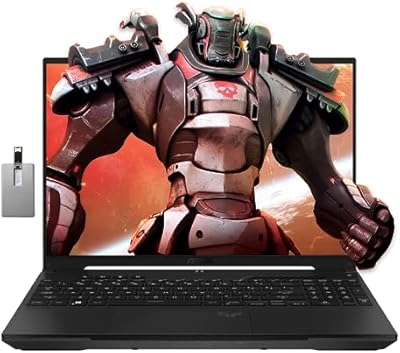
ASUS TUF F17 RTX 4070 Gaming Laptop
74%
93%
Gaming Performance
91%
Display Quality
84%
Build Quality
78%
Value for Money
34%
Battery Life
More
ASUS TUF Gaming A17 2023 Gaming Laptop
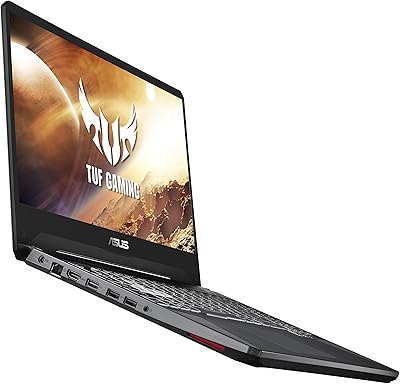
72%
88%
Gaming Performance
91%
CPU Performance
74%
Thermal Management
71%
Display Quality
83%
Build Quality
More
ASUS TUF FX505DT 15.6″ Gaming Laptop
70%
78%
Gaming Performance
84%
Display Quality
83%
Build Quality
76%
Value for Money
81%
Keyboard & Trackpad
More
ASUS TUF A16 16-inch Gaming Laptop
74%
83%
Gaming Performance
81%
Build Quality
77%
Thermal Management
72%
Display Quality
88%
RAM & Multitasking
More
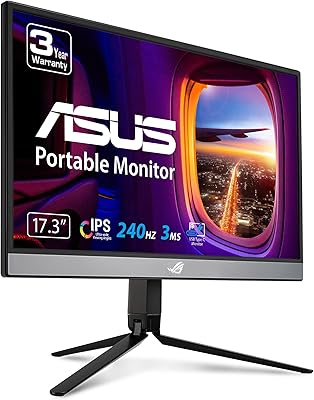
ASUS ROG Strix XG17AHP 17.3″ Portable Monitor
77%
93%
Display Smoothness
91%
Portability
89%
Included Accessories
58%
Battery Life
82%
Connectivity
More
ASUS TUF A16 Gaming Laptop
74%
84%
Gaming Performance
71%
Display Quality
83%
Build Quality
58%
Thermal Management
54%
Fan & Noise Level
More
ASUS TUF A15 Gaming Laptop, AMD Ryzen 7 7435HS, 64GB RAM, 2TB SSD
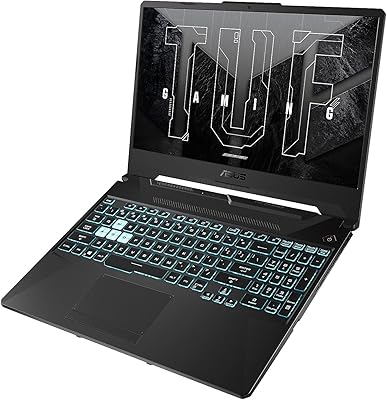
85%
92%
Gaming Performance
88%
Multitasking Capability
85%
Cooling System Efficiency
83%
Build Quality
70%
Portability
More
ASUS TUF F15 Gaming Laptop
71%
74%
Gaming Performance
81%
Display Quality
86%
Build Quality & Durability
67%
Processor Performance
58%
RAM & Multitasking
More
ASUS TUF A16 Gaming Laptop, Ryzen 7 7735HS, 64GB RAM, 2TB SSD, 16″ 165Hz
84%
94%
Performance
90%
Display Quality
75%
Battery Life
65%
Portability/Weight
88%
Build Quality
More
ASUS TUF F16 Gaming Laptop, Intel i7-14650HX, 32GB RAM, 2TB SSD, RTX 5060
84%
94%
Performance
91%
Gaming Experience
89%
Display Quality
88%
Build Quality and Durability
86%
Cooling and Thermals
More

FAQ

Yes, the GTX 1660 Ti handles most current AAA titles at medium to high settings with solid 1080p frame rates. Games like Fortnite, Apex Legends, and Rainbow Six Siege run very well. For more demanding titles like Cyberpunk 2077, you will likely need to dial settings down from ultra to maintain smooth performance, but that is a reasonable trade-off at this price tier.

Not under real-world conditions. The ASUS TUF Gaming A17 17.3″ Gaming Laptop's 11-hour estimate reflects very light use — think document editing with reduced brightness — not gaming. Under actual gaming load, expect roughly 2 to 3 hours. For mixed use like web browsing and light work, something in the 4 to 6 hour range is more realistic. It is a large battery cell for a gaming laptop, but keep a charger nearby for serious sessions.

Yes, and this is one of the practical strengths of the TUF A17 platform. The laptop has accessible SO-DIMM slots and the M.2 bay supports NVMe drives, so adding a second drive or swapping to higher-capacity RAM is straightforward for anyone comfortable opening a laptop. Just verify the maximum supported RAM and slot configuration before purchasing parts.

Quite loud under sustained load. The cooling system does a reasonable job managing thermals, but it works hard to do it, and the fans become clearly audible even in a moderately noisy room. With headphones on during gameplay it is a non-issue, but if you are gaming in a quiet space, the people around you will notice.

No, ray tracing is exclusive to NVIDIA's RTX-series cards, and the GTX 1660 Ti predates that feature entirely. For rasterized 1080p gaming it performs well and is fairly priced for what it delivers, but if ray tracing is a priority for you, an RTX-equipped laptop would be the right move.

It is a solid choice if you primarily use it at a desk and game regularly. The durable chassis holds up well, and the 8-core CPU handles coursework, coding projects, and gaming without complaint. The main caveat is weight — carrying nearly 5.73 lbs through campus every day is not comfortable for most people, so think honestly about how much you will be moving it between locations.

Not really. The IPS-Type panel is fine for gaming and general media consumption, but the color gamut coverage falls short of what photographers or graphic designers typically need for accurate work. If color fidelity matters for your workflow, look for a laptop that specifically advertises wide-gamut or sRGB-calibrated display coverage.

Yes, via HDMI, and it works well for a dual-display desk setup. This is a useful option if you want a higher-resolution or wider external screen for productivity while keeping the native 120Hz panel available for gaming. Most standard monitors will connect without any additional adapters.

A subset of users have reported conflicts between the AMD Ryzen integrated graphics and the NVIDIA GPU on Windows 10, which can occasionally cause display glitches or stuttering. Keeping both the AMD chipset drivers and NVIDIA GPU drivers current resolves the problem in most cases. It is worth doing a clean driver install and checking for updates as soon as the machine is set up to avoid issues early on.

Some users have reported CPU and GPU clock speeds pulling back after extended periods of heavy load — typically after an hour or more of sustained gaming. This thermal throttling can shave frame rates below what a short benchmark would suggest. Using a quality laptop cooling pad and keeping the vents unobstructed helps, and more experienced users have found that undervolting the CPU reduces throttling noticeably.