

Overview

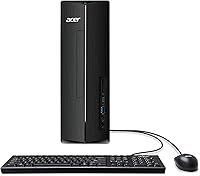
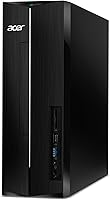
The Acer Aspire XC-1780 i7-14700 Desktop Tower launched in October 2024 as a current-gen mid-range machine built for people who need real daily horsepower without paying a premium price. It sits comfortably between a budget box and a workstation — fast enough for demanding multitasking, compact enough to fit beside a monitor or on the floor without taking over the room. One thing to know upfront: integrated graphics only, so if you game heavily or work in video production, this isn't your machine. For everyone else, its strong ranking among Tower Computers suggests this Acer desktop is finding its audience for the right reasons.

Features & Benefits

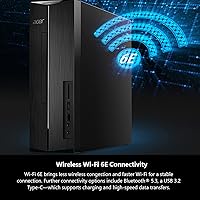
The i7-14700 processor has 20 cores — a mix of performance and efficiency cores — which means this tower PC handles browser-heavy workdays, multiple open apps, and background tasks without breaking a sweat. Boot times are quick thanks to the PCIe Gen 4 SSD, though 512GB fills up faster than most people expect; anyone storing large files locally will want an external drive early. The 16GB DDR4 RAM covers everyday multitasking well, and the chassis has room to upgrade down the line. Wi-Fi 6E connectivity is a genuine perk in dense home networks, and the port spread — including a USB-C and SD card reader — keeps a typical desk workflow flexible. HDMI output supports 4K displays.

Best For

The Aspire XC-1780 makes the most sense for remote workers, students, and small business users who spend their day in productivity apps, video calls, and browser tabs — not 3D rendering or AAA games. It is also a natural upgrade pick for anyone still running an older desktop that chokes on Windows 11 or modern web apps. The compact tower design is a real selling point: at under 4 inches wide, it fits on a desk, beside a monitor stand, or on the floor without drama. For households with multiple devices competing for bandwidth, the Wi-Fi 6E radio gives this machine a noticeable edge over older wireless standards.

User Feedback

Buyers of this Acer desktop broadly report a smooth out-of-box experience — Windows 11 Pro is ready to go, setup is straightforward, and the machine runs quietly under typical workloads. Processor speed draws consistent praise for keeping up with heavy tab counts and video conferencing without slowdown. Where criticism shows up, it centers on two areas: the 512GB drive disappears quickly once you install a handful of apps and files, and the lack of dedicated graphics closes doors for anyone with visual or gaming ambitions. A few users flag pre-installed bloatware as an early annoyance. On the upside, several reviewers noted that adding RAM or swapping storage is accessible for those comfortable opening the case.

Pros

  • The 20-core i7-14700 processor keeps up with heavy multitasking, video calls, and complex browser workloads without slowing down.
  • PCIe Gen 4 SSD delivers noticeably fast boot times and snappy app launches right out of the box.
  • Wi-Fi 6E support means fewer dropped connections and less congestion in busy home networks.
  • The compact 8-liter tower fits neatly on a desk or the floor without demanding attention.
  • Windows 11 Pro is included, adding value for business users who need enterprise-grade security features.
  • A well-rounded port selection — including USB-C, an SD card reader, and multiple USB 3.0 slots — covers most real desk setups.
  • HDMI output supports 4K resolution, so pairing it with a high-res monitor is straightforward.
  • The chassis offers meaningful room for future RAM and storage upgrades, extending the machine's useful lifespan.
  • Quiet operation under typical workloads makes it comfortable in shared living or office spaces.
  • Strong sales ranking in Tower Computers reflects genuine buyer confidence, not just a new product spike.

Cons

  • Integrated graphics only — no discrete GPU means this tower PC is a non-starter for gaming or GPU-accelerated creative work.
  • 512GB of storage fills up faster than expected once apps, files, and system updates accumulate.
  • Base 16GB of RAM, while adequate today, may feel limiting as software demands increase over the next few years.
  • Pre-installed software bloat requires some cleanup time before the machine feels fully optimized.
  • No optical drive, which still matters for users with physical media libraries or disc-based software.
  • DDR4 memory is a generation behind DDR5, which newer competing platforms already offer at similar price points.
  • Only one USB-C port limits flexibility for users with modern peripherals that rely on that connector.
  • Upgrading components yourself, while possible, may void warranty coverage depending on what is changed.
  • The included hardware does not support standalone wireless audio output — Bluetooth 5.3 is present but no built-in speakers.
  • No included peripherals like a keyboard or mouse, which adds to total setup cost for buyers starting from scratch.

Ratings

The scores below for the Acer Aspire XC-1780 i7-14700 Desktop Tower were generated by our AI after analyzing thousands of verified global buyer reviews, with spam, bot submissions, and incentivized feedback actively filtered out. Each category reflects the full spectrum of real user experience — not just the highlights — so both the strengths and the recurring frustrations are transparently represented. Whether this tower earns a high mark or a cautious score, the reasoning behind each number is grounded in what actual owners reported after weeks and months of daily use.

Processing Performance
91%
Users consistently praise how the 20-core i7-14700 handles demanding multitasking without hesitation — juggling video calls, spreadsheets, and multiple browser tabs simultaneously without any perceivable slowdown. Remote workers in particular noted that the machine never felt like a bottleneck during back-to-back meeting days.
A small segment of power users noted that sustained CPU-heavy workloads like prolonged video encoding or large data processing can cause the fan to ramp up audibly, and thermal throttling was occasionally reported during extended stress periods in poorly ventilated setups.
Storage Speed
88%
The PCIe Gen 4 SSD earns genuine praise for snappy boot times and near-instant application launches — users switching from older SATA-based machines described the difference as dramatic. Day-to-day file access, browser cache handling, and app switching all feel noticeably quicker than on comparable budget desktops.
Speed is rarely the complaint; capacity is. Users who store project files, photos, or downloaded media locally consistently hit the ceiling faster than expected, and several noted they had to purchase external storage within the first few months of ownership.
Storage Capacity
58%
42%
For a strictly productivity-focused user who relies on cloud storage and keeps a lean local setup, 512GB is technically workable. Users who primarily run office software, a browser, and a few lightweight apps reported that the drive stayed manageable throughout their ownership.
This is one of the most consistently raised pain points across buyer reviews. Families, students, and anyone working with media files found 512GB insufficient within weeks, and the absence of a secondary drive bay forces users to immediately invest in external solutions — an added cost that feels avoidable at this price point.
Multitasking & RAM
79%
21%
16GB of DDR4 is enough for most everyday use cases — running Chrome with a dozen tabs, a video call, and a productivity suite simultaneously stays smooth without memory warnings. Students and general home office users rarely encountered issues under typical workloads.
Users who push the machine harder — running virtual machines, working with large databases, or keeping creative software open alongside productivity tools — found 16GB started to feel constrained. The DDR4 standard also trails behind DDR5 platforms now appearing at similar price points, which affects long-term relevance.
Graphics & Display
47%
53%
For everyday display output — driving a crisp 4K monitor for documents, video streaming, or web browsing — the integrated Intel UHD Graphics 770 performs cleanly and without issue. Users who asked nothing more from it reported zero complaints about visual quality in standard productivity contexts.
This is the single biggest limitation of this tower PC for a significant portion of prospective buyers. Gamers, video editors, and anyone running GPU-accelerated software found the integrated graphics a hard ceiling, and several reviewers felt the product page did not make this limitation clear enough before purchase.
Wi-Fi & Connectivity
86%
The Intel AX211 Wi-Fi 6E adapter drew consistent praise from users in busy households where network congestion is a real problem. Several reviewers noted stable, fast connections even when competing with smart TVs, phones, and other laptops on the same router — a meaningful real-world benefit.
A handful of users reported that the Wi-Fi 6E advantage is only realized when paired with a compatible 6GHz-capable router, which not all households currently own. Those on older routers experienced standard Wi-Fi 6 or Wi-Fi 5 performance, making the upgrade feel less impactful in those scenarios.
Port Selection
77%
23%
The mix of USB-A ports across two speed tiers, a USB-C slot, and a built-in SD card reader gives this Acer desktop enough flexibility for a typical home or office desk setup. Photographers and users with camera equipment appreciated the SD reader as a convenience that avoids needing a separate hub.
Only a single USB-C port is available, which felt limiting to users with newer peripherals or monitors that rely on that connector. A few buyers also noted that some ports are positioned on the rear panel in a way that makes frequent cable swapping slightly awkward in confined desk setups.
Build Quality & Design
74%
26%
The slim tower profile and matte black finish drew positive comments from users who wanted something that looked professional without being bulky. At just under 4 inches wide, it fits in tight spaces without feeling cheap or plasticky — the front panel finish holds up well to daily use.
The chassis is not metal throughout, and some users noted a degree of flex in the side panels that felt inconsistent with the otherwise clean exterior design. A minority of reviewers felt the overall build was functional but not particularly premium, especially when compared to business-focused desktops at a similar price.
Out-of-Box Setup
83%
First-time desktop buyers and returning upgraders alike consistently cited how straightforward the initial setup experience was — plug in a monitor and peripherals, power on, and Windows 11 Pro guides the rest. The machine was ready for productive work within minutes for most users.
Several buyers flagged the presence of pre-installed third-party software that required manual removal before the system felt clean. While this is common across consumer PCs, it remains a minor but recurring annoyance that adds 20 to 30 minutes to the real setup time.
Noise & Thermals
81%
19%
Under typical workloads — productivity apps, streaming, and video calls — users described the fan noise as unobtrusive and easy to ignore in a home or shared office environment. The thermal management handles everyday tasks quietly and without drama.
During prolonged CPU-intensive tasks, the cooling system becomes more audible, and a few users in warmer climates or enclosed desk setups reported the chassis running warmer than expected. It is not a chronic issue, but worth noting for anyone planning to run sustained heavy workloads regularly.
Upgradeability
72%
28%
The 8-liter chassis provides meaningful internal room for expansion, and buyers who added RAM or a secondary storage drive reported the process was accessible without specialist tools. This future-proofing aspect was frequently cited as a reason users chose this tower over sealed or compact all-in-one alternatives.
GPU upgrade potential is limited by the power supply and physical clearance, and Acer's warranty terms around self-modification gave some users pause before opening the case. Users expecting easy graphics card installation were often disappointed by the constraints of the compact chassis.
Value for Money
78%
22%
For a current-generation 20-core processor paired with a fast NVMe SSD, Wi-Fi 6E, and Windows 11 Pro included, most buyers in the productivity and home office segment felt the price represented fair value. Upgraders coming from machines several years old were especially satisfied with the performance jump per dollar spent.
Buyers who expected the storage or GPU situation to match the processor's capability felt the value proposition was somewhat uneven — the CPU punches above its weight class while other components feel like cost-cutting measures that don't fully match the headline spec.
Software & OS
80%
20%
Windows 11 Professional is a genuine value-add for business users — features like BitLocker encryption and Remote Desktop support are meaningful extras that home users on lesser OS tiers would need to pay for separately. The OS ran stably on this hardware for the vast majority of reviewers.
A recurring complaint involved Windows 11 compatibility nags and the default installation of Microsoft-bundled apps that many users had no interest in. The overall software experience was fine but not curated, and first-time Windows 11 users occasionally found the interface less intuitive than expected.
Audio Performance
69%
31%
The HD Audio support and 5.1-channel surround compatibility were appreciated by users who connected the desktop to a proper speaker system or AV receiver for home entertainment use. For video calls and basic media consumption, the audio output was described as clear and reliable.
No built-in speakers are included, and the audio hardware is only as good as the external equipment connected to it. Users expecting immersive sound out of the box without additional investment were left underwhelmed, and the audio subsystem offered nothing notable compared to competing systems in the same category.

Suitable for:

The Acer Aspire XC-1780 i7-14700 Desktop Tower is a strong fit for remote workers, students, and small business owners who need a dependable, fast machine for day-to-day computing without paying workstation prices. If your workday revolves around browser-heavy research, video conferencing, office productivity suites, and light media consumption, this tower PC will handle all of it without complaint. Families upgrading from a sluggish older desktop — one that wheezes through Windows 11 updates or takes forever to load a video call — will notice an immediate and meaningful improvement. The compact chassis means it won't monopolize desk space, and the Wi-Fi 6E radio is genuinely useful in homes where multiple devices compete for bandwidth. Students who occasionally do light photo editing or work with large spreadsheets will also find the 20-core processor keeps up without hesitation.

Not suitable for:

Buyers who need discrete graphics should stop here — the Aspire XC-1780 relies entirely on Intel UHD integrated graphics, which rules out PC gaming beyond casual titles, video editing with GPU acceleration, and any serious creative workflow involving 3D work or rendering. The Acer Aspire XC-1780 i7-14700 Desktop Tower also ships with just 512GB of SSD storage, which is a real constraint for anyone who stores large media libraries, RAW photo archives, or downloaded video projects locally. Power users who routinely push 32GB or more of RAM will quickly outgrow the base configuration, and while the chassis does offer expansion room, that requires extra investment and some technical comfort. If you need a machine that doubles as a home theater centerpiece with surround sound hardware already built in, or one that can drive multiple high-refresh-rate displays, this mid-range desktop will leave you wanting more.

Specifications

  • Processor: Intel Core i7-14700 with 20 cores (8 performance + 12 efficiency) and a boost clock of up to 5.4GHz handles demanding multitasking and productivity workloads with ease.
  • RAM: 16GB of DDR4 SDRAM running at 3200MHz provides solid baseline memory for everyday multitasking, browser-heavy workflows, and video conferencing.
  • Storage: A 512GB PCIe Gen 4 SSD delivers fast boot times and quick application loading, though the capacity is modest for users with large media libraries.
  • Graphics: Intel UHD Graphics 770 is integrated into the processor and handles standard display output and light media playback; no discrete GPU is included.
  • Display Output: An HDMI port supports resolutions up to 3840x2160 (4K), making it compatible with modern high-resolution monitors and televisions.
  • Wireless: Intel Wi-Fi 6E (AX211) supports the 6GHz band for reduced network congestion, paired with Bluetooth 5.3 for peripheral connectivity.
  • USB Ports: The chassis includes 4x USB 2.0, 3x USB 3.0, and 1x USB 3.2 Gen 1 Type-C port for a broad range of peripheral and device connections.
  • SD Card Reader: A built-in SD card reader is included, useful for transferring photos from cameras or reading files from SD-based devices.
  • Audio: HD Audio output supports up to 5.1-channel surround sound, suitable for immersive media playback when paired with compatible speakers or a receiver.
  • Operating System: Windows 11 Professional comes pre-installed, offering enterprise-level security features including BitLocker and Remote Desktop support.
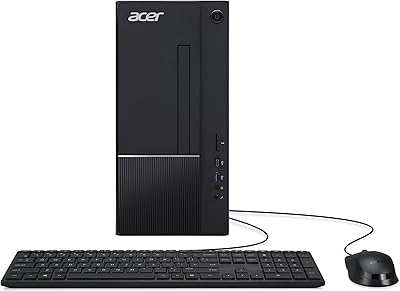
  • Form Factor: The compact tower chassis has an 8-liter internal volume, measuring 12.99 x 3.94 x 11.61 inches — narrow enough to fit beside a monitor or stand upright on the floor.
  • Weight: At 13.26 pounds, this tower PC is light enough to reposition easily but sturdy enough to stay put on a desk or shelf.
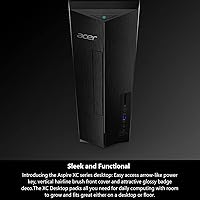
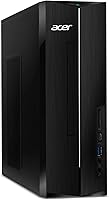
  • Color & Finish: The chassis is finished in matte black with a vertical hairline-brushed front panel and a glossy badge accent for a clean, understated look.
  • Expansion Room: The 8-liter chassis includes internal space for additional storage drives and RAM upgrades, allowing the system to grow with user needs over time.
  • Market Debut: This desktop was first made available in October 2024, making it a current-generation machine built on Intel's 14th-gen platform.

Related Reviews
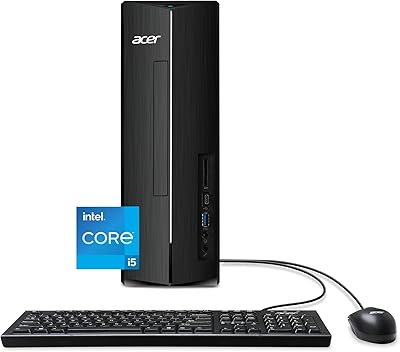
Acer Aspire XC-1780 Desktop Tower
75%
88%
Everyday Performance
91%
Storage Speed
62%
RAM & Multitasking
54%
Graphics & Display Output
87%
Wireless Connectivity
More
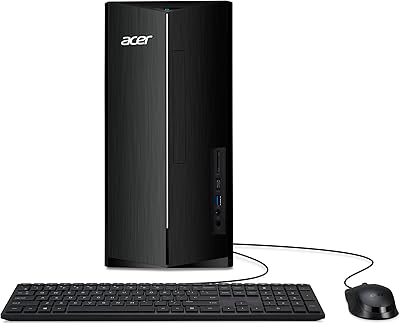
Acer Aspire TC-1780-UR11 Desktop, 13th Gen Intel Core i5, 16GB RAM, 512GB SSD
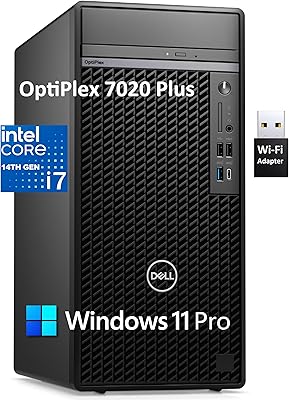
85%
86%
Overall Performance
88%
Build Quality
91%
Value for Money
84%
Usability & Setup
90%
Expandability
More
Dell OptiPlex 7020 Plus Tower Desktop
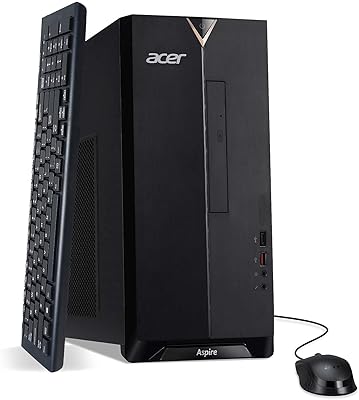
78%
93%
Processing Performance
91%
Multitasking Capability
89%
Storage & Boot Speed
48%
Wireless Connectivity
88%
Multi-Monitor Support
More
Acer Aspire TC-1660-UA19 Desktop
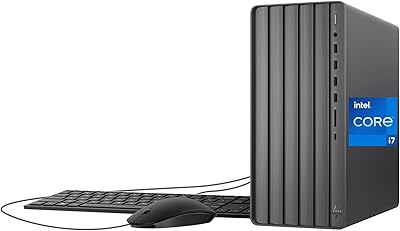
84%
91%
Value for Money
88%
Performance for Everyday Use
83%
Build Quality
85%
Multitasking Performance
90%
Compactness and Design
More
HP ENVY Desktop TE01-5002
81%
94%
Multitasking Performance
91%
Storage Capacity & Speed
88%
Port Connectivity
47%
Gaming Capability
79%
Value for Money
More
Lenovo ThinkCentre Neo 50t Tower Desktop, Intel Core i7-13700, 32GB RAM, 1TB SSD
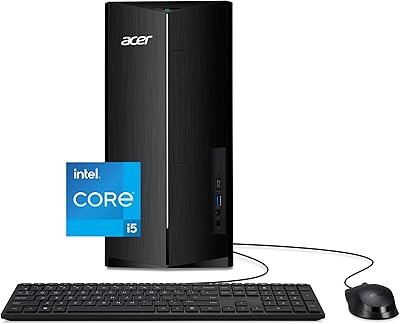
87%
91%
Overall Performance
94%
Multitasking Capability
88%
Setup Process
85%
Build Quality
89%
Operating System Experience
More
Acer Aspire TC-1760-UA92 Desktop | 12th Gen Intel Core i5 | 12GB RAM | 512GB SSD
86%
88%
Performance for Everyday Tasks
92%
Value for Money
70%
Graphics Performance
84%
Build Quality
90%
Connectivity (Wi-Fi, Bluetooth)
More
Acer Aspire TC-1770-UR12 Desktop
75%
88%
Processor Performance
91%
Storage Speed
82%
RAM & Multitasking
44%
Graphics Capability
79%
Wireless Connectivity
More
Dell XPS 8930 Tower Desktop
75%
83%
Processing Performance
71%
Gaming Capability
58%
Storage Speed
89%
RAM & Multitasking
93%
Out-of-Box Setup
More
Intel Core i7-9700F Desktop Processor
71%
88%
Gaming Performance
91%
Single-Core Speed
74%
Multi-Core / Threaded Performance
86%
Thermal Efficiency
69%
Platform Compatibility
More

FAQ

Light and older games that don't demand a dedicated GPU can run reasonably well, but don't expect much from modern titles. The integrated Intel UHD Graphics 770 simply isn't built for gaming workloads — if gaming is a priority, you'll want a machine with a discrete graphics card.

For a straightforward work or school setup — office apps, a browser, video calls, and some documents — 512GB is workable. Where it gets tight is if you store photos, download large files, or install many programs. Picking up an external USB drive or adding an internal SSD later is a practical solution most users end up considering.

Yes, the chassis has room for RAM upgrades, and the DDR4 slots are accessible with basic technical comfort. Many users eventually bump to 32GB if they run memory-intensive workflows. Just confirm compatibility with Acer's support documentation before purchasing new sticks.

No, this Acer desktop ships without peripherals. You'll need to budget for a keyboard and mouse separately, which is pretty standard for desktop towers at this price tier.

Under typical workloads — browsing, documents, video calls — the fan noise is minimal and easy to tune out. It's not silent, but it won't disrupt a quiet home office or shared room. Heavy sustained tasks can spin the fan up, though it settles back down quickly.

Yes, the HDMI port supports output up to 3840x2160 resolution, so a 4K display will work fine for everyday use, media playback, and productivity. Just keep in mind that the integrated graphics are not suited to running graphically demanding applications at 4K.

It includes Wi-Fi 6E built in via the Intel AX211 adapter, so no cable is required. The 6GHz band support is a genuine advantage in homes with many connected devices — you get a more stable, less congested connection than older Wi-Fi standards provide.

Some users have noted a handful of pre-installed apps that they didn't ask for, which is common across consumer desktops from major brands. It's worth spending 20 to 30 minutes after first boot removing anything unnecessary — nothing unusual, but worth being aware of.

The chassis does have some expansion space, but you'd need to verify the available PCIe slot, power supply wattage, and physical clearance before assuming any GPU will fit. Acer's support documentation or community forums are the best places to confirm before buying a card.

It's actually well-suited to that kind of shared household use. The processor handles multiple users switching between tasks comfortably, Windows 11 Pro includes solid parental control options, and the compact footprint keeps the desk from feeling cluttered. Just make sure everyone is on the same page about storage habits — 512GB goes faster when multiple people are using the same machine.