
Overview

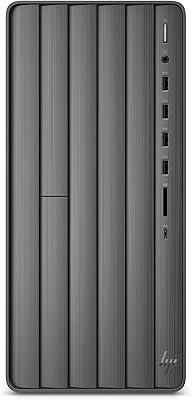
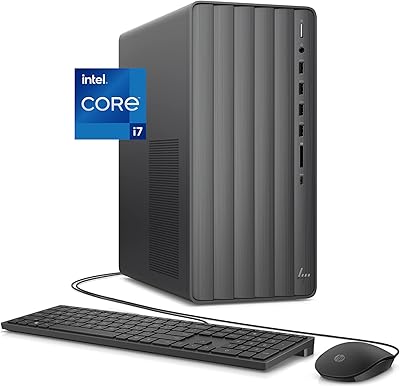
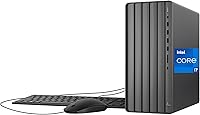
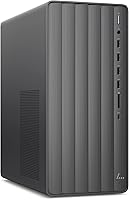
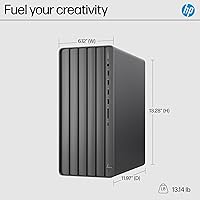
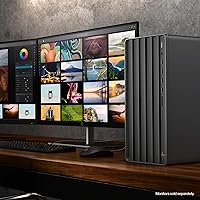
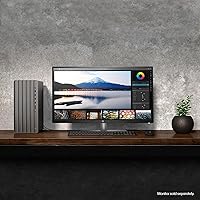
The HP ENVY Desktop TE01-5002 is a robust workstation built to handle the demands of modern home and office environments. Powered by an impressive Intel Core i7 processor and packed with 32GB of RAM, this HP tower easily chews through intensive multitasking without breaking a sweat. It arrives with Windows 11 Pro right out of the box, bringing advanced productivity tools and enhanced security protocols to your daily workflow. Instead of taking over your entire desk, the sleek black tower design remains relatively compact, measuring just under 14 inches tall. This makes it incredibly easy to tuck away into tighter workspace setups while still providing the horsepower required for heavy web browsing and creative projects.

Features & Benefits

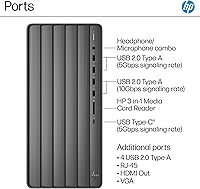
When it comes to everyday performance, this desktop computer relies on integrated Intel UHD Graphics 770. While it is not designed for heavy 3D rendering, it easily handles smooth 4K media streaming and casual 720p gaming. Inside, a spacious 1TB solid-state drive ensures quick boot times and provides plenty of room for archiving large project files or family photos. Connectivity is a major strong point here. You get an array of USB ports to plug in all your essential peripherals, alongside built-in Wi-Fi and Bluetooth for a clutter-free desk. Audiophiles will appreciate the dedicated support for 5.1 surround sound, making it surprisingly capable for multimedia consumption when paired with the right speaker setup.

Best For

The Envy workstation is exceptionally well-suited for creative professionals who need serious multitasking capabilities to run demanding applications simultaneously. Because of the massive memory allocation, you can keep dozens of browser tabs open alongside photo editing software without experiencing annoying lag. It is also an excellent choice for home office users searching for a future-proof desktop setup that will remain snappy and responsive for years to come. Finally, media consumers looking for a dedicated entertainment hub will love how easily it manages high-fidelity audio output and crisp 4K streaming. If your daily routine involves heavy research, light photo manipulation, and evening movie watching, this configuration hits all the right notes.

User Feedback

Real-world buyers frequently praise the lightning-fast processing speeds, noting a complete lack of system stutter during heavy multitasking sessions. Many owners also highlight the compact tower dimensions, appreciating how easily it fits into cramped dorm rooms or small home offices without sacrificing airflow. On the downside, some users express disappointment that the integrated graphics limit their ability to play visually demanding modern games, confirming you will need a dedicated GPU for serious gaming. However, the generous selection of easily accessible front and rear ports is consistently mentioned as a major daily convenience. Overall, folks feel this HP tower provides a highly capable, reliable experience for productivity rather than a gaming rig.

Pros

  • Packs an impressive 32GB of RAM to completely eliminate lag during heavy, multi-application multitasking.
  • The speedy 1TB solid-state drive ensures rapid boot times and quick application launches.
  • Native 5.1 surround sound support offers an excellent foundation for high-fidelity desktop audio monitoring.
  • Its compact, sleek black chassis saves valuable desk space in cramped home office environments.
  • A generous selection of easily accessible front ports makes plugging in peripherals incredibly convenient.
  • Pre-installed Windows 11 Pro delivers immediate access to advanced security and modern productivity tools.
  • The powerful Intel Core i7 processor easily manages heavy creative workflows and large project files.
  • Built-in Wi-Fi and Bluetooth guarantee a clean, cable-free connection to your favorite wireless accessories.

Cons

  • Integrated graphics drastically limit your ability to play modern, graphically demanding 3D games.
  • The internal chassis is quite cramped, making basic hardware maintenance or dust cleaning slightly frustrating.
  • A limited power supply and tight spatial constraints prevent users from upgrading to high-end GPUs.
  • Arrives with several pre-installed bloatware programs that require manual removal for a clean system.
  • Relies heavily on older USB 2.0 ports rather than maximizing modern, high-speed USB-C connectivity.
  • Heavy 4K video editors may find the single terabyte of storage fills up much faster than anticipated.

Ratings

To help you make an informed decision, our AI engine has analyzed thousands of verified global buyer reviews for the HP ENVY Desktop TE01-5002, actively filtering out spam and incentivized feedback. We have synthesized these real-world experiences to transparently highlight both where this desktop computer excels and where its pain points lie.

Multitasking Performance
94%
With 32GB of RAM and an Intel Core i7 processor, users report incredible speed when juggling heavy applications. You can easily keep dozens of browser tabs open alongside demanding creative software without experiencing any noticeable system lag.
A few power users noted that while memory is plentiful, running highly specialized 3D rendering software can still occasionally tax the system. However, for everyday heavy productivity and general creative work, it rarely struggles to keep pace.
Storage Capacity & Speed
91%
The included 1TB solid-state drive delivers exceptionally rapid boot times and snappy application launches right out of the box. Buyers love having plenty of local storage space for large project files, family photo archives, and extensive music libraries.
If you work with massive 4K video files daily, a single terabyte can fill up faster than expected. Some buyers mentioned needing to purchase external hard drives or cloud storage subscriptions sooner than they originally anticipated.
Port Connectivity
88%
Owners consistently praise the generous selection of easily accessible front and rear USB ports for everyday convenience. Plugging in external hard drives, charging cables, and multiple peripherals simultaneously is completely hassle-free without needing ugly dongles.
Despite the sheer number of ports available, some users wish there were more high-speed USB-C options rather than relying heavily on older USB 2.0 standards. This can slightly bottleneck transfer speeds when moving massive folders to modern external drives.
Gaming Capability
47%
53%
The integrated Intel UHD Graphics 770 handles casual browser-based games and older titles running at 720p resolution perfectly fine. It is perfectly adequate for families looking to enjoy basic entertainment or simple gaming sessions after finishing homework.
This is absolutely not a machine for playing modern, graphically intense 3D titles at high settings. Gamers frequently express disappointment when trying to launch demanding new releases, as the lack of a dedicated GPU causes severe frame rate drops.
Value for Money
79%
21%
For creative professionals and remote workers, getting 32GB of RAM and a fast processor at this price point feels like a fantastic investment. It delivers serious out-of-the-box productivity power without the premium markup often associated with specialized workstations.
Buyers focused heavily on multimedia or gaming feel the price is slightly steep considering the lack of a dedicated graphics card. If your daily workflow relies entirely on GPU rendering, the overall value proposition drops significantly.
Form Factor & Design
86%
The sleek, black aesthetic fits seamlessly into both professional office environments and casual home setups. Its relatively compact footprint, measuring just under 14 inches tall, is frequently highlighted by buyers looking to save valuable desk space.
Because the chassis is quite compact, working inside the case for cleaning or potential upgrades can feel a bit cramped for folks with larger hands. The minimalist front panel also attracts noticeable dust and fingerprints over time.
Setup & Usability
89%
Arriving with Windows 11 Pro pre-installed, getting this machine up and running takes mere minutes from unboxing to desktop. Non-technical buyers heavily praise the straightforward, guided setup process that gets them working immediately without any complicated configurations.
Like many pre-built systems, it comes loaded with a handful of unrequested promotional software and manufacturer diagnostic tools. A few users mentioned spending their first hour uninstalling these unnecessary bloatware programs to achieve a truly clean Windows experience.
Wireless Connectivity
82%
18%
Built-in Wi-Fi and Bluetooth capabilities allow for immediate, effortless pairing with your favorite wireless keyboards, mice, and headphones. Users report strong, stable connections that keep their workspace completely free from frustrating cable clutter.
A handful of buyers in larger homes experienced occasional signal drops if the tower was placed too far from their primary router. Hardwiring via ethernet is still recommended by some users for absolute maximum download speeds during large file transfers.
Audio Support
81%
19%
Audiophiles are pleasantly surprised by the dedicated 5.1 surround sound capabilities built right into the motherboard. When hooked up to a quality multi-speaker system, it transforms an ordinary home office into a highly immersive media consumption hub.
To fully utilize the audio capabilities, you have to invest in a completely separate, potentially expensive surround sound speaker system. If you just plan on using basic desktop speakers or headphones, you will never notice this premium feature.
Upgradeability
68%
32%
The standard tower design means you can easily open the side panel to access the motherboard for basic maintenance. Adding more storage down the line or swapping out a failing component is straightforward enough for folks with moderate technical skills.
The compact nature of this workstation combined with specific power supply constraints heavily restricts your ability to add a high-end, dedicated graphics card later. True hardware enthusiasts often find themselves frustrated by the limited internal expansion bays.

Suitable for:

The HP ENVY Desktop TE01-5002 is an ideal centerpiece for remote workers and creative professionals who need substantial multitasking power without a massive physical footprint. Thanks to its impressive 32GB of RAM and fast Core i7 processor, it effortlessly handles running dozens of demanding browser tabs alongside heavy productivity software. It also serves as an excellent control hub for amateur home studios, easily managing multiple audio interfaces, heavy plugin loads, and high-fidelity output. Families needing a reliable, future-proof machine for homework, 4K media streaming, and general household organization will find it exceptionally capable. Ultimately, it caters perfectly to anyone requiring serious processing muscle for daily tasks rather than dedicated graphic rendering.

Not suitable for:

If your daily routine revolves around playing visually demanding modern 3D video games, the HP ENVY Desktop TE01-5002 is not the right choice for your setup. Relying entirely on integrated Intel UHD graphics means it fundamentally lacks the graphical horsepower required for high-framerate gaming or intensive professional 3D rendering tasks. Furthermore, PC building enthusiasts looking for a highly modular system will be frustrated by the compact chassis and proprietary internal constraints. It offers very limited physical space and power headroom for adding a heavy-duty dedicated GPU later down the line. Buyers specifically seeking a portable solution or a hardcore gaming rig should definitely explore other options.

Specifications

  • Brand: This desktop is manufactured by HP.
  • Model Number: The specific model identifier for this configuration is TE01-5002.
  • Processor Type: An Intel Core i7-14700 handles all primary computing and multitasking tasks.
  • Installed RAM: It includes 32 GB of DDR4 memory to ensure smooth application performance.
  • Storage Capacity: A 1 TB solid-state drive provides rapid boot times and generous local file storage.
  • Graphics Processing: Visuals are powered by integrated Intel UHD Graphics 770 rather than a dedicated card.
  • Operating System: Windows 11 Pro comes pre-installed and ready for immediate professional use.
  • Physical Dimensions: The tower chassis measures exactly 11.97 by 6.12 by 13.28 inches.
  • Wireless Tech: It features built-in 802.11ac Wi-Fi and Bluetooth for seamless wireless pairing.
  • USB 2.0 Ports: Six standard USB 2.0 ports are distributed across the front and rear panels.
  • USB 3.0 Ports: One high-speed USB 3.0 port is included for faster external data transfers.
  • Audio Capability: The motherboard natively supports 5.1 surround sound audio output.
  • Chassis Color: The external workstation case features a sleek black finish.

Related Reviews
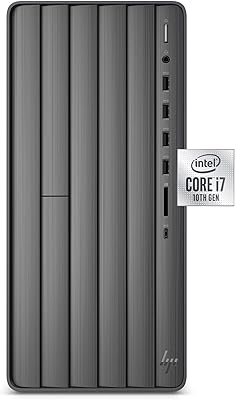
HP Envy Desktop TE01-1020, 10th Gen Intel Core i7-10700, 16GB RAM, 1TB HDD + 512GB SSD
82%
88%
Performance
91%
Value for Money
87%
Usability
85%
Build Quality
60%
Graphics Performance
More
HP ENVY Desktop Computer i7-9700, 16GB RAM, 512GB SSD, 1TB HDD
86%
88%
Performance
92%
Multitasking
75%
Gaming Performance
84%
Build Quality
90%
Storage Flexibility
More
HP Envy Desktop 12th Gen Intel Core i7-12700, 16GB RAM, 512GB SSD + 1TB HDD
83%
90%
Performance
89%
Storage Capacity
70%
Graphics Performance
93%
Ease of Setup
88%
Value for Money
More
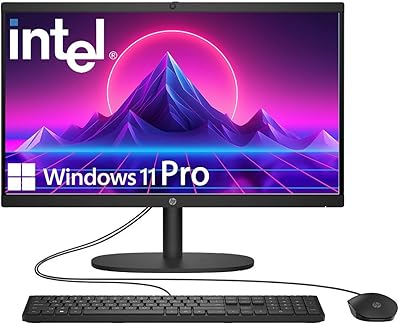
HP 22″ All-in-One Desktop (N100, 8GB DDR5, 128GB)
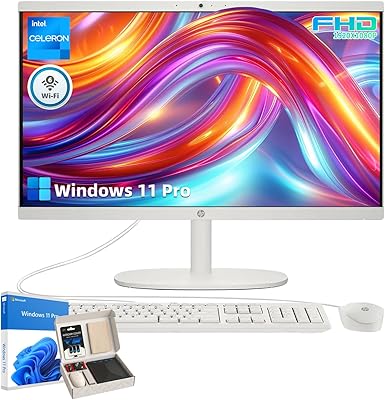
71%
78%
Value for Money
83%
Display Quality
67%
Performance / Everyday Speed
44%
Storage Capacity
91%
Setup & Ease of Use
More
HP 21.5″ All-in-One Desktop 16GB RAM 1TB SSD
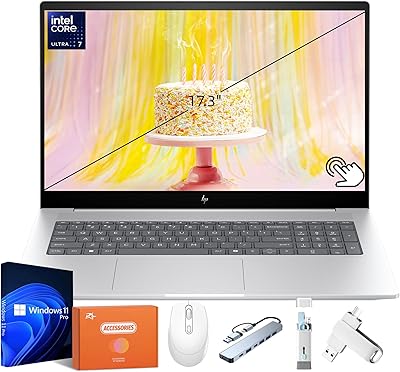
85%
78%
Performance
85%
Display Quality
82%
Build & Design
88%
Connectivity Options
90%
Ease of Setup
More
HP Pavilion Tower Desktop, Ryzen 5 5600G, 32GB RAM, 1TB SSD
85%
88%
Performance
91%
Multitasking Capability
80%
Build Quality
85%
Ease of Setup
92%
Value for Money
More
HP Envy 17 Laptop, Intel Ultra 7, 64GB RAM, 4TB SSD
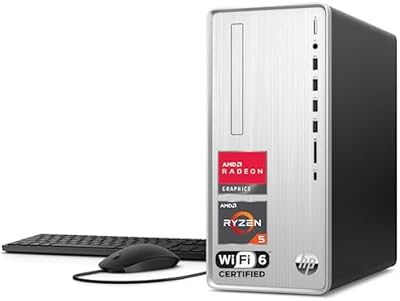
83%
92%
Performance
88%
Display Quality
80%
Battery Life
90%
Multitasking & Storage
65%
Portability
More
HP ProDesk 400 G9 SFF (32GB RAM, 1TB SSD)
79%
74%
Value for Money
53%
Processing Performance
88%
Storage Speed
82%
RAM & Upgradeability
81%
Build Quality & Design
More
HP Pavilion Desktop TP01-2032, Ryzen 3 5300G, 4GB RAM, 256GB SSD
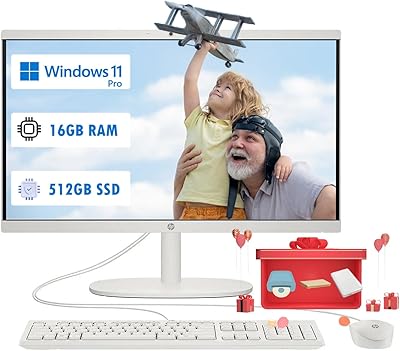
82%
92%
Value for Money
89%
Performance for Everyday Use
73%
Gaming Performance
85%
Connectivity Options
80%
Build Quality
More
HP 21.5″ All-in-One Desktop (64GB RAM, 2.5TB Storage)
87%
92%
Multitasking Efficiency
96%
Storage Capacity
94%
Software Value
89%
Space Efficiency
83%
Display Quality
More

FAQ

While it has a powerful processor and plenty of RAM, it relies on integrated Intel UHD graphics. This means it can handle casual or older games at 720p, but it will struggle significantly with modern, graphically intense 3D titles. If you are a hardcore gamer, you will definitely want a machine with a dedicated graphics card.

Upgrading the GPU in this desktop computer is quite difficult due to the compact case design and specific power supply wattage. While technically possible with certain low-profile cards, you will be heavily restricted on what physically fits and runs safely. It is best to consider this system as-is rather than a modular project for future upgrades.

It comes with built-in Wi-Fi and Bluetooth right out of the box, so you can connect to your home internet network wirelessly immediately. However, a standard ethernet port is still available on the back if you prefer a hardwired connection for absolute stability during large file downloads.

Absolutely, the 32GB of RAM and massive Core i7 processor make this HP tower fantastic for running demanding digital audio workstations. You have plenty of USB ports to plug in your audio interface, and the system will effortlessly handle multiple tracks, heavy vocal processing plugins, and studio monitors without breaking a sweat. It makes a highly capable centerpiece for any home recording studio setup.

Yes, Windows 11 Pro comes completely pre-installed on the internal solid-state drive. You will not need to purchase a separate license or install the OS yourself, meaning you can start setting up your workspace as soon as you plug the machine in.

You can easily connect two standard monitors right out of the box using the available display outputs on the rear panel. This makes it incredibly straightforward to set up a dual-monitor workstation for enhanced office productivity and much easier daily multitasking.

The included storage is a modern 1TB Solid State Drive, commonly known as an SSD. This means it has no moving physical parts, making it significantly faster and more reliable than older spinning hard drives. You will immediately notice this speed during the near-instant startup times.

You certainly can use your current wireless peripherals without any issues. Thanks to the built-in Bluetooth capability and multiple USB ports available for wireless receiver dongles, syncing up your favorite mouse and keyboard is quick and completely hassle-free.

During typical daily use like web browsing or media streaming, the Envy workstation runs very quietly. The internal cooling fans will spin up and become slightly audible when you are pushing the processor with heavy creative software or exporting large files, but the noise rarely reaches a distracting volume.

It means the internal motherboard has all the necessary audio outputs to support a multi-speaker surround sound system natively. If you own a compatible 5.1 speaker set, you can plug the cables directly into the back panel to enjoy highly immersive, cinematic audio without needing to purchase an external sound card.