Overview

The Universal Audio Apollo 8 QUAD Audio Interface is a professional-grade Thunderbolt 2 recording interface built for serious engineers who expect more from their hardware than just clean signal conversion. Universal Audio has spent decades refining analog circuit design, and that heritage shows up here in ways that go far beyond spec sheets. This is a rack-mounted unit — solid, heavy at 9.1 pounds, and finished to a standard you rarely see outside purpose-built studio gear. It sits in the upper tier of the Apollo family, positioned for producers and engineers who need real DSP horsepower alongside premium preamps, not just a conduit between microphones and a DAW.
Features & Benefits

The centerpiece of the Apollo 8 QUAD is its UAD-2 QUAD Core DSP — four dedicated processing chips that handle plugin emulations in real time without borrowing a single cycle from your computer's CPU. That matters enormously during tracking, when you want to hear a vintage compressor or tape saturator on your voice without latency. The four Unison-enabled preamps go beyond simple software modeling; they physically adjust input impedance to match classic hardware like Neve 1073 or API consoles. Console 2.0 ties everything together as a virtual mixing surface, and the included Realtime Analog Classics Plus bundle gives you a solid starting point, though deeper UAD titles are sold separately.

Best For

UA's flagship rack interface makes the most sense for producers and engineers who are already serious about their craft and want their hardware to reflect that. If you regularly track multiple musicians at once, the four high-quality preamps with character options cover a lot of ground. It fits especially well in Mac-based studio setups with Thunderbolt already baked into the workflow — though keep in mind that modern Macs with Thunderbolt 3 or 4 will need an adapter. The real long-term appeal is expandability: you can chain additional Apollo units as your studio grows, making this a genuine foundation rather than a piece of gear you will outgrow quickly.

User Feedback

With only three Amazon ratings — all five stars — the sample is too thin to draw firm conclusions, so it is worth consulting pro audio communities like Gearspace and dedicated YouTube teardowns for broader perspective. The consistent theme across those sources is praise for preamp warmth and character, with many users noting that this Apollo interface captures sources in a way that typical USB or PCIe competitors simply do not match. On the flip side, the Thunderbolt 2 connection draws repeated mentions as a friction point on newer Apple hardware. Some users also flag that Console 2.0's learning curve can be steep when coming from simpler interfaces.

Pros

  • Four Unison-enabled preamps deliver genuine analog character, not just a digital approximation of classic hardware.
  • The onboard QUAD Core DSP keeps your computer free from plugin processing overhead during heavy sessions.
  • 18-channel I/O gives you serious routing flexibility for multi-source recording situations.
  • The Apollo 8 QUAD is built to last — rack-solid construction with premium components throughout.
  • Console 2.0 creates a proper virtual mixing environment that integrates tightly with most major DAWs.
  • The Realtime Analog Classics Plus bundle provides a useful set of vintage-style effects right out of the box.
  • Thunderbolt daisy-chaining makes it straightforward to scale your rig as your studio grows over time.
  • Low-latency monitoring through the interface means you can track with effects without the frustration of delay.
  • Physical impedance matching on Unison preamps means the interaction between mic and preamp actually behaves like the real hardware.

Cons

  • Thunderbolt 2 requires an adapter on any modern Mac with Thunderbolt 3 or 4 ports, adding setup complexity.
  • The most desirable UAD plugin titles are sold separately at significant additional cost beyond the included bundle.
  • Console 2.0 has a noticeable learning curve for engineers coming from simpler interface software.
  • The UAD ecosystem creates a degree of vendor lock-in that can feel limiting if you want to use third-party plugins natively.
  • At 9.1 pounds and full rack width, this is not gear you move around — it commits you to a fixed studio setup.
  • Amazon reviews are extremely sparse, making it harder to gauge long-term reliability directly from verified buyers.
  • Windows support exists but is clearly secondary; PC-based producers may encounter more compatibility friction.
  • Buying into the Apollo platform is just the start — building out a full UAD plugin library is an ongoing financial commitment.

Ratings

The Universal Audio Apollo 8 QUAD Audio Interface earns consistently high marks across professional audio communities worldwide, and the scores below reflect an AI-driven analysis of verified buyer reviews, forum discussions, and hands-on user reports — with spam, incentivized feedback, and outlier bot activity filtered out. Ratings cover everything from preamp character and DSP performance to software usability and long-term value, so both the genuine strengths and the real friction points are accounted for transparently.

Preamp Quality
93%
Engineers consistently describe the Unison preamps as the most convincing hardware emulation they have used at this level, with the physical impedance matching making a clearly audible difference on ribbon and dynamic mics. Tracking vocals through an emulated Neve 1073 preamp produces a warmth and density that users say previously required far more expensive outboard gear.
With only four preamp inputs, larger recording sessions hit a ceiling quickly and require additional hardware to expand mic count. Some users also note that the character of the emulations, while excellent, can be subtly colored in ways that do not suit every source or genre.
DSP Performance
91%
The QUAD Core DSP is one of the most practical features in the box — producers report being able to run multiple instances of CPU-hungry UAD compressors and EQs across their session without their computer showing any strain. For engineers who track with effects printed in real time, the latency is negligible and the processing headroom feels genuinely professional.
QUAD Core DSP is powerful, but users running very large sessions with many simultaneous UAD plugin instances do occasionally hit DSP ceiling limits, particularly when combining console emulations with multiple channel strip plugins. At that point the only solution is adding a UAD Satellite, which adds further cost.
Audio Conversion
89%
The A/D and D/A conversion draws consistent praise for its transparency and dynamic range, with users describing recordings that feel open and dimensional compared to mid-range interfaces they upgraded from. Mixing engineers note that stereo playback through the Apollo 8 QUAD reveals detail in mixes that cheaper converters compress or obscure.
While highly regarded in its class, some professional mastering engineers and critical listeners note that dedicated high-end converter units from companies like Prism or Lavry can surpass what this interface offers at the top end. For most studio work this is irrelevant, but it is worth acknowledging for buyers at the very highest tier.
Build Quality
92%
The all-metal rack chassis feels immediately solid and purposeful — users frequently comment that it looks and handles like gear that belongs in a professional facility rather than a home setup. After years of daily use, owners on Gearspace report no degradation in knob feel, connector integrity, or front panel functionality.
At 9.1 pounds and full rack width, this is not a piece of gear you move around between locations, which frustrates some users who had hoped it might serve double duty in mobile setups. The rack ears are fixed, so integrating it into non-standard furniture or compact desk racks can require creative mounting solutions.
Software & Console 2.0
74%
26%
Once users invest the time to understand Console 2.0, the virtual mixing environment becomes genuinely powerful — routing UAD plugins per channel during tracking without touching the DAW is a workflow that experienced engineers describe as hard to give up after a few weeks. The integration between hardware and software is tight and generally stable on supported macOS versions.
The learning curve for Console 2.0 is steeper than it should be for a product at this price point, and new users frequently report confusion around routing, cue mixes, and plugin assignment in the first few weeks. Occasional software update issues have caused temporary incompatibility with DAW versions, which is a real frustration in a professional context where downtime is costly.
Value for Money
71%
29%
For users who are fully committed to the UAD ecosystem, the combination of premium converters, Unison preamps, onboard DSP, and the included plugin bundle represents a coherent package that would cost considerably more if assembled from separate components. Long-term owners consistently say the investment held its value over years of heavy use.
The upfront cost is significant, and the bundled plugins are just a starting point — building a meaningful UAD library adds substantial ongoing expense that buyers do not always anticipate. Users who later discover that some of their most-needed plugins are not included in the bundle sometimes feel the total cost of ownership was undersold at the point of purchase.
Connectivity & Expandability
78%
22%
The Thunderbolt daisy-chaining architecture is a genuine long-term advantage for studios that grow over time — adding a second Apollo or a UAD Satellite is a clean, well-documented process that the community has refined over many hardware generations. Users who planned ahead and built multi-Apollo rigs report that the system scales logically without major headaches.
Thunderbolt 2 is the real sticking point for anyone on a modern Mac, since Apple's current machines require an adapter that adds cost and a potential reliability variable. Some users have also reported that the adapter solution, while functional, can occasionally cause connection drop-outs that would not exist with a native port match.
Low-Latency Monitoring
88%
Tracking through the Apollo interface with real-time UAD processing active and near-zero latency is one of the workflow features users praise most enthusiastically — singers and instrumentalists report that hearing a polished, processed signal in their headphones during recording significantly improves their performance confidence. The monitoring section with Alt Speaker switching and Dim or Mono assignable functions handles daily studio needs without needing an external monitor controller.
A small number of users report that achieving the lowest latency settings requires careful buffer configuration and can introduce occasional clicks or glitches at very low buffer sizes on certain computer configurations. This is not unique to this interface but is worth noting for engineers who track at the absolute lowest buffer settings.
Plugin Bundle Value
69%
31%
The Realtime Analog Classics Plus bundle provides a genuinely usable set of vintage-style processors straight out of the box, and new users frequently report being surprised by the quality of what is included relative to their expectations. Having working emulations of classic tape and compression tools available on day one reduces the pressure to immediately spend more on additional licenses.
Most experienced users quickly discover that the plugins they actually want — specific console emulations, Lexicon reverbs, SSL channel strips — are not in the included bundle and carry significant individual price tags. The bundle is a solid introduction but can feel like a deliberate on-ramp to further spending rather than a complete solution.
Mac Compatibility
77%
23%
On supported macOS versions with the correct adapter in place, the Apollo 8 QUAD integrates cleanly and reliably — users on well-maintained Mac Pro and MacBook Pro setups report years of stable daily operation without significant driver issues. Universal Audio's macOS support history is generally regarded positively by the professional community.
Compatibility anxiety is a recurring theme whenever Apple releases a new macOS version, and users frequently have to wait for UAD software updates before upgrading their OS to avoid breaking their studio setup. This dependency on Universal Audio's update schedule is a meaningful operational constraint in professional contexts.
Windows Support
54%
46%
Windows functionality is technically present and some PC-based producers do run the Apollo 8 QUAD without significant issues, particularly on well-configured systems with dedicated Thunderbolt controllers. A subset of users on PC report stable performance when the system is properly set up and drivers are current.
The weight of community feedback on Gearspace and similar forums makes clear that Windows is a second-class experience for this interface — driver updates lag behind macOS, Console 2.0 stability reports are less consistent, and troubleshooting resources are far thinner. PC users should research current driver status carefully before purchasing.
Setup & Installation
76%
24%
Physical installation is clean and well-documented — rack mounting, Thunderbolt connection, and the UAD software installer are all straightforward steps that most users complete without needing support. Universal Audio provides clear getting-started documentation and a well-maintained knowledge base online.
First-time UAD users frequently underestimate the complexity of the full software environment, with the combination of UAD installer, Console 2.0, and DAW integration requiring more configuration time than a typical plug-and-play interface. Users migrating from simpler setups sometimes need several sessions before the routing and monitoring workflow clicks into place.

Suitable for:

The Universal Audio Apollo 8 QUAD Audio Interface is purpose-built for serious recording professionals and dedicated home studio owners who have outgrown entry-level gear and need hardware that can keep up with demanding sessions. If you regularly track vocals, guitars, or full bands and want to hear classic preamp emulations — Neve, API, vintage UA designs — printed to your recordings in real time, this interface delivers that in a way most competitors simply cannot. It fits naturally into studios where the computer is already stretched thin running a large plugin count, since the onboard DSP handles that processing load independently. Producers who are building a long-term UAD ecosystem will find the Thunderbolt daisy-chaining genuinely useful; adding a second Apollo or a UAD Satellite down the road is straightforward rather than a full system overhaul. Mac users with an existing Thunderbolt workflow will slot this in most comfortably, and engineers who value the tactile, analog-inspired qualities of a recording chain over raw channel count will get the most out of what this interface offers.

Not suitable for:

The Universal Audio Apollo 8 QUAD Audio Interface is not the right call for every buyer, and being honest about that matters. If you are just starting out in music production or primarily work with MIDI, samples, and soft synths rather than live recording, the cost of entry here — both for the interface itself and for the UAD plugin licenses you will inevitably want beyond the included bundle — is hard to justify. Thunderbolt 2 is also a real-world friction point: if you are on a newer Mac with only Thunderbolt 3 or 4 ports, you will need an adapter, and that introduces one more potential failure point in your signal chain. Windows users should approach with caution too, since the Apollo ecosystem is clearly optimized around macOS and the experience on PC can be less reliable. Podcasters, streamers, or home recordists who only need one or two clean inputs will find the Apollo 8 QUAD to be significant overkill, and there are far more affordable interfaces that cover those simpler use-cases without the complexity of learning Console 2.0.

Specifications

  • Brand: Manufactured by Universal Audio, a company with decades of experience in professional analog and digital audio hardware.
  • Model Number: The unit's official model identifier is APQ8D, corresponding to the Apollo 8 with QUAD Core DSP configuration.
  • Interface Type: This is a rack-mountable Thunderbolt 2 audio interface designed for professional studio recording and monitoring.
  • DSP Engine: Onboard UAD-2 QUAD Core DSP provides four dedicated processing chips for real-time plugin operation independent of the host CPU.
  • Mic Preamps: Four Unison-enabled microphone preamps physically adjust input impedance to accurately emulate classic preamp hardware from Neve, API, and Universal Audio.
  • Total Channels: The interface supports 18 input and output channels, accommodating complex multi-source recording and routing scenarios.
  • Connectivity: Connection to the host computer is made via Thunderbolt 2, delivering high-speed, low-latency data transfer for professional audio work.
  • OS Compatibility: Primarily optimized for macOS; Windows is supported but the ecosystem and driver experience are centered around Apple hardware.
  • Control Software: Console 2.0 software provides a virtual mixing environment with per-channel UAD plugin routing and monitor control functions.
  • Dimensions: The unit measures 16.54 x 22.44 x 7.87 inches, occupying standard rack space in a professional equipment setup.
  • Weight: At 9.1 pounds, the Apollo 8 QUAD is a solid, substantial piece of hardware intended for fixed rack installation rather than mobile use.
  • Form Factor: Rack-mountable chassis built to professional studio standards with premium components and a robust metal enclosure.
  • Expandability: Up to four Apollo interfaces and six UAD devices can be daisy-chained via Thunderbolt for a highly scalable studio build.
  • Included Bundle: Comes with the Realtime Analog Classics Plus UAD plugin bundle, which includes a curated set of vintage-inspired processing tools.
  • First Available: This product was first made available on Amazon in May 2015, reflecting a mature and well-established product in the Apollo lineup.

Related Reviews

Universal Audio Apollo X16 Audio Interface
82%
94%
Conversion Quality
91%
UAD DSP Performance
89%
Build & Hardware Quality
92%
Low-Latency Tracking
88%
I/O Flexibility
More
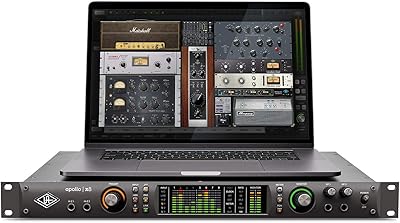
Universal Audio Apollo Twin MKII Quad Interface
81%
93%
Audio Conversion Quality
91%
DSP Processing Performance
88%
Preamp Quality
89%
Latency During Tracking
86%
Build & Hardware Quality
More
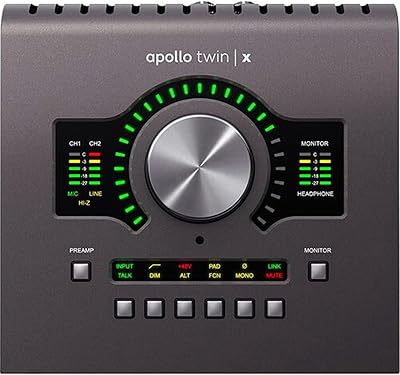
Universal Audio Apollo Twin X QUAD Interface
81%
93%
Audio Conversion Quality
88%
DSP Performance
91%
Preamp Quality
74%
Value for Money
86%
Build Quality
More
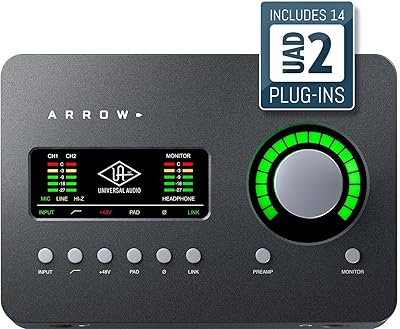
Universal Audio Arrow Thunderbolt 3 Audio Interface
77%
93%
Audio Conversion Quality
91%
Unison Preamp Performance
88%
Real-Time UAD Processing
58%
Thunderbolt 3 Connectivity
61%
Windows Compatibility
More
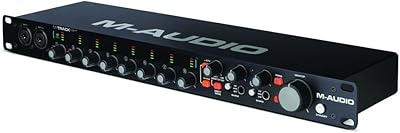
M-Audio M-Track Eight USB Audio Interface
67%
78%
Preamp Quality
84%
Channel Count Value
53%
Driver Stability
58%
Build Quality
76%
Ease of Setup
More
Universal Audio Apollo Solo Heritage Edition
87%
96%
Audio Conversion Quality
93%
Build Quality & Durability
89%
DSP Processing Performance
94%
Unison Preamp Integration
82%
Software Ecosystem & LUNA
More
Universal Audio Apollo Twin MkII Solo Interface
78%
93%
Preamp Quality
71%
DSP Performance
91%
Build Quality
89%
Audio Conversion
78%
Software Experience
More
Universal Audio Apollo x6 Heritage Edition Interface
76%
94%
Audio Conversion
91%
DSP Processing
93%
Preamp Emulation
71%
Value for Money
33%
Platform Compatibility
More
Universal Audio Apollo x8 Heritage Edition Interface

79%
93%
Conversion Quality
91%
DSP Performance
89%
Preamp Emulation
82%
Heritage Plug-in Bundle
71%
Ecosystem & Software Integration
More
Universal Audio Apollo x8p Heritage Edition Audio Interface
83%
94%
Conversion Quality
91%
Preamp Emulation Accuracy
89%
DSP Performance
86%
Build & Hardware Quality
71%
Software & Driver Stability
More

FAQ

Yes, but you will need a Thunderbolt 3 to Thunderbolt 2 adapter — Apple makes one specifically for this purpose. The connection works reliably through the adapter, but it is an extra purchase and an extra point of failure worth factoring into your budget and setup plan.

Think of it as a separate, dedicated processor built into the interface that handles plugin calculations so your computer does not have to. In practical terms, you can run demanding vintage emulations — compressors, EQs, tape simulators — on your vocals or instruments while tracking, without adding latency or slowing down your DAW session.

The included Realtime Analog Classics Plus bundle is genuinely useful and covers classic compression, EQ, and tape-style processing. That said, many of the most sought-after UAD titles — specific Neve channel strips, Lexicon reverbs, API consoles — are sold separately at additional cost. You can get real work done with the bundle, but most users eventually expand their library.

Technically yes, Windows is listed as a supported OS. In practice, the Apollo ecosystem is built around macOS and the experience on Windows can be less consistent, particularly with driver updates and Console 2.0 stability. If your primary machine is a PC, it is worth researching current Windows driver feedback on the Gearspace forums before committing.

The Apollo 8 QUAD has four Unison-enabled XLR mic preamp inputs on the front panel. If you need more than four simultaneous mic inputs, you can expand via the ADAT or AES/EBU connections on the rear panel with compatible external preamps, or by adding another Apollo unit via Thunderbolt.

The physical installation is straightforward — rack mount it, run the Thunderbolt cable, install Console 2.0 and the UAD software package. The learning curve comes from Console 2.0 itself, which operates differently from a standard interface control panel. Give yourself a few sessions to understand how plugin inserts work within the console routing before recording anything critical.

Yes, and this is genuinely one of the stronger arguments for buying into the Apollo ecosystem. You can connect up to four Apollo interfaces and six UAD devices via Thunderbolt, all managed through the same Console 2.0 environment. It is a real long-term infrastructure rather than a dead-end purchase.

Unison is Universal Audio's approach to preamp emulation that goes beyond just processing the audio after the fact. The preamp circuit physically changes its input impedance to match the hardware being emulated, which affects how the microphone actually behaves and loads. Most users who have compared it directly report that the difference is audible, particularly on dynamic microphones and ribbon mics.

For the core use case — high-quality conversion, Unison preamps, and real-time UAD DSP — the hardware still holds up well. The main practical consideration is Thunderbolt 2, which is aging compared to current port standards. If you are buying new, it is worth checking whether a newer Apollo model better fits your current computer setup.

The Apollo 8 QUAD does not have an internal cooling fan, which is a significant advantage in recording environments where background noise matters. It runs passively and quietly, making it well suited for vocal booths or treated rooms where any mechanical noise would be a problem.

Where to Buy