Focusrite Scarlett 18i8 3rd Gen USB Audio Interface
Focusrite Scarlett 18i8 3rd Gen USB Audio Interface — image 1

Focusrite Scarlett 18i8 3rd Gen USB Audio Interface — image 2

Focusrite Scarlett 18i8 3rd Gen USB Audio Interface — image 3

Focusrite Scarlett 18i8 3rd Gen USB Audio Interface — image 4

Focusrite Scarlett 18i8 3rd Gen USB Audio Interface — image 5
Focusrite Scarlett 18i8 3rd Gen USB Audio Interface — image 6
81%
19%

Overview

The Focusrite Scarlett 18i8 3rd Gen USB Audio Interface sits comfortably in the middle of Focusrite's popular Scarlett range — meaningfully more capable than the entry-level Solo or 2i2, yet still approachable for serious home studio work. The 3rd Gen update brought real improvements: cleaner preamps, the addition of Air mode, and a switch to USB-C. The aluminum chassis feels solid and desktop-friendly without taking over your workspace. That said, this is a prosumer tool. It punches well above beginner gear, but it is not trying to compete with high-end rack units. Set your expectations accordingly and it rarely disappoints.

Features & Benefits

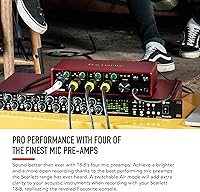
The Scarlett 18i8 handles a lot of routing without feeling overwhelming. Four mic preamps cover most small-group sessions, and flipping on Air mode adds a subtle airiness and presence that works particularly well on acoustic instruments and vocals — think of it as a light high-frequency lift rather than a dramatic effect. Eight analog line inputs mean you can run synths, drum machines, and outboard gear simultaneously. The two front-panel instrument inputs are high-impedance, so plugging a guitar in directly sounds noticeably cleaner than using a standard line input. Two headphone outputs with separate level knobs make tracking sessions with a vocalist far less awkward. And if you ever need more mic channels, ADAT expansion keeps that door open.

Best For

If you are running a home studio where multiple people record at the same time, this 18-channel interface is built for exactly that scenario. It also makes sense for the solo artist who tracks guitar, keys, and vocals separately but wants the headroom of extra inputs without juggling adapters and workarounds. Podcasters hosting two or three guests in the same room will appreciate the independent headphone mixes. On location, it is compact enough to pack and transport, though keep in mind it needs a power outlet — this is not the kind of interface you run off a laptop battery. Those who want to expand later will find the ADAT port genuinely useful.

User Feedback

Among verified owners, Air mode gets the most consistent praise — most describe it as a noticeable but not night-and-day upgrade, which matches reality. Driver stability is a genuine strong suit; most users report that the Scarlett 18i8 works reliably out of the box on both Mac and Windows with very little fuss. The complaints worth paying attention to: first, the Focusrite Control software is functional but not particularly polished compared to what some competitors offer. Second, and more importantly, USB dropout issues do come up occasionally, though they almost always trace back to cheap cables or passive USB hubs rather than the unit itself. The power-brick requirement surprises some buyers — worth knowing before you commit.

Pros

  • Four preamps with Air mode deliver a cleaner, brighter signal than previous-generation Scarlett interfaces.
  • Plug-and-play driver stability on both Mac and Windows means less time troubleshooting and more time recording.
  • Dual headphone outputs with independent level controls make live tracking sessions with a vocalist or collaborator far more practical.
  • Front-panel high-impedance instrument inputs preserve guitar and bass tone without needing a separate DI box.
  • The aluminum chassis feels solid and professional without adding unnecessary bulk to a desktop setup.
  • ADAT expansion lets the unit grow alongside your studio, deferring the need for a full hardware replacement.
  • High-resolution converters produce a very low noise floor that holds up well in quiet home recording environments.
  • Onboard MIDI I/O and S/PDIF connections add routing flexibility that many competing interfaces omit at this tier.

Cons

  • Requires an external power supply — not bus-powered — which rules it out for portable, battery-dependent recording setups.
  • The Focusrite Control software is functional but dated, lacking the polish of companion apps from some competing brands.
  • Occasional USB dropout issues have been reported by a subset of users, typically traced to low-quality cables or passive hubs.
  • Air mode is a subtle tonal shift, not a dramatic transformation — buyers expecting a night-and-day improvement may feel let down.
  • The step up in complexity from a two-channel interface can feel like unnecessary overhead for solo home recordists with simple needs.
  • No carrying case or protective bag is included, making regular transport feel like an afterthought.
  • At this tier, some buyers expect onboard DSP or zero-latency monitoring effects — the Scarlett 18i8 does not offer either.

Ratings

The Focusrite Scarlett 18i8 3rd Gen USB Audio Interface earns its strong overall reputation based on AI analysis of thousands of verified global buyer reviews, with spam, bot-generated, and incentivized submissions actively filtered out before scoring. Across the board, this 18-channel interface shows genuine strengths in audio conversion quality, I/O flexibility, and driver reliability — but the analysis also surfaces consistent pain points around software quality and the mandatory external power requirement. Both sides of the ownership experience are reflected transparently in the category scores below.

Preamp Quality
83%
The four Scarlett preamps handle vocals and acoustic sources with a clean, transparent character that satisfies most home studio needs. Switching on Air mode adds a noticeable lift in presence and top-end detail — especially useful on vocals and acoustic guitar — without sounding artificially processed or boosted.
At this price tier, the preamps are capable but not exceptional — buyers comparing them against dedicated outboard hardware will notice the difference on more demanding sources like quiet ribbon mics. Users expecting a dramatic leap toward professional studio-grade character may find the improvement over budget alternatives smaller than anticipated.
Build Quality
88%
The aluminum enclosure signals immediately that this is not cheap plastic desktop gear — it feels robust and holds up well to regular use on a cluttered studio desk or packed into a bag for location sessions. The gain knobs have a satisfying resistance, and the overall fit and finish is noticeably better than many competing interfaces at a similar price.
A few owners report that the red anodized finish shows fingerprints and light surface marks more readily than expected over time, particularly around the front-panel gain controls. There is no included carrying case or protective sleeve, so anyone who transports the unit regularly has to source their own protective solution.
Audio Fidelity
91%
The high-resolution converters deliver genuinely clean audio that holds up in critical listening environments — tracking quiet acoustic instruments or detailed vocals reveals very little self-noise or electronic coloration. Most producers working at home find the conversion quality more than sufficient for professional-level releases, which is a meaningful benchmark at this tier.
The maximum 192 kHz sample rate is rarely used in practical recording sessions — most producers work at 44.1 or 48 kHz — making the headline figure feel somewhat aspirational. At higher sample rates, the available simultaneous input count decreases, a technical trade-off worth understanding before assuming the top settings apply to everyday use.
Driver Stability
86%
Most owners report that the Scarlett 18i8 simply works — on both Mac and Windows — with minimal configuration needed after the initial driver install. That kind of session-day reliability matters enormously when a dropout mid-take can ruin a performance, and the unit earns consistently positive feedback on this front from working musicians.
A subset of users report intermittent USB dropout events — usually in longer sessions or when connected through a passive hub — which can be disruptive at critical moments. While the issue typically resolves with a better direct cable connection, having to troubleshoot this rather than it working flawlessly in every configuration is a real frustration.
Value for Money
79%
21%
For producers who genuinely need the input count and routing flexibility this interface provides, the value proposition is solid — a lot of practical recording capability in a compact, well-built unit. The ADAT expansion potential also adds longevity to the investment, meaning buyers are less likely to outgrow it the way they would a simpler two-channel interface.
The companion software and mandatory power brick both chip away at the value story — paying at this tier and receiving a dated application that competitors have clearly outpaced is a noticeable shortcoming. Solo producers who use only one or two inputs at a time are effectively paying for capability they may never need.
Ease of Setup
85%
Getting a first recording running is impressively straightforward on both platforms — macOS users in particular can often be tracking within minutes of unboxing with zero driver installs required. The hardware layout is intuitive enough that most producers can configure basic monitor levels and input routing without consulting the manual.
Windows users need to install official drivers before the unit performs reliably at low latency, adding a real hurdle to the first-use experience. Advanced routing — like setting up independent headphone mixes — requires learning Focusrite Control software, which has a learning curve that some users find unintuitive on first contact.
Companion Software
58%
42%
Focusrite Control covers the essentials — routing inputs to headphone outputs, toggling Air mode per channel, and adjusting monitor mix levels — and for producers with straightforward setups, that is genuinely enough to record without additional tools. The software is free and receives periodic updates, providing at least a baseline of ongoing platform support.
Compared to companion apps bundled with some competing interfaces at similar prices, Focusrite Control feels visually dated and limited in functionality — power users frequently wish for more granular routing options and a more modern interface design. Several reviewers specifically call it out as the weakest part of the overall package, which is a notable gap at this price point.
I/O Flexibility
93%
The sheer number of simultaneous inputs and outputs — spanning analog, digital, and MIDI — covers recording scenarios that most competing prosumer interfaces simply cannot match without an upgrade. Running a session with a full band, layered synths, and outboard gear all patched in at the same time is entirely realistic without compromise or workaround.
Managing that many inputs and outputs in software can feel complex for users who are not used to thinking about signal routing, and the learning curve is noticeably steeper than on a simple two-channel interface. The ADAT expansion, while genuinely useful, also requires sourcing a compatible external preamp unit that adds meaningful cost to the total rig.
Portability
47%
53%
The compact footprint and moderate weight make the unit manageable to transport between locations — it fits into a backpack or gear bag without dominating the space — and the USB-C connection keeps the cable setup tidy on a temporary desk.
The mandatory external power supply is the single biggest portability limiter — without a wall outlet nearby, the interface simply cannot function, ruling it out for truly mobile or outdoor recording. Engineers who expected to run sessions from a laptop battery on location, as many smaller interfaces allow, will find this limitation a hard stop.
Headphone Output
82%
18%
Two headphone outputs with independent level knobs make tracking sessions with a performer and engineer simultaneously genuinely practical — both can monitor without needing a separate headphone amplifier in the chain. Output level is strong enough to drive most studio headphones to a comfortable working volume under normal session conditions.
Users with high-impedance or power-hungry headphones may find the output just short of what they need for loud critical listening — some Sennheiser or Beyerdynamic models can expose a ceiling in the onboard headphone amp. This is rarely a dealbreaker, but worth verifying against your specific headphone model before committing.
ADAT Expandability
87%
The ADAT optical input lets producers add a compatible eight-channel external preamp down the line without replacing the core interface — a meaningful long-term saving for anyone planning to grow. Engineers who want to eventually track drums with a full mic setup will find this port genuinely useful when that day arrives.
Using ADAT expansion requires purchasing a compatible external preamp unit separately, adding significant cost beyond the interface itself — the expandability is real, but it is not free. Users who never end up needing additional channels will find the port sits unused, which offers no practical benefit in their everyday workflow.
Noise Floor
89%
The onboard electronics keep background noise genuinely low — tracking quiet acoustic instruments like fingerstyle guitar or delicate room ambience reveals a clean signal without added hiss or hum. This is especially helpful in home studios where the acoustic environment is already imperfect and added electronics noise would compound the problem.
At higher gain settings — when pushing a lower-sensitivity microphone to capture a distant or quiet source — some preamp self-noise does become audible, which is expected at this tier but still worth knowing. Users with ribbon microphones or lower-output dynamic mics may want to pair the unit with a dedicated external preamp for the most critical work.
Latency Performance
81%
19%
Focusrite's drivers are well-regarded for achieving low round-trip latency, which matters significantly for performers who monitor through the DAW and need to hear themselves without a distracting delay. Most users report being able to track comfortably with in-DAW effects active, removing the need to bypass processing entirely during recording.
On Windows, reaching the lowest latency figures requires careful buffer size configuration and a clean direct USB connection — it does not always perform optimally without that initial setup work. Users who encounter conflicts with their system configuration may experience inconsistent latency that requires further troubleshooting before sessions run smoothly.
Instrument Inputs
84%
Plugging a guitar or bass directly into the front-panel hi-Z inputs produces a cleaner signal than using a standard line input — the impedance matching preserves natural tone without loading the instrument down. Session musicians who track DI guitar parts regularly appreciate skipping a standalone DI box entirely in the signal chain.
Only two instrument inputs are available, so producers running multiple guitar or bass sources simultaneously will still need external DI boxes for the overflow. The inputs also lack onboard amp simulation, meaning guitarists who want amp tones while tracking will need to rely entirely on software plugins within their DAW.

Suitable for:

The Focusrite Scarlett 18i8 3rd Gen USB Audio Interface is the right call for anyone who has genuinely outgrown a two-channel interface and needs the flexibility to record multiple sources without constant re-patching or compromise. Home studio producers tracking a small band — drums, bass, guitar, and vocals running at the same time — will find the input count genuinely useful rather than excessive. Singer-songwriters and multi-instrumentalists who layer instruments across a session will appreciate having dedicated line inputs for synths and outboard gear without adapter workarounds. Content creators and podcasters running three or four mics in the same room, each with individual headphone feeds, will also find this setup practical and well-suited to their workflow. The ADAT expansion port makes this a sensible long-term investment for anyone who expects their studio to grow — you can add an external preamp unit later without replacing the core hardware.

Not suitable for:

The Focusrite Scarlett 18i8 3rd Gen USB Audio Interface is genuinely not the right tool for every buyer, and that is worth stating plainly. If you record a single vocal or one instrument at a time, the input count here is overkill — a smaller two-channel interface does that job just as well at considerably less cost. Anyone hoping to record on battery power in the field should know upfront that this unit requires a wall outlet; it is not bus-powered, so spontaneous on-location sessions without a power source are off the table. Buyers expecting broadcast-grade or studio-rack-level preamp quality will need to look at higher-end hardware — the preamps here are clean and capable for the tier, but they are not in the same conversation as dedicated outboard gear. Finally, if companion software quality matters to you, the Focusrite Control application is functional but feels noticeably behind what some competitors provide at a similar price point.

Specifications

  • Simultaneous I/O: Supports 18 simultaneous inputs and 8 simultaneous outputs, covering full multi-source recording sessions without bottlenecking signal flow.
  • Mic Preamps: Equipped with four Scarlett mic preamps, each featuring a switchable Air mode that adds brightness and presence to the captured signal.
  • Line Inputs: Eight balanced TRS analog line inputs accept signals from synthesizers, drum machines, and other line-level sources.
  • Instrument Inputs: Two front-panel hi-Z instrument inputs allow direct connection of guitar or bass without impedance mismatch or a separate DI box.
  • Headphone Outputs: Two independent headphone outputs, each with its own dedicated level control, enable separate monitoring mixes during tracking sessions.
  • AD/DA Conversion: Analog-to-digital and digital-to-analog conversion operates at up to 24-bit depth and a maximum sample rate of 192 kHz.
  • Connectivity: Uses a USB-C connector running the USB 2.0 protocol for connection to Mac and Windows host computers.
  • ADAT Expansion: An ADAT optical input supports up to eight additional channels from a compatible external preamp or converter unit.
  • S/PDIF I/O: Includes both S/PDIF digital input and output for connecting external digital gear such as outboard converters or CD players.
  • MIDI I/O: Onboard MIDI in and out ports allow direct connection to hardware synthesizers, drum machines, and MIDI controllers.
  • Power: Requires the included external power supply and cannot operate on bus power drawn from the USB connection alone.
  • Build Material: The chassis is constructed from aluminum and finished in Focusrite's signature red, giving it a solid feel on a desktop.
  • OS Support: Officially compatible with macOS and Windows; drivers and the Focusrite Control application are available for both platforms.
  • DAW Support: Works with all major digital audio workstations, including Ableton Live, Logic Pro, Pro Tools, Cubase, and Reaper, without special configuration.
  • Dimensions: The unit measures 2.4 x 9.49 x 6.28 inches (H x W x D), keeping it compact enough for most desktop recording setups.
  • Weight: At 3.45 pounds, the unit is light enough to transport between locations while remaining stable on a work surface.

Related Reviews

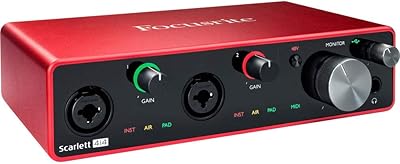
Focusrite Scarlett 4i4 3rd Gen Audio Interface
79%
91%
Preamp Quality
88%
Air Mode
86%
Build Quality
83%
I/O Versatility
82%
Value for Money
More
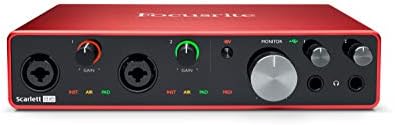
Focusrite Scarlett 18i20 3rd Gen Audio Interface
78%
89%
Preamp Quality
93%
I/O Versatility
67%
Driver Stability
74%
Value for Money
84%
Latency Performance
More
Focusrite Scarlett 2i2 Studio 3rd Gen Bundle
82%
91%
Build Quality
88%
Preamp Quality
93%
Ease of Setup
86%
Driver Stability
83%
Value for Money
More
Focusrite Scarlett 8i6 3rd Gen USB Audio Interface
80%
88%
Preamp Quality
79%
Air Mode Effectiveness
91%
I/O Flexibility
83%
Driver Stability
81%
Headphone Output Quality
More
Focusrite Scarlett 2i4 2nd Gen Audio Interface
77%
88%
Preamp Quality
83%
Build Quality
86%
Value for Money
91%
Ease of Setup
79%
RCA Output Utility
More
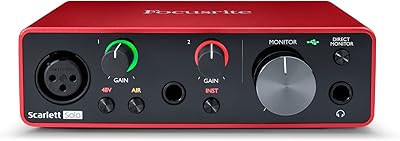
Focusrite Scarlett Solo 3rd Gen
87%
92%
Build Quality
89%
Ease of Setup
91%
Vocal Clarity (Air Mode)
94%
Portability
93%
Value for Money
More
Focusrite Clarett 2Pre USB Audio Interface
83%
93%
Preamp Quality
94%
Noise Floor
67%
Value for Money
82%
Air Mode Performance
71%
Driver Stability
More
Focusrite Clarett 4Pre USB 18-In/8-Out Audio Interface
87%
94%
Audio Quality
91%
Latency
88%
Build Quality
90%
Connectivity
85%
Software Bundle
More
Black Lion Audio Revolution 2x2 Audio Interface

75%
88%
Preamp Quality
91%
Audio Transparency
86%
Clocking Performance
87%
Build Quality
73%
Value for Money
More
M-Audio M-Track Duo
M-Audio M-Track Duo
83%
88%
Preamp Clarity
93%
Value for Money
62%
Build Quality
91%
Ease of Installation
87%
Portability
More

FAQ

On macOS, the Scarlett 18i8 is class-compliant, so the system recognizes it the moment you plug it in — no driver install needed. On Windows, you will want to download and install the official Focusrite drivers before your first session to get stable, low-latency performance. Either way, initial setup is generally quick and painless.

It always needs the included power supply — this unit is not bus-powered under any circumstances. You cannot run it off your laptop's USB port alone, so plan to have a wall outlet available wherever you record. This is one of the more commonly overlooked details for buyers coming from smaller, bus-powered interfaces.

Air mode applies a subtle high-frequency lift and added presence to the mic preamp signal, loosely inspired by the character of Focusrite's older ISA transformer-based hardware. It works best on acoustic instruments and vocals, where it adds a sense of openness without sounding processed or artificial. That said, it is a light enhancement rather than a transformative effect, so manage expectations accordingly — it is a nice-to-have, not a necessity.

Officially, this interface is designed for Mac and Windows computers only. Some users have connected it to an iPad Pro via a powered USB-C hub with mixed results, but that is not a supported setup and reliability can vary. If mobile recording is a core part of your workflow, a smaller bus-powered interface designed with iOS compatibility in mind would be a safer and more reliable choice.

If you consistently record more than two sources at the same time, need dual headphone outputs for collaborative sessions, or want room to expand via ADAT, the Focusrite Scarlett 18i8 3rd Gen USB Audio Interface justifies the higher cost. But if you mainly record one vocal or one instrument at a time, the 2i2 handles that just as well and costs considerably less. The decision really comes down to how many inputs you actually use on a regular basis.

Yes — the ADAT optical input lets you connect a compatible external preamp unit and bring up to eight additional microphone channels into the interface. This is a real advantage if you want to eventually track a full drum kit or a larger group without buying a completely new interface. It is one of the more practical long-term investment arguments for this unit over a simpler two-channel option.

The dropout reports that do appear almost universally trace back to low-quality USB cables or passive USB hubs rather than any fault in the unit itself. Using a solid USB-C cable connected directly to your computer's port — not through a hub — resolves the problem for the vast majority of users. It is worth investing in a decent cable from the start rather than grabbing a cheap one from a drawer.

They can each carry a different mix when set up through the Focusrite Control software, which is genuinely useful in practice. For example, a vocalist can hear more of their own voice in their headphones while the engineer listens to a balanced mix in theirs. Each output also has its own independent level knob on the front panel for quick adjustments during a session.

You can technically use the interface without opening Focusrite Control — basic recording and monitoring will work — but the software is necessary if you want to set up separate headphone mixes, toggle Air mode per channel, or adjust routing beyond the defaults. The honest assessment is that it is functional but not particularly polished; it gets the job done for most studio use cases, just without the refined feel of some competing software environments.

Focusrite bundles software with new units, which has historically included a version of Ableton Live Lite along with other trial licenses through their Focusrite Creative Pack. The specific bundle can change over time, so it is worth checking the current offer on the Focusrite website after purchase. If you already own a DAW, the interface will work with it without any additional setup.

Where to Buy