Overview

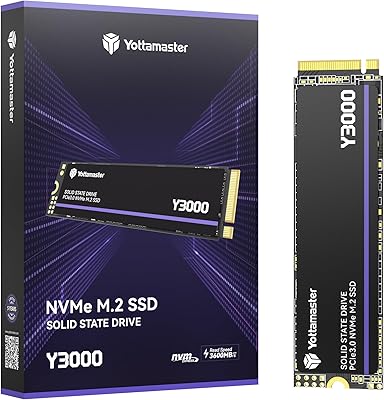
The Yottamaster Y3000 512GB NVMe Internal SSD arrived on the market in late 2024 as a value-oriented PCIe 3.0 drive from a brand quietly building credibility in budget storage circles. At 512GB capacity, it hits a practical sweet spot — enough room for a Windows installation, several large games, and everyday files without paying flagship prices. To be clear, this is not a drive competing with Samsung or Western Digital on pedigree or polished firmware maturity. What makes it interesting at this tier is the included aluminum heatsink, a bundled accessory that most competitors leave out entirely, giving it a small but genuine edge for value-focused buyers.
Features & Benefits

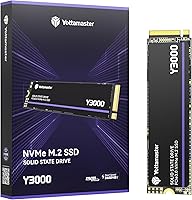
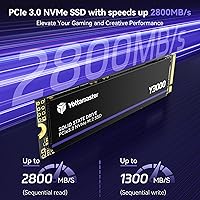
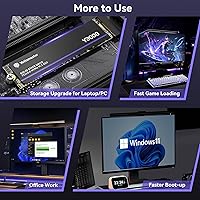
The Y3000 SSD runs on a PCIe 3.0 x4 interface, hitting sequential reads up to 2800MB/s — which in practice means Windows boots in seconds and most games load noticeably faster than they would from a SATA drive. Those speeds rely on SLC caching for burst transfers, so writing very large files continuously will cause performance to taper once the cache fills. For typical use — installing apps, copying documents, loading game levels — that is rarely an issue. The drive ships with SMART monitoring, TRIM, NCQ, and bad block management baked in, plus power-loss protection, a genuinely useful safeguard at this price. The M.2 2280 form factor fits virtually every modern desktop and laptop slot.

Best For

This budget M.2 drive makes the most sense for budget PC builders who want a meaningful upgrade without the cost of a premium brand. If you are pulling a spinning hard drive out of an older laptop, the speed difference will feel dramatic — boot times, app launches, and file access all improve substantially. It is also a solid pick as a secondary game storage drive in a desktop rig, where you are storing titles rather than running write-heavy workloads. One important caveat: this Yottamaster NVMe drive is explicitly not PS5-compatible, so console upgraders should look elsewhere. Getting a heatsink and thermal pads bundled in the box without paying extra is a real, tangible bonus here.

User Feedback

Early buyers rate the Y3000 SSD at 4.3 out of 5 stars, though with only 61 reviews posted, that figure deserves a grain of salt — it is simply too early to call this a proven, reliable track record. On the positive side, users frequently praise straightforward installation and how noticeable the speed jump feels compared to older HDDs or SATA drives. Opinions on the heatsink are mixed — most find it functional rather than impressive. A recurring practical note: the drive must be formatted before use, which catches some first-time buyers off guard. Sustained write speeds under heavy loads remain worth watching as the review pool grows over time.

Pros

  • PCIe 3.0 speeds make boot times and app launches noticeably faster compared to any SATA or HDD alternative.
  • The included aluminum heatsink and thermal pads are a genuine bonus rarely bundled at this price point.
  • Standard M.2 2280 form factor fits virtually every modern desktop and laptop without any adapter needed.
  • A 5-year limited warranty offers reasonable long-term peace of mind for a budget-tier purchase.
  • SMART monitoring, TRIM, and power-loss protection add a layer of data safety you do not always get this cheap.
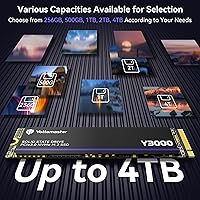
  • Multiple capacity options — from 256GB up to 4TB — mean you can pick the right size for your actual needs.
  • Early buyers consistently report an easy, plug-and-play installation experience with no surprises.
  • The Y3000 SSD is lightweight at under half an ounce, making it practical for slim laptop builds.

Cons

  • Sustained write speeds drop significantly once the SLC cache fills — a real limitation for large file transfers.
  • Yottamaster is a relatively young brand with limited long-term reliability data to reassure cautious buyers.
  • Only 61 reviews at the time of writing makes the 4.3-star rating statistically thin and hard to fully trust.
  • The drive must be manually formatted before first use — skipping this step causes compatibility headaches.
  • Not compatible with PS5, which rules out a popular and growing use case for M.2 NVMe drives.
  • The 150TBW endurance rating is on the lower end for users with write-heavy workloads over a multi-year span.
  • The heatsink accessory is functional but not premium — do not expect the build quality of a dedicated aftermarket cooler.
  • No independent third-party benchmark data is widely available yet to verify advertised speed claims under real conditions.

Ratings

The scores below reflect our AI-driven analysis of verified global buyer reviews for the Yottamaster Y3000 512GB NVMe Internal SSD, with spam, bot activity, and incentivized feedback actively filtered out before scoring. Each category is rated on real-world performance patterns observed across the review pool, not manufacturer claims — so both the strengths and the genuine frustrations are represented here without sugarcoating.

Read Speed Performance
83%
Buyers upgrading from hard drives or SATA SSDs consistently report a dramatic improvement in everyday responsiveness — Windows loads faster, applications snap open, and game levels that used to stutter through a loading screen now move through in seconds. For typical desktop and laptop workloads, the burst read performance delivers on its promise.
The headline 2800MB/s figure depends on favorable conditions and SLC cache activity, and real-world benchmarks from buyers show somewhat lower average reads under mixed workloads. Users running demanding sequential read tasks back-to-back may notice the drive settling into a more modest sustained rhythm.
Write Speed & Cache Behavior
67%
33%
For everyday file saves, game installations, and document-heavy workflows, the SLC cache keeps write speeds feeling brisk and responsive. Most buyers doing typical PC tasks will rarely push the drive hard enough to notice any slowdown during normal sessions.
This is where several buyers raised red flags: once the SLC cache is saturated during large continuous writes — moving big video files, cloning drives, or installing multiple large games simultaneously — speeds drop noticeably. It is a real and recurring complaint, not an edge case, and heavy writers should factor this in.
Installation Experience
91%
Installation feedback is among the most consistently positive aspects of this drive. Buyers describe a clean, no-drama physical install — the M.2 2280 form factor slots into place like any standard drive, and the included screw and instructions mean you are not hunting through a junk drawer mid-build.
A recurring gotcha is the formatting requirement: a meaningful number of buyers plugged in the drive and were confused when their system did not immediately recognize it. The drive ships unformatted, which is standard practice but not obvious to first-time upgraders without a clear warning upfront.
Value for Money
86%
At this price tier, the Y3000 SSD punches above its weight by bundling a heatsink, thermal pads, and a five-year warranty — accessories that typically cost extra or come only with pricier drives. For buyers on a tight build budget who still want NVMe speeds, the overall package feels genuinely fair.
The value calculus shifts if you compare it to well-established budget NVMe options from brands like Crucial or Kingston, which carry more proven reliability histories at similar prices. For some buyers, that brand confidence is worth a few extra dollars, and the Y3000 cannot fully compete on track record yet.
Heatsink & Thermal Accessories
72%
28%
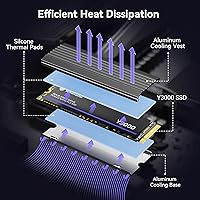
The inclusion of an aluminum cooling vest and dual silicone thermal pads is genuinely appreciated by buyers, particularly those building in cases with limited airflow or using the drive in a laptop known to run warm. Getting any thermal solution bundled at this price is an uncommon and practical touch.
Opinions split on the heatsink quality itself — several buyers describe it as feeling lightweight and plasticky relative to aftermarket options, and a few noted it fits loosely on the drive body. It handles the basics adequately but is not something you would brag about in a premium build.
Build Quality & Physical Construction
69%
31%
The drive itself is compact and light, and buyers report no physical defects out of the box — chips are properly seated, the PCB looks clean, and the overall assembly feels consistent with what you would expect from a reputable budget manufacturer.
Yottamaster does not have the same manufacturing pedigree as tier-one brands, and the limited review pool makes it hard to assess durability trends over time. A small number of buyers have flagged concerns about long-term component quality, though it is too early to draw firm conclusions from such a small sample.
Compatibility
78%
22%
The standard M.2 2280 NVMe form factor means this budget M.2 drive drops into a huge range of modern motherboards and laptops without adapters or special configuration. Buyers across a wide variety of systems — from budget AMD builds to Intel-based ultrabooks — report clean detection after formatting.
The explicit PS5 incompatibility is a dealbreaker for a growing segment of buyers who purchase M.2 drives primarily for console storage. A few buyers also reported needing a BIOS update on older systems before the drive was recognized, which added unexpected friction to the setup process.
Endurance & Longevity
61%
39%
For typical home users — web browsing, document editing, light gaming — the 150TBW rating is more than sufficient across the warranty period, and the power-loss protection and bad block management features add a practical safety net for everyday reliability.
Heavy users who write large volumes of data regularly will find 150TBW constraining over a multi-year ownership cycle. Content creators, developers, and anyone doing frequent large backups should look for a drive with a higher endurance rating, as this one is clearly optimized for lighter workloads.
Data Protection Features
81%
19%
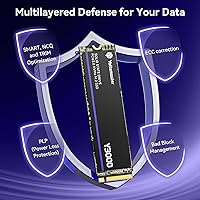
The inclusion of SMART monitoring, TRIM support, NCQ, bad block management, and power-loss protection gives buyers a reassuring set of safeguards that you do not always find specified clearly on budget drives. SMART support in particular lets users track drive health proactively using free tools.
These protections are table stakes in modern SSDs, and while it is good to see them confirmed, they do not differentiate this Yottamaster NVMe drive from the competition in any meaningful way. Buyers should still maintain external backups — no on-drive protection replaces a solid backup routine.
Warranty & Brand Support
74%
26%
A five-year limited warranty is a strong commitment for a value-tier drive and signals that Yottamaster is at least standing behind the product with some confidence. Buyers generally appreciate having that coverage documented clearly rather than having to dig for warranty terms.
Yottamaster is not a household name in storage, and real-world experiences with their customer support and RMA process are barely documented at this early stage. Until the brand accumulates a larger service track record, the warranty is more of a reassuring number than a fully proven safety net.
Out-of-Box Experience
76%
24%
Packaging is tidy and the included accessories are organized sensibly — buyers do not have to dig through loose parts or decipher a confusing layout. The instruction sheet, while basic, covers the key steps for first-time installers adequately.
The mandatory formatting step before use is not prominently communicated on the packaging or in the quick-start guide, leading to genuine confusion among less experienced buyers. A clearer first-use warning would meaningfully reduce the friction this creates, especially for laptop upgraders doing this for the first time.
Gaming Performance
82%
18%
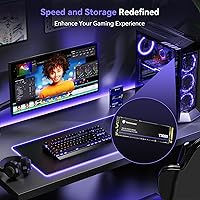
As a secondary game storage drive, the Y3000 SSD delivers real, noticeable improvements in level load times and open-world streaming compared to SATA or mechanical alternatives. Buyers who use it specifically to store and launch games report a smooth, responsive experience that meets expectations at this price.
Buyers who expected the drive to dramatically close the gap with PCIe 4.0 gaming SSDs were somewhat underwhelmed in direct comparisons. The Y3000 is a PCIe 3.0 drive operating within those bandwidth limits, and for users already running a fast primary NVMe drive, the gains on a secondary slot are incremental rather than transformative.
Review Maturity & Trust Signal
58%
42%
The 4.3-star aggregate from early buyers is an encouraging opening signal, and the absence of a significant cluster of one-star complaints suggests the drive is not suffering from an obvious manufacturing defect or widespread failure pattern at this stage.
With only 61 reviews collected since October 2024, this rating pool is statistically thin. It is genuinely not enough data to assess long-term reliability, failure rates, or how Yottamaster handles warranty claims at scale — and prospective buyers deserve to know that before placing too much weight on the current score.

Suitable for:

The Yottamaster Y3000 512GB NVMe Internal SSD is a strong fit for budget-conscious builders and upgraders who want a real, tangible speed improvement without paying premium brand prices. If you are pulling an aging hard drive out of a laptop or desktop and replacing it with this drive, the difference in day-to-day responsiveness — faster boots, snappier app launches, quicker file access — will feel dramatic and immediately worthwhile. It is equally well-suited as a secondary storage drive in a gaming rig, where you park your game library and load titles quickly without demanding the sustained write performance that a primary workload drive might require. The bundled aluminum heatsink and thermal pads add practical value that most drives at this price tier simply do not include. Anyone comfortable doing basic PC assembly and willing to format the drive before first use will find the installation experience straightforward.
Not suitable for:

The Yottamaster Y3000 512GB NVMe Internal SSD is not the right pick for buyers who regularly move very large files — think video editing projects, bulk RAW photo exports, or large game installation folders — because sustained write performance will drop noticeably once the SLC cache is saturated. It is also a hard pass for PS5 owners looking to expand console storage, as the drive is explicitly incompatible with Sony's system. Power users or professionals who rely on their storage for mission-critical work should lean toward an established brand with a longer reliability track record, since the Y3000 only launched in late 2024 and has a relatively small pool of real-world reviews to draw on. The 150TBW endurance rating, while acceptable for light everyday use, is on the modest side for anyone writing large amounts of data consistently over several years. If longevity and brand trust matter more to you than upfront savings, a more established NVMe option is the safer bet.
Specifications

  • Capacity: The drive offers 512GB of usable storage, suitable for an operating system installation alongside a moderate game library and everyday files.
  • Interface: Uses a PCIe 3.0 x4 NVMe interface, delivering significantly faster data throughput than older SATA-based solid state drives.
  • Form Factor: Follows the standard M.2 2280 specification, meaning it is 22mm wide and 80mm long — the most common M.2 size found in modern desktops and laptops.
  • Read Speed: Sequential read speed reaches up to 2800MB/s under optimal burst conditions using SLC cache acceleration.
  • Write Speed: Sequential write speed reaches up to 1300MB/s during cached burst transfers; sustained write performance will be lower once the SLC cache is exhausted.
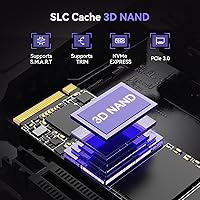
  • NAND Type: Built with 3D NAND flash memory paired with an SLC cache layer to improve responsiveness during frequent smaller read and write operations.
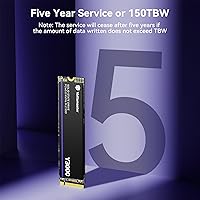
  • Endurance: Rated at 150TBW (terabytes written), which is adequate for light-to-moderate everyday workloads over the warranty period.
  • Warranty: Covered by a 5-year limited manufacturer warranty backed by Yottamaster.
  • Weight: The bare drive weighs approximately 0.353 ounces, making it one of the lightest components you will install in any build.
  • Included Items: The package contains the SSD, an aluminum cooling vest with base, two silicone thermal pads, one mounting screw, and a printed instruction sheet.
  • Thermal Design: An aluminum heatsink vest with dual silicone thermal pads is bundled to help manage operating temperatures during sustained workloads.
  • Data Protection: Supports SMART health monitoring, NCQ, TRIM, bad block management, and power-loss data protection to reduce the risk of data corruption.
  • Compatible Devices: Designed for internal installation in PCIe 3.0-compatible desktop PCs and laptops that feature an M.2 2280 slot.
  • PS5 Compatibility: This drive is not compatible with the PlayStation 5 and should not be purchased for console storage expansion.
  • Installation Type: Installed internally via a standard M.2 slot; no external enclosure or adapter is required for supported host systems.
  • Available Capacities: The Y3000 series is also available in 256GB, 1TB, 2TB, and 4TB variants for buyers needing more or less storage.
  • First Available: The product was first listed for sale in October 2024, making it a relatively recent release with a still-growing user review base.

Related Reviews

Yottamaster Y3000 2TB NVMe Internal SSD
75%
91%
Value for Money
84%
Read Speed Performance
68%
Write Speed Performance
93%
Installation Ease
78%
Thermal Management
More
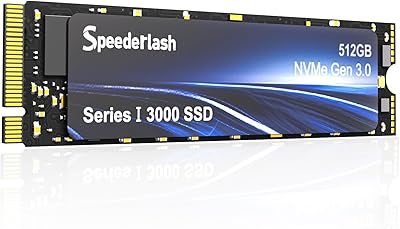
Speederlash PCIE3 512GB NVMe M.2 SSD
71%
83%
Value for Money
74%
Read & Write Performance
91%
Installation Ease
88%
Compatibility
78%
Thermal Management
More
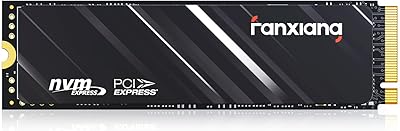
fanxiang S501Q 512GB NVMe SSD
78%
83%
Sequential Read Speed
67%
Sequential Write Speed
88%
Value for Money
74%
Build & Physical Quality
69%
Thermal Management
More
RONGSHU RS001 512GB PCIe 4.0 NVMe SSD
75%
91%
Value for Money
83%
Read Speed Performance
86%
PS5 Compatibility
53%
Brand Reliability
61%
Sustained Workload Performance
More
Samsung PM981 512GB NVMe SSD
87%
91%
Performance (Speed)
88%
Value for Money
84%
Installation/Setup
90%
Reliability/Durability
92%
Gaming Performance
More
Fikwot FX550 512GB NVMe SSD
83%
91%
Performance
92%
Value for Money
88%
Read Speed
85%
Write Speed
89%
Reliability
More
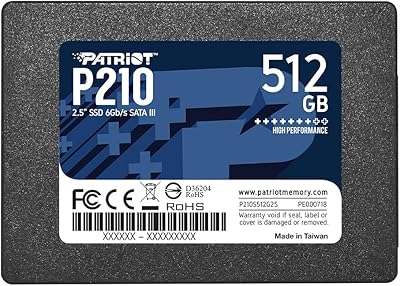
Patriot P210 512GB Internal SSD
74%
91%
Value for Money
74%
Read/Write Speed
93%
Installation Ease
83%
Long-Term Reliability
77%
Compatibility
More
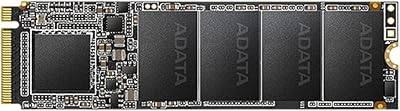
XPG SX6000 Lite 512GB NVMe SSD
85%
87%
Performance
90%
Read Speed
85%
Write Speed
91%
Ease of Installation
92%
Value for Money
More
XPG SX6000 Pro 512GB NVMe SSD
75%
86%
Sequential Read Performance
61%
Sustained Write Performance
83%
Value for Money
91%
Installation Ease
58%
Compatibility & Platform Support
More
Yottamaster YK20MINI 512GB Magnetic External SSD
78%
78%
Transfer Speed
81%
Magnetic Attachment
86%
ProRes Recording Support
71%
Build Quality
88%
Device Compatibility
More

FAQ

Yes — you need to format the drive before your system will recognize it as usable storage. This is a standard step for any new internal SSD, but it catches a surprising number of first-time buyers off guard. On Windows, you can do this through Disk Management by initializing the disk and creating a new volume.

It will work in any laptop that has an M.2 2280 slot running PCIe 3.0 or PCIe 4.0 (PCIe 4.0 slots are backward compatible). Before buying, check your laptop's manual or manufacturer spec sheet to confirm you have an M.2 NVMe slot rather than an M.2 SATA-only slot, as those are not interchangeable.

No. The Yottamaster Y3000 512GB NVMe Internal SSD is a PCIe 3.0 drive, and the PS5 requires a PCIe 4.0 NVMe SSD to function correctly in its expansion slot. Using this drive in a PS5 is not supported, and you should look at PCIe 4.0 options if console storage expansion is your goal.
That peak read speed is real but applies to burst transfers of smaller files while the SLC cache is active. For typical tasks like booting Windows, launching apps, or loading game levels, you will absolutely feel the speed benefit. Where it matters less is during very large, continuous file writes — copying a 50GB video project, for example — where speeds will drop once the cache fills up.

The bundle includes an aluminum vest that wraps around the drive, two silicone thermal pads to transfer heat from the NAND chips to the metal shell, and a base. You do not strictly need it if your motherboard already has an M.2 heatsink cover, but it is a useful addition for open-air desktop builds or laptops that tend to run warm. It is functional rather than fancy — manage expectations accordingly.

The difference is meaningful. A typical SATA SSD tops out around 550MB/s sequential read, while the Y3000 SSD operates several times faster on that same metric. In practice, you will notice faster Windows boot times, quicker large application launches, and snappier file browsing. For a laptop still running a spinning hard drive, the upgrade feels even more dramatic.

For most everyday users, yes. 150TBW means you could write roughly 40GB of data every single day for about ten years before hitting that threshold. Where it becomes a concern is for content creators, video editors, or anyone routinely pushing large volumes of data to the drive daily — those users should consider a higher-endurance drive.

Yottamaster has been building a reputation primarily in external enclosures and budget storage accessories, and the Y3000 is part of their push into internal SSDs. The brand is not in the same tier as Samsung, WD, or Crucial in terms of established reliability data, but early buyer feedback is positive. Given the drive only launched in late 2024, the honest answer is that its long-term track record is still being written — something worth keeping in mind.

PCIe 3.0 NVMe drives are generally backward compatible with PCIe 2.0 M.2 slots, but at reduced speeds. The drive should still function, but you will not get anywhere near the rated 2800MB/s — expect roughly half that bandwidth ceiling. Check your motherboard documentation to confirm NVMe support, since some older M.2 slots only support SATA.

Yottamaster covers this budget M.2 drive with a 5-year limited warranty, which is competitive for a value-tier product. If something goes wrong, you would contact Yottamaster support directly to initiate a claim. As always with any drive, maintaining a backup of important data is strongly recommended regardless of warranty coverage — warranties replace hardware, not lost files.