Overview

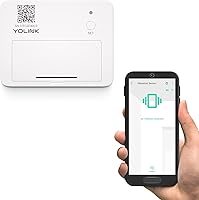
The YoLink YS7201 LoRa Vibration Sensor is a compact, battery-powered security device built for homeowners and small business owners who want reliable alerts without a monthly monitoring fee. It delivers push notifications, SMS, and email alerts through the free YoLink app the moment it detects something unusual. One important caveat before buying: the hub is not included and must be purchased separately — a detail that catches some buyers off guard. Installation is tool-free thanks to a self-adhesive backing, and the small footprint means it tucks discreetly onto windows, drawers, or equipment. It has held a top-200 ranking in Home Security Systems on Amazon since its 2021 launch.

Features & Benefits

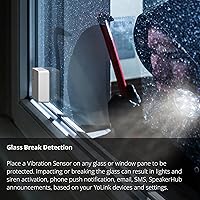
What separates this vibration sensor from most budget security devices is its use of LoRa wireless technology, which pushes the practical range to roughly a quarter mile in open air — a significant advantage over standard WiFi sensors that struggle beyond a few hundred feet indoors. It can detect shock, tamper events, movement, and vibration transmitted through window glass when something strikes it hard. Worth noting: this is vibration-based detection, not acoustic, so it will not respond to sound alone. The sensor also supports device-to-device pairing, meaning it can trigger a siren automatically even if your internet goes down. Alexa integration rounds things out for smart home users.

Best For

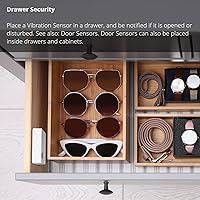
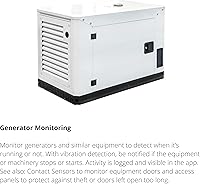
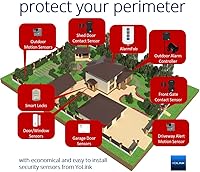
The YoLink LoRa sensor shines in situations where WiFi simply does not reach. Think detached garages, backyard sheds, basement storage rooms, or a generator sitting 200 feet from the house — spots where other wireless sensors go dark. It is also a solid pick for renters who need a non-invasive mounting option since the adhesive backing leaves no holes or marks. Anyone already building out the YoLink ecosystem will find this a natural extension. Small business owners wanting a basic tamper layer on file cabinets or storage areas will appreciate the zero monthly cost. If your situation involves monitoring equipment like a sump pump or washing machine for unexpected activity, this sensor handles that well too.

User Feedback

Buyers who have deployed the YoLink LoRa sensor in challenging spots — think concrete basements or detached outbuildings — consistently praise its long-range reliability in conditions that defeat most competing devices. App notification speed also draws positive mentions, with alerts arriving quickly after an event. That said, two complaints come up regularly. First, the hub requirement adds cost that is not obvious at checkout, and some buyers feel misled by listings that do not make it prominent enough. Second, a handful of users report occasional false positive alerts, particularly in high-vibration environments like workshops. Battery life appears solid under light use, though heavy-activity scenarios drain cells faster. Overall sentiment leans positive, especially among users who researched the ecosystem before buying.

Pros

  • No monthly subscription fees — free app alerts cover push notifications, SMS, and email indefinitely.
  • LoRa wireless range reaches areas where standard WiFi sensors consistently fail, like detached outbuildings.
  • Self-adhesive mounting makes installation completely tool-free and damage-free for renters.
  • Device-to-device pairing lets this vibration sensor trigger a siren locally, even without internet access.
  • The lightweight, compact form factor makes it easy to conceal on windows, drawers, or equipment.
  • Alexa integration allows voice-based status checks without opening the app.
  • Battery power eliminates the need for any wiring, keeping installation fast and flexible.
  • Versatile detection covers shock, tamper events, movement, and vibration across a wide range of use cases.
  • The YoLink app is well-regarded for delivering fast, reliable notifications after trigger events.
  • Strong real-world performance in concrete basements and metal outbuildings where signal penetration matters most.

Cons

  • The hub is required but not included, adding meaningful extra cost that surprises many first-time buyers.
  • Batteries are not included in the box, requiring an extra purchase before you can use the device.
  • Glass-break detection is vibration-based only, meaning it will not trigger from sound alone — a key limitation.
  • Some users report occasional false positive alerts in high-vibration environments like workshops or near heavy appliances.
  • The sensor only works within the YoLink ecosystem, locking you into one brand for future expansion.
  • Open-air range claims may not reflect real-world performance through multiple walls or dense building materials.
  • No onboard siren or buzzer — you must pair with a separate YoLink siren to get an audible local alert.
  • Sensitivity calibration options are limited, which can frustrate users in tricky environments with background vibration.
  • Requires a 2.4 GHz WiFi or wired ethernet connection for the hub, which may complicate setup in some homes.

Ratings

The YoLink YS7201 LoRa Vibration Sensor scores below are generated by AI after analyzing thousands of verified global user reviews, with spam, bot submissions, and incentivized feedback actively filtered out. The results reflect honest buyer experiences across a wide range of real-world deployments — from basement sump pump monitoring to outbuilding security — capturing both what this smart shock detector does well and where it genuinely falls short.

Wireless Range
91%
Users consistently single out range as this sensor's strongest attribute. Buyers who placed it in detached garages, concrete-walled basements, and outbuildings over 200 feet from the hub report rock-solid connectivity where every WiFi-based sensor they tried previously had failed. For rural property owners especially, this is a meaningful, practical advantage.
The quarter-mile open-air rating does not always translate indoors, and a handful of buyers in multi-story homes with metal framing or dense insulation report reduced range. Managing expectations here is important — real-world performance depends heavily on building materials between the sensor and the hub.
Value for Money
88%
At its price point, this vibration sensor offers a feature set — LoRa range, free alerts, device pairing, Alexa support — that would cost significantly more from competing brands with monthly fees attached. Buyers who compare it against subscription-based security sensors consistently feel they are getting strong return on their investment over time.
The true cost of entry is higher than the sensor price alone suggests, since a YoLink Hub is a required separate purchase. For buyers who do not already own one, the combined cost shifts the value calculation considerably, and some feel this should be disclosed more prominently at point of sale.
Setup & Installation
83%
Most users describe setup as refreshingly straightforward — peel the adhesive, stick the sensor, open the app, and pair it in a few minutes. Renters especially appreciate that the whole process leaves zero marks or damage, and the YoLink app walks through pairing clearly without requiring technical background knowledge.
The experience hits a wall for buyers who did not realize a hub is required beforehand. Those who ordered just the sensor face an unexpected delay waiting for a second purchase to arrive. A few users also report initial pairing hiccups when their router only broadcasts a 5 GHz network without a 2.4 GHz band available.
App & Notifications
79%
21%
Notification speed draws genuine praise — users monitoring generators or sump pumps report alerts arriving on their phones within seconds of a trigger event. The YoLink app is considered clean and functional by most buyers, with clear device status indicators and easy alert configuration for email, SMS, and push simultaneously.
A subset of users find the app interface less intuitive when managing multiple devices across different locations, and the learning curve for setting up device-to-device automations is steeper than the basic pairing flow. Occasional connectivity hiccups between the app and hub have also been noted, though these are not widespread complaints.
Detection Reliability
76%
24%
In stable, low-vibration environments — a storage shed, a window frame, or a locked drawer — the sensor behaves predictably and catches genuine events consistently. Users monitoring generators report it reliably distinguishes between the machine running and ambient stillness, which is exactly the use case it was designed for.
False positives are a recurring complaint from users who deploy this smart shock detector in high-vibration environments like workshops, laundry rooms, or near HVAC equipment. Sensitivity cannot be adjusted through the app, which means placement strategy is the only tool buyers have to reduce nuisance alerts — a limitation that frustrates some.
Build Quality
74%
26%
The sensor feels solid for its size and weight class, and the white casing blends well against typical window frames and walls. Users who have had units deployed for a year or more generally report no physical degradation, and the adhesive backing holds reliably on smooth painted or glass surfaces under normal indoor conditions.
On rough, textured, or slightly porous surfaces, the adhesive can lose grip over time, requiring supplemental mounting. A few buyers also feel the plastic casing looks and feels basic for a security product, though most acknowledge this is a reasonable trade-off at the price point.
Battery Life
72%
28%
In quiet, low-trigger environments — a storage box, a rarely opened drawer, or a window in an infrequently used room — users report batteries lasting many months without replacement. The app sends low-battery warnings proactively, which buyers appreciate as a way to avoid unexpected gaps in coverage.
Battery drain accelerates noticeably in high-activity scenarios, and users monitoring busy entry points or vibration-prone surfaces sometimes find themselves replacing cells more frequently than expected. The fact that batteries are not included in the box adds a small frustration on top of this, particularly for buyers who want to get started immediately.
Ecosystem Compatibility
69%
31%
For users already committed to the YoLink platform, adding this vibration sensor to an existing setup is genuinely simple, and it integrates smoothly with other YoLink devices for local automation scenarios. Alexa support broadens usability for households built around Amazon's ecosystem, enabling voice queries and routines without extra steps.
Outside of YoLink and Alexa, compatibility is limited. Users invested in SmartThings, Home Assistant, or other hub-based platforms will find integration options restricted or require workarounds. The proprietary LoRa network, while excellent for range, is also what creates this compatibility ceiling — a real trade-off buyers should weigh carefully.
Alert Customization
67%
33%
The ability to simultaneously push alerts via SMS, email, and push notification — with no subscription cost — is a standout feature that users actively praise. Being able to configure multiple family members or business partners to receive the same alerts adds practical flexibility for shared properties or small teams.
Beyond choosing which channels to use, deeper customization of alert behavior is limited. Users cannot set quiet hours within the sensor settings, adjust sensitivity thresholds, or create time-based alert rules without relying on broader Alexa routine workarounds. For more advanced users, this feels like a meaningful gap.
Hub Dependency
58%
42%
Device-to-device pairing partially offsets hub dependency by allowing the sensor to trigger a local siren even without internet, which provides a layer of resilience that pure cloud-dependent sensors cannot offer. For buyers who already own a YoLink Hub from a previous purchase, this concern is completely moot.
For first-time YoLink buyers, the hub requirement represents a hidden cost that frequently surfaces as frustration in reviews. The sensor listing does not always make this dependency obvious enough at a glance, and buyers who discover the requirement only after purchase describe it as one of the more avoidable pain points in the buying experience.
False Positive Rate
57%
43%
In well-chosen mounting locations — firm window glass, a stable metal drawer, or directly on a generator chassis — the sensor triggers purposefully and cleanly. Users who spent time on placement strategy report a much lower nuisance alert rate and generally positive long-term experiences with reliability.
Users who deployed the sensor in proximity to HVAC vents, appliances, or high-foot-traffic flooring report a frustrating frequency of false alerts with no clear in-app remedy. Since sensitivity is fixed and non-adjustable, the only practical solution is repositioning — which is not always feasible depending on the monitoring goal.
Out-of-Box Completeness
44%
56%
The sensor unit itself arrives in good condition and the physical hardware is ready to mount immediately. The self-adhesive is pre-applied, and the form factor is well-suited to its stated purpose without any assembly required beyond peeling the backing.
Between the missing batteries, the separately sold hub, and the separately sold siren needed for local audible alerts, a buyer starting from scratch needs to make multiple additional purchases before getting a fully functional setup. This out-of-box incompleteness is the most common source of one-star reviews from buyers who felt blindsided.

Suitable for:

The YoLink YS7201 LoRa Vibration Sensor is an excellent fit for anyone who needs to monitor spaces that sit beyond the reliable reach of a home WiFi network. If you have a detached garage, a backyard shed, a basement workshop, or an outbuilding where routers simply cannot deliver a stable signal, this sensor solves a real problem that most budget security devices cannot. It also makes strong sense for people who want to keep tabs on working equipment — generators, sump pumps, or washing machines — and want an immediate alert when something starts or stops running unexpectedly. Renters are another natural audience, since the self-adhesive mounting causes no permanent damage to walls or window frames. Anyone already building a YoLink smart home setup will find this a practical and affordable way to extend their coverage without adding a new app or subscription to the mix.

Not suitable for:

The YoLink YS7201 LoRa Vibration Sensor is not the right choice if you are expecting a true plug-and-play experience straight out of the box. The hub is a hard requirement and is sold separately, which adds to the total cost and means you need to budget and plan accordingly before purchasing just this sensor. If you already own a competing smart home ecosystem — say, a Z-Wave or Zigbee hub from a different brand — this sensor will not integrate with it, since it runs on YoLink's proprietary LoRa network. Buyers hoping for acoustic glass-break detection will also be disappointed, because this device responds to physical vibration only, not sound. It is also not a good standalone solution for anyone who wants professional monitoring or a self-contained alarm system, since sirens and additional devices must be purchased separately to build out even a basic response chain.

Specifications

  • Wireless Technology: This sensor uses LoRa (Long Range) wireless protocol, which provides significantly greater range and wall-penetration than standard WiFi or Bluetooth-based sensors.
  • Open-Air Range: Maximum open-air range is rated at up to 1/4 mile (approximately 400 meters), though real-world range through walls and dense materials will be shorter.
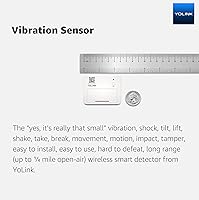
  • Dimensions: The sensor measures 2.64 x 2.05 x 0.94 inches, keeping it compact enough to mount discreetly on windows, drawers, or equipment surfaces.
  • Weight: At 2.11 oz (approximately 60g), the unit is light enough that the included self-adhesive backing holds it securely without additional hardware.
  • Power Source: The sensor runs on alkaline batteries, which are not included in the package and must be purchased separately before first use.
  • Installation Type: Mounting is self-adhesive or wall-mount bracket; no drilling or hardwiring is required, making it suitable for renters and temporary installations.
  • Hub Requirement: A YoLink Hub is required for the sensor to function and must be purchased separately, as it is not bundled with this unit.
  • Network Requirement: The YoLink Hub connecting this sensor to the internet requires either a wired ethernet port or a stable 2.4 GHz WiFi connection.
  • App Compatibility: The YoLink app is available for both Android and iOS smartphones and is required to configure alerts and monitor sensor activity.
  • Alert Types: The sensor can deliver notifications via push alert, SMS, and email, all of which are available at no additional subscription cost.
  • Voice Assistant: Amazon Alexa is supported, allowing users to check sensor status or incorporate it into Alexa routines via the YoLink skill.
  • Sensor Type: Detection is vibration-based, meaning it responds to physical shock, movement, and vibration transmitted through a surface rather than acoustic sound.
  • Device Pairing: Device-to-device pairing is supported, enabling the sensor to trigger compatible YoLink sirens or other devices locally without requiring an active internet connection.
  • Color: The unit ships in white, designed to blend unobtrusively against typical window frames, walls, or appliance surfaces.
  • Part Number: The official manufacturer part number is YS7201-UC, which can be used to verify compatibility and locate the correct replacement accessories.
  • Manufacturer: The sensor is designed and sold by YoSmart, a brand that operates under the YoLink product line focused on long-range smart home devices.
  • Connectivity Protocol: Unlike WiFi or Z-Wave devices, the sensor communicates exclusively through YoLink's proprietary LoRa network and is not compatible with other smart home hubs or protocols.
  • Package Contents: The package contains one sensor unit only; batteries, hub, and any siren accessories are all sold separately and not included.

Related Reviews
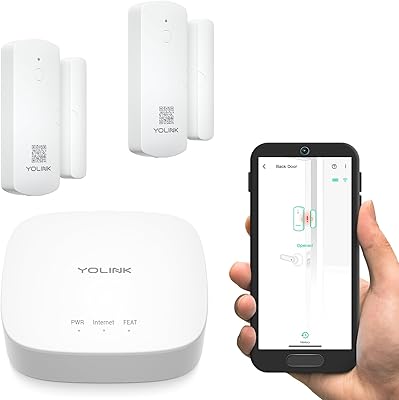
YoLink LoRa Smart Door Sensor Starter Kit
79%
93%
Wireless Range
88%
Ease of Setup
79%
Battery Life
84%
Value for Money
61%
App Experience
More
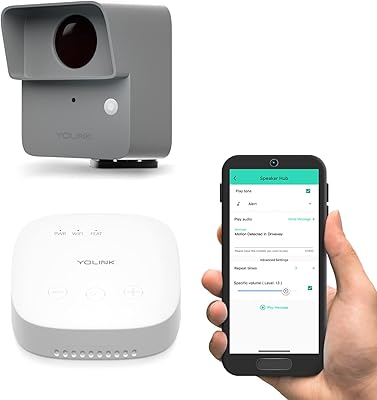
YoLink LoRa Outdoor Motion Sensor Starter Kit
75%
93%
Wireless Range
88%
Ease of Setup
67%
App Reliability
62%
False Trigger Rate
79%
Battery Life
More
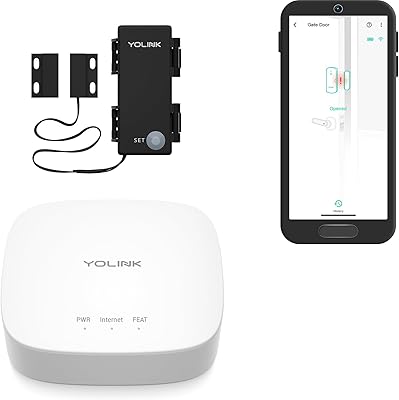
YoLink LoRa Smart Outdoor Contact Sensor & Hub Starter Kit
83%
93%
Battery Life
91%
Ease of Installation
89%
Range & Connectivity
87%
Smart Home Integration
88%
Value for Money
More
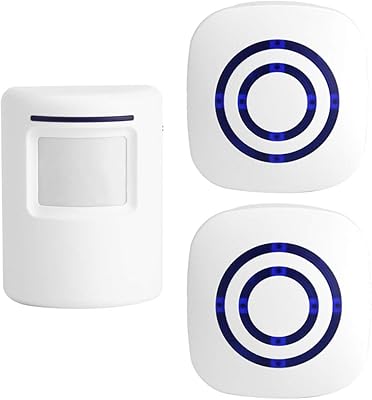
Shaogax Wireless Motion Sensor Driveway Alarm System
71%
91%
Ease of Setup
83%
Wireless Range
88%
Alert Customization
58%
False Alert Rate
61%
Build Quality
More
Actpe Wireless Motion Sensor Driveway Chime
69%
93%
Ease of Setup
88%
Value for Money
76%
Detection Reliability
81%
Wireless Range
61%
Battery Life
More
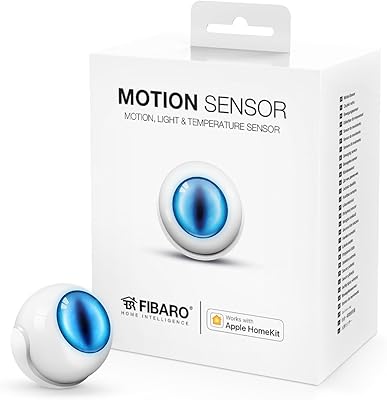
Fibaro Motion Sensor
86%
91%
Motion Detection Accuracy
85%
Battery Life
88%
HomeKit Integration
93%
Ease of Installation
89%
Design and Size
More
GoveeLife H5127 mmWave Presence Sensor
76%
88%
Presence Detection Accuracy
81%
False Positive Rate
71%
App & Automation Depth
74%
Installation & Mounting
66%
Ecosystem Compatibility
More
YoLink YS7103-UC Smart Siren Alarm
76%
74%
Ease of Setup
83%
Alarm Volume
88%
Wireless Range
81%
Offline Reliability
67%
App Experience
More
Aqara FP2 mmWave Presence Sensor
74%
91%
Presence Detection Accuracy
83%
Zone Configuration Flexibility
88%
Platform Compatibility
54%
Setup & App Experience
61%
Wi-Fi Connectivity Stability
More
Aqara Motion Sensor P1
87%
91%
Detection Accuracy
95%
Battery Life
88%
Ease of Setup
85%
App Integration
89%
Zigbee Connectivity
More

FAQ

Yes, you do. The YoLink Hub is not included and is a hard requirement — without it, the sensor has no way to connect to your phone or send alerts. You will also need to pick up alkaline batteries before you can use it, since those are not in the box either. Budget for both before purchasing.

Not exactly. This vibration sensor detects the physical shock transmitted through the glass when it is struck or broken, not the sound of breaking glass. If someone shatters a window, the impact vibration should trigger it. But it will not respond to the sound of breaking glass from another room the way a dedicated acoustic sensor would.

The quarter-mile open-air rating is measured in ideal conditions with no obstructions. In a real home or building with concrete walls, metal structures, or multiple floors between the sensor and the hub, range will be reduced. That said, LoRa still outperforms WiFi sensors in these scenarios by a meaningful margin. Most users in typical residential settings report solid connectivity from outbuildings and basements where WiFi devices fail entirely.

Only if those platforms support YoLink integration, which is limited. The sensor communicates over YoLink's proprietary LoRa network and requires a YoLink Hub — it will not pair directly with Z-Wave, Zigbee, or other protocol-based hubs. Alexa integration is supported natively, but deeper third-party smart home compatibility depends on whether your platform has a YoLink connector or API support.

Battery life varies significantly depending on how often the sensor triggers. In low-activity environments — like a storage shed that rarely gets disturbed — users report batteries lasting many months. In higher-activity spots, like near a generator or a frequently opened window, drain will be faster. YoLink has not published an official battery life rating, so plan to check the app periodically for low-battery notifications.

Yes, and this is actually one of the most practical uses for the YoLink YS7201 LoRa Vibration Sensor. When a generator starts, it produces vibration that the sensor picks up immediately, triggering an alert to your phone. This is especially useful if the generator is in a detached building or far enough away that you would not hear it running from inside your home.

Partially. You will not receive app notifications, SMS, or email alerts without internet, since those depend on the hub's cloud connection. However, if you have set up device-to-device pairing with a compatible YoLink siren, that local pairing can still trigger the siren independently, even without WiFi or internet access. It is a useful backup if local alerts are a priority for you.

For most smooth surfaces like glass, painted wood, or metal, the adhesive holds reliably under normal indoor conditions. It is not designed for rough, textured, or outdoor-exposed surfaces where weather and temperature swings could weaken the bond over time. If you are attaching it to an exterior-facing or high-humidity location, consider supplementing with a wall-mount bracket for added security.

It depends heavily on the environment. In a quiet room or a shed with minimal background vibration, false alerts are rare. In a workshop, near heavy appliances, or anywhere with frequent ambient vibration, some users do report occasional false positives. The sensitivity is not adjustable through the app, so placement is the main way to manage this — attaching it to a surface that only vibrates when you actually want it to respond gives you the cleanest results.

No. All alert types — push notifications, SMS, and email — are included at no recurring cost through the YoLink app. This is one of the more compelling reasons buyers choose this sensor over alternatives that require a paid monitoring plan. You do need a YoLink Hub and an active internet connection for the alerts to come through, but the service itself has no subscription attached to it.

Where to Buy