Overview

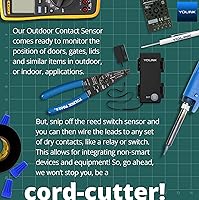
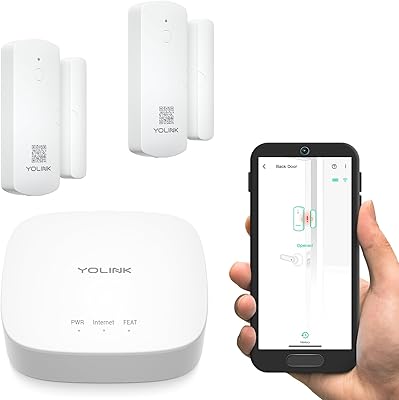
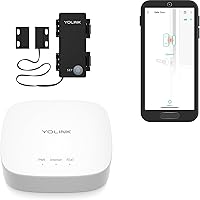
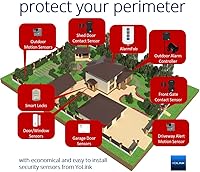
The YoLink Outdoor Contact Sensor Hub Starter Kit is a LoRa-based security bundle built for homeowners who need to monitor gates, sheds, barn doors, or outbuildings well beyond the reach of typical smart sensors. Unlike traditional monitored alarm systems, this YoLink starter kit puts you in control — you get the alerts, you decide the response, and you pay no monthly fee for that privilege. The hub supports over 300 devices across the YoLink ecosystem, so this is genuinely a starting point, not a dead end. The sensor is outdoor-rated, and for those comfortable with a little wiring, it includes contact-closure terminals that open up integrations with existing alarm panels or gate hardware.
Features & Benefits

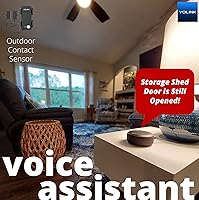
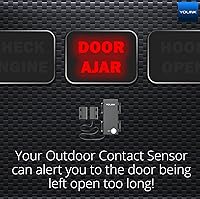
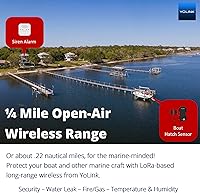
What sets the outdoor contact sensor bundle apart from most smart sensors is raw wireless distance. LoRa technology gives it a theoretical open-air range of roughly a quarter mile — real-world performance will vary with terrain and obstructions, but it consistently outperforms Z-Wave and Zigbee alternatives by a wide margin. Alerts arrive via push notification, SMS, or email at no extra cost. The included AA batteries are rated for up to five years of standby, keeping maintenance minimal. One underrated feature is device-to-device pairing: pair the sensor with a siren alarm and they will communicate directly, even without Wi-Fi or power. The kit also integrates with Alexa, Home Assistant, and IFTTT.

Best For

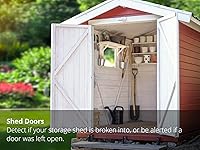
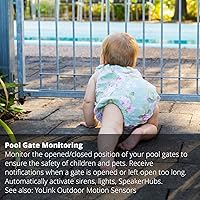
This long-range security kit is a strong fit for anyone who has struggled to get reliable coverage across a large rural property. Think detached garages, barns, sheds, or pool gates that sit too far from the home for standard WiFi or Zigbee sensors to reach reliably. It also appeals to DIY security enthusiasts who want an expandable platform they can grow over time without signing up for a monitoring contract. Home Assistant and IFTTT users will appreciate having a dependable hardware trigger for their automations. One caveat: if you simply want a plug-in sensor for an interior door near your router, this kit is likely more than you need.

User Feedback

Owners of this YoLink starter kit tend to highlight two things above all else: how far the signal actually reaches in practice, and how reliably the app delivers alerts. The no-subscription model gets consistent appreciation too, particularly from users who had previously paid monthly fees for simpler systems. On the flip side, some buyers note that the hub's requirement for a wired Ethernet port or 2.4 GHz WiFi can complicate placement in older homes. The contact-closure wiring option draws a split reaction — experienced installers love the flexibility, but beginners find it intimidating without clear guidance. Long-term owners generally confirm the battery life holds up well, though a handful report shorter spans in colder climates.

Pros

  • The LoRa wireless range far exceeds what Z-Wave and Zigbee sensors can achieve, covering large rural lots reliably.
  • No monthly subscription required — push, SMS, and email alerts are all included at zero ongoing cost.
  • Included AA batteries are rated for up to five years of standby, keeping maintenance to an absolute minimum.
  • Device-to-device pairing lets the sensor trigger a paired siren or alarm even when the internet or power goes out.
  • The hub supports over 300 compatible YoLink devices, making expansion straightforward and cost-effective over time.
  • Works natively with Home Assistant, Alexa, and IFTTT — a solid fit for existing smart-home ecosystems.
  • The outdoor contact sensor bundle includes wired contact-closure terminals for integration with alarm panels or gate controllers.
  • Entirely wireless and battery-powered installation means no electrician, no trenching, and no conduit required.

Cons

  • The hub only supports wired Ethernet or 2.4 GHz WiFi — no 5 GHz band, which limits placement flexibility.
  • Strictly self-monitored; there is no option for professional 24/7 monitoring or automatic emergency dispatch.
  • The contact-closure wiring feature, while genuinely useful, is intimidating and underdocumented for less experienced users.
  • Some owners in colder climates report real-world battery life falling noticeably short of the five-year rated estimate.
  • Remote alert delivery depends on YoLink cloud servers, meaning a service outage could temporarily cut off notifications.
  • The hub must sit indoors near a router, not in the remote outbuilding you are trying to monitor.
  • The YoLink ecosystem is proprietary, so committing to it means future sensors must stay within the same platform.
  • Unnecessary overkill for small homes or apartments where a basic WiFi door sensor would cover every entry point easily.

Ratings

Our AI-powered scoring system analyzed thousands of verified owner reviews for the YoLink Outdoor Contact Sensor Hub Starter Kit, applying filters to remove bot activity, incentivized feedback, and unverified purchases before calculating each category score. The ratings below reflect both the genuine strengths buyers consistently celebrate and the real-world frustrations that emerge across long-term use. Nothing is inflated here — every score, high or low, is grounded in what actual owners report.

Wireless Range
91%
Owners consistently report that the LoRa radio outperforms every WiFi, Zigbee, and Z-Wave sensor they had previously tried in the same locations. Gate sensors mounted at the end of long rural driveways and barn doors hundreds of feet from the house connected without issue. For large-property coverage, few consumer sensors come close.
The quarter-mile spec is a best-case open-air figure, and buyers with heavily wooded lots or metal-sided outbuildings report meaningful range reduction in practice. A small number of users found that thick concrete or block walls between hub and sensor caused intermittent signal drops, requiring hub relocation to resolve.
Alert Reliability
87%
Push notifications, SMS, and email alerts arrive promptly under normal conditions, and most buyers report the system reliably flagged open gates or suspicious shed activity without fail. The multi-channel approach means that if one delivery method hiccups, a backup channel usually catches the event before it goes unnoticed.
Alerts depend entirely on YoLink cloud infrastructure, so any server-side outage — even briefly — can result in delayed or missed notifications with no local fallback. A handful of users also report occasional lag between sensor trigger and phone alert, particularly during peak server load periods.
Installation & Setup
73%
27%
For buyers who stick to the basic reed-switch use case — mount the sensor, pair it with the hub, and receive alerts — the setup process is genuinely quick and the app guides each step without demanding technical knowledge. Many report being fully operational within fifteen to twenty minutes of opening the box.
The experience gets bumpier for users who want to leverage the contact-closure terminals, where the manual is sparse and assumes prior wiring knowledge not everyone has. Hub placement also trips people up — it must sit indoors near a 2.4 GHz router, which is not always where you would logically want to position it.
Battery Life
78%
22%
The five-year standby rating holds up in real-world use for most owners in temperate climates, with long-term buyers frequently confirming their batteries are still going strong after many months of continuous monitoring. For sensors mounted in hard-to-reach spots like barn rooflines or pool gate posts, that kind of longevity genuinely matters.
Owners in colder climates — particularly those with sensors exposed to sub-freezing winter temperatures — report noticeably faster battery drain, sometimes cutting the expected lifespan in half. This is partly an inherent limitation of alkaline chemistry in the cold, but it is worth planning for if you are in a northern state or high-altitude region.
Value for Money
88%
Eliminating the monthly monitoring fee is the clearest value driver here — over two or three years, the savings versus a subscription-based system more than offset the upfront kit cost. Getting both a hub and an outdoor-rated sensor in one box at this price point is consistently described as a genuine bargain by first-time buyers.
Buyers who only need a single sensor for a nearby interior door may feel the hub requirement inflates the entry cost unnecessarily, since you are effectively paying for platform infrastructure you may not fully use unless you expand. The value proposition improves significantly once a second or third device is added to the system.
Smart Home Integration
83%
Home Assistant users in particular praise how reliably the sensor registers state changes and how cleanly it fits into existing automation routines. Alexa and IFTTT integrations are also straightforward for less technical users who want to trigger lights, locks, or other smart devices from a gate or shed open event.
The integration is cloud-dependent, meaning it will not function as a fully local Home Assistant node without an active internet connection — something purists who prefer local-only control will notice. There is also no native Google Home support, which is a meaningful gap for households already embedded in the Google ecosystem.
Build & Weather Resistance
81%
19%
The sensor's outdoor-rated housing holds up well through rain, heat, and UV exposure according to most long-term owners, with units deployed on pool gates and farm fences continuing to function normally after a full year or more in the elements. The overall construction feels solid and purposeful for its size and weight class.
A minority of users report seal degradation or moisture intrusion after extended exposure to heavy rainfall or high-humidity coastal environments. The product does not carry an official IP ingress protection rating, which makes it genuinely difficult to assess waterproofing confidence before committing to a permanent outdoor mounting location.
Hub Connectivity
67%
33%
For users with a standard home network, the hub connects cleanly and stays connected without frequent drops, serving reliably as the central communication point for all paired sensors. The option to use wired Ethernet rather than WiFi is a practical fallback that noticeably improves stability for those who can run a cable to the hub.
The 2.4 GHz-only WiFi requirement is a genuine friction point for users with newer mesh networks that do not easily separate their bands, and some report spending significant time troubleshooting before getting online. Positioning the hub to balance router proximity with optimal LoRa signal range can become a frustrating trial-and-error process in larger homes.
App Experience
76%
24%
The YoLink app covers the core functions — pairing, alert configuration, history log, and device-to-device rule creation — without feeling bloated or confusing for a first-time user. Most owners find the notification customization options more flexible and granular than competing apps at a comparable price tier.
The app design feels dated compared to more polished competitors, and firmware update processes are not clearly communicated within the interface, leaving users uncertain whether their devices are current. Occasional post-update glitches have also been reported, though these are typically resolved within a few days via a follow-up patch.
Contact-Closure Versatility
79%
21%
For experienced installers, the ability to wire in a third-party sensor — a driveway alarm output, an existing alarm panel zone, or a specialized gate controller — turns this into a far more capable device than a standard contact sensor. That depth of integration flexibility is genuinely rare at this price tier in the consumer security market.
The documentation around the contact-closure terminals is thin, and YoLink provides no wiring diagrams or step-by-step guides tailored to common third-party configurations, leaving many beginners to piece things together from forum posts. This feature sharply splits the user base between those who find it invaluable and those who find it completely inaccessible.
Device-to-Device Pairing
84%
The ability to pair the sensor directly with a siren so the alarm fires locally without cloud interaction is something buyers consistently highlight as a standout capability. It provides the kind of fail-safe behavior that makes the outdoor contact sensor bundle genuinely trustworthy during power outages or internet connectivity loss scenarios.
Configuring device-to-device rules requires navigating an app section that some first-time users find unintuitive, and setup errors can result in the pairing failing to activate during an actual event. The feature also requires owning a compatible secondary YoLink device, which adds additional cost if you do not already have one in your setup.
Ecosystem Expandability
86%
The single hub included in this long-range security kit manages over 300 compatible YoLink devices, meaning the platform can realistically grow from one gate sensor into a comprehensive property network covering motion, water, temperature, and more without ever requiring an additional hub. That scalability from a starter kit is uncommon in this category.
Expanding the ecosystem means committing to the YoLink platform indefinitely — there is no cross-compatibility with Z-Wave or Zigbee devices, so buyers who later want to integrate other brands will hit hard limits. The proprietary LoRa implementation also means you cannot swap in a third-party hub if YoLink ever discontinues the product line.
Subscription-Free Model
93%
The absence of a monthly fee is the single most praised aspect across all user feedback — push notifications, SMS, and email alerts are delivered at no recurring cost for the product lifetime. For buyers migrating from subscription-based security systems, the immediate and compounding financial relief is something they mention unprompted in nearly every long-term review.
The trade-off is full personal responsibility for monitoring — there is no dispatch service, no professional oversight, and no fallback if you miss a critical alert. Buyers who travel frequently, sleep heavily, or want peace of mind during extended absences may find that self-monitoring alone introduces anxiety gaps a professional service would otherwise cover.
Documentation & Support
61%
39%
For basic setup tasks, the in-app guidance and online knowledge base cover enough ground to get most users operational without needing to contact support directly. The broader YoLink community — particularly active on Reddit and the Home Assistant forums — provides a reliable supplementary resource for more advanced or edge-case configurations.
Official support response times draw criticism from a notable share of buyers, particularly those troubleshooting contact-closure wiring or network connectivity issues that fall outside the standard use case. The printed quick-start guide bundled in the box is considered far too minimal to be genuinely useful beyond the most basic initial installation steps.

Suitable for:

The YoLink Outdoor Contact Sensor Hub Starter Kit is purpose-built for homeowners whose property stretches well beyond the reliable reach of standard WiFi or Zigbee sensors. If you have a detached garage, a barn, a shed at the far end of a large lot, or a vehicle gate at the end of a long driveway, this is exactly the kind of system designed to close that coverage gap. The LoRa-based wireless protocol handles distances that would defeat any other consumer-grade sensor, making it especially valuable for rural properties where running buried conduit would be costly or impractical. DIY-minded buyers who want to build out a self-monitored security ecosystem over time will find the hub's compatibility with over 300 YoLink devices a genuine long-term asset. It also suits Home Assistant and IFTTT users who want a dependable, battery-powered hardware node capable of triggering local automations without relying on a continuous cloud connection.
Not suitable for:

The YoLink Outdoor Contact Sensor Hub Starter Kit is not the right choice for buyers who expect a professionally monitored alarm system that dispatches emergency services on their behalf — this is a self-monitoring setup, full stop, and that distinction matters. If your property is compact and your router sits close to every door or window you want to cover, the extended wireless range is unnecessary and a simpler WiFi-based sensor would be both easier and cheaper to deploy. The hub requires either a wired Ethernet connection or a 2.4 GHz WiFi network, which becomes an awkward constraint in older homes or in situations where the hub would ideally live in a detached structure without a network drop. Buyers who are uncomfortable with basic wiring or app-based configuration may find the learning curve steeper than expected, especially if they want to leverage the contact-closure terminals for third-party alarm panel integration. Finally, anyone hoping for a fully local, cloud-free setup should know that YoLink's remote alert delivery does depend on its cloud servers.
Specifications

  • Wireless Protocol: Uses YoLink's proprietary LoRa (Long Range) radio technology on the sub-GHz band for maximum range and wall penetration.
  • Max Range: Rated up to 1/4 mile (approximately 1,000 ft) in open-air conditions; real-world range varies with terrain, walls, and obstructions.
  • Power Source: Sensor is powered by two AA alkaline batteries, which are included in the box at time of purchase.
  • Battery Life: Manufacturer rates the sensor at up to 5 years of standby life under typical residential usage conditions.
  • Hub Connectivity: The YoLink Hub connects via wired Ethernet or 2.4 GHz WiFi only; 5 GHz WiFi bands are not supported.
  • Alert Types: Delivers real-time alerts via push notification, SMS, and email with no paid subscription required.
  • Integrations: Officially compatible with Amazon Alexa, Home Assistant, and IFTTT for automation and voice control.
  • Sensor Dimensions: The outdoor contact sensor measures 4.3 x 4.3 x 3.1 inches, sized for surface mounting on gates, doors, or lids.
  • Kit Weight: The complete starter kit, sensor and hub combined, weighs approximately 11.7 oz.
  • Warranty: The sensor carries a 2-year manufacturer warranty; the hub is separately covered for 1 year.
  • Ecosystem Size: The included hub is compatible with over 300 devices across the full YoLink product lineup.
  • Contact Terminals: Sensor includes wired contact-closure terminals, allowing the built-in reed switch to be replaced by third-party sensors, alarm panels, or gate controllers.
  • Device Pairing: Supports direct device-to-device pairing so the sensor can trigger a paired siren or alarm locally without an active internet connection or AC power.
  • Recommended Use: Designed for outdoor gates, shed and barn doors, pool gates, roof hatches, and remote structures beyond standard WiFi sensor range.
  • Manufacturer: Produced by YOSMART under model numbers YS1603-UC (sensor) and YS7707-UC (hub), with UPC 810121540015.

Related Reviews

YoLink LoRa Outdoor Motion Sensor Starter Kit
75%
93%
Wireless Range
88%
Ease of Setup
67%
App Reliability
62%
False Trigger Rate
79%
Battery Life
More
YoLink LoRa Smart Door Sensor Starter Kit
79%
93%
Wireless Range
88%
Ease of Setup
79%
Battery Life
84%
Value for Money
61%
App Experience
More
Acure Brightening Starter Kit Skincare Set
77%
74%
Value for Money
91%
Ingredient Transparency
83%
Vitamin C Serum Performance
81%
Cleansing Gel Effectiveness
63%
Facial Scrub Consistency
More
VOFEL BB Glow 12-Vial Microneedling Serum Kit
72%
71%
Value for Money
66%
Ingredient Quality
73%
Skin Luminosity Results
48%
BB Glow Tinting Effect
82%
Texture & Absorption
More
Arduino Starter Kit K000007
84%
91%
Component Quality
93%
Project Book Quality
92%
Beginner Accessibility
72%
Value for Money
74%
Scope & Depth of Projects
More
Vilros Arduino Uno Starter Kit
82%
92%
Value for Money
88%
Ease of Use
90%
Component Quality
85%
Instruction Manual
82%
Learning Curve
More
GREENCYCLE M-SF20R Wireless Driveway Alarm
78%
91%
Ease of Setup
78%
Detection Reliability
62%
Wireless Range
88%
Chime & Alert Volume
61%
Battery Life
More
YoLink YS7201 LoRa Vibration Sensor
72%
91%
Wireless Range
88%
Value for Money
83%
Setup & Installation
79%
App & Notifications
76%
Detection Reliability
More
SunFounder ESP32 Ultimate Starter Kit
80%
88%
Value for Money
91%
Tutorial & Documentation Quality
79%
Component Quality
63%
Ease of Setup
67%
Camera Module Performance
More
Narrative Cosmetics Starter Effects Kit
86%
88%
Ease of Use for Beginners
92%
Realism of Effects
74%
Scar Wax Application
90%
Versatility of Bruise Wheel
85%
Quality of Ingredients
More

FAQ

No, and that is one of its strongest selling points. Push notifications, SMS, and email alerts are all included with no recurring fees. You just need a smartphone and a working internet connection for the hub to relay those alerts.

The rated open-air range is about a quarter mile, but that is an ideal-conditions figure with no obstacles. In practice, expect some reduction if there are dense walls, trees, hills, or metal structures in the signal path. That said, most owners report the range comfortably covers distances that would easily defeat a standard WiFi or Zigbee sensor.

The hub needs to be near your router, not near the sensor. The LoRa radio handles long-distance communication between hub and sensor, so the hub can sit indoors while the sensor monitors a gate or outbuilding hundreds of feet away.

Yes, the YoLink Outdoor Contact Sensor Hub Starter Kit has an official Home Assistant integration, which is a big part of its appeal for automation enthusiasts. Once connected, the sensor can serve as a trigger for any automation in your Home Assistant environment without much friction.
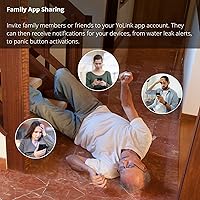
Remote alerts via push, SMS, and email do require an active internet connection through the hub, so those will pause during an outage. However, if you have configured device-to-device pairing — linking the sensor directly to a compatible YoLink siren, for example — that local trigger will still fire without internet or even AC power.

It depends on your comfort level with basic DIY electrical work. If you have wired sensors before, snipping the reed switch and connecting the terminals to a third-party alarm panel or gate controller is fairly straightforward. If you have no wiring experience at all, the process can feel intimidating, and the official documentation is not always as detailed as beginners would like — so factor that in before committing.

The hub only supports 2.4 GHz WiFi, so you cannot connect it to a 5 GHz network directly. Most modern dual-band routers broadcast both frequencies, so you should be able to select the 2.4 GHz band during setup. If WiFi is tricky in your location, a wired Ethernet connection to the hub is always the more reliable option.

The hub supports over 300 YoLink devices, so for the vast majority of homes it is effectively unlimited in practical terms. If you have a very large property spread across multiple structures with many monitoring points, you can also add additional hubs to extend your coverage footprint.

It is built and rated for outdoor installation, and most long-term owners report solid reliability through heat, heavy rain, and cold. One recurring caveat worth noting: owners in very cold climates sometimes report battery drain happening faster than the five-year estimate suggests, which is a known characteristic of alkaline cells in freezing temperatures rather than a flaw in the sensor itself.

Yes, that is exactly what device-to-device pairing is designed for. Pair the outdoor contact sensor bundle with a compatible YoLink siren alarm, and the siren will sound the moment the sensor detects an open event — no phone, no app check, no internet loop required. It is a genuinely useful feature for anyone who wants a local, self-contained response rather than relying solely on remote alerts.